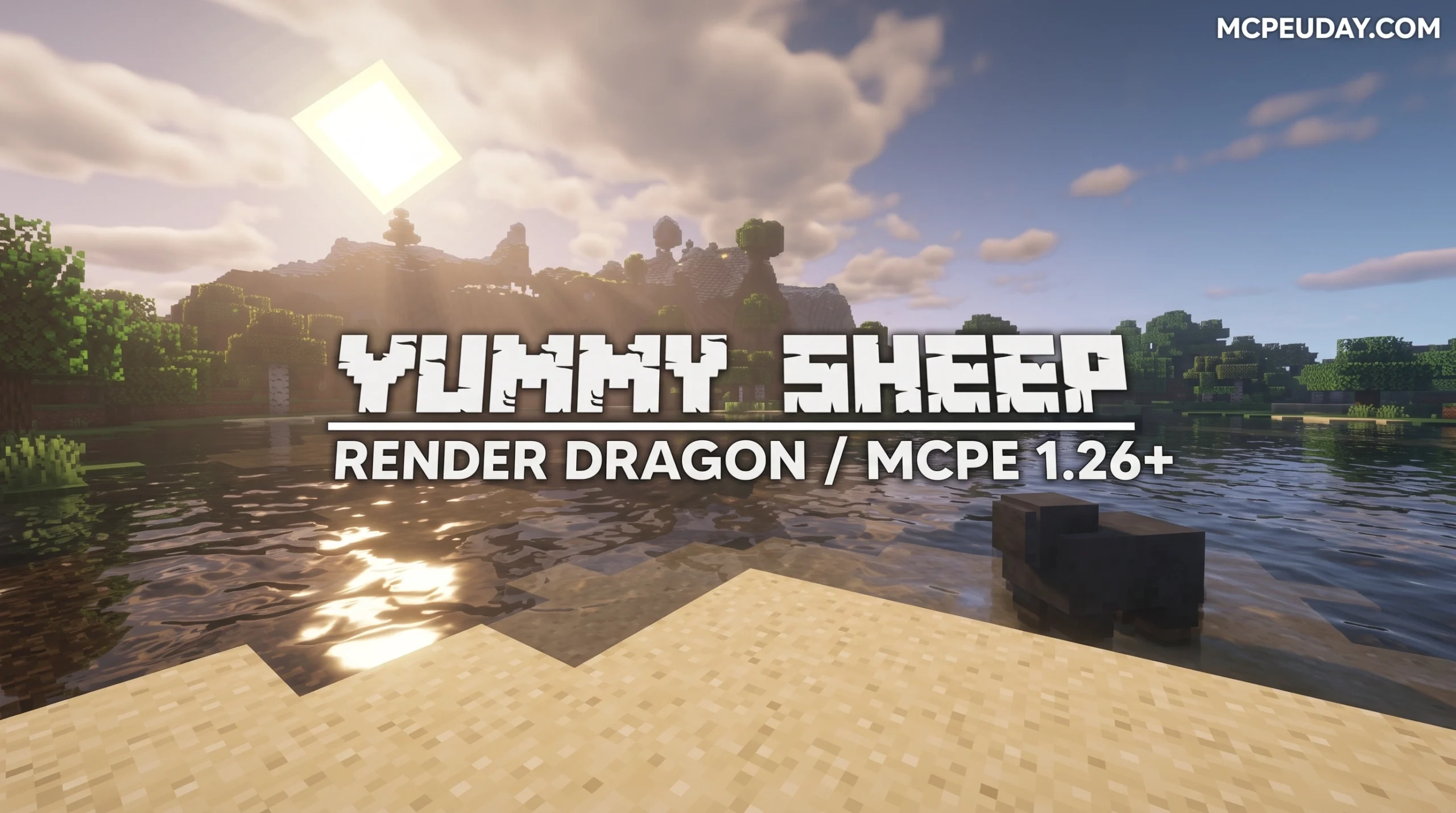
What Is the Yummy Sheep Shader for Minecraft Bedrock?
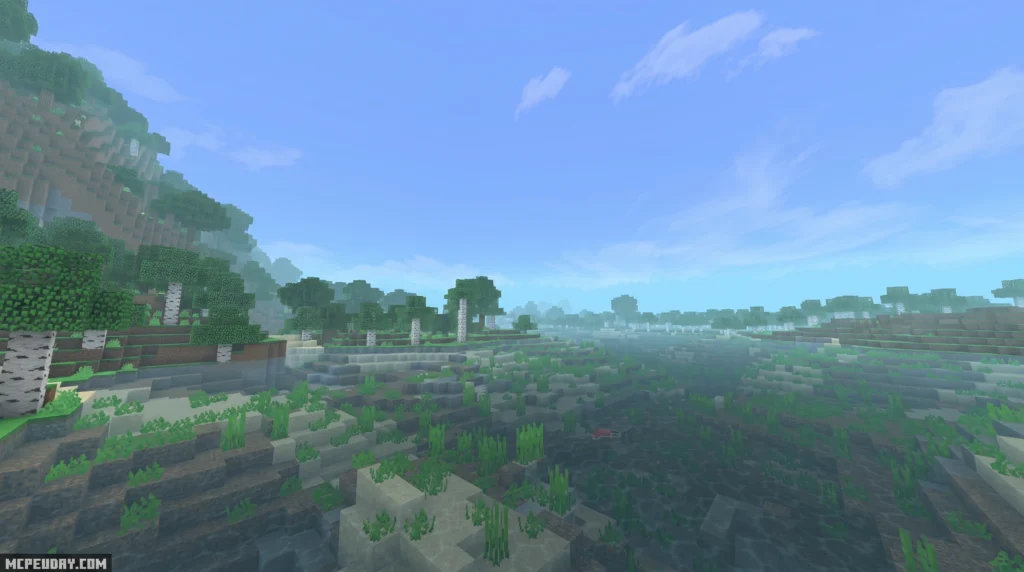
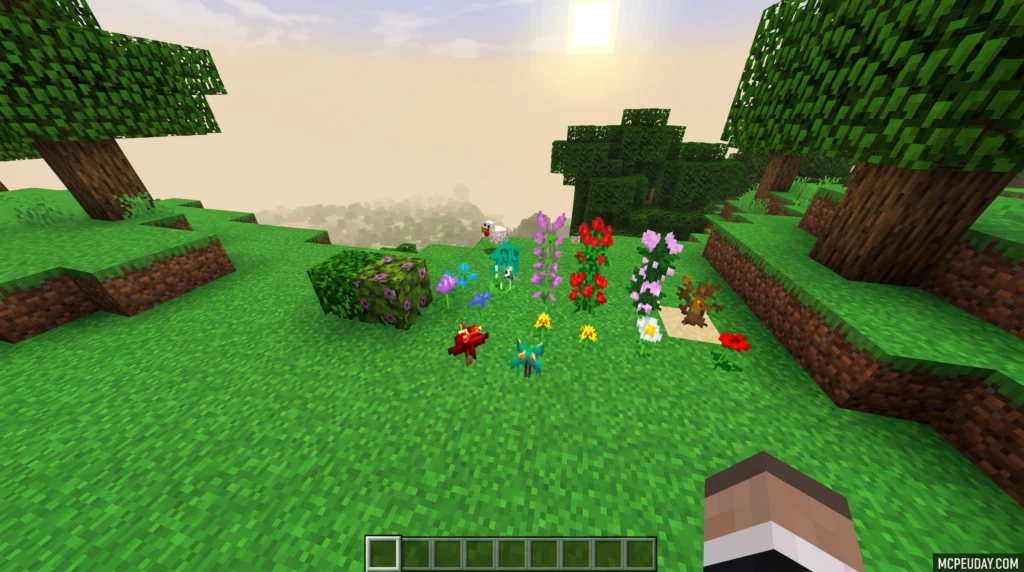
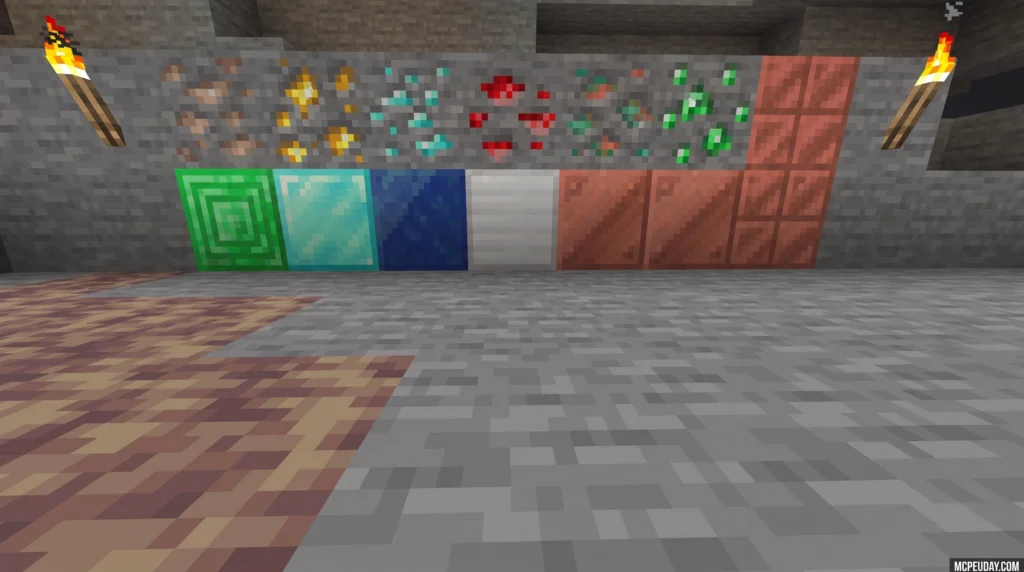
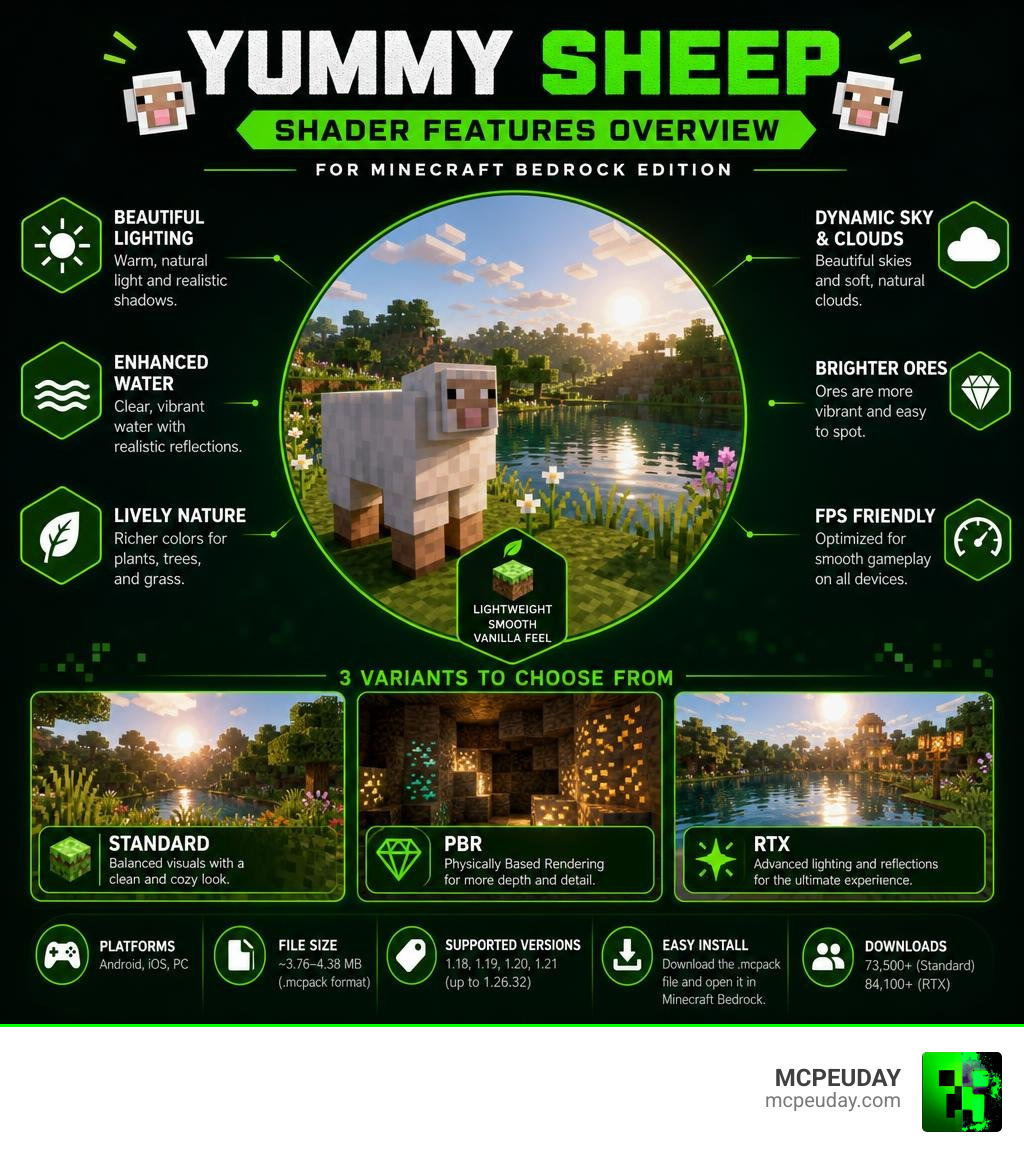
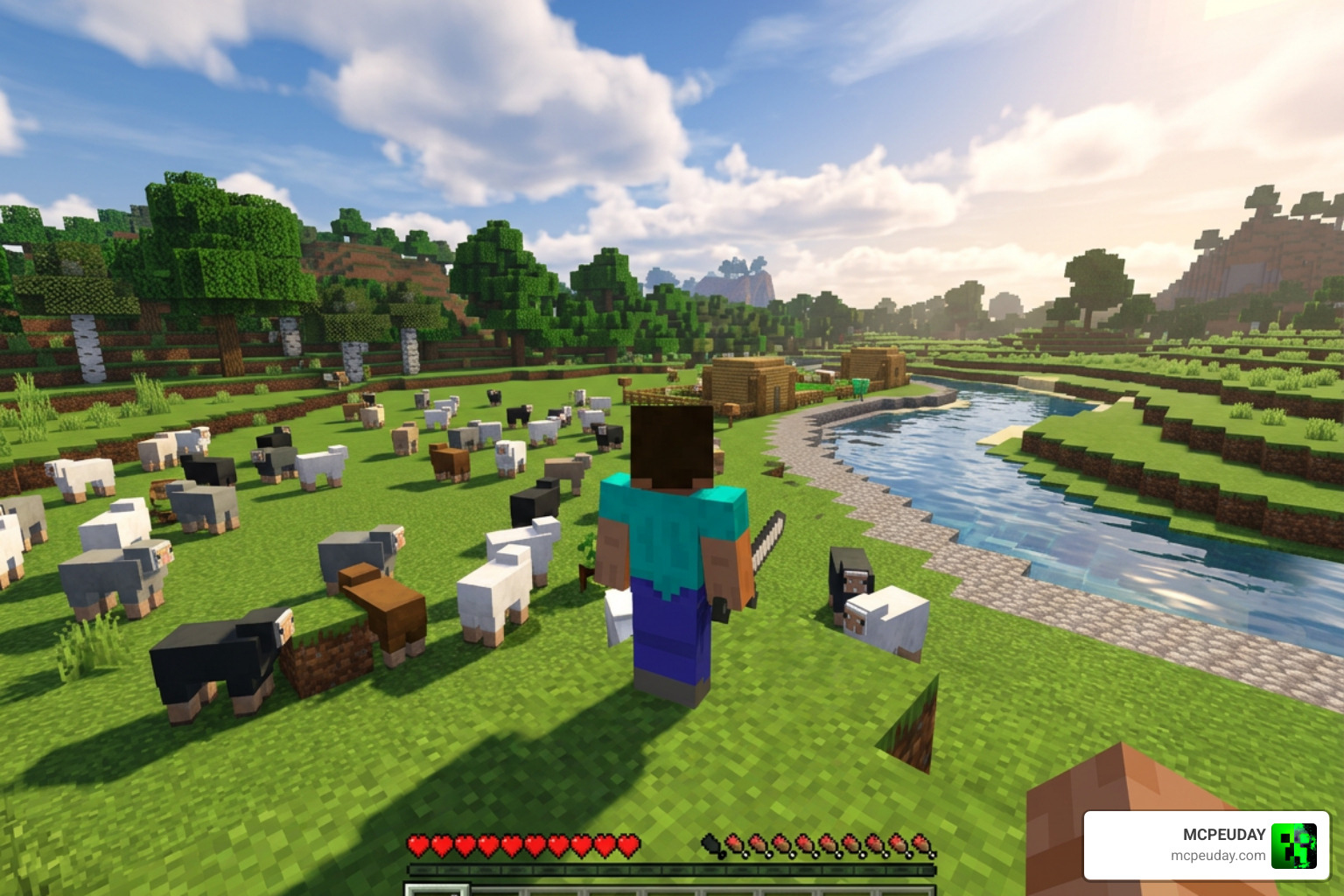
The Yummy Sheep Shader is a lightweight resource pack for Minecraft Bedrock Edition (MCPE) that upgrades your game’s visuals while keeping the classic vanilla feel intact. It enhances water, sky, plants, ores, clouds, and lighting — all without killing your FPS.
Quick answer:
- What it is: A visual shader pack for Minecraft PE/Bedrock
- Who made it: A team of Minecraft Bedrock enthusiasts
- Supported versions: 1.18, 1.19, 1.20, 1.21 (up to 1.26.32)
- Platforms: Android, iOS, PC
- File size: ~3.76–4.38 MB (.mcpack format)
- Variants available: Standard, PBR, and RTX
- Downloads: 73,500+ (standard) and 84,100+ (RTX version)
- How to install: Download the
.mcpackfile and open it in Minecraft Bedrock
It works on both mobile and PC, and it’s one of the more beginner-friendly shaders out there — no complicated setup required.
What is the Yummy Sheep Shader and Who Created It?
The Yummy Sheep Shader is a visual modification pack developed by a dedicated team of Minecraft Bedrock lovers. Their goal was simple: create a cozy, color-rich, and atmospheric upgrade for Bedrock Edition without steering too far away from the classic vanilla look. It is an excellent choice for players who want their worlds to look polished and alive but do not want the heavy performance penalty of realistic resource packs.
But what exactly is a shader? If you are new to modifying your game, you can read our detailed guide on What are Shaders in Games? to understand how they manipulate lighting, shadows, and textures.
In a nutshell, this community-created resource pack replaces Minecraft’s basic rendering rules with custom visual effects. It features full compatibility with modern Minecraft PE/Bedrock versions, including major releases like 1.20 and 1.21. Whether you are building on a mobile device or exploring on a PC, this pack transforms your environments into a vibrant, living painting.
Key Features of Yummy Sheep Shader
This pack is packed with thoughtful graphical touches that make survival and creative modes feel brand new. Here are the standout features:
- Celestial Enhancements: Gone are the days of blocky, square clouds. The shader introduces soft, non-square clouds along with a beautiful round sun and round moon. This completely changes the skybox, making daytime exploration feel much more realistic and nighttime stargazing incredibly peaceful.
- Sparkling Ores: Mining is much more satisfying. Ore blocks like coal, iron, gold, diamonds, and bronze have a sparkling, animated glare effect that makes them stand out in dark caves. This is not just a visual treat; it is also highly functional, helping you spot valuable resources from a distance without needing to place torches everywhere.
- Dynamic Foliage: Grass, flowers, and tree leaves sway gently in the wind. To make things even more immersive, these animations are paired with subtle, realistic rustling sound effects. The movement is natural and fluid, avoiding the jittery animations seen in lower-quality packs.
- Atmospheric Lighting: Sunrises and sunsets feature gorgeous color transitions, casting soft shadows and diffused light across your world. The transition from day to night feels gradual and organic, creating a cozy atmosphere that enhances your overall gameplay experience.
If you want to see how these features stack up against other popular packs, check out our list of the 15 Best Minecraft PE Shaders June 2026.
How to Install Yummy Sheep Shader
Getting this shader up and running in your game is straightforward. Because it is packaged as a .mcpack file, your device can automatically import it.
Installing custom graphics packs on mobile devices can sometimes feel daunting, but the .mcpack format simplifies the entire process. It acts as an auto-installer that communicates directly with your Minecraft application, eliminating the need to manually move files into hidden system folders.
For a broad overview of shader setups, you can read our guide on How to Get Shaders in Minecraft? or follow our comprehensive How to Turn on Shaders in Minecraft 2026 Guide.
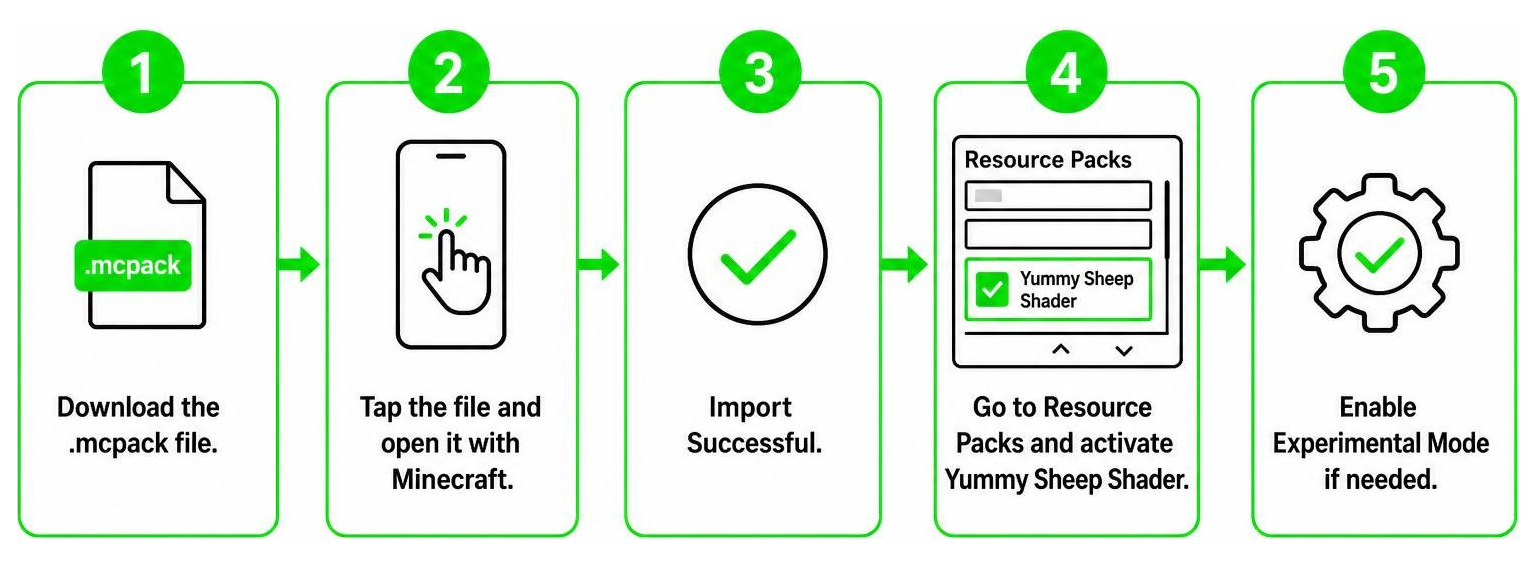
Here is the quick step-by-step process for MCPE/Bedrock:
- Download the official
.mcpackfile from a trusted source. - Locate the downloaded file on your device and tap on it. Select Minecraft as the app to open the file.
- Minecraft will launch and display an “Import Successful” message.
- Go to your world settings, scroll down to Resource Packs, and activate the Yummy Sheep Shader.
- Make sure to enable Experimental Mode in your world settings if you run into any loading issues.
Visual Enhancements and Graphics Upgrades
The Yummy Sheep Shader completely revitalizes the natural elements of Minecraft. The most dramatic transformation can be seen in the water. Instead of the standard, opaque blue blocks, the water gets a transparent, fluid texture with dynamic flow animations. Depending on which biome you are in, the water color shifts dynamically, allowing you to see light rays refracting through the depths of oceans and rivers.
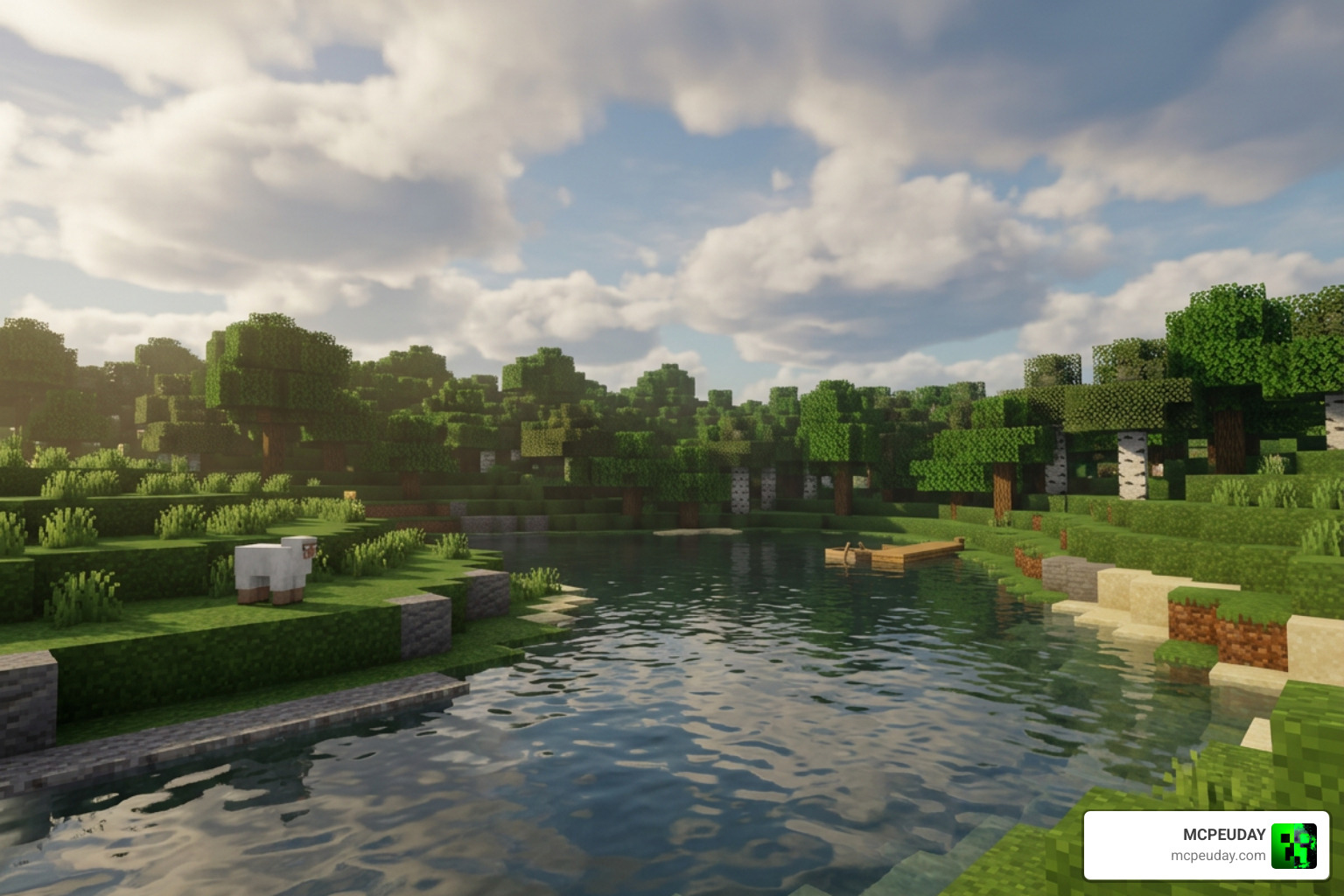
Lighting also gets a massive overhaul. Instead of uniform yellow sunlight, the sun casts a softer, diffused glow that interacts beautifully with the environment. Shadows are softer and more realistic, adding depth to buildings and natural landscapes. These subtle touches make the game feel cozy and warm rather than overly sharp or dark.
In addition to the water and lighting upgrades, the shader dramatically improves the atmosphere during different weather conditions. When it rains, the world takes on a cooler, mistier tone, with subtle fog effects that roll over the hills. This adds a layer of mystery and survival tension without completely blocking your view. Underground, the shader transforms dark caves into atmospheric caverns. The glowing ores interact with the soft lighting, casting faint reflections on nearby stone blocks and making deep-slate exploration feel like a true subterranean adventure.
If you love this style of soft, vanilla-friendly visuals, you might also want to check out our review of the 10 Best Newb Shaders for Minecraft PE Bedrock.
Performance, Compatibility, and Device Support
One of the biggest concerns for mobile players is performance. Many heavy shaders can cause lag, overheating, and massive frame drops on phones and tablets. Fortunately, the Yummy Sheep Shader is heavily optimized and lightweight.
On mobile devices (Android and iOS), the FPS impact is minimal. The shader runs smoothly on mid-range devices and can even run on weaker smartphones depending on their hardware chipset. For PC players, the shader offers flawless performance with high draw distances.
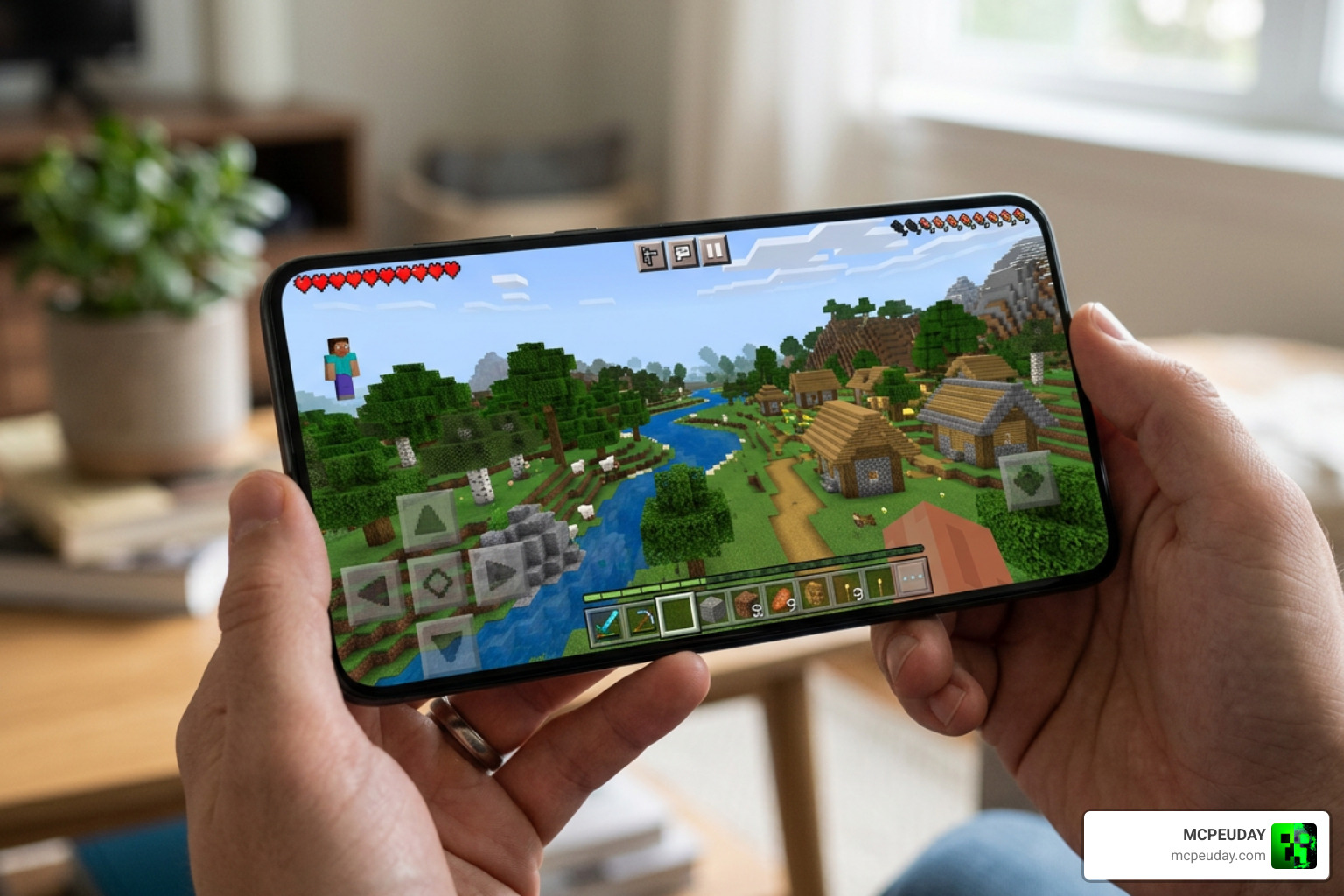
In terms of compatibility, the shader works perfectly alongside Minecraft’s modern Render Dragon engine. However, to prevent game crashes, we highly recommend that you do not run other heavy graphics modpacks simultaneously.
To understand why compatibility is such a big deal, we have to look at Minecraft’s Render Dragon engine. Introduced in recent updates, this rendering engine changed how the game processes graphics, which unfortunately broke many older, beloved shaders. The developers of the Yummy Sheep Shader spent countless hours optimizing their code to ensure full compatibility with this modern engine. This means you can enjoy beautiful, waving plants and realistic water without worrying about the black screens or broken textures that plague outdated resource packs. It is a future-proof solution for Bedrock players.
If you want to explore more lightweight visual options, browse our dedicated Category: Shaders page.
Comparing Standard, PBR, and RTX Versions
Depending on your gaming setup, you can choose between three different versions of the Yummy Sheep Shader. Here is how they compare:
| Feature | Standard Version | PBR Version | RTX Version |
|---|---|---|---|
| Best For | Mobile devices & low-end PCs | Mid-to-high-end devices | High-end PCs with RTX graphics cards |
| Lighting | Soft, diffused global lighting | Enhanced material-based lighting | Real-time ray-traced lighting |
| Water | Fluid, transparent, biome-colored | Realistic reflections & transparency | Fully ray-traced reflections & refraction |
| Special Requirements | None | Compatible PBR texture pack | NVIDIA GeForce RTX Card & Vanilla RTX pack |
| Performance Impact | Very Low | Low to Medium | High |
The Yummy Sheep Shader PBR version utilizes Physically Based Rendering to give blocks realistic physical textures, allowing them to reflect light based on their material (e.g., shiny metals or rough stone). This means that when you walk past a block of iron or a wet surface, you will see realistic light reflections that change depending on your viewing angle. It adds an incredible layer of depth to your builds, making materials feel tangible and distinct.
The Yummy Sheep Shader RTX version is built specifically for players with NVIDIA GeForce RTX graphics cards. It requires you to have the Vanilla RTX pack enabled simultaneously. That you should never activate both the standard and RTX versions at the same time, as this will cause severe visual glitches and game crashes. The RTX version leverages hardware-accelerated ray tracing to calculate real-time reflections, global illumination, and physically accurate shadows, turning Minecraft into a next-generation visual masterpiece.
To download these different versions safely, you can check the community discussions and download links on the Yummy Sheep Shader (1.21, 1.20) – MCPE/Bedrock forum, or search for the official releases on trusted community platforms. Choosing the right version ensures that your device runs the game at peak performance while delivering the exact visual style you desire.
Frequently Asked Questions
Does Yummy Sheep Shader work on weak mobile devices?
Yes! The standard version of the shader is designed to be lightweight and highly optimized. While performance ultimately depends on your phone’s hardware chipset, most budget and mid-range devices can run it with minimal impact on your frame rate.
Can I use Yummy Sheep Shader in multiplayer games?
Absolutely. This is a client-side resource pack, meaning it only changes how the game looks on your screen. It is fully compatible with multiplayer servers, realms, and co-op worlds, allowing you to enjoy beautiful graphics while playing with friends.
Why is the shader not showing up in my resource packs?
If the shader does not appear in your game, check the file extension. If the file downloaded as a .zip archive, rename the file extension to .mcpack. You can then tap the file to open it directly in Minecraft. Additionally, make sure you have activated Experimental Game Mode in your world settings.
Conclusion
The Yummy Sheep Shader is a fantastic visual upgrade that strikes the perfect balance between modern graphical beauty and classic vanilla charm. By introducing dynamic water, non-square celestial bodies, glowing ores, and swaying plants, it breathes fresh life into Minecraft Bedrock without compromising your device’s performance.
At MCPEUDAY, we love resource packs that make the game feel like a cozy, living world. If you are ready to explore more top-tier graphic upgrades, head over to our handpicked selection of the Best Shaders for MCPE 1.21 2026 and elevate your survival adventure today!What Is the Yummy Sheep Shader for Minecraft Bedrock?
The Yummy Sheep Shader is a lightweight resource pack for Minecraft Bedrock Edition (MCPE) that upgrades your game’s visuals while keeping the classic vanilla feel intact. It enhances water, sky, plants, ores, clouds, and lighting — all without killing your FPS.
Quick answer:
- What it is: A visual shader pack for Minecraft PE/Bedrock
- Who made it: A team of Minecraft Bedrock enthusiasts
- Supported versions: 1.18, 1.19, 1.20, 1.21 (up to 1.26.32)
- Platforms: Android, iOS, PC
- File size: ~3.76–4.38 MB (.mcpack format)
- Variants available: Standard, PBR, and RTX
- Downloads: 73,500+ (standard) and 84,100+ (RTX version)
- How to install: Download the
.mcpackfile and open it in Minecraft Bedrock
It works on both mobile and PC, and it’s one of the more beginner-friendly shaders out there — no complicated setup required.
What is the Yummy Sheep Shader and Who Created It?
The Yummy Sheep Shader is a visual modification pack developed by a dedicated team of Minecraft Bedrock lovers. Their goal was simple: create a cozy, color-rich, and atmospheric upgrade for Bedrock Edition without steering too far away from the classic vanilla look. It is an excellent choice for players who want their worlds to look polished and alive but do not want the heavy performance penalty of realistic resource packs.
But what exactly is a shader? If you are new to modifying your game, you can read our detailed guide on What are Shaders in Games? to understand how they manipulate lighting, shadows, and textures.
In a nutshell, this community-created resource pack replaces Minecraft’s basic rendering rules with custom visual effects. It features full compatibility with modern Minecraft PE/Bedrock versions, including major releases like 1.20 and 1.21. Whether you are building on a mobile device or exploring on a PC, this pack transforms your environments into a vibrant, living painting.
Key Features of Yummy Sheep Shader
This pack is packed with thoughtful graphical touches that make survival and creative modes feel brand new. Here are the standout features:
- Celestial Enhancements: Gone are the days of blocky, square clouds. The shader introduces soft, non-square clouds along with a beautiful round sun and round moon. This completely changes the skybox, making daytime exploration feel much more realistic and nighttime stargazing incredibly peaceful.
- Sparkling Ores: Mining is much more satisfying. Ore blocks like coal, iron, gold, diamonds, and bronze have a sparkling, animated glare effect that makes them stand out in dark caves. This is not just a visual treat; it is also highly functional, helping you spot valuable resources from a distance without needing to place torches everywhere.
- Dynamic Foliage: Grass, flowers, and tree leaves sway gently in the wind. To make things even more immersive, these animations are paired with subtle, realistic rustling sound effects. The movement is natural and fluid, avoiding the jittery animations seen in lower-quality packs.
- Atmospheric Lighting: Sunrises and sunsets feature gorgeous color transitions, casting soft shadows and diffused light across your world. The transition from day to night feels gradual and organic, creating a cozy atmosphere that enhances your overall gameplay experience.
If you want to see how these features stack up against other popular packs, check out our list of the 15 Best Minecraft PE Shaders June 2026.
How to Install Yummy Sheep Shader
Getting this shader up and running in your game is straightforward. Because it is packaged as a .mcpack file, your device can automatically import it.
Installing custom graphics packs on mobile devices can sometimes feel daunting, but the .mcpack format simplifies the entire process. It acts as an auto-installer that communicates directly with your Minecraft application, eliminating the need to manually move files into hidden system folders.
For a broad overview of shader setups, you can read our guide on How to Get Shaders in Minecraft? or follow our comprehensive How to Turn on Shaders in Minecraft 2026 Guide.
Here is the quick step-by-step process for MCPE/Bedrock:
- Download the official
.mcpackfile from a trusted source. - Locate the downloaded file on your device and tap on it. Select Minecraft as the app to open the file.
- Minecraft will launch and display an “Import Successful” message.
- Go to your world settings, scroll down to Resource Packs, and activate the Yummy Sheep Shader.
- Make sure to enable Experimental Mode in your world settings if you run into any loading issues.
Visual Enhancements and Graphics Upgrades
The Yummy Sheep Shader completely revitalizes the natural elements of Minecraft. The most dramatic transformation can be seen in the water. Instead of the standard, opaque blue blocks, the water gets a transparent, fluid texture with dynamic flow animations. Depending on which biome you are in, the water color shifts dynamically, allowing you to see light rays refracting through the depths of oceans and rivers.
Lighting also gets a massive overhaul. Instead of uniform yellow sunlight, the sun casts a softer, diffused glow that interacts beautifully with the environment. Shadows are softer and more realistic, adding depth to buildings and natural landscapes. These subtle touches make the game feel cozy and warm rather than overly sharp or dark.
In addition to the water and lighting upgrades, the shader dramatically improves the atmosphere during different weather conditions. When it rains, the world takes on a cooler, mistier tone, with subtle fog effects that roll over the hills. This adds a layer of mystery and survival tension without completely blocking your view. Underground, the shader transforms dark caves into atmospheric caverns. The glowing ores interact with the soft lighting, casting faint reflections on nearby stone blocks and making deep-slate exploration feel like a true subterranean adventure.
If you love this style of soft, vanilla-friendly visuals, you might also want to check out our review of the 10 Best Newb Shaders for Minecraft PE Bedrock.
Performance, Compatibility, and Device Support
One of the biggest concerns for mobile players is performance. Many heavy shaders can cause lag, overheating, and massive frame drops on phones and tablets. Fortunately, the Yummy Sheep Shader is heavily optimized and lightweight.
On mobile devices (Android and iOS), the FPS impact is minimal. The shader runs smoothly on mid-range devices and can even run on weaker smartphones depending on their hardware chipset. For PC players, the shader offers flawless performance with high draw distances.
In terms of compatibility, the shader works perfectly alongside Minecraft’s modern Render Dragon engine. However, to prevent game crashes, we highly recommend that you do not run other heavy graphics modpacks simultaneously.
To understand why compatibility is such a big deal, we have to look at Minecraft’s Render Dragon engine. Introduced in recent updates, this rendering engine changed how the game processes graphics, which unfortunately broke many older, beloved shaders. The developers of the Yummy Sheep Shader spent countless hours optimizing their code to ensure full compatibility with this modern engine. This means you can enjoy beautiful, waving plants and realistic water without worrying about the black screens or broken textures that plague outdated resource packs. It is a future-proof solution for Bedrock players.
If you want to explore more lightweight visual options, browse our dedicated Category: Shaders page.
Comparing Standard, PBR, and RTX Versions
Depending on your gaming setup, you can choose between three different versions of the Yummy Sheep Shader. Here is how they compare:
| Feature | Standard Version | PBR Version | RTX Version |
|---|---|---|---|
| Best For | Mobile devices & low-end PCs | Mid-to-high-end devices | High-end PCs with RTX graphics cards |
| Lighting | Soft, diffused global lighting | Enhanced material-based lighting | Real-time ray-traced lighting |
| Water | Fluid, transparent, biome-colored | Realistic reflections & transparency | Fully ray-traced reflections & refraction |
| Special Requirements | None | Compatible PBR texture pack | NVIDIA GeForce RTX Card & Vanilla RTX pack |
| Performance Impact | Very Low | Low to Medium | High |
The Yummy Sheep Shader PBR version utilizes Physically Based Rendering to give blocks realistic physical textures, allowing them to reflect light based on their material (e.g., shiny metals or rough stone). This means that when you walk past a block of iron or a wet surface, you will see realistic light reflections that change depending on your viewing angle. It adds an incredible layer of depth to your builds, making materials feel tangible and distinct.
The Yummy Sheep Shader RTX version is built specifically for players with NVIDIA GeForce RTX graphics cards. It requires you to have the Vanilla RTX pack enabled simultaneously. That you should never activate both the standard and RTX versions at the same time, as this will cause severe visual glitches and game crashes. The RTX version leverages hardware-accelerated ray tracing to calculate real-time reflections, global illumination, and physically accurate shadows, turning Minecraft into a next-generation visual masterpiece.
To download these different versions safely, you can check the community discussions and download links on the Yummy Sheep Shader (1.21, 1.20) – MCPE/Bedrock forum, or search for the official releases on trusted community platforms. Choosing the right version ensures that your device runs the game at peak performance while delivering the exact visual style you desire.
Frequently Asked Questions
Does Yummy Sheep Shader work on weak mobile devices?
Yes! The standard version of the shader is designed to be lightweight and highly optimized. While performance ultimately depends on your phone’s hardware chipset, most budget and mid-range devices can run it with minimal impact on your frame rate.
Can I use Yummy Sheep Shader in multiplayer games?
Absolutely. This is a client-side resource pack, meaning it only changes how the game looks on your screen. It is fully compatible with multiplayer servers, realms, and co-op worlds, allowing you to enjoy beautiful graphics while playing with friends.
Why is the shader not showing up in my resource packs?
If the shader does not appear in your game, check the file extension. If the file downloaded as a .zip archive, rename the file extension to .mcpack. You can then tap the file to open it directly in Minecraft. Additionally, make sure you have activated Experimental Game Mode in your world settings.
Conclusion
The Yummy Sheep Shader is a fantastic visual upgrade that strikes the perfect balance between modern graphical beauty and classic vanilla charm. By introducing dynamic water, non-square celestial bodies, glowing ores, and swaying plants, it breathes fresh life into Minecraft Bedrock without compromising your device’s performance.
At MCPEUDAY, we love resource packs that make the game feel like a cozy, living world. If you are ready to explore more top-tier graphic upgrades, head over to our handpicked selection of the Best Shaders for MCPE 1.21 2026 and elevate your survival adventure today!