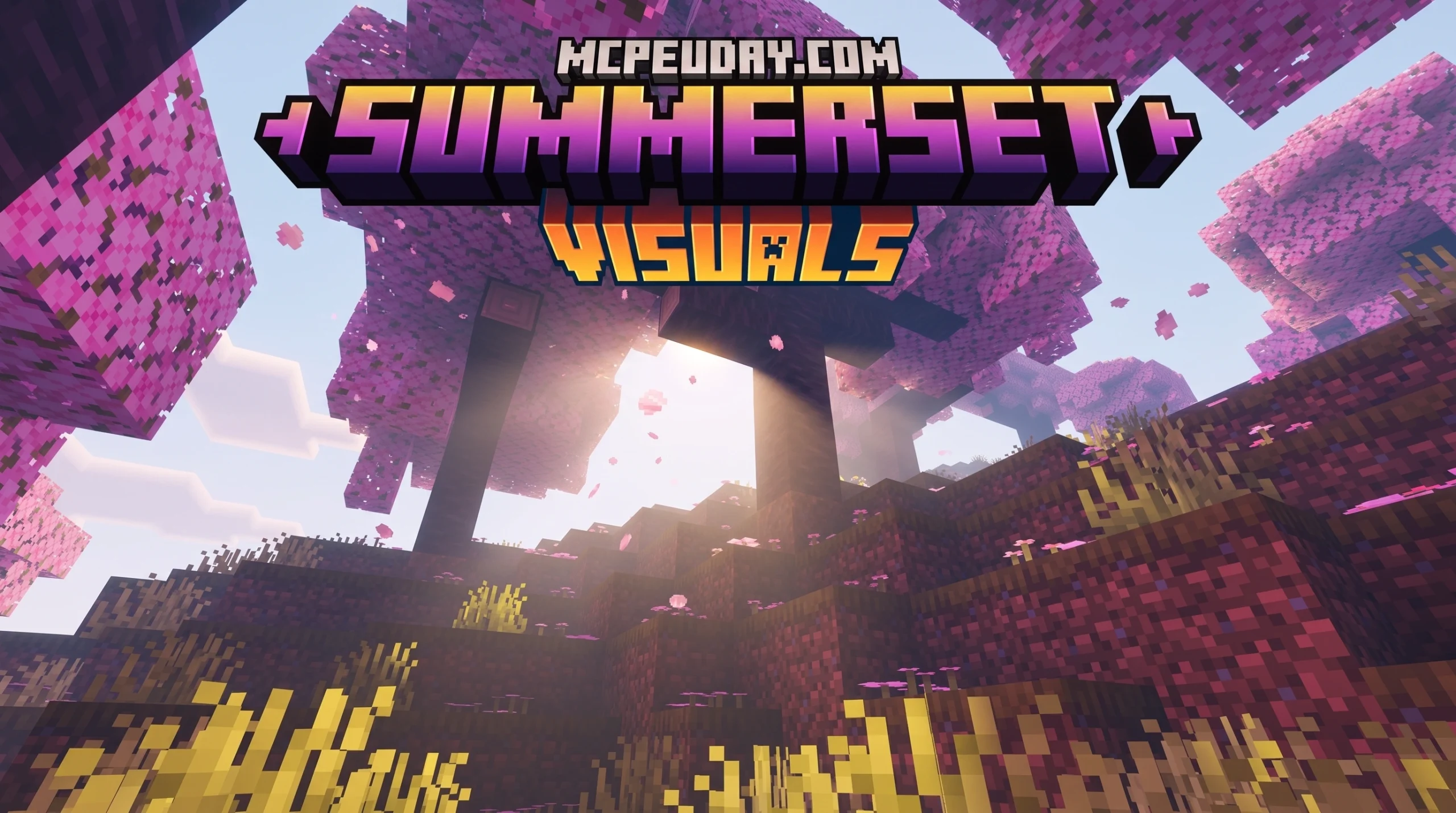
What Is the Summerset Visuals Shader?
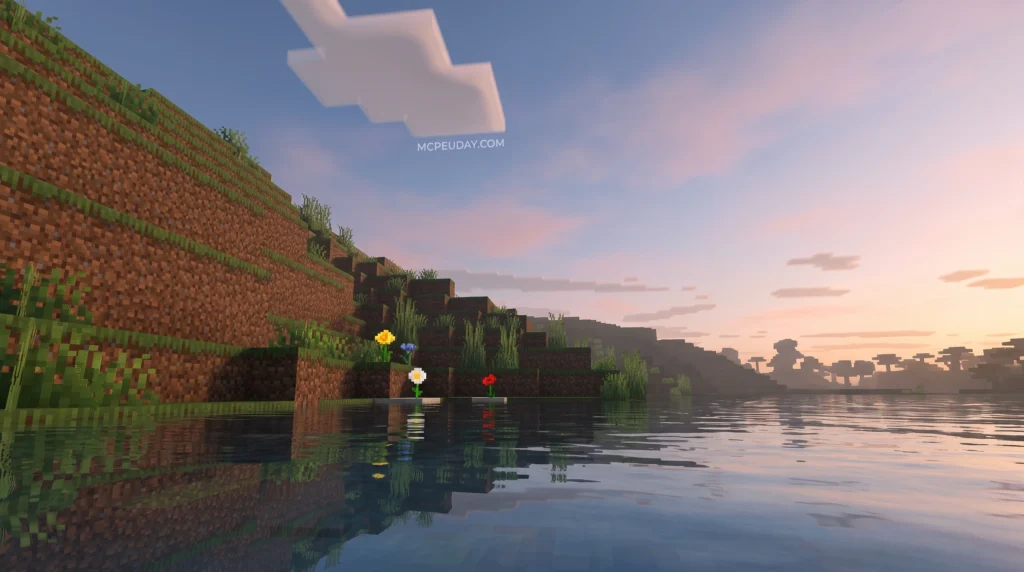
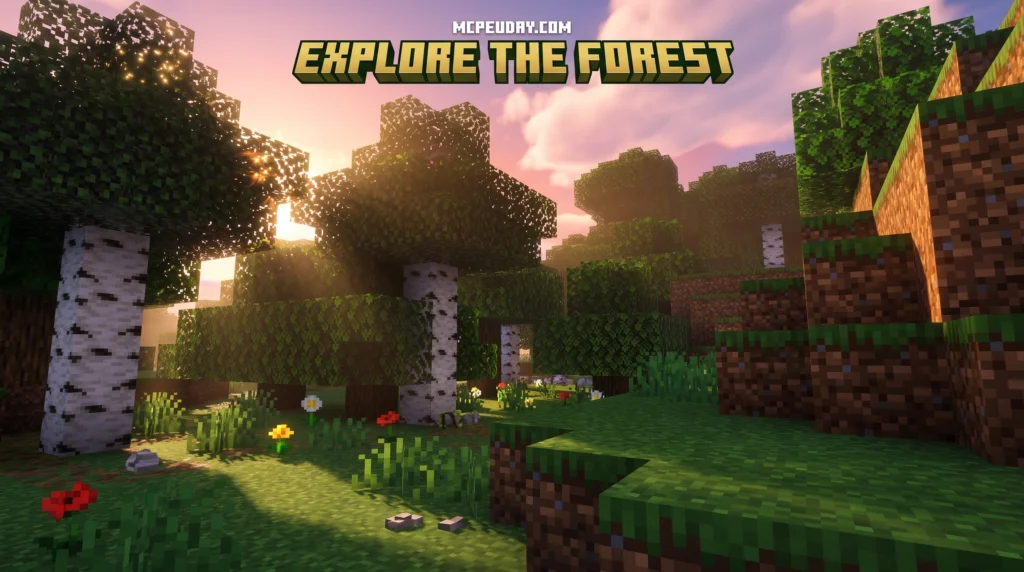
The Summerset Visuals Shader is a ReShade preset designed to give games a vibrant, soft, and warm visual style — think golden hour lighting with boosted colors and a dreamy, polished look. It was built for ReShade 4.7.0 and requires three shader packs to run: Crosire Shaders, Quint Shaders, and OtisFX Shaders.
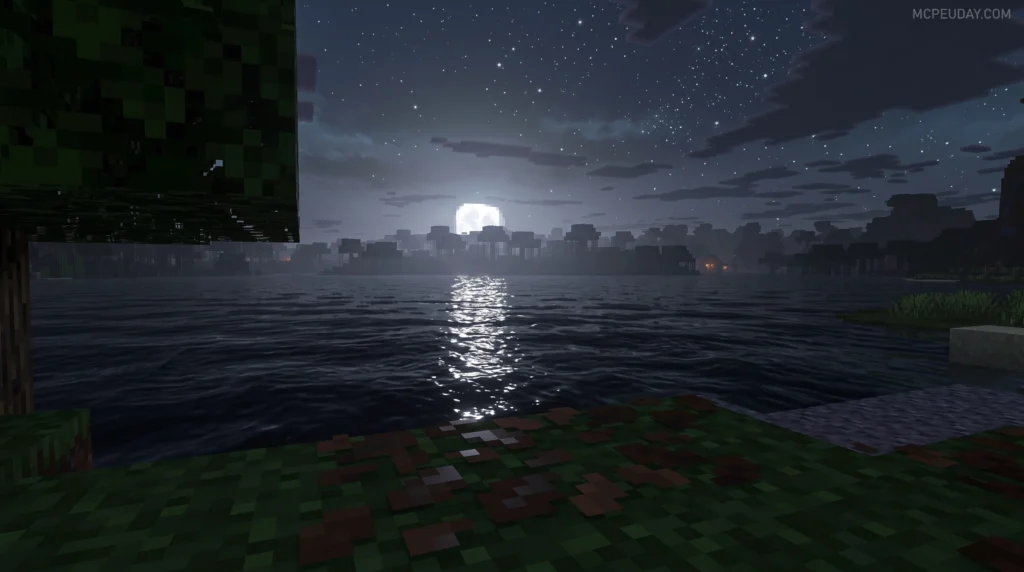
Here’s a quick summary of what it is and what it does:
- Type: ReShade preset (not a standalone mod)
- Visual style: Warm, vibrant, soft — described as “August golden hour” tones
- Required ReShade version: 4.7.0
- Required shader packs: Crosire Shaders, Quint Shaders, OtisFX Shaders
- Key toggles: Technicolor 2 (saturation), Adaptive Fog, edge-smoothing
- Performance Mode: Must be turned off for best results
This guide covers everything you need — features, installation, settings, and how it stacks up against other graphics mods.
If you’ve ever felt like your game looks a little flat or washed out, you’re not alone. Visual mods and shader presets have been a big deal in the gaming community for years. The Summerset preset stands out because it goes for something warm and bright rather than the dark, gritty look many other presets favor.
It’s not just about making things look prettier. Shaders like this change how light, color, and depth are rendered — making every scene feel more alive and cinematic.
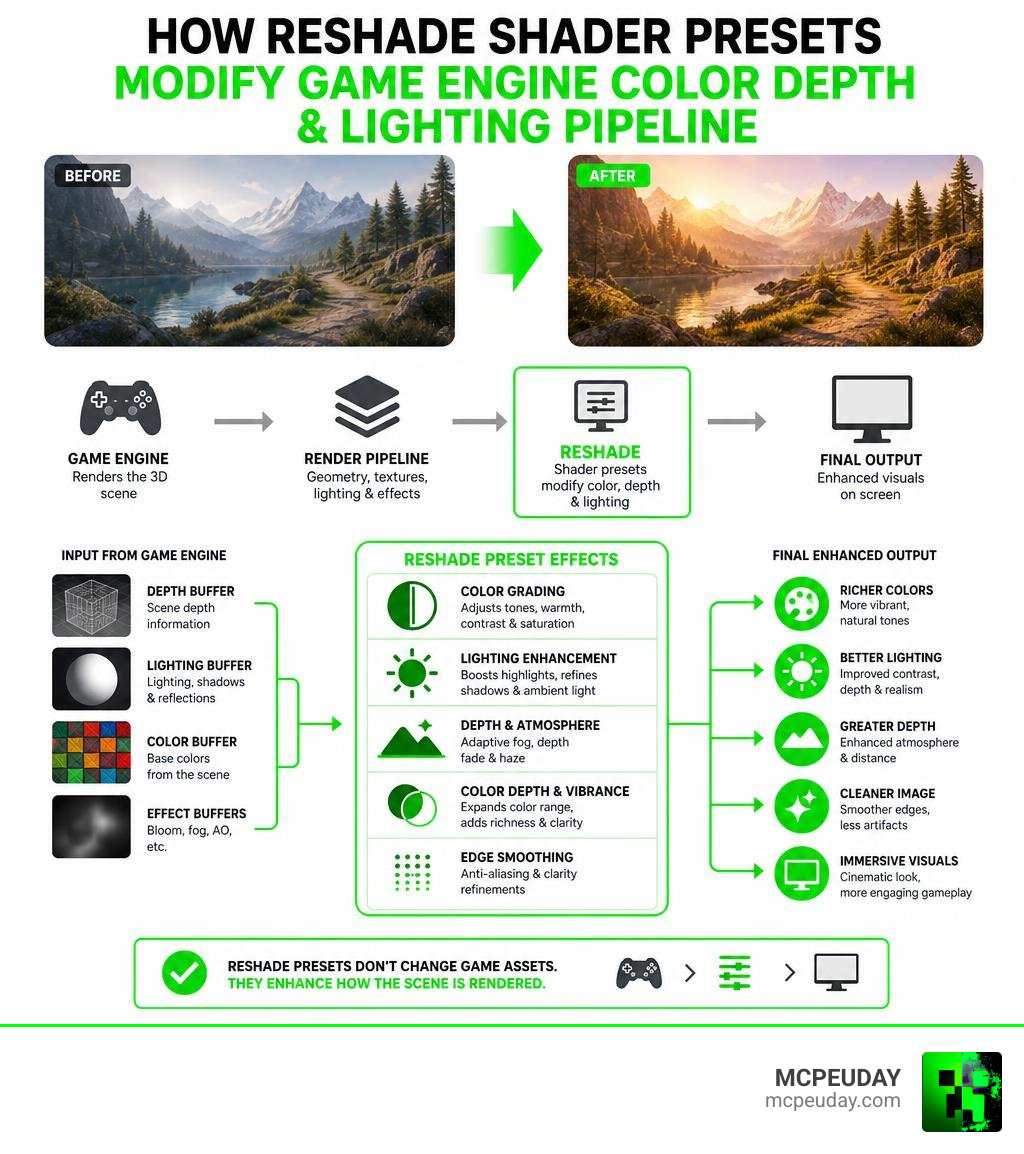
Understanding the Summerset Visuals Shader in Modern Gaming
To understand why the Summerset Visuals Shader is so popular, it helps to understand what a shader actually does. In modern gaming, engines process raw 3D models and textures, but shaders are the instructions that tell the graphics card how to render light, shadows, reflections, and color grading. If you want to dive deeper into how this technology works, check out our guide on What are shaders in games? to get a solid grasp of the basics.
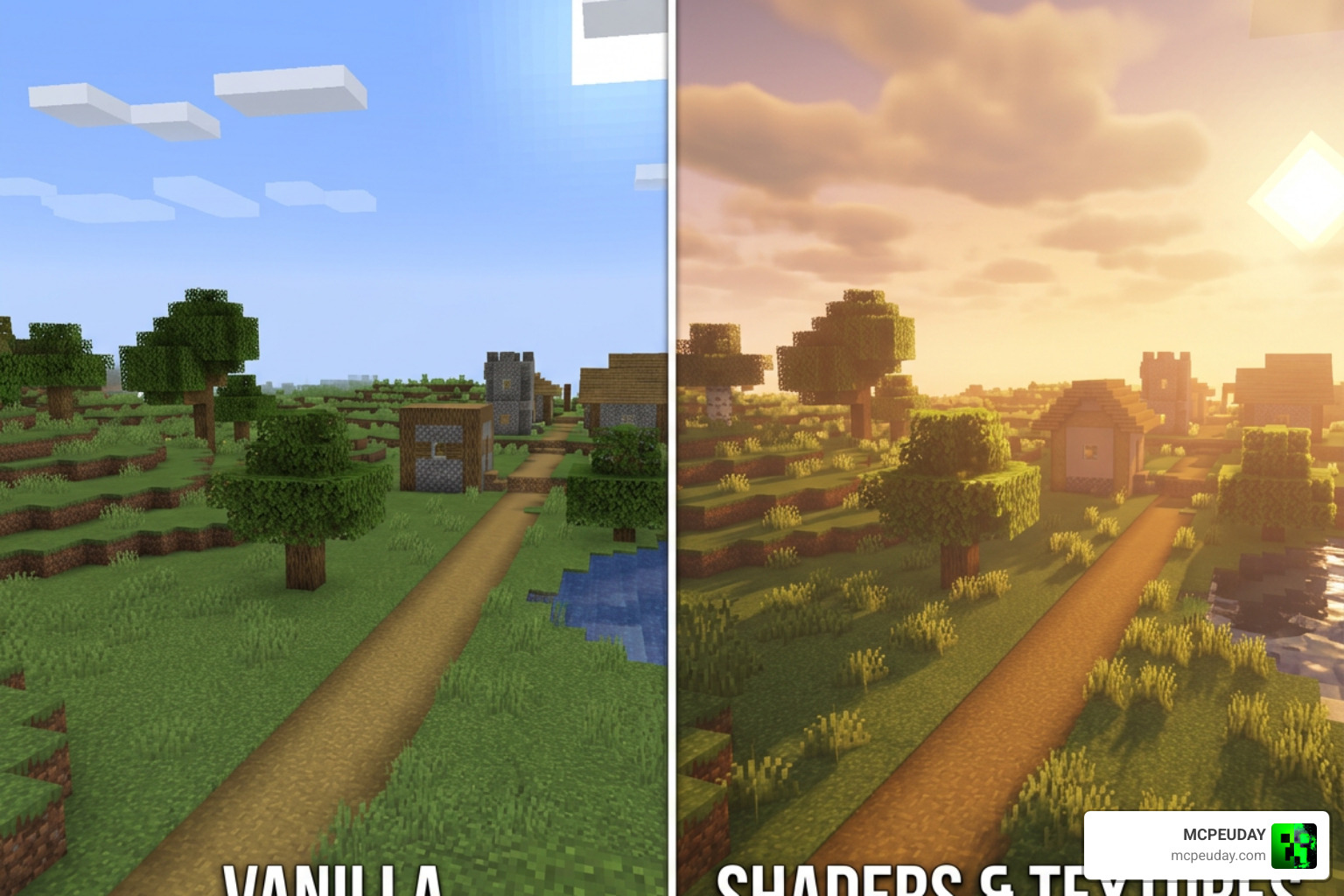
Unlike heavy game engine modifications, the Summerset preset works as a post-processing layer via ReShade. This means it hooks into the game’s rendering pipeline to adjust the final image before it appears on your screen. It is specifically designed to swap out dreary, desaturated, or overly “grungy” tones for a bright, cheerful, and sun-kissed look.
Key Features of the Summerset Visuals Shader
If you decide to install this preset, you can expect a massive transformation in your game’s atmosphere. Here are the standout features that make the Summerset ReShade Preset – @solstice-sims on Tumblr a favorite for virtual photographers and casual players alike:
- Vibrant Color Grading: By utilizing advanced color-mapping techniques, this preset breathes new life into dull environments.
- Warm Golden Hour Glow: The lighting is adjusted to mimic the soft, orange-tinted sunlight of late summer.
- Depth of Field (DoF): This effect blurs the background or foreground depending on where your camera is focused, creating a gorgeous cinematic look.
- Ambient Occlusion (MXAO): Adds realistic, soft shadows in corners, crevices, and where objects meet, giving the entire world more depth.
- Adaptive Fog: Creates a beautiful, glowy background mist that blends distant horizons seamlessly.
Historical Context of ESO Visual Mods and Community Feedback
To truly appreciate what presets like this bring to the table, we have to look back at the history of graphic modifications in massive online worlds like The Elder Scrolls Online (ESO). Over the years, players have constantly looked for ways to bypass the game’s default blue-tinted fog and flat lighting.
Historically, tools like the ESO Graphics Extender 2.0.1 (a 20MB graphical overhaul) were released to increase view distance and strip away that infamous blue fog. However, official game updates have sometimes caused visual friction. For example, when the Summerset expansion launched for ESO, the first five community threads on the official forums immediately complained about permanent weapon enchant glow effects.
Before the Summerset patch, weapon enchant effects were toggled off when weapons were sheathed. The update made them glow permanently, which many players found distracting and low-resolution. This rapid feedback loop highlights how sensitive MMO communities are to visual changes, and why highly customizable ReShade presets became the go-to solution for players wanting complete control over their game’s aesthetic.
Installation and Configuration Guide
Getting your game to look this good requires a small amount of setup. Because ReShade injects files directly into your game folder, you need to make sure you follow the installation steps closely to avoid crashes. If you’ve ever modified other games, you’ll find this process very familiar. For a quick refresher on how to set up files like this, you can read our walkthrough on How to get shaders in Minecraft? which covers similar file-structure concepts.
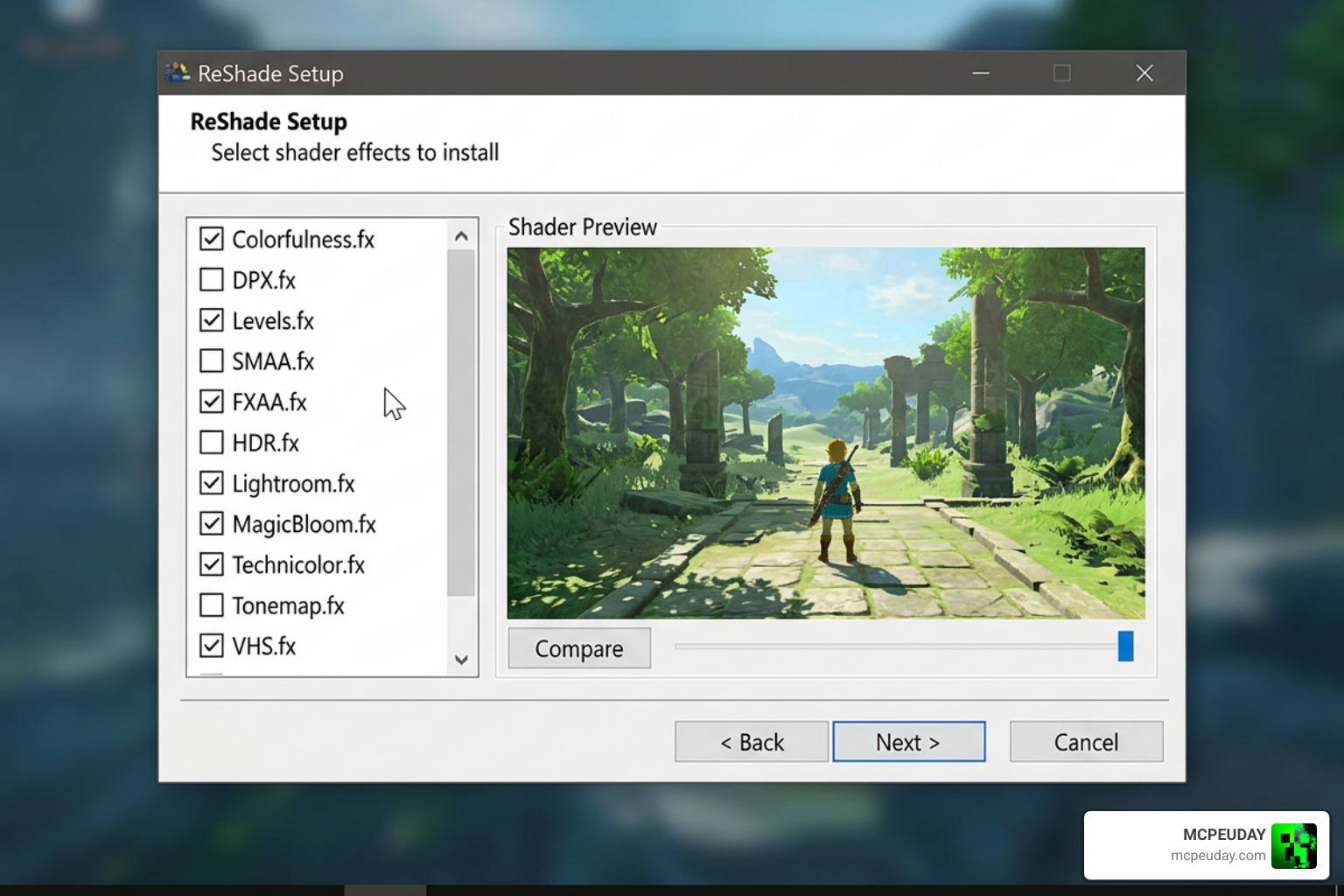
How to Install and Configure the Summerset Visuals Shader
To get the exact look intended by the creator, follow these steps:
- Download and install ReShade 4.7.0 (or a compatible version).
- During the setup, make sure you download the required shader packages: Crosire Shaders, Quint Shaders, and OtisFX Shaders.
- Download the preset file from the Summerset ReShade Preset by solstice-sims page.
- Place the downloaded
.inipreset file directly into your game’s installation directory (where the main.exefile is located). - Launch your game and press the Home key (or your designated ReShade hotkey) to open the overlay menu.
- Select the Summerset preset from the drop-down list at the top of the menu.
Recommended Settings and Customization Toggles
One of the best parts about this preset is how easy it is to customize. If you find the colors a bit too intense or your frame rate taking a hit, you can toggle specific settings on or off:
- Technicolor 2: This is the heart of the preset’s vibrant look. If you want a more natural, less saturated appearance, simply toggle this effect off.
- Adaptive Fog: Keep this toggled on if you want that dreamy, glowy background. If you prefer crisp, clear horizons, turn it off.
- Edge-Smoothing: We recommend turning off edge-smoothing in the ReShade menu if you notice any text or UI elements becoming blurry.
- Performance Mode: Make sure this box in the bottom right of the ReShade overlay is unchecked while you are customizing your settings. Once you have everything perfect, you can check it to lock your settings in and save a bit of processing power!
Comparing Summerset to Other Graphics Overhauls
How does the Summerset preset compare to other major graphical modifications? Let’s take a look at how it stacks up against older overhauls and mobile-friendly shaders.
| Feature / Mod | Summerset Visuals Shader | ESO Graphics Extender | Vibrant Visuals Shader |
|---|---|---|---|
| Primary Platform | PC (Multi-game ReShade) | PC (ESO Specific) | MCPE / Bedrock (Minecraft) |
| Aesthetic Style | Warm, vibrant, golden hour | Realistic, clear, de-fogged | Vanilla-enhanced, PBR materials |
| Key Technology | ReShade 4.7.0 Post-Processing | Hook64 + ReShade 3.0.7 | Deferred Lighting Pipeline |
| Performance Impact | Low to Moderate | Moderate to High | Low (Highly Optimized) |
Summerset vs. ESO Graphics Extender and Vibrant Visuals
While the Summerset preset focuses purely on post-processing colors and lighting, older tools like the ESO Graphics Extender took a more invasive approach. It combined ReShade 3.0.7 with Hook64 to bypass the game’s internal limits, allowing for massive draw distances. Unfortunately, Hook64 was eventually discontinued due to the author’s health retirement, leaving many players looking for pure ReShade alternatives like Summerset.
On the other side of the gaming spectrum, we have modern deferred shaders like the Vibrant Visuals Shader for Minecraft Bedrock. As of July 2026, Vibrant Visuals has reached an impressive 110,648 downloads, proving that players across all platforms crave vibrant, realistic lighting. While Summerset relies on ReShade injection, Minecraft’s modern shaders leverage native engine pipelines to achieve beautiful PBR materials without requiring high-end RTX hardware. If you are looking for the absolute best mobile visuals, check out our list of the Best shaders for MCPE 1.21 2026 top 3 realistic Minecraft PE shaders to see what modern mobile devices can do.
Performance Impact and Troubleshooting Common Issues
Adding beautiful lighting can sometimes come at a cost. Depending on your graphics card, you might experience performance drops when activating multiple intensive shaders at once.
Here are the most common issues users face and how to fix them:
- FPS Drops: Effects like Depth of Field (DoF) and Ambient Occlusion (MXAO) require a lot of processing power. If your frame rate drops significantly, try toggling these two effects off first.
- Depth Buffer Flickering: In online games, ReShade sometimes disables depth-based effects (like DoF and MXAO) to prevent players from using shaders to see through walls or gain unfair advantages. If your depth buffer flickers, ensure you are using a version of ReShade that handles depth buffer access correctly, or toggle off depth-reliant shaders.
- Blurry UI/Text: If your game’s user interface looks blurry, make sure you have turned off any generic edge-smoothing or anti-aliasing shaders within the ReShade menu.
Frequently Asked Questions
How do I fix startup crashes with ReShade?
If your game crashes immediately upon launching after installing ReShade, it is usually due to a naming conflict with your system’s graphics API. Go to your game directory and locate the file named dxgi.dll. Rename this file to d3d11.dll. This simple trick fixes startup crashes for the vast majority of players.
Does the Summerset preset work with Steam?
Yes! However, if your Steam library is installed on a drive other than your main C: drive, you may need to manually copy the ReShade files and the Summerset .ini preset directly into your Steamapps common folder where the game’s main executable resides.
Can I use this shader in Minecraft Bedrock?
No, the Summerset ReShade preset is designed specifically for PC games using the ReShade program. However, if you want that same vibrant, warm, golden hour look in Minecraft Bedrock or MCPE, we have plenty of incredible alternatives designed specifically for mobile and console engines. You can learn how to set them up in our How to turn on shaders in Minecraft 2026 guide Java Bedrock MCPE setup fast mcpeuday guide.
Conclusion
The Summerset Visuals Shader is an absolute game-changer for anyone tired of cold, dreary, or desaturated graphics. By bringing a warm, golden hour aesthetic to your screen, it turns every gaming session into a cinematic experience.
At MCPEUDAY, we love helping gamers push their graphics to the absolute limit. Whether you are playing on a high-end PC or looking to upgrade your mobile gaming setup, we have the resources you need. If you are ready to transform your mobile gaming worlds next, head over to our handpicked selection of the Best shaders for MCPE 1.21 2026 top 3 realistic Minecraft PE shaders and find your perfect look today!
Download
Download Shader
MORE SHADERS- Shaders – MCPEUDAY
Free with Minecraft Marketplace All Packs – Click and Join
1 thought on “Summerset Visuals Shader (26.x, 1.21) – MCPE/Bedrock Shader”