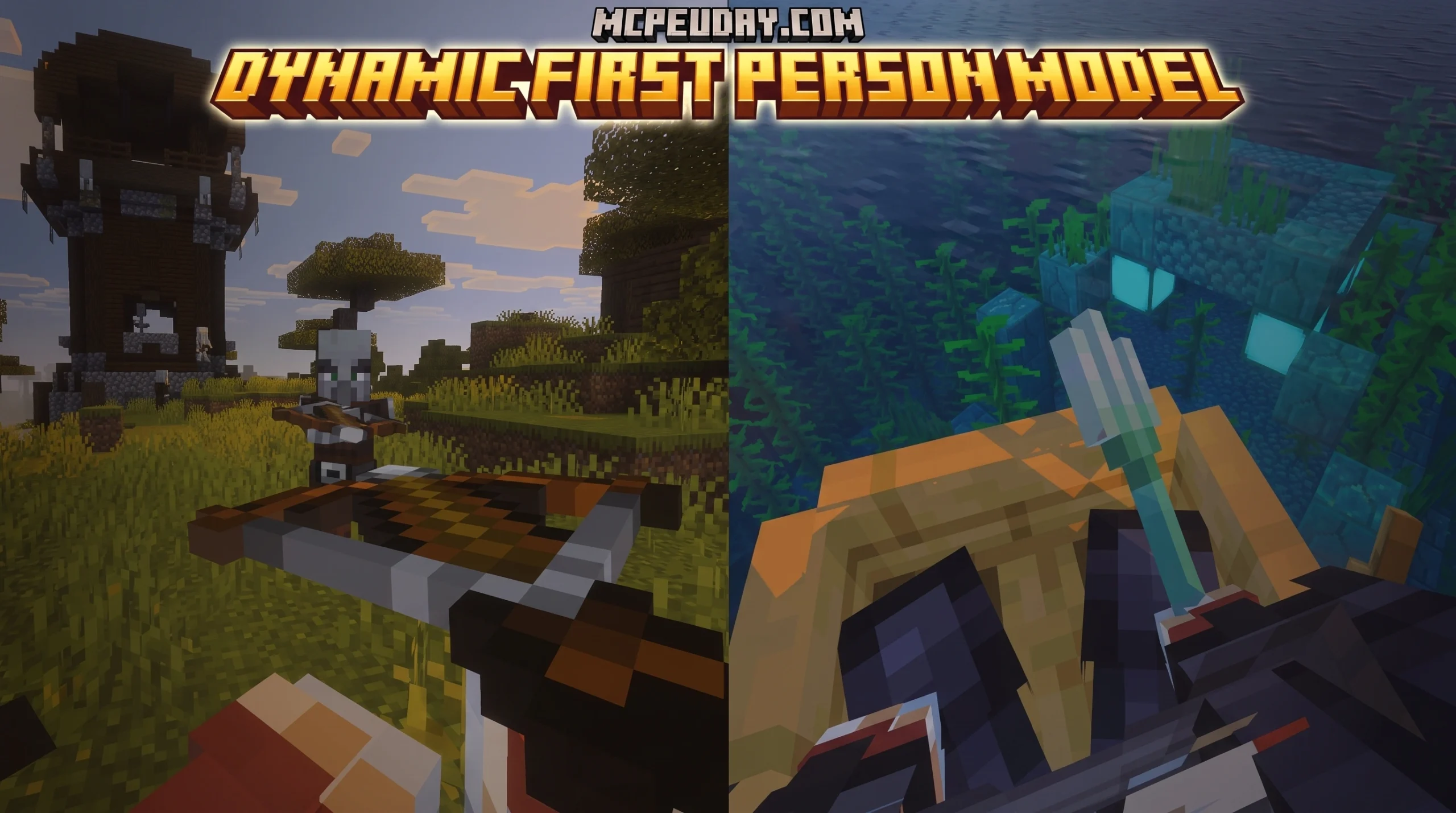
Why the Dynamic First Person Model Addon Changes Everything in Minecraft PE
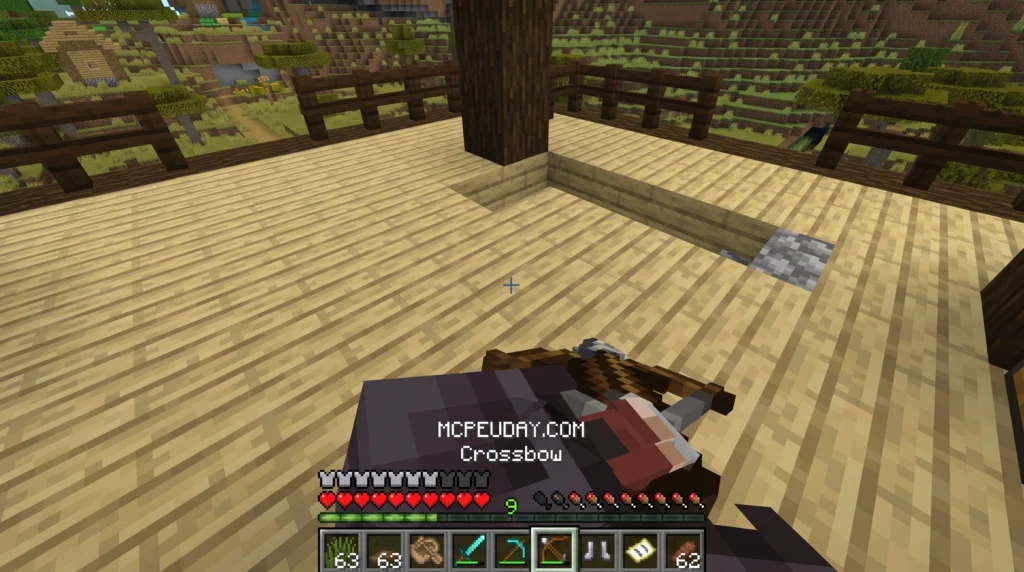
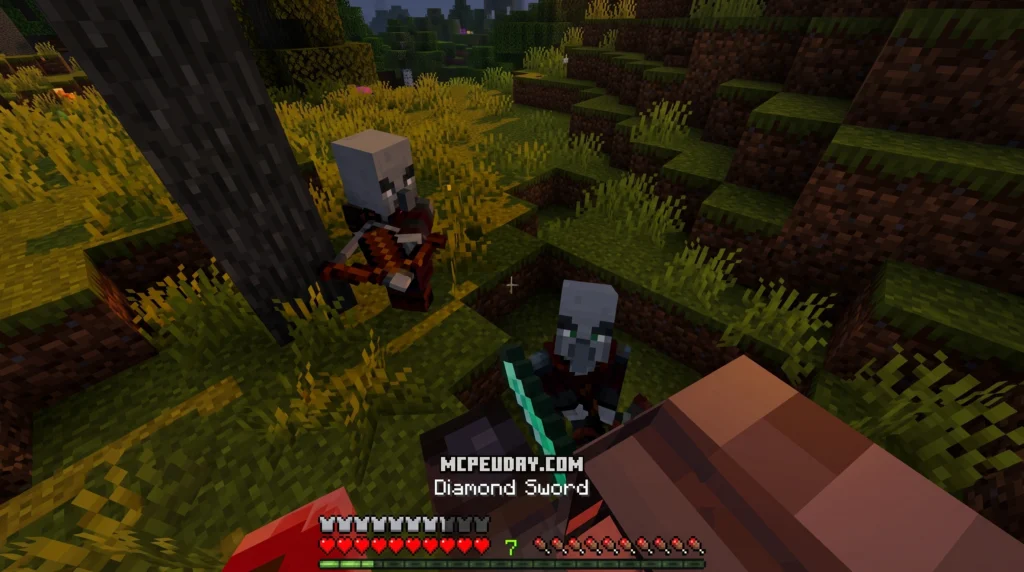
The Dynamic First Person Model Addon is a Minecraft PE/Bedrock addon that replaces the default “floating hands” view with a fully rendered, animated character body in first-person perspective — making gameplay feel far more realistic and immersive.
Quick Answer — What You Need to Know:
- What it does: Shows your full player body (legs, torso, arms, armor) while playing in first-person view
- Who made it: Developer AlienEdds
- Versions supported: Minecraft PE/Bedrock 1.21+, including 1.21.111, 1.21.120, and 1.21.132
- Latest version: v1.5.2 (26.x support, as of July 2026)
- How to toggle it: Use the command
/function ae_fpm:toggle_modelin-game - File format: Standard
.mcaddon— imports automatically into Minecraft Bedrock
If you’ve ever looked down in vanilla Minecraft and seen nothing — no legs, no armor, just empty space — you already understand the problem this addon solves. For over a decade, players have accepted this visual disconnect as a standard limitation of the game’s engine.
Minecraft’s default first-person view has always felt a little disconnected. You see two floating hands and that’s it. No body. No sense of weight or presence. For players who care about immersion, realism, roleplaying, or creating cinematic content, that limitation gets old fast. When you put on a full set of Netherite armor, you want to feel like an armored warrior, not a floating camera holding a sword.
This addon fixes it in a simple, toggleable way — without breaking your game, causing massive performance drops, or requiring complicated third-party setup tools. It bridges the gap between the Java Edition’s modded capabilities and the Bedrock Edition’s accessible gameplay.
I’m UDAY GAMER from MCPEUDAY, and in this guide I’ll walk you through exactly how to find, install, and get the most out of this addon.
What is the Dynamic First Person Model Addon?
At its core, the Dynamic First Person Model Addon is a game-changing visual modification designed specifically for Minecraft Bedrock Edition. Developed by the well-known community creator AlienEdds, this addon completely overhauls how your character is rendered when you are playing from the first-person perspective.
As of July 2026, the latest version v1.5.2 provides seamless support for the 26.x framework and the Minecraft 1.21+ updates. Instead of rendering only your hand items, the addon forces the game to render your entire 3D character model. This means that when you look down, you will actually see your chestplate, your pants, and your boots moving along with your steps. It bridges the gap between how you look to other players and how you look to yourself, bringing a level of realism that was previously only available to Java Edition players using heavy client-side mods.
The technical implementation is incredibly clever. It hooks directly into Bedrock’s native rendering controllers, allowing the game to display your actual skin geometry, including custom 128×128 HD skins and outer skin layers, without causing visual glitches or clipping through the camera.
Key Features of the Dynamic First Person Model Addon
- Full Body Display: See your entire character model, including custom skins, active armor pieces, capes, and held items. When you equip a shield or a map, it aligns perfectly with your physical body.
- Realistic Animations: Your body parts sway, bend, and react dynamically to your movement. Whether you are running, jumping, sneaking, swimming, or flying in creative mode, your limbs move naturally.
- Camera Customization: Fine-tune how the first-person camera aligns with your head movements. This is crucial for preventing motion sickness, as you can adjust the camera’s pivot point to match your personal preference.
- Seamless Compatibility: Works brilliantly alongside other animation expansions, such as the New Player Animation Addon and the More Body Actions Addon.
- Developer-Friendly Tags: Includes advanced tags like
ae_fpm.is_first_personandae_fpm.disable_animationto allow other addon creators to easily make their custom items, weapons, and animations compatible with this model.
How to Install and Configure the Addon
Getting this addon up and running in your world is incredibly straightforward because it uses Minecraft Bedrock’s native pack system. Because it modifies how both your client renders your character and how the camera behaves, you will need to apply both a Behavior Pack and a Resource Pack.
To ensure that the camera scripts and custom rendering techniques work correctly, you must enable experimental gameplay features in your world settings before launching. Specifically, make sure Beta APIs and any custom animation experiments are turned on. Without these toggles, the game engine will block the custom camera scripts, and you will end up with the standard vanilla view.
Step-by-Step Guide to Install Dynamic First Person Model Addon
- Download the Pack: Download the official
.mcaddonfile directly from our secure links. - Import to Minecraft: Open the downloaded file on your device (mobile, PC, or console), which will automatically launch Minecraft and import the packs. You should see a “Successfully imported” notification at the top of your screen.
- World Setup: Create a new world or go to the settings of an existing world where you want to use the addon.
- Activate Behavior Pack: Scroll down to the Behavior Packs section in the left menu, find the Dynamic First Person Model pack, and click “Activate.”
- Activate Resource Pack: Go to the Resource Packs section and ensure the corresponding resource pack is active. Usually, activating the behavior pack will automatically activate the resource pack, but it is always good to double-check.
- Enable Experiments: Under the Game settings tab, scroll down to the Experiments section and toggle on the Beta APIs option. This is mandatory for the camera scripts to function.
- Launch and Play: Launch your world and enjoy the immersive view!
For an even cleaner visual experience with your held items, we also recommend checking out the Fixed Item Animations Addon to make your weapon and tool swings look incredibly polished and natural in first-person.
Essential In-Game Commands and Camera Settings
Once you are in your world, you do not have to settle for the default configuration. The developer has built in a set of easy-to-use chat commands that let you customize your perspective on the fly.
To turn the full-body model on or off without leaving your world, simply open your chat box and type:
/function ae_fpm:toggle_model
If you want to customize your camera’s position, movement smoothness, or screen shaking, use this command to bring up the configuration menu:
/function ae_fpm:camera_settings
For the absolute best visual balance, we recommend setting your Field of View (FOV) to around 70 in your main Minecraft video settings. If you feel like the camera moves too violently when you sprint, you can lower the screen shake option in the camera settings menu to keep your view clear and stable. This is especially helpful for players who are prone to motion sickness during gameplay.
Performance, Compatibility, and Gameplay Impact
We know what you might be thinking: “Will rendering my entire body in real-time make my game lag?”
Fortunately, the Dynamic First Person Model Addon is highly optimized. It uses lightweight rendering methods that do not put a heavy load on your CPU or GPU. Instead of constantly calculating complex physics, it utilizes the game’s existing animation data and projects it onto your first-person camera view. However, if you are playing on a very low-end mobile device and experience a minor drop in frames, we suggest lowering your render distance by a chunk or two to offset the performance cost.
When it comes to compatibility, this addon plays very nicely with others. It can be paired with the View Model Addon for precise hand positioning or the Fresh Animations Bedrock Addon to give mobs the same high-quality movement that you now have. Because it uses standard Bedrock scripting APIs, it rarely conflicts with popular survival addons, weapon packs, or custom biome generators.
Here is a quick comparison of how your gameplay changes with this addon:
| Feature | Vanilla First-Person View | Dynamic First-Person Model |
|---|---|---|
| Visible Body Parts | Floating hands only | Full torso, arms, legs, and boots |
| Armor Visibility | Only visible in third-person | Fully visible on your chest and legs |
| Camera Realism | Static, floating camera | Dynamic movement that sways with steps |
| Customization | None | Full camera position and toggle options |
| Immersion Level | Low (feels like a floating camera) | High (feels like a real physical character) |
Frequently Asked Questions about the Addon
We have gathered some of the most common questions from our community to help you troubleshoot and understand how the addon works.
Does this addon work on Minecraft 1.21+ in 2026?
Yes, absolutely! The addon is fully updated to support all current 1.21 versions, including 1.21.111, 1.21.120, and 1.21.132. The developer regularly pushes updates to keep up with changes documented on the Minecraft Feedback site, ensuring that new game updates do not break the custom camera rendering.
Can I toggle the first-person model off at any time?
Yes! If you are doing intense PvP or precise block building and prefer the classic vanilla look, you can quickly turn it off. Just type /function ae_fpm:toggle_model in your chat. Type it again whenever you want to turn the realistic body view back on. This command works instantly without needing to reload the world.
Does the addon cause performance lag on mobile devices?
For the vast majority of players on modern mobile devices, there is no noticeable lag. If you are using an older phone or tablet, you might experience minor frame drops in heavy areas. You can easily fix this by lowering your render distance or turning off screen shake in the addon’s settings menu.
Does this addon work on multiplayer servers and Realms?
Yes, it works perfectly on multiplayer worlds and Minecraft Realms. However, for the addon to function correctly for everyone, the world host or Realm owner must activate both the Behavior Pack and Resource Pack in the world settings. Players joining the world will be prompted to download the resource pack, allowing them to experience their own dynamic models as well.
Are custom skins and capes supported?
Yes, standard custom skins (both 64×64 and 128×128 HD skins) are fully supported. The addon also renders custom capes and outer skin layers (like hoods, jackets, and 3D hair details) perfectly, ensuring your character looks exactly how you designed them.
Conclusion
At MCPEUDAY, we believe that immersion is what makes Minecraft truly special. The Dynamic First Person Model Addon is one of those rare, essential additions that you will never want to play without once you try it. It completely removes the silly “floating hands” look and replaces it with a realistic, physically present character that makes exploring, running, and fighting feel incredibly satisfying.
Whether you are a survivalist wanting to look down at your shiny new netherite armor, a builder wanting better spatial awareness, or a content creator looking for cinematic realism, this addon is a must-have. It brings a level of polish to Bedrock Edition that was once exclusive to heavily modded Java setups.
If you are looking to make your Minecraft world even more atmospheric and exciting, be sure to Explore the best Minecraft horror mods for Java and Bedrock in 2026 right here on our site! We regularly update our collection with the highest-quality shaders, gameplay overhauls, and utility addons to keep your game feeling fresh and modern.

2 thoughts on “Dynamic First Person Model Addon (26.x, 1.21) – MCPE/Bedrock Mod”