What Is the View Model Addon and Why Minecraft Players Love It
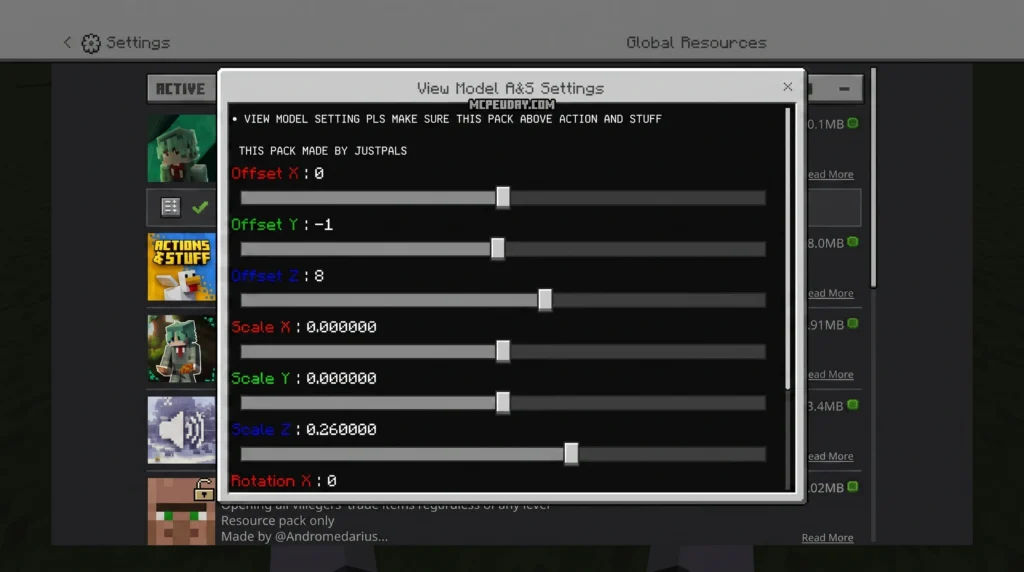
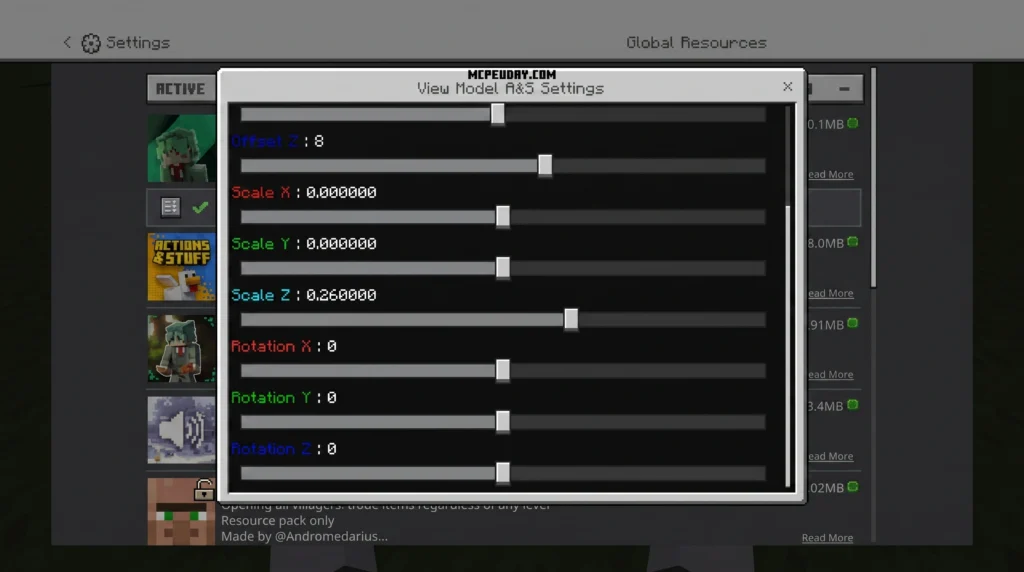
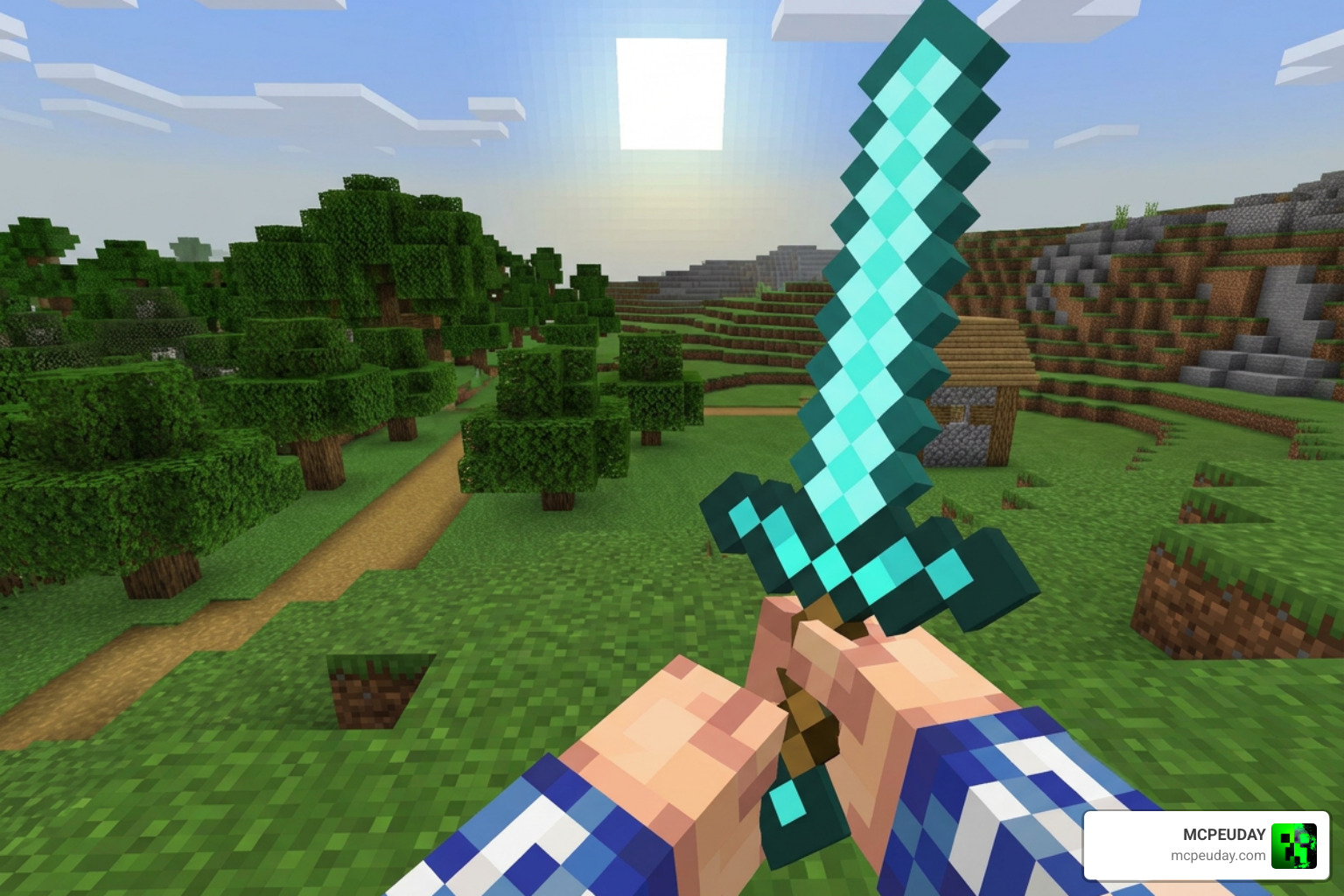
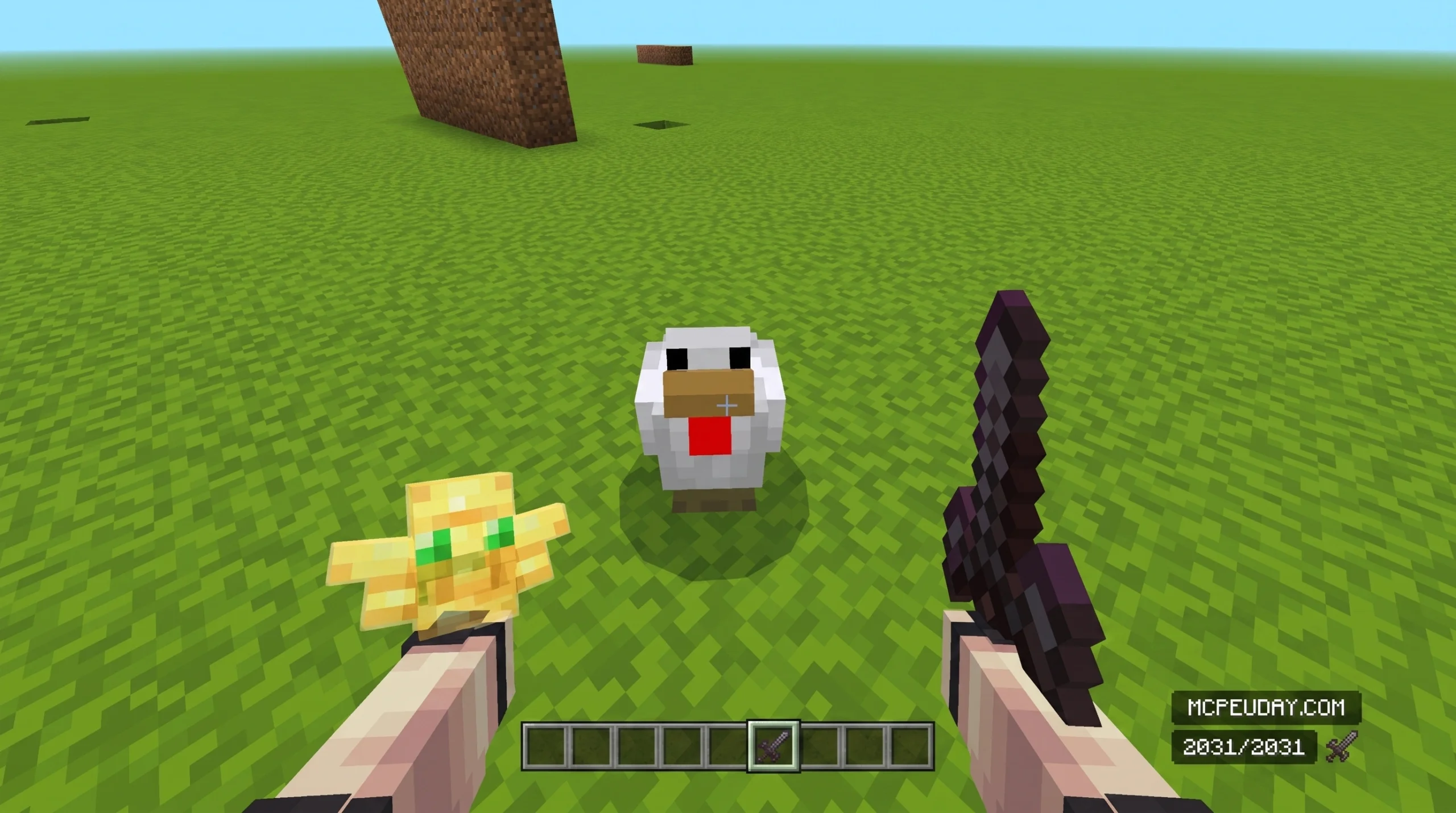
The View Model Addon is a Minecraft mod that lets you control exactly how your character’s hands, items, and weapons look in first-person mode — including position, angle, scale, and swing animations.
Quick answer for players searching right now:
- What it does: Adjusts hand position, viewing angle, swing speed, and animations in first-person view
- Who it’s for: Java and Bedrock players who want a cleaner or more personalized first-person experience
- Key requirement (Java): Needs Fabric + either Midnight Lib (1.21.4+) or ImproperUI (older versions)
- Bedrock option: Available as a texture/resource pack addon — no Fabric needed
- Main benefit: Purely visual — improves comfort and aesthetics without changing gameplay or balance
If your hands look awkward, your weapon feels off-center, or animations just don’t feel right, the View Model Addon fixes all of that.
Minecraft’s default first-person hand rendering works fine for most players. But once you start adding custom weapons, anime swords, gun mods, or realistic animation packs, the default positioning can look off. Items clip weirdly. Swing animations feel stiff. The whole vibe breaks.
That’s exactly the problem the View Model Addon was built to solve. It gives you granular control over how your in-game hands and items appear — without touching gameplay mechanics or server-side behavior.
Understanding the View Model Addon in Minecraft 1.21.10
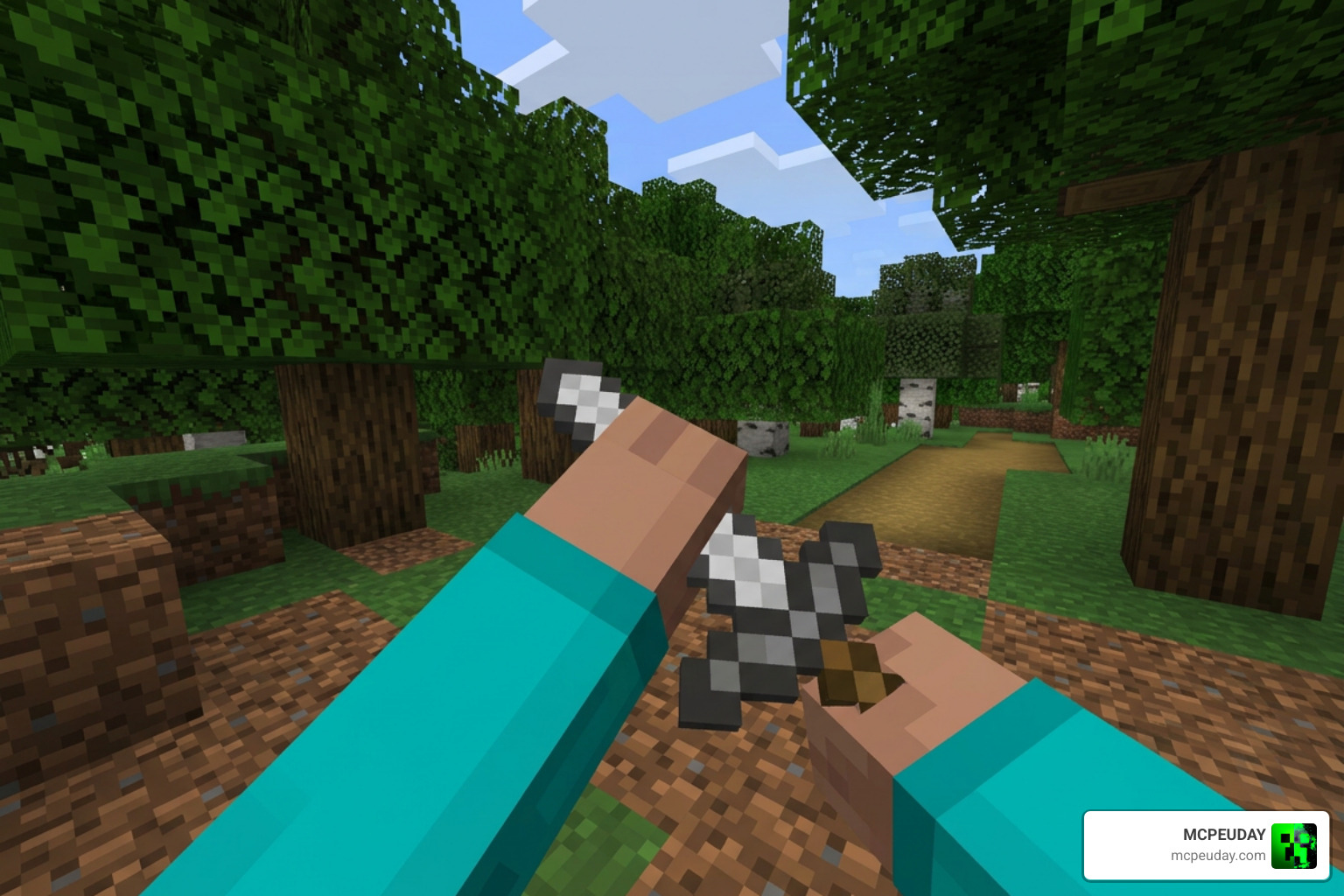
When we jump into Minecraft 1.21.10, visual immersion is everything. The View Model Addon acts as an aesthetic game-changer. It is a client-side modification that changes how items are held, angled, and animated on your screen. This means you can shrink bulky items that block your view, push your sword further to the side, or change how fast your arm swings when you mine or attack.
Core Customization Features of the View Model Addon
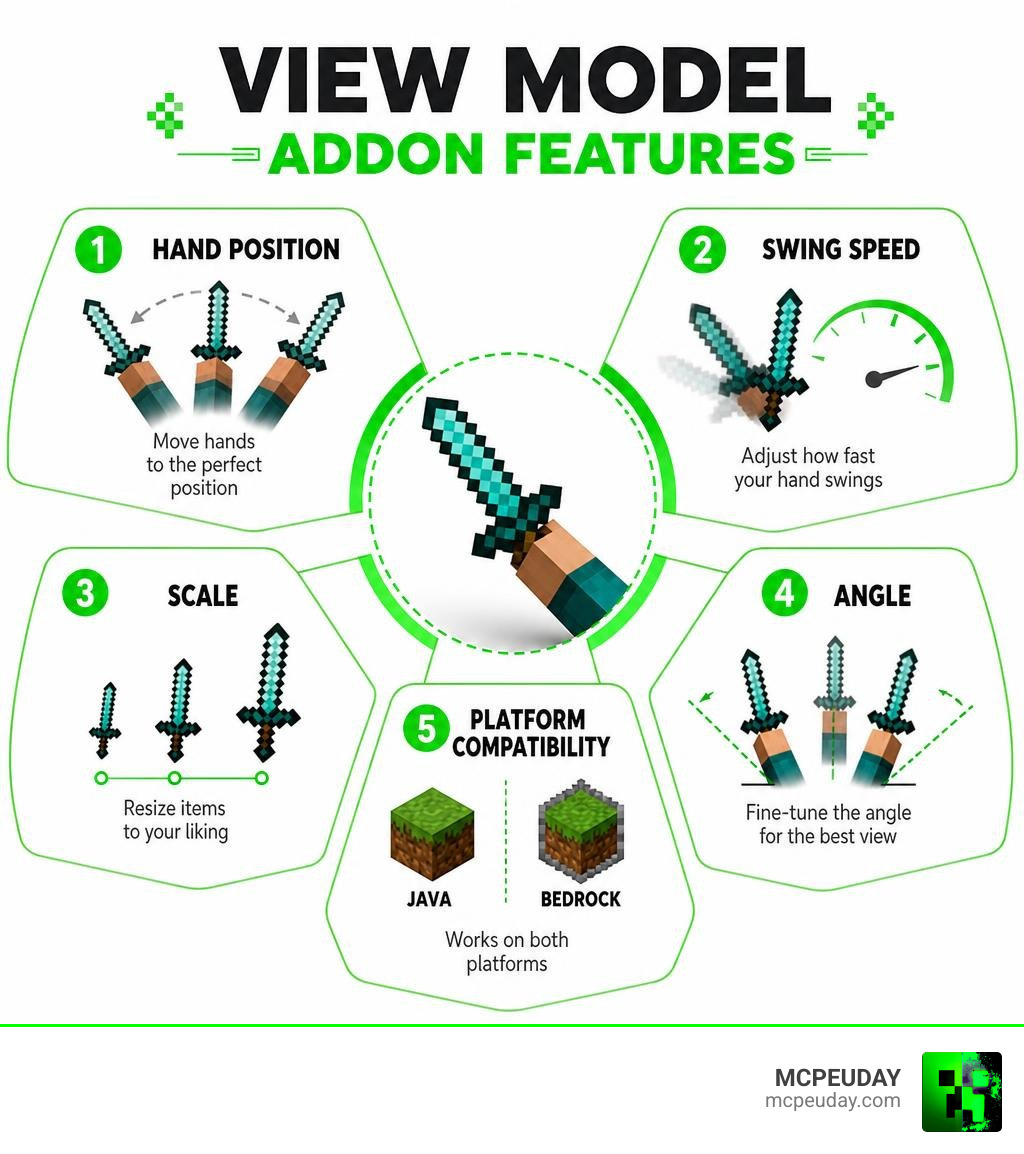
With the View Model Addon active, you gain access to a robust set of visual adjustments that let you tailor your first-person perspective down to the pixel:
- Hand Scaling: Make your hands or held items smaller so they do not take up half of your screen.
- Swing Speed: Speed up or slow down the visual swing animation to match your personal preference.
- No Swing Modes: Disable the swing animation entirely for a cleaner, static look when interacting with the world.
- Offhand Support: Independently customize your left and right hands. This works beautifully when combined with addons like the Doublehands Functional Offhand Like Java Addon to create a truly balanced dual-wielding visual style.
Configuration, Theming, and Accessibility Options
Accessing these settings is incredibly straightforward. The mod provides an intuitive in-game configuration menu where you can slide values to adjust X, Y, and Z offsets in real-time. For older versions, the mod relied on the ImproperUI library, but as of the latest 2026 updates, it utilizes Midnight Lib to render clean, modern menus. It even includes a secret option to block update checks if you prefer a completely uninterrupted offline experience.
Interestingly, the concept of a View Model is not exclusive to gaming. In web and app development, UI components use similar structures to manage layout and overlays. For example, the Radix UI Dialog-based ViewModal component from the addon-stack/addon-ui library combines layout headers with modal overlays. If you are curious about how developers build these clean interfaces, you can review the technical specifications in the docs/ViewModal.md at main · addon-stack/addon-ui documentation, which showcases how focus management, accessibility, and global configuration work behind the scenes.
How to Install the Minecraft View Model Mod
Installing the mod is quick and painless, but you must make sure you have the correct files for your specific game version to avoid crashes.
Prerequisites and Version-Specific Dependencies
Before downloading the mod, check your Minecraft version. The dependencies you need will change depending on whether you are running the newest release or an older version:
- Fabric Loader & Fabric API: Ensure you have these installed on your Minecraft launcher.
- Midnight Lib: This library is strictly required if you are playing on Minecraft version 1.21.4 or newer.
- ImproperUI Library: If you are playing on versions older than 1.21.4, you must download this library instead to make the configuration menu function correctly.
Step-by-Step Installation Guide
To get the mod up and running, follow these simple steps:
- Download the Fabric Loader and install it for your target Minecraft version.
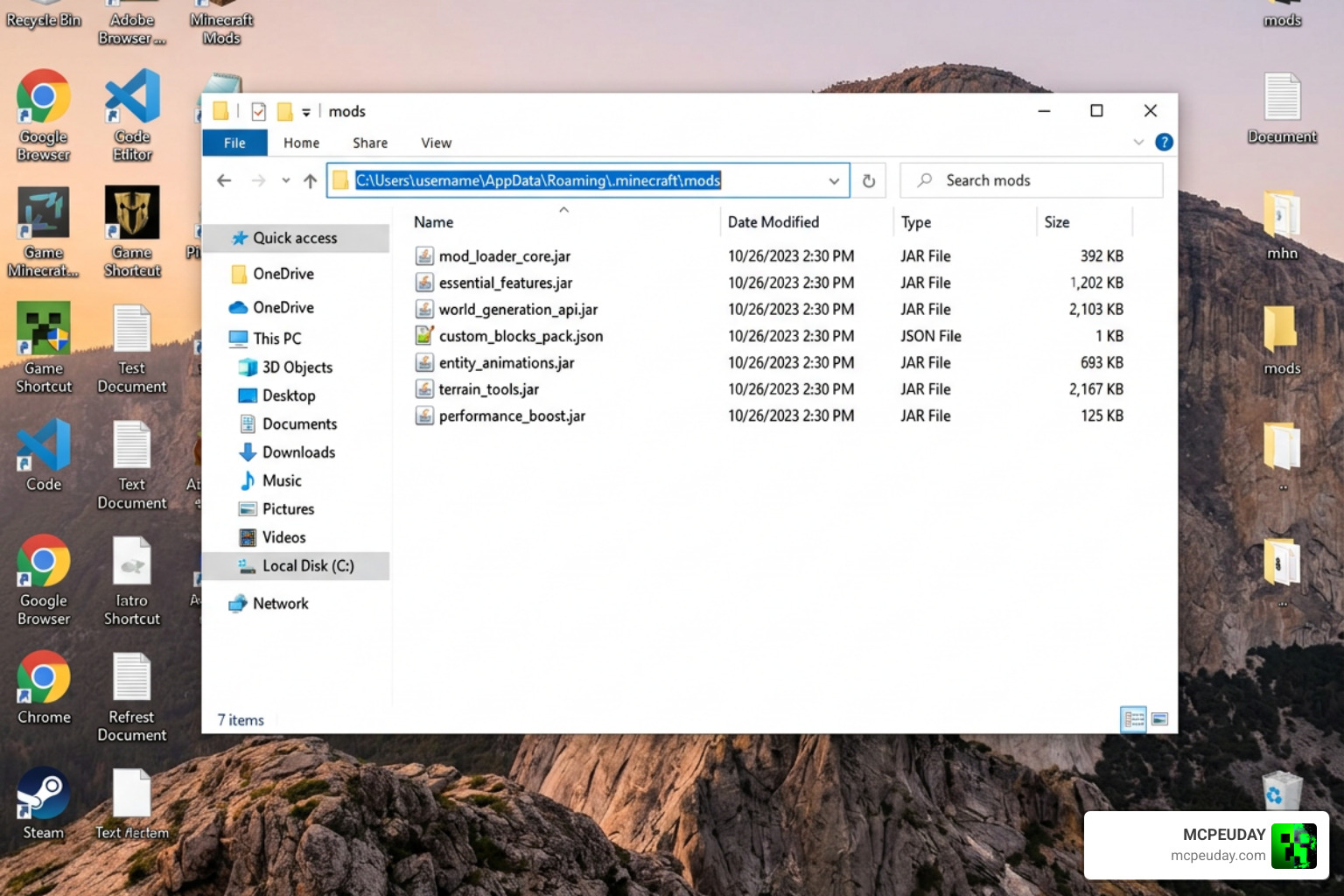
- Download the Fabric API and place the file into your .minecraft/mods folder.
- Download the View Model mod file along with its version-matched helper library (either Midnight Lib or ImproperUI).
- Copy all of these downloaded .jar files into your .minecraft/mods directory.
- Launch Minecraft using your Fabric profile, open the in-game settings, and adjust your hand positions to your liking.
If you are looking for a visual walkthrough of this process, we highly recommend watching the [1.20.1+] How to Install the Custom ViewModel Mod (Tutorial) video tutorial. For Bedrock and mobile players, you can also check out our comprehensive Dynamic First Person Model Addon 26 X 1 21 Realistic Mcpe Gameplay Guide to achieve a similar realistic perspective on pocket editions.
Comparing View Model Implementations Across Platforms
While Minecraft players use view models to move their swords around, developers across the world use different types of “View Models” to build apps, websites, and games. Let’s look at how the word “ViewModel” changes meaning depending on where you use it.
| Platform / Framework | Core Purpose | State Persistence | Disposal & Cleanup |
|---|---|---|---|
| Minecraft Mod | Customizes first-person rendering (X, Y, Z coordinates, scales, and swing speeds). | Saved locally in config files; persists across game restarts. | Handled by game engine; unloaded when world closes. |
| Android Jetpack | Holds UI-related data and business logic; keeps data safe during rotation. | Persists through screen rotation; uses SavedStateHandle for process death. | Cleared when the hosting Activity or Fragment is destroyed permanently. |
| Laravel (Spatie) | Separates view preparation logic from Controllers; formats data cleanly. | Temporary; exists only during the HTTP request lifecycle. | Garbage collected automatically at the end of the request. |
| Flutter (view_model) | Manages widget state and shares data across different screens. | Managed in a type-keyed registry; can persist globally if set to aliveForever. | Uses automatic reference counting; disposes when binding count hits zero. |
Architectural Differences: Bedrock vs. Java Edition Addons
In Minecraft, Java Edition mods enjoy deep, direct access to the game’s rendering pipeline. This allows the Java View Model mod to alter rendering matrices on the fly.
On Bedrock Edition, we rely on resource packs, behavior packs, and render controllers. Because Bedrock has stricter client-side limitations, achieving these custom angles often requires editing JSON files inside texture packs rather than using an interactive in-game slider.
Contrast this with software engineering frameworks. For instance, Android Jetpack’s ViewModel caches UI state during configuration changes like screen rotation so the app does not have to fetch data again. Meanwhile, the Flutter state management library found at lwj1994/flutterviewmodel operates on a type-keyed instance registry. You can read more about its architecture in the view_model – Dart API docs.
Adjusting Item Positions, Angles, and Scale Settings
In Minecraft, adjusting your view model means shifting X (horizontal), Y (vertical), and Z (depth) offsets. You can rotate items to make them look like they are resting on your shoulder or scale them down to open up your field of view.
In web development, we see a parallel pattern. Instead of positioning items on a screen, developers use View Models to organize variables for templates. For example, the popular Spatie Laravel View Models package (which has over 3.6 million installs and 1,089 stars on GitHub) automatically exposes all public properties and methods of a ViewModel class directly to the view template. You can explore how this works in the official README.md at master · spatie/laravel-view-models and download the package via spatie/laravel-view-models – Packagist.org.
Similarly, in enterprise PHP systems, developers implement the ArgumentInterface to inject logic directly into templates. This modern approach is highly recommended over using old template helpers, as detailed in the View Models | Commerce PHP Extensions guide.
Performance Optimization and Resource Management
A great mod must run smoothly. The Minecraft View Model mod is incredibly lightweight, causing virtually zero frame rate impact because it only modifies rendering coordinates rather than spawning complex entities.
In mobile development, resource management is even more critical. Flutter’s view_model library implements a clever reference-counting mechanism. When a widget binds to a ViewModel, the library tracks it. When the widget is destroyed, the binding count drops. If the count reaches zero and the instance is not marked as aliveForever, it is automatically disposed of to save memory. It also uses Dart Zones to resolve ViewModel-to-ViewModel dependencies cleanly, ensuring background operations pause automatically when UI elements are hidden.
Extending and Customizing the View Model Addon with Other Mods
One of the best things about the Minecraft View Model mod is how well it plays with other visual enhancements. You can combine it with custom movement mods to create an incredibly realistic setup. For example, pairing it with the New Player Animation Addon 26 X 1 21 Realistic Movement Mod For Mcpe ensures that your third-person animations look just as fluid and natural as your newly customized first-person view.
Frequently Asked Questions about View Models
How do I fix compatibility issues with other Minecraft mods?
Most conflicts happen when other mods try to override the same first-person rendering code. If you are using advanced combat overhauls like the Better Combat Mod 1 21 Best Combat Animation Mod For Minecraft Java, make sure both mods are updated to their latest versions. If items look glitchy, open the View Model configuration menu and gently adjust your Z-offset to prevent the weapons from clipping into your camera.
Can I use the View Model Addon on multiplayer servers?
Yes! Because the View Model Addon is a client-side mod, it only changes how things look on your personal screen. It does not affect server-side physics, hitboxes, or gameplay balance. You can safely use it on any multiplayer server without worrying about getting banned.
How do custom view models differ from default Minecraft hand rendering?
Default Minecraft rendering forces every item into a fixed, rigid position on the right side of your screen. Custom view models let you move items closer to the center (great for shooter-style setups), shrink massive items (like shields or maps) that block your view, and adjust your field of view (FOV) for a much more immersive gaming experience.
Conclusion
Whether you are a builder trying to clear up screen space, a competitive PvP player looking for better visibility, or a developer organizing data structures, understanding how View Models work makes a massive difference. For Minecraft players, the View Model Addon is an essential tool to make your world look and feel exactly the way you want.
Ready to take your gameplay aesthetics to the next level? Explore more Bedrock resources on MCPEUDAY to discover the best graphics, shaders, and animation addons available today!
1 thought on “View Model Addon (26.x, 1.21) – MCPE/Bedrock Mod”