What You Need to Know About Kappa Shaders (Quick Answer)
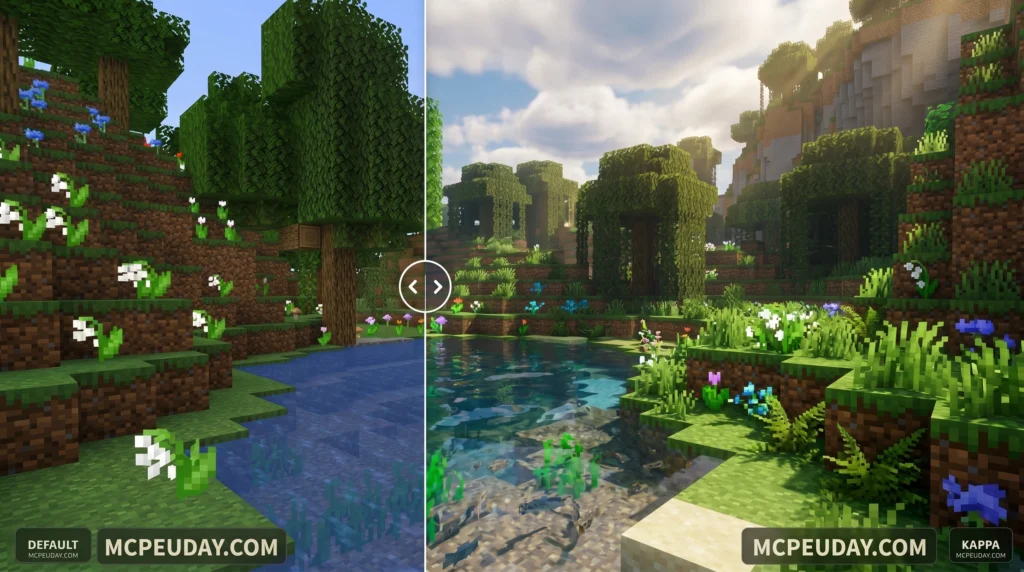
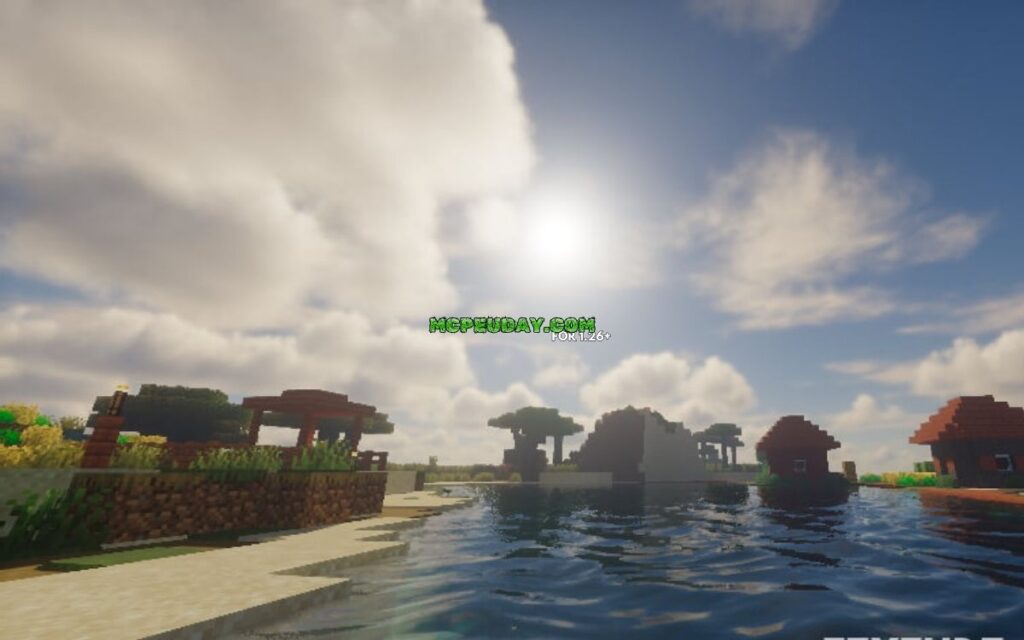
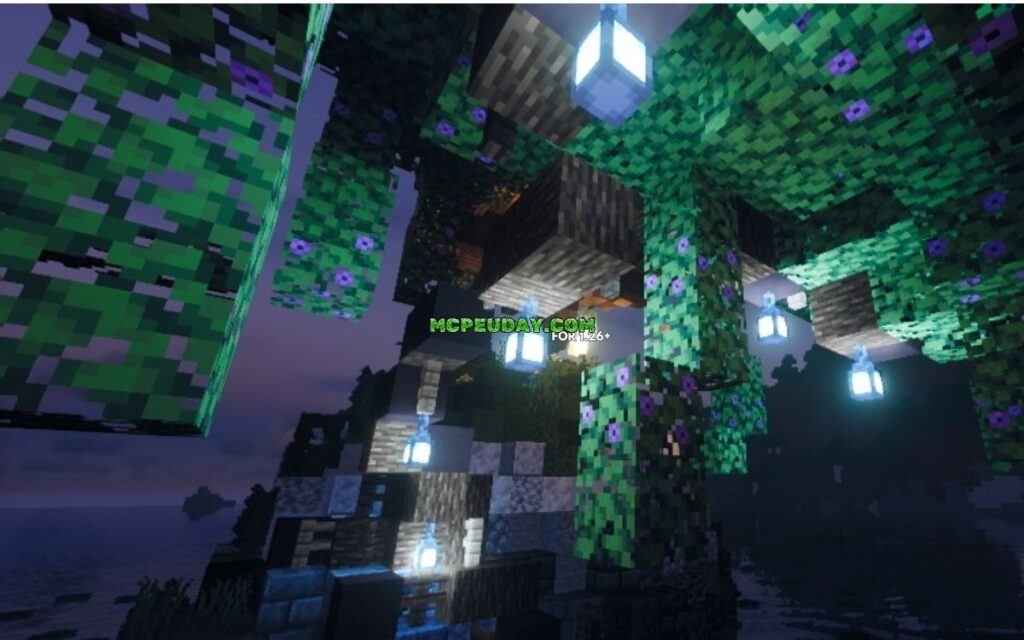
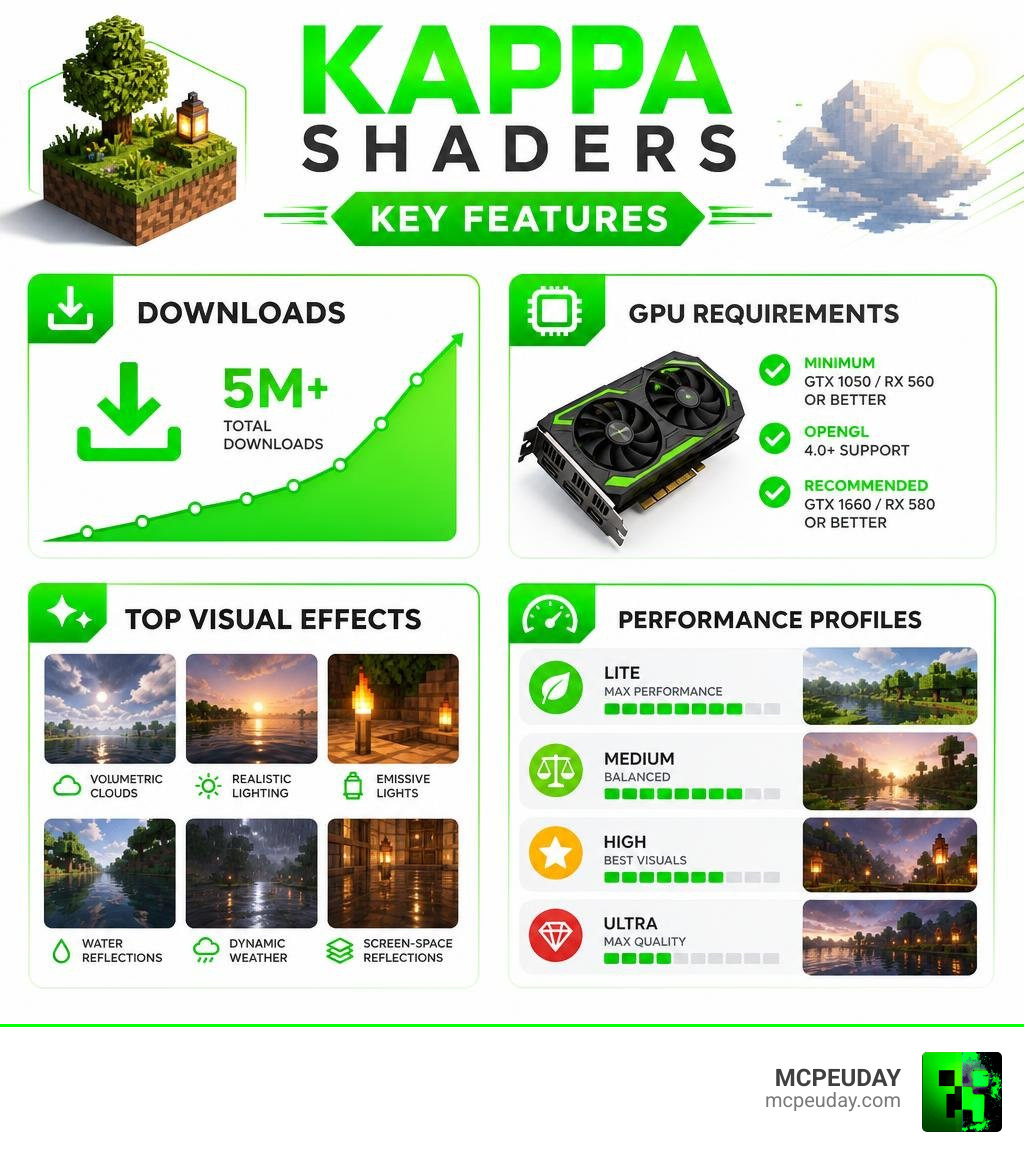
Kappa Shaders is one of the most downloaded shader packs for Minecraft Java Edition, with over 5 million downloads on CurseForge. Here’s the short version:
- What it is: A high-quality, realistic-yet-stylized shader pack for Minecraft Java Edition
- Who made it: Developer RRe36, first released in 2019
- How to get it: Download from CurseForge, then drop the
.zipinto yourshaderpacksfolder - What you need: OptiFine or Iris, a GTX 1050 / RX 560 or better, OpenGL 4.0 support
- Best for: Players who want stunning visuals — volumetric clouds, realistic lighting, and screen-space reflections — without fully losing the Minecraft feel
If you want your Minecraft world to look dramatically better, kappa shaders might be exactly what you’re looking for. With more than 5 million downloads and a loyal following built since 2019, it’s one of the most respected shader packs in the Java Edition community.
It’s not just pretty. Kappa is built around accurate physical calculations — but the developer tweaks those values to match what looks natural to the human eye, not just what’s technically correct. The result is a world that feels alive: dynamic clouds, glowing torches, shimmering water, and skies that actually change with the weather.
Whether you’re brand new to shaders or upgrading from something basic, this guide walks you through everything — download, install, settings, and more.
What is the Kappa Shader Pack?
At its core, kappa shaders is a high-end, realistic, yet elegantly stylized shader pack developed by RRe36. Since its initial debut in May 2019, it has grown into an absolute juggernaut in the Minecraft graphics community.
To give you an idea of its massive popularity:
- It has surpassed 5,034,505 downloads on CurseForge alone.
- The popular v5.2 file release has pulled in over 1.7 million downloads by itself.
- It boasts over 2,100,000 downloads and 1,064 followers on SkinMC.
If you want to check out the project pages directly, you can visit Kappa Shader on CurseForge or explore the community hub at Kappa Shader on SkinMC.
What makes this pack stand out is its philosophy. Instead of using incredibly heavy, experimental techniques like full voxelisation—which can turn even a high-end gaming PC into a space heater—Kappa uses smart shortcuts and physical approximations. It is designed to find that sweet spot: giving you breathtaking, cinematic visuals while still running smoothly on mid-to-high-tier gaming rigs.
Key Visual Features of Kappa Shaders
When you load up kappa shaders, you aren’t just getting slightly better shadows. You are fundamentally changing how light, air, and water behave in Minecraft. Here are the standout technical features that make this pack spectacular:
- Volumetric Clouds: Kappa features incredibly detailed, multi-layered volumetric clouds (both Cumulus and Cirrus). They cast realistic shadows on the ground below and interact dynamically with the sun and moon.
- Screen-Space Path-Tracing (SSPT): Introduced in version 3.0, SSPT calculates light emissions and reflections within your screen space. This gives block lights (like glowstone or sea lanterns) a soft, natural bounce on nearby surfaces.
- Procedural Skybox: Instead of using static sky textures, Kappa calculates the sky color dynamically based on atmospheric scattering. Sunrises and sunsets are smooth, vibrant, and incredibly realistic.
- Volumetric Fog & Weather: Rather than a simple fog wall, fog in Kappa behaves like real moisture in the air. Thanks to updates like Kappa Shader v5.0 – The Weather Update, the pack uses random per-day and daytime-driven weather parameters. Some days might be crystal clear, while others bring rolling, heavy storms with realistic rainbows.
- Temporal Anti-Aliasing and Upscaling (TAAU): This feature smooths out jagged block edges and helps upscale lower resolutions, giving you a crisp image without destroying your frame rate.
Version Compatibility and Loader Support
Keeping your game up to date is crucial. As of June 2026, kappa shaders is fully compatible with modern Minecraft releases, including Minecraft 1.21. It supports a wide range of older versions as well, stretching all the way back to Minecraft 1.12.2.
To run this shader pack, you will need a mod loader that supports shaders. You have two primary choices:
- Iris Shaders (Highly Recommended): Iris is modern, incredibly well-optimized, and offers fantastic frame rates when paired with the Sodium mod.
- OptiFine: The classic choice. While it is widely compatible with older versions, modern setups heavily favor Iris for raw performance.
No matter which loader you choose, your graphics card must support OpenGL 4.0 or newer. If you are looking for other ways to boost your game’s graphics, check out our guide on the 3 Best Shaders for Minecraft 1.21.
How to Install Kappa Shaders in 5 Quick Steps
Ready to transform your game? Follow our simple, step-by-step installation guide to get up and running in minutes.
Step 1: Install your Shader Loader
Before you can run any shader, you need a loader. We highly recommend downloading and installing Iris (paired with Sodium) for Minecraft 1.21. If you prefer the classic route, you can install OptiFine instead. Run Minecraft once with your chosen loader profile selected to make sure everything initializes correctly.
Step 2: Download Kappa Shaders
Head over to the official CurseForge page and download the latest .zip file of the shader pack. Keep it in your “Downloads” folder for now—there is no need to unzip or extract the file!
Step 3: Open your Minecraft Shaderpacks Folder
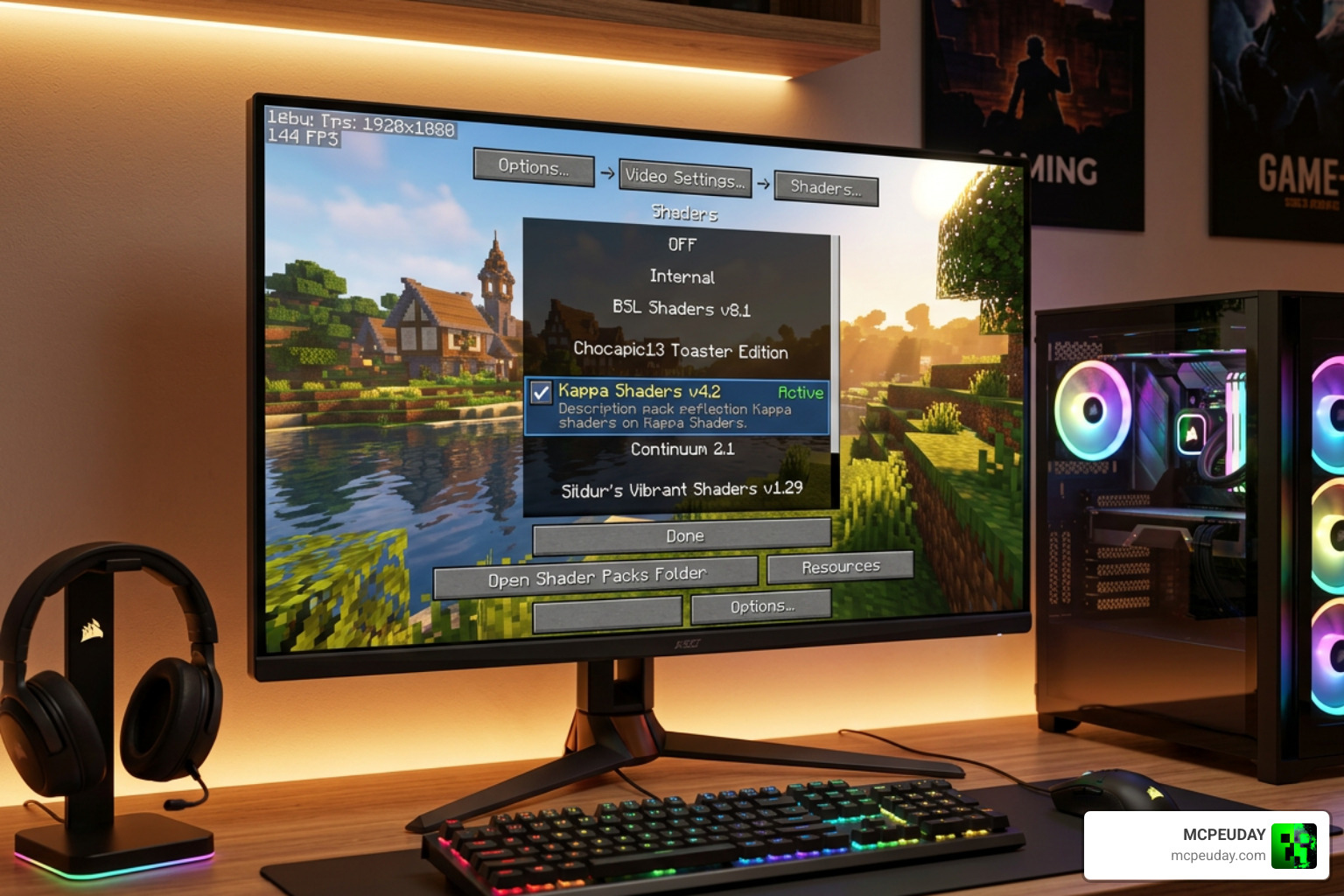
Launch Minecraft using your Iris or OptiFine profile. From the main menu, navigate to: Options > Video Settings > Shader Packs (or Shaders if using OptiFine). At the bottom of this screen, click the Open Pack Folder button. This will open your system’s file explorer directly inside the shaderpacks directory.
Step 4: Drop the Shader Zip File in Place
Drag and drop the downloaded kappa shaders .zip file directly into the shaderpacks folder that just opened.
Step 5: Activate and Apply
Go back to your Minecraft screen. You should now see “Kappa” listed in the in-game shader menu. Click on it to select it, hit Apply (or Done), and load into your world to see the transformation!
If you are a mobile player looking for high-quality shaders that work on pocket devices, don’t worry—we have you covered! Check out our list of the Best Shaders for MCPE 1.21.
Recommended Settings and Resource Pack Compatibility
To get the absolute best visual fidelity out of kappa shaders, we recommend pairing it with a high-quality, PBR-enabled (Physically Based Rendering) resource pack. These packs contain extra data (normal maps and specular maps) that tell the shader how rough, smooth, shiny, or bumpy a block should look.
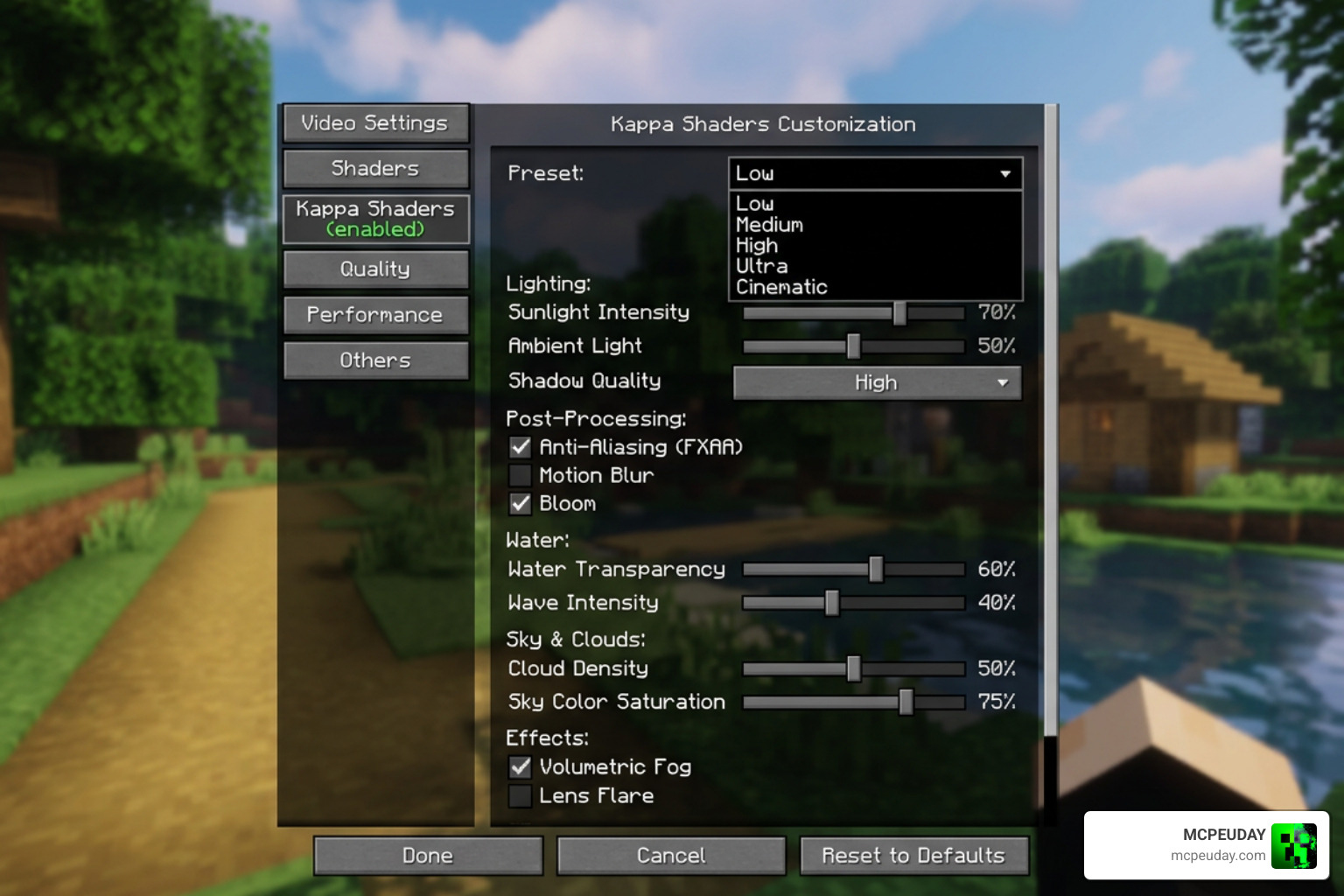
For the ultimate visual experience, use a resource pack that supports the labPBR standard. Once you have your resource pack active, open your shader settings in-game and apply these recommended configurations:
- Atmosphere > Fog > Density: Set to
0.1for a cleaner, more realistic air quality. - Terrain > Vertex Attribute Fix: Turn this On. This fixes common visual glitches on items held in your hand, chests, and beds when advanced rendering is active.
- Terrain > Parallax Occlusion Mapping (POM): Enable this and set the Samples to 64. This gives blocks a true 3D depth effect.
- Terrain > Reflections > Resourcepack Reflections: Turn this On to allow shiny surfaces to reflect the sky and block light.
- Lighting > Indirect Light > Emission Mode: Set to labPBR Only.
- Lighting > Indirect Light > labPBR Emission Curve: Set to
2.0to make glowing blocks pop beautifully.
For more detailed guides on setting up ambient lighting and smooth performance on other rendering platforms, take a look at our Newb X Ambient Shader Guide.
Optimizing Performance for Kappa Shaders
Because Kappa is a high-end shader pack, it can be demanding on your hardware. Let’s look at the system requirements and how you can optimize your game for a buttery-smooth frame rate.
System Requirements
- Minimum GPU: Nvidia GTX 1050 or AMD Radeon RX 560 (with OpenGL 4.0 support).
- Recommended GPU (Medium Settings): Nvidia GTX 1060 or AMD Radeon RX 480.
- Recommended GPU (High/Ultra Settings): Nvidia GTX 1070, RTX series, or AMD Radeon RX Vega 56.
- Note: Intel HD 5000 graphics and older are strictly not supported.
Performance Quick Tweaks
If you are experiencing frame drops, try these quick performance adjustments in the shader settings:
- Choose a Pre-defined Profile: Kappa comes with 5 built-in profiles: Low, Medium, High, Ultra, and Extreme. Drop down to “Medium” or “Low” for an instant FPS boost without losing the core aesthetic.
- Enable Temporal Upscaling (TAAU): Turn this on and slightly lower your Target Resolution. This renders the game at a lower resolution and uses smart upscaling to keep the image sharp, saving valuable GPU power.
- Disable Cloud Shadows: Volumetric cloud shadows look amazing, but turning them off can give you a noticeable performance boost.
If you are looking for highly optimized graphics options for mobile devices instead, explore our curated list of the Top 5 Best Realistic Shaders for MCPE.
Comparing Kappa to Other Popular Shaders
How does Kappa hold up against other titans of the shader world? Let’s break down the key differences in style, performance, and features.
| Shader Pack | Visual Style | Performance Impact | Key Unique Feature |
|---|---|---|---|
| Kappa Shaders | Realistic, physically-inspired, stylized | High to Extreme | Dynamic weather, SSPT, volumetric clouds |
| BSL Shaders | Clean, bright, fantasy-like | Medium | Great customization, highly optimized |
| SEUS Renewed | Ultra-realistic, cinematic | High | Incredible water physics and soft shadows |
| AstraLex | Vibrant, cosmic, highly stylized | Medium to High | Crazy sky effects, lens flares, movie-like filters |
While BSL and AstraLex are fantastic for players who want a highly customizable, bright fantasy aesthetic, Kappa focuses heavily on natural atmosphere. It makes your world feel grounded, utilizing advanced lighting like screen-space path-tracing.
If you want to take your graphics even further into the realm of ray tracing, developer RRe36 also offers a premium, path-traced version of this pack. You can find more details about this project at KappaPT – RRe36’s Projects.
Frequently Asked Questions
What is the difference between Kappa and KappaPT?
While both are created by RRe36, the main difference lies in how they calculate lighting. Kappa uses screen-space path-tracing (SSPT) and traditional rasterization shortcuts to run well on normal gaming PCs. KappaPT (along with its sister project, NostalgiaVX) is a premium, fully path-traced (ray-traced) shader pack. It calculates true global illumination, but requires a much more powerful graphics card to run. You can learn more on the official Kappa Shader – RRe36’s Projects page.
Why are the night lights so bright in Kappa?
This is actually a deliberate artistic choice by developer RRe36 to make night-time lighting dynamic and dramatic. If you find torches and lanterns too blinding, you can easily tone them down in the shader options:
- Go to
Camera>Exposureand increase the Bright Limit to1.5. - Go to
Camera>Bloomand reduce the Strength to0.5. - Go to
Lighting>Colorsand reduce Blocklight temperature to3000and Blocklight strength to0.75.
Does Kappa support Minecraft Bedrock Edition (MCPE)?
No, kappa shaders is built exclusively for Java Edition using OpenGL and shader loaders like Iris or OptiFine. It does not work on Minecraft Bedrock Edition (iOS, Android, Windows 10/11 Bedrock) due to Bedrock’s proprietary Render Dragon engine. However, Bedrock players can find excellent alternatives in our guide to the Best Render Dragon Shaders for MCPE 1.21.
Conclusion
We believe that kappa shaders represents one of the absolute peaks of Minecraft Java graphics. By balancing physically-inspired calculations with artistic tweaks, RRe36 has crafted a shader pack that makes Minecraft feel incredibly realistic without stripping away its blocky, charming soul.
If your PC has the power to run it, Kappa will completely change how you view your survival worlds, builds, and landscapes. Head over to our Minecraft Shaders Category to discover more amazing graphics packs, mods, and resources curated by our team here at MCPEUDAY! Happy building!
