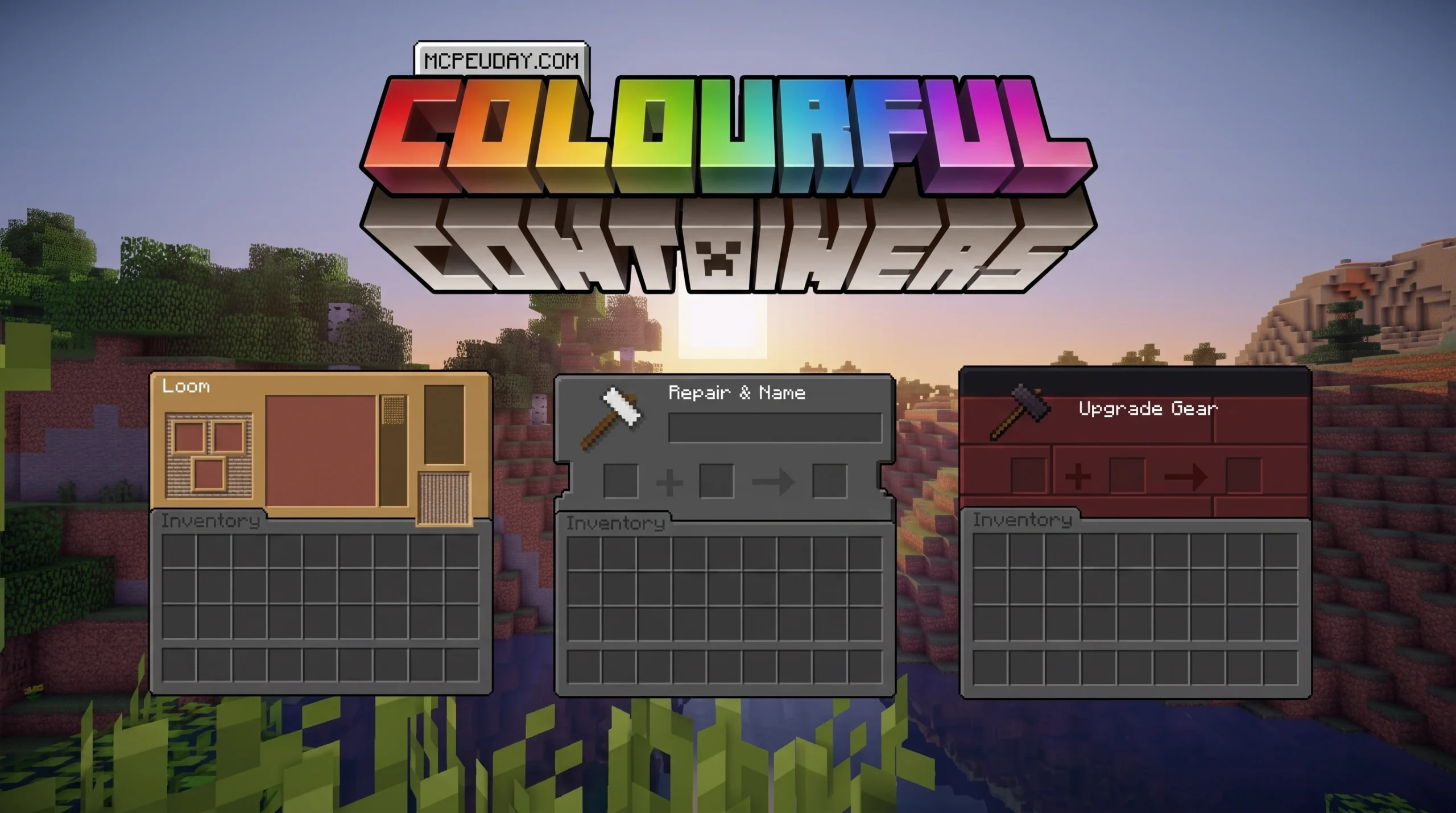
What the Colourful Containers GUI Resource Pack Does (And Why Players Love It)
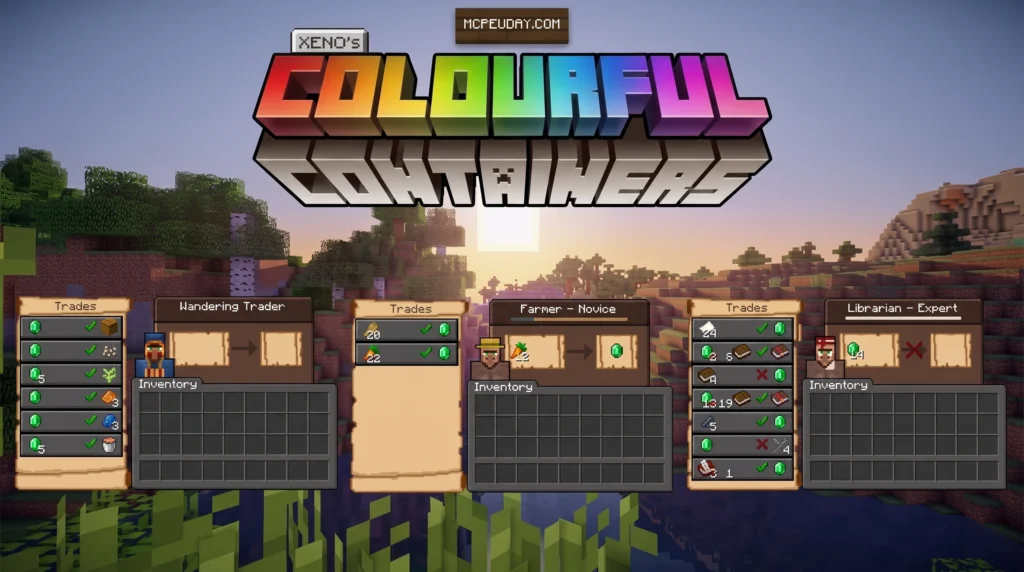
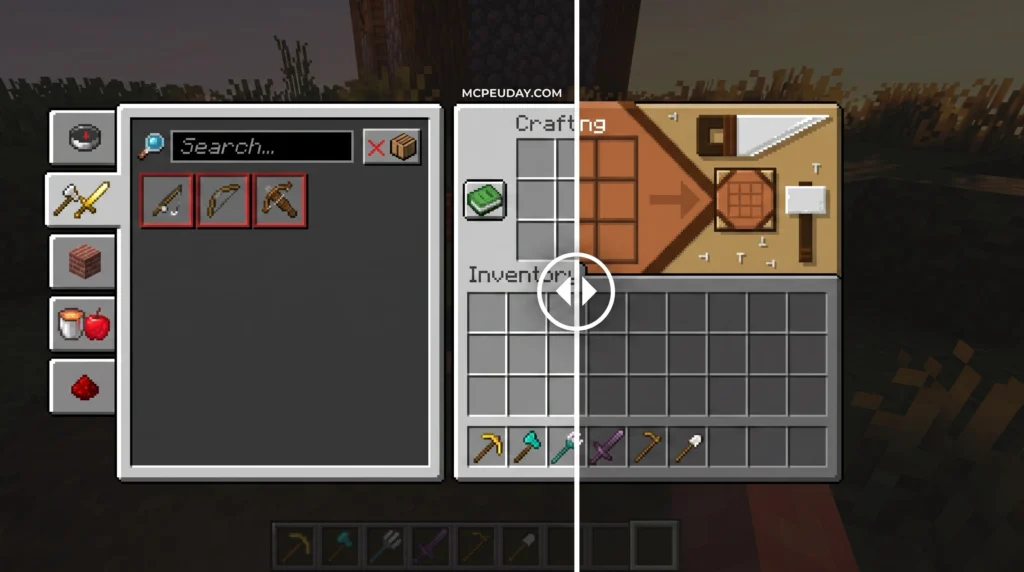
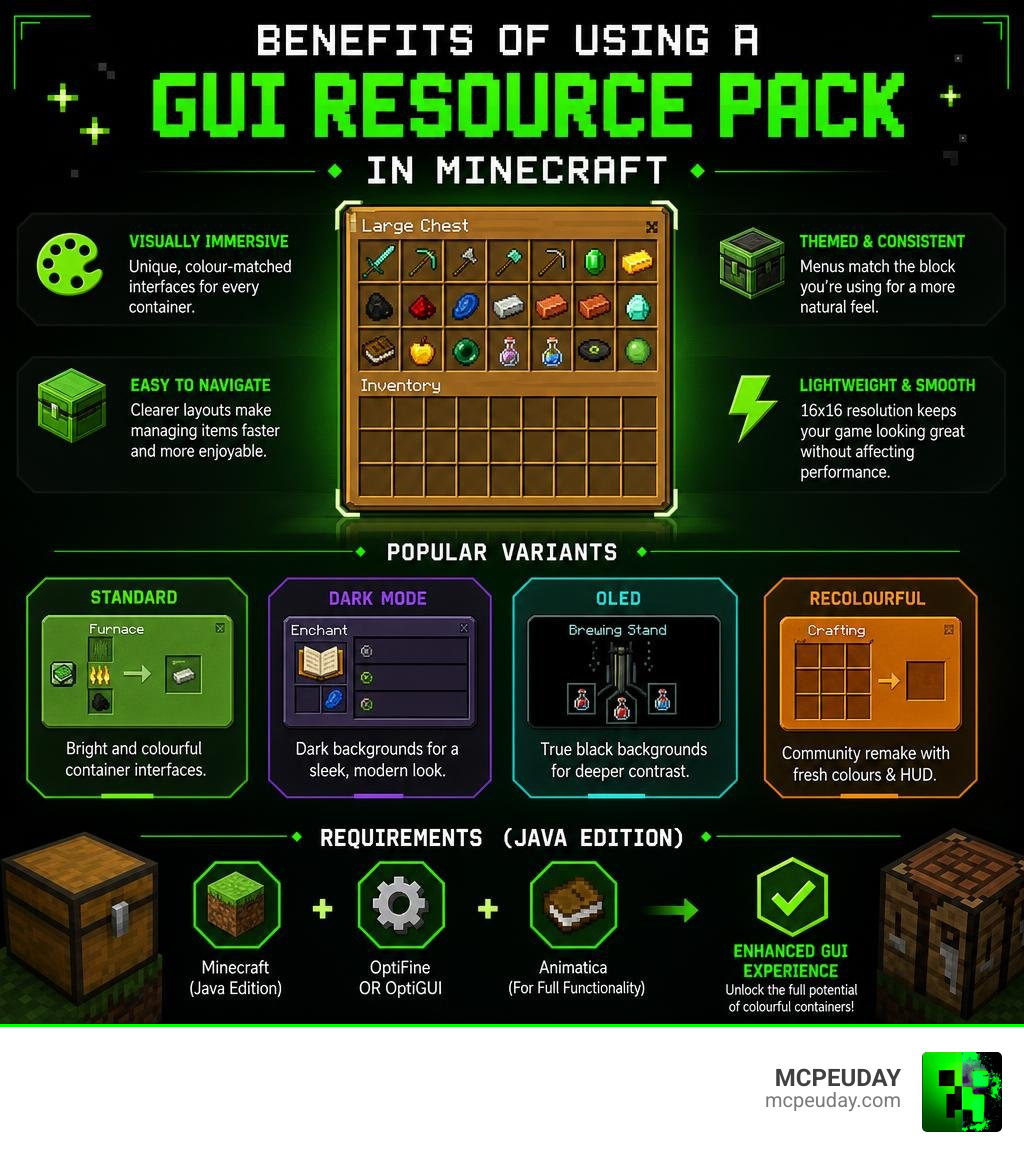
The Colourful Containers GUI resource pack is one of the most downloaded GUI overhauls in Minecraft history — and it’s easy to see why. Instead of staring at the same flat grey menu every time you open a chest, furnace, or enchanting table, this pack gives every container its own unique, colour-matched interface.
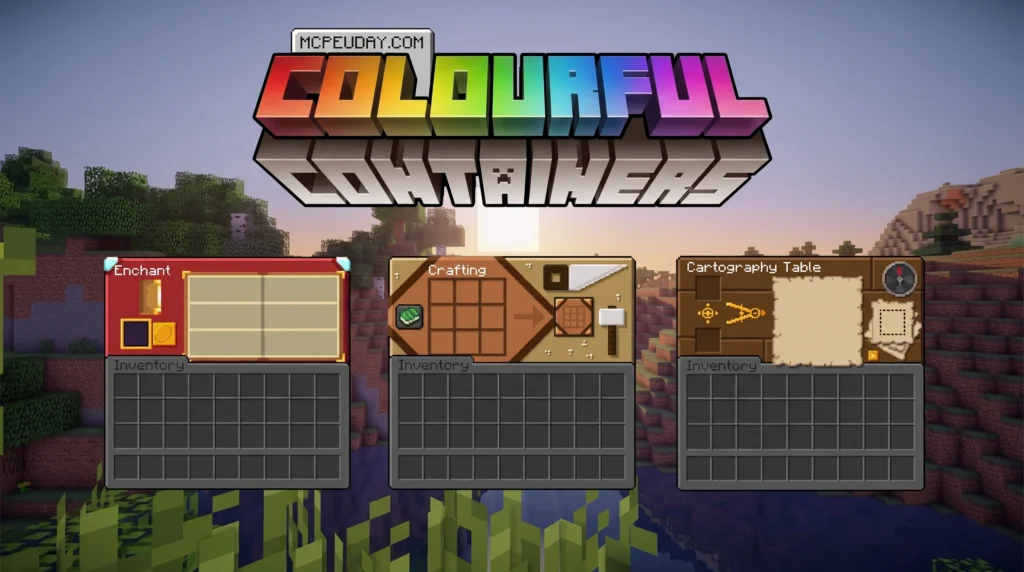
Quick answer: Here’s what you need to know at a glance:
- What it is: A resource pack that replaces Minecraft’s default container menus with colourful, block-themed designs
- Who made it: psdKingybu (with a popular community remake called Recolourful Containers by Chris XENO)
- Variants: Standard (colourful), Dark Mode, OLED, and Recolourful Containers GUI + HUD
- Works on: Java Edition and Bedrock Edition
- Downloads: Over 8 million combined across CurseForge and Modrinth
- Requires: OptiFine or OptiGUI + Animatica for full functionality on Java Edition
Minecraft’s default GUI is, honestly, pretty boring. Every container — whether it’s a brewing stand or a smithing table — shows you basically the same dull grey screen. This pack fixes that by matching the menu design to the block you’re actually using.
It’s a lightweight, 16×16 resolution pack, so it won’t hurt your performance at all. It’s also one of the few GUI packs that covers almost every container in the game, from crafting tables and shulker boxes all the way to villager trading screens.
What is the Colourful Containers GUI Resource Pack?
At its core, the Colourful Containers GUI resource pack is a visual-only modification that targets the user interfaces (GUIs) of Minecraft’s interactive blocks. Rather than changing the textures of the blocks themselves in the world, this pack redesigns the menus that appear on your screen when you interact with them.
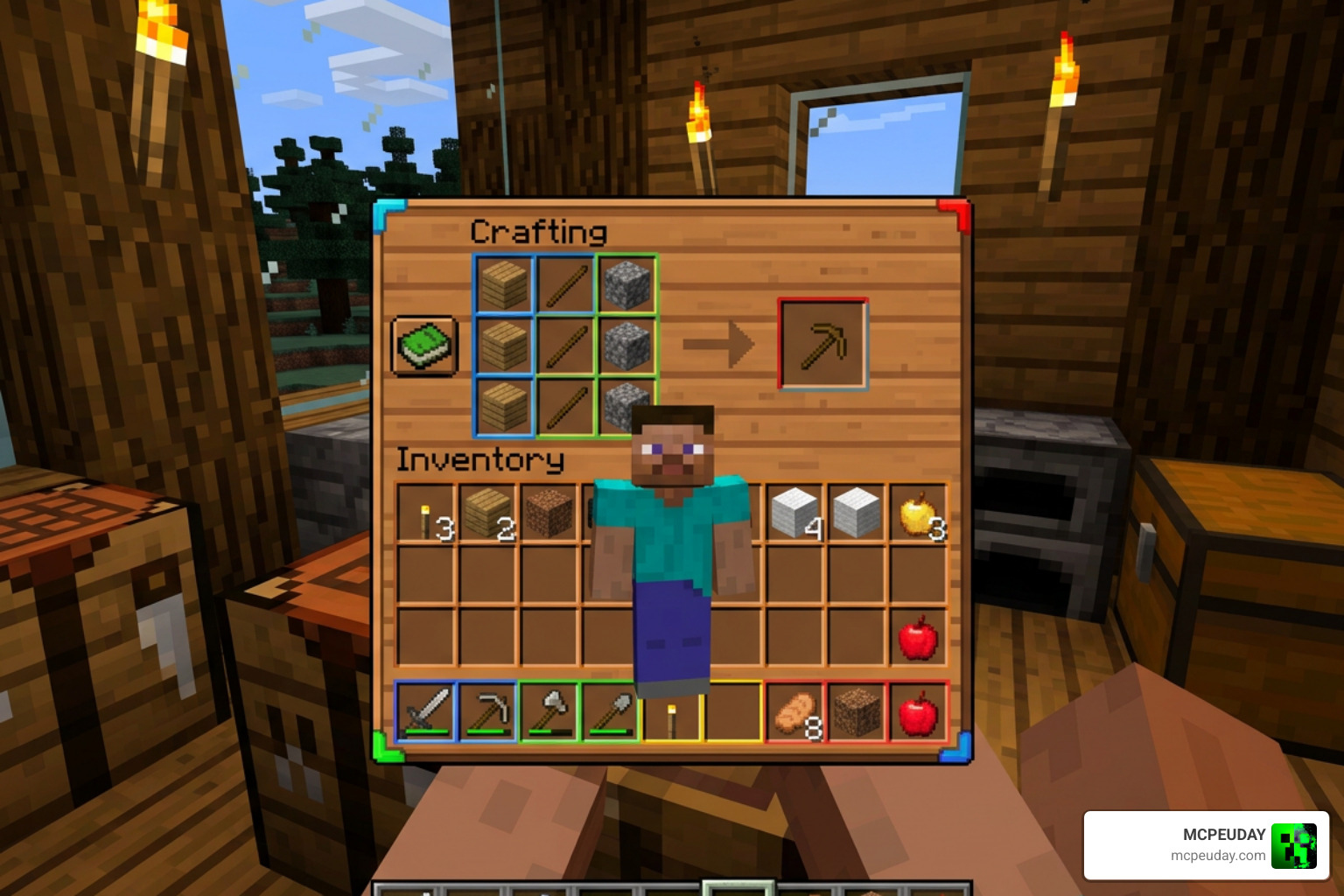
By default, Minecraft applies a uniform, stone-grey texture to almost every menu. This pack completely throws out that dull approach. When you open a wooden crafting table, the interface is framed in warm, beautiful wood textures. Open a copper-based crafter, and you are greeted with a metallic, orange-toned UI. It brings an incredible layer of visual immersion to the game without requiring a heavy texture overhaul.
Because it maintains a standard 16×16 pixel resolution, the pack preserves vanilla performance perfectly. You can download the original versions directly via the Colourful Containers GUI on CurseForge or find the project on the Colourful containers GUI on Modrinth page.
Core Features of the Colourful Containers GUI Resource Pack
The sheer coverage of this pack is what makes it stand out. It goes far beyond simple chests. Here is a breakdown of the specific container GUIs that receive complete redesigns:
- Crafting & Processing: Crafting tables, furnaces, smokers, blast furnaces, and stonecutters receive themes that match their physical block materials.
- Utility Blocks: Anvils, grindstones, smithing tables, cartography tables, and looms are styled to look like functional workstations.
- Storage: Standard chests, large chests, barrels, hoppers, dispensers, and droppers are beautifully colored.
- Magic & Alchemy: Brewing stands feature bubbling, chemical-toned frames, while enchanting tables and beacons glow with mystical energy.
- Shulker Boxes: Each of the 16 dyed shulker boxes features a custom GUI that matches its specific dye color.
- Villager Professions: Trading screens adapt dynamically to match the profession of the villager you are interacting with.
For players who want an even cleaner storage layout alongside these beautiful colors, pairing this pack with the Better Inventory Pack is a fantastic way to elevate your entire inventory experience.
Supported Versions and Editions for the Colourful Containers GUI Resource Pack
Whether you play on Java Edition or Bedrock Edition (including MCPE on mobile), you can enjoy this pack.
For Java Edition, the pack supports a massive range of versions, stretching from older releases all the way to modern versions like 1.21.x. You can grab the latest update specifically optimized for modern releases on the 1.21.1 – Colourful containers GUI download page.
On Bedrock Edition and MCPE, players can easily install compatible .mcpack files to enjoy the same colourful visual upgrades on their mobile devices, consoles, or Windows PCs.
Comparing the Variants of the Colourful Containers GUI Resource Pack
Over the years, different variants of this concept have emerged to suit different visual tastes. Whether you prefer bright, vibrant colors, a sleek dark mode, or a fully animated remake, there is a version for you.
Below is a comparison of the primary variants available:
| Feature / Variant | Standard (Default) | Dark Mode / OLED | Recolourful Containers GUI + HUD |
|---|---|---|---|
| Primary Aesthetic | Bright, block-themed colors | Darkened borders with themed accents | Highly polished colors + matching HUD |
| Creator | psdKingybu | psdKingybu | Chris XENO (Remake) |
| HUD Changes | Minimal | Darkened HUD | Complete HUD redesign |
| Animations | Basic | Basic | Advanced (Enchanting, Stonecutter, etc.) |
| Best For | Vanilla+ players | Night players / OLED screens | Immersive, modern gameplay |
For those interested in the technical side or looking to contribute, you can check out the official psdKingybu/colourful-containers GitHub repository to view open issues and code updates.
Standard vs. Dark Mode and OLED Variants
While the default standard version focuses on bright, vibrant colors that perfectly match vanilla blocks, many players prefer a darker interface to save their eyes during late-night gaming sessions.
The Dark Mode and OLED variants keep the block-themed color accents but swap out the bright grey inner panels for sleek, dark grey or true black (OLED) backgrounds. Additionally, these dark variants often feature a dark loading screen, a dark advancements menu, and a fully darkened creative inventory, making the entire user interface cohesive.
Recolourful Containers GUI + HUD Remake
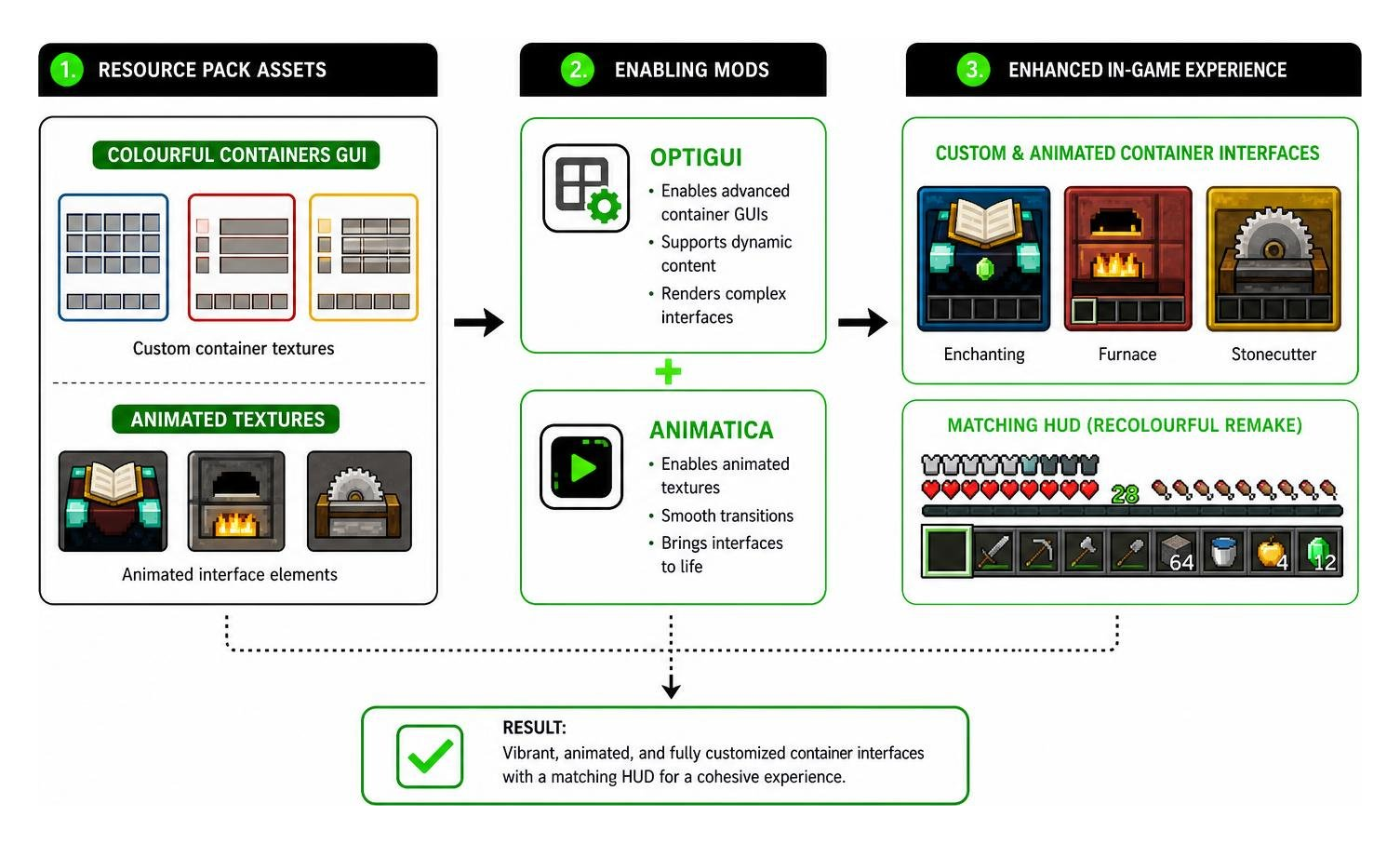
If you want to take your interface customization even further, the community remake Recolourful Containers GUI + HUD by Chris XENO is an absolute must-try. This version builds on the original concept but expands it to redesign your HUD (hotbar, health, hunger, and armor icons) to match the overall colorful aesthetic.
It also introduces gorgeous animated textures for containers like the enchanting table, furnace, and stonecutter. You can find this highly polished version on the Recolourful Containers GUI + HUD on CurseForge page or download the latest update from the Recolourful Containers GUI + HUD on Modrinth version page.
If you love the idea of dynamic, glowing interfaces, you should also check out our guide on the Animated RGB GUI Pack for a completely futuristic look.
Technical Requirements and Mod Compatibility
To get the absolute most out of the Colourful Containers GUI resource pack, you need to understand its technical dependencies. While basic containers will work in completely vanilla Minecraft, advanced features require a few helper mods.
Why OptiGUI and Animatica are Recommended
While OptiFine was historically the go-to mod for custom textures, it has limitations in modern Minecraft. For the best performance and compatibility, we highly recommend using OptiGUI and Animatica (on Fabric) instead of OptiFine.
- OptiGUI: Required to render advanced container GUIs like minecarts, chestboats, and dynamically updating villager profession screens.
- Animatica: Required to display animated textures inside the containers (such as the rotating runes in the enchanting table).
If you are building a custom UI setup, you might also want to look at the Utility Inventory Pack to add helpful utility overlays to your newly colored menus.
Language Settings and Troubleshooting
One of the most common issues players run into is textures not appearing correctly. This is usually tied to your language settings:
- When using OptiGUI / OptiFine: Make sure to select Modded languages in your settings to prevent interface bugs.
- When playing Vanilla (No Mods): Use the standard Vanilla language setting. This ensures basic container textures (like chests) load correctly.
- ResPackOpts Support: If you use the ResPackOpts mod to customize the pack’s options, you must have your game language set to English (US) to read the menu descriptions properly.
If you run into any bugs, the creators maintain active communities on Discord where you can ask for help or report issues.
How to Install the Colourful Containers GUI Resource Pack
Installing the pack is a straightforward process. Follow these simple steps to get it running:
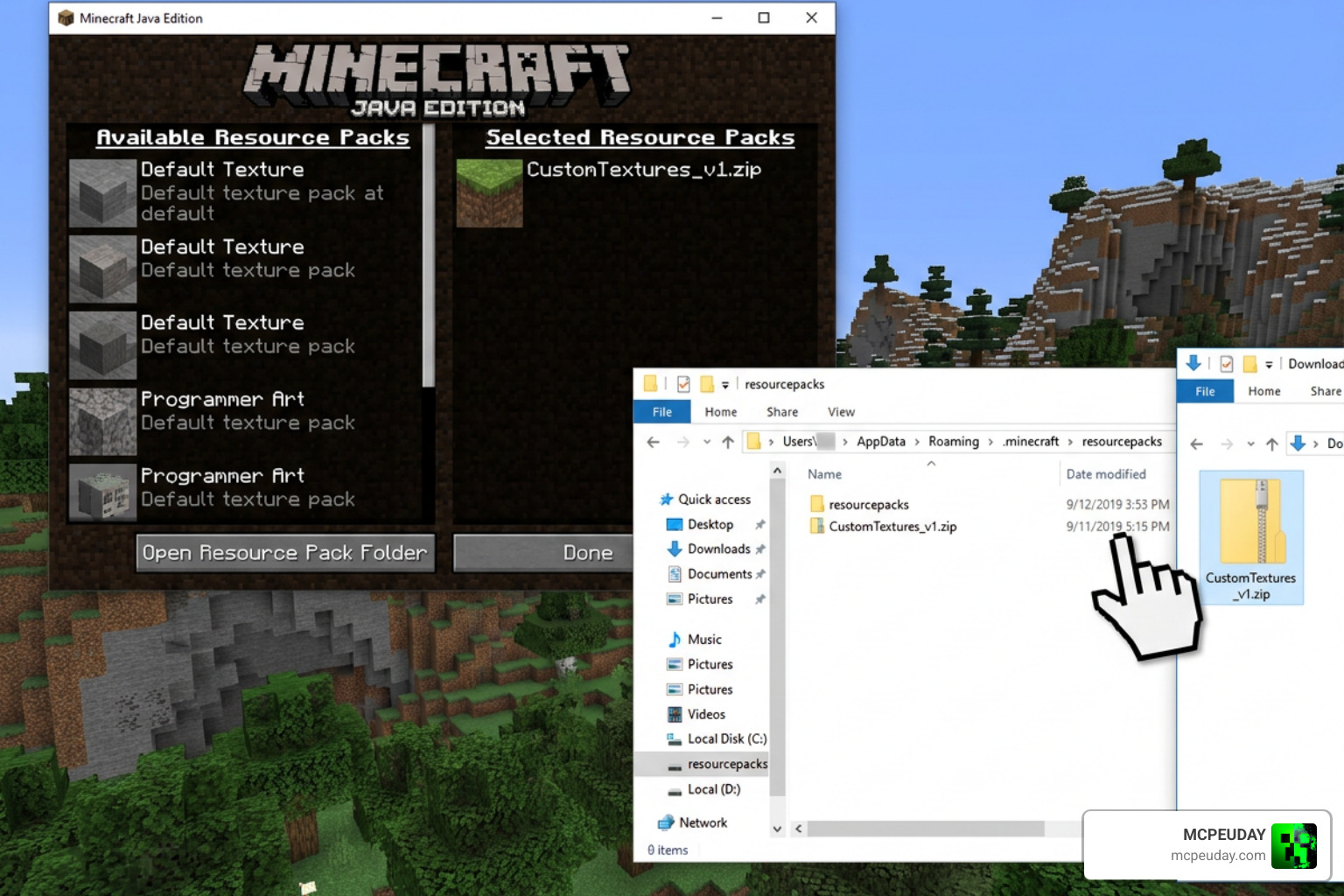
- Download the Pack: Download the correct version for your game from Modrinth or CurseForge.
- Install Dependencies: For Java players, make sure you have OptiGUI and Animatica installed via your mod manager.
- Open Resource Packs Folder: In Minecraft, go to Options > Resource Packs > Open Pack Folder.
- Move the File: Drag and drop the downloaded
.zipfile into this folder. - Activate the Pack: Select the pack in your in-game list and move it to the active column.
- Handle Warnings: If Minecraft displays a “Made for an older/newer version” warning, you can safely click Yes to bypass it, as GUI textures rarely break between minor game updates.
To complement your new colorful menus, we also suggest installing the Circular Hotbar Texture Pack to give your HUD a clean, modern, circular layout.
Frequently Asked Questions about Colourful Containers
Why are some container textures not working in my game?
If some containers (like shulkers, villagers, or chest boats) look grey or broken, you are likely missing OptiGUI or Animatica. Double-check that these mods are active. Also, ensure your language settings match your setup (use Modded languages with OptiGUI/OptiFine, and Vanilla language without them).
Can I include the Colourful Containers GUI resource pack in my modpack?
Yes! The licensing terms allow you to include the pack in your public Modrinth or CurseForge modpacks. You must provide proper credit to the creator (psdKingybu or Chris XENO depending on the variant) and list the pack as a dependency.
Does this pack support modded containers from other Minecraft mods?
The base pack focuses strictly on vanilla Minecraft containers. However, the community remake (Recolourful Containers) features custom shader support and is open to adding popular modded container designs. You can post mod compatibility requests on the creator’s official Discord server.
Conclusion
The Colourful Containers GUI resource pack is a brilliant, lightweight visual upgrade that breathes fresh life into Minecraft’s oldest and most overlooked menus. By matching every container GUI to its physical block design, it adds an incredible layer of color and immersion to your daily survival adventures.
Whether you choose the vibrant standard version, the eye-friendly Dark Mode, or the highly polished Recolourful remake, your crafting and sorting sessions will never feel dull again. We invite you to Explore more Minecraft Texture Packs on MCPEUDAY to find the perfect additions to your custom game setup!
2 thoughts on “Colourful Containers GUI Resource Pack (26.x, 1.21) – MCPE/Bedrock Resource Pack”