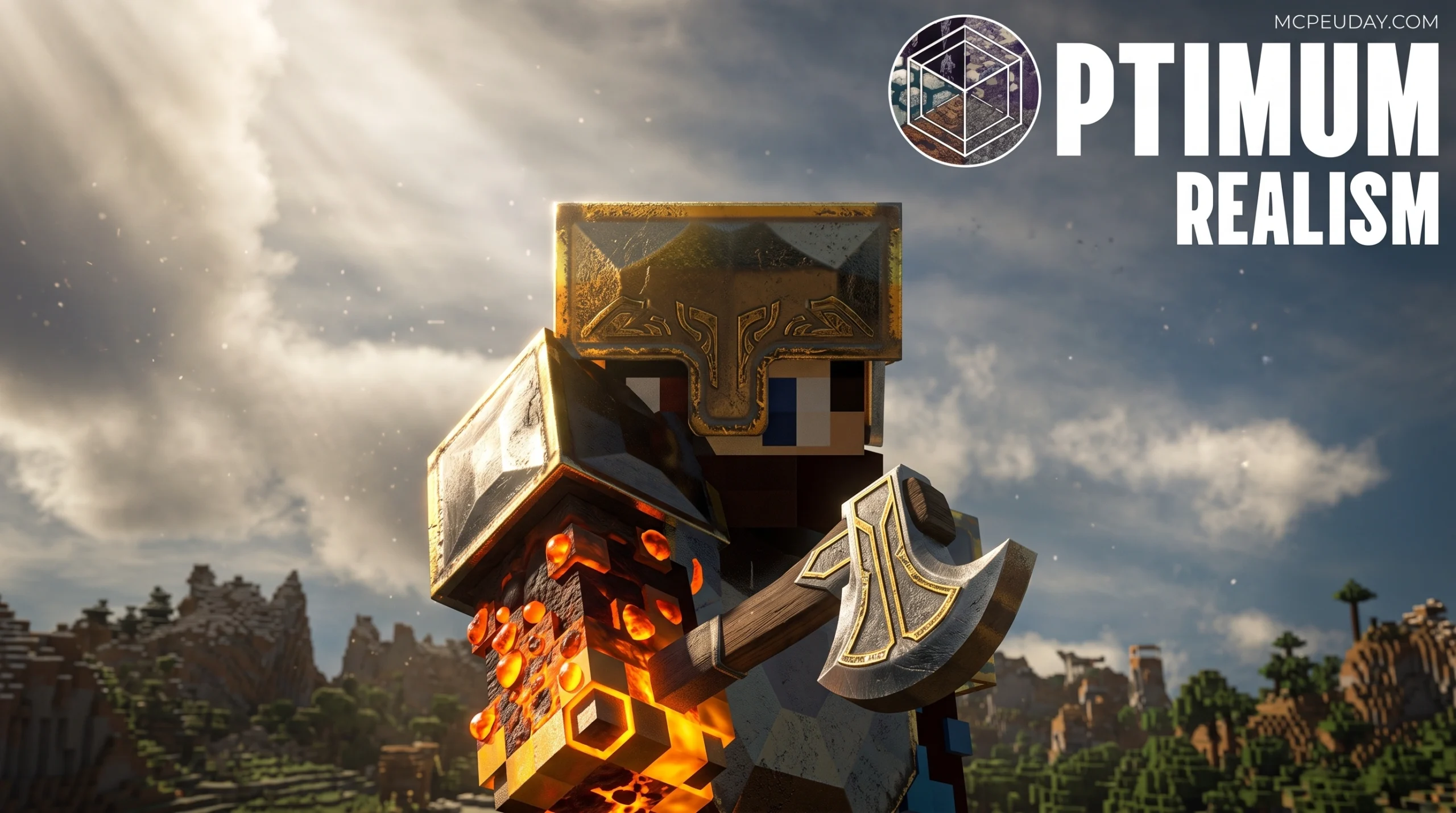
The Minecraft Visual Upgrade 3 Million Players Are Using
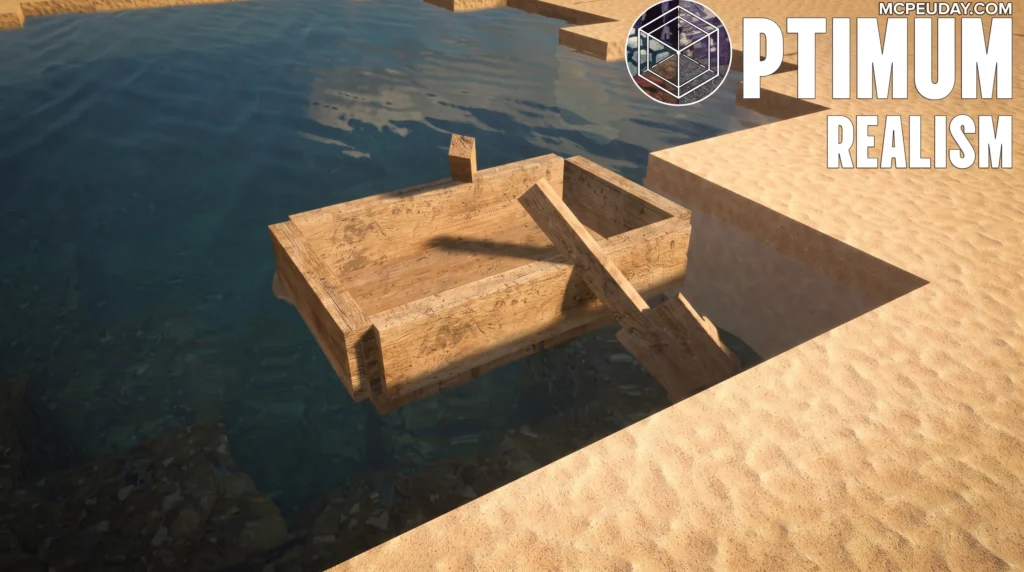
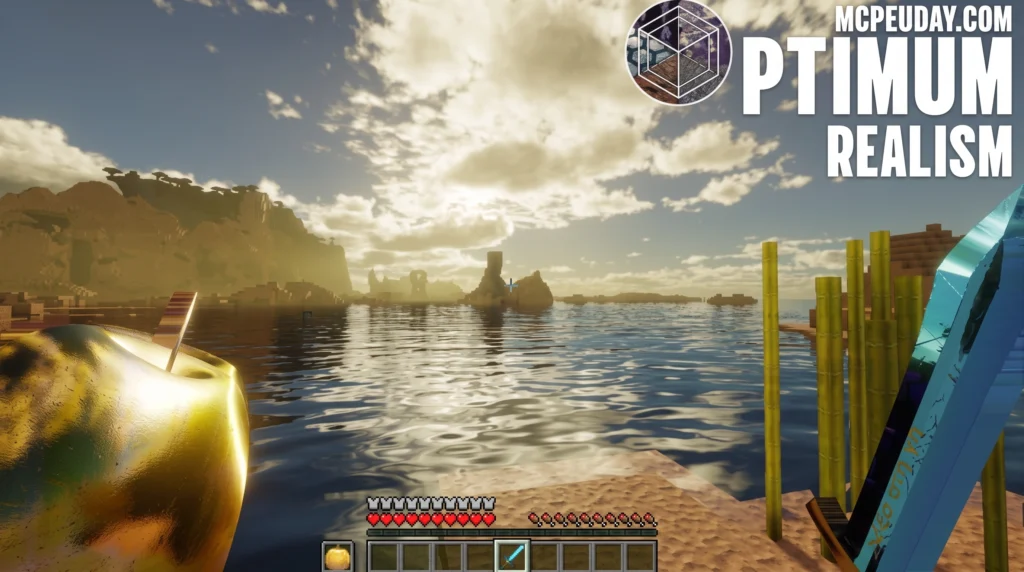
The Optimum Realism Resource Pack is one of the most downloaded realistic texture packs ever made for Minecraft — and you can get the full 64x version completely free right now.
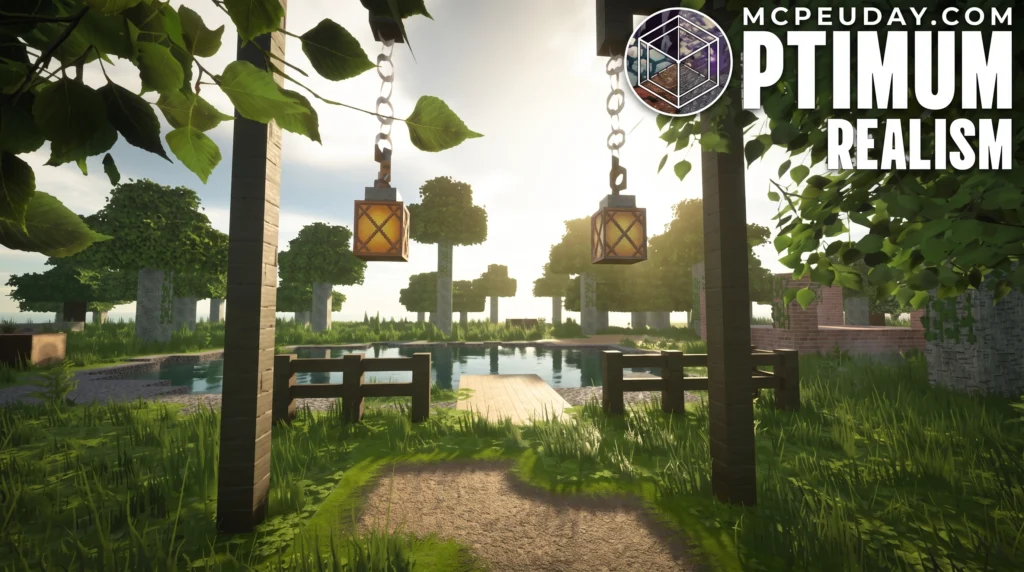
Quick download and key facts:
- Free version: Download the 64x pack at optimumrealism.com — no trial, no expiry
- Paid tiers: 128x, 256x, and 512x available via Patreon
- Works on: Java Edition (Iris + Fabric or OptiFine) and Bedrock Edition (RTX)
- Minecraft versions: 1.16 through 1.21 and beyond
- Also on: CurseForge as the #1 HD resource pack
When reviewers first looked at screenshots of this pack, some had to double-check they were still looking at Minecraft. That reaction says a lot.
The pack launched in 2021 and has since crossed 3 million downloads and gathered 30,000+ Patreon supporters. It replaces every block with a high-quality texture built from real-world materials — while keeping Minecraft’s iconic blocky shape intact.
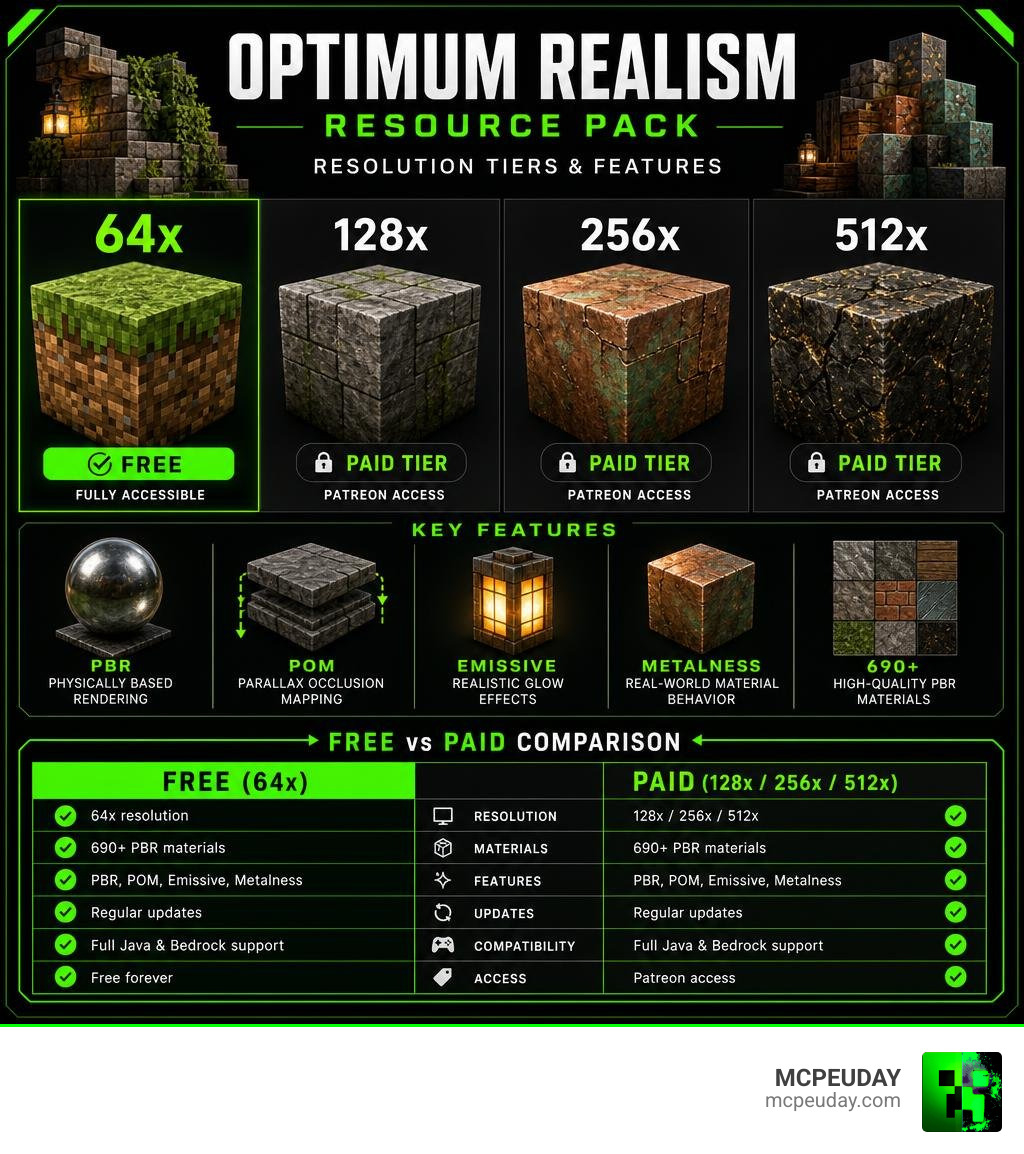
It includes 690+ PBR materials, real 3D depth through parallax occlusion mapping (POM), glowing emissive textures, and true metalness effects like copper that actually oxidizes. These are not just prettier textures — they are a full material rebuild.
Whether you play on Java or Bedrock, run a mid-range or high-end PC, or just want a free upgrade without spending a cent, this guide covers everything you need to know.
What is the Optimum Realism Resource Pack?
At its core, the Optimum Realism Resource Pack is a photorealistic visual overhaul designed to balance high-end graphical quality with stable performance. Created as a passionate one-person project, this pack has grown to become the #1 HD resource pack on CurseForge, accumulating millions of views across PlanetMinecraft and dedicated community websites.
Unlike other realistic packs that simply slap real-world photos onto blocks—making the game look messy and unrecognizable—Optimum Realism takes a artistic, material-first approach. It replaces blocks with their real-life counterparts while carefully preserving Minecraft’s classic, blocky identity.
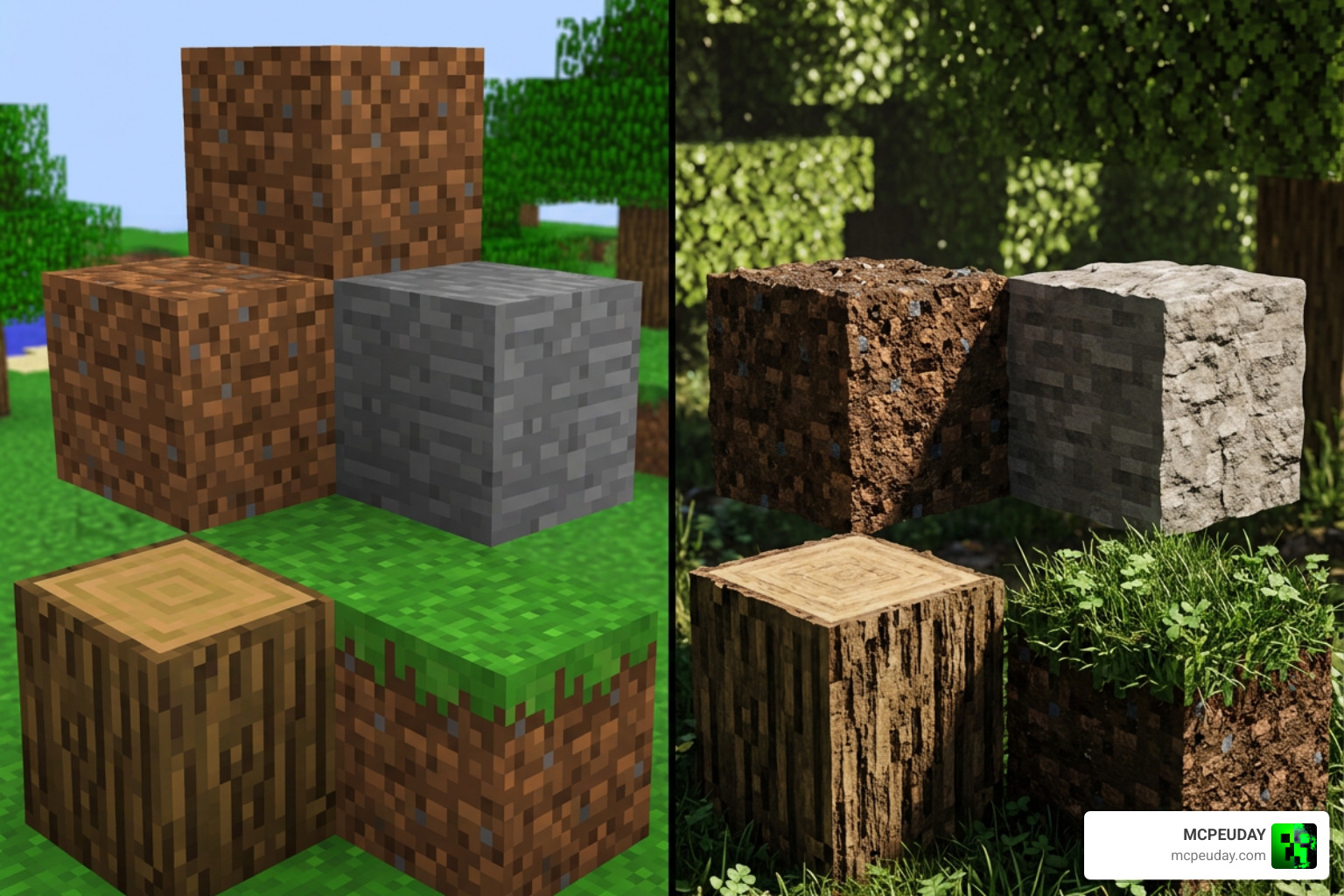
Whether you are building a modern mansion or exploring deep caverns, the textures feel cohesive. It bridges the gap between classic sandbox gameplay and modern triple-A game graphics. If you are torn between platforms, our guide on Minecraft Java vs Bedrock can help you decide where to experience these stunning visuals first. You can grab the free starter version directly from the Optimum Realism — Realistic Minecraft Texture Pack (Free) website to see the difference yourself.
Key Visual Features and Resolution Tiers
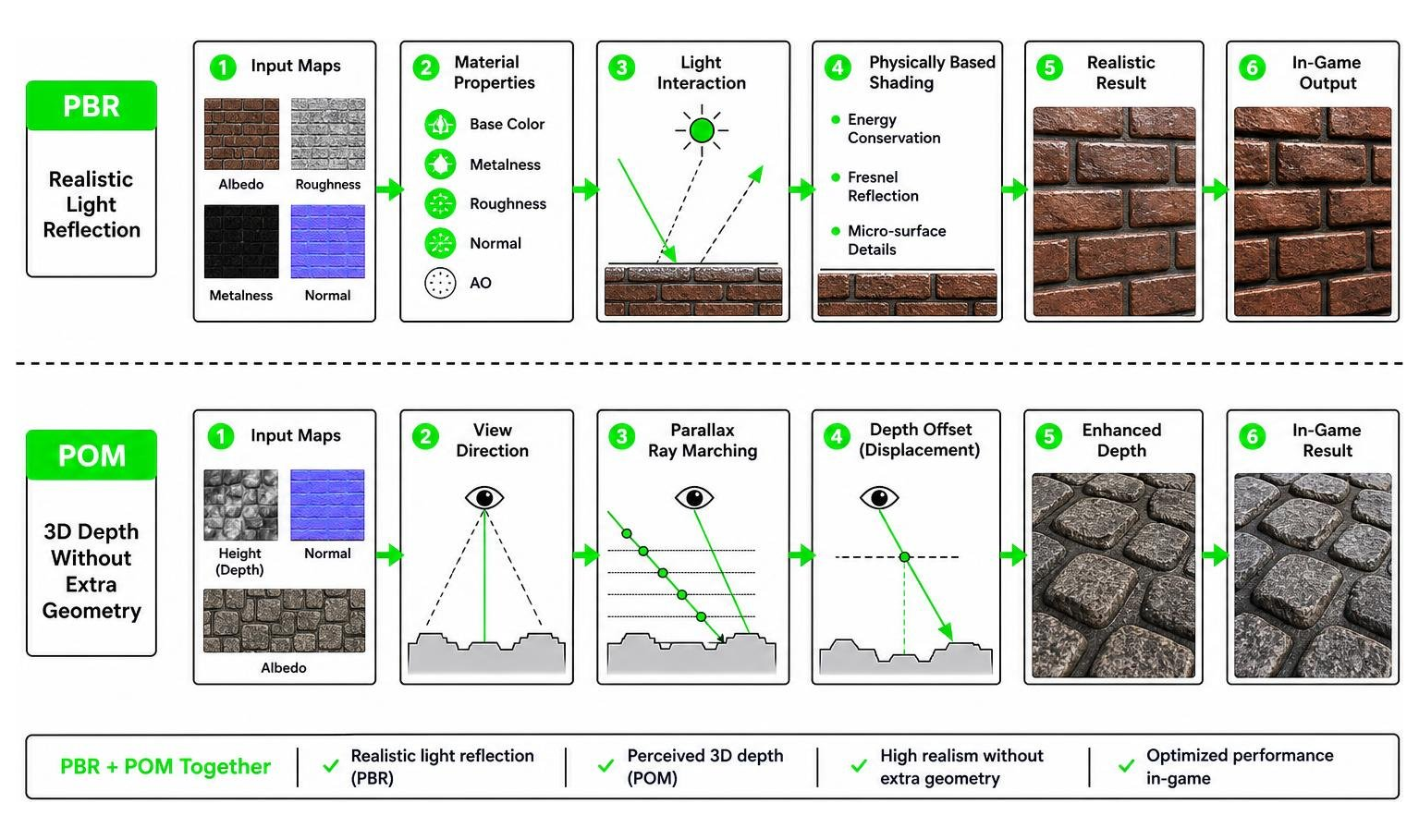
What makes this resource pack stand out is its incredible attention to detail. It includes over 690+ custom PBR materials, depth-write POM (Parallax Occlusion Mapping), true metalness, custom emissive textures, and connected textures.
Instead of flat surfaces, blocks have genuine physical depth. Brick walls have recessed mortar lines, cobblestone paths have rounded, protruding stones, and tree bark features deep, rugged ridges.
The Free 64x Optimum Realism Resource Pack vs Paid Tiers
To accommodate different hardware setups and budgets, the creator offers four distinct resolution tiers. The 64x resolution is completely free forever, containing every single block with zero trial limitations. The higher-resolution tiers (128x, 256x, and 512x) are available to Patreon supporters.
Here is how the tiers compare:
| Resolution Tier | Access Type | File Size | Recommended Hardware | Best Use Case |
|---|---|---|---|---|
| 64x (Free) | Free Forever | ~50 MB | GTX 1050 / Mid-range GPU | Everyday survival gameplay with great performance |
| 128x (Economy) | Patreon | ~159 MB | GTX 1060 / RTX 3050 | Enhanced sharpness with minimal FPS impact |
| 256x (Basic) | Patreon | ~529 MB | RTX 3060 / RX 6600 | Outstanding balance of detail and performance |
| 512x (Premium) | Patreon | ~1.46 GB | RTX 3080 / RTX 4070+ | Cinematic renders, high-end photography |
If you want to test the paid tiers, you can find more details on the Optimum Realism POM & PBR 64x/128x/256x/512x CurseForge page.
Advanced PBR and POM Materials
The pack relies heavily on advanced rendering techniques to achieve its photorealistic look:
- Depth-Write POM: This technique makes surfaces carve into one another, creating genuine 3D geometry on a flat block face.
- LabPBR Emissives: Light-emitting blocks like lanterns, glowstone, and lava do not just look bright—they actually glow and cast light into the surrounding environment.
- True Metalness: Metallic blocks reflect light realistically. Copper blocks shine when new and gradually lose their luster as they oxidize in your world.
Hardware Requirements, Shaders, and Installation
Because high-resolution textures require significant system resources, we recommend having a decent gaming rig to run the pack smoothly.
- Minimum Requirements (64x Version): GTX 1050 GPU, Intel i5 CPU, and 8 GB of RAM.
- Recommended Requirements (128x – 256x): GTX 1080 / RTX 3060, 16 GB of RAM, and at least 2 GB of dedicated RAM allocated to Minecraft.
- Ultra Requirements (512x Version): RTX 3080 / RTX 40-series GPU, 16 GB+ RAM, and high-performance CPU.
To configure your game settings for the best performance, check out our How to Turn on Shaders in Minecraft 2026 Guide.
Recommended Shaders for Optimum Realism Resource Pack
Minecraft does not natively support PBR and POM rendering, meaning you must use a compatible shader pack to unlock these advanced visual features.
We highly recommend using the following shaders:
- Kappa Shader: Offers incredible atmospheric lighting and works perfectly with the pack’s colormaps.
- BSL Shaders: Highly customizable and runs exceptionally well on mid-range hardware.
- SEUS PTGI: Ideal for path-traced global illumination and ultra-realistic reflections.
For a detailed setup guide, read our dedicated review of the Optimum Realism Shader or browse the Best Minecraft Shaders for MCPE 1.21 2026 to find your perfect match.
Java Edition Installation (Iris & OptiFine)
You can install the pack using either Iris + Fabric (highly recommended for performance) or OptiFine.
Option 1: Iris + Fabric (Recommended Setup)
- Download and install the Fabric Loader.
- Place Sodium, Iris, Polytone (required for custom colormaps), Continuity (for connected textures), and Entity Model/Texture Features mods into your
modsfolder. - Download the Optimum Realism zip file and place it in your
resourcepacksfolder. - Launch Minecraft, go to Options > Resource Packs, and enable the pack.
- In your shader settings, ensure PBR Materials is set to LabPBR and enable POM (Parallax Occlusion Mapping).
Option 2: OptiFine Setup
- Download and install the OptiFine version matching your Minecraft client.
- Put the Optimum Realism zip file into your
resourcepacksfolder. - In-game, go to Video Settings > Quality and turn on Connected Textures, Emissive Textures, and Custom Entity Models.
- In your shader options, enable POM and set the texture format to LabPBR.
Bedrock Edition RTX Setup
If you play on Bedrock Edition, you can experience full ray-traced graphics with this pack.
- Download the Bedrock-compatible
.mcpackversion of Optimum Realism. - Double-click the file to automatically import it into Minecraft Bedrock.
- Activate the pack under Global Resources in your game settings.
- Ensure you have an RTX-compatible graphics card and enable Ray Tracing in your video settings.
- For the ultimate visual experience, load up some of the Best Minecraft Seeds in 2026 to see how ray-traced light bounces off these photorealistic blocks!
Frequently Asked Questions
Is the 64x version of Optimum Realism completely free?
Yes! The 64x resolution version is 100% free forever. It contains all the blocks, features, and PBR materials of the higher-resolution versions. There are no trials or block exclusions. Patreon support is entirely optional for those who want sharper 128x, 256x, or 512x textures.
Does Optimum Realism work on Bedrock Edition with RTX?
Yes, it is fully compatible with Bedrock Edition. It features dedicated support for Nvidia RTX ray tracing and Vibrant Visuals. A single Patreon subscription covers access to both the Java and Bedrock versions of the pack.
What are the minimum GPU requirements for the 512x version?
To run the 512x version smoothly, we recommend at least an Nvidia GTX 1080 or an RTX-class graphics card. You should also allocate at least 2 GB of system RAM specifically to Minecraft to handle the massive 1.46 GB texture file size without experiencing lag spikes.
Conclusion
The Optimum Realism Resource Pack is a masterclass in Minecraft graphical modding. By combining 3D depth-write POM, LabPBR emissive lighting, and true-to-life material reflections, it elevates the blocky sandbox into a modern, visually stunning experience. Whether you stick with the incredibly optimized, free 64x version or upgrade to the ultra-sharp 512x tier, your world will never look the same.
Ready to completely transform your game’s graphics? Explore more realistic shaders and resource packs on MCPEUDAY to find the perfect visual combination for your next adventure!