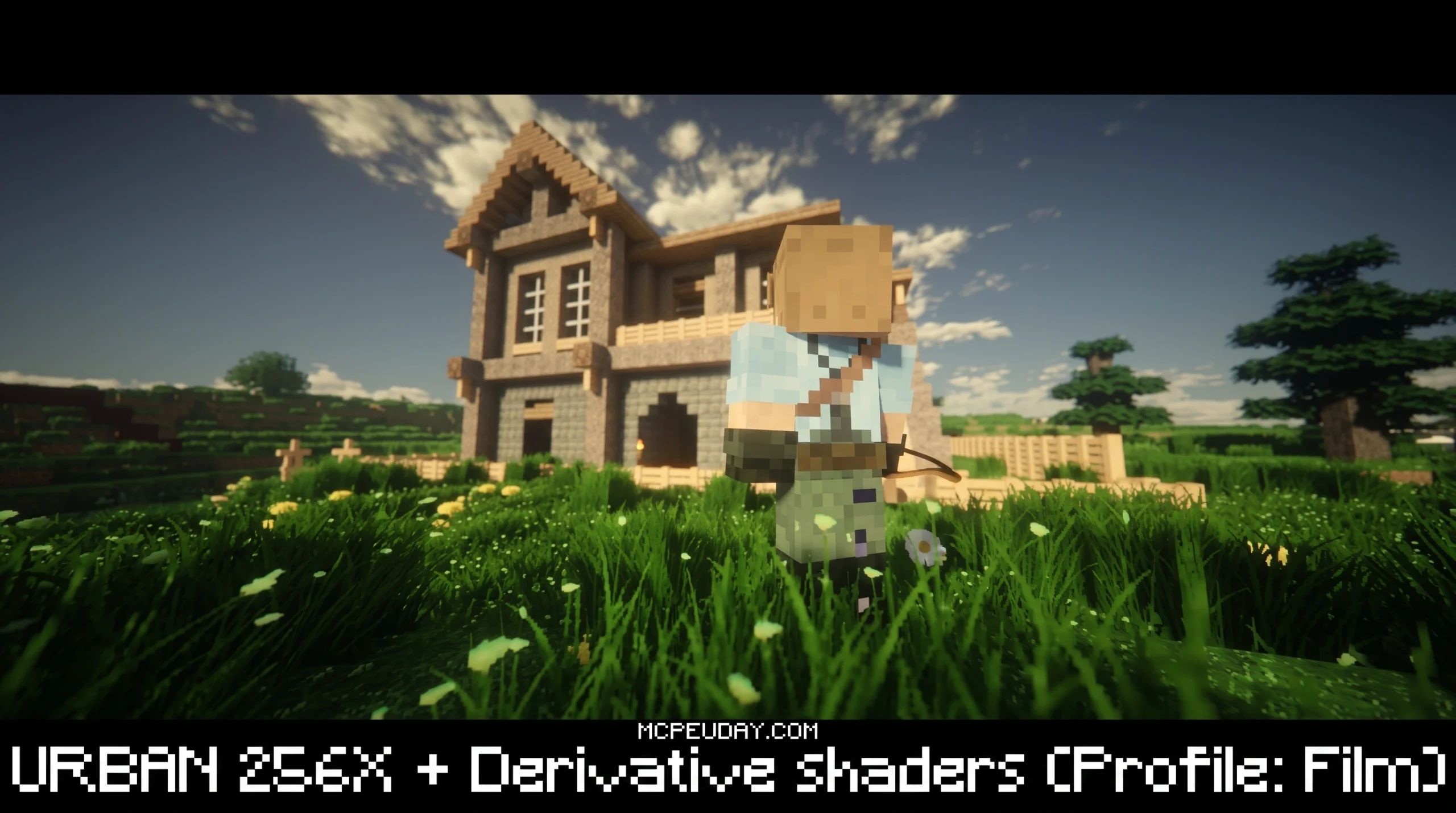
The URBAN Resource Pack: Photorealistic Minecraft Textures Worth Knowing About
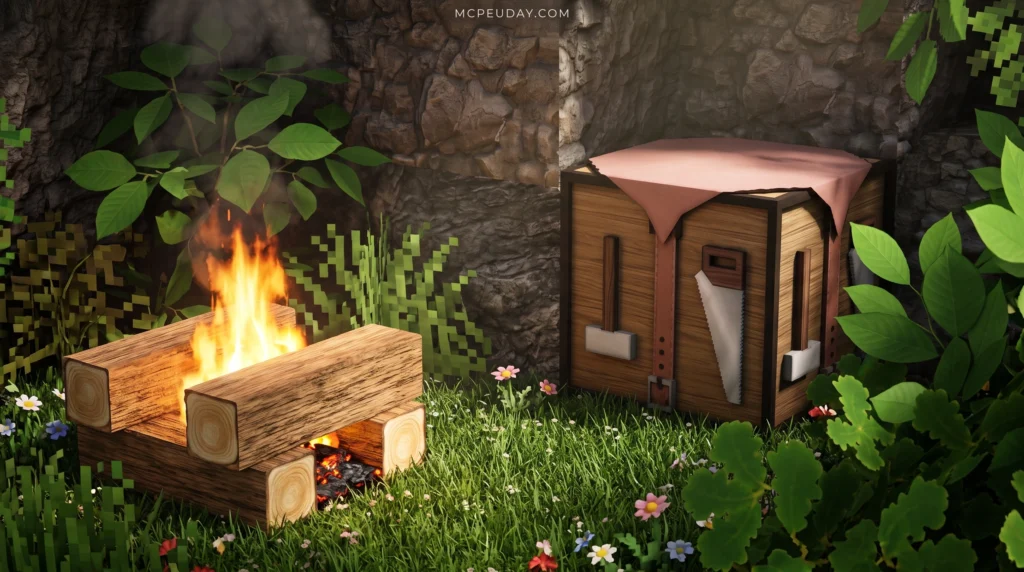
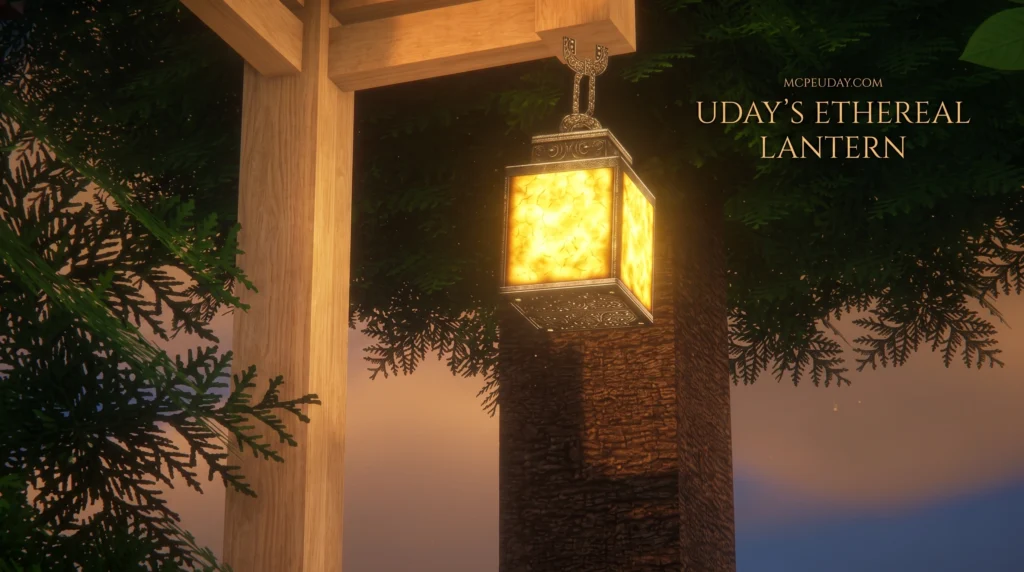
The URBAN Resource Pack is one of the most visually ambitious texture packs ever made for Minecraft — built from scratch by a solo creator to bring genuine photorealism to the game.
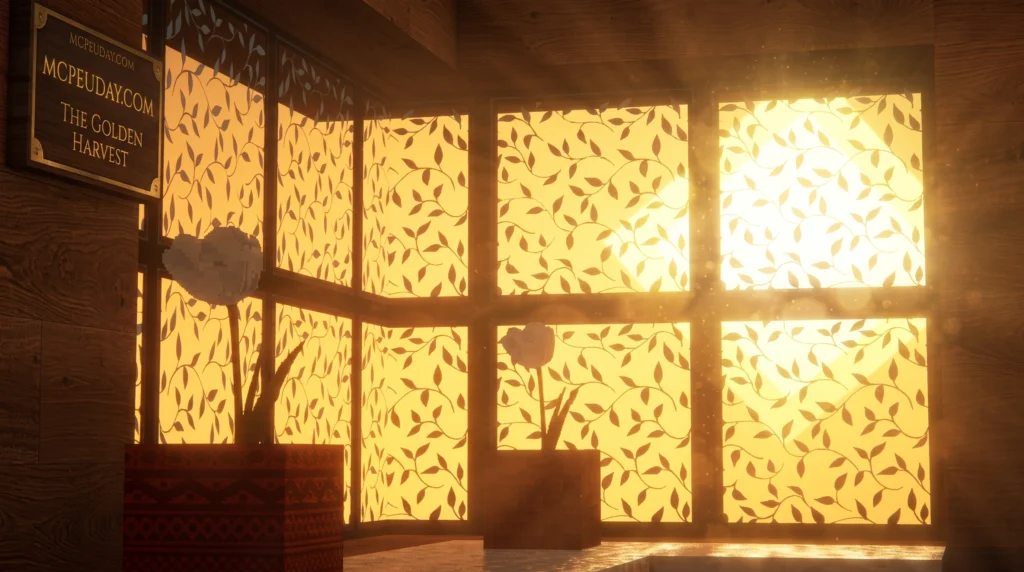
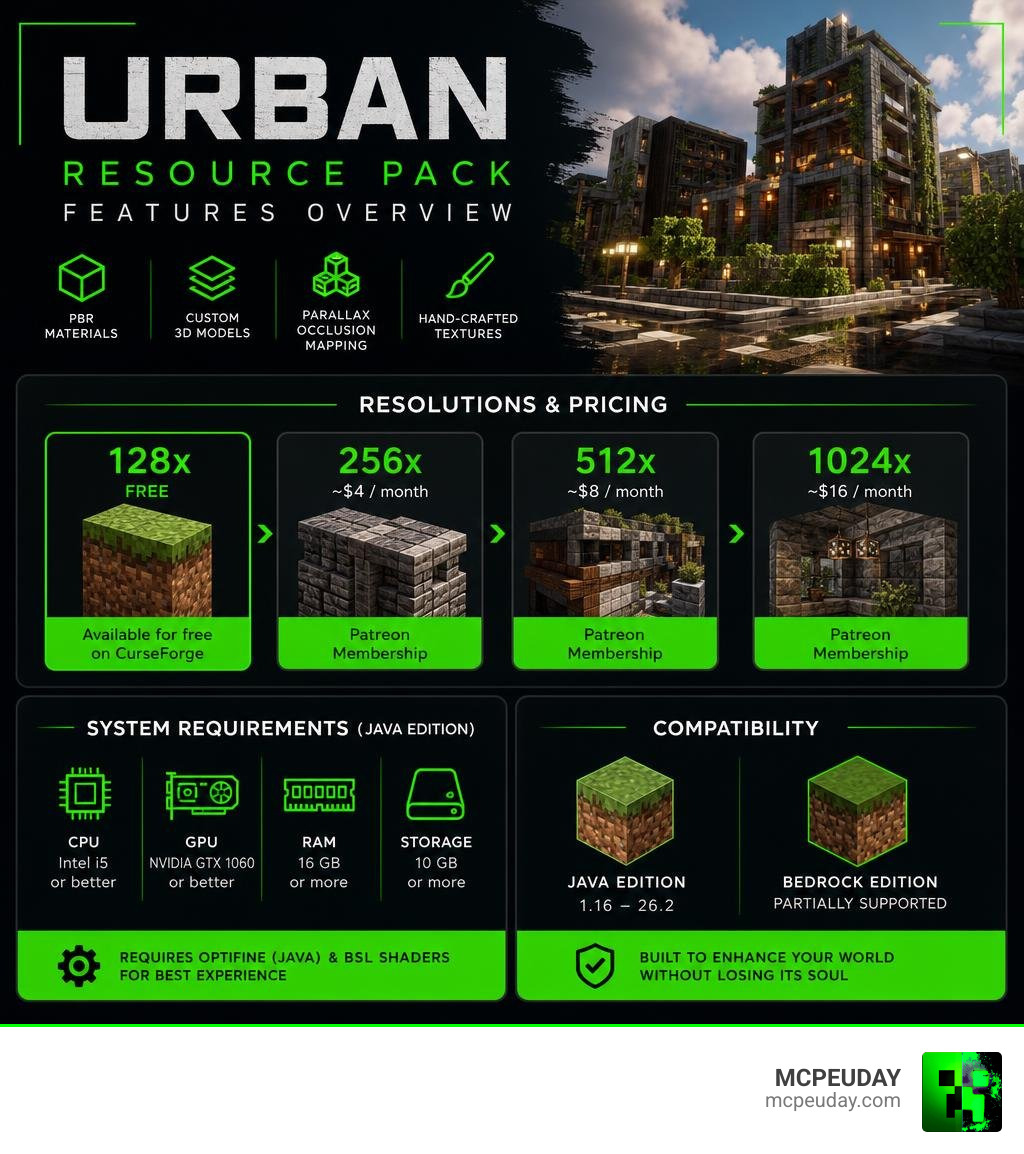
Quick answer for what URBAN Resource Pack is:
- Creator: Aryan Nikose
- Free version: 128x resolution, available on CurseForge
- Paid versions: 256x, 512x, and 1024x — unlocked via Patreon starting at around $4/month
- Compatible with: Minecraft Java Edition (1.16–26.2) and partially Bedrock Edition
- Requires: OptiFine (Java) and BSL shaders for best results
- Key features: PBR materials, custom 3D models, parallax occlusion mapping (POM), and hand-crafted textures
What makes URBAN stand out isn’t just how it looks — it’s why it was made. Aryan Nikose started the project during the COVID-19 pandemic after losing his primary source of income. What began as a way to make ends meet has grown into a pack with over 2.3 million views and more than 3,300 Patreon supporters as of July 2026.
The result is a pack that turns Minecraft’s blocky world into something closer to a next-gen console game — without losing the soul of what Minecraft is.
What is the URBAN Resource Pack?
At its core, the URBAN Resource Pack is an ultra-realistic, highly detailed overhaul of Minecraft’s default look. Created by developer Aryan Nikose, the project stands out because every single texture is designed manually rather than simply upscaled using artificial intelligence. This manual attention to detail ensures that the textures feel natural, gritty, and cohesive.
The origin story of the pack adds a deeply personal layer to its development. Conceived during the height of the COVID-19 pandemic, Aryan Nikose started creating these assets to generate income after losing his primary revenue stream. Today, this passion project has turned into a massive community-driven success story. If you want to support his ongoing work and access the highest-tier files, you can check out his page at URBAN — creating breathtaking textures for minecraft .
Key Features of the URBAN Resource Pack
The secret behind the pack’s breathtaking visuals lies in its technical implementation. Instead of flat images slapped onto 3D blocks, this pack utilizes several modern rendering techniques:
- PBR (Physically Based Rendering) Materials: These materials dictate how light interacts with surfaces. When sunlight or lantern light hits a block, it reflects realistically based on whether the surface is wet, metallic, rough, or smooth.
- Advanced 3D Modeling: Many block types feature entirely custom 3D models that increase the polygon count, giving objects like rocks, leaves, and utility blocks actual physical depth.
- POM (Parallax Occlusion Mapping) Support: POM simulates 3D depth on flat surfaces. This means brick walls will have deep, casting shadows between the mortar joints without tanking your performance like full 3D geometry would.
- Middle Eastern Rock Textures: For builders looking to design ancient cities or modern desert landscapes, the pack includes beautifully engraved rock blocks heavily inspired by Middle Eastern architecture.
To see how this completely alters the feel of your game, you can read our detailed breakdown on the Urban Texture Pack 26 x 1 21 Realistic Minecraft Resource Pack.
Visual Improvements and Unique Textures
When we load into a world with the URBAN Resource Pack active, the visual upgrade is immediately obvious. Utility blocks, which often look boring in vanilla Minecraft, receive complete makeovers:
- Oak Trapdoors: Transformed into beautiful, realistic wooden louvers that are perfect for window shutters or custom cabinetry.
- Iron Blocks: Styled with realistic vertical grain lines, making them look like heavy-duty industrial metal plating.
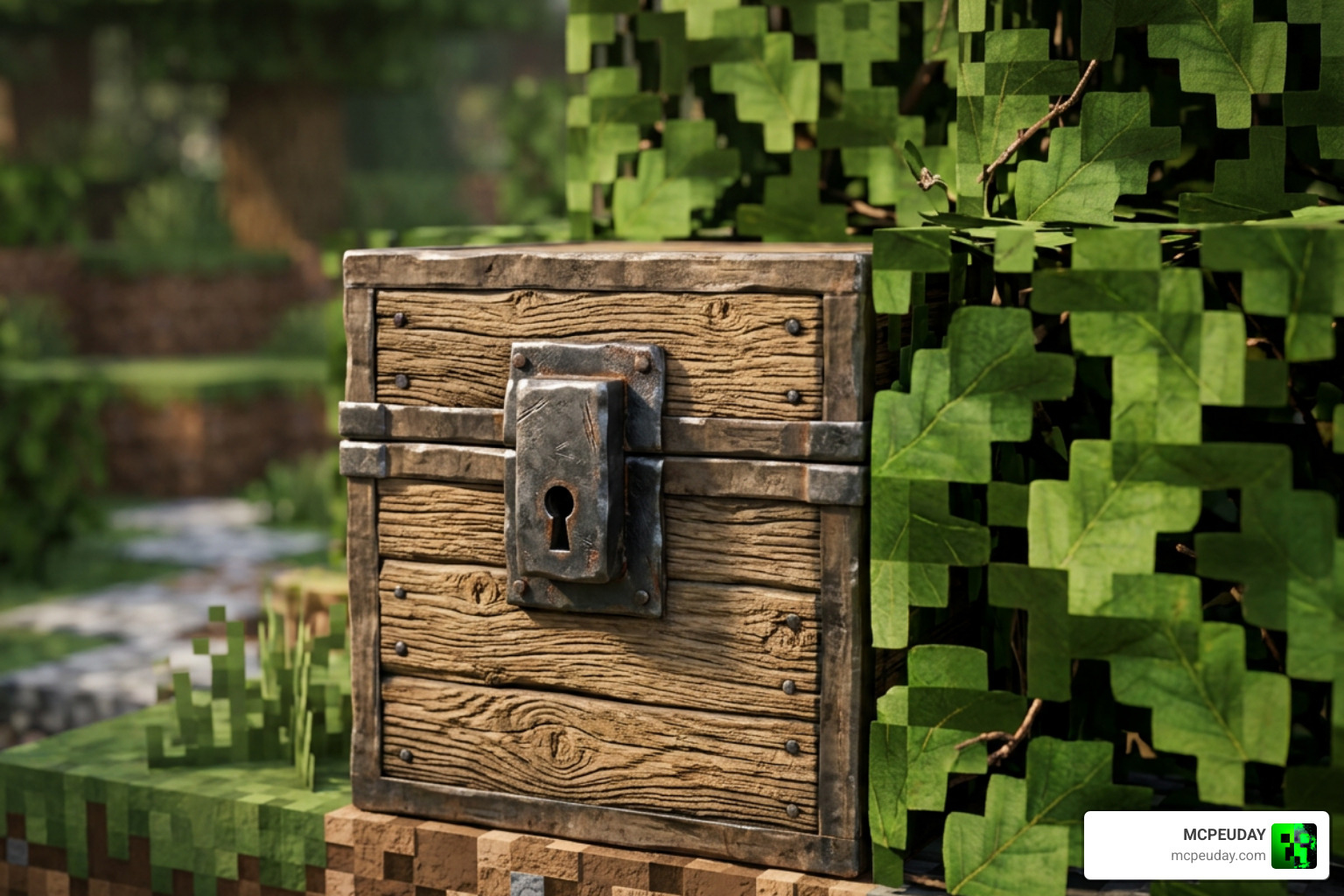
- Chests: Standard chests are upgraded with visible metallic keyholes and realistic metal banding.
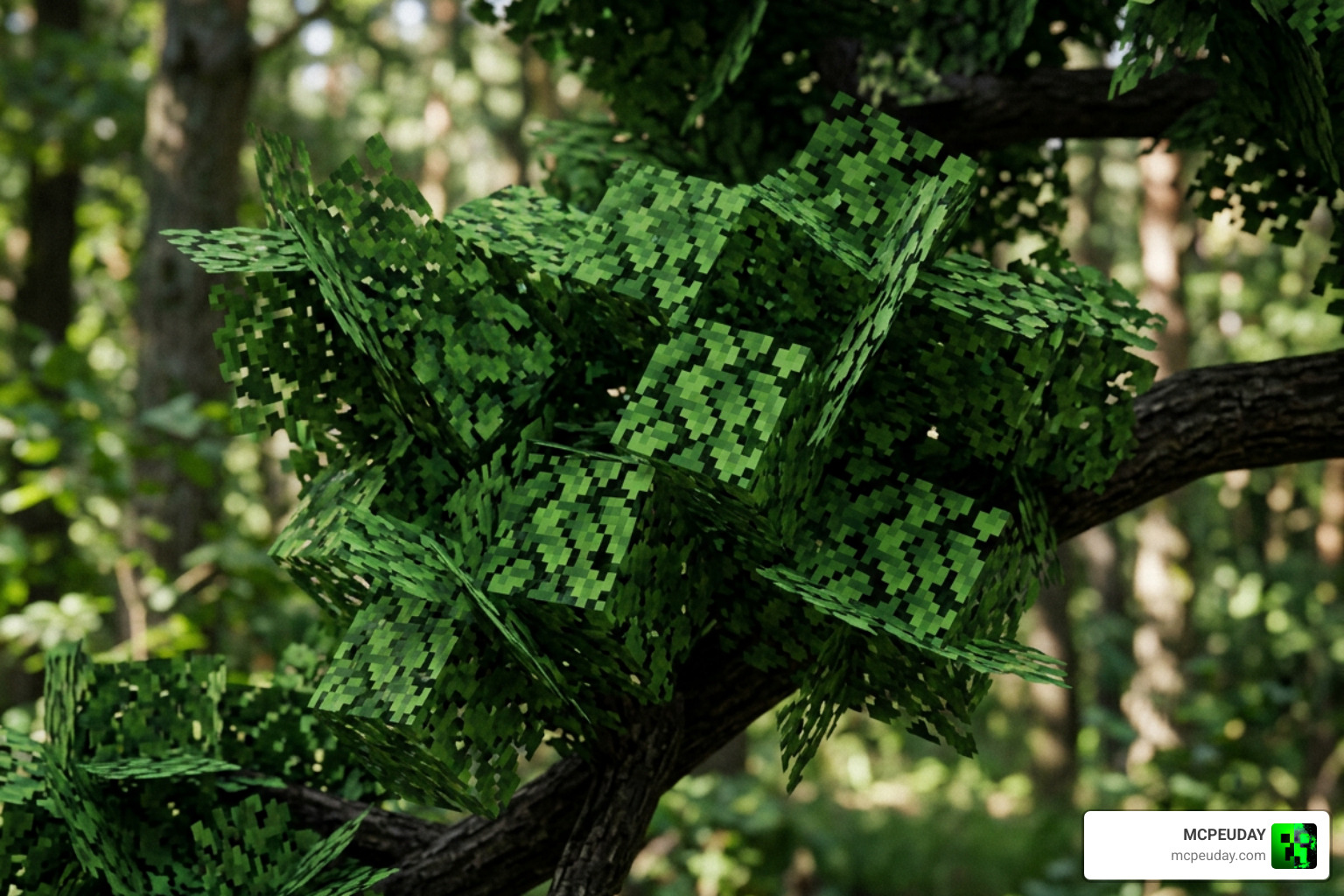
- Leaves: Instead of flat, repetitive cross-sections, leaves look incredibly natural from a distance. They feature randomized directions, leaf counts, and realistic depth.
Resolutions and Patreon Subscription Model
To cater to different hardware setups, the pack is offered in several distinct resolutions. While the base pack is accessible to everyone, the highest-fidelity versions are reserved for those who support the creator’s journey. Aryan Nikose is a student who uses the proceeds from his Patreon tiers to fund his education and continue developing the pack.
Free 128x vs Paid Premium Resolutions
The entry point is the 128x resolution, which is entirely free to download. It offers PBR support and custom 3D models, making it an excellent choice for players who want a massive graphical upgrade without spending a dime.
For those who want to push their graphics to the absolute limit, paid resolutions are available through Patreon. The tiers range from 256x up to an unbelievable 1024x resolution.
| Resolution | Access Tier | Pricing | Best Suited For |
|---|---|---|---|
| 128x | Free | $0 | Budget PCs & casual testing |
| 256x | Patreon Pro / Elite | ~€7.99/mo | Mid-range gaming rigs |
| 512x | Patreon State-of-the-Art | ~€15.99/mo | High-end systems with powerful GPUs |
| 1024x | Ultimate Premium | Patreon Exclusive | Enthusiast builds / cinematic rendering |
If you want to grab the files or read community reviews, you can check out the URBAN Resource Pack 26.2 / 1.21 | Texture Packs .
System Requirements for URBAN Resource Pack
Because high-resolution textures require significant video memory (VRAM) and system memory (RAM), your computer’s specifications will dictate which version you should run.
For 128x & 256x Resolutions:
- OS: Windows 10/11 (64-bit)
- CPU: AMD Ryzen 5 or Intel Core i5 equivalent
- RAM: 8GB (16GB preferred)
- GPU: NVIDIA GTX 1060 or AMD equivalent
For 512x & 1024x Resolutions:
- OS: Windows 10/11 (64-bit)
- CPU: AMD Ryzen 7 or Intel Core i7 equivalent
- RAM: 16GB or higher
- GPU: NVIDIA RTX series or high-end AMD equivalent with at least 8GB of VRAM
Compatibility and Installation Guide
The pack is primarily designed for Minecraft Java Edition (supporting versions from 1.16 all the way up to version 26.2). However, there is partial compatibility for Bedrock Edition as well. To get the most out of the PBR and POM features, we highly recommend using OptiFine HD or the Fabric loader equivalent alongside a compatible shader pack like BSL Shaders.
How to Install URBAN on Java and Bedrock
Setting up the pack is incredibly straightforward. Follow our step-by-step sequence below to get it running:

- Download the prerequisites: Download and install OptiFine HD or Fabric (with the Iris/Sodium mods) for your specific Minecraft version.
- Download the shader pack: We highly recommend BSL Shaders to handle the PBR lighting engine.
- Download URBAN: Get the ZIP file of your chosen resolution.
- Locate your folder: Open Minecraft, navigate to Options > Resource Packs, and click Open Pack Folder.
- Move the file: Drag and drop the downloaded URBAN ZIP file directly into this folder.
- Activate in-game: In your Minecraft menu, move the pack from the “Available” column to the “Selected” column and click Done.
Comparing URBAN to Other Minecraft Texture Packs
When comparing the URBAN Resource Pack to vanilla Minecraft, the difference is night and day. Vanilla Minecraft relies on charming but simple 16×16 pixel grids. URBAN entirely replaces this blocky feel with high-definition, organic textures that make your worlds look like a modern city-builder or survival game.
However, how does it stack up against other realistic heavyweights? For instance, the Patrix Texture Pack 26 x 1 21 Realistic Minecraft Graphics Pack is famous for its incredible connected textures and organic block shapes. While Patrix focuses heavily on wilderness and natural environments, URBAN shines brightest when you are building modern structures, industrial areas, or detailed cities.
On the other hand, if you are looking for Bedrock-specific ray tracing, the Legendary RT Textures 26 x 1 21 Best Realistic Texture Pack for Minecraft MCPE Bedrock is a fantastic alternative that utilizes Bedrock’s native RTX engine to achieve similar lighting effects.
Realistic vs Stylized Alternatives
We know that photorealism isn’t for everyone. Sometimes you want a completely different vibe for your game. If you ever need a break from the demanding system requirements of URBAN, here are some excellent alternatives:
- Bare Bones: If you want your game to look exactly like the official Minecraft trailers, we recommend checking out the Bare Bones Texture Pack. It strips away complex details for a clean, vibrant, and minimalist look.
- Mizuno’s 16 Craft: For players who love cozy, medieval, and cottagecore builds, the Mizunos 16 Craft Texture Pack offers beautiful, warm-toned textures that look amazing even on low-end computers.
- Realiscraft BE: If you play on a mobile device or console, the Realiscraft BE Realistic Default Textures Pack provides a fantastic realistic upgrade optimized specifically for Bedrock performance.
Frequently Asked Questions About URBAN
Is the URBAN Resource Pack free to download?
Yes! The 128x resolution version of the pack is completely free to download and use. If you want to experience the ultra-detailed 256x, 512x, or 1024x resolutions, you can unlock them by subscribing to creator Aryan Nikose’s Patreon tiers.
Do I need shaders to run the URBAN Resource Pack?
While the pack will technically run without shaders, we highly recommend using them. Without a shader pack like BSL Shaders, you will miss out on the realistic light reflections (PBR) and 3D depth simulation (POM) that make this pack so famous.
What are the minimum PC specs for the 512x resolution?
To run the 512x resolution smoothly, you will need a relatively powerful gaming PC. We recommend at least an AMD Ryzen 7 or Intel i7 processor, 16GB of system RAM, and a modern graphics card better than a GTX 1060 with plenty of VRAM.
Conclusion
The URBAN Resource Pack is an absolute masterpiece of Minecraft design. Aryan Nikose has turned a challenging personal situation during the pandemic into an incredible service for the Minecraft community, delivering some of the most breathtaking, cinematic textures we have ever seen. Whether you stick to the free 128x version or support the creator on Patreon for the mind-blowing 1024x version, your Minecraft worlds will never look the same again.
For more amazing mods, shaders, and resource packs to customize your game, be sure to explore our full collection over at the MCPEUDAY Texture Packs Category. Happy building!