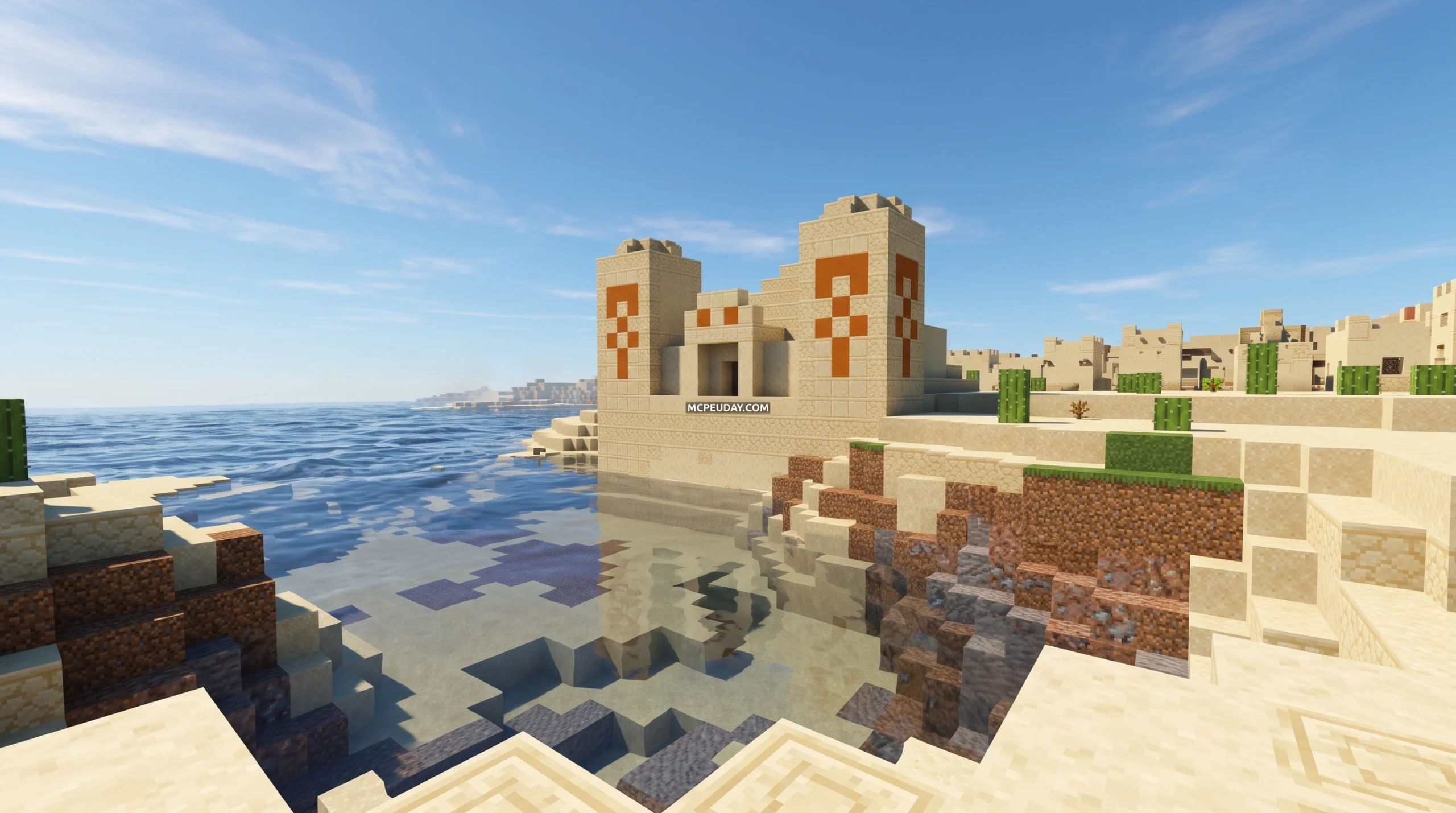
Why the intermacgod Realistic 3D Resource Pack Stands Out in Minecraft
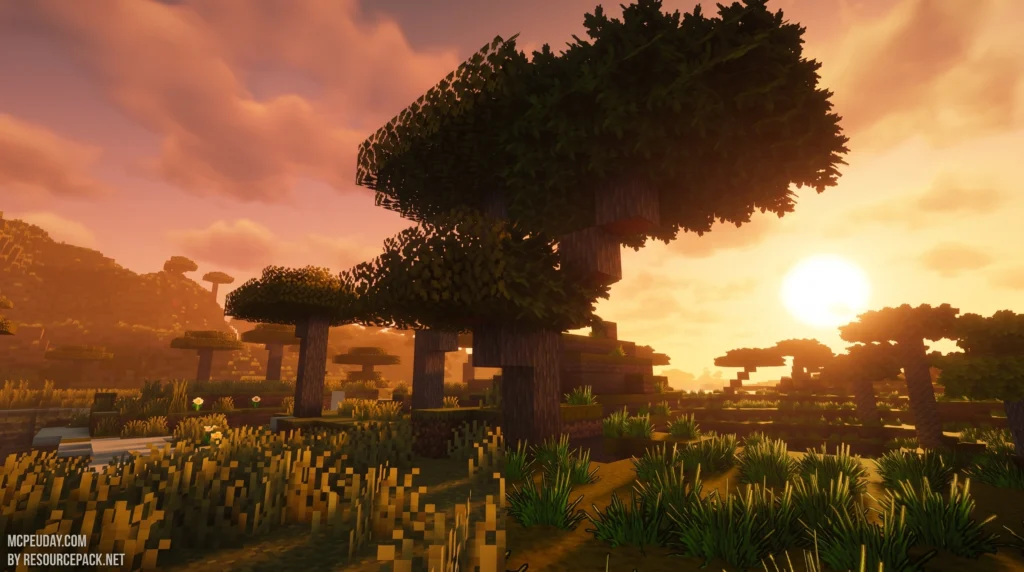
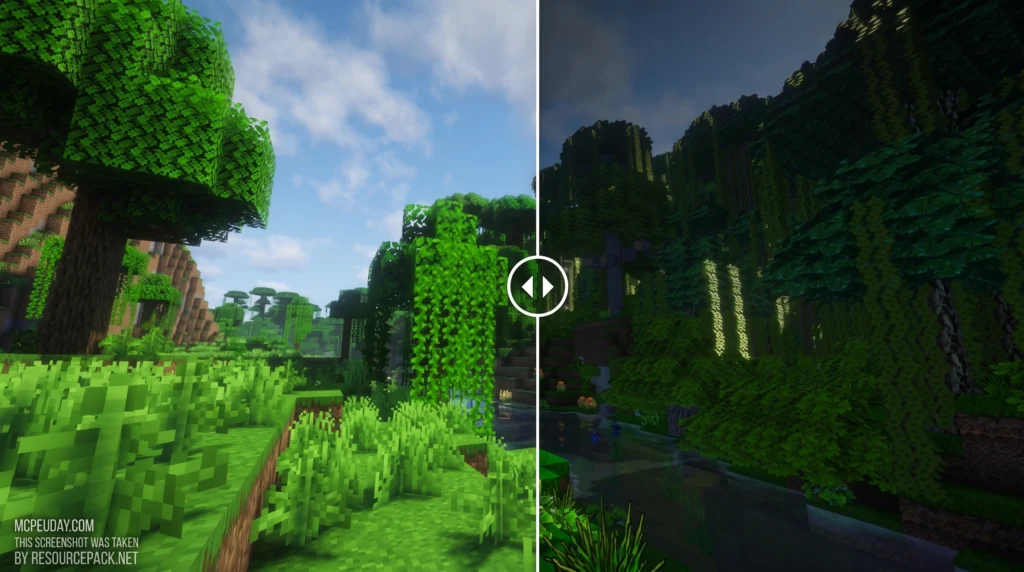
The intermacgod Realistic 3D Resource Pack is one of the most detailed visual overhaul packs available for Minecraft right now — and it earns that title for clear reasons.
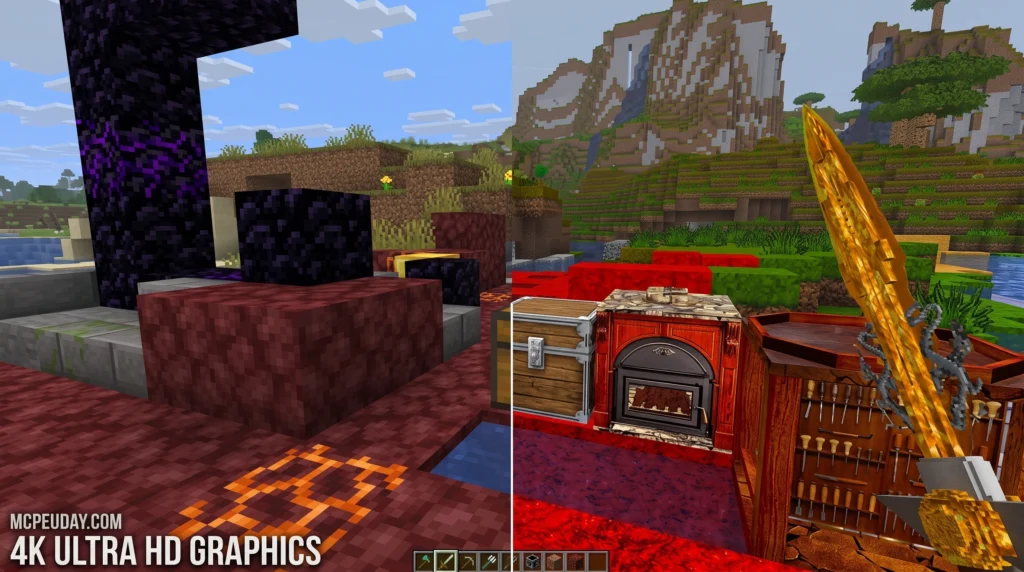
Quick Answer:
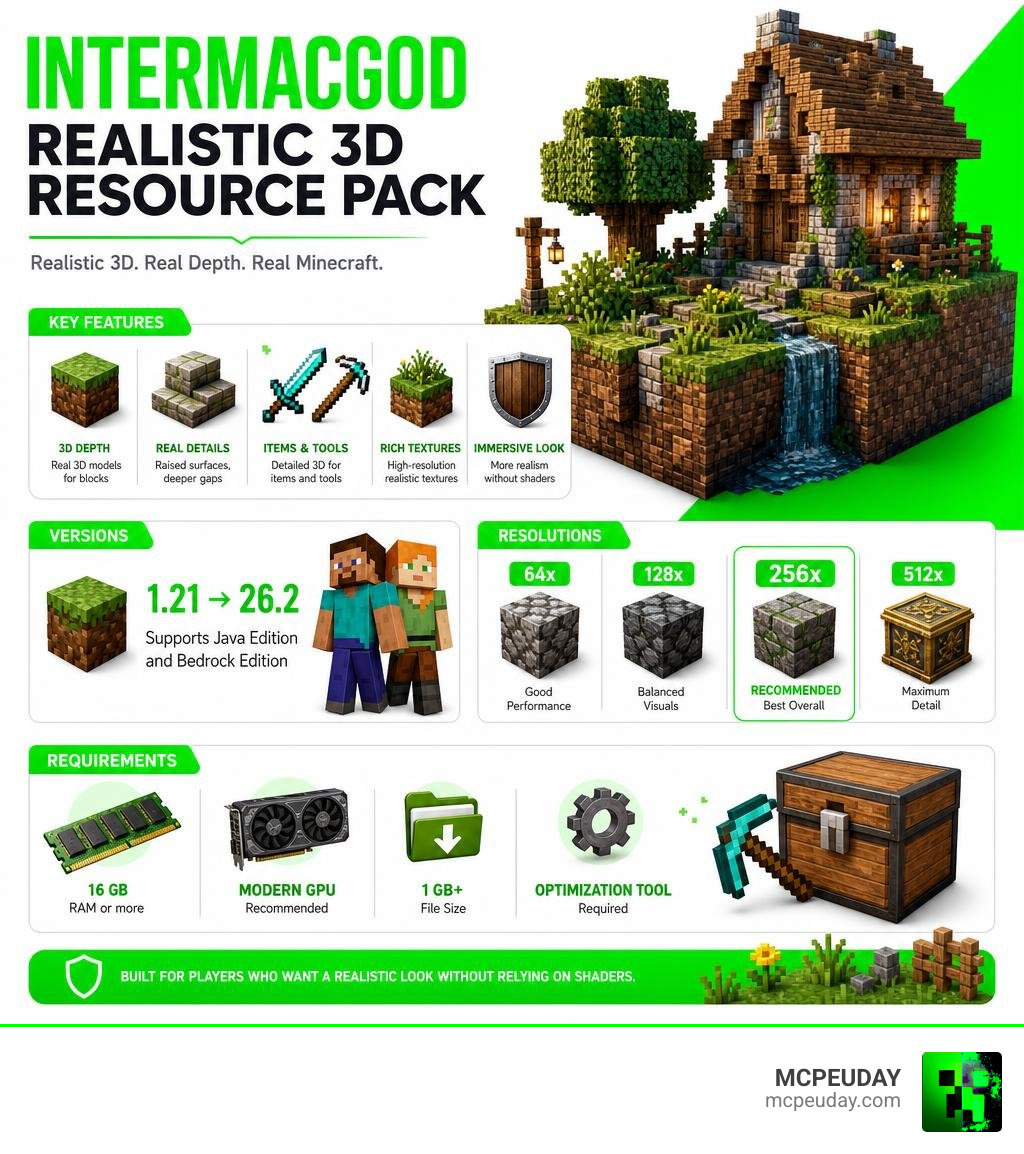
- What it is: A high-resolution resource pack that adds 3D depth, raised block details, and realistic textures across blocks, items, and tools
- Resolution: Available in 64x, 128x, 256x, and 512x — with 256x being the recommended sweet spot for most players
- Compatibility: Supports Java Edition and Bedrock Edition, from version 1.21 up to 26.2
- Requirements: At least 16 GB RAM and a modern GPU; file size exceeds 1 GB
- Key tool needed: OptiFine (or Iris/Oculus for Fabric users)
- Best for: Players who want a realistic look without relying entirely on shaders
What makes this pack different from most realistic packs is how it creates depth. Instead of leaning on shader lighting tricks, it uses actual 3D modeling to make surfaces feel physical. Edges stand out. Gaps feel deeper. Stairs, slabs, and fences look like real structures rather than flat painted blocks.
It also goes further than many competitors by covering blocks, items, and tools — so your inventory matches the world around you, not just the terrain.
With over 24,000 views and a growing community of players testing it across hardware setups, this pack has proven itself as a serious option for anyone chasing a realistic Minecraft experience.
What is the intermacgod Realistic 3D Resource Pack?
Created by the talented designer InterHell2000, the intermacgod Realistic 3D Resource Pack (often simply called the Intermacgod Interrealistic pack) is a premium visual modification designed to breathe life into Minecraft’s flat, pixelated world. InterHell2000 drew inspiration from three legendary giants in the community: LB Photo Realism, Sphax PureBDCraft, and KoP Photo Realism. By combining the natural photographic grit of LB, the artistic structure of Sphax, and the clean styling of KoP, the creator forged something entirely unique.
Unlike standard HD texture packs that merely plaster flat photos onto 3D cubes, this pack leverages custom 3D models. It creates a physical sense of depth directly on the blocks themselves. At MCPEUDAY, we always look for resources that bridge the gap between Java and Bedrock setups, and this pack is a stellar addition to our comprehensive resource collection.
Supported Minecraft Versions and Resolutions
Whether you are running the latest version 26.2, playing on standard 1.21, or exploring older updates, this resource pack has you covered. It boasts compatibility with over 18 Minecraft versions, stretching all the way down to older releases.
You can choose from several resolutions depending on what your computer can handle:
- 64x: Great for mid-range systems looking for a performance-friendly upgrade.
- 128x: A balanced middle ground that sharpens textures without crushing your frames.
- 256x: The recommended version. It offers the perfect mix of high-definition clarity and intricate 3D models.
- 512x: The ultimate enthusiast tier. It requires a powerhouse PC to render safely.
If you want to explore more options across different resolutions and art styles, check out our dedicated Category Texture Packs page.
Key Visual Features and 3D Depth Effects
The real magic of the intermacgod Realistic 3D Resource Pack lies in its physical geometry. When you look at a cobblestone wall, you aren’t just looking at a flat texture with dark lines painted on to simulate shadows. The stones actually protrude.
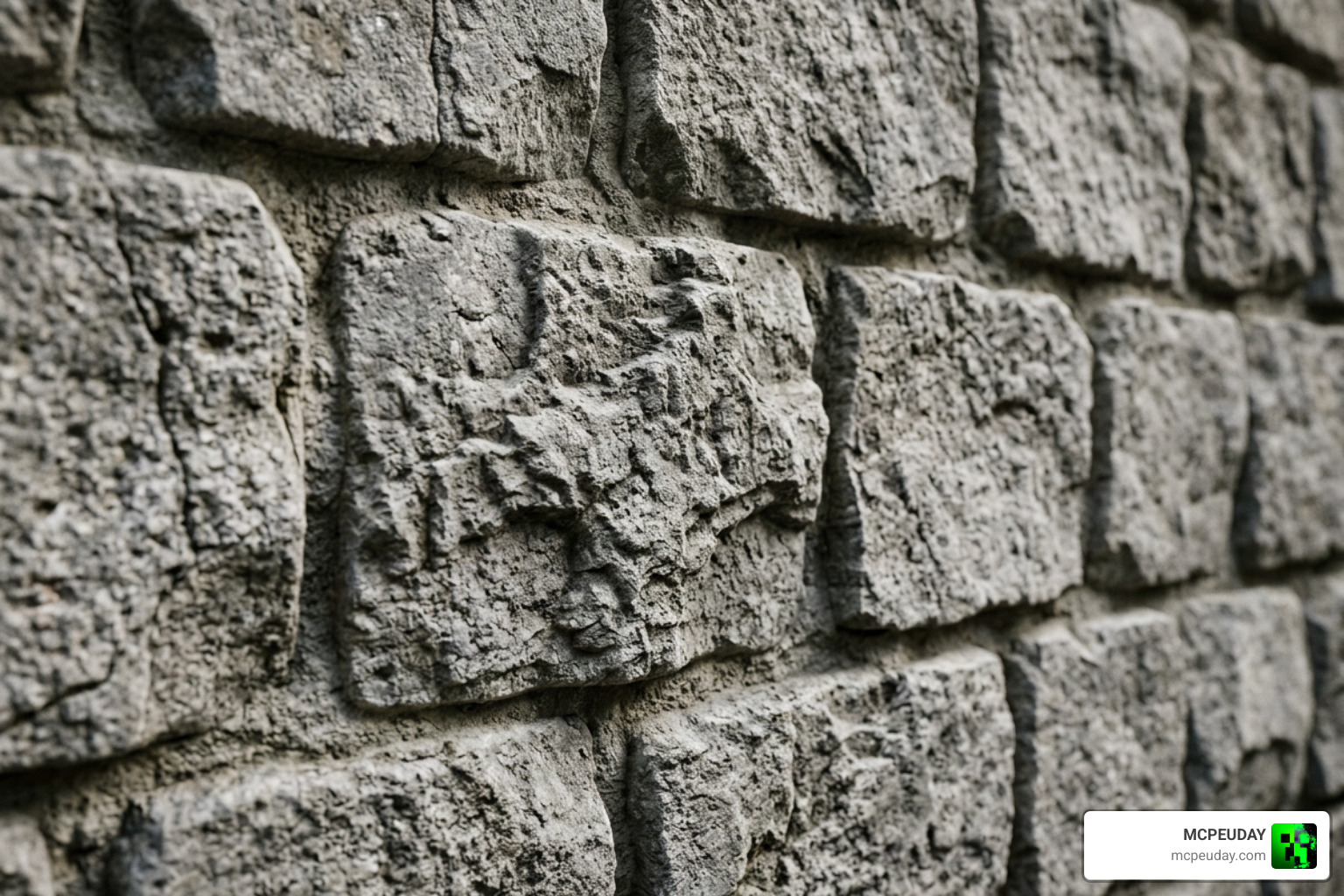
This physical depth applies to:
- Structural Blocks: Stairs, slabs, and columns feature distinct ridges and gaps.
- Nature Elements: Leaves look incredibly lush and detailed, while dirt and gravel have tactile, rough surfaces.
- Inventory Consistency: Many realistic packs stop at environmental blocks, leaving your swords, pickaxes, and apples looking like flat 16x pixels. Intermacgod ensures that all items and tools receive a high-definition upgrade that matches the world.
For players who enjoy this level of visual complexity, comparing this pack to the Patrix Texture Pack 26 X 1 21 Realistic Minecraft Graphics Pack is a great way to see how different artists handle 3D block modeling.
Comparing the intermacgod Realistic 3D Resource Pack to Vanilla Minecraft
Vanilla Minecraft relies on a charming, retro, 16×16 pixel aesthetic. It is intentionally blocky and simple. When you swap to Intermacgod’s pack, that blocky world undergoes a massive modernization.
While a pack like the Bare Bones Texture Pack simplifies vanilla even further to make it look like promotional artwork, Intermacgod goes in the complete opposite direction. Flat dirt blocks become rich soil, wooden planks show deep splinters and grain, and glass blocks lose their annoying glare lines in favor of clean, transparent realism.
Style Comparison with Other Realistic Packs
Realistic packs in Minecraft generally fall into two camps: photo-based realism and stylized realism.
- Photo-based packs can sometimes feel disjointed because real-world photos do not always tile nicely, leading to visible seams.
- Stylized realistic packs maintain an artistic touch so the game still feels cohesive.
Intermacgod leans beautifully into the stylized realism camp. While packs like the Urban Texture Pack 26 X 1 21 Realistic Minecraft Resource Pack focus on modern, clean, city-like textures, Intermacgod remains versatile enough for medieval castles, modern mansions, or simple survival bases. If you want a slightly different flavor of realism, you might also enjoy checking out the Realiscraft Be Realistic Default Textures Pack or the highly detailed Realsource Realistic Pack.
System Requirements, Performance, and Installation
Because this pack features detailed 3D models and high-resolution textures, it is a heavy hitter. The download file size exceeds 1 GB, which is massive for a Minecraft resource pack!
To run the 256x or 512x versions comfortably, we recommend the following hardware specs:
- System RAM: 16 GB minimum (32 GB recommended, with at least 4 GB to 8 GB allocated directly to Minecraft).
- GPU: NVIDIA RTX 20 series / AMD Radeon RX 5000 series or better.
- OS: 64-bit Windows, macOS, or Linux.
Here is a quick look at how the different resolutions perform in terms of loading times and system impact:
| Resolution | Average Loading Time | Recommended System RAM | FPS Impact |
|---|---|---|---|
| 64x | ~5 seconds | 8 GB | Minimal |
| 128x | ~20 seconds | 12 GB | Low to Medium |
| 256x | ~30 seconds | 16 GB | Medium |
| 512x | ~60 seconds | 32 GB | High |
For players running on lower-end systems or mobile devices who still want realistic lighting without the heavy 3D model overhead, the Vanilla RTX Texture Pack is a fantastic alternative.
Shader Compatibility and Optimization
One of the best design choices of the intermacgod Realistic 3D Resource Pack is that it does not require shaders to look good. Because the depth is built directly into the 3D models, blocks look physical even under vanilla Minecraft’s flat lighting.
However, if your PC can handle it, pairing this pack with shaders takes the visuals to a theatrical level. It works beautifully with OptiFine, Iris, and Oculus shaders. When paired with Complementary Shaders, the lighting interacts with the raised edges of the blocks, casting tiny, realistic shadows. If you want to push your Bedrock edition to its absolute limits with ray tracing, consider looking at Legendary RT Textures 26 X 1 21 Best Realistic Texture Pack For Minecraft Mcpe Bedrock.
How to Safely Download the intermacgod Realistic 3D Resource Pack
To avoid malware, always download the pack from verified community sources. You can find safe download links on trusted community hubs and creator platforms.
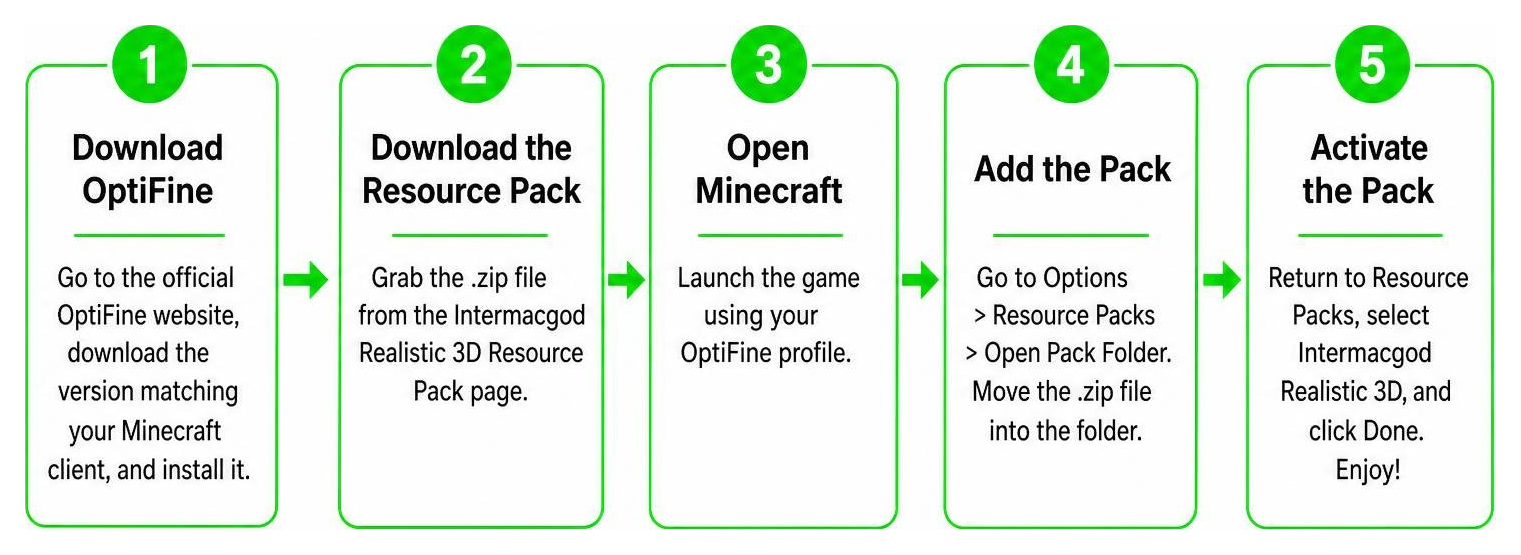
Follow these simple steps to install the pack on Java Edition:
- Download OptiFine: Go to the official OptiFine website, download the version matching your Minecraft client, and install it.
- Download the Resource Pack: Grab the
.zipfile from a trusted community download page. - Open Minecraft: Launch the game using your OptiFine profile.
- Navigate to Resource Packs: Go to Options > Resource Packs > Open Pack Folder.
- Move the File: Drag and drop the downloaded
.zipfile directly into this folder (do not unzip it!). - Allocate RAM (Crucial Step): In your Minecraft Launcher, go to Installations, edit your OptiFine profile, click More Options, and change the JVM arguments (e.g., change
-Xmx2Gto-Xmx4Gor-Xmx8Gdepending on your system RAM). - Activate the Pack: Select the pack in-game, move it to the active column, and click Done.
If you are playing on Bedrock Edition, you can download the .mcpack version and double-click it to import it automatically. For a similar high-fidelity Bedrock setup, check out the Realsource Realistic Pack Mcpack.
Frequently Asked Questions
Is OptiFine required for this resource pack?
Yes, OptiFine (or an equivalent mod setup like Sodium + Iris + Indigo on Fabric) is highly recommended. OptiFine enables advanced features like connected textures, custom block models, and better performance optimization that are necessary to render the 3D models correctly.
What is the file size of the pack?
The pack is over 1 GB in size. This is due to the thousands of high-resolution 256x textures and complex 3D models included for blocks, tools, and items. Ensure you have enough storage space on your drive before downloading.
Does this pack work on Minecraft Bedrock Edition?
Yes! While it started as a Java pack, there are Bedrock-compatible versions available. This allows Pocket Edition, console, and Windows 10/11 players to enjoy these stunning 3D textures.
Conclusion
The intermacgod Realistic 3D Resource Pack is an absolute masterpiece of community design. By combining physical 3D modeling with clean, high-definition textures, InterHell_2000 has created a world that feels incredibly immersive, tactile, and cohesive. It is heavy on system resources, but if you have the hardware to back it up, the visual transformation is worth every single frame.
To complete your dream setup, we highly recommend pairing this pack with a high-quality shader. Head over to our Minecraft Shaders library to find the perfect lighting companion for your newly transformed 3D world!