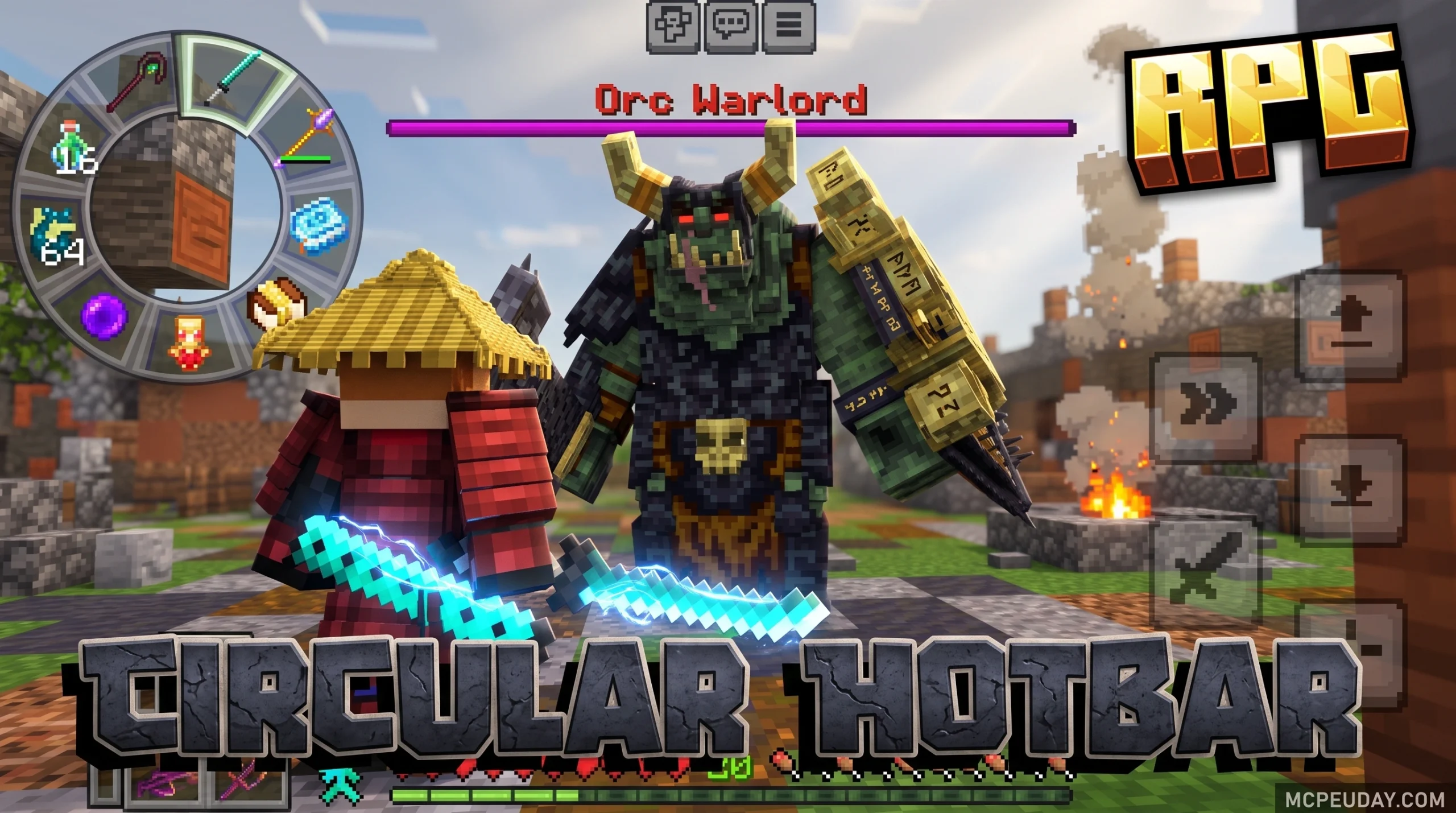
What the Circular Hotbar Texture Pack Does to Your Minecraft HUD
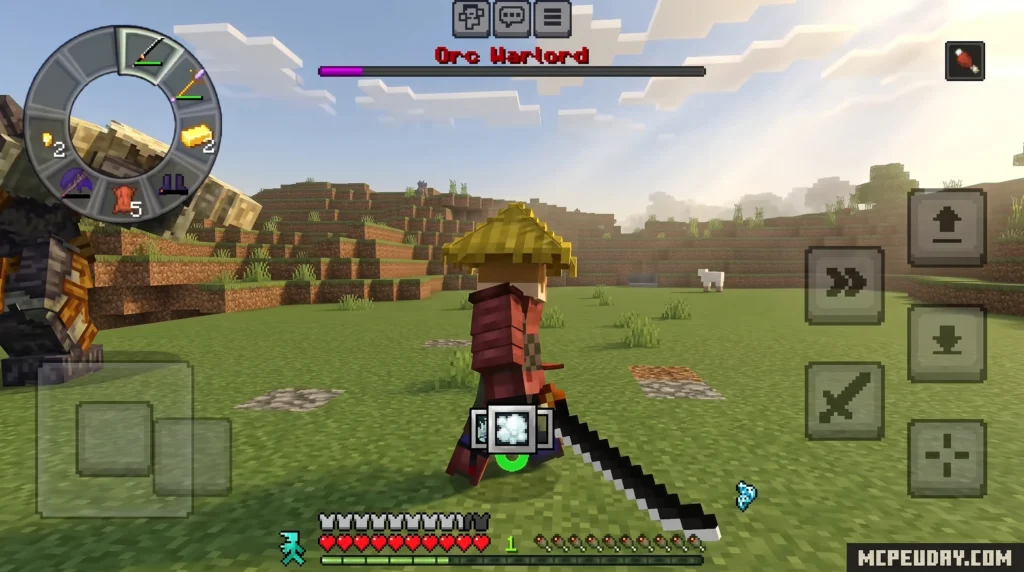
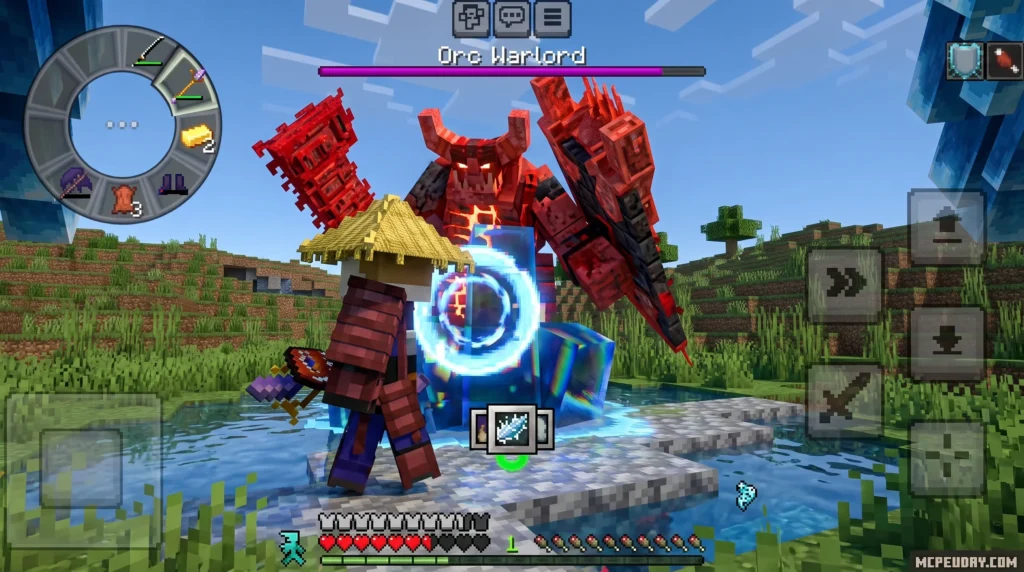
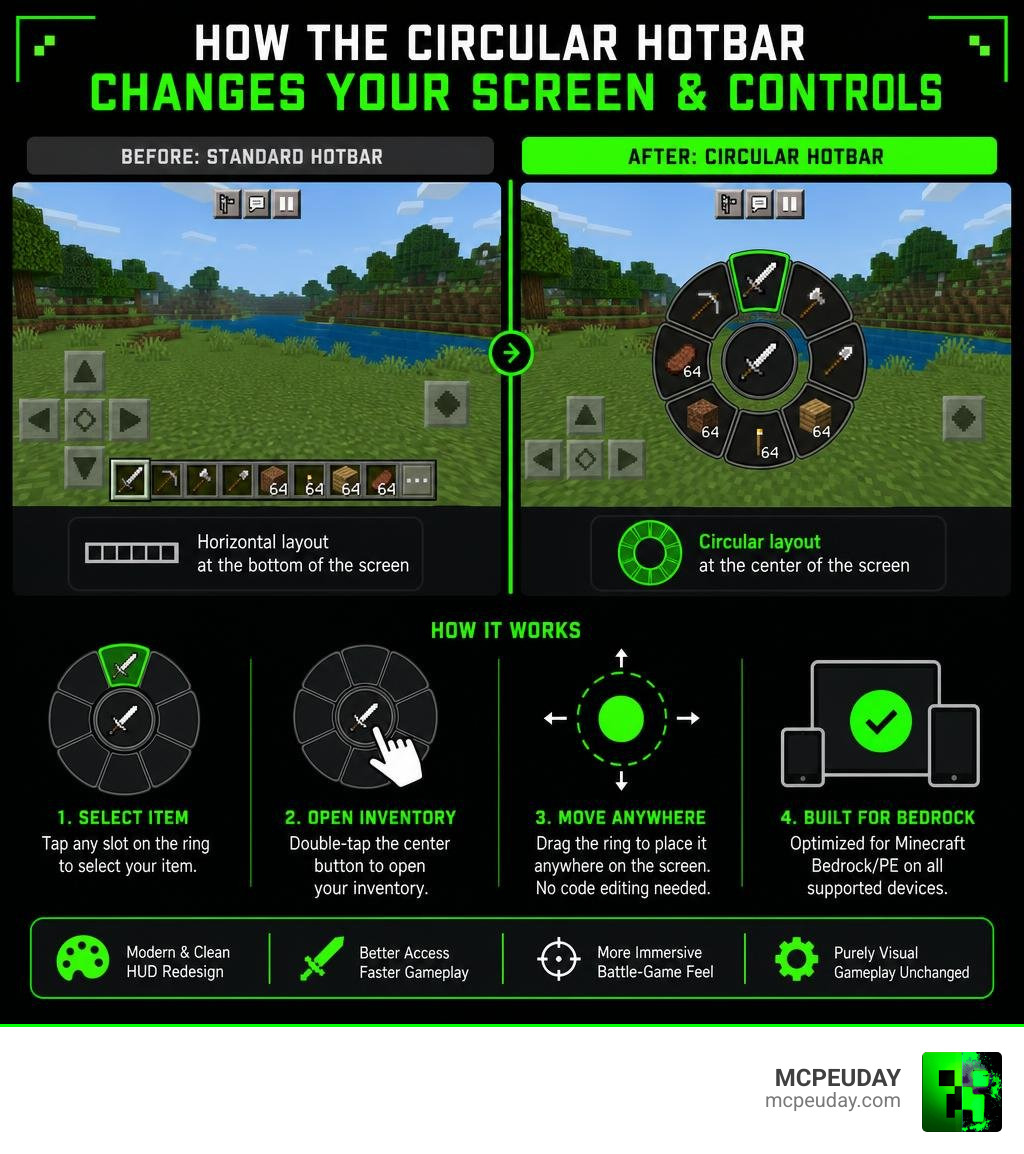
For over a decade, Minecraft players have looked at the exact same user interface. The classic rectangular hotbar at the bottom of the screen is iconic, but it is not always the most efficient layout, especially during intense gameplay. The Circular Hotbar Texture Pack completely replaces Minecraft Bedrock’s standard rectangular hotbar with a circular, battle-game-style interface that sits at the center of your screen. This radical redesign shifts your focus to where the action is, transforming your screen into a modern RPG-like display.
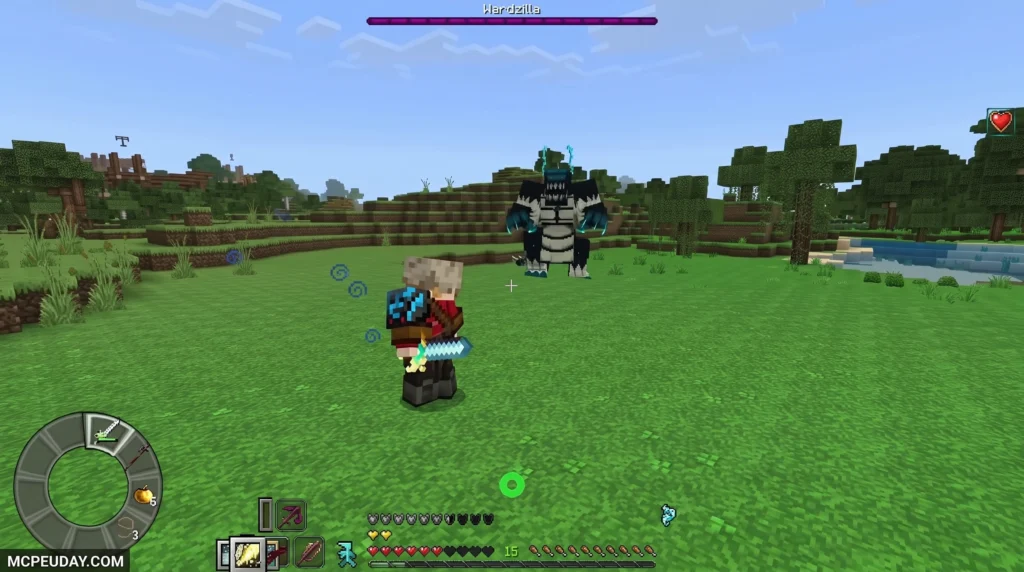
Quick answer for what it includes:
- Replaces the flat hotbar with a circular ring design
- Two versions available: Classic and Lite
- Hotbar can be moved anywhere on screen without editing any code
- Double-tap the center button to open your inventory
- Works on Minecraft Bedrock/PE versions 1.20 through 1.26.22
- Available as an
.mcpackor.zipfile download - Lightweight at only 0.26MB after optimization
If you play PvP, engage in competitive mini-games, or just want a cleaner, more modern HUD, this pack is worth a look. It is a purely visual change — your gameplay mechanics, block-breaking speeds, and item interactions stay exactly the same. It simply changes how your inventory is presented to you.
The pack has earned a 4.1 out of 5 rating from users and has been downloaded nearly 10,000 times, which says a lot about how popular this style of UI customization has become in the Bedrock community. Players love the fresh aesthetic and the practical advantages it brings to daily survival and competitive matches alike.
What is the Circular Hotbar Texture Pack?
The Circular Hotbar Texture Pack is a creative user interface overhaul for Minecraft Bedrock Edition. Instead of keeping the traditional horizontal bar at the bottom of your screen, this pack rearranges your active item slots into a sleek, segmented circular ring. This layout is heavily inspired by modern RPGs, action-adventure titles, and battle-focused games, where quick visual confirmation of your inventory is key to survival.
By centering your items around your crosshair or placing them in a custom position, you free up valuable screen space at the bottom of your display. This gives you an unobstructed view of the terrain directly in front of and below your character, which is incredibly useful when navigating treacherous cliffs, building complex structures, or scanning the ground for traps.
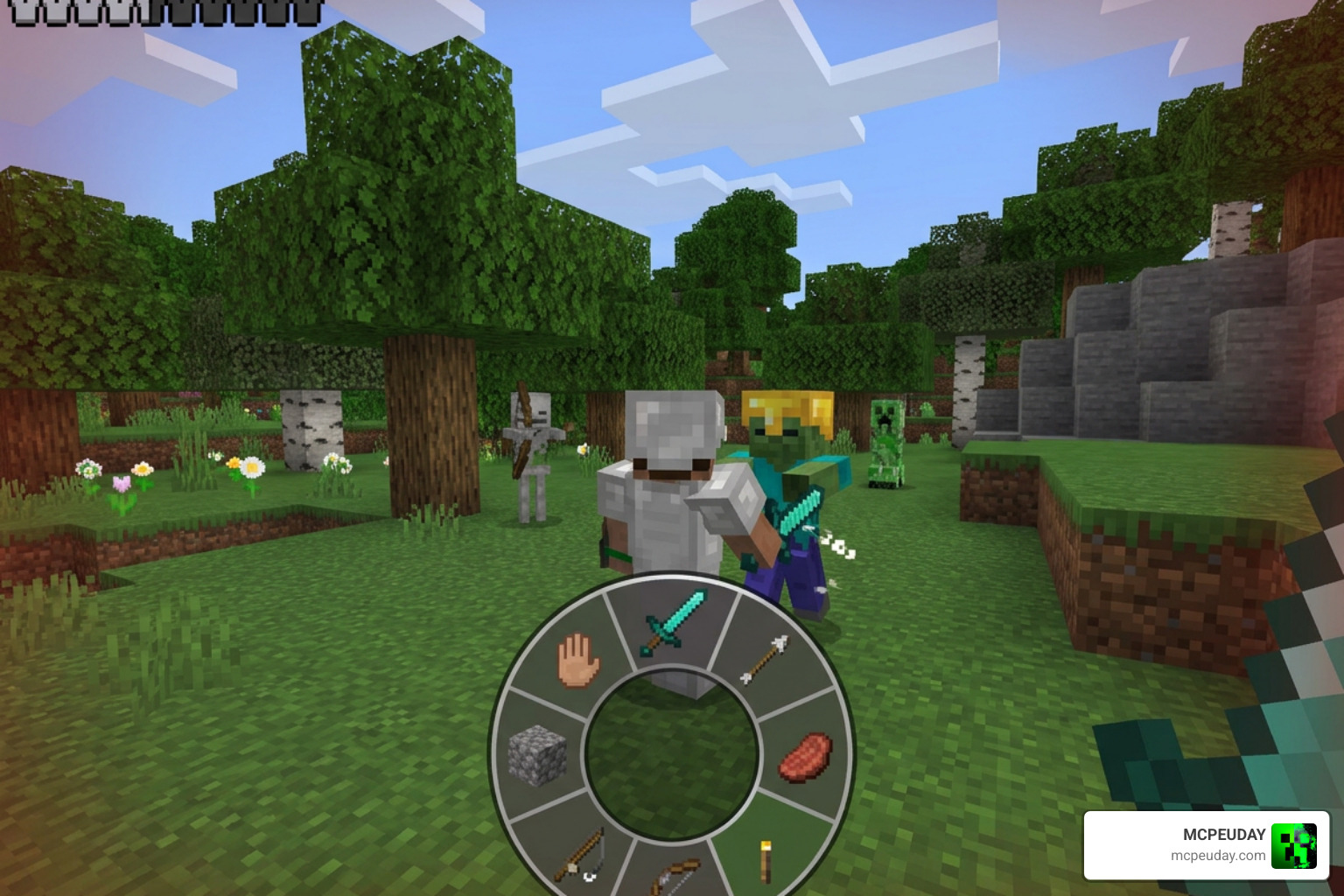
This layout offers an immediate PvP utility. When fighting mobs or other players, you no longer have to look down at the bottom of your screen to see which tool, weapon, or potion you are selecting. Your eyes stay focused right where the action is. This split-second advantage can mean the difference between life and death in a duel.
To make your game look even more beautiful alongside this HUD, we highly recommend pairing it with the Better Graphics Texture Pack 26 x 1 21 MCPE Bedrock Texture Pack for an incredibly immersive visual experience.
Core Features of the Circular Hotbar Texture Pack
The pack offers a few standout features that make it highly customizable and lightweight:
- Classic vs Lite Variations: Players can choose between the full Classic version, which features rich visual elements, and the Lite version, which is optimized for older mobile devices.
- Massive Performance Refactoring: The creator successfully reduced the file size from 1.2MB down to just 0.26MB. This keeps your game running smoothly without frame drops, even during intense multiplayer battles.
- Zero-Code Customization: You can reposition the hotbar directly on your screen without editing any complex configuration files or JSON code.
- Open-Source Inspiration: The development of these circular UI elements draws inspiration from projects like the EVV1E/circular_items shader resource pack, showcasing the incredible creativity of the community.
How to Use the Circular Hotbar Controls
Switching to a circular interface changes how you interact with your inventory. Here are the basic controls you need to know:
- Accessing Your Inventory: Simply double-click or double-tap the middle button in the center of the circle to open your full inventory.
- Moving Items: To move items between slots, hold and drag the middle button.
- Troubleshooting Clicks: If you ever find yourself unable to click a slot, point your cursor directly at the ground and click several times on any slot to reset the UI focus.
For players who love clean lines and high visibility in their PvP matches, combining this layout with the Outline Texture Pack 26 x 1 21 MCPE Bedrock Texture Pack makes tracking blocks and targets even easier.
Installation and Setup Guide for Bedrock Edition
Installing the Circular Hotbar Texture Pack is incredibly simple, but you must choose the right file format for your device.
The pack is primarily distributed in two formats:
- MCPACK (.mcpack): The easiest option for mobile (iOS/Android) and Windows 10/11. Tapping this file automatically launches Minecraft and imports the pack.
- ZIP (.zip): Best for manual installation or if you want to inspect the files. You will need to extract this file directly into your resource packs directory.
To ensure everything loads correctly, you will need to activate the pack in your Global Resources and, in some cases, toggle your world’s experimental settings.
Step-by-Step Circular Hotbar Texture Pack Installation
Follow these simple steps to get the pack running on your device:
- Download the Pack: Get the official file from our secure download section or the official community repository.
- Import to Minecraft: Double-click or tap the downloaded file to automatically import it into Minecraft Bedrock.
- Activate Globally: Go to Settings, scroll down to Global Resources, select the pack, and click Activate.
- World Settings: If you want to use it in a specific world, go to that world’s settings, navigate to Resource Packs, and make sure it is active at the top of your list.
- Restart Your Client: Close and restart Minecraft to ensure all custom UI shaders load correctly.
If you are setting this up for competitive multiplayer, consider layering it with the Ultimate PVP Texture Pack 26 x 1 21 MCPE Bedrock Texture Pack to maximize your battlefield awareness.
Compatibility, Resolutions, and Technical Requirements
As of July 2026, the Circular Hotbar Texture Pack is fully compatible with Minecraft Bedrock versions 1.20 through 1.26.22. This wide range of compatibility ensures that whether you are playing on an older stable release or the latest experimental beta, you can enjoy a modernized user interface.
To ensure the custom UI aligns perfectly on your screen, the pack has a few specific system requirements:
- Resolution: Optimized for standard 1080p displays. Higher resolutions like 1440p or 4K may require manual GUI scaling adjustments.
- GUI Scale: For the best alignment, set your in-game GUI scale to 3. This ensures the circular segments do not overlap or appear distorted.
- Shaders: The pack utilizes custom GLSL shaders to render the circular elements. It is designed to work seamlessly alongside modern Bedrock rendering pipelines, similar to the UI adjustments found in the justcerise/enhanced-hotbar project.
Comparison: Classic vs. Lite Versions
| Feature | Classic Version | Lite Version |
|---|---|---|
| File Size | 0.26 MB | 0.15 MB |
| Visual Effects | Full segmented rings, highlighted active slots | Simplified rings, static highlights |
| Device Compatibility | Modern smartphones, consoles, PC | Older mobile devices, budget tablets |
| Performance Impact | Extremely low | Virtually zero |
Frequently Asked Questions about Circular Hotbars
Can I use the Circular Hotbar on public multiplayer servers?
Yes! Because this is a client-side resource pack, it only changes how the game looks on your screen. You can safely use it on public servers, featured servers, and Realms without worrying about compatibility issues or anti-cheat systems. It gives you a great PvP advantage by keeping your eyes on your target.
What should I do if the hotbar does not appear or glitches?
If the hotbar looks distorted or does not show up, check your GUI scale in the video settings and set it to 3. Additionally, make sure the pack is placed at the very top of your active resource packs list. If issues persist, try enabling the Experimental Game Mode toggle in your world settings.
Is there a performance impact on older mobile devices?
Thanks to a massive optimization pass that brought the file size down to 0.26MB, the performance impact is practically non-existent. However, if you are playing on a very old device and experience slight stuttering, switching to the Lite version will ensure perfectly smooth frame rates.
Can I use this pack alongside other UI mods?
Yes, but you must pay attention to the load order in your Global Resources menu. To ensure the circular hotbar renders correctly, place it above other UI-modifying packs. If another pack overrides the hotbar files, the circular layout may revert to the default rectangular style.
Does this pack work on Bedrock Console versions?
Yes, it works on consoles (Xbox, PlayStation, Nintendo Switch) as long as you apply it to a world or Realm from a device that can import custom files (like a PC or mobile device), or if you host the world from a device with the pack active.
Conclusion
At MCPEUDAY, we love finding creative ways to change up the visual style of our favorite blocky world. The Circular Hotbar Texture Pack is one of the most unique UI modifications available, bringing a polished RPG feel to Minecraft Bedrock. Whether you are aiming to dominate in PvP or simply want a cleaner view of your beautiful builds, this pack delivers.
By removing the bulky rectangular bar from the bottom of your screen, you gain a wider field of view and a more immersive gaming experience. It is lightweight, highly customizable, and incredibly easy to install.
Ready to transform your HUD? Head over to Explore more Minecraft PE Texture Packs to find the perfect assets, shaders, and mods to pair with your brand-new circular hotbar!