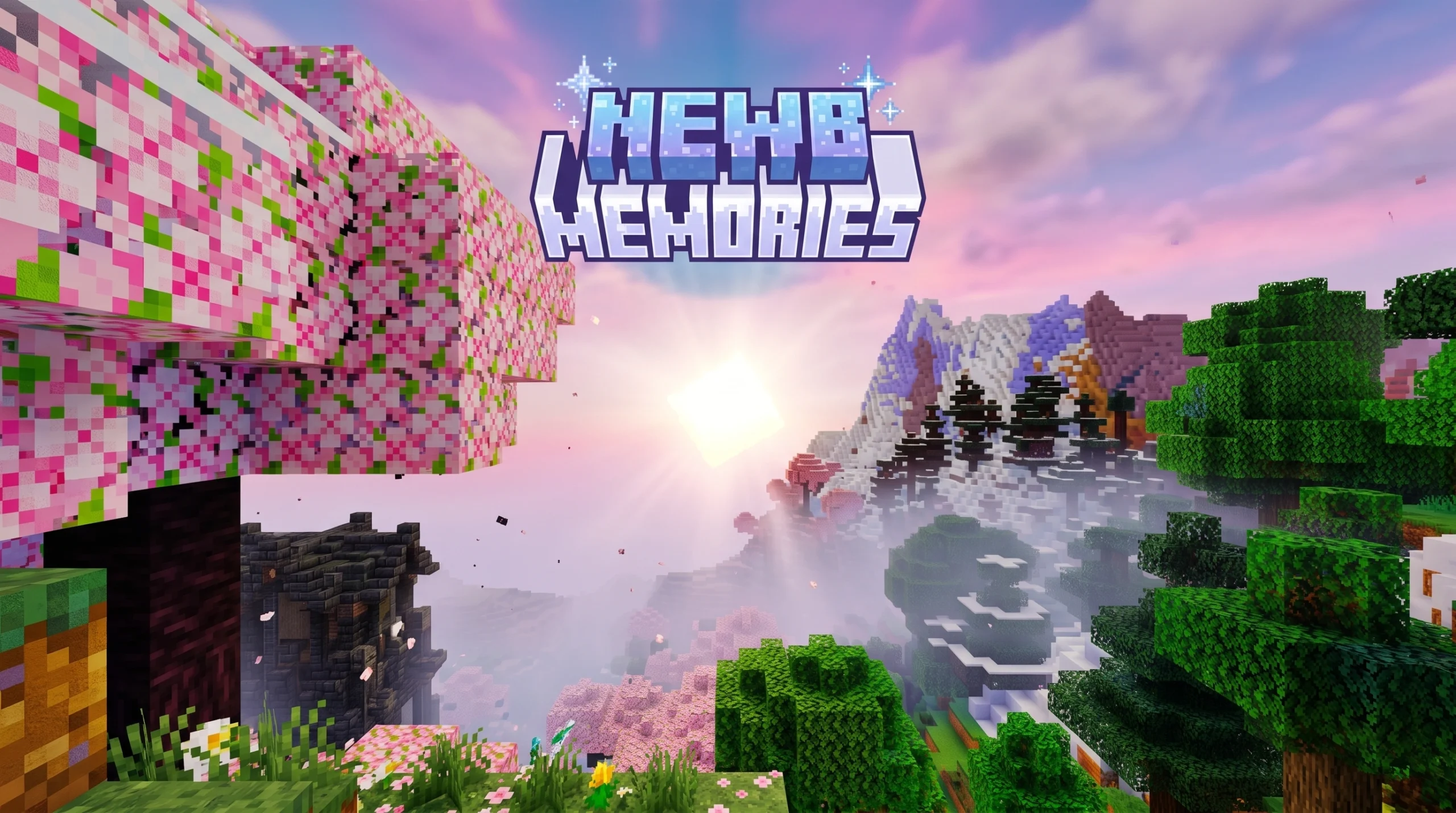
What the Newb x Memories Build Shader Does (Quick Answer)
The Newb x Memories build Shader is a community-made RenderDragon shader for Minecraft Bedrock Edition that enhances vanilla graphics with soft, colorful visuals — while staying lightweight enough to run on low-end devices.
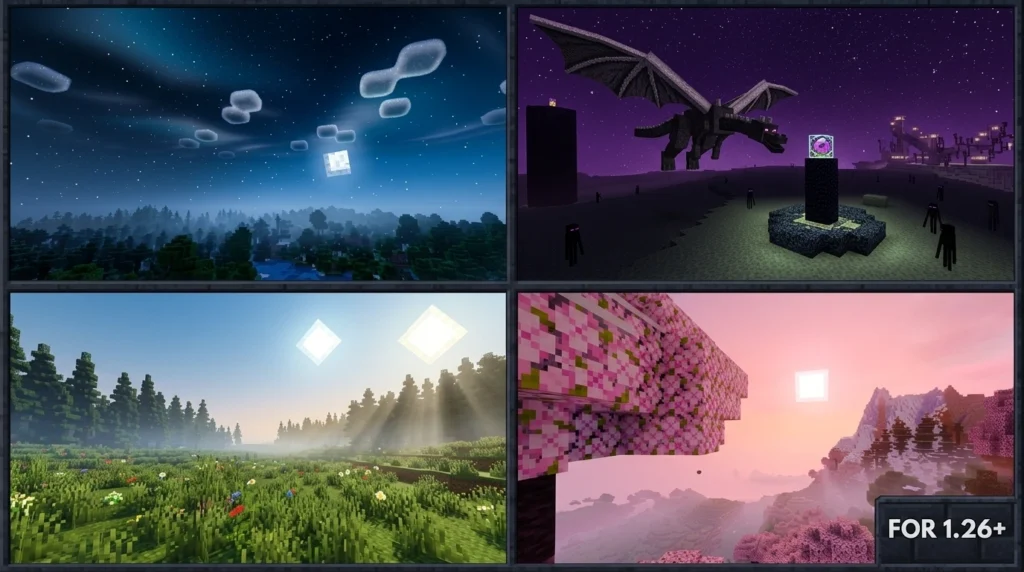
Here’s what you need to know at a glance:
- What it is: A visual shader pack built on the Newb X Legacy codebase, adding enhanced lighting, 3D moon, aurora effects, and more
- Who it’s for: Minecraft Bedrock players on Android, iOS, and Windows
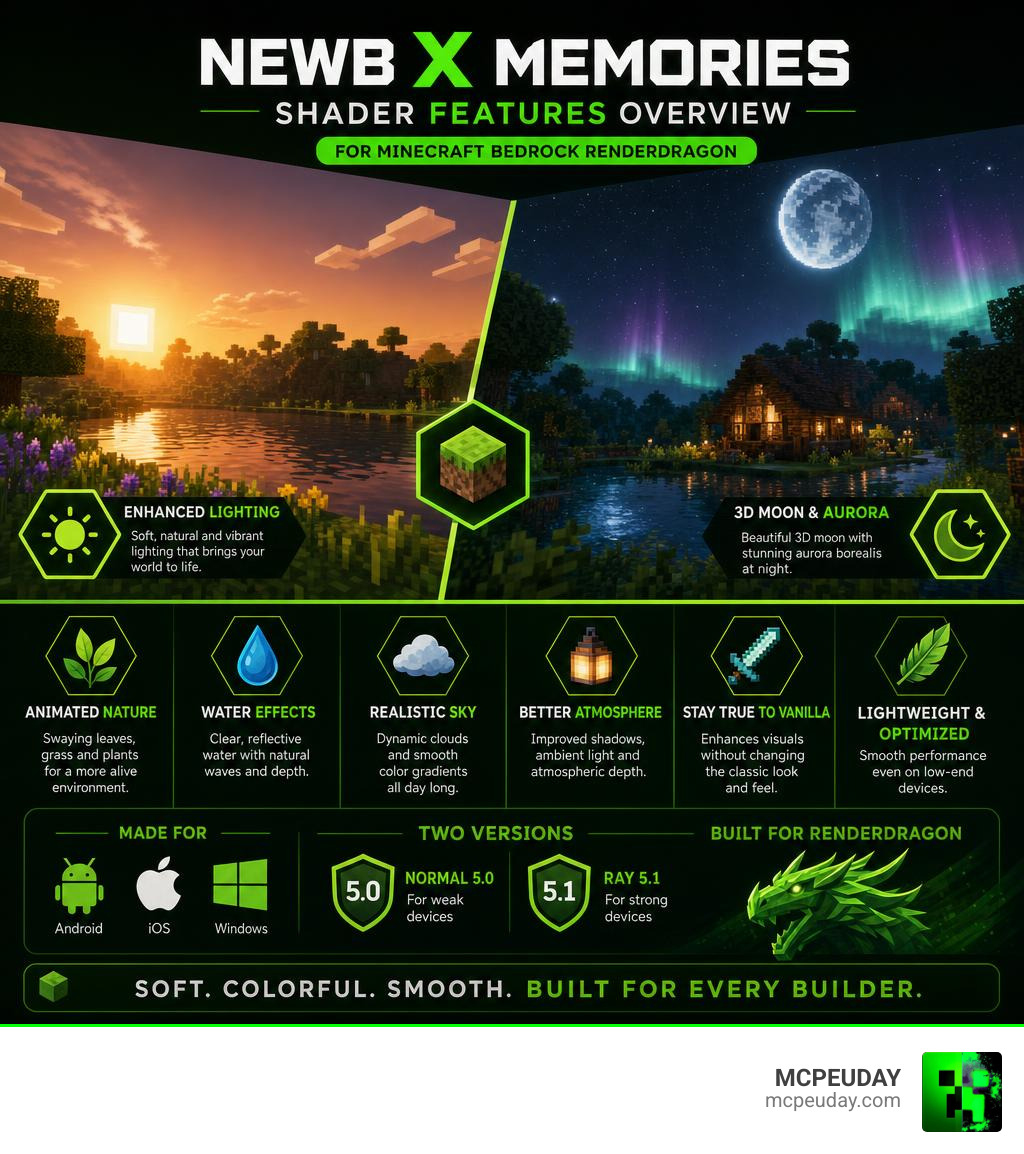
- Versions available: Normal 5.0 (weak devices) and Ray 5.1 (strong devices), updated through version 6.0
- How to install: Requires a patched Minecraft app or MB Loader on Android; BetterRenderDragon mod on Windows
- Official support: Not officially supported by Mojang — uses third-party tools to load shaders
If you’ve ever looked at vanilla Minecraft Bedrock and thought “this could look so much better,” you’re not alone. Millions of players search for shaders every year — the original Newb Shader alone has crossed 907,307 downloads for Newb Shader on CurseForge Newb Shader – Minecraft Bedrock Texture Packs – CurseForge.
But most heavy shaders crush older phones and tablets. That’s exactly the gap Newb x Memories fills.
It keeps things smooth and beautiful without demanding a flagship device. Think soft sunrise colors, a glowing 3D moon, swaying plants, and aurora borealis at night — all running on hardware that other shaders would struggle with.
This guide walks you through everything: what the shader does, how it compares to Newb X Legacy, which version fits your device, and how to install it step by step on Android, iOS, and Windows.
What is the Newb x Memories build Shader ?
At its core, the Newb x Memories build Shader is a highly optimized, community-driven customization of the famous RenderDragon shader engine. When Mojang introduced the RenderDragon engine, it effectively blocked traditional GLSL shaders, leaving the community in a visual desert.
Fortunately, talented developers like devendrn stepped up to create Newb X Legacy, a RenderDragon-compatible successor to the classic Newb Shader on CurseForge. The Memories build is a specialized, feature-rich variation of this legacy. It focuses on delivering soft aesthetics, nostalgic color palettes, and lightweight performance that won’t turn your phone into a pocket-sized heater.
With over 15,525 downloads for the Newb x Memories build, this particular fork has quickly become a fan favorite for players who want a cozy, cottagecore, or vibrant fantasy aesthetic without sacrificing frames.
Key Visual Enhancements of the Newb x Memories build Shader
What exactly changes when you load this shader into your world? Let’s break down the primary visual upgrades:
- The Dynamic Sky & 3D Moon: Say goodbye to flat vanilla skies. The shader introduces soft, blending sky colors, realistic cloud density, and a gorgeous 3D moon that changes phases dynamically.
- Aurora Borealis: At night, the sky occasionally lights up with a stunning, waving aurora effect, making late-night survival trips feel magical.
- Glowing Armors & Ores: Wearing armor or mining deep underground feels entirely different. Armors emit a subtle, soft glow, and ores like coal have a smoldering, warm texture.
- Dynamic Lighting & Water: Torchlight is shifted to a warmer, cozy yellow hue. Water gets a complete overhaul with realistic transparency, gentle wave movements, and beautiful reflections. If you love this style of lighting, you might also want to check out the Newb X Ambient Shader or the ultra-clean Newb X Unwind Shader.
- Orange Nether Ambient: The Nether is transformed into a truly hostile, atmospheric hellscape with dense orange fog and burning embers.
Newb X Memories vs Newb X Legacy
While both packs share a common ancestor, they target different visual goals:
- Newb X Legacy (which holds 183 stars and 98 forks on its official GitHub repository) is designed to be a highly customizable, true-to-vanilla base. It is clean, lightweight, and leaves a lot of room for manual configuration.
- Newb x Memories is a pre-configured, stylized masterpiece. It features a warmer color palette, more dramatic sunrise and sunset transitions, and unique additions like the 3D moon and glowing armor out of the box.
For those who like to dive deep into community variations, there are several forks available, such as the faizul726/newb-x-morgi GitHub repository or the Enoughrise fork of Newb X Legacy (which currently has 6 stars and 1 fork). These alternative builds offer different color grading, but the Memories build remains one of the most stable and balanced options.
Supported Platforms and Version Performance
The Newb x Memories build Shader is built to support Minecraft Bedrock 1.21 and later. Because Bedrock runs on a variety of systems, the shader has been optimized for Android, iOS, and Windows.
To cater to everyone from budget phone users to high-end PC gamers, the creators split the project into two main branches: Normal 5.0 and Ray 5.1 (with subsequent updates merged into version 6.0 for better sun performance).
| Feature / Spec | Normal 5.0 (Weak / Low-End Devices) | Ray 5.1 / 6.0 (Strong / High-End Devices) |
|---|---|---|
| Target Hardware | Budget Androids, Older iPhones, Low-end PCs | Flagship Phones, Gaming iPads, Modern PCs |
| FPS Performance | High / Extremely stable | Moderate to High (device-dependent) |
| Sun Rays / God Rays | Disabled or simplified | Fully enabled (Solar Sun Rays) |
| Cloud Style | Soft, flat clouds (can be disabled) | Volumetric-style soft clouds |
| Water Reflections | Simplified wave shaders | Enhanced reflections & depth |
| Atmospheric Fog | Standard smooth fog | Dense, dynamic atmospheric fog |
Normal 5.0 vs Ray 5.1 Performance
If you are playing on a budget device, we highly recommend sticking with the Normal 5.0 version. The developers optimized this version by stripping out heavy rendering passes while keeping the beautiful color palette, waving plants, and warm torchlight. If you still experience minor frame drops, you can use the built-in subpacks to disable clouds entirely.
For those on flagship devices, the Ray 5.1 (and the updated 6.0) release is spectacular. It utilizes advanced calculations to project solar sun rays through leaves and structures, creating breathtaking morning views. If you want to compare this with other top-tier vanilla-plus options, take a look at the Newb X Super Vanilla Shader or the vibrant Newb X Pineapple Shader.
Step-by-Step Installation Guide
Because Mojang’s RenderDragon engine does not officially support custom community shaders on mobile and PC without modification, installing the Newb x Memories build Shader requires a few extra steps. Do not worry—we will walk you through the process for each platform.
Installing on Android and iOS
For Android (Recommended Method: MB Loader)
- Download the Shader: Grab the
.mcpackfile for the Normal 5.0 or Ray 5.1 version. - Install MB Loader: Since official Minecraft blocks custom materials, you will need the MB Loader APK (MaterialBinLoader). Install this helper app on your device.
- Import the Pack: Open your file manager, locate the downloaded shader pack, and open it with Minecraft (launched via MB Loader).
- Activate: Go to Settings > Global Resources > My Packs, select Newb x Memories, and click Activate.
Alternative Method: Some users prefer using a pre-patched Minecraft app that has shader support unlocked. If you go this route, simply copy your shader folder directly to your device’s directory: Android/data/com.mojang.minecraftpe/files/games/com.mojang/resource_packs.
For iOS
- Download the iOS-compatible
.mcpackversion of the shader. - Open the Files app, locate the downloaded shader file, and tap on it. It should automatically launch Minecraft and import the pack.
- Activate the shader in your Global Resources menu. (Note: iOS compatibility can vary depending on your iOS version and whether you are using a sideloaded patched client).
Installing on Windows
Windows players have the luxury of using powerful tools to bypass RenderDragon restrictions.
- Install BetterRenderDragon: Download and install the BetterRenderDragon mod launcher. This tool allows Windows Bedrock to load custom
materialbinfiles. - Enable MaterialBinLoader: In the BetterRenderDragon settings, ensure that MaterialBinLoader is turned on.
- Import the Shader: Double-click the Newb x Memories
.mcpackfile to import it into Minecraft. - Activate & Enjoy: Launch the game through BetterRenderDragon, activate the pack in your Global Resources, and load your world!
Customizing Your Experience with the Newb x Memories build Shader
One of our favorite things about this shader is the built-in subpack customization. When you click the gear icon next to the active shader in your resource menu, you can toggle several settings:
- No-Cloud Subpack: Great for saving FPS on older phones.
- Rainbow Subpack: Adds a gorgeous, subtle rainbow to the sky after it rains.
- Purple Finite Size / Orange Ambient: Adjusts the color tones of your world to match your mood.
If you enjoy highly customizable visual packs, you might also like exploring the Newb X Supplementary Shader or the atmospheric Newb X Maz Shader.
Frequently Asked Questions about Newb x Memories
Does Newb x Memories support Minecraft Java Edition?
No. This shader is built specifically for the RenderDragon engine used in Minecraft Bedrock Edition (Android, iOS, Windows). It will not work on Java Edition.
Why do I need a patched Minecraft app or MB Loader on Android?
Mojang’s modern rendering engine, RenderDragon, restricts custom shader code for security and performance reasons. Third-party tools like MB Loader or patched clients bypass these restrictions to allow the game to read custom community shaders. Always download these tools from trusted community sources.
How do I fix lag or black screen issues?
If you get a black screen, it usually means your version of Minecraft is incompatible with the shader’s material files, or you are not using the correct loader. If you experience lag, switch from the Ray 5.1 version to the Normal 5.0 version and select the “No Cloud” option in the subpack settings.
For more lightweight, performance-friendly alternatives, take a look at these guides:
Conclusion
The Newb x Memories build Shader is a brilliant example of what the Minecraft Bedrock community can achieve. It successfully bypasses the visual limitations of the RenderDragon engine to deliver warm, cozy, and vibrant graphics without melting your device. Whether you want the full ray-traced glory of solar sun rays or just a smooth, FPS-friendly performance boost with a beautiful 3D moon, this shader has a subpack for you.
For more amazing graphics packs, check out our comprehensive Best Shaders for MCPE 1.21+ Realistic Guide to find the perfect look for your next adventure!
qubIyekfqyIfSPwExRhMfqc