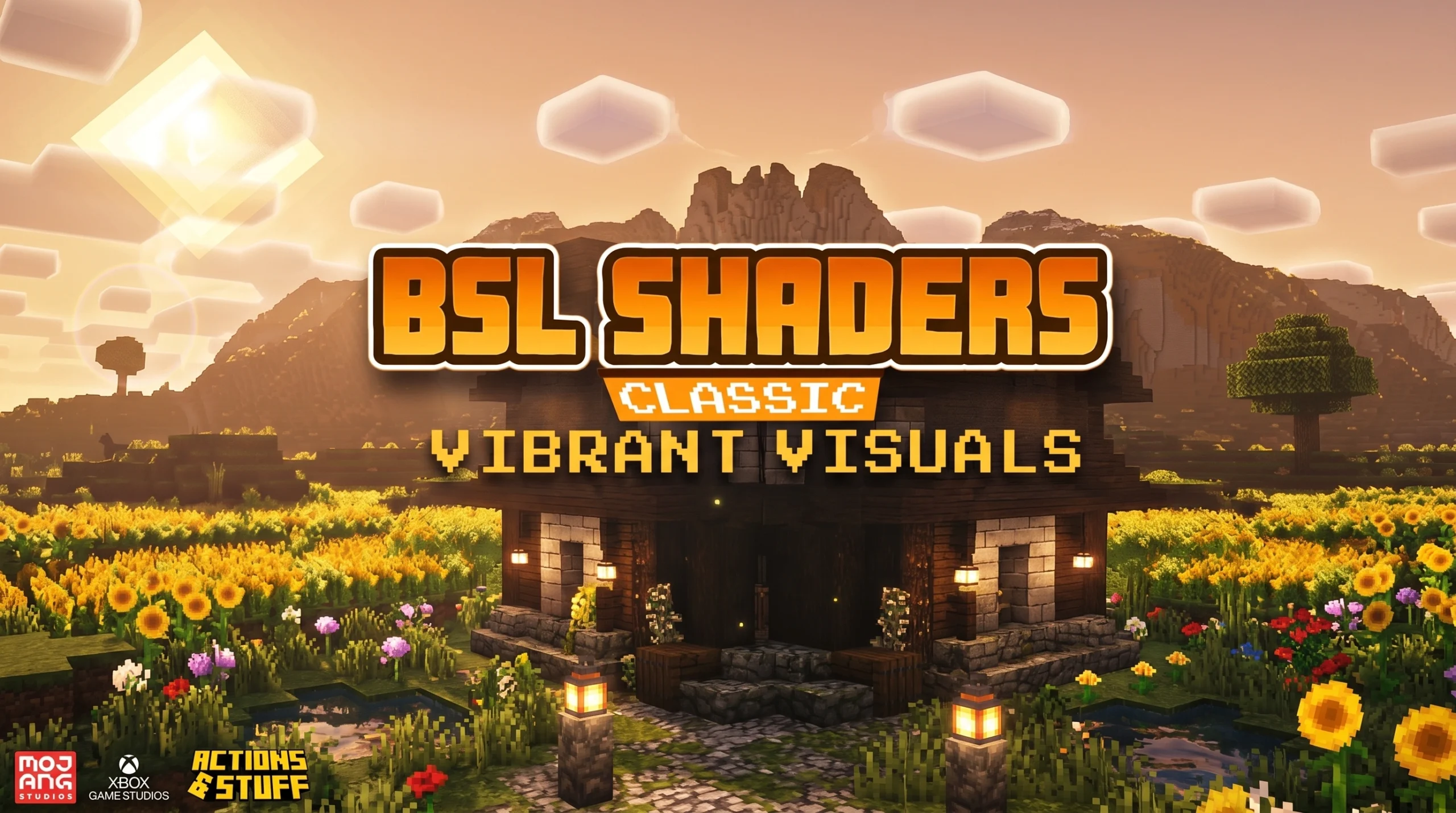
What BSL Shaders Can Do for Your Minecraft World
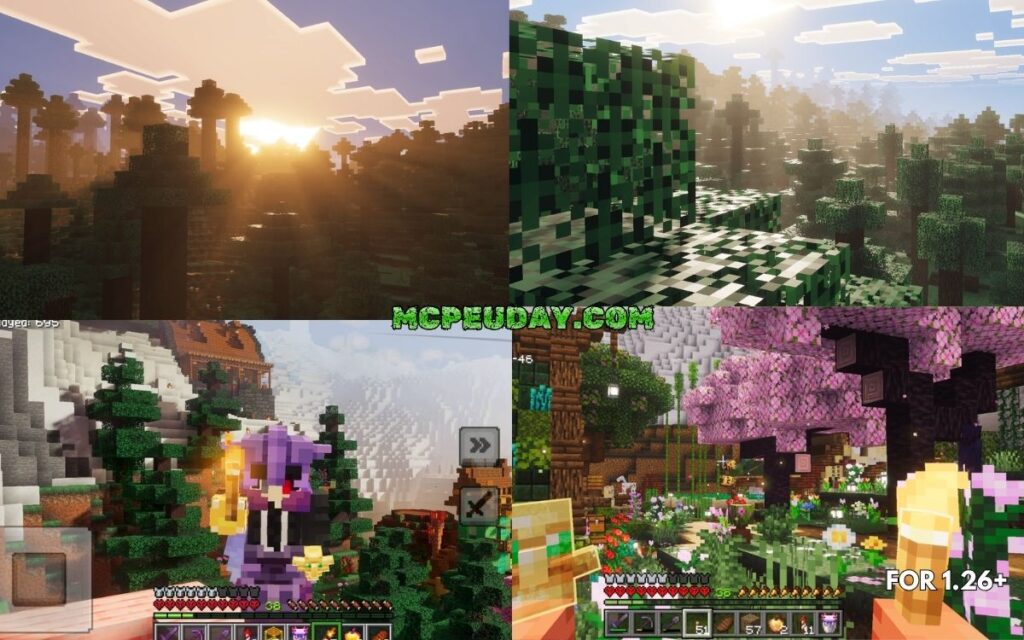
BSL Shaders is one of the most popular shaderpacks ever made for Minecraft: Java Edition — and with over 75 million downloads, it’s easy to see why.
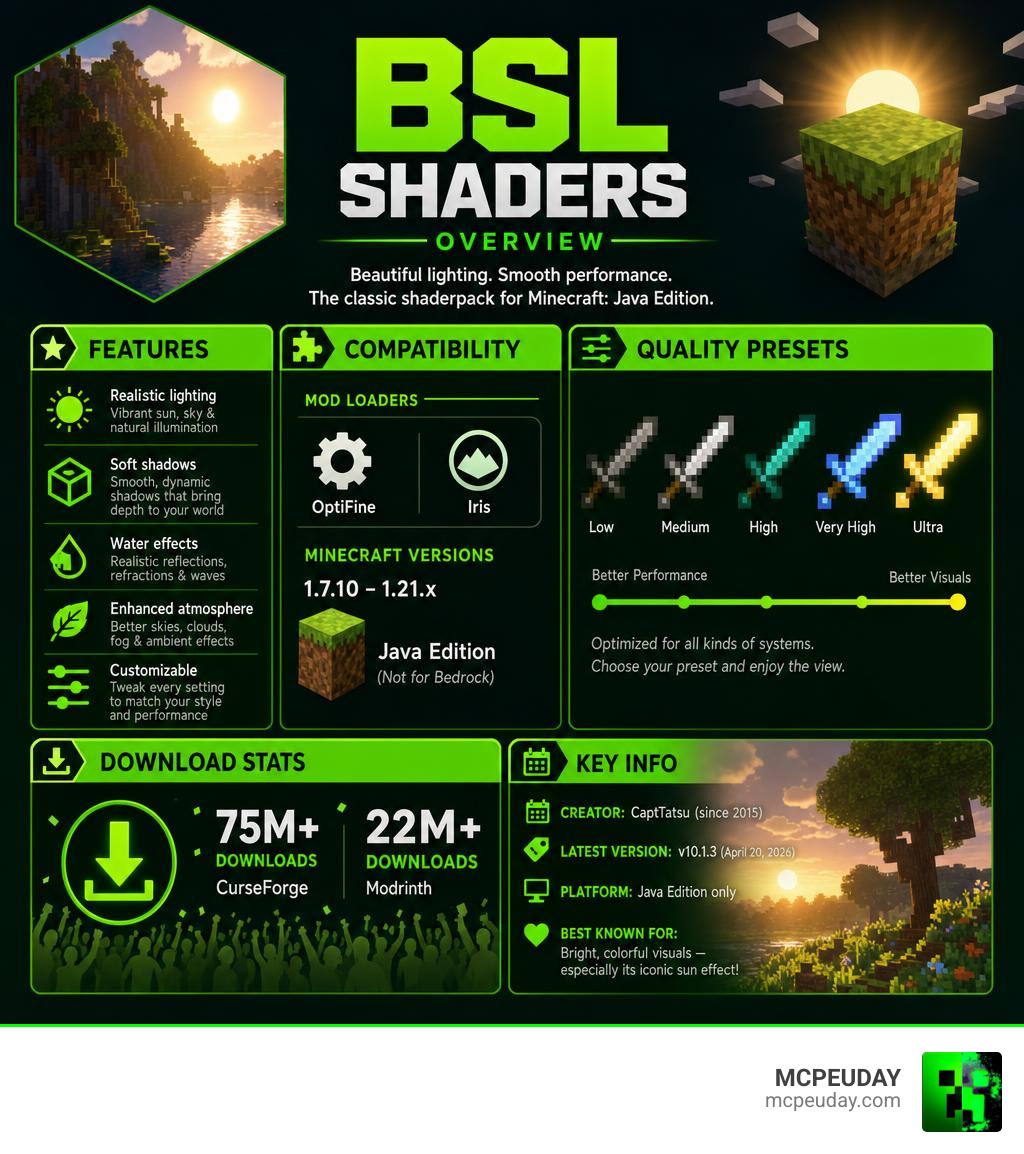
Quick answer: BSL Shaders is a free, highly customizable shaderpack for Minecraft Java Edition that adds stunning lighting, shadows, and visual effects. Here’s what you need to know at a glance:
- Creator: CaptTatsu (active since 2015)
- Latest version: v10.1.3 (April 20, 2026)
- Works with: OptiFine and Iris mod loaders
- Minecraft versions: 1.7.10 through 1.21.x
- Platforms: Java Edition only (not Bedrock)
- Download locations: CurseForge (75M+ downloads) and Modrinth (22M+ downloads)
- Best known for: Bright, colorful visuals — especially its iconic sun effect
If you’ve ever wanted Minecraft to look dramatically better without switching to a completely different game engine, BSL Shaders is one of the first packs most players recommend.
It works on a wide range of hardware, from budget laptops to high-end gaming rigs, thanks to its built-in quality presets. Whether you’re running a low-end setup or a powerful GPU, there’s a setting that works for you.
In this guide, you’ll learn exactly how to download it, install it, and get it running — even if you’ve never used shaders before.
What is BSL Shaders and Who Created It?
BSL Shaders is a legendary shaderpack built exclusively for Minecraft: Java Edition. It is widely celebrated for giving the game a bright, colorful, and distinct aesthetic that doesn’t completely destroy your PC’s performance. Instead of aiming for a dark, overly moody realism, BSL focuses on enhancing Minecraft’s natural charm with clean, vivid visual upgrades.
The genius behind this shaderpack is CaptTatsu (real name Garrison Cahyadi), a developer from Indonesia who has been working tirelessly on refining BSL Shaders since 2015. Over more than a decade of development, CaptTatsu has released dozens of versions, culminating in the highly optimized v10.1.3 release on April 20, 2026.
To say BSL is popular is an understatement. It has amassed over 75 million downloads on CurseForge and more than 22 million downloads on Modrinth, backed by a dedicated community of thousands of followers.
If you want to explore how BSL stacks up against other visual enhancements, we highly recommend browsing through our curated BSL Shaders on MCPEUDAY library to see where it fits in the broader world of Minecraft customization.
(Fun side note: If you are a 3D modeler searching for the coding mechanics behind 3D rendering engines, you might be looking for the Blender Shader Language – Blender Developer Documentation . However, in the Minecraft community, BSL stands strictly for CaptTatsu’s absolute masterwork!)
Key Features and Visual Effects
What exactly makes this shaderpack so special? When you load into your world with BSL active, you aren’t just getting “better shadows.” You are getting a complete atmospheric overhaul.
Here are the standout visual features included right out of the box:
- Realtime Shadows & Ambient Occlusion: Soft, realistic shadows stretch across the terrain depending on the sun’s position. Ambient occlusion adds realistic depth to corners and crevices where blocks meet.
- Volumetric Light: Often called “god rays,” this effect creates beautiful beams of light filtering through tree canopies, cave openings, and windows.
- Bloom & Atmosphere: A soft glow surrounds bright light sources like torches, glowstone, and lanterns, giving the entire world a warm, cozy feel.
- Customizable Clouds and Water: Say goodbye to flat, pixelated clouds and static water. BSL introduces transparent, multi-layered volumetric clouds and realistic water surface reflections that ripple dynamically.
- Built-in Anti-Aliasing: Includes FXAA and TAA options to smooth out jagged edges on blocks and foliage.
- Depth of Field & Motion Blur: Adds cinematic camera effects that focus on what you’re looking at while softly blurring the background or simulating camera movement.
- Celshading & World Curvature: For players who love a stylized look, you can turn on cartoon-style black outlines (celshading) or even warp the world to look like a small planet (world curvature).
Advanced Customization in BSL Shaders
For power users, BSL is a dream come true because of its extensive in-game customization menu. The shaderpack fully supports PBR (Physically Based Rendering), meaning that if you pair it with a compatible texture pack, blocks will have realistic physical properties.
Through specular and normal mapping, metallic surfaces will reflect light realistically, while rough surfaces like brick or cobblestone will show physical depth and bumps when light hits them sideways. You can also adjust color grading, change the hue of your light sources, and tweak shadow resolution directly in the game’s shader options.
For a deeper dive into adjusting these settings for the perfect look, check out our BSL Shaders Customization Guide.
Compatibility, Presets, and System Requirements
One of the main reasons BSL remains a fan favorite in 2026 is its outstanding compatibility. It supports Minecraft versions all the way from 1.7.10 up to the latest 1.21.x releases.
You can run BSL Shaders using either OptiFine or the highly optimized Iris mod loader. While OptiFine is the classic choice, Iris has become incredibly popular for providing superior frame rates on modern hardware.
Hardware Requirements & Presets
BSL Shaders is uniquely scalable. It packages multiple quality profiles into a single zip file. Rather than downloading different files for different computers, you simply adjust the preset slider in your in-game shader settings.
| Preset | Visual Quality | Recommended GPU | Performance Impact |
|---|---|---|---|
| Low | Basic shadows, simple water, standard lighting | Integrated Graphics (Intel UHD/AMD Radeon Vega) | Very Low (Great for older laptops) |
| Medium | Soft shadows, bloom, basic volumetric light, waving foliage | Budget Dedicated GPU (GTX 1050 Ti, RX 570) | Moderate (Balanced experience) |
| High | Advanced water reflections, detailed god rays, ambient occlusion | Mid-range GPU (RTX 3060, RX 6600) | High (Standard beautiful look) |
| Ultra | Maximum shadow resolution, full PBR support, depth of field | High-end GPU (RTX 4070, RX 7800 XT) | Very High (Cinematic/Screenshot quality) |
Note on M1/M2/M3 Macs: While BSL is highly compatible with Windows and Linux PCs running Nvidia or AMD cards, Apple Silicon (M1/M2/M3 Macs) users have historically reported minor rendering issues or incompatibilities. The developer has expressed plans to address these macOS-specific bugs in future patches.
Recommended Settings for BSL Shaders
If you want the perfect balance between beautiful visuals and smooth gameplay, we recommend starting with the Medium or High preset and making a few manual adjustments:
- Anti-Aliasing: Keep TAA enabled for a smooth look, or switch to FXAA if you prefer a sharper image.
- Shadow Quality: Keep shadow resolution at 1024x or 2048x. Setting it higher can severely impact your FPS.
- Render Quality: Keep this at 1.0x. Do not increase it in the main shaders menu; instead, rely on BSL’s built-in anti-aliasing to clean up jagged edges.
To see how BSL compares to other top-tier options, take a look at our guide on the 3 Best Shaders For Minecraft 1 21 Ultra Realistic Smooth FPS Stunning Graphics to find your perfect match.
How to Download and Install BSL Shaders
Ready to transform your game? Follow this simple step-by-step guide to download and install BSL Shaders safely.
Step 1: Install a Shader Loader
Before you can use any shader, you need a mod that allows Minecraft to load them. We recommend downloading either Iris or OptiFine for your specific Minecraft version.
Step 2: Download the Shaderpack
Get the official, untouched shader files. You can find the latest releases directly on the BSL Shaders – Minecraft Shader page or download specific older versions from the BSL Shaders – Minecraft Shader page. The latest version v10.1.3 is fully optimized for modern hardware.
Step 3: Locate Your Shaderpacks Folder
- Open Minecraft with your Iris or OptiFine profile selected.
- Go to Options > Video Settings > Shaders (or Shader Packs).
- Click the Open Shaderpack Folder button. This will open a folder window on your desktop.
- Manual path:
C:\Users\YourName\AppData\Roaming\.minecraft\shaderpacks
- Manual path:
Step 4: Move the Zip File
Drag and drop the downloaded BSL Shaders .zip file directly into this folder. Do not extract or unzip the file! Minecraft reads shaderpacks directly from their zipped folders.
Step 5: Activate and Play
Go back into Minecraft, select BSL Shaders from the in-game list, click Apply, and enjoy your gorgeous new world!
For visual learners, you can watch these highly recommended video tutorials:
- Check out this How to Install & Use BSL Shaders in Minecraft (Ultimate Guide!) for a complete walkthrough.
- Or watch BSL Shaders – How To Download & Install in Minecraft – YouTube for a quick, straight-to-the-point installation guide.
Complementary Mods and Texture Packs
To truly make BSL Shaders shine, try pairing it with texture packs that complement its style:
- Bare Bones: If you want your game to look exactly like the official Minecraft trailers, combine Bare Bones with BSL. The vibrant, flat colors look incredible under BSL’s soft lighting.
- Mizuno’s 16 Craft: Perfect for players who love a cozy, rustic, cottagecore aesthetic.
- RealisCraft or Misa’s Realistic: These packs utilize BSL’s PBR features to add realistic 3D textures to blocks like stone, wood, and metal.
For more recommendations, check out our roundup of the Best Shaders For MCPE 1 21 2026 Top 3 Realistic Minecraft PE Shaders to see how mobile and PC setups compare.
Troubleshooting and Frequently Asked Questions
Even the best shaders can sometimes run into hiccups. Here are the solutions to the most common issues players face with BSL.
Can I run BSL Shaders on Minecraft Bedrock Edition?
Officially, no. BSL Shaders is designed exclusively for Java Edition’s rendering engine. However, if you are a mobile or console player looking for a similar visual upgrade, you should check out the BSL Legacy Shader MCPE or explore the BSL X Shader Improvement Shader The Best Realistic Smooth Shader For Minecraft PE which are specifically optimized to bring a similar aesthetic to Bedrock and Pocket Edition.
Why is my sky completely white after installing BSL?
This is a very common glitch usually caused by conflicting sky settings. To fix it:
- Go to Options > Video Settings > Details.
- Make sure Sky is set to ON.
- Set your graphics settings to Fancy.
- Set trees to Default or Fancy (avoid using “Fast Leaves” as this can cause rendering glitches with shader foliage).
Do I need to unzip the shaderpack file?
No! If you unzip the folder, Minecraft will not recognize it in your shader selection menu. Keep the shaderpack in its original .zip format. If your web browser automatically unzips downloaded files, you will need to re-compress the “shaders” folder into a single .zip file before placing it in your shaderpacks directory.
Conclusion
At MCPEUDAY, we believe that playing Minecraft should be as visually stunning as possible. BSL Shaders remains one of the absolute best ways to achieve this, offering a bright, colorful, and customizable experience that respects your computer’s hardware limits.
Whether you are building a massive castle under volumetric god rays or exploring deep caves illuminated by glowing redstone torches, BSL brings a level of immersion that vanilla Minecraft simply cannot match.
Ready to explore more incredible graphics upgrades? Head over to our Category Shaders section to discover the latest mods, texture packs, and shaders to elevate your Minecraft experience today!