Swing Into Action With the Spiderverse Reimagined Addon for Minecraft
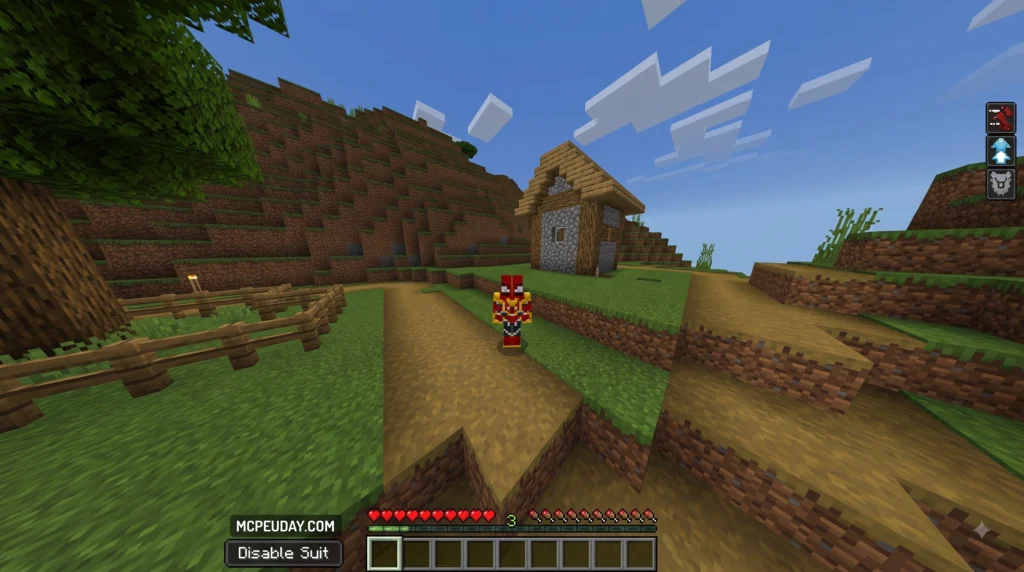
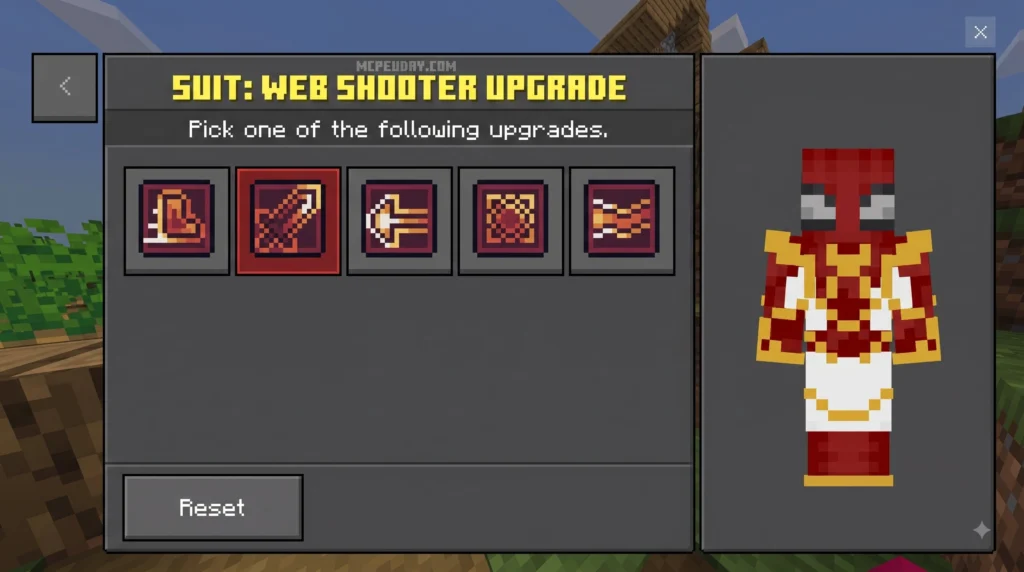
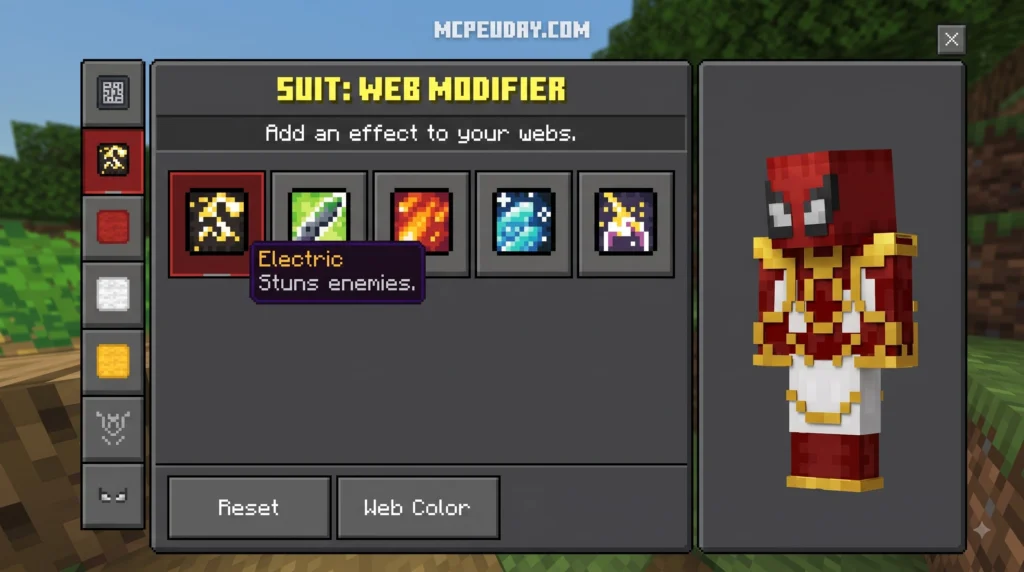
The Spiderverse Reimagined Addon brings Spider-Man’s iconic powers straight into Minecraft Bedrock Edition 1.21 — think web-slinging, wall crawling, and Spider-Verse suits, all in one lightweight 3.33 MB file. Whether you are scaling high mountain peaks, traversing dense jungle biomes, or fighting hostile mobs in survival mode, this modification delivers an unprecedented superhero traversal system right to your fingertips.
Here’s what you need to know at a glance:
- What it is: A feature-rich Minecraft Bedrock addon that adds realistic Spider-Verse skills, custom combat styles, and wearable superhero suits.
- File size: 3.33 MB (.mcaddon format), allowing for extremely fast downloads and minimal storage overhead on mobile, PC, and consoles.
- Compatible with: Minecraft Bedrock Edition 1.21 on Android, iOS, Windows 10/11, Xbox, PlayStation, and Nintendo Switch.
- How to install: Download the unified
.mcaddonfile, open it directly using Minecraft, then activate both resource and behavior packs in your world settings. - Key requirement: Experimental gameplay settings must be toggled on in world settings for the custom animations, scripts, and superhero powers to work correctly.
Getting it running takes just a few minutes — but you need to flip the right settings or the powers simply won’t show up in-game. That’s the part most players get wrong when importing custom packs into Bedrock.
I’m UDAY GAMER from MCPEUDAY, and in this guide I’ll walk you through every step so you’re swinging through your world in no time. We will cover feature highlights, custom suit stats, a step-by-step setup tutorial, and key performance tweaks to make your gameplay experience as smooth as possible.
Features and Abilities Introduced in the Spiderverse Reimagined Addon
When we test new superhero content for Minecraft Bedrock, we look for fluid movement, intuitive controls, and responsive gameplay mechanics. The Spiderverse Reimagined Addon delivers exactly that across its compact 3.33 MB package. It introduces high-velocity web slinging, smooth wall crawling, enhanced superhero movement speeds, custom combat styles, and unique particle trails that closely reflect the stylistic visual flair of the animated Spider-Verse movies.
Unlike basic cosmetic skins or simple particle mods, this addon rebuilds how your character interacts with the environment. Gravity dynamics, momentum preservation, and fall damage prevention are all tied directly into the superhero suite systems.
Unlocking Spider-Verse Characters and Costumes
Once installed, players gain access to iconic superhero suits from across the Spider-Verse, including fan favorites like Miles Morales and Gwen Stacy. Equipping these custom suits grants passive and active traits that drastically change how you explore and fight in Minecraft:
- Miles Morales Suit: Offers enhanced agility, increased sprint speed, and stealth movement perks alongside unique venom-charge web effects that disrupt nearby enemies.
- Gwen Stacy Suit: Grants increased jump boosts, complete falling protection, and lightweight aerial maneuvering that allows for tighter mid-air turns during web-swinging sequences.
- Classic & Variant Suits: Delivers distinct visual aesthetics paired with custom suit stats to suit different playstyles, ranging from high defense variants to speedy scout suits built for long-distance travel.
Web-Slinging and Combat Mechanics
The true highlight of the Spiderverse Reimagined Addon is how web mechanics feel in survival and creative modes. Players receive specialized web shooters that shoot dynamic web lines attached directly to block surfaces across your rendered world.
Custom swinging animations pull your avatar smoothly through the air, while integrated particle effects mimic real-time webbing physics. On the combat front, players can pull targets closer, launch aerial knockback hits, trap dangerous creepers in web snares, and unleash fast melee combos against hostile mobs during nighttime survival encounters.
Step-by-Step Installation Guide for Minecraft 1.21
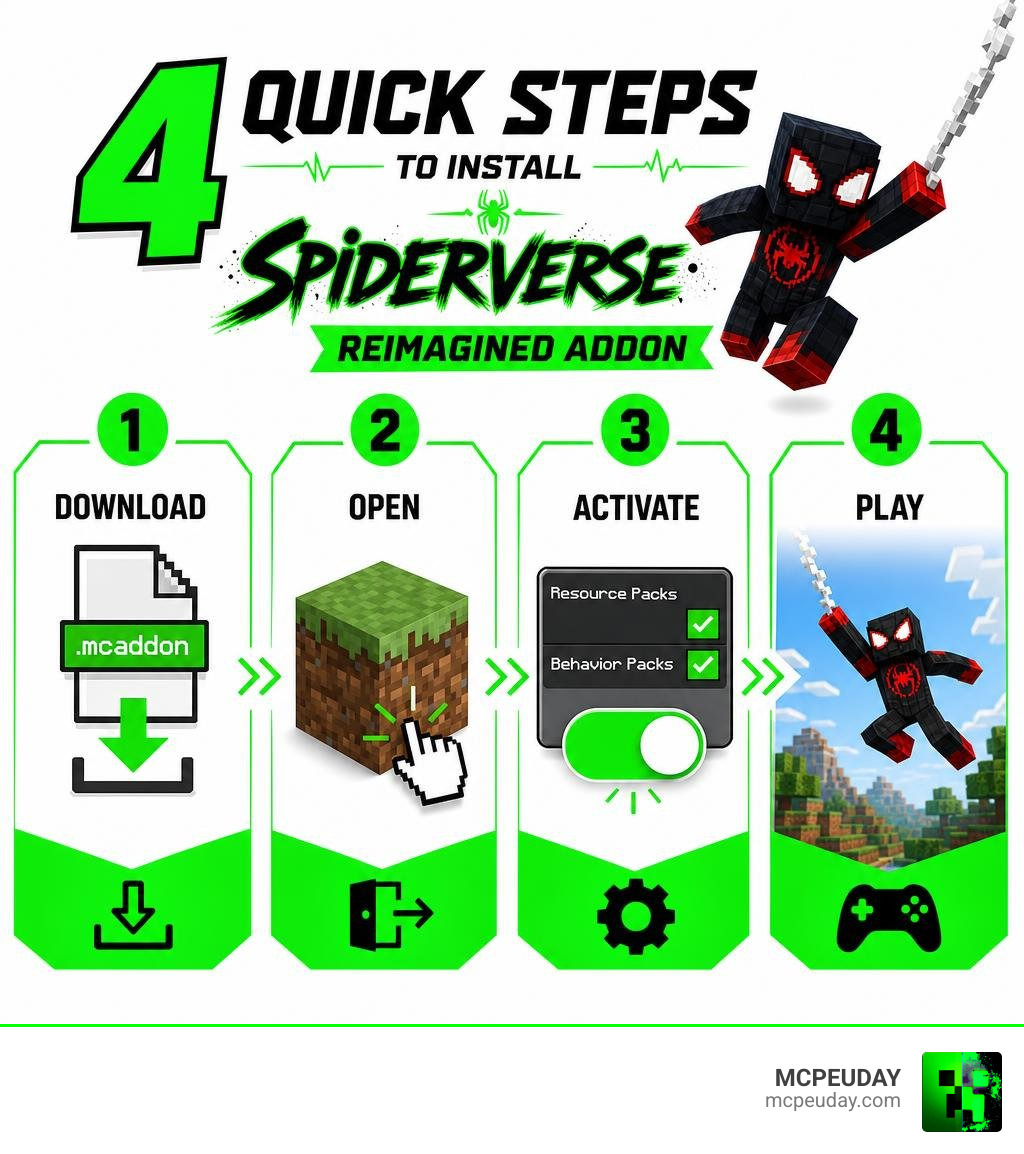
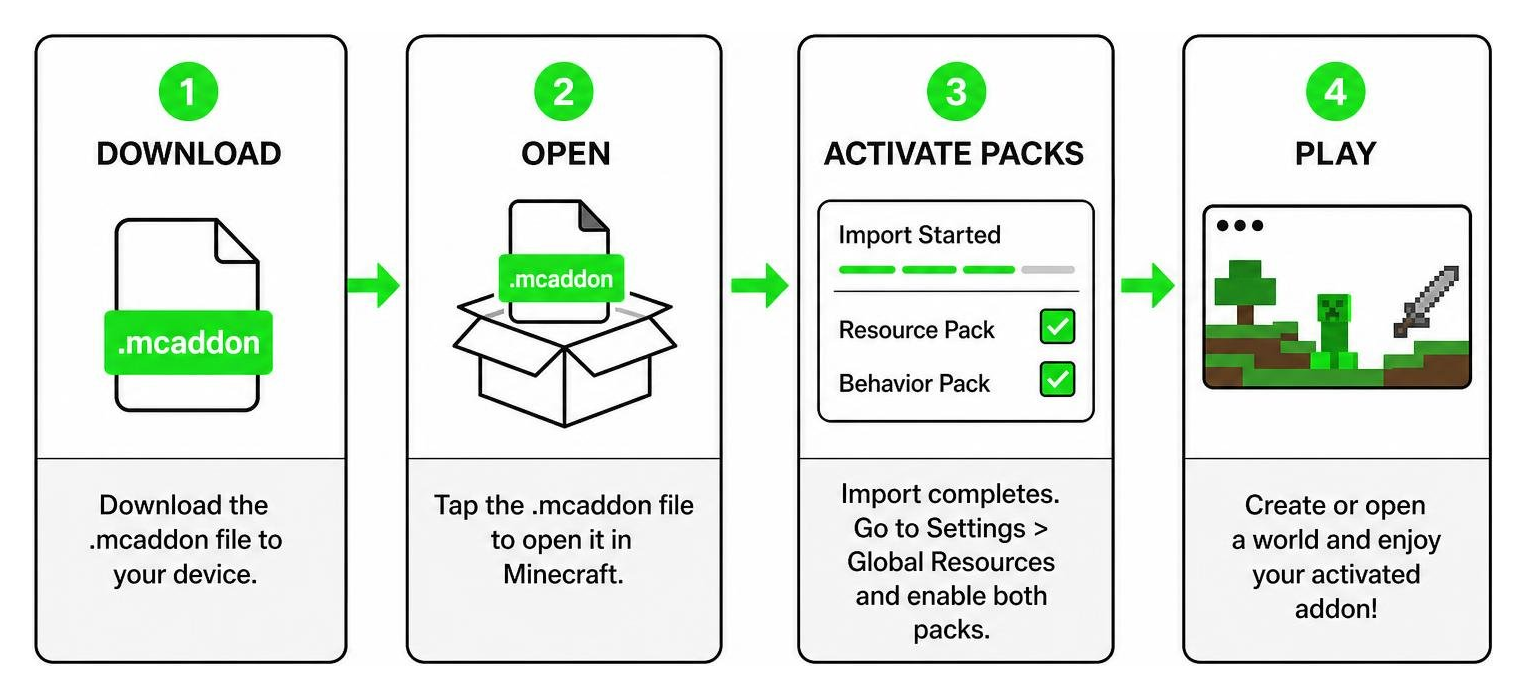
Installing the Spiderverse Reimagined Addon in Minecraft Bedrock 1.21 is straightforward when using the native .mcaddon format. This unified file format installs both the necessary resource and behavior files simultaneously without forcing players to manually extract zip archives or place folders into hidden system directories.
Downloading the Spiderverse Reimagined Addon File
First, locate and download the official file named spiderverse-reimagined-mod.mcaddon.
- File Size: 3.33 MB
- Community Interest: Over 81 downloads and growing rapidly as players jump into Minecraft 1.21 content updates.
- File Safety: Always verify that you download verified
.mcaddonor.mcpackfiles directly to prevent file corruption or missing animation textures.
After the download finishes, navigate to your device’s download folder or file manager. Tap or double-click spiderverse-reimagined-mod.mcaddon, and choose to open it with Minecraft. The game will automatically launch and display a top-banner message confirming that the import process has started and successfully finished for both resource and behavior components.
Applying the 3 Quick Settings Changes in Minecraft
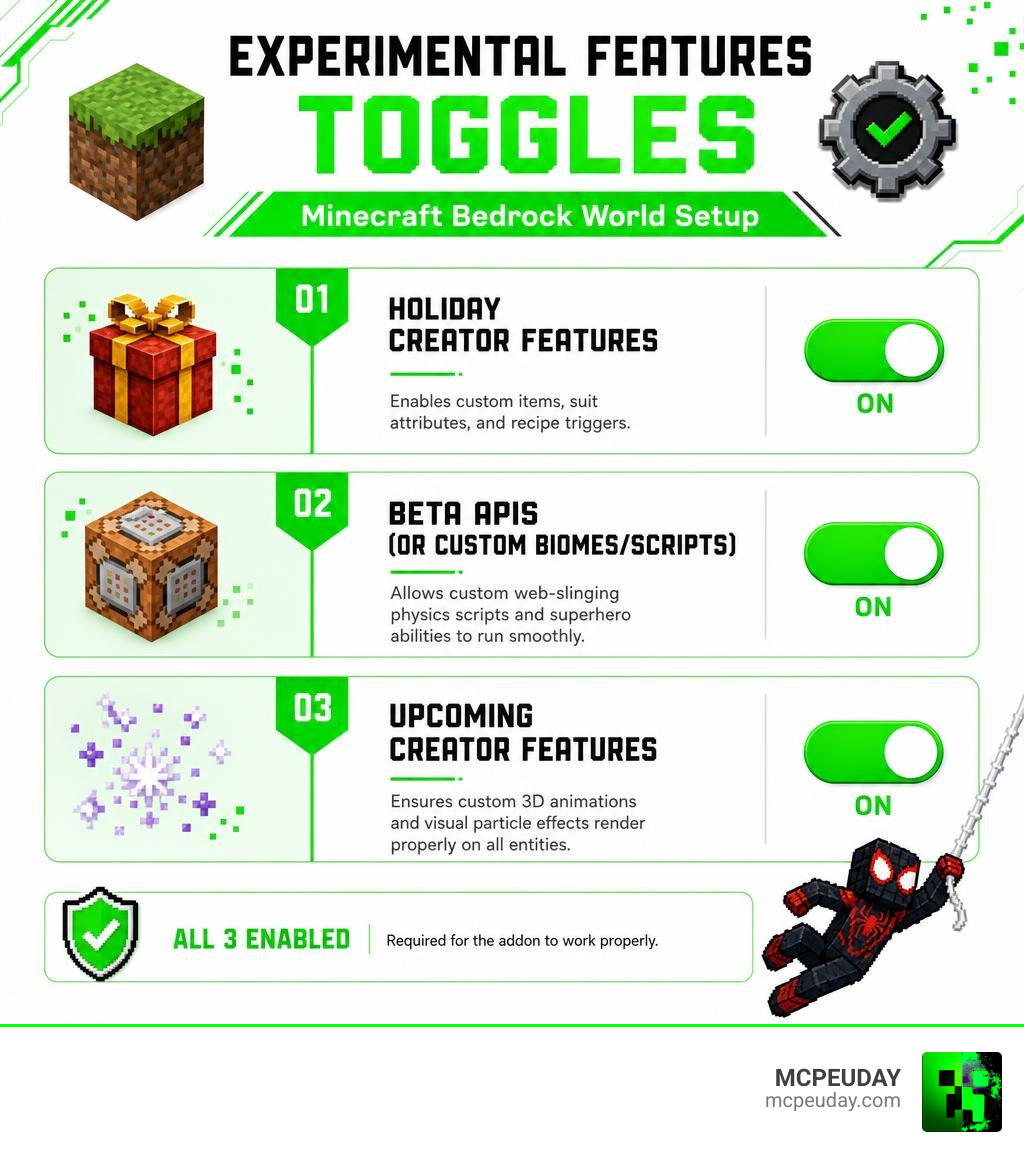
To guarantee that the custom scripts, suit models, and web abilities function without glitching, you must flip 3 critical experimental settings inside your world creation or edit menu before entering the game world:
- Holiday Creator Features: Enables custom items, suit attributes, crafting recipes, and recipe triggers required for suit assembly.
- Beta APIs (or Custom Biomes/Scripts): Allows custom web-slinging physics scripts, velocity calculations, and superhero abilities to execute cleanly in real time.
- Upcoming Creator Features: Ensures that custom 3D animations, custom camera shifts, and visual particle effects render properly on all entities.
Activating the Spiderverse Reimagined Addon in World Settings
With your experimental toggles enabled, finalize the setup by linking the files to your active world:
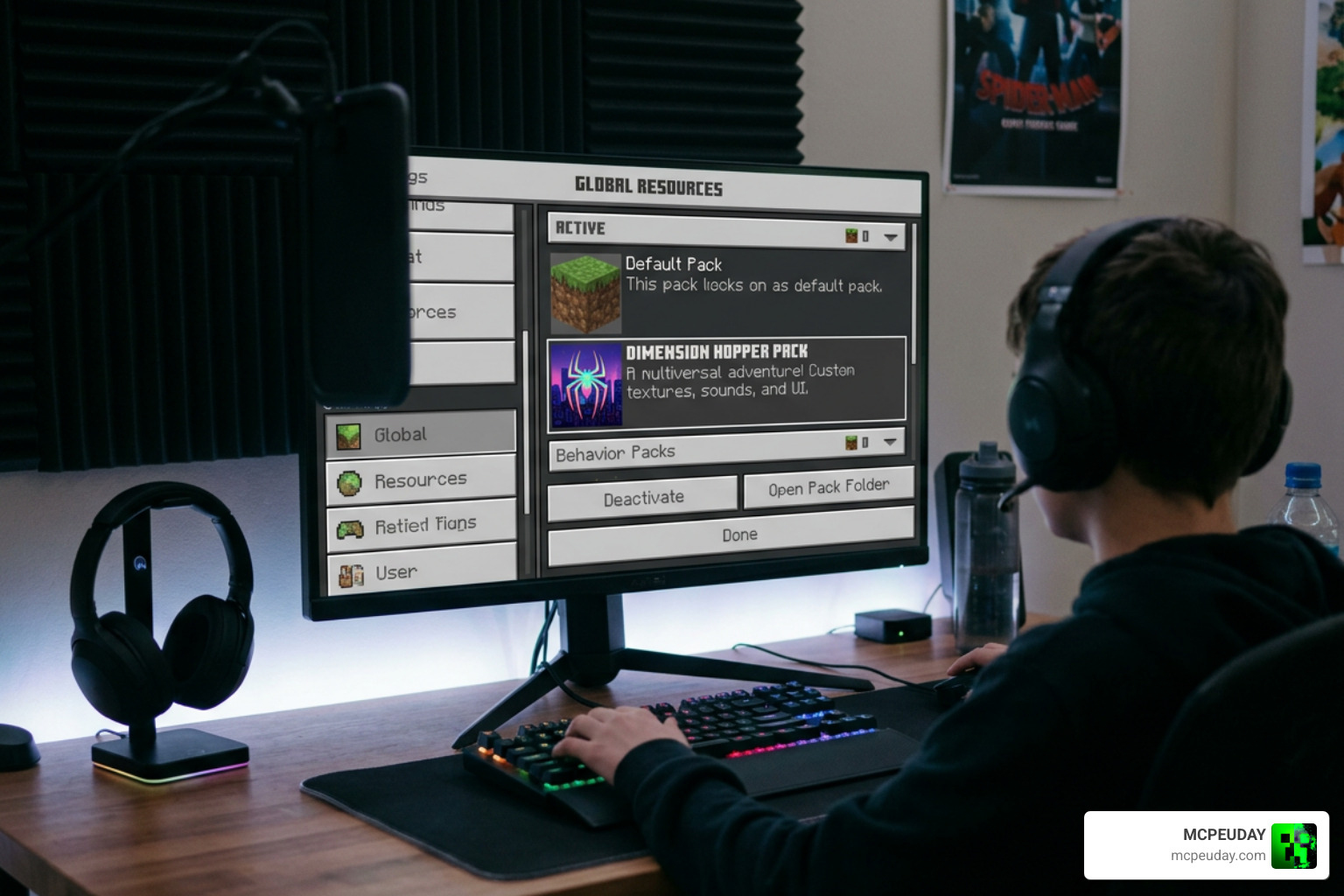
- Open your world’s Settings menu by selecting the pencil edit icon next to your designated world.
- Scroll down to Resource Packs on the left menu, select My Packs, locate Spiderverse Reimagined, and click Activate.
- Move to Behavior Packs directly underneath, locate Spiderverse Reimagined, and click Activate.
- Confirm both packs appear listed under the Active section for both resource and behavior tabs.
- Save settings and launch your world to enjoy full web-slinging action!
Compatibility and Performance Settings
The Spiderverse Reimagined Addon is optimized specifically for Bedrock 1.21 across multiple hardware profiles including Android, iOS, Windows PC, and modern consoles. Because web swinging generates rapid player movement across your world and causes rapid block rendering, keeping your performance settings balanced avoids sudden lag spikes and frame drops.
| Setting Name | Recommended Value | Impact on Performance |
|---|---|---|
| Render Distance | 8 – 12 Chunks | Reduces terrain generation load during high-speed web swinging across large biomes. |
| Simulation Distance | 4 Chunks | Saves CPU processing power for custom particle scripts and entity movement mechanics. |
| Fancy Graphics | On / Off (Based on Device) | Turning this off provides significantly higher FPS on lower-end mobile devices and older consoles. |
| Experimental Toggles | Enabled (3 Quick Settings) | Mandatory requirement for web mechanics, dynamic camera views, and custom superhero suits. |
Adjusting these video settings ensures smooth frame rates even when swinging rapidly through dense forests, custom cities, or massive mountain ranges in multiplayer servers or single-player worlds.
Frequently Asked Questions About Spiderverse Addons
What is the file size of the Spiderverse Reimagined Addon?
The file size is extremely lightweight at just 3.33 MB. It requires minimal device storage space and downloads rapidly on both mobile cellular connections and high-speed broadband internet, making it accessible for all players regardless of hardware constraints.
Why are the Spiderverse skills not working in my world?
If your skills, suits, or web shooters do not work properly after entering your world, check the following troubleshooting steps:
- Make sure you enabled all 3 experimental toggles (Holiday Creator Features, Beta APIs, and Upcoming Creator Features) in your world settings menu before entering.
- Verify that BOTH the Resource Pack and Behavior Pack are active simultaneously under your world settings.
- Check that your game is updated to Minecraft Bedrock 1.21, as older game builds lack API support for these custom movement scripts.
- Ensure no conflicting superhero addons or player movement mods are enabled in the same world stack.
Is this addon compatible with Minecraft Bedrock 1.21?
Yes! The Spiderverse Reimagined Addon is fully designed and optimized for Bedrock Edition 1.21, offering seamless cross-platform support across mobile devices, Windows PCs, and home consoles running Bedrock.
Conclusion
Upgrading your Minecraft adventure with iconic superhero abilities is effortless with the Spiderverse Reimagined Addon. By downloading the lightweight 3.33 MB .mcaddon file, activating your resource and behavior packs, and adjusting those 3 critical experimental settings, you can experience full web-slinging dynamics, dynamic wall crawling, and legendary suit powers directly in your favorite Bedrock worlds.
Whether you prefer soaring across vast landscapes as Miles Morales or maneuvering with precision as Gwen Stacy, this addon transforms standard exploration into an action-packed playground. Ready to explore even more game-changing additions for your world? Explore more Minecraft mods and addons at MCPEUDAY to customize your game with top-tier shaders, horror maps, and gameplay modifications!