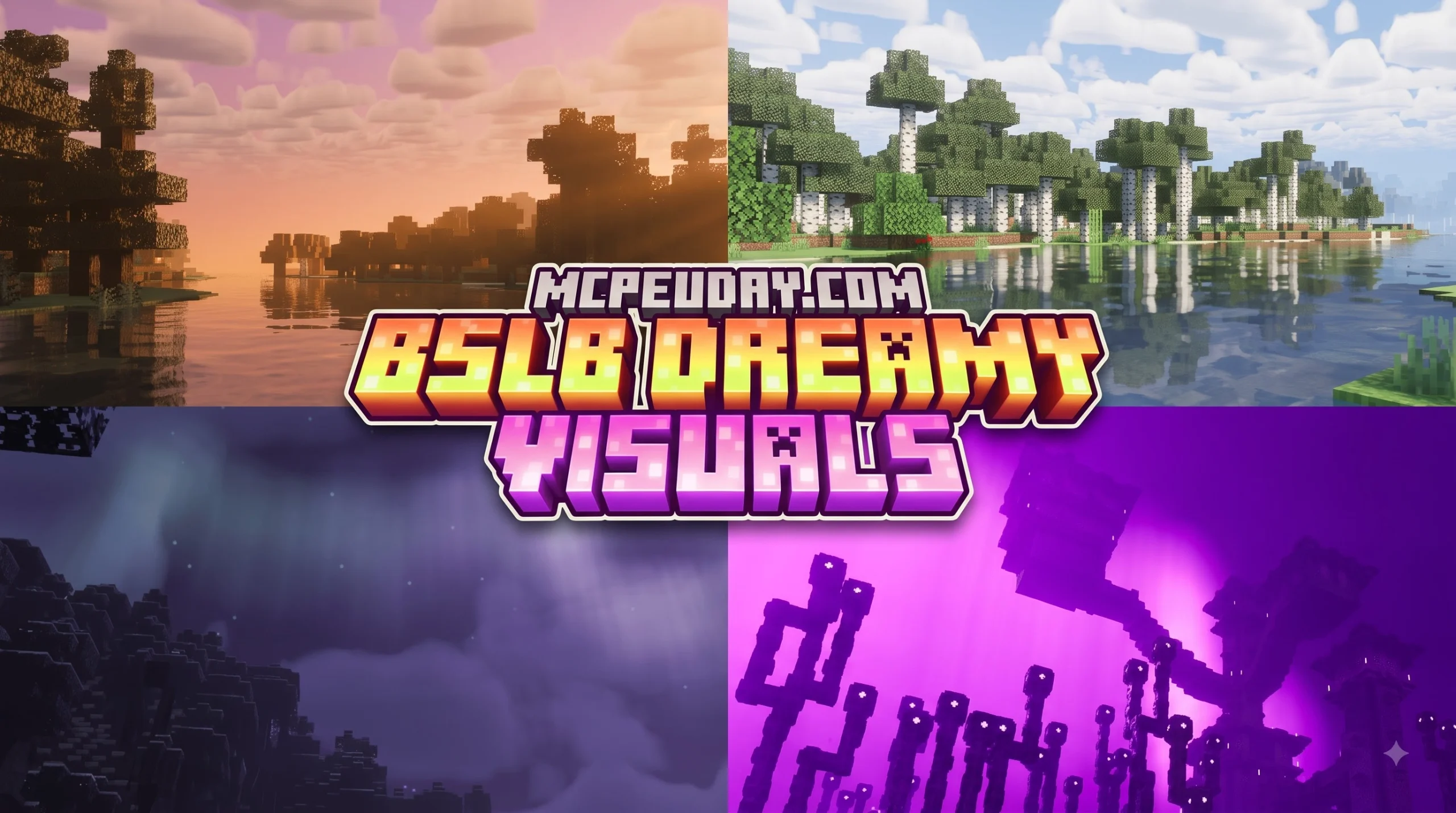
BSLB Dreamy Visuals Shader for Minecraft PE/Bedrock: A Quick Look
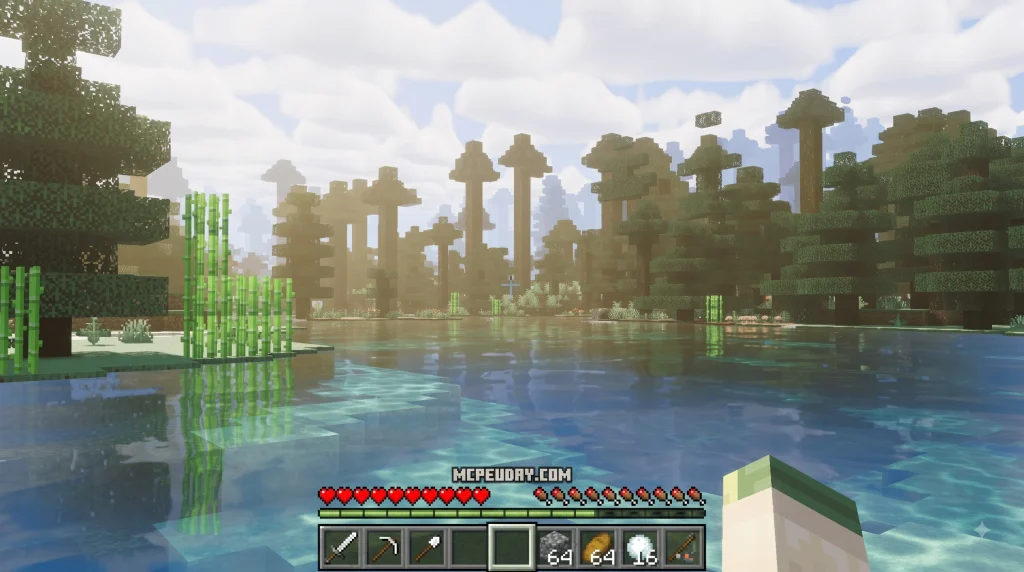
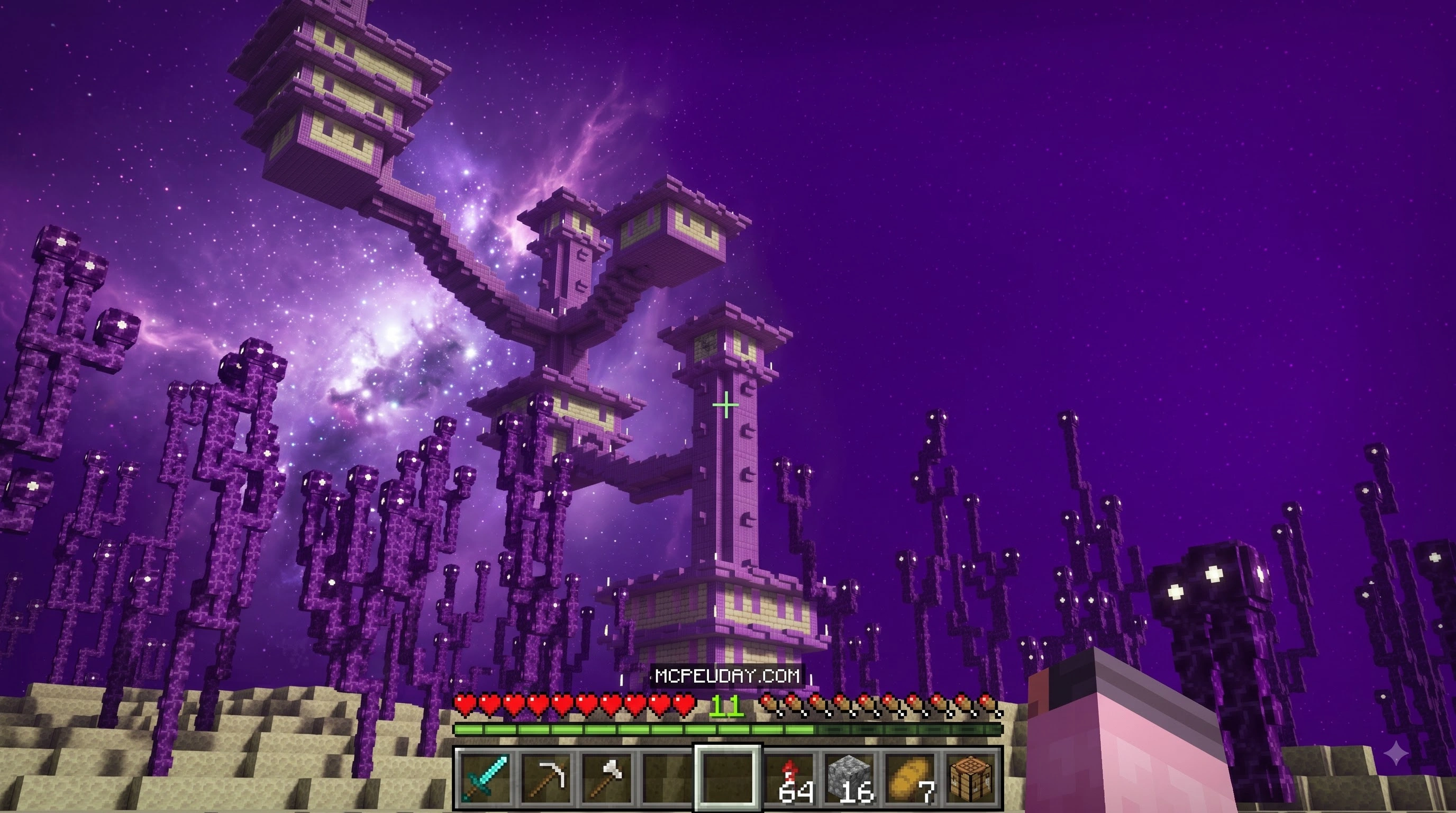
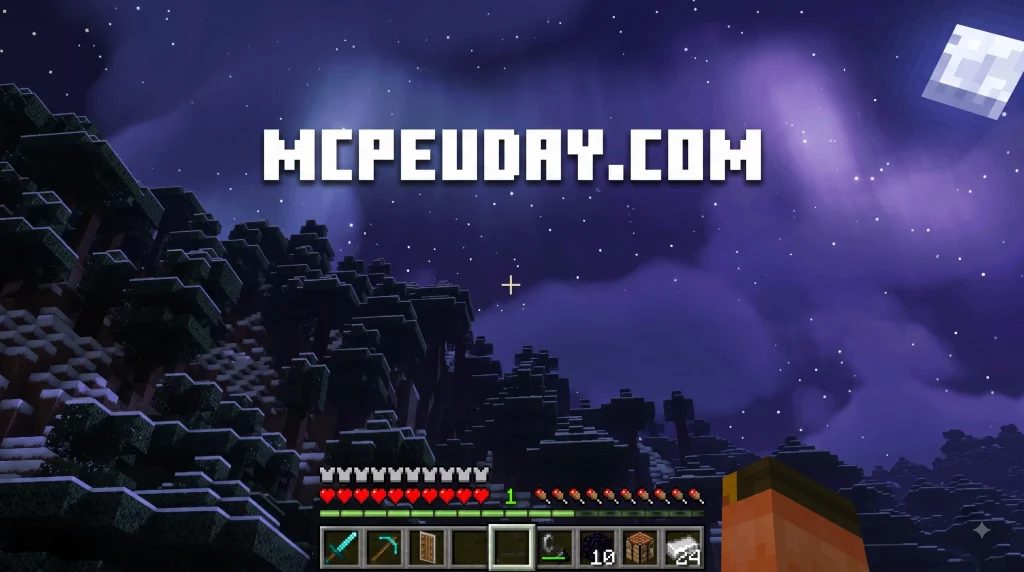
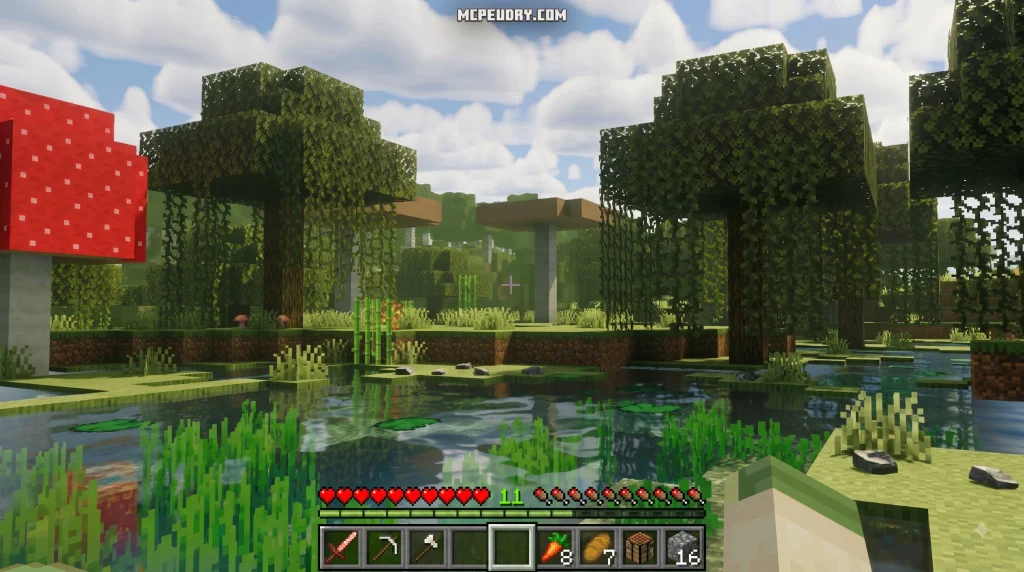
BSLB Dreamy Visuals Shader for Minecraft PE/Bedrock is a fantasy-style graphics pack that gives supported Bedrock worlds softer lighting, richer colors, glowing water, 3D-looking blocks, and shimmering ores. It is built for modern Render Dragon and deferred-rendering features, with support aimed at Minecraft 1.21 and Bedrock 1.26+.
| What it changes | What you can expect |
|---|---|
| World lighting | Warm sunsets, deeper shadows, and biome-based color moods |
| Blocks and ores | More depth on surfaces and easier-to-spot shimmering minerals |
| Water and Nether | Light-streaked water, animated-looking waves, and brighter colorful Nether fog |
| Supported devices | Android, iOS, Windows PC, and compatible Xbox Series X/S and PS5 preview setups |
The look is more storybook fantasy than strict realism. Deserts can take on warm gold tones at sunset, while cold oceans shift toward crisp blue lighting. It can make a survival base, fantasy forest, or cave-mining trip feel far more alive.
This guide will show the simple import and activation process, plus the settings that matter before you load into a world. I’m UDAY GAMER, and I’ll help you get Dreamy Visuals running with fewer compatibility surprises.
What is BSLB Dreamy Visuals Shader for Minecraft PE/Bedrock?
The BSLB Dreamy Visuals Shader for Minecraft PE/Bedrock is a next-generation graphics enhancement created specifically for the Render Dragon engine. Utilizing Bedrock’s deferred technical preview graphics pipeline, it integrates Physically Based Rendering (PBR) textures to completely reinvent how light and shadow behave in your worlds. Building upon concepts inspired by classic packs like BSLB Shaders Bedrock – Classic V3, this shader moves away from plain sterile textures and gives your environment a lush fantasy atmosphere.
Overview and Aesthetic Philosophy
Rather than pushing for hyper-realistic simulations that can make the game feel dark or gloomy, our team loves how this pack adopts a whimsical, animated-film style. The custom lighting pipeline shifts dynamically based on your environment. Hot desert biomes bathe in golden afternoon light with dramatic long shadows, while snowy peaks and cold oceans shift to crisp blue hues. Enhanced atmospheric fog softens long distances, turning cozy villages and massive castles into living art pieces. If you want to dive deeper into the full feature breakdown, check out our dedicated Dreamy Visuals Shader showcase page.
Supported Platforms and Game Versions
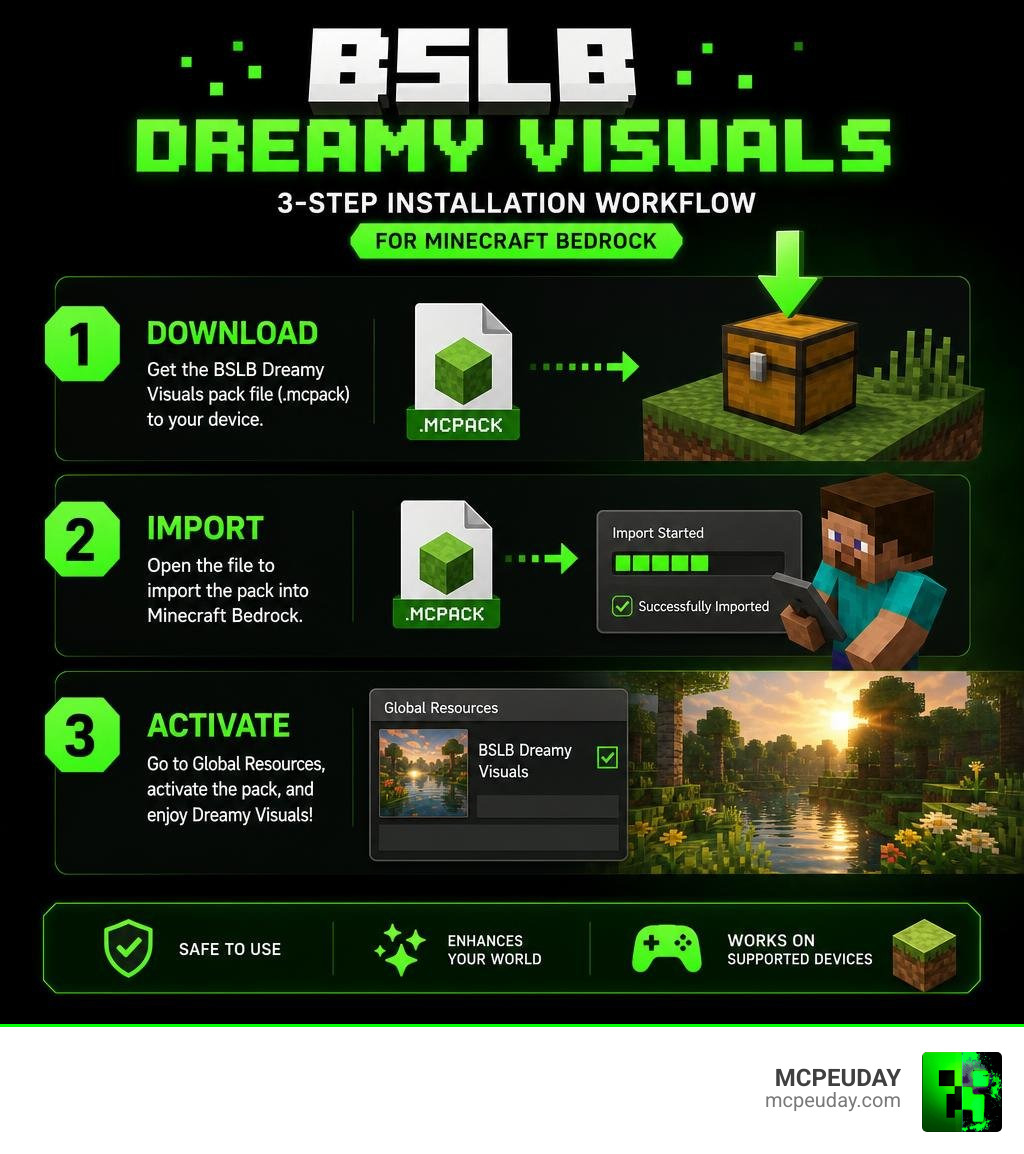
This shader is optimized for Minecraft 1.21 and modern Bedrock 1.26+ updates. Because it relies on contemporary rendering architecture, cross-platform compatibility is broad across supported devices:
- Android & iOS: Fully supported on devices meeting GPU standards.
- Windows PC: Exceptional fidelity with DirectX 12 hardware.
- Consoles: Functional on Xbox Series X/S and PlayStation 5 when running preview builds with deferred graphics features toggled on.
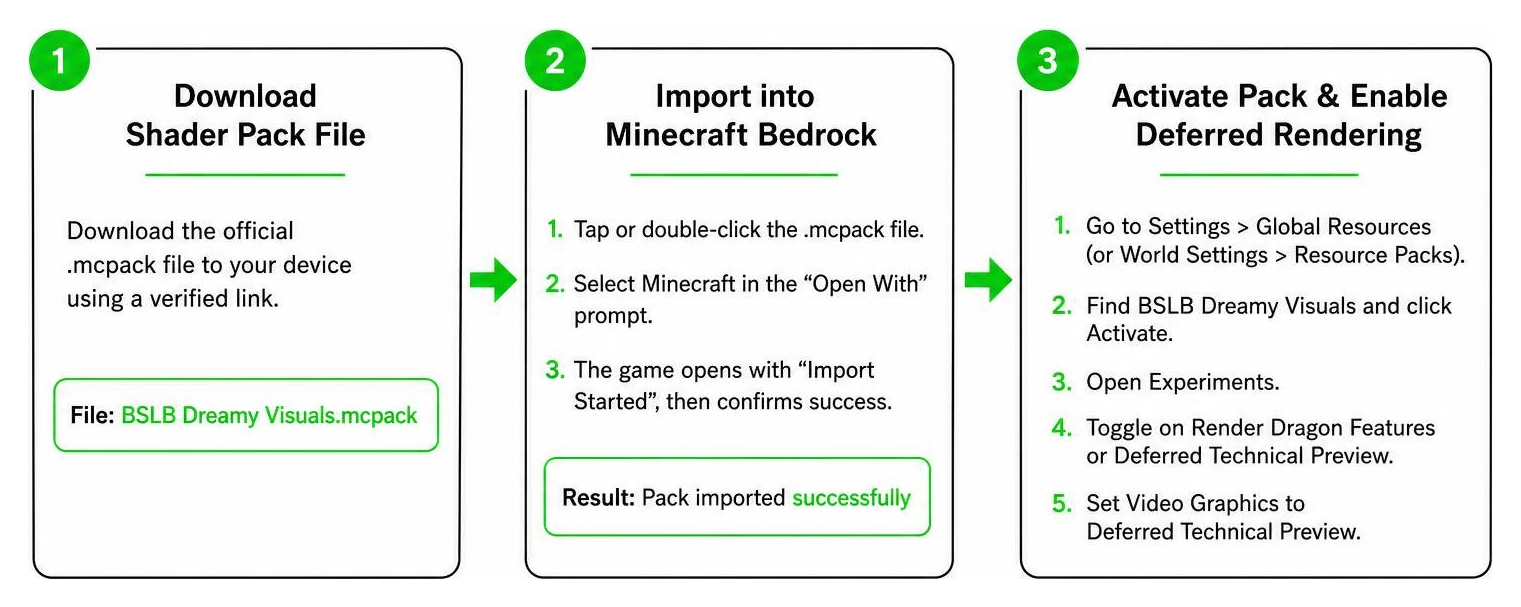
How to Install BSLB Dreamy Visuals Shader in 3 Steps
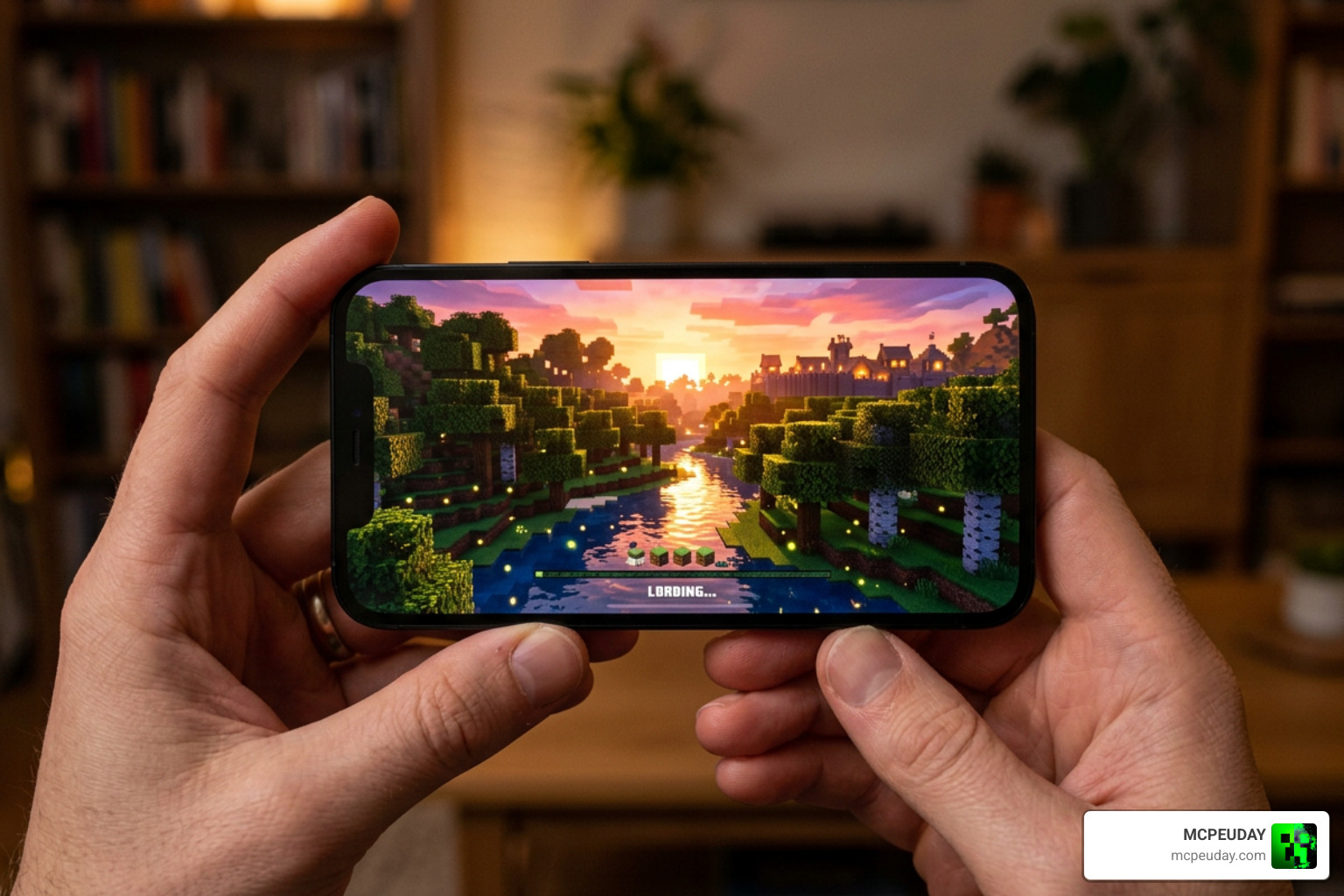
Installing the BSLB Dreamy Visuals Shader for Minecraft PE/Bedrock takes only a few minutes when using the correct method. Follow our simple 3-step sequence to get everything configured seamlessly.
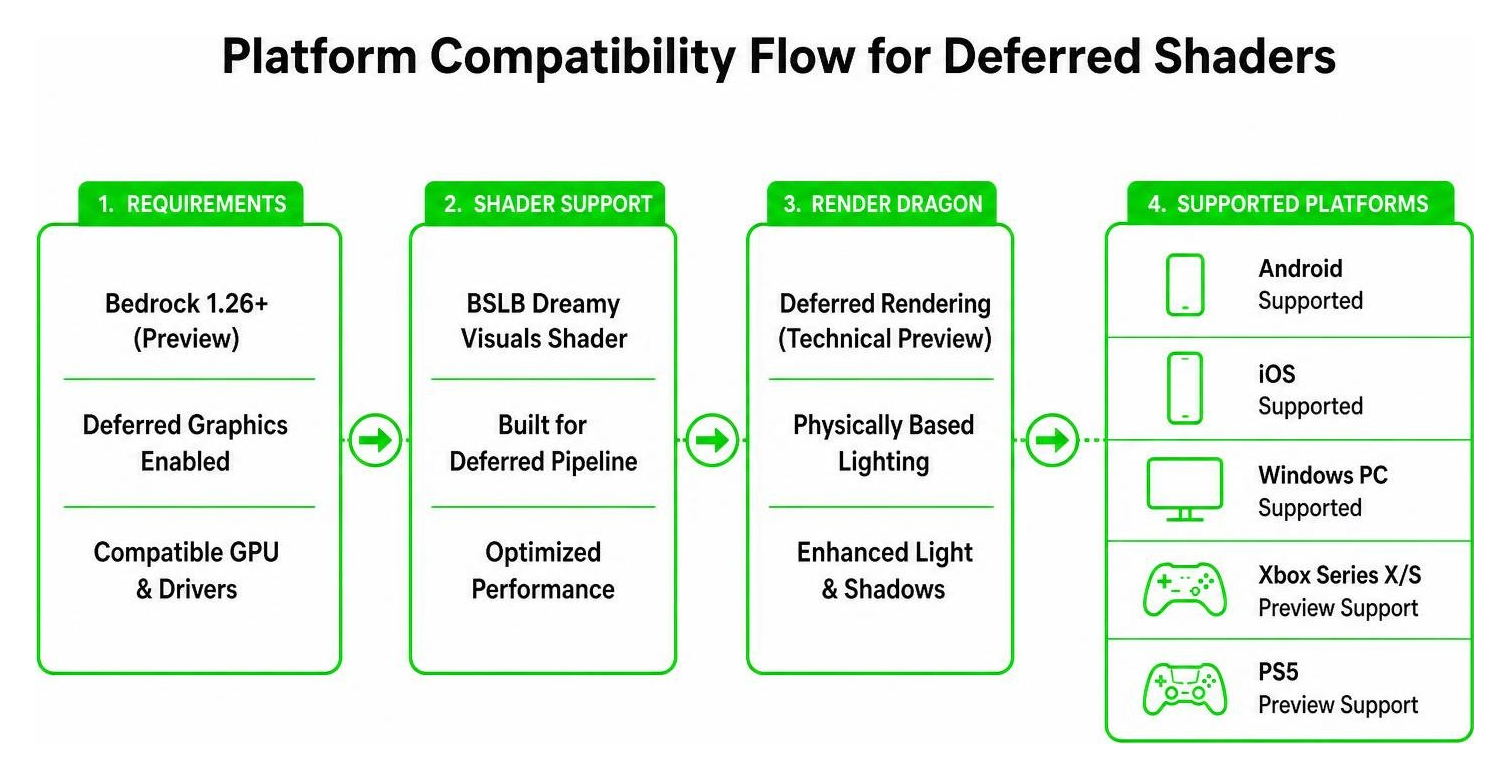
Step 1: Download the Shader Pack File
First, acquire the official .mcpack file directly to your device. Using verified download links ensures you get the exact version configured for Bedrock 1.26 without broken file paths. For a full breakdown of obtaining verified files safely, visit our tutorial on How To Get Shaders In Minecraft.
Step 2: Import into Minecraft Bedrock
Once the download finishes, locate the .mcpack file in your system’s download folder or file manager app (such as the iOS Files app or an Android file explorer):
- Tap or double-click the
.mcpackfile. - Select Minecraft from the “Open With” prompt.
- The game will automatically launch, displaying an “Import Started” banner at the top of your screen, followed by a successful import confirmation.
If your device running older builds struggles to associate .mcpack files directly, specialized utility tools like the Mbl2 Shader Loader can assist in managing pack files smoothly.
Step 3: Activate Pack and Enable Deferred Rendering
To see the visual transformation, you must activate the shader in your settings and enable the underlying technical pipeline:
- Open Minecraft and navigate to Settings > Global Resources (or individual World Settings > Resource Packs).
- Locate BSLB Dreamy Visuals under “My Packs” and click Activate.
- Go into your world’s settings and scroll down to the Experiments tab.
- Toggle on Render Dragon Features or Deferred Technical Preview.
- Set your in-game Video Graphics mode to Deferred Technical Preview.
For a broader walkthrough on toggling graphics settings across different devices, see our complete guide on How To Turn On Shaders In Minecraft 2026 Guide Java Bedrock Mcpe Setup Fast Mcpeuday.
Visual Features and Environment Transformations
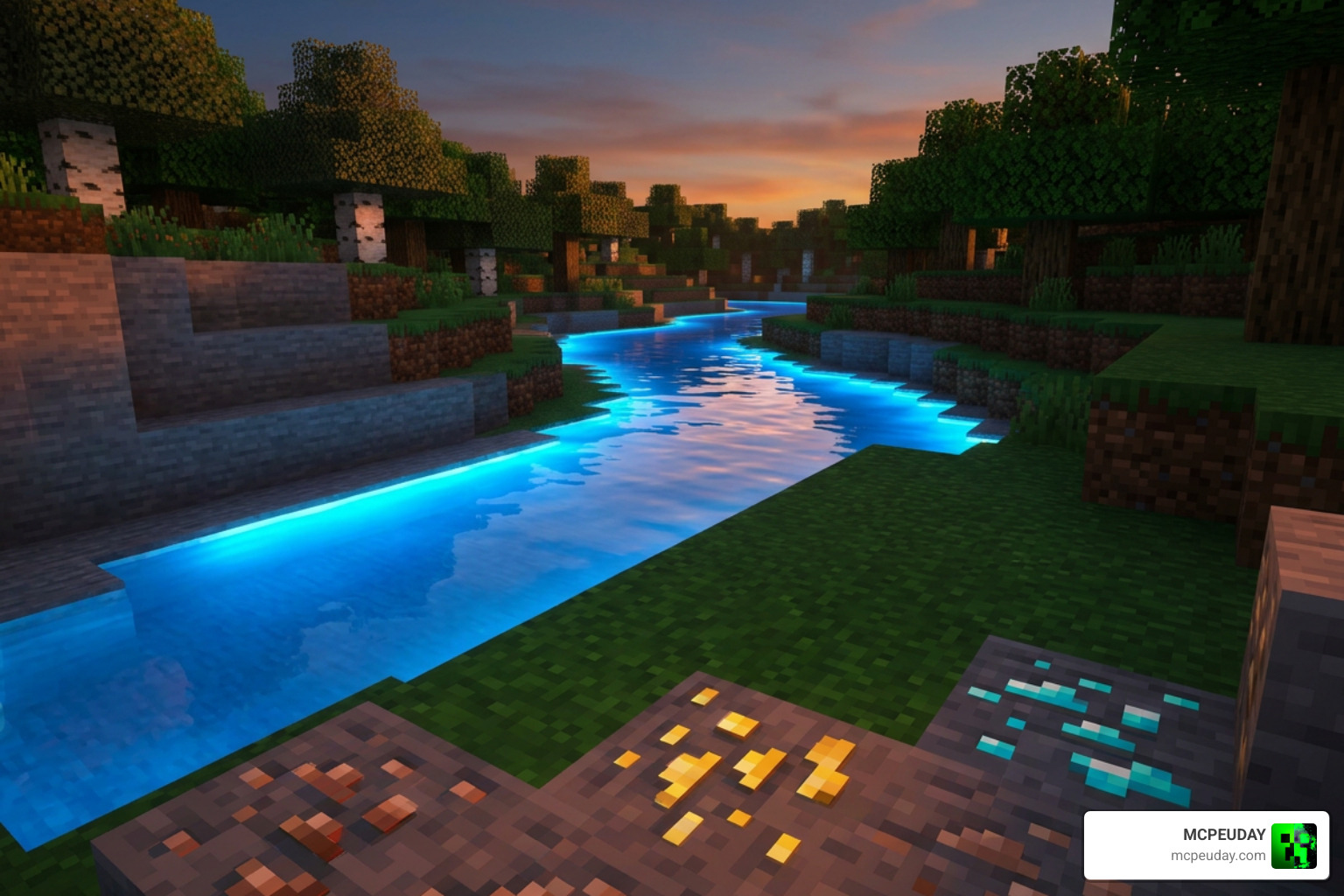
Visual Features of BSLB Dreamy Visuals Shader for Minecraft PE/Bedrock
The BSLB Dreamy Visuals Shader for Minecraft PE/Bedrock introduces massive visual upgrades across all survival biomes:
- 3D Surface Relief: Normal maps give cobble, brick, and wood textures realistic depth and tactile bumps.
- Shimmering Ores: Deep cave mining is far more rewarding because ores emit a gentle mineral shimmer in dark caverns.
- Dynamic Shadows: Sunlight and torchlight cast realistic directional shadows that adjust dynamically with time of day.
Water and Nether Environment Enhancements
Water and hostile dimensions receive special attention in this shader:
- Light-Streaked Water: Lakes and oceans feature silky, animated surface waves that reflect sky colors and sunbeams.
- Vibrant Nether Overhaul: Instead of dark, muddy fog, the Nether is transformed with colorful atmospheric mist. Crimson Forests glow with deep ruby tones, while Warped Forests beam with radiant cyan fog.
BSLB Dreamy Visuals Shader for Minecraft PE/Bedrock vs Other Shaders
Here is how Dreamy Visuals compares to other popular options found across our category/shaders collection:
| Shader Pack | Visual Style | Nether Look | Recommended Hardware |
|---|---|---|---|
| BSLB Dreamy Visuals | Whimsical / Fantasy | Bright Colorful Fog | Mid-to-High End |
| Definitive Vibrant Visuals | Semi-Photorealistic | High Contrast Shadow | Mid-Range |
| Mystica Shader | Dark Fantasy | Gloomy Atmospheric | Lower-to-Mid Range |
You can also explore similar recommendations in our round-up of the 10 Top Minecraft Pe Shaders June 2026 Best Realistic Mcpe Shaders.
Hardware Requirements and Performance Tips
Mobile and PC System Requirements
Because deferred rendering processes real-time lighting calculations, your hardware needs adequate horsepower:
- Mobile (Android/iOS): Requires a processor equivalent to a Snapdragon 855 (Adreno 640 GPU) or MediaTek 1000 series chip, backed by at least 4GB of RAM. Modern iOS devices (iPhone 12 or newer) deliver excellent performance.
- PC: Dedicated DirectX 12 graphics card such as an NVIDIA GeForce GTX 1060 or AMD Radeon RX 580 (or better).
- Consoles: Preview build access on Xbox Series X/S or PS5 with deferred technical preview enabled.
Optimizing Settings for Stable 60 FPS
If you experience frame rate drops on mid-range devices, tweaking internal settings can stabilize performance:
- Lower your chunk Render Distance to 8–12 chunks.
- Turn off Fancy Bubbles and disable Beautiful Skies in Video settings.
- Adjust lighting bloom levels inside the deferred graphics menu.
For more low-end optimization ideas, read our guide on the Top 5 No Lag Shaders For Minecraft Bedrock 1 26 30 and check our tested benchmarks in the Best Render Dragon Shaders For Mcpe 1 21 Tested On Real Devices 2026 Guide.
Frequently Asked Questions
Are there licensing or usage restrictions for this shader?
Yes. The shader is completely free for personal gameplay. However, content creators displaying the pack in videos or social showcases must credit the creators and link directly to official download sources. Distributing reuploaded or modified .mcpack files without authorization is prohibited under creator copyright terms.
Can I run this shader on lower-end mobile devices?
Devices with less than 4GB of RAM or older GPUs (such as Snapdragon 600-series processors) will likely suffer severe frame drops under deferred rendering pipelines. On budget hardware, we recommend reducing graphics settings or choosing dedicated low-lag alternatives.
Does this shader work with custom texture packs and addons?
Yes, as long as your custom texture packs or add-ons do not override internal deferred lighting shaders. Place the Dreamy Visuals pack at the top of your active resource pack list so its lighting rules take priority.
Conclusion
The BSLB Dreamy Visuals Shader for Minecraft PE/Bedrock provides a dreamlike fantasy overhaul for players who want vibrant worlds without sacrificing performance structure. With shimmering subterranean ores, radiant water streams, and colorful Nether atmospheres, it brings fresh life to survival and creative builds alike.
If you are ready to give your Bedrock world a complete visual upgrade, visit our curated lists for more options, including the 15 Best Minecraft Pe Shaders June 2026 and our ultimate ranking of the Best Shaders For Mcpe 1 21 2026 Top 3 Realistic Minecraft Pe Shaders. Download the pack today and transform your game into a storybook world!