Scroll down to D0vvnl0ad
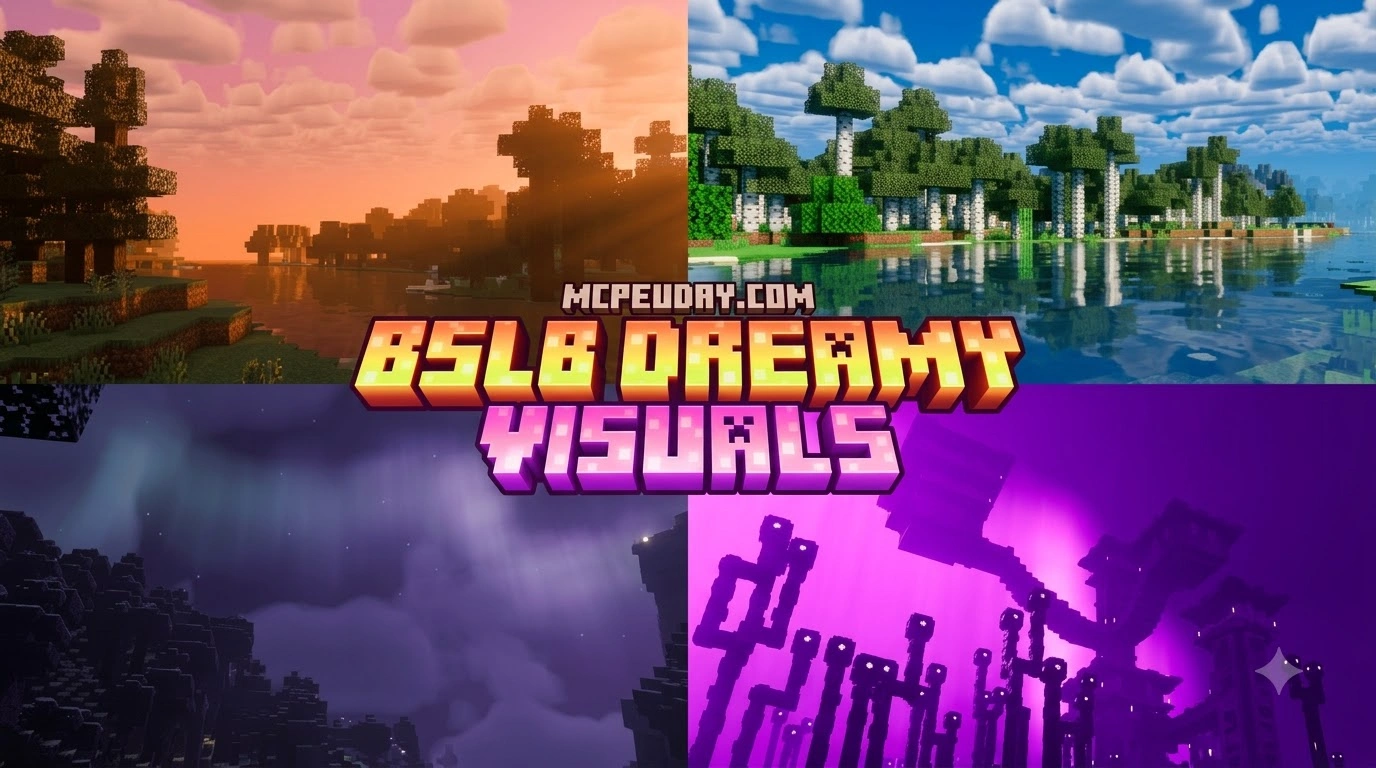
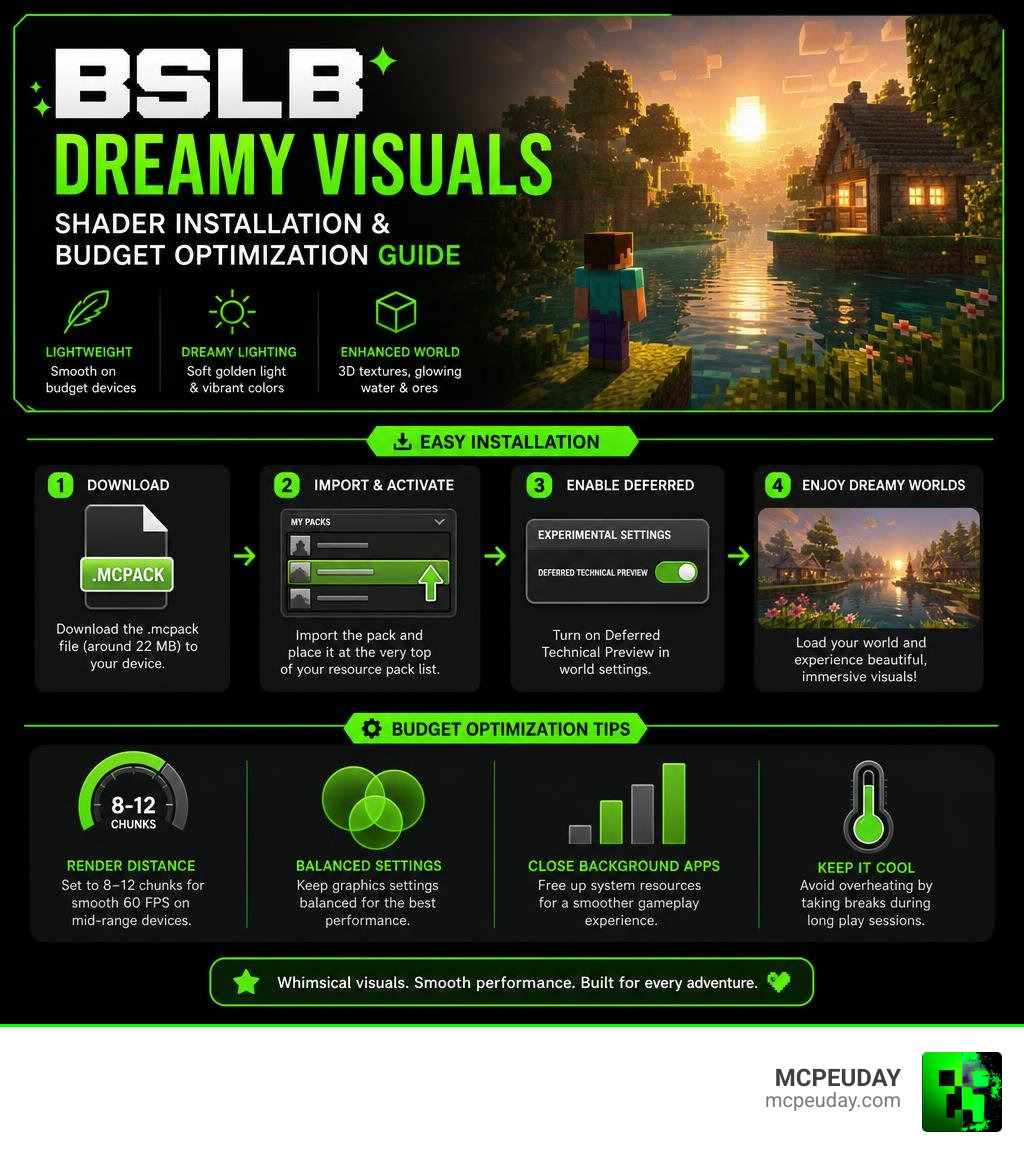
The BSLB Dreamy Visuals Shader is a lightweight fantasy graphics pack for Minecraft Bedrock Edition. It transforms your worlds with soft golden lighting, glowing water, 3D block textures, and shimmering ores using Bedrock’s built-in Render Dragon engine. Designed specifically to maximize visual fidelity without overburdening budget mobile processors and entry-level graphics cards, it breathes life into standard survival biomes.
What is the BSLB Dreamy Visuals Shader and How Can You Run It on a Budget?
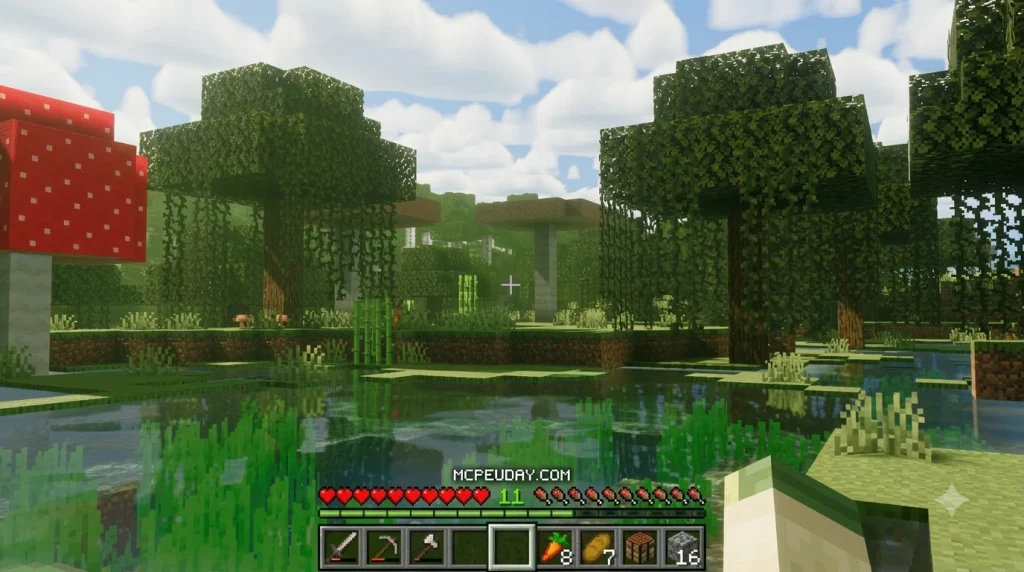
The BSLB Dreamy Visuals Shader is a lightweight fantasy graphics pack for Minecraft Bedrock Edition. It transforms your worlds with soft golden lighting, glowing water, 3D block textures, and shimmering ores using Bedrock’s built-in Render Dragon engine. Designed specifically to maximize visual fidelity without overburdening budget mobile processors and entry-level graphics cards, it breathes life into standard survival biomes.
To download and run it smoothly on budget hardware in 2026:
- Download the
.mcpackfile (around 22 MB) directly to your mobile device or PC. - Import and activate the pack at the very top of your active resource pack list.
- Enable Deferred Technical Preview in your world experimental settings.
- Adjust your render distance to 8–12 chunks to maintain a smooth 60 FPS on mid-range hardware.
With over 1.4 million downloads across the community, this shader gives you a whimsical storybook aesthetic without demanding expensive ray-tracing hardware or high-wattage desktop GPUs.
I’m UDAY GAMER, and I will guide you through installing, troubleshooting, and optimizing this shader for peak performance on any budget device.
Key Features of the BSLB Dreamy Visuals Shader
Minecraft vanilla textures have remained largely unchanged for years, leaving the default graphics feeling somewhat dated. Inspired by the legacy of the Java Edition classic by Capt Tatsu—which has earned over 90 million downloads—the Bedrock adaptation crafted by HoneyStudios brings that warm, cinematic feel directly to mobile, console, and PC players.
The BSLB Dreamy Visuals Shader bypasses the muddy, overly dark tone found in many hyper-realistic shader packs. Instead, it leans into a storybook fantasy aesthetic that keeps your surroundings bright, clear, and easy to navigate during survival gameplay.
Whimsical Aesthetics and Dynamic Lighting
The core strength of BSLB Dreamy Visuals lies in its environmental lighting overhaul. During sunrise and sunset, desert biomes bathe in a deep golden-hour glow, casting long, soft shadows across the dunes. Snowy mountain peaks and oceans transition into crisp, refreshing blue hues that feel vibrant and clean.
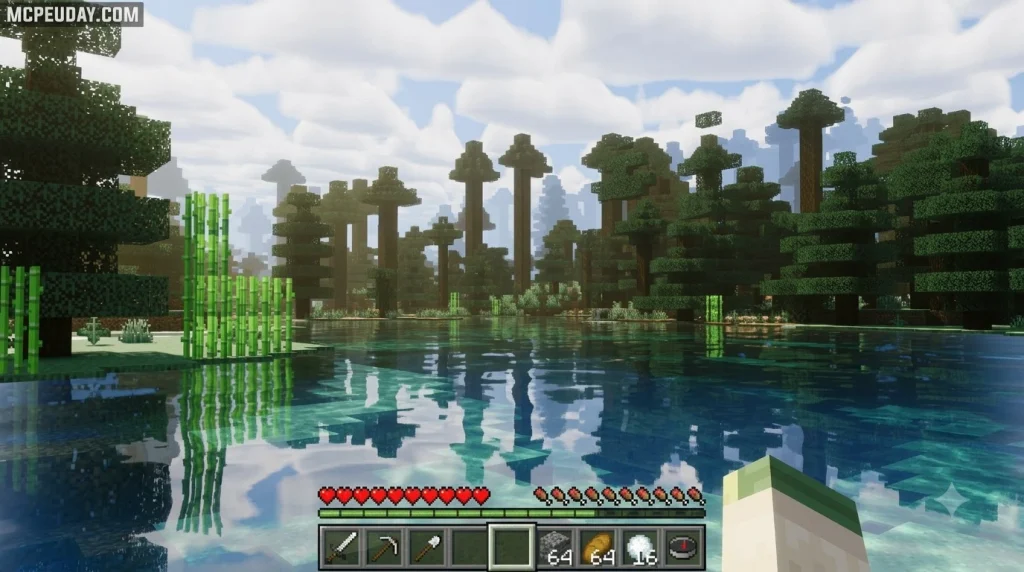
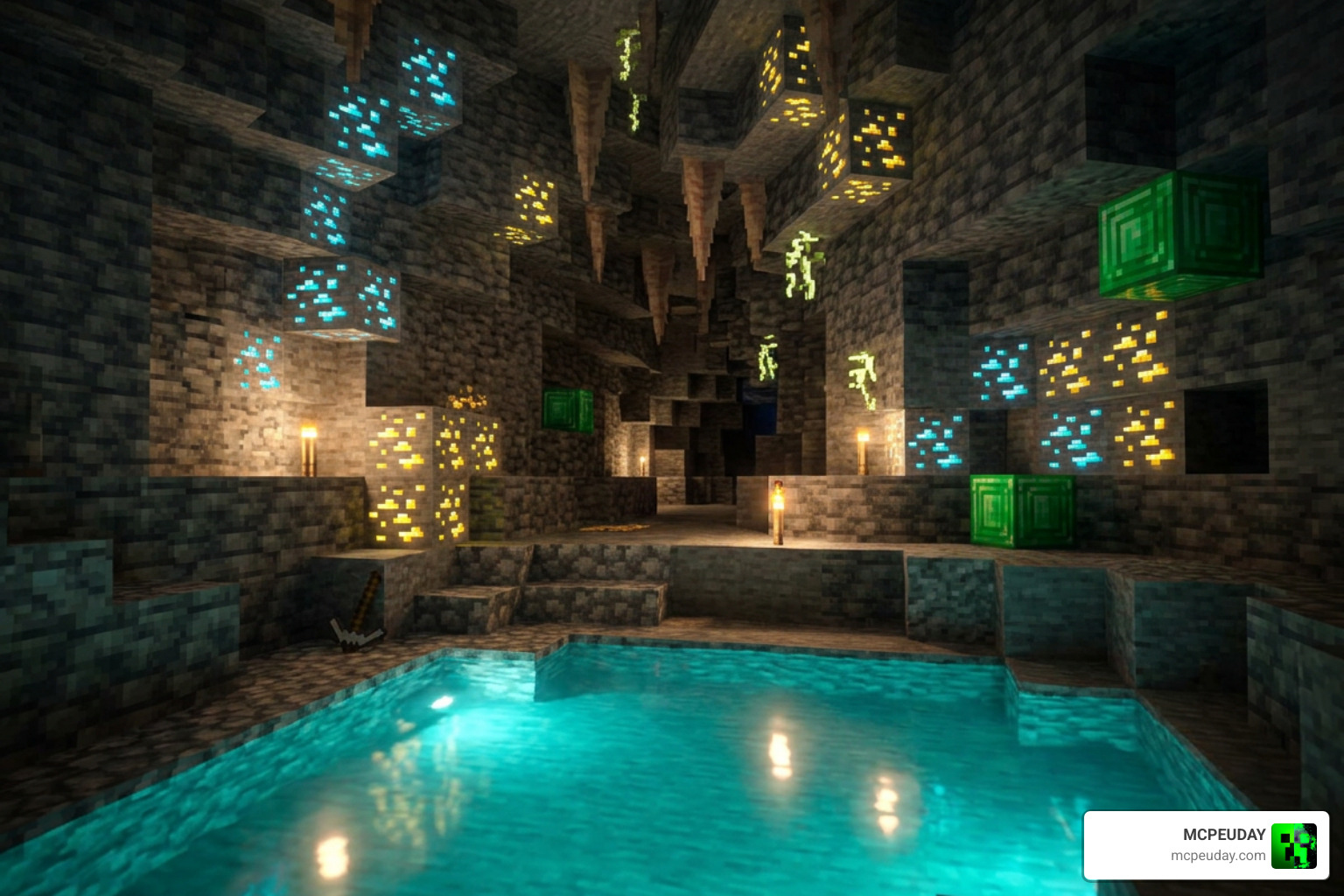
The pack also introduces subtle 3D surface relief through normal maps, giving cobblestone, wood planks, and brick surfaces tactile depth. Light reflects dynamically off wet shorelines and damp cave walls, providing realistic material specular highlights without demanding excessive compute shaders. Underground, ores feature a gentle mineral shimmer, making deepslate mining trips much easier on the eyes. If you appreciate glowing block details, pairing this look alongside our Glow Em All Shader provides a completely transformed cave exploration experience.
Atmospheric Weather and Nether Overhauls
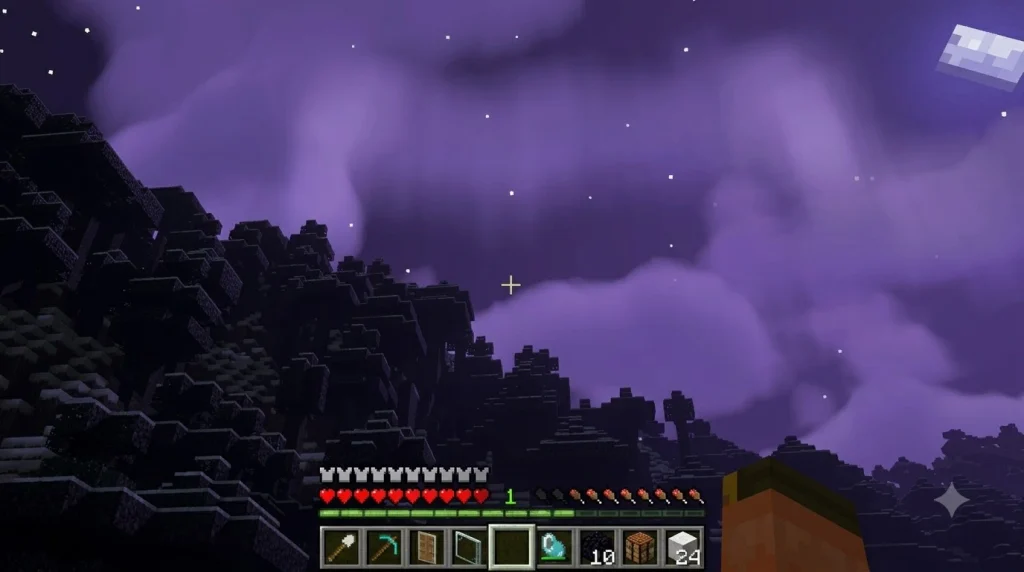
Nighttime visuals in BSLB Dreamy Visuals turn your skybox into an active celestial canvas. Players can spot shooting stars darting across clear night skies alongside vibrant northern lights that illuminate cold biomes.
The Nether dimension receives an equally stunning makeover. Rather than a monotonous reddish fog, the Nether becomes a vivid landscape:
- Crimson Forests display glowing ruby-tinted mist that enhances lava contrast.
- Warped Forests are blanketed in a luminescent cyan haze, creating an alien, fairytale ambiance.
- Lava Oceans emit soft ambient light that interacts naturally with surrounding basalt and netherrack.
- Soul Sand Valleys feature eerie pale cerulean fog that increases immersion while exploring dangerous Nether fortresses.
How to Install Bedrock Shaders on Budget Hardware
Modern Minecraft Bedrock shader packs rely on the Render Dragon graphics pipeline and the Deferred Technical Preview to calculate lighting effects and PBR (Physically Based Rendering) materials. Setting up the shader properly ensures you avoid black screen glitches or texture conflicts, as detailed in the official Microsoft creator documentation for Bedrock graphics workflows.
Step 1: Download BSLB Dreamy Visuals Shader and Import Pack
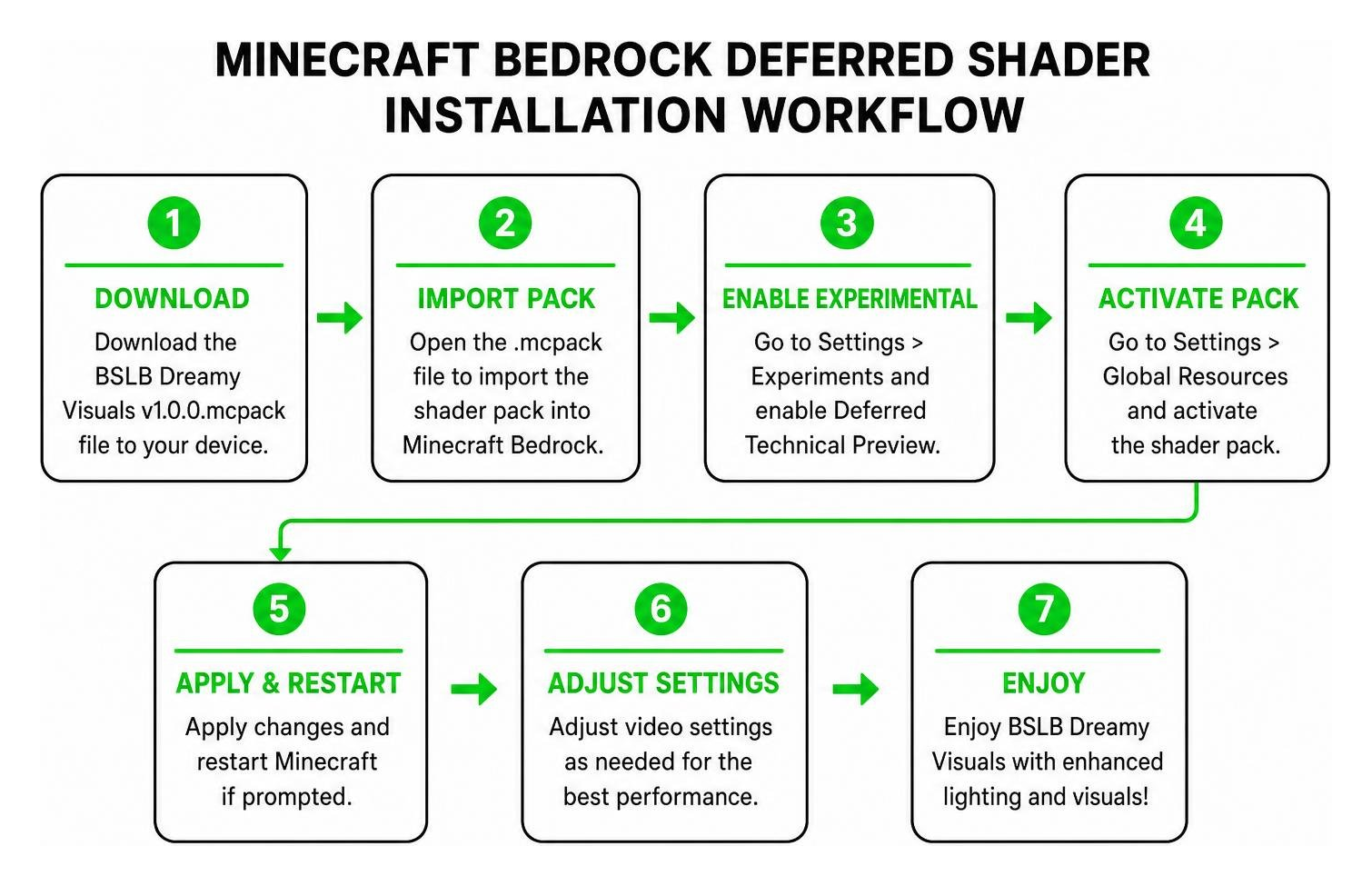
The official file package is compact, weighing in at just 21.93 MB. You can grab the download package directly to your device storage.
- Download the
BSLB Dreamy Visuals v1.0.0.mcpackfile to your device. - Locate the file in your device’s file manager or download folder.
- Tap or double-click the
.mcpackfile. Your device will automatically launch Minecraft Bedrock and begin the import process. - If your file manager opens the file as an archive instead of launching the game, simply rename the file extension to end strictly with
.mcpackand reopen it with Minecraft. - Wait for the top-of-screen notification confirming “Import Successful.”
Step 2: Configure Deferred Technical Preview and Pack Priority
To ensure the custom lighting triggers properly, activate the pack inside your world settings:
- Open Minecraft and select the world you wish to edit, then click the Edit (Pencil) icon.
- Scroll down to the Experiments tab on the left menu.
- Toggle on Render Dragon Features for Creators or Deferred Technical Preview.
- Go to Resource Packs > Available > Owned, select BSLB Dreamy Visuals, and tap Activate.
- Ensure BSLB Dreamy Visuals is placed at the very top of your Active resource pack list so its lighting definitions take priority over any base textures.
- Launch your world, navigate to Settings > Video, and set your graphics mode to Deferred Technical Preview.
Performance Optimization and Shader Comparisons
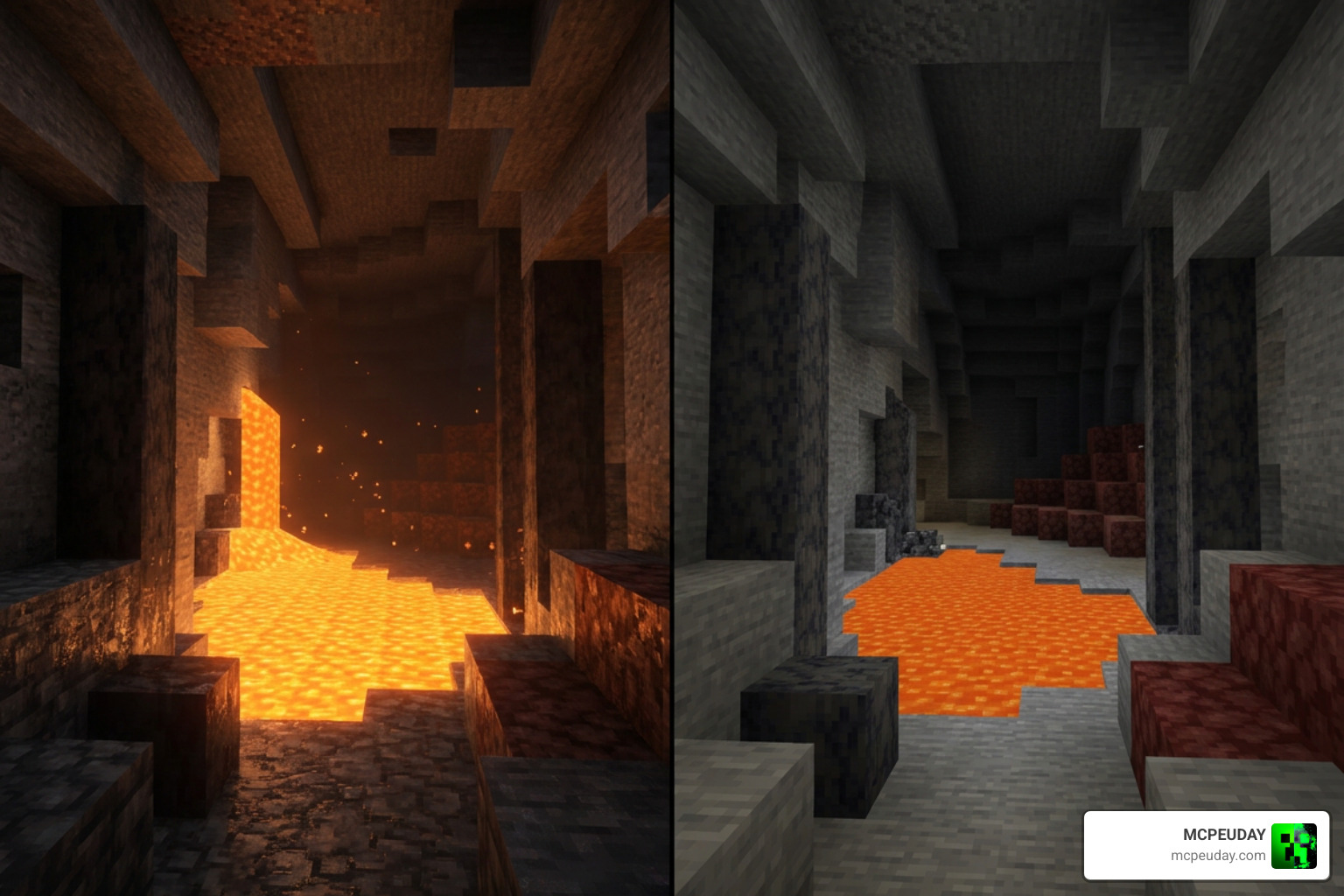
Running deferred rendering on budget hardware requires balancing visual quality with performance limits. While high-end PCs running a DirectX 12 GPU (such as an NVIDIA GTX 1060 or AMD Radeon RX 580) handle the shader effortlessly, mobile chips require precise tuning to prevent framerate dips during heavy rain or dense jungle exploration.
Optimizing BSLB Dreamy Visuals Shader on Low-End Devices
To achieve a stable 60 FPS on mid-range phones equipped with a Qualcomm Snapdragon 855 (Adreno 640 GPU) or MediaTek Dimensity 1000-series processor:
- Lower Chunk Render Distance: Set your render distance between 8 and 12 chunks. Pushing past 14 chunks on budget mobile GPUs causes thermal throttling over extended play sessions.
- Disable Fancy Bubbles and Beautiful Skies: Let the shader’s internal skybox handle celestial rendering while saving GPU overhead.
- Turn Down Anti-Aliasing: Lowering in-game Anti-Aliasing (MSAA) from 4x to 2x or 1x dramatically lowers memory bandwidth pressure without a noticeable loss in sharpness on smaller mobile screens.
- Maintain Free RAM: The deferred pipeline requires at least 4GB of system RAM. Close background social media and media apps before launching Minecraft.
- Pair with Fog Packs: If you encounter horizon rendering lag, pairing this setup with lightweight fog subpacks helps mask distant chunk loads cleanly.
Comparing BSLB Dreamy Visuals with Budget Alternatives
Depending on your aesthetic preference and hardware, several other packs offer distinct visual balances:
| Shader Name | Primary Aesthetic | Target Performance | Recommended Hardware | Key Highlight |
|---|---|---|---|---|
| BSLB Dreamy Visuals | Whimsical Storybook Fantasy | 60 FPS (8–12 Chunks) | Mid-range mobile (Snapdragon 855) / Budget PC | Shimmering ores, glowing water, northern lights |
| Vibrant Legacy Rewrite | Warm Cinematic Realism | 45–60 FPS | Mid-to-high mobile / Dedicated GPU PC | Deep contrast, enhanced sun shafts |
| Luminous Dreams | Ultra-Soft Dreamcore | 60 FPS | Entry-to-mid mobile (Snapdragon 700 series) | Pastel color palettes, subtle caustics |
If you want a bolder, high-contrast look for cinematic builds, explore our guide on the Vibrant Legacy Rewrite Shader. For players who prefer ultra-soft pastel tones with minimal battery draw, the Luminous Dreams Shader serves as an excellent companion choice.
Frequently Asked Questions About BSLB Dreamy Visuals
Can I run BSLB Dreamy Visuals on low-end mobile devices?
Devices equipped with less than 4GB of RAM or older processors (like the Snapdragon 600 series or older Mali GPUs) will likely experience frame drops below 25 FPS under the Deferred Technical Preview engine. If you are on an entry-level smartphone, lower your render distance to 6 chunks, turn off in-game particle effects, and lower your resolution scale in world video settings to maintain playable framerates.
Does BSLB Dreamy Visuals work alongside custom texture packs?
Yes. BSLB Dreamy Visuals functions smoothly alongside most third-party texture packs and UI addons. To avoid lighting conflicts or texture glitches, always place BSLB Dreamy Visuals at the very top of your active resource pack list in your world settings. This priority ensures that the shader’s material maps and custom lighting definitions override standard vanilla rendering.
What should I do if my screen turns black after activating the shader?
A black screen usually means the Deferred Technical Preview experiment was not enabled or your device GPU drivers do not support DirectX 12 / Vulkan deferred passes. Check your world experimental toggles, verify that graphics mode is set to Deferred Technical Preview under Video settings, and restart Minecraft to refresh the graphics cache.
Are there any licensing or usage restrictions for this shader?
The pack is completely free to download and use for personal gameplay. If you showcase the shader in YouTube videos, streams, or community showcases, credit HoneyStudios and link back to the official download source. Modifying the .mcpack files for unauthorized public redistribution is strictly prohibited.
Conclusion
BSLB Dreamy Visuals bridges the gap between performance-friendly vanilla gameplay and high-end fantasy lighting. By taking advantage of Bedrock’s modern Render Dragon deferred pipeline, you can enjoy shimmering underground ores, rich biome-specific fog, tactile 3D relief blocks, and dynamic glowing water without investing in a costly gaming rig.
Whether you are wandering through glowing Warped Forests or designing cozy medieval villages under starlit skies, this lightweight shader pack offers the perfect balance of aesthetic charm and silky-smooth framerates across mobile and PC platforms.
Ready to explore even more graphical overhauls for your world? Check out our curated roundup of the Best Shaders For Mcpe 1 21 2026 Top 3 Realistic Minecraft Pe Shaders to find the perfect visual pack for your next survival adventure!
