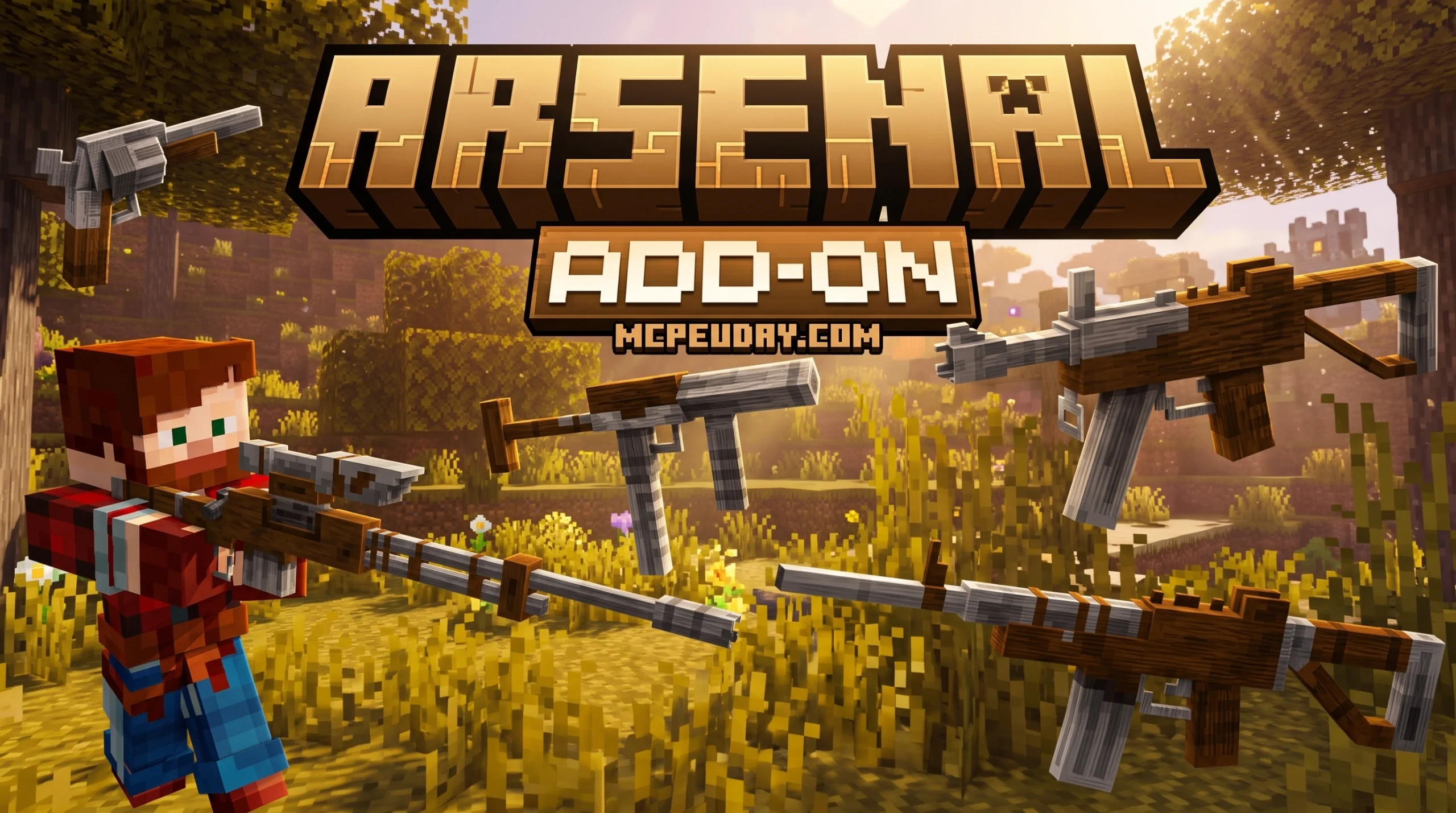
The Easiest Way to Download the Arsenal 3D Guns Addon
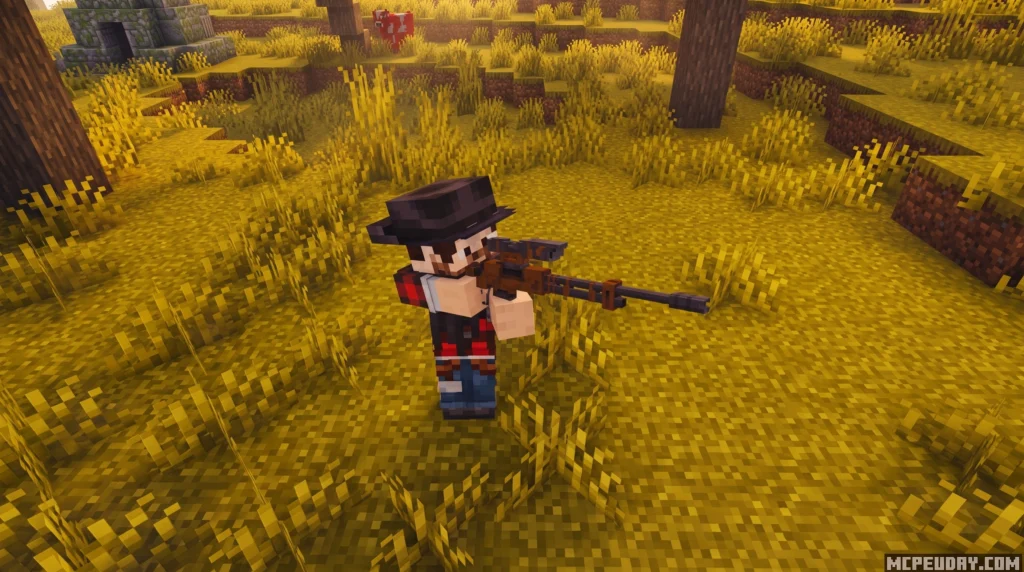
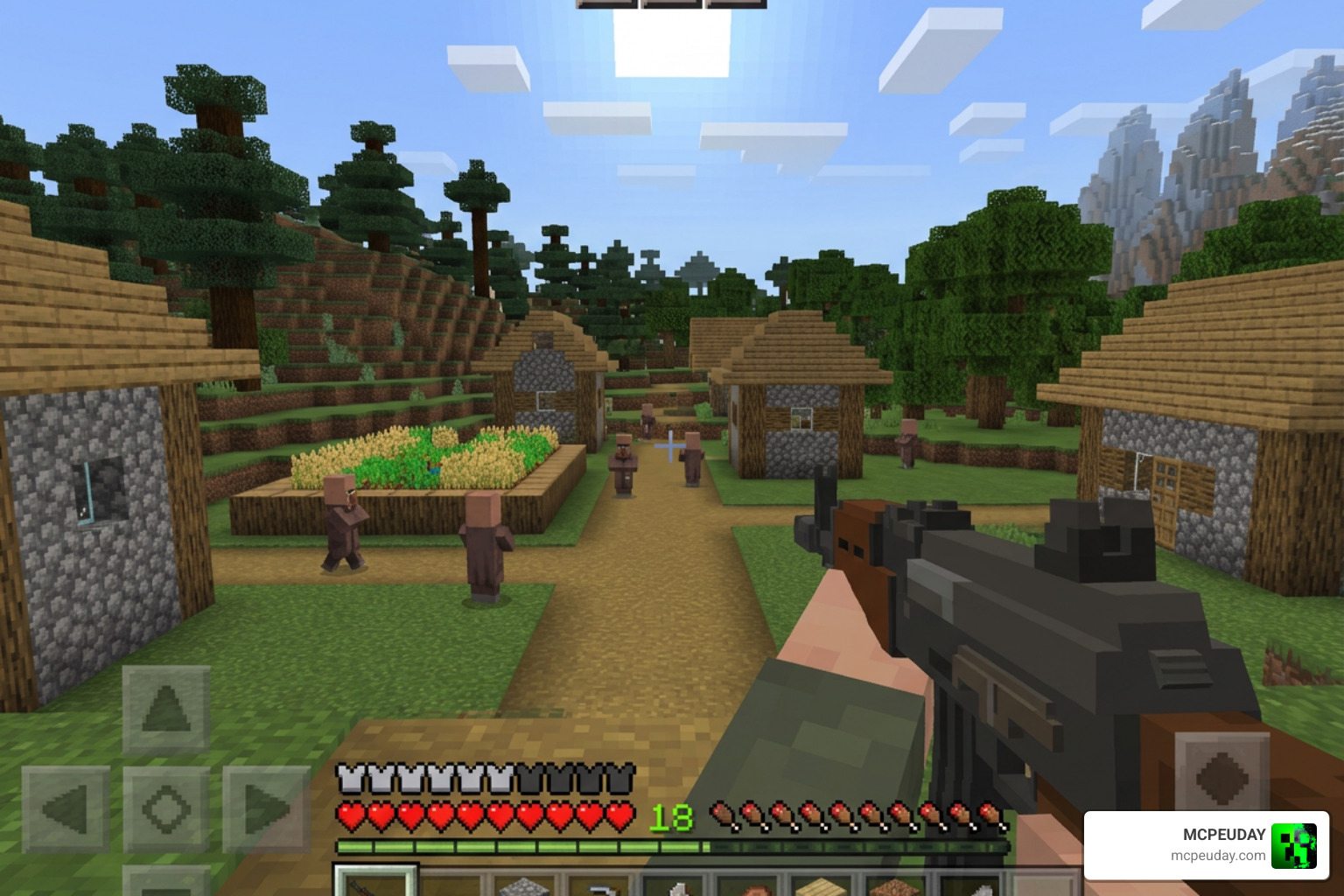
The Arsenal 3D Guns Addon is one of the most downloaded gun mods for Minecraft Bedrock Edition, with over 249,000 downloads and a 4.1 out of 5 rating from the community.
Here’s how to get it fast:
- Go to a Minecraft Bedrock addon site (like MCPEUDAY) and find the Arsenal 3D Guns Addon download page
- Download the
.mcaddonfile (file size is under 1 MB, so it’s quick) - Open the file — Minecraft will import it automatically
- Activate both the behavior pack and resource pack in your world settings
- No experimental features required — just launch and play
That’s it. No complicated setup. No extra toggles.
If you’ve ever tried to add guns to Minecraft Bedrock, you know the struggle. Some mods break your world. Others need a long list of experimental settings just to load. Many conflict with addons you already have installed.
Arsenal 3D Guns changes that. It’s built to be lightweight and compatible, so it works alongside your existing setup without blowing anything up — figuratively speaking. (Well, the guns do blow things up. That’s kind of the point.)
Whether you want to defend your survival base, set up a PvP arena, or just shoot stuff with a sniper rifle, this guide walks you through everything — from downloading the file to firing your first shot.
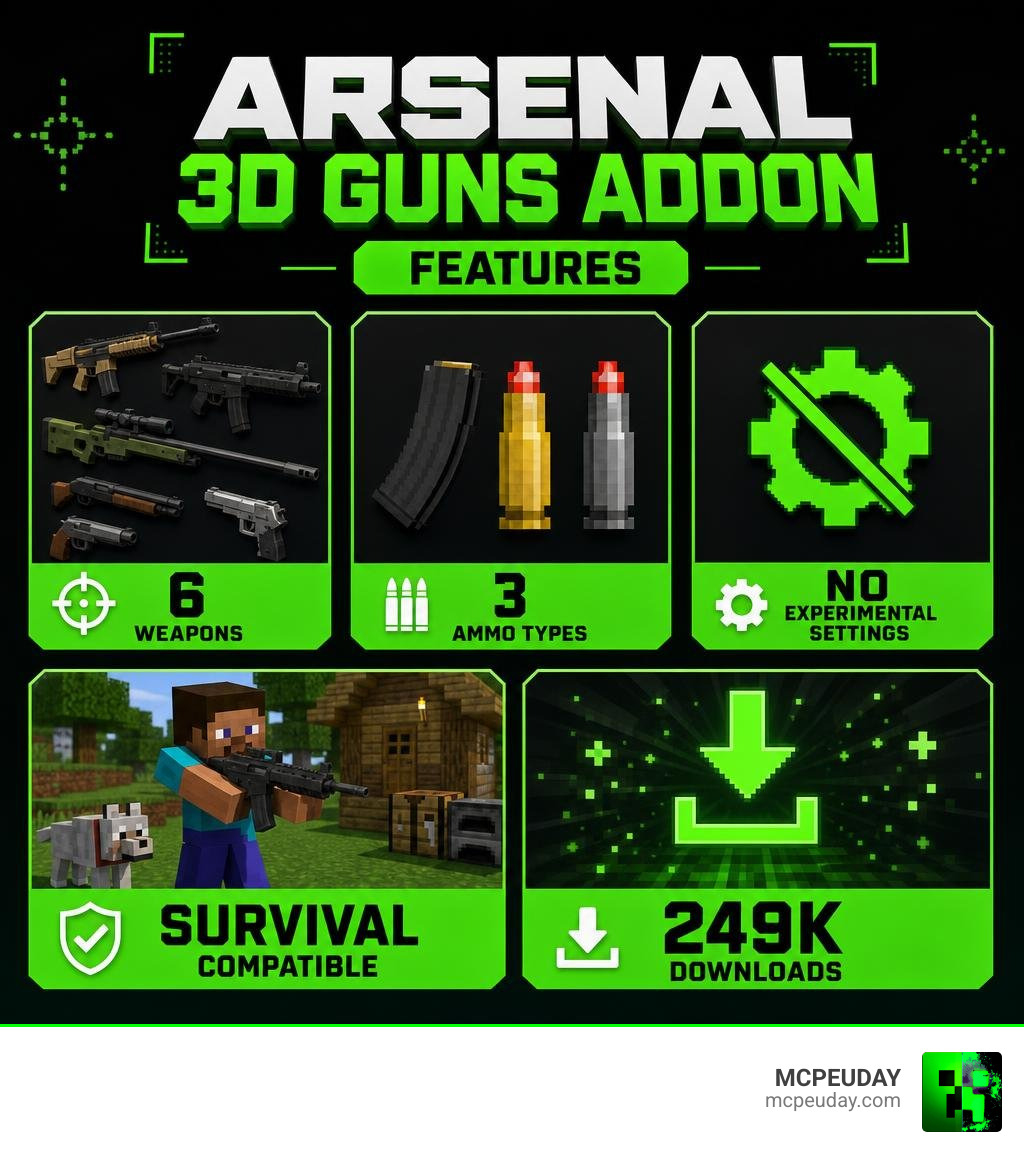
What is the Arsenal 3D Guns Addon?
The Arsenal 3D Guns Addon is a lightweight, high-quality weapon pack designed specifically for Minecraft Bedrock Edition. Developed by EndDev Studio, this addon aims to bridge the gap between action-packed shooter gameplay and the classic blocky charm of Minecraft.
Unlike massive modpacks that completely rewrite how the game works, Arsenal takes a conservative, polished approach. It introduces a small but focused selection of 3D firearms that look incredibly detailed while strictly maintaining a vanilla-friendly aesthetic.
The biggest selling point of this addon is its technical design. To ensure smooth performance on mobile devices, consoles, and lower-end PCs, the developers designed it to avoid modifying core system files like player.json, item.json, or player.entity.json. This makes it exceptionally stable and easy to run alongside other addons.
If you are new to Minecraft Bedrock modding, it helps to understand that Bedrock addons usually rely on behavior packs and resource packs rather than the same mod loaders used by Java Edition. You can read more about the platform itself in the community-maintained overview of Minecraft Bedrock Edition. That difference is exactly why a simple .mcaddon import is so useful: it lets players on supported Bedrock devices add new content quickly without manually moving folders or editing game files. Arsenal fits that approach very well because it focuses on clean installation, low file size, and practical survival gameplay instead of complicated setup steps.
Key Features and Weapon List
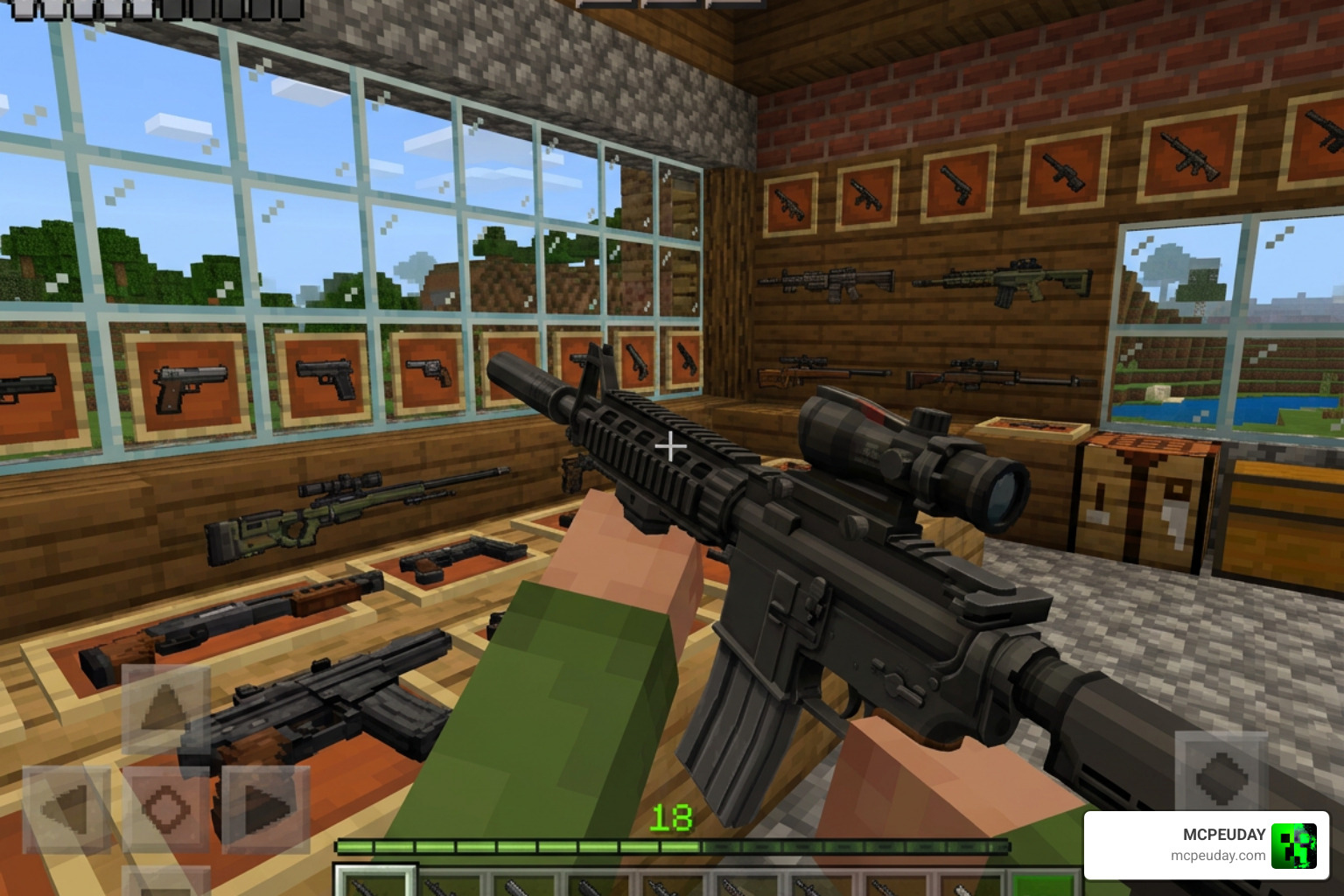
When you download the Arsenal 3D Guns Addon, you aren’t just getting static items that shoot generic projectiles. You get fully animated, beautifully modeled 3D firearms. Each weapon features custom reload animations, realistic draw sequences, and dynamic muzzle flash effects when fired.
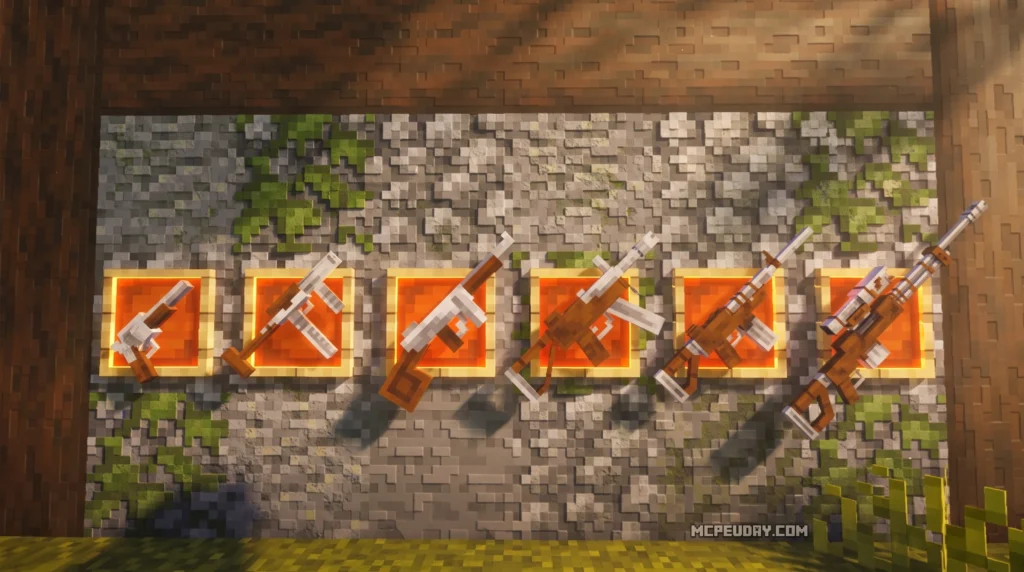
Here is the complete weapon list included in the addon:
- Revolver: A reliable, fast-acting sidearm. It deals solid damage and is perfect for quick self-defense when a zombie gets too close.
- MAC-10: A rapid-fire submachine gun. It has a high rate of fire but comes with a bit of kickback, making it ideal for close-quarters combat.
- Thompson SMG: The classic “Tommy Gun.” It offers a great balance of ammunition capacity and fire rate, wrapped in a beautiful retro design.
- UMP-45: A modern, tactical submachine gun that provides excellent stability and reliable mid-range damage.
- M4A1 Assault Rifle: The gold standard of assault rifles. It is highly versatile, accurate, and perfect for medium-to-long-range firefights.
- AWM Sniper Rifle: A heavy-duty, bolt-action sniper rifle. It deals massive damage, allowing you to take down targets from afar. To use the scope, simply crouch while holding the weapon.
While the first-person animations are incredibly smooth and immersive, please note that third-person animations during rapid movement have slight visual limitations due to current Bedrock resource pack constraints. However, when holding or aiming the weapons, they still look fantastic in multiplayer scenarios.
Ammo and Reloading Mechanics in the Arsenal 3D Guns Addon
We love how simple the ammunition system is in this addon. Instead of cluttering your inventory with dozens of different bullet types, the Arsenal 3D Guns Addon streamlines everything into three basic categories:
- Pistol Ammo: Used exclusively by the Revolver.
- Assault Rifle Ammo: Used by the MAC-10, Thompson SMG, UMP-45, and M4A1.
- Rifle Ammo: Used by the high-caliber AWM Sniper Rifle.
All weapons and ammunition types can be crafted directly inside a vanilla crafting table, meaning you do not need to hunt down special blocks or set up complex machinery in survival mode. If you are looking for even more weapon variety, you might also enjoy checking out the New 3D Guns Addon 26 X 1 21 Realistic 3D Guns for an alternative take on realistic firearms.
How the Arsenal 3D Guns Addon Compares to Other Gun Mods
When choosing a weapon mod for your Minecraft world, compatibility and performance are just as important as the visual quality of the guns. Here is how the Arsenal addon stacks up against other popular choices:
| Feature / Mod | Arsenal 3D Guns Addon | Other Heavy Gun Mods |
|---|---|---|
| Experimental Settings | Not Required | Required (Often multiple toggles) |
| player.json Modified? | No (High compatibility) | Yes (Frequent conflicts) |
| Survival Integration | Crafted via Vanilla Table | Obtained via Trading/Looting |
| Performance Impact | Extremely Lightweight | Medium to Heavy |
| Aesthetic | Vanilla-Friendly 3D | Ultra-Realistic / Modern |
If you want a highly advanced mod with complex mechanics like bullet ricochet, damage drop-off, and villager trading systems, the Actual Guns 2 Addon 1 21 Realistic 3D Guns Mod For Mcpe is an outstanding alternative. However, if your goal is a lightweight, conflict-free experience that works out of the box, Arsenal is the clear winner.
Step-by-Step Installation Guide for Minecraft Bedrock
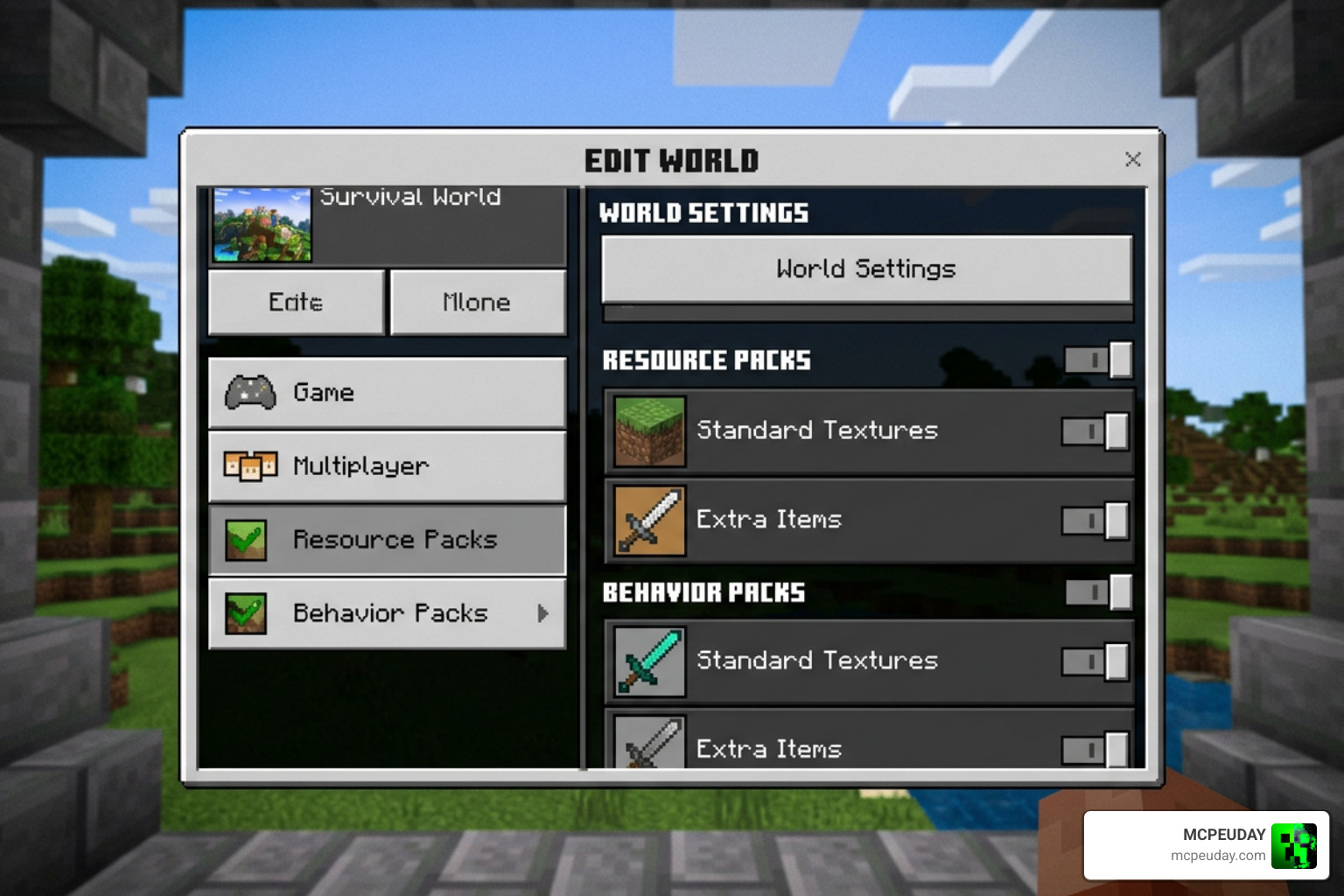
Installing the Arsenal 3D Guns Addon on your device is incredibly straightforward because it does not rely on experimental toggles. Follow these simple steps:
- Download the Addon: Get the official
.mcaddonfile from a trusted source like MCPEUDAY. - Import to Minecraft: Double-click or tap the downloaded
.mcaddonfile. Minecraft Bedrock will open automatically and display an “Import Started” message at the top of your screen. - Create or Edit a World: Go to your world settings menu.
- Activate Resource Pack: Scroll down to the “Resource Packs” tab, find “Arsenal | 3D Guns,” and click “Activate.”
- Activate Behavior Pack: Scroll down to the “Behavior Packs” tab and ensure the addon is activated there as well (it usually activates automatically when you turn on the resource pack).
- Launch Your World: Click play and enjoy your brand-new armory!
Compatibility and Survival Integration
Because the developer avoided editing core player files, you can freely run this addon alongside popular animation overhauls (like Actions & Stuff) and other gameplay expansions.
In survival mode, you don’t have to worry about searching rare structures just to defend yourself. Simply gather your basic iron, gunpowder, and wood, open your crafting table, and craft your gear. If you are building a custom survival loadout, you can also pair this with the Golden Zero Addon 1 21 Realistic Gun Mod For Mcpe to expand your defensive capabilities.
Frequently Asked Questions About the Addon
Does the addon require experimental gameplay settings?
No! One of the best design choices of the Arsenal 3D Guns Addon is that it operates perfectly without any experimental gameplay toggles. This reduces lag, prevents world corruption, and ensures maximum compatibility with other active mods in your world.
Are there any premium or paid versions of this gun mod?
The core Arsenal 3D Guns Addon is entirely free to download and use. While some other apps on mobile stores might charge subscriptions or use in-app purchases for weapon packs, we always recommend sticking to trusted, free community releases. If you want to check out another high-quality free option, take a look at our True Weapons Addon 1 21 26 X Download Features Guide For Mcpe.
How do you reload weapons in survival mode?
To reload, make sure you have the correct ammunition type in your inventory (Pistol, Assault Rifle, or Rifle Ammo). Hold the empty weapon and use the action key (right-click on PC, or tap and hold the screen on mobile devices). The reload animation will play, and your magazine will be refilled.
Conclusion
The Arsenal 3D Guns Addon is the perfect addition for any Minecraft Bedrock player in 2026 who wants to spice up their survival gameplay without dealing with complicated setups, lag, or mod conflicts. Its lightweight design, vanilla-friendly 3D models, and straightforward crafting recipes make it an absolute must-have.
Ready to explore even more combat options? Check out our curated list of the 5 Best Minecraft Bedrock Gun Mods For Survival Pvp 2026 to find the perfect fit for your next multiplayer session!