Scroll down to D0vvnl0ad
A Softer Look for Minecraft Bedrock
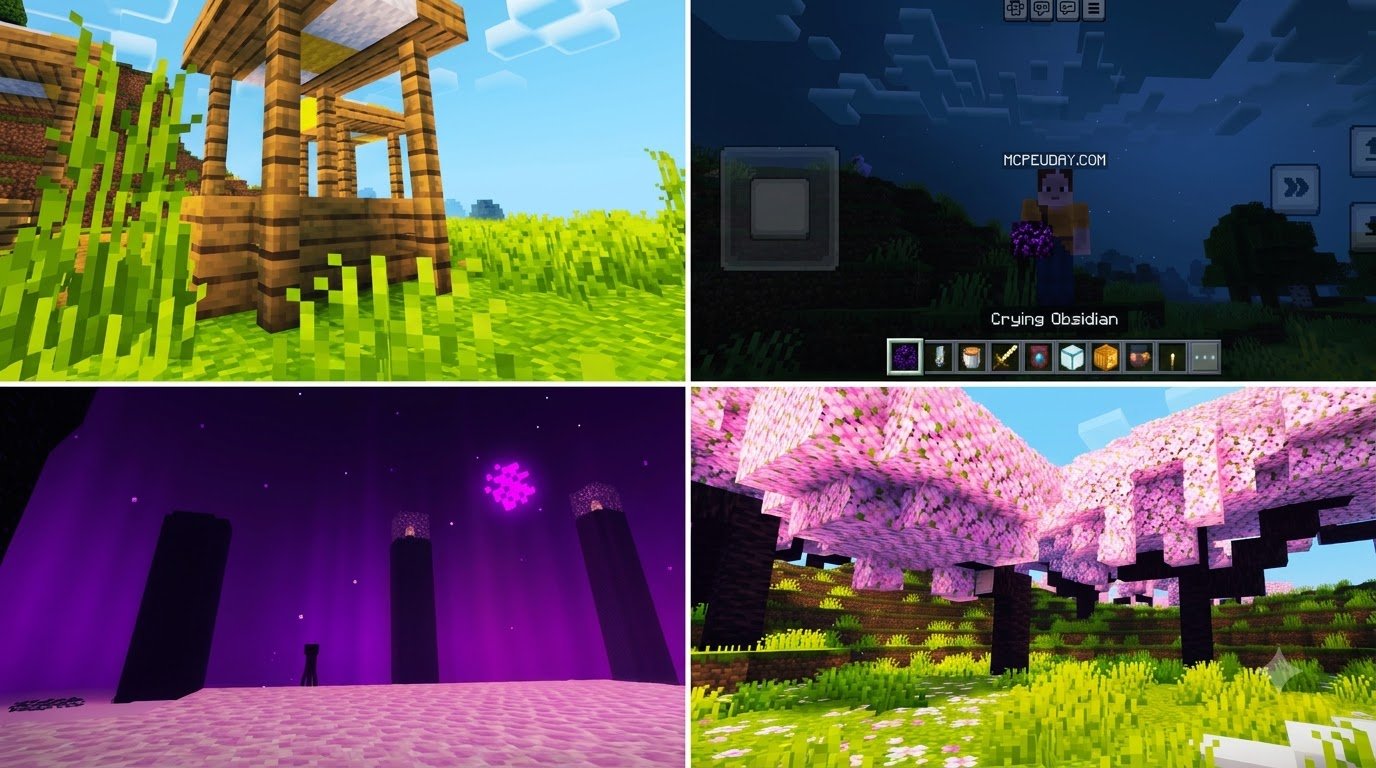
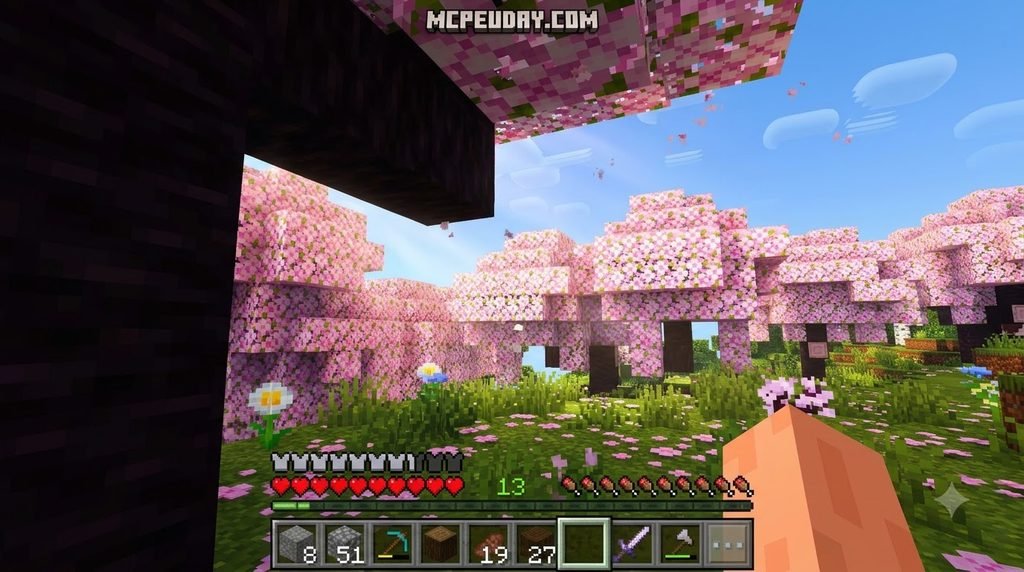
Newb X Golden Legacy Shader for Minecraft PE/Bedrock gives your world softer lighting and a more polished, vanilla-style look. To try it, choose a pack built for your Bedrock version, import the .mcpack file, and activate it in Global Resources. On most devices, you will also need a compatible shader loader because Bedrock does not load these custom RenderDragon effects on its own.
The guide below covers version checks, setup on each platform, and settings that can help keep the game running smoothly.
Overview of Newb X Golden Legacy Shader for Minecraft PE/Bedrock
When Mojang introduced the RenderDragon engine across Minecraft Bedrock Edition, it completely transformed how visual assets and shaders operated under the hood. The traditional GLSL and HLSL injection methods that powered older mobile shaders stopped working overnight. To solve this, developers created RenderDragon-native solutions that rebuild visual effects from the ground up.
Among the community favorites, the Newb X Golden Legacy shader pack stands out as an exceptionally polished visual enhancement. Built as an evolution of the iconic Newb Shader family, it captures a warm, nostalgic aesthetic without sacrificing performance. The broader project ecosystem has accumulated over 2.1 million downloads worldwide, driven by files like the lightweight 2.6 MB merged release (newb-x-legacy-15.59-merged.mcpack), which makes high-tier visuals accessible even on budget mobile devices.
The underlying code is publicly accessible on open-source repositories such as devendrn/newb-x-mcbe and community forks like GodsKou/NewbXKou , allowing creators across the globe to tweak materials, build custom presets, and maintain compatibility across changing game updates.
Understanding Newb X Golden Legacy Shader for Minecraft PE/Bedrock
Unlike heavy ray-tracing or path-tracing resource packs that demand high-end desktop hardware, Newb X Golden Legacy focuses on sophisticated tone mapping, ambient color grading, and mathematical material manipulation. It rewires the RenderDragon pipeline to eliminate the harsh, washed-out tint of vanilla Bedrock, replacing it with a soft golden glow during sunrises and sunsets.
Because the underlying core uses an MIT License for its raw development materials, creators frequently release specialized variants. Whether you prefer the gentle atmosphere of the Newb X Unwind Shader or the deep celestial elements found in the Newb X Stars Shader, the Golden Legacy branch remains the gold standard for players who want a balanced, cozy vanilla-plus appearance.
Visual Enhancements: Lighting, Foliage, and Water
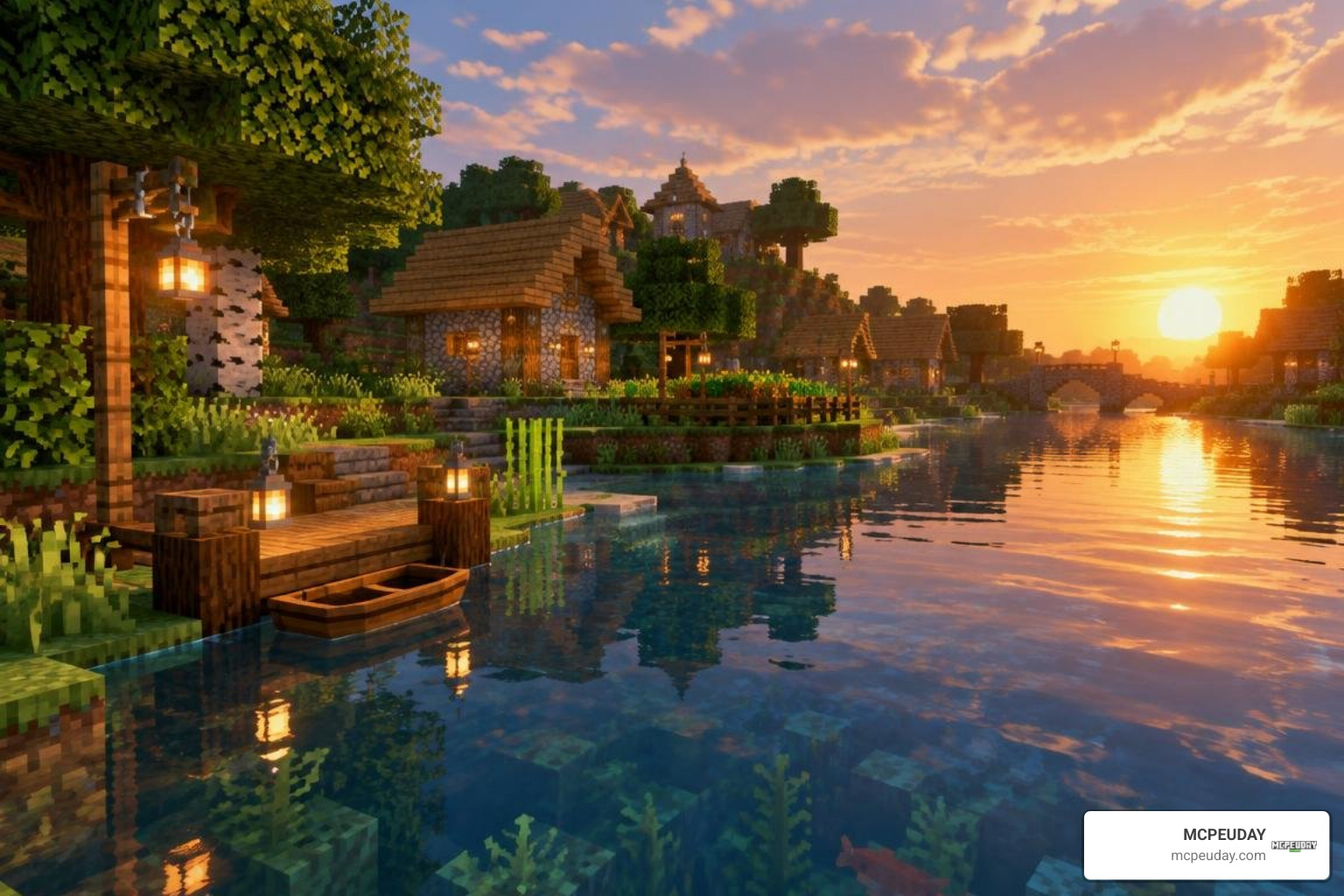
Newb X Golden Legacy completely revitalizes the Overworld, Nether, and End dimensions. Here is what you will notice immediately upon entering your world:
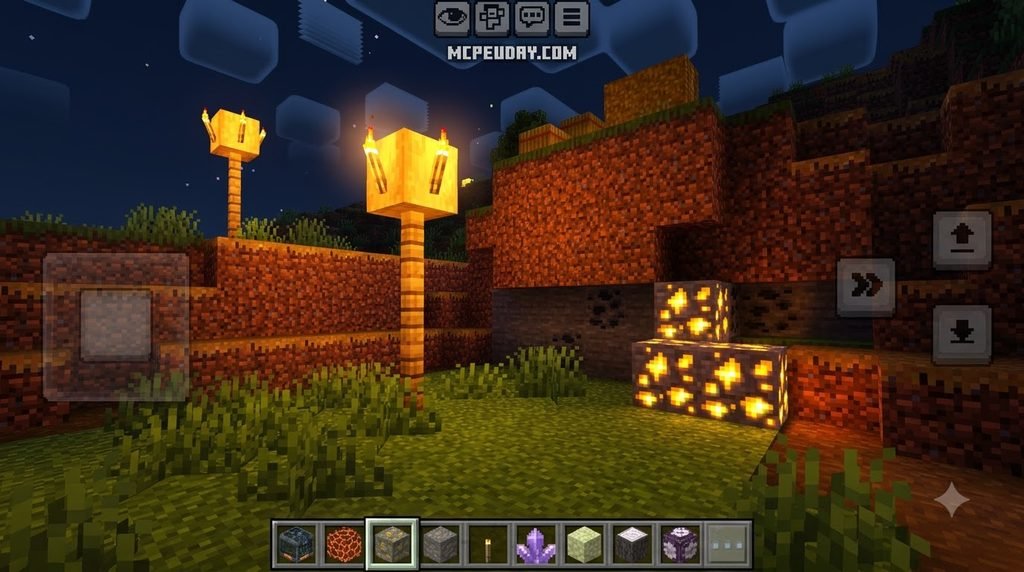
- Warm Dynamic Lighting: Sunlight and moonlight cast realistic color temperatures across blocks. Torches, lava, and glowstone emit a soft, vibrant orange radiance that feels inviting in dark caves.
- Animated Foliage and Lanterns: Tree leaves, tall grass, and crops sway gently in the breeze. Lanterns also swing back and forth—a subtle touch that brings built environments to life.
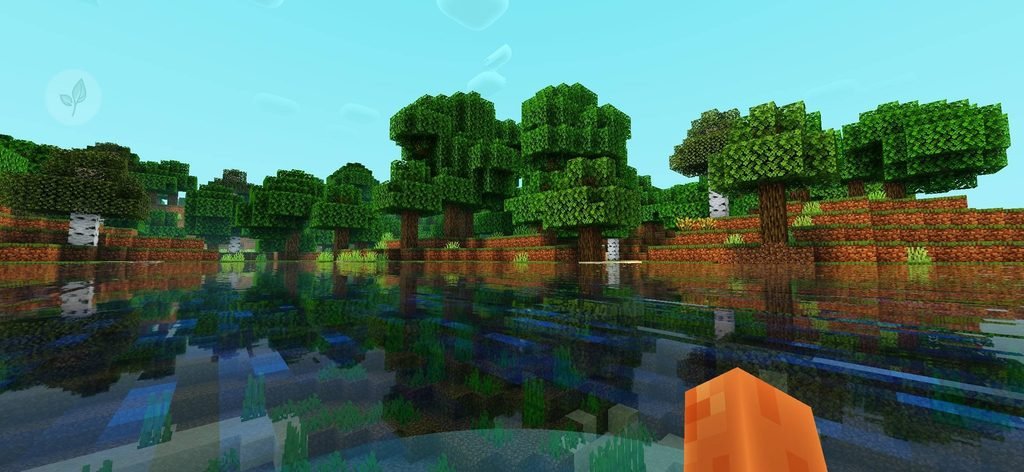
- Reflective Water and Ocean Depth: Water surfaces feature subtle wave distortion, balanced transparency, and clear underwater visibility with realistic light absorption as you dive deeper.
- Vibrant Skyboxes and Auroras: Days feature fluffy, layered clouds, while nights are illuminated by shimmering stars, custom celestial bodies, and dynamic northern lights in cold biomes.
- Glowing Ores and Color Grading: Exposed diamond, redstone, and emerald ores give off a subtle luminescent highlight, making mining expeditions both visually striking and practical.
- Rain and Weather Overhaul: Wet weather introduces reflective ground tones, realistic mist, and smooth fog transitions that enhance immersion without obstructing your field of view.
If you enjoy diverse artistic styles, you can also explore complementary options like the Newb X Daydream Shader for Minecraft PE Bedrock or the ultra-crisp Newb X Lowres Shaders for Minecraft PE MCPE Complete Beginners Guide Installation Settings FPS Tips.
Platform-Specific Installation Guide
Because custom shaders are not natively toggled via standard settings menus in modern Bedrock, loading RenderDragon materials requires a loader or modified client wrapper. The installation path depends on your gaming operating system.
How to Install Newb X Golden Legacy Shader for Minecraft PE/Bedrock on Android and Windows
Android Installation (MB Loader Method)
- Download your preferred version of the shader
.mcpackfile or grab the verified package from the Newb Shader – newb-x-legacy-15.59-merged.mcpack – CurseForge file repository. - Install a compatible RenderDragon loader (such as MB Loader) on your Android device.
- Launch Minecraft through the loader interface to grant necessary storage and material permissions.
- Locate the downloaded
.mcpackfile in your file manager and open it directly with Minecraft to trigger the automatic import process. - In the game main menu, navigate to Settings > Global Resources > My Packs, select Newb X Golden Legacy, and click Activate.
- Move the pack to the very top of your Active list to prevent texture conflicts.
Windows 10 & 11 Installation (Wyvern / BetterRenderDragon)
- Ensure your Bedrock Edition is updated to a supported build (such as 1.21.0 through 1.21.50+).
- Download a RenderDragon-compatible injector such as Wyvern Loader or BetterRenderDragon to enable
MaterialBinLoaderfunctionality. - Double-click the downloaded
.mcpackfile to import it into your game client. - Launch your injector tool before starting Minecraft to hook the custom shader materials into the graphics pipeline.
- Head to Settings > Global Resources, activate the pack, and review our comprehensive tutorial on enabling shaders in Bedrock Edition if you run into injection issues.
Sideloading and Linux MaterialBinLoader Setup
iOS Installation (Sideloaded IPA)
Installing custom RenderDragon shaders on iOS requires sideloading a modified Minecraft IPA using tools like AltStore, Sideloadly, or Scarlet. Inject the shader materials directly into the application container before signing and installing it on your Apple device. That iOS sideloaded certificates must be refreshed every 7 days unless you use a paid developer account.
Linux Setup (mcpelauncher)
For Linux users running Bedrock via mcpelauncher on x86_64 architectures:
- Install the
mcpelauncher-materialbinloader-modpackage into your launcher directory. - Place the compiled material bins or import the
.mcpackinto the game data folder (~/.var/app/io.mrarm.mcpelauncher/data/mcpelauncher/games/com.mojang/resource_packs/). - Launch the game, verify that the mod loads the ESSL/Vulkan materials properly, and activate the pack under Global Resources.
Optimization, Subpacks, and System Requirements
To get the best visual experience without experiencing stutter or thermal throttling on mobile devices, fine-tuning your game settings is essential.
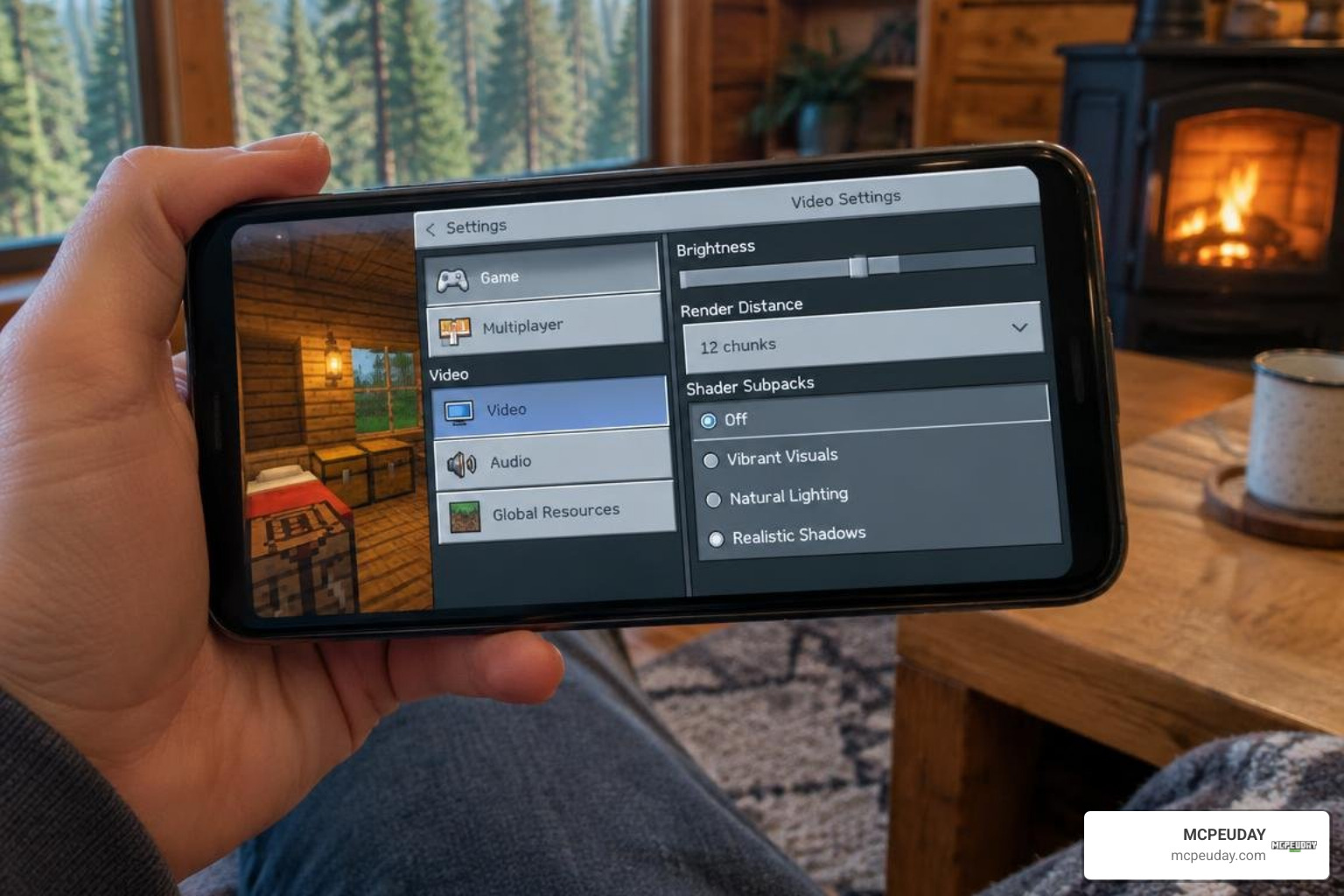
Recommended Video and In-Game Graphics Settings
Once you have activated Newb X Golden Legacy, open Settings > Video and configure these values:
- Brightness: Set between 10% and 50%. Lower brightness levels allow the shader’s custom ambient tone mapping and warm torchlight to stand out.
- Fancy Graphics: ON (Required for leaf transparency and smooth water rendering).
- Smooth Lighting: ON (Essential for soft shadow gradients across blocks).
- Beautiful Skies: ON (Enables custom clouds, sun, moon, and auroras).
- Render Clouds: ON.
- Render Distance: Adjust based on your hardware:
- Low-End Mobile (2GB–3GB RAM): 6–8 Chunks
- Mid-Range Phones / Laptops: 10–14 Chunks
- Desktop PCs: 16–24+ Chunks
Using Shader Subpacks
In the Global Resources menu, click the Gear Icon next to the active Newb X Golden Legacy pack. Here you can choose specific subpack presets such as “No Wave, No Fog” or “Default Wave”. Selecting the lightweight subpack turns off vertex wave animations on foliage and removes dense fog calculations, boosting framerates on entry-level smartphones.
If you are looking for other performance-optimized shaders, you might also like the ultra-smooth Newb X Ambient Shader for Minecraft PE Realistic Lighting Smooth Shadows FPS Friendly or the classic Newb X Super Vanilla Shader for Minecraft Best Vanilla Shader 2026.
System Requirements and Conflict Troubleshooting
To ensure a stable 60 FPS experience, confirm that your device meets these hardware baselines:
Fixing Common Resource Pack Conflicts
- Black Screen or Missing Textures: Ensure Newb X Golden Legacy is positioned at the very top of your Active Resource Packs list. Other custom UI or texture packs placed above it can override the game material definitions.
- Shaders Not Showing Up: Double-check that your loader version matches your exact Minecraft Bedrock build number. When Minecraft updates to a new minor patch, loaders must be updated to hook into the new game binaries.
- Stuttering and Lag Spikes: Lower your in-game render distance and select the Low-End / No Wave subpack within the pack configuration settings.
For dedicated low-end builds, checking out alternatives like the Newb X Ale Shader for Minecraft PE Bedrock Best Realistic Shader for Low End Devices or the lightweight Newb X Amethyst Shader Best Lightweight Shader for Minecraft PE MCPE can also help maximize your framerates.
Bedrock Shader Comparison and Performance Benchmarks
To see how Newb X Golden Legacy stacks up against standard Bedrock visuals and other community packs, take a look at our quick performance breakdown:
| Shader / Profile | Average FPS (Budget Mobile) | Average FPS (Mid PC) | Visual Aesthetic | Memory Usage | Foliage Animation |
|---|---|---|---|---|---|
| Vanilla RenderDragon | 60 FPS | 144+ FPS | Flat, Standard Bedrock | Baseline (~450 MB) | None |
| Newb X Golden Legacy | 52–58 FPS | 140+ FPS | Soft Warm, Glowing Ores | Low (+35 MB) | Yes (Configurable) |
| Newb X Unwind | 50–55 FPS | 135+ FPS | Relaxing, Deep Sunset Hues | Low (+40 MB) | Yes |
| Newb X Stars Edition | 48–54 FPS | 130+ FPS | Dramatic Night Sky, Auroras | Moderate (+55 MB) | Yes |
| Heavy Ray-Tracing (RTX) | N/A (Incompatible) | 45–75 FPS | Photorealistic Shadows | High (+1.2 GB) | Game Engine Native |
Frequently Asked Questions About Newb X Golden Legacy
Is Newb X Golden Legacy Shader free to use and what is its license?
Yes, Newb X Golden Legacy is completely free to download and use. The underlying source code is shared under the permissive MIT License, which allows developers to study, build, and adapt material shaders for personal learning. However, official compiled .mcpack releases and custom visual textures retain an All Rights Reserved copyright for non-commercial community distribution.
Which Minecraft Bedrock versions are supported in 2026?
The pack is designed to support Minecraft Bedrock version 1.21 through 1.26 and newer releases. Merged packages maintain backward compatibility for version branches from 1.21.20 up to 1.21.50+. Always make sure your material loader or patched client matches the active Bedrock build installed on your device.
Why are custom shaders not displaying after installation?
If your world looks completely vanilla even after activating the pack, the issue is almost always related to the material loader. Because modern Bedrock uses the RenderDragon engine, simply importing an .mcpack without using an injection tool (such as MB Loader on Android or Wyvern on Windows) will cause the game to ignore custom material binaries. Ensure your loader is active and running alongside Minecraft.
Conclusion
The Newb X Golden Legacy Shader for Minecraft PE/Bedrock remains one of the finest visual upgrades for players seeking a warm, atmospheric, and performance-friendly survival experience. By pairing soft lighting, dynamic water, and swaying foliage with a lightweight 2.6 MB footprint, it breathes new life into Bedrock Edition across Android, Windows, and Linux.
For more guides, shader showcases, and curated Bedrock content, explore our complete shader pack directory, or learn how to take your atmospheric depth even further with our guide on the Enhanced Fog Shader. Stay updated, fine-tune your subpacks, and enjoy exploring your newly transformed Minecraft world!
