
The Biomes of Plenty mod is a massive world-generation overhaul that replaces standard vanilla hills and plains with dramatic cliffs, lush rainforest canopies, volcanic wastelands, and mystical groves across every dimension. It dynamically blends these custom environments into the Overworld, Nether, and End, giving each new world a richer, more varied landscape for exploration and building. With over 224 million downloads on CurseForge since its release on June 9, 2013, this mod stands as one of the most celebrated world-generation overhauls in Minecraft history. Maintained by dedicated creators with hundreds of updates leading up to 2026, the mod introduces rich environmental diversity to every dimension.
Vanilla world generation often suffers from repetitive terrain and predictable biome borders. Biomes of Plenty tackles this by introducing intricate noise maps, varied elevation curves, and realistic climate distribution that transition naturally from arid deserts to frozen peaks. If you play on mobile or console, you can achieve a similar environmental overhaul on Bedrock Edition using the Expansive Biomes Addon 26.x 1.21 MCPE Bedrock Mod.
Core Technical Requirements and Dependencies
Running the mod smoothly requires specific companion libraries. For modern Minecraft releases (including 1.20.4 and newer), you must install two main dependencies:
- TerraBlender: Handles seamless biome blending, climate zones, and parameter-driven world generation so multiple modded biomes coexist without harsh chunk boundaries.
- GlitchCore: Provides core backend architecture, shared library functions, and essential registry utilities for modern mod loaders.
The mod natively supports Forge, Fabric, and NeoForge, allowing seamless integration into diverse modpack environments. When setting up a multiplayer server, configure your server settings appropriately to ensure custom terrain generates correctly:
- Minecraft 1.18+: TerraBlender handles world generation automatically under the standard default level-type, requiring no manual changes in configuration files.
- Minecraft 1.15 to 1.17: Set level-type=biomesoplenty in your server.properties file.
- Minecraft 1.12.2 and older: Set level-type=BIOMESOP in your server.properties file.
Comparing Biomes of Plenty Across the Overworld, Nether, and End
The mod spreads over 50 unique environments across all three primary dimensions. The Overworld receives sweeping botanical upgrades, the Nether gains dangerous crystalline and visceral zones, and the End transforms into an eerie outer-dimensional wilderness filled with void hazards.
| Dimension | Key Biomes | Signature Materials & Flora | Environmental Hazards / Perks |
|---|---|---|---|
| Overworld | Alps, Rainforest, Volcano, Mystic Grove | Fir Wood, Black Sandstone, Wildflowers | High vertical terrain, dense canopies, lava pools |
| Nether | Crystalline Chasm, Visceral Heap, Withered Abyss | Rose Quartz, Flesh Blocks, Bone Spines | Low visibility, hazardous terrain drops, wither status |
| The End | Null Bluffs, Celestial Pores, Chorus Thicket | End-infused flora, Void Crystals | Void hazard cliffs, low gravity jumping pads |
Exploring Unique Flora, Building Materials, and Crafting Systems
Exploration directly rewards builders and survivalists. The mod features over 288 unique crafting recipes and 3 smelting recipes, providing an extensive catalog of decorative and functional items tailored for creative builders and hardcore survivors alike.
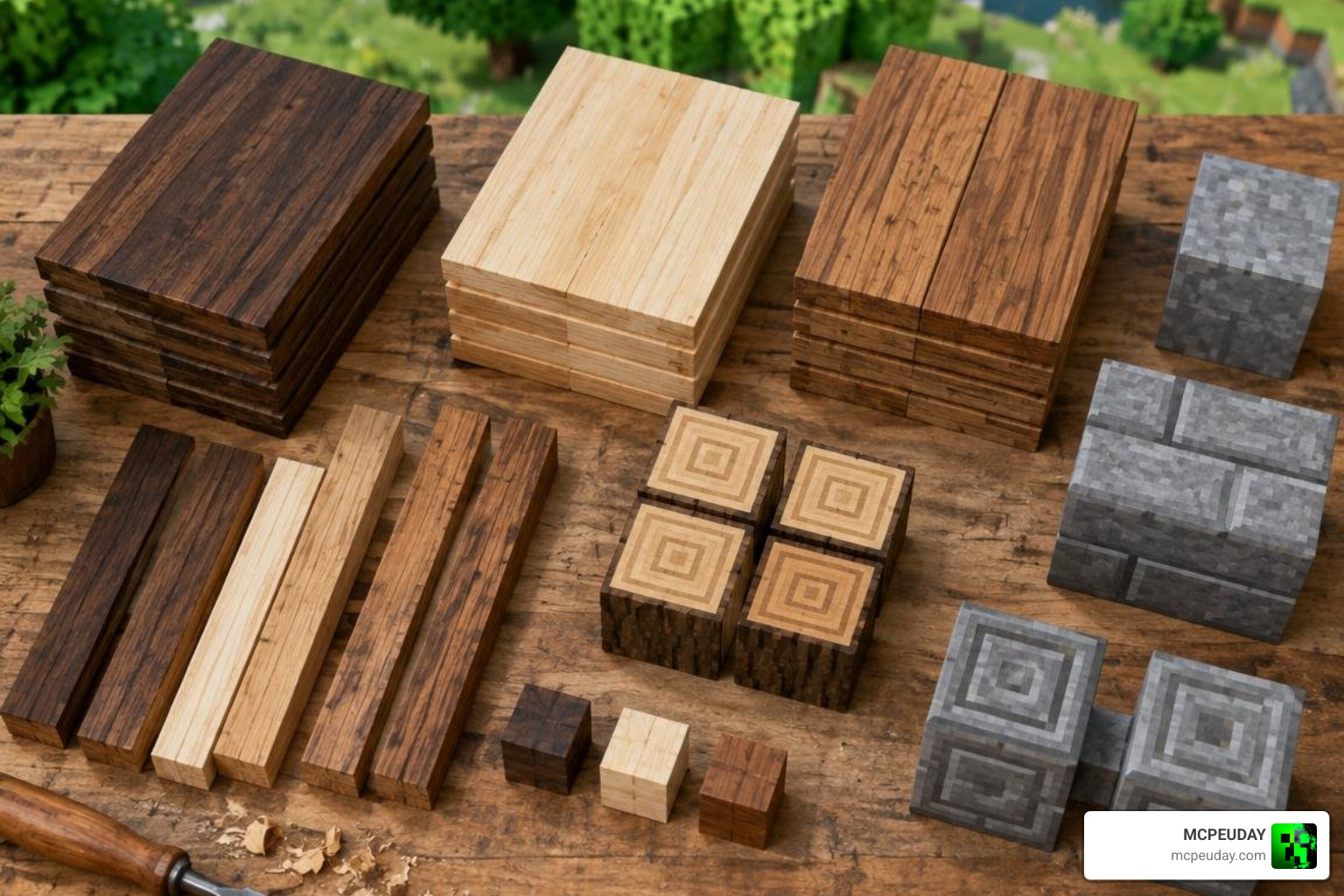
If you love detailed visual enhancements, pairing these blocks with resource packs like the Nature Expansion Texture Pack or leafy upgrades like the Better Bushy Leaves Addon creates dense, picturesque landscapes with rich organic depth.
Custom Building Blocks and Wood Types in Biomes of Plenty
The mod introduces distinctive wood species and building blocks that fit every architectural style:
- Dead Wood: Harvested in dry, barren biomes. Ideal for spooky, weathered, ruined castles, or post-apocalyptic builds.
- Empyreal Wood: Sourced from high-altitude or magical forests, offering ethereal, pale hues that pair cleanly with quartz and prismarine.
- Fir Wood: A towering conifer timber that provides rich, dark tones for alpine cabins, rustic lodges, and mountain fortresses.
- Black Sandstone: A dark architectural stone found in volcanic regions, complete with smooth, carved, chiseled, and stair variants.
Every wood type supports a complete recipe set, enabling you to craft matching doors, trapdoors, fences, fence gates, pressure plates, buttons, slabs, stairs, boats, and hanging signs. This comprehensive support ensures your decorative builds maintain a consistent visual palette across interior and exterior spaces.
Foliage, Agriculture, and Natural Aesthetics
Beyond timber, the mod revitalizes ground cover, foliage, and underbrush. You can harvest Flower Petal Blocks for colorful dye production, unique garden plots, or vibrant park paths. Custom saplings allow you to grow massive willow, redwood, jacaranda, and maple trees right next to your home base, producing distinct leaf litter and falling particle effects.
For players who enjoy agricultural and visual overhauls, combining these features with the Crops Overhaul Addon and the Better Foliage Addon Texture Pack 26.x 1.21 MCPE Bedrock Mod Texture Pack brings fields and forest canopies to life with realistic wind movement and rich crop varieties.
World Exploration, Dungeon Generation, and Biome Tag Mechanics
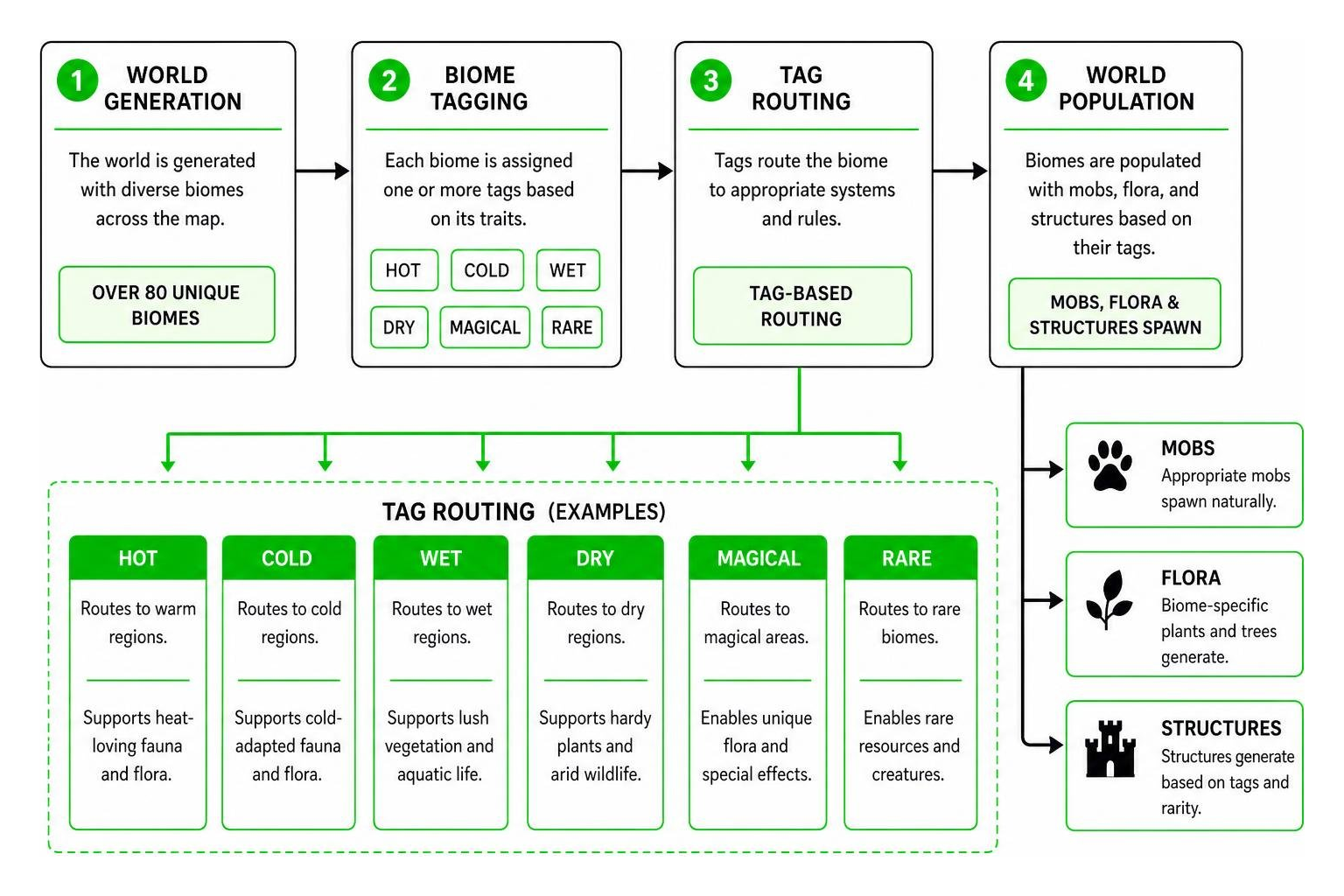
Under the hood, the mod organizes its world using a comprehensive tag taxonomy. By consulting official community resources like the Biomes O’ Plenty Wiki, modpack creators and server admins can control how ecosystems interact and manage custom world rules.
Biome tags include climate classifiers such as HOT, COLD, WET, and DRY, as well as rarity tags like MAGICAL, SPOOKY, and RARE. These tags determine where mobs spawn naturally and how custom structures generate across the world, ensuring thematic balance.
You can expand underground exploration and surface discoveries by pairing your world with the More Simple Structures Addon 26.x 1.21 MCPE Bedrock Mod or conquering deeper subterranean combat encounters with the Dungeon Raiders Addon.
Survival Gameplay and Discovering Rare Biomes
Certain biomes carry the exclusive RARE tag (with around 15 rare biomes in total). Locations like the Mystic Grove, Lavender Fields, and Origin Valley offer valuable resources, including unique potion ingredients, glowing flora, rare gems, and abundant passive wildlife.
Locating these biomes gives survival players an edge during the early and mid-game stages. Check out our breakdown on the Best Minecraft Biomes for Hardcore Survival Mode Top Picks 2026 to plan your early-game base and maximize resource efficiency. To make newly discovered regions even livelier, adding the Villages Plus Addon ensures settlements spawn naturally across custom terrain, giving every outpost authentic cultural architecture.
Installation Guide and Compatibility Best Practices for 2026
Setting up the mod correctly ensures smooth frame rates, eliminates mod conflicts, and prevents world generation crashes across singleplayer worlds and dedicated multiplayer servers.

- Install Your Mod Loader: Download and run the latest installer for Forge, Fabric, or NeoForge matching your exact Minecraft version.
- Download Required Dependencies: Place the appropriate version of TerraBlender and GlitchCore into your .minecraft/mods folder.
- Install the Mod: Place the latest Biomes of Plenty .jar file directly into your mods directory without unzipping.
- Allocate Sufficient RAM: In your launcher profile settings, allocate at least 4 to 6 gigabytes of RAM to handle complex world generation smoothy.
- Choose a Compatible World Seed: Launch the game, create a new world, and start exploring. You can test your setup using our curated 10 Perfect Survival Seeds for Minecraft 26.2.
To maximize performance on lower-end systems, pair Biomes of Plenty with optimization mods such as Sodium, FerriteCore, or Embeddium. These mods optimize chunk rendering and memory usage, ensuring high draw distances remain fluid even when traversing dense rainforest canopies.
Frequently Asked Questions About Biomes O’ Plenty
How do you craft Dead Planks and Empyreal Planks?
To craft Dead Planks or Empyreal Planks, place Dead Logs or Empyreal Logs into any standard crafting grid. One log yields four planks. You can then use these planks to craft slabs, stairs, doors, fences, gates, pressure plates, buttons, and hanging signs just like any standard vanilla wood type.
What dependencies are required to run Biomes O’ Plenty in 2026?
For Minecraft version 1.20.4 and newer, the mod requires TerraBlender for climate handling and GlitchCore as a core library. Always ensure that the mod loader (Forge, Fabric, or NeoForge) matches the exact version of the mod files installed to prevent startup errors and initialization crashes.
How does Biomes O’ Plenty affect mob spawning and custom structures?
The mod applies standardized tags (such as OVERWORLD, NETHER, HOT, COLD, DENSE, and MAGICAL) to all added environments. Other mods and data packs read these tags to spawn dimension-appropriate mobs and place custom dungeons or villages seamlessly into the terrain without requiring custom configuration patches.
Conclusion
Whether you want to build a mountain retreat among alpine firs, construct an imposing fortress using volcanic black sandstone, or brave the hazards of the Nether’s crystalline chasms, this mod delivers endless discovery and creative potential. Transforming world generation breathes fresh vitality into Minecraft, turning every journey into an unforgettable expedition. At MCPEUDAY, we track the latest releases, performance tweaks, and addon guides to help you build the ultimate survival sandbox. Explore our complete library of the best Minecraft mods and addons to customize your next adventure!