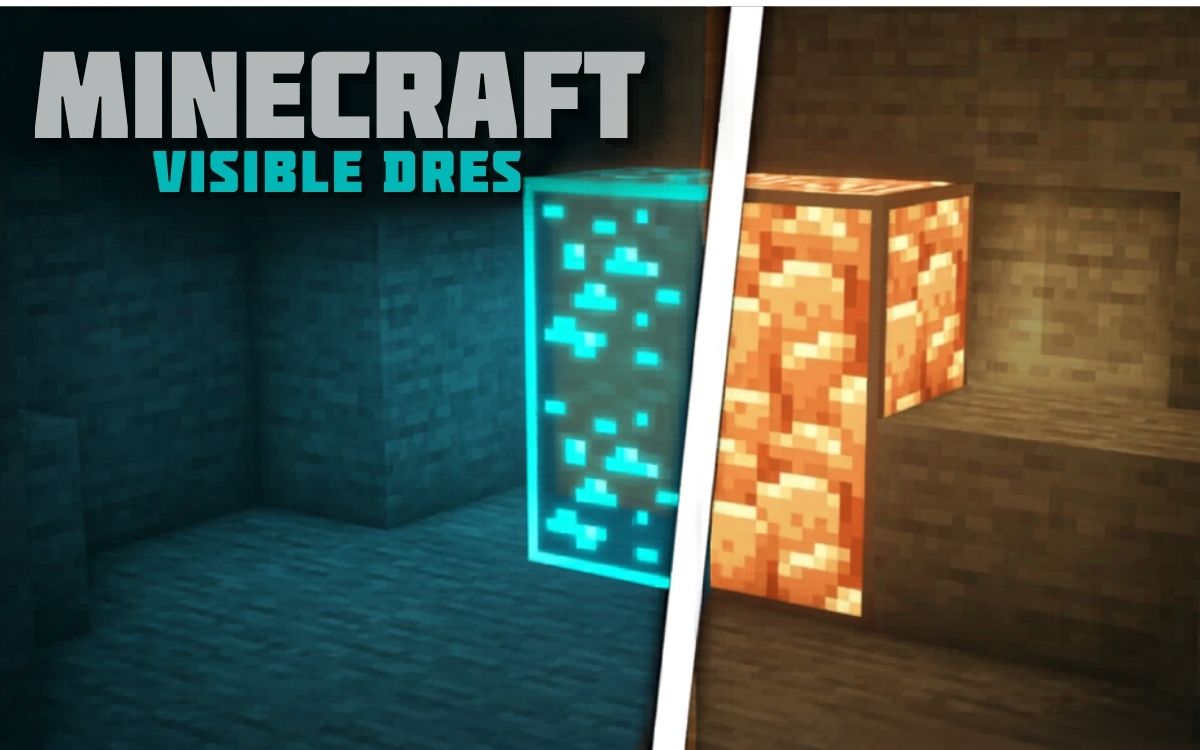
If you spend hours mining in Minecraft Bedrock or MCPE, missing diamonds, ancient debris, or redstone hidden inside dark caves can get frustrating fast. That’s exactly why the Visible Ores Texture Pack became one of the most downloaded utility texture packs for Minecraft players.
Unlike X-Ray packs that completely break the vanilla experience, Visible Ores keeps Minecraft fair while making ores easier to spot using bright outlines and glowing-style effects. The result is faster mining, cleaner cave exploration, and a much better survival experience — especially on mobile devices.
Whether you play on MCPE, Bedrock, Android, iOS, Windows, or console editions, this pack works smoothly with the latest Minecraft 1.21 updates.
What Is Visible Ores Texture Pack?
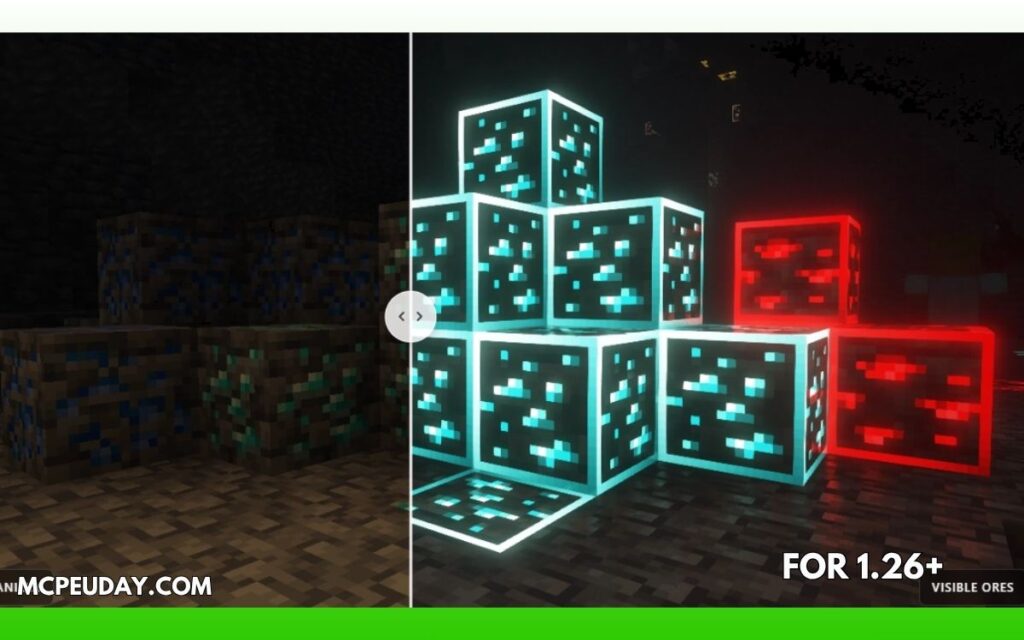
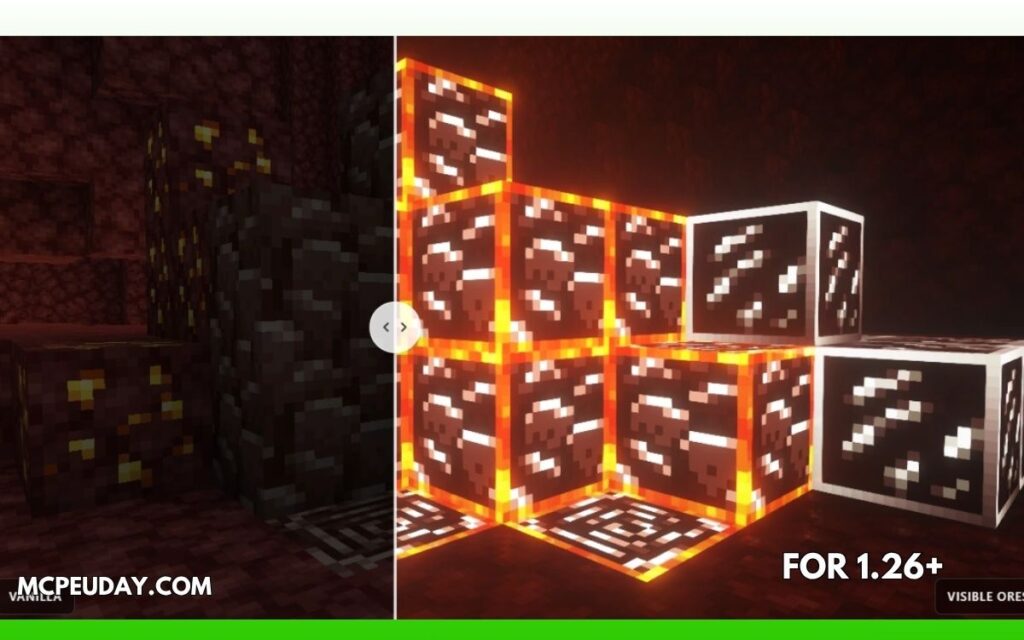
The Visible Ores Texture Pack is a lightweight 16x utility resource pack that highlights every important ore block in Minecraft. Instead of changing the whole game’s look, it simply adds visible borders and enhanced textures around ores such as:
- Diamond Ore
- Emerald Ore
- Ancient Debris
- Gold Ore
- Iron Ore
- Redstone Ore
- Lapis Lazuli Ore
- Nether Quartz
The pack is designed to help players notice ores faster in caves, deep underground areas, and the Nether without ruining the vanilla Minecraft feel. According to the official pack page, it’s compatible with Java Edition, MCPE, and Bedrock versions including 1.21.11 and 1.21.10.
Why Players Love This Pack
Most players don’t want full X-Ray cheats because they remove the fun from mining. Visible Ores solves that problem perfectly.
Here’s why the community likes it:
1. Keeps Minecraft Vanilla-Friendly
The pack only outlines ores instead of making blocks invisible. That means survival gameplay still feels fair and rewarding.
2. Easier Mining in Dark Caves
In deep caves or trial chambers, ores become much easier to notice instantly.
3. Great for Nether Exploration
Ancient Debris and Nether Gold stand out clearly, saving tons of mining time.
4. Lightweight Performance
The texture pack uses a simple 16x resolution, so it works smoothly even on low-end Android phones and older devices. (Texture Packs for Minecraft)
5. Helpful for Colorblind or Visually Sensitive Players
The outlined textures improve visibility for players who struggle spotting ores in darker environments.
Screenshots:-
Visible Ores Texture Pack Features
| Feature | Details |
|---|---|
| Resolution | 16x |
| Compatible Versions | 1.21.11, 1.21.10, 1.21, 26.x |
| Edition Support | MCPE, Bedrock, Java |
| Performance Impact | Very Low |
| Shader Support | Yes |
| Glowing Effects | Available with shaders/Vibrant Visuals |
| Multiplayer Safe | Usually yes (check server rules) |
Does Visible Ores Actually Glow?
This is one thing many MCPE players get confused about.
On Java Edition, ores can glow properly when shaders like Complementary Shaders are enabled. The official pack page confirms glowing ores work best with shaders and OptiFine/Fabric setups. (Texture Packs for Minecraft)
However, Bedrock Edition works differently.
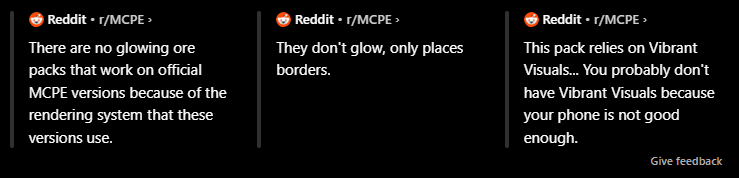
Many Reddit users explained that official MCPE versions historically could not support true emissive glowing ores because of Bedrock’s rendering system. (Reddit)
Recently, newer Bedrock graphical systems like “Vibrant Visuals” improved support for emissive textures on supported devices. Some users reported that glowing effects now work only when Vibrant Visuals is enabled. (Reddit)
So if ores are not glowing on your phone, that usually does not mean the pack is broken.
How To Install Visible Ores on MCPE/Bedrock
Installing the pack is extremely easy on mobile.
Step 1: Download the MCPACK File
Download the latest Visible Ores MCPACK version compatible with Minecraft 1.21.11 or 1.21.10.
Step 2: Open the File
Tap the downloaded .mcpack file.
Minecraft Bedrock Edition should automatically launch and import the texture pack.
Step 3: Activate the Pack
- Open Minecraft
- Go to Settings
- Open Global Resources
- Activate Visible Ores
You can also apply it individually to worlds through:Edit World → Resource Packs → My Packs
Best Settings For Visible Ores
For the best experience:
On Java Edition
Enable:
- OptiFine
- Emissive Textures
- Connected Textures
- Complementary Shaders
On Bedrock/MCPE
Enable:
- Vibrant Visuals (if supported)
- Fancy Graphics
- Brightness: 100%
These settings improve ore visibility significantly.
Is Visible Ores Safe?
Yes — the pack itself is generally considered safe and widely used by the Minecraft community. The official download page states that download files are provided by the authors and scanned for safety. (Texture Packs for Minecraft)
Still, always download texture packs from trusted websites and avoid fake APK installers.
Can You Use Visible Ores on Servers?
Usually yes.
Because this pack only changes textures and does not provide full X-Ray vision, many public servers allow it. The official page specifically mentions it as a legal alternative to X-Ray packs. (Texture Packs for Minecraft)
However:
- Always check individual server rules
- Competitive PvP servers may restrict utility packs
- Some anti-cheat systems may flag modified visuals
Visible Ores vs X-Ray Packs
| Feature | Visible Ores | X-Ray Packs |
|---|---|---|
| Fair Gameplay | Yes | No |
| Shows Through Walls | No | Yes |
| Multiplayer Friendly | Mostly | Often banned |
| Vanilla Feel | Preserved | Ruined |
| Performance | Lightweight | Moderate |
| Risk of Ban | Low | High |
For survival players who still want the fun of mining, Visible Ores is the much better option.
My Experience Using Visible Ores
After testing the pack in Minecraft 1.21 Bedrock caves, the biggest difference was how quickly diamonds and iron became noticeable in dark areas. Ancient Debris in the Nether also became easier to identify without constantly placing torches everywhere.
What I liked most is that the game still feels like vanilla Minecraft. You are not cheating — you are just improving visibility.
On lower-end Android devices, performance stayed smooth because the pack uses only 16x textures.
Frequently Asked Questions
Does Visible Ores work on Minecraft PE?
Yes, the pack supports MCPE/Bedrock editions. (Texture Packs for Minecraft)
Is Visible Ores compatible with 1.21.11?
Yes, the latest versions support Minecraft 1.21.11 and 1.21.10. (Texture Packs for Minecraft)
Do ores glow automatically?
Not always. Java Edition requires shaders, while Bedrock may require Vibrant Visuals support. (Texture Packs for Minecraft)
Is this better than X-Ray?
For survival gameplay, yes. It improves visibility without completely removing the challenge.
Does the pack reduce FPS?
No. Since it uses simple 16x textures, FPS impact is minimal.
Final Verdict
Visible Ores Texture Pack 26.1 is one of the best utility texture packs for Minecraft Bedrock and MCPE players right now. It improves mining visibility without turning Minecraft into a cheating simulator.
If you want:
- Faster ore discovery
- Better cave exploration
- Cleaner Nether mining
- A vanilla-friendly experience
…then this texture pack is absolutely worth trying.
For mobile players especially, it’s one of the few lightweight packs that genuinely improves gameplay without hurting performance.
3 thoughts on “Visible Ores Texture Pack (26.x, 1.21) – MCPE/Bedrock Pack”