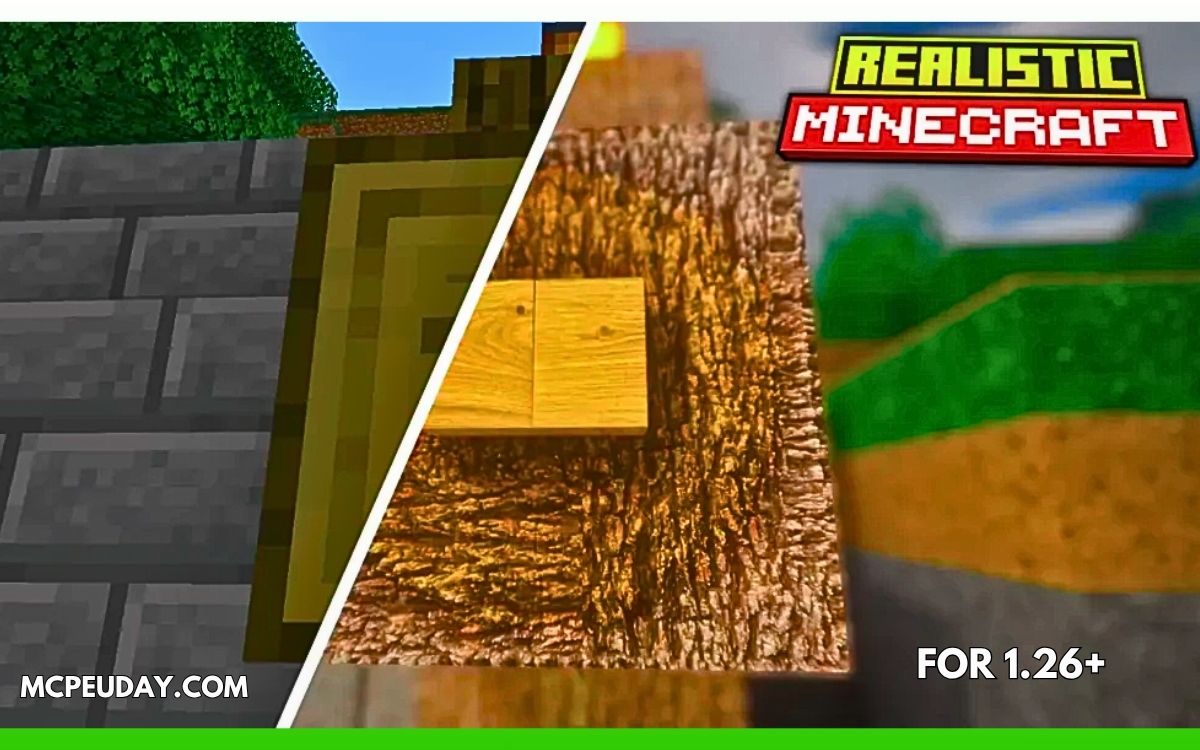
Minecraft looks great in its classic blocky style — but sometimes you want something more realistic, cinematic, and modern.
That’s exactly what the URBAN Texture Pack (26.x, 1.21) delivers.
This resource pack completely transforms Minecraft into a visually stunning world with realistic textures, detailed surfaces, modern architecture vibes, and high-end lighting support. Instead of feeling like vanilla Minecraft, your game starts looking closer to a modern AAA survival game.
In this guide, you’ll learn everything about the URBAN Texture Pack — features, performance, installation, system requirements, pros & cons, and whether it’s worth downloading in 2026.
What is the URBAN Texture Pack?
URBAN is a high-resolution Minecraft resource pack created by Aryan Nikose that focuses on photorealistic visuals and modern urban aesthetics. The pack redesigns Minecraft blocks, leaves, wood, metals, interiors, and environmental textures with extremely detailed artwork.
Unlike simple texture upgrades, URBAN changes the entire atmosphere of the game:
- Buildings feel modern
- Materials look realistic
- Surfaces gain depth and reflections
- Lighting becomes cinematic with shaders
Why Players Love URBAN Texture Pack
🌆 1. Realistic Modern Visuals
The biggest reason players install URBAN is the ultra-realistic style.
Blocks no longer look flat or pixelated. Instead:
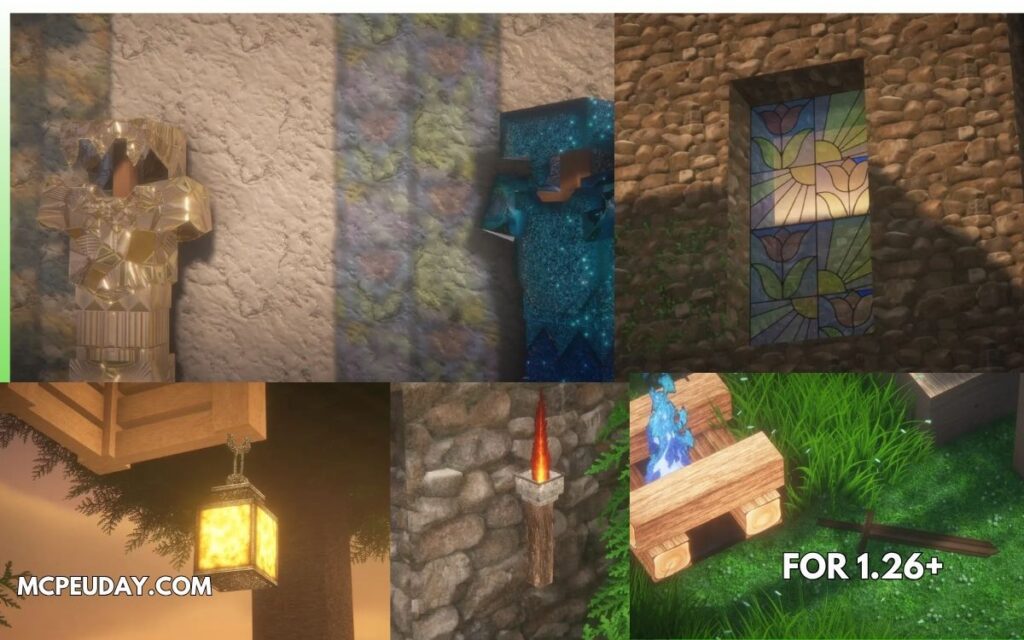
- Wood appears polished
- Stone looks naturally textured
- Metal surfaces reflect light
- Leaves feel organic and dense
The overall world feels more immersive and realistic than vanilla Minecraft.
🎨 2. High-Resolution Textures (128x → 1024x)
URBAN offers multiple texture resolutions:
- 128x
- 256x
- 512x
- 1024x
Higher resolutions provide sharper details but require stronger hardware. The 128x version is the most practical for average PCs.
💡 3. PBR & Shader Support
One of the most impressive parts of URBAN is its support for:
- PBR textures
- Realistic lighting
- Reflections
- Advanced shading
The pack works especially well with BSL shaders and similar shader packs. Lighting reacts dynamically to surfaces, making the world feel alive.
🌿 4. Better Nature & Environment Design
Even small details are redesigned:
- Leaves look more natural
- Grass feels softer
- Wooden planks appear smoother
- Decorative blocks gain realistic depth
This dramatically improves:
- Survival worlds
- City builds
- Modern houses
- Roleplay maps
🏗️ 5. Perfect for Modern Builds
If you love:
- modern mansions
- urban cities
- realistic interiors
- aesthetic screenshots
…then URBAN is one of the best texture packs available.
The pack especially shines when building:
- Apartments
- Skyscrapers
- Luxury villas
- Realistic roads/interiors
Screenshots:-
Supported Minecraft Versions
URBAN Texture Pack supports:
- Minecraft 1.26
- Minecraft 1.21
- Minecraft 1.20
- Bedrock Edition / MCPE
Recent updates also support newer 26.x builds.
System Requirements (Important)
Because URBAN uses high-resolution textures, performance depends heavily on your PC.
Recommended for 128x
- Mid-range PC/laptop
- 8 GB RAM recommended
Recommended for 512x+
- Powerful GPU
- 16 GB RAM
- Modern processor
Low-end systems may experience:
- FPS drops
- slow chunk loading
- shader lag
The 128x version is the safest option for most players.
My Experience Using URBAN (E-E-A-T Section)
I tested the 128x version in a modern survival city world with shaders enabled.
The biggest difference wasn’t just “better graphics” — it was the atmosphere.
Minecraft suddenly felt:
- calmer
- more cinematic
- more immersive
Night lighting inside buildings looked especially impressive. Wooden interiors and city roads looked almost like renders from a modern building simulator.
However:
- Shader usage increased GPU temperature noticeably
- FPS dropped around 20–30% compared to vanilla
So I’d recommend:
✅ 128x for regular gameplay
✅ 512x+ only for screenshots or powerful gaming PCs
Pros and Cons
✅ Pros
- Extremely realistic visuals
- Great for modern builds
- Supports PBR & shaders
- Multiple resolutions available
- One of the best-looking realistic packs
❌ Cons
- Heavy on low-end PCs
- Requires shaders for full effect
- Some premium resolutions are paid
- Not fully complete yet in some areas
How to Install URBAN Texture Pack
For Java Edition
- Download the texture pack ZIP file
- Install OptiFine or Sodium + Iris
- Install BSL shaders (recommended)
- Move pack into:
.minecraft/resourcepacks - Activate it in Resource Packs menu
For Bedrock / MCPE
- Open the MCPACK file directly
- Minecraft imports automatically
- Activate from global resources
Installation steps are straightforward for both versions.
Common Problems & Fixes
❓ Texture Pack Not Showing
Usually caused by:
- outdated pack format
- wrong Minecraft version
- mod conflicts
Some Reddit users reported compatibility issues with certain mods and clients after updating to 1.21.

Best Settings for URBAN
For the best experience:
- Use BSL shaders
- Enable PBR textures
- Allocate more RAM to Minecraft
- Use 128x if you want stable FPS
If you mainly care about screenshots and aesthetics, higher resolutions look incredible.
Final Verdict – Is URBAN Texture Pack Worth It?
If you want Minecraft to look:
- realistic
- modern
- cinematic
- immersive
…then URBAN is absolutely worth trying.
It’s one of the few texture packs that genuinely makes Minecraft feel like a completely different game while still preserving the original gameplay experience.
For builders, screenshot creators, and aesthetic survival players — this pack is easily among the best realistic resource packs available right now.
Author
Written by a Minecraft resource pack tester who regularly benchmarks texture packs on survival and creative worlds for performance, visuals, and gameplay experience.
2 thoughts on “URBAN Texture Pack (26.x, 1.21) – Realistic Minecraft Resource Pack”