Why a Better Graphics Texture Pack Transforms Your Minecraft Experience
Looking for the best better graphics texture pack options for Minecraft right now? Here’s a quick answer:
Top Better Graphics Texture Packs in 2026:
- Optimum Realism – Best for PBR/POM realism; 3M+ downloads; Java & Bedrock RTX
- 100%Better – Best vanilla-style upgrade; 3D models + connected textures; 16x; 6,581 downloads
- Motschen’s Better Leaves – Best foliage upgrade; 15.1M downloads; high mod compatibility
- Dramatic Skys – Best skybox upgrade; 12.5M downloads
- Fast Better Grass – Best terrain detail; 4.4M downloads; works without OptiFine
- Default HD 128x – Best simple HD upgrade; 3.9M downloads
Minecraft has been around for over a decade — and it still pulls in millions of players every month. A big reason? The game never stops evolving, and neither does its modding community.
But let’s be honest: the default textures are pretty basic. Blocky, flat, and low-resolution by modern standards.
That’s where better graphics texture packs come in. They can completely change how your world looks — sharper blocks, richer colors, realistic lighting, and more immersive environments. Whether you’re playing on a phone or a high-end PC, there’s a pack built for your setup.
In this guide, we’ll break down the best options available right now, how they compare, and exactly how to get them running.
What is the Better Graphics Texture Pack?
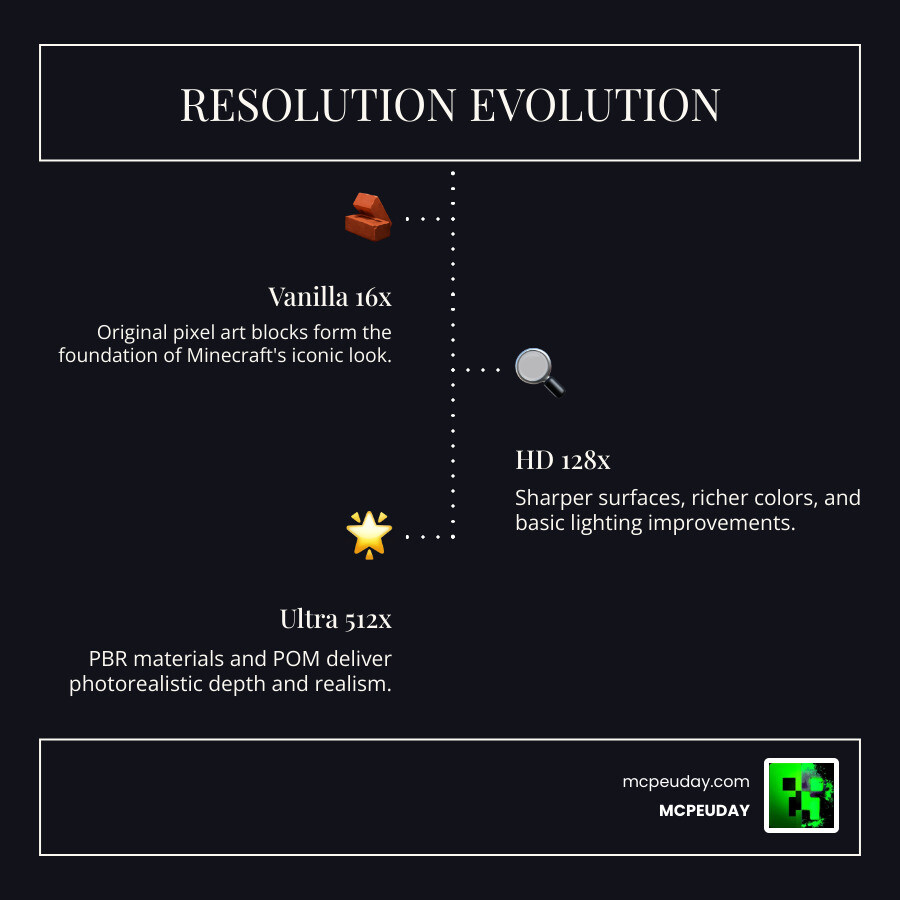
When we talk about a Better Graphics Texture Pack, we aren’t just referring to a single file. We are looking at a movement within the community to push Minecraft’s visual engine to its absolute limits. These packs aim to take the pixelated world we know and inject it with modern graphical standards like PBR (Physically Based Rendering) and POM (Parallax Occlusion Mapping).
What exactly does that mean for your gameplay?
- PBR (Physically Based Rendering): This allows textures to react to light naturally. Metal blocks will have a metallic sheen, while wet stone will look glossy and reflective.
- POM (Parallax Occlusion Mapping): This adds “fake” depth to flat surfaces. Instead of a flat brick wall, you’ll see the mortar recessed between the stones, giving everything a 3D feel without killing your frame rate.
- 3D Models: Many packs, such as the Wandrers Visual Pack, replace flat sprites with actual 3D geometry for items like sugar cane, rails, and ladders.
The ultimate goal is visual clarity and block differentiation. In vanilla Minecraft, sometimes it’s hard to tell one gray block from another at a distance. A Better Graphics Texture Pack ensures that every material has a unique identity. Whether you are playing on Bedrock or Java, these enhancements bridge the gap between “retro indie game” and “modern masterpiece.”
Comparing Top Realistic Texture Packs
Choosing the right pack can be overwhelming because “realistic” means different things to different people. Some want 512x textures that look like a photograph, while others want a “Vanilla+” feel that just cleans up the edges.
To help you decide, we’ve put together a comparison of some of the heavy hitters in the scene.
| Feature | Better Graphics (General) | Realsource Realistic | Prizma Visuals |
|---|---|---|---|
| Primary Goal | Balanced Visual Overhaul | Hyper-Realism/Materials | Vibrant Color & Clarity |
| Best For | Daily Survival | High-End PC/RTX | Mobile/Mid-range PE |
| Resolution | 16x to 128x | 128x to 512x | 32x to 64x |
| Specialty | Performance & Utility | PBR & Depth-Write POM | Atmospheric Lighting |
If you are looking for pure realism, the Realsource Realistic Pack MCpack is a legendary choice. It focuses on real-world materials, where sand actually looks like individual grains and snow sits naturally on blocks. On the other hand, the Prizma Visuals Pack For MCPE is fantastic for those who want a cleaner, more vibrant world without needing a NASA computer to run it.
Choosing the right resolution is key. If you’re on a mobile device, sticking to 32x or 64x is usually the sweet spot for maintaining 60 FPS. If you have a dedicated GPU, 128x and above will make the world feel like a brand-new game.
Key Features and Performance Optimization
A great Better Graphics Texture Pack isn’t just about making things look “pretty.” It’s about the technical features that make the world feel alive.
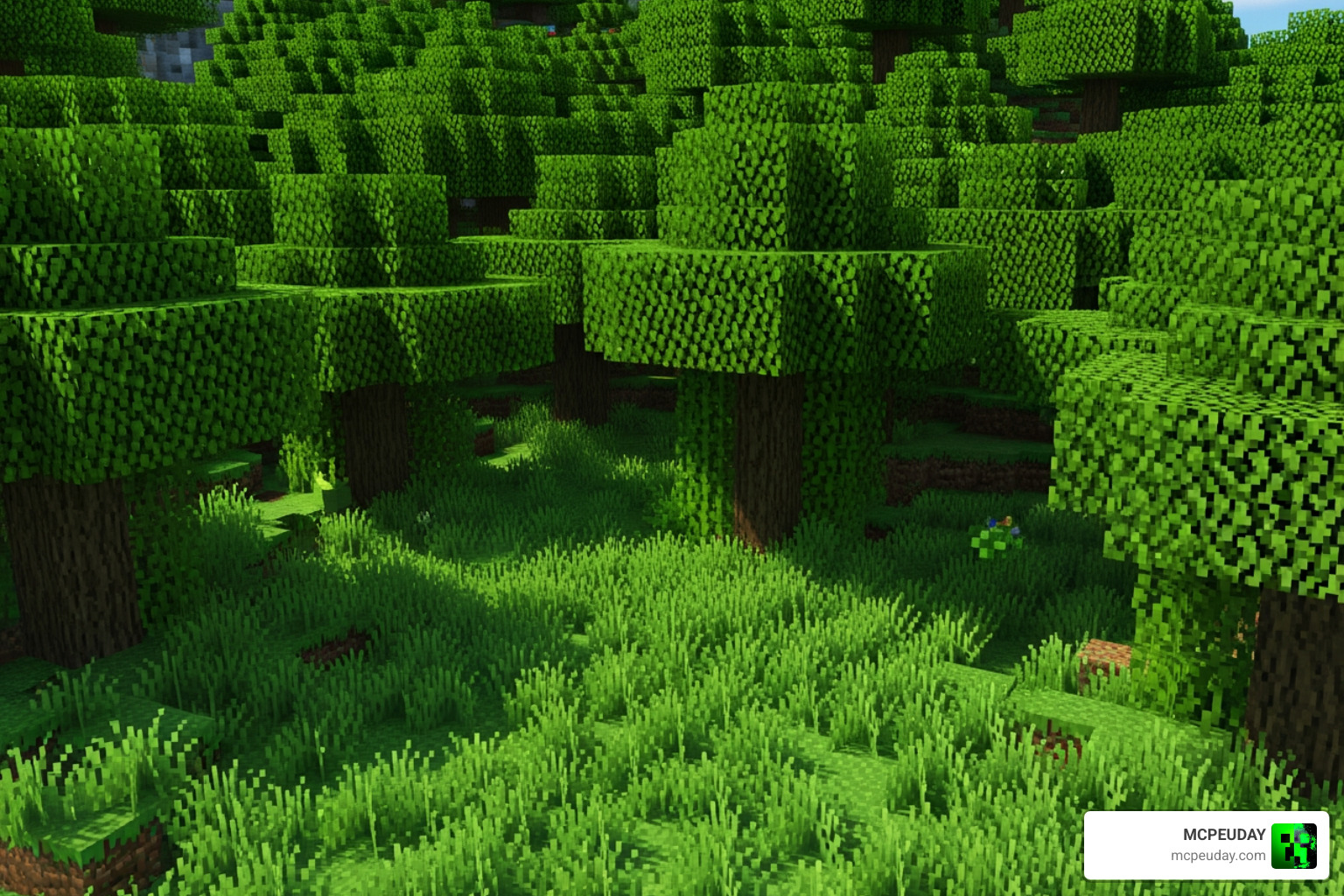
Key Features of the Better Graphics Texture Pack
- Connected Textures: Have you ever noticed how glass blocks have those annoying lines between them? Packs like 100%Better use connected texture technology to make glass, grass, and bookshelves look like one continuous surface.
- 3D Foliage: Instead of flat “X” shaped leaves, high-quality packs offer bushy, 3D leaf models. Motschen’s Better Leaves (with over 15 million downloads!) is the gold standard here, making forests feel dense and realistic.
- Custom Entities: Some packs go beyond blocks to update the models of mobs. Imagine zombies with tattered clothes or skeletons with actual 3D ribcages.
- Atmospheric Lighting: When combined with the Glowing Plus Texture Pack, ores and certain blocks can actually emit light, making cave exploration much more immersive (and slightly less terrifying).
Optimizing the Better Graphics Texture Pack for Performance
We know what you’re thinking: “Will this explode my computer/phone?”
The answer is no—if you optimize correctly. While some packs like Optimum Realism run surprisingly well on a GTX 1050 with 8GB of RAM, you still need to be smart about your settings.
- Use Performance Mods: For Java players, we highly recommend using Iris and Sodium instead of just OptiFine. They offer much better frame rates for high-resolution textures.
- RAM Allocation: If you are running 128x textures or higher, ensure you have allocated at least 4GB (ideally 8GB) of RAM to Minecraft in your launcher settings.
- The “Utility” Approach: Sometimes you need a specific tool rather than a full overhaul. For example, the X-Ray Texture Pack For Minecraft PE MCPE 1.21 is a specialized pack used for finding resources by making common blocks transparent. While not a “graphics” pack in the traditional sense, it shows how texture manipulation can serve different gameplay needs.
Installation Guide and Download Sources
Ready to upgrade? Installing a Better Graphics Texture Pack is easier than ever in May 2026. Whether you are on Bedrock (iOS/Android/Windows) or Java Edition, we’ve got you covered.
Step-by-Step for Bedrock Edition (MCPE/Windows)
- Download: Head over to our collection and find your favorite pack, like the Bare Bones Texture Pack 1.21 MCPE Bedrock Edition Download Now.
- Open: Most Bedrock packs come as a
.mcpackfile. Simply click or tap the file, and Minecraft will automatically open and import it. - Activate: Go to Settings > Global Resources > My Packs. Click the pack and hit “Activate.”
Step-by-Step for Java Edition
- Download: Download the
.zipfile for packs like Better Than Programmer Art or 100%Better. - Move: Open Minecraft, go to Options > Resource Packs > Open Pack Folder. Drop the
.zipfile in there (don’t unzip it!). - Select: Move the pack from the “Available” side to the “Selected” side in the game menu.
For the most authentic experience, check out official options on the Minecraft DLC Marketplace: Texture Packs, though community-made packs often offer more advanced features like PBR.
Frequently Asked Questions about Better Graphics
Does the Better Graphics Texture Pack work on Bedrock Edition?
Yes! While many high-end features like POM were originally Java-exclusive, Bedrock now supports RTX and deferred rendering technical previews. Many creators now release .mcpack versions specifically optimized for Bedrock’s engine.
Do I need a high-end PC to run 512x textures?
Generally, yes. 512x textures require significantly more VRAM (Video RAM). If you have a modern GPU with at least 6GB to 8GB of VRAM, you should be fine. For everyone else, 64x or 128x provides a massive upgrade without the lag.
Are shaders required for the pack to look realistic?
Shaders are the “secret sauce.” While a Better Graphics Texture Pack changes the “skin” of the blocks, shaders change the lighting, shadows, and water. For the most realistic look, you should combine a texture pack with a shader. However, some packs like BT-1.8.9 or Better-Than-Default are designed to look great even on vanilla lighting.
Conclusion
The world of Minecraft aesthetics has come a long way from the simple 16×16 grids of 2011. In May 2026, a Better Graphics Texture Pack is the easiest way to breathe new life into your builds and explorations. Whether you want the hyper-realism of PBR textures or a subtle 3D vanilla enhancement, there is a pack waiting for you.
At MCPEUDAY, we pride ourselves on keeping our library updated with the latest and greatest visual overhauls. Don’t settle for a blurry world—upgrade your visuals today and see Minecraft as it was meant to be seen.
Ready to see more? Explore more Minecraft Texture Packs and find the perfect look for your next adventure!
4 thoughts on “Better Graphics Texture Pack (26.x, 1.21) – MCPE/Bedrock Texture Pack”