Why the Actual Guns 3D Addon Is Worth Installing Right Now
The Actual Guns 3D Addon is one of the most downloaded 3D weapon addons for Minecraft Bedrock Edition, with over 510,000 downloads on MCPEDL alone.
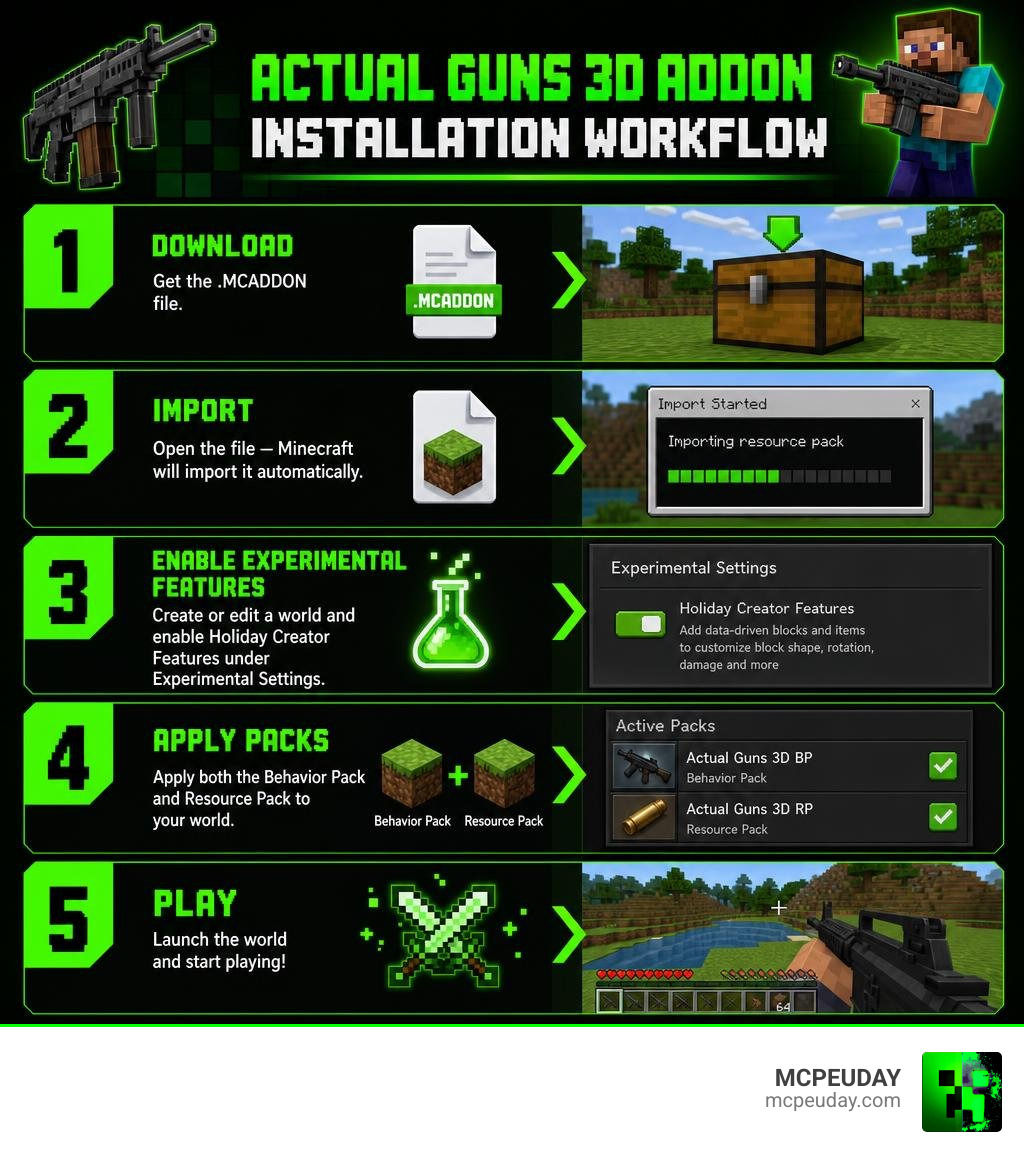
Here’s how to install it quickly:
- Download the
.MCADDONfile from CurseForge or MCPEDL - Open the file — Minecraft will import it automatically
- Create or edit a world and enable Holiday Creator Features under Experimental Settings
- Apply both the Behavior Pack and Resource Pack to your world
- Launch the world and start playing
That’s the short version. Keep reading for the full step-by-step breakdown, troubleshooting tips, and weapon guides.
If you’ve ever tried a gun addon in Minecraft and felt let down by flat 2D sprites or janky animations, you’re not alone. Most weapon addons for Bedrock feel unfinished.
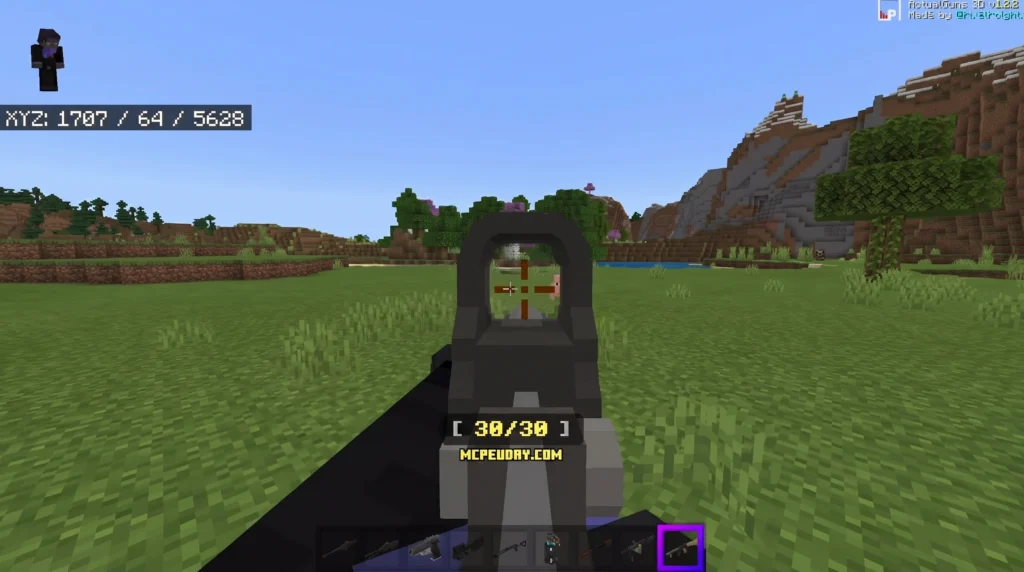
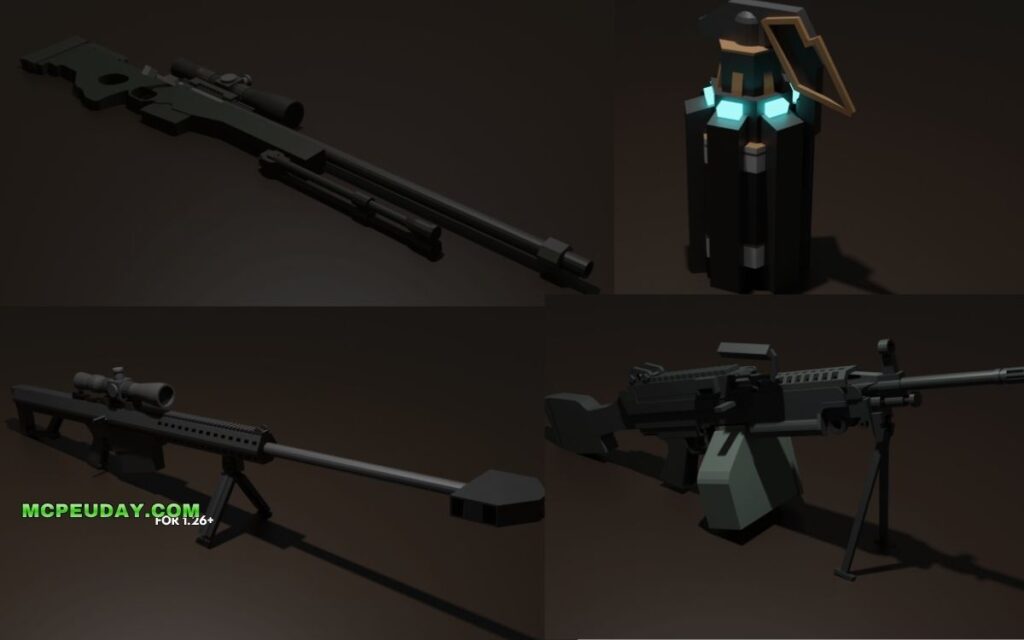
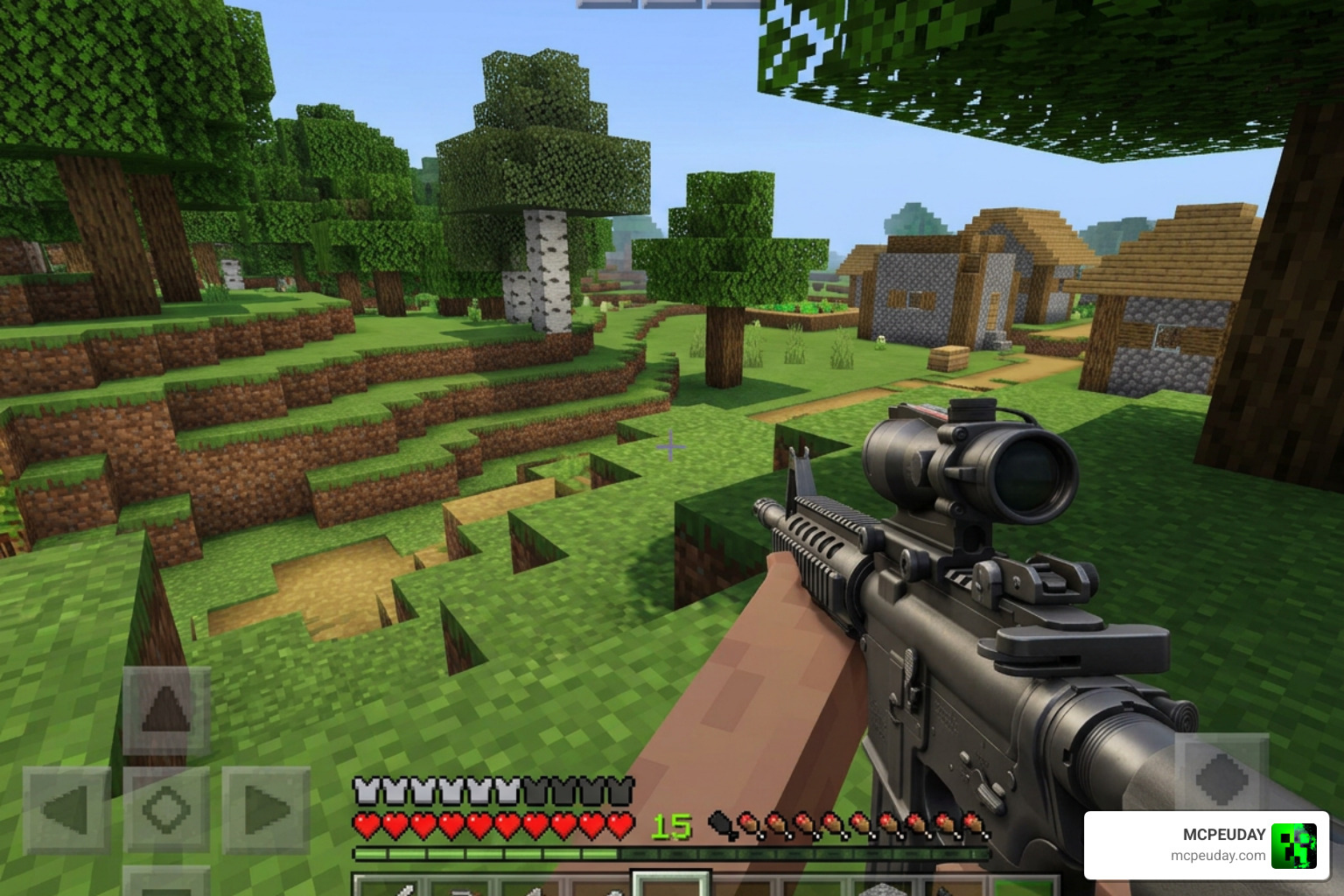
ActualGuns 3D is different. It features 9 fully 3D firearms — including the AWP Sniper, AKM, P90, M249, and more — with realistic animations for reloading, aiming, and firing in both first and third person.
One player described spending three hours playing with friends using this addon without getting bored. That says a lot.
The addon has been around since September 2020 and is still being actively updated. Version 1.14 added bullet holes, ricochet effects, damage drop-off, and tracers — making it feel closer to a real shooter than ever before.
Installation takes just a few minutes if you know what to do. This guide walks you through every step.
What is the Actual Guns 3D Addon?
The ActualGuns 3D – Minecraft Bedrock Addons – CurseForge is a standalone spinoff of the classic Actual Guns CSO mod. Developed by the talented team at PixelPoly Digital, this addon is specifically built for Minecraft Bedrock Edition. Unlike older mods that simply re-skinned bows or snowballs, this addon introduces entirely custom items with high-quality 3D models and detailed first-person and third-person animations.
We love how much care has gone into the visual design. When you sprint, reload, aim down sights, or even just hold a firearm, your player model behaves realistically. It is easily one of the highlights on our list of the 50 Best Minecraft Mods June 2026, offering unparalleled gunplay mechanics for Bedrock users.
Step-by-Step Guide: How to Install the Addon
Getting these gorgeous 3D models into your game requires a couple of important steps. Because Bedrock addons require both a Resource Pack (for how things look) and a Behavior Pack (for how things act), missing one will break the mod entirely.
To make things incredibly simple on Android devices, you can also use a dedicated helper app like the Actual Guns Mod for MCPE – Apps on Google Play . This app features a clean user interface and a 1-click installer that handles the heavy lifting for you.
If you prefer the manual route, follow our step-by-step installation workflow below:
Downloading the Actual Guns 3D Addon Files
- Go to the official download page on CurseForge or MCPEDL.
- Download the
.MCADDONfile (which contains both packs) or download the Behavior Pack and Resource Pack separately as.MCPACKor.ZIPfiles. - If you downloaded the
.MCADDONfile, simply double-click or tap it. Minecraft Bedrock will open automatically and import both packs. - If you downloaded them separately, import the Resource Pack first, followed by the Behavior Pack.
Activating Experimental Features for Actual Guns 3D Addon
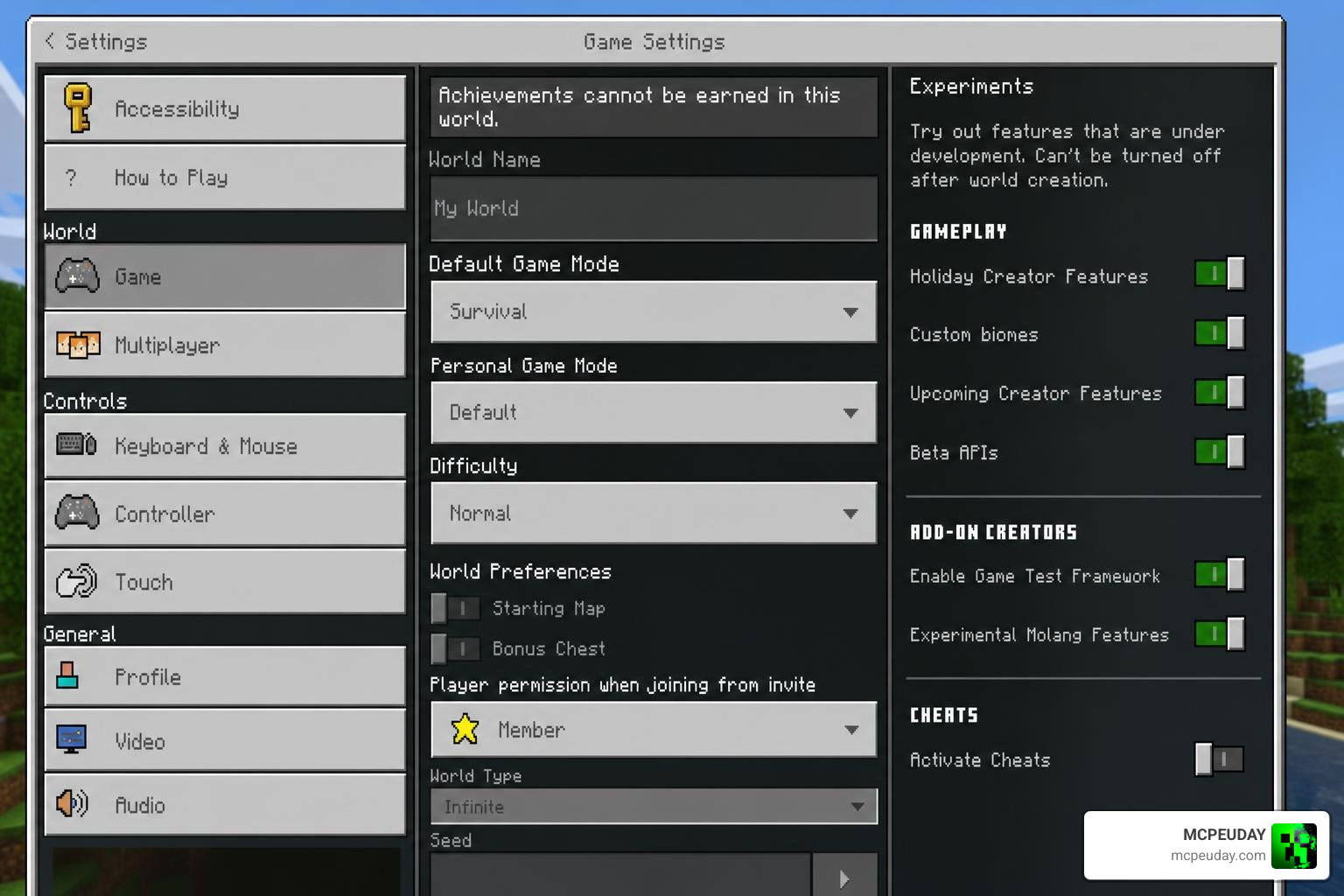
Because this addon uses custom animations, script engines, and complex items, Minecraft requires you to toggle experimental settings.
- Open Minecraft and go to your World Settings (either create a new world or click the edit pencil icon next to an existing one).
- Scroll down on the left-hand menu until you find the Experiments section.
- Toggle on Holiday Creator Features, Custom Biomes, and Beta APIs (or “Additional Modding Capabilities” depending on your exact game version).
- Go to the Resource Packs tab on the left, click My Packs, and activate the ActualGuns 3D Resource Pack.
- Go to the Behavior Packs tab, click My Packs, and activate the ActualGuns 3D Behavior Pack.
- Click Play and enjoy your newly upgraded arsenal!
Weapon Mechanics and Gameplay Features
Once you step into your world, you will immediately notice how different the gunplay feels. The Actual Guns 3D Addon features a robust recoil system, bullet tracers, and damage drop-off (meaning your shots do less damage the further away your target is). There is even a weight system; carrying heavy weapons or running out of ammo will physically affect your movement speed!
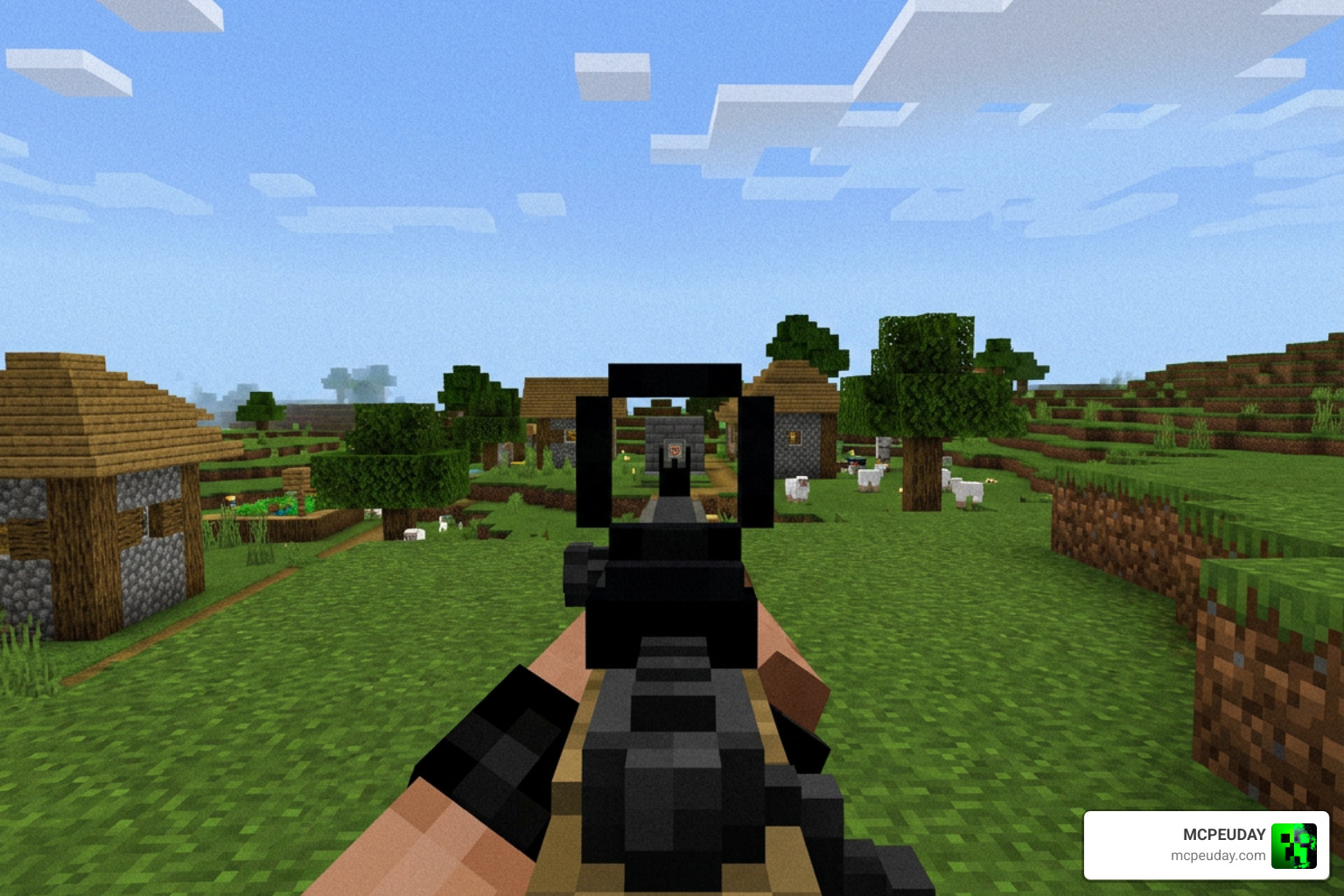
To give you an idea of what to expect, here is a quick breakdown of the core arsenal included in the addon, which easily rivals the variety found in the New 3D Guns Addon 26 X 1 21 Realistic 3D Guns:
| Weapon Name | Weapon Type | Ammo Type | Key Feature |
|---|---|---|---|
| Taurus PT92 | Pistol | 9mm Magazine | Lightweight, fast fire rate |
| Benelli M3 | Shotgun | 12g Buckshot | Devastating close-range damage |
| FN P90 | SMG | 5.7mm Magazine | Massive magazine size, high fire rate |
| M249 | LMG | 5.56mm Box | Heavy suppressive fire, slows movement |
| AWP Sniper | Sniper Rifle | .338 Lapua Mag | High damage, requires crouching to scope |
| Barrett M82A1 | Heavy Sniper | .50 BMG | Incredible 45 damage, slow fire rate |
| MP5 | SMG | 9mm Magazine | Highly accurate, low recoil |
| AKM | Assault Rifle | 7.62mm Magazine | High recoil, high damage per shot |
| MK18 / M4A1 | Assault Rifle | 5.56mm Magazine | Balanced fire rate and accuracy |
The addon also features functional Night Vision Goggles that you can wear like a helmet to navigate dark caves or hunt down enemies at night!
Overhauled vs Non-Overhauled Weapons
During the development history of the addon, the creators initiated a progressive overhaul to modernize the older weapons. This is highly relevant if you are comparing it to other popular weapon mods like the True Weapons Addon 1 21 26 X Download Features Guide For Mcpe.
- Overhauled Weapons: These include the AKM, MK18, AWP, Barrett, M249, Taurus, MP5, and P90. They feature completely remade animations, modern reload mechanics, bullet tracers, and stackable ammunition (magazines can stack up to 64 in your inventory).
- Non-Overhauled Weapons: The Benelli M3 shotgun and the Chain-grenade have not yet received the full overhaul. Their ammunition does not stack, and they use older legacy reload mechanics.
How to Obtain and Reload Weapons in Survival
You don’t have to play in Creative mode to enjoy these weapons; the addon is fully survival-friendly!
- In Survival Mode: You can obtain weapons and ammunition by trading with Cleric or Weapon Smith villagers. Alternatively, you can search for them as rare loot inside Pillager Outposts.
- In Creative Mode: All guns, magazines, and equipment are neatly categorized in your creative inventory.
- Using Commands: You can quickly give yourself weapons using the
/givecommand (e.g.,/give @p ag3d:akm).
How to Reload:
- For Overhauled Weapons: Make sure you have the correct magazine in your inventory. Punch the air (or click/tap your screen) while holding the weapon to trigger the reload animation. If the gun is completely empty, simply attempting to fire (“using” the item) will automatically start the reload process.
- For Non-Overhauled Weapons: To load these legacy weapons, you must “eat” (hold down use) the corresponding ammunition item while holding the weapon.
Troubleshooting and Common Issues
If you run into issues getting your guns to fire or show up properly, don’t panic! Here are a few quick tips to resolve the most common problems:
- Invisible Guns or Broken Textures: This happens if you forgot to activate the Resource Pack, or if another active addon is overriding the player models. Ensure the Actual Guns 3D Addon is placed at the top of your active packs list.
- Guns Won’t Shoot or Reload: Ensure you have enabled all required experimental toggles in your world settings. This addon relies on Beta APIs to function.
- Conflict with other Addons: Addons that modify the
player.jsonfile (such as custom movement mods or the Shadow Company Addon) may conflict with the custom shooting animations. Try disabling other player-modifying addons to see if compatibility improves.
Frequently Asked Questions about Actual Guns 3D
How do you scope in with the sniper rifles?
To aim down the scope of the AWP Sniper or the Barrett M82A1, your player must crouch (sneak). Crouching automatically activates the sniper scope overlay, allowing you to take high-precision shots from a distance.
Is the addon compatible with multiplayer?
Yes! The addon features full multiplayer support. The gun sounds are server-side, meaning other players on your server or LAN world will actually hear you firing and reloading. It also supports full-auto firing synchronization across clients.
How does it compare to Actual Guns 2?
While the original Actual Guns 3D focuses on a tight, highly polished roster of 9 core weapons, Actual Guns 2: Delays Ahead – Minecraft Bedrock Addons is a massive, highly ambitious project designed to feature up to 34 weapons, custom skins, and advanced hostile terrorist NPCs. However, Actual Guns 2 requires a much larger device budget to run smoothly. If you prefer a lightweight, stable, and highly optimized experience, the original 3D addon is your best bet. If you want a massive tactical overhaul, you might also want to check out the Tacz Golden Zero Addon.
Conclusion
The Actual Guns 3D Addon remains an absolute masterpiece of Bedrock modding. It bridges the gap between classic blocky survival and tactical shooter gameplay seamlessly. By following our guide, you should have your new arsenal up and running in just a few minutes!
For more incredible options to spice up your combat worlds, be sure to check out our handpicked guide to the 5 Best Minecraft Bedrock Gun Mods for Survival & PvP (2026). Happy hunting, and may your aim be true!