Why the Magnificent Minimap Addon is a Game-Changer for Bedrock Players
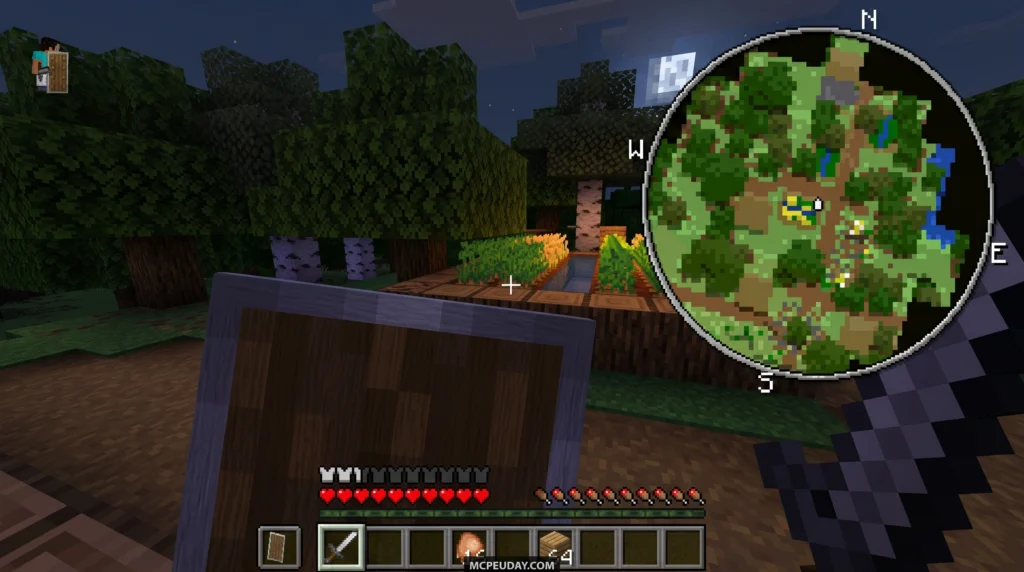
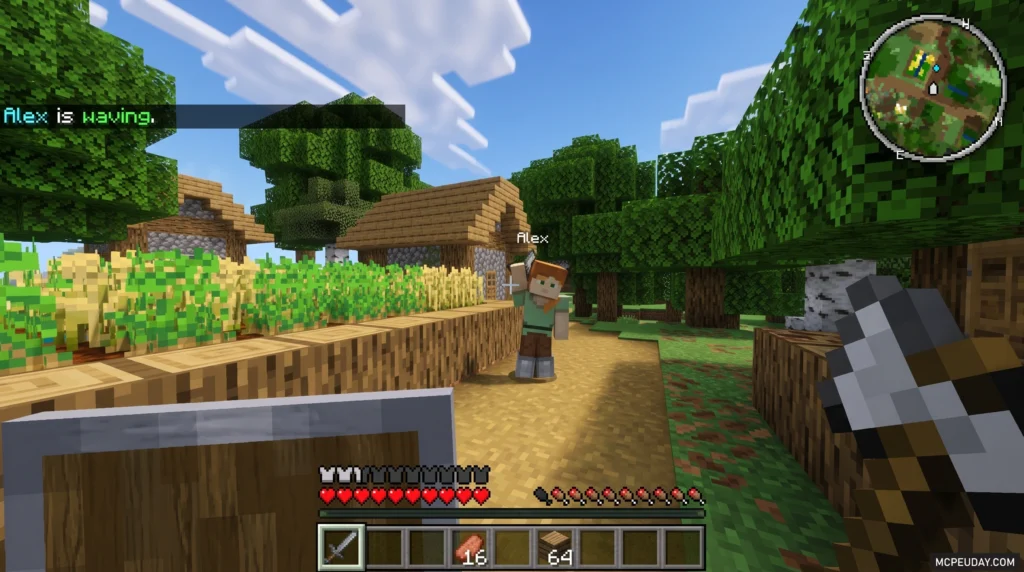
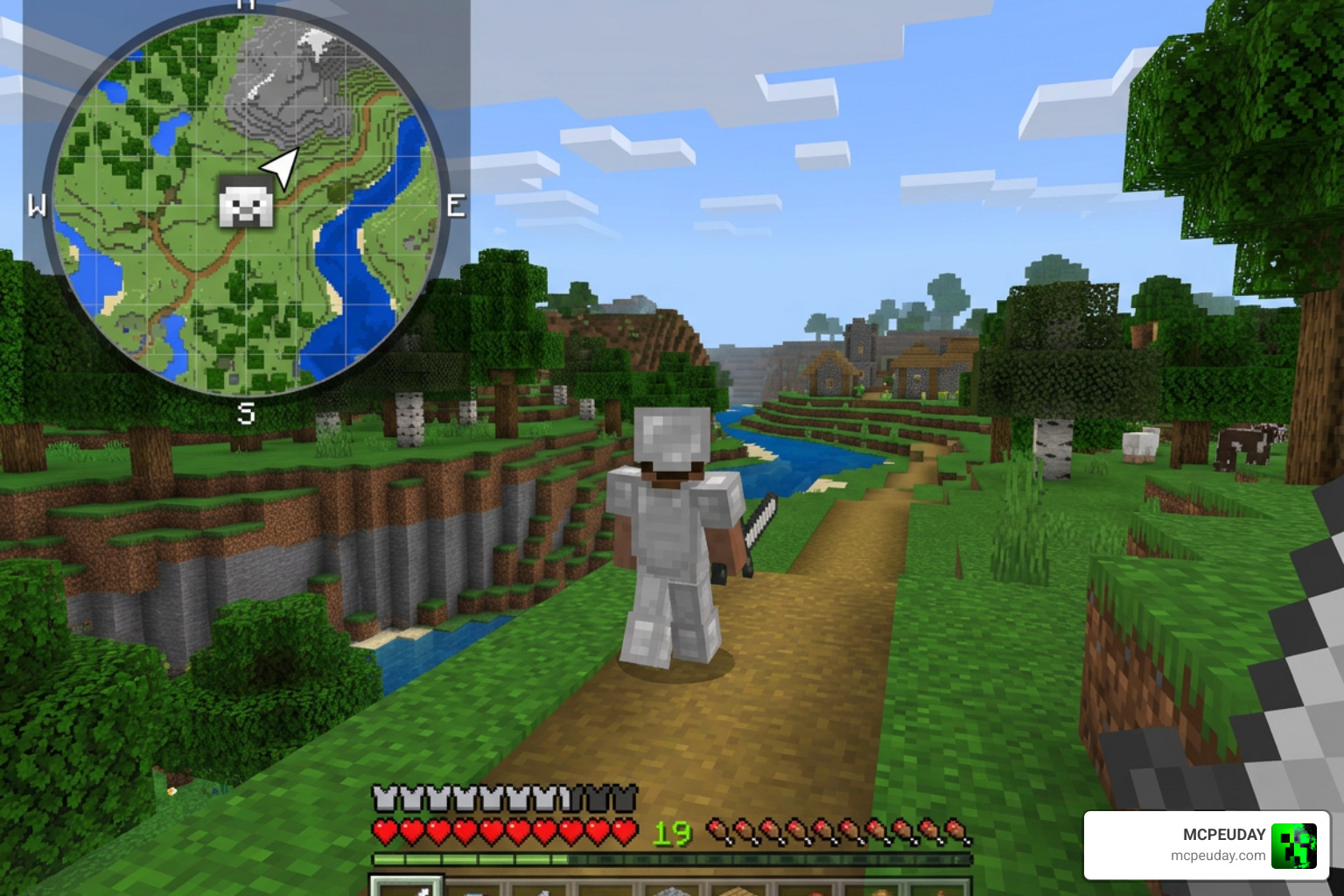
The Magnificent Minimap Addon is one of the most downloaded navigation tools for Minecraft Bedrock Edition, giving you a real-time, rotating minimap right on your HUD — no pause menu needed.
Quick answer for what it does:
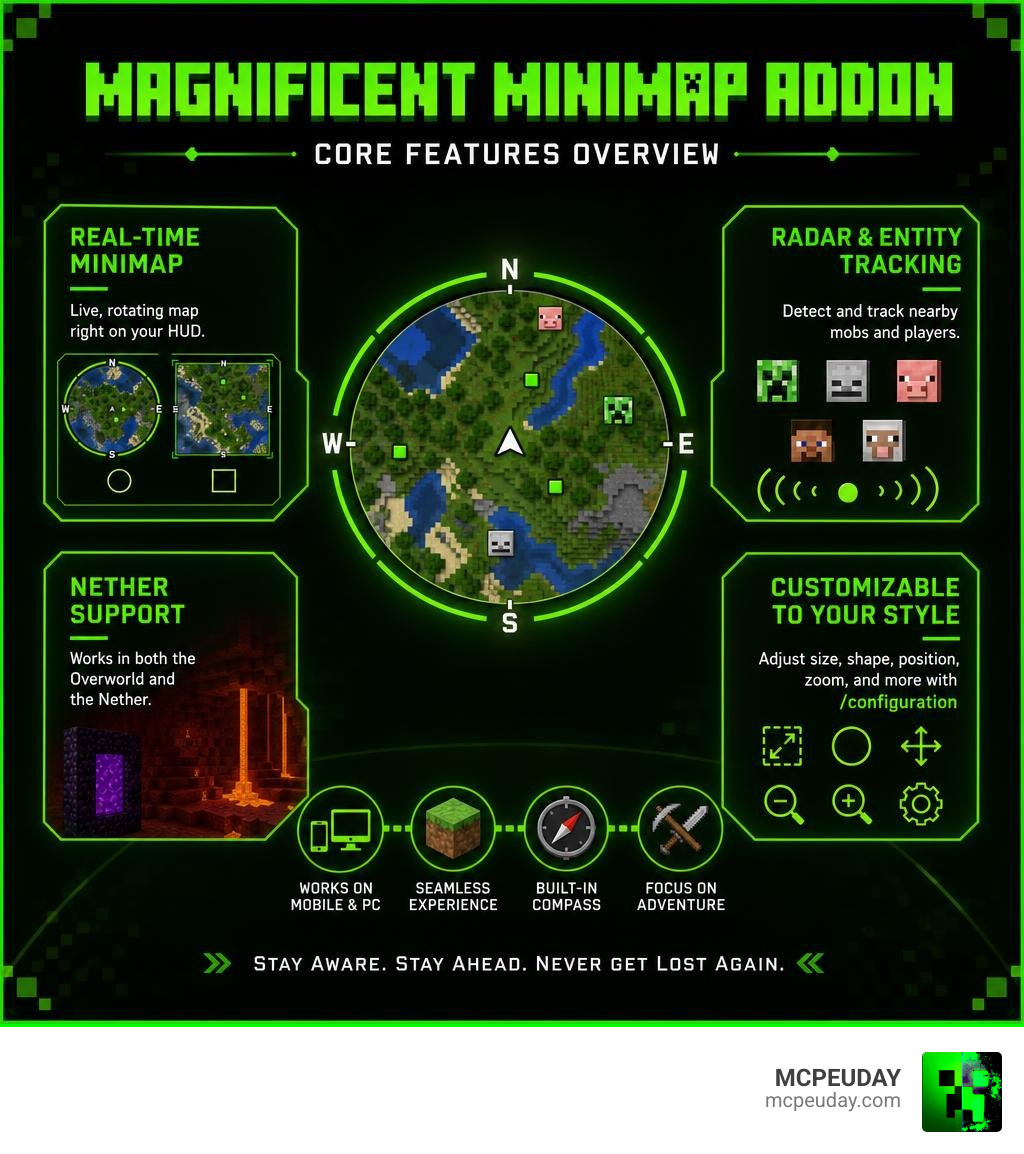
- Displays a live minimap in the corner of your screen while you play
- Tracks nearby entities (mobs, players) with a built-in radar
- Supports both the Overworld and Nether dimensions
- Comes in circular or rectangular styles
- Fully customizable via the
/configurationcommand - Works on mobile and PC (requires Beta API enabled)
It has racked up over 788,000 downloads across platforms and holds a 4.2 rating on 9Minecraft, making it one of the most popular Bedrock navigation addons available as of July 2026.
If you’ve ever gotten lost in a cave, wandered too far in the Nether, or just wanted to track enemies without stopping to open a map, this addon solves all of that — and then some.
It does require a couple of dependencies and some setup steps, which can trip people up. That’s exactly what this checklist is here to fix.
What is the Magnificent Minimap Addon?
At its core, the Magnificent Minimap Addon is a highly responsive, real-time map rendering system built directly into your main screen. Unlike standard in-game maps that require you to hold them in your hand—blocking your vision—this addon positions a clean, modern map interface directly onto your heads-up display (HUD).
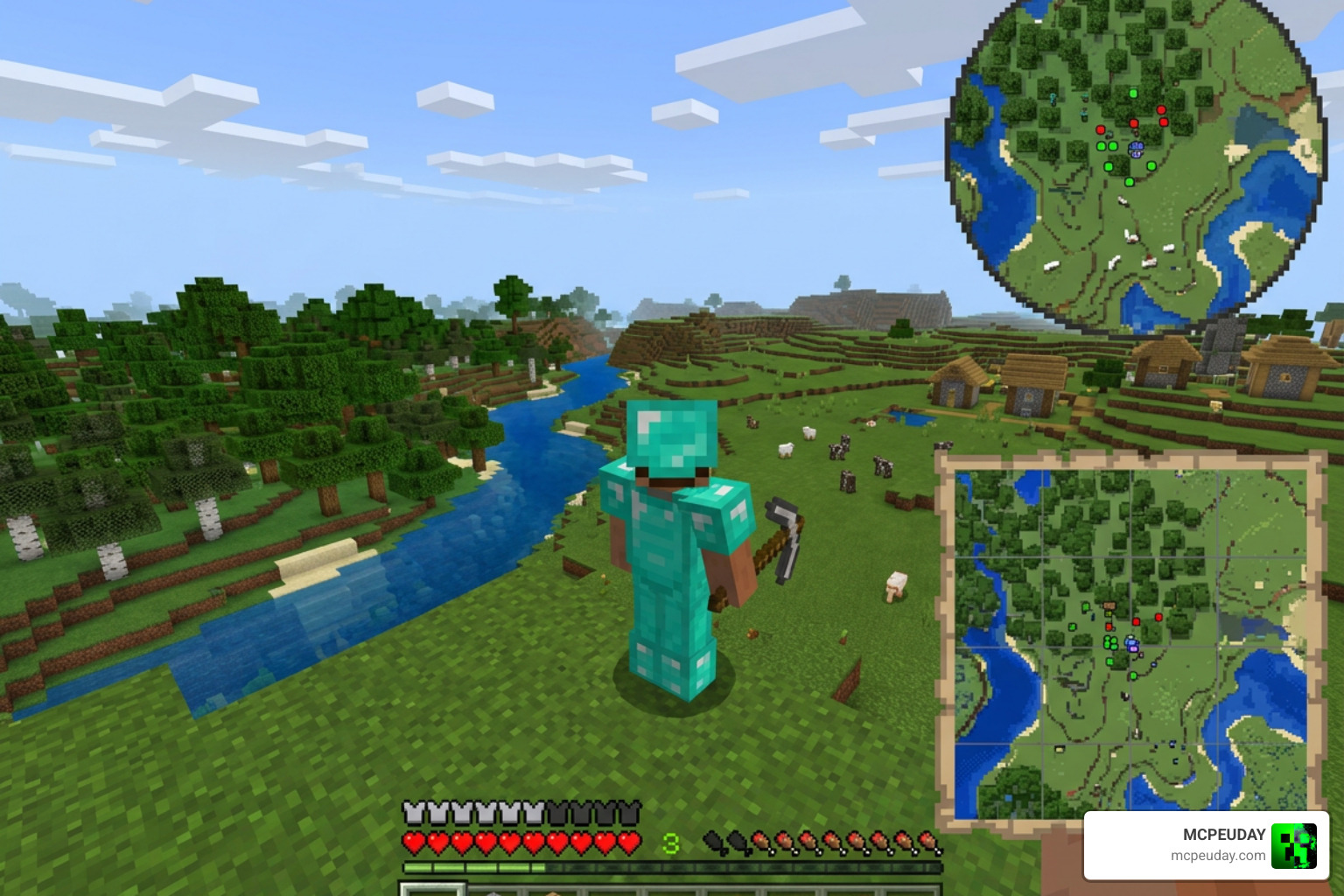
Whether you are playing on a mobile device, a console, or a PC, this addon constantly scans your surroundings to render nearby blocks, biome colors, and elevation changes. One of its standout technical achievements is its live entity radar. It identifies nearby mobs, monsters, and fellow players, marking them with distinct indicators so you are never snuck up on by a Creeper again.
Additionally, the developer has implemented highly optimized data compression algorithms. This update reduces saved map data size by 30% to 90%, which is a massive relief for your device’s storage. It also resolves older bugs related to saving map chunks in alternative dimensions, ensuring your game remains stable and lag-free.
To get started, players can easily grab the behavior and resource packs directly from the official Magnificent Minimap – Minecraft Bedrock Addons – CurseForge page.
Key Features of the Magnificent Minimap Addon
This addon is packed with features designed to make exploration seamless and fun. Here are the core highlights you will enjoy:
- Dynamic Rotating Display: The minimap rotates smoothly based on the direction your character is facing, keeping your bearings perfectly aligned with the horizon.
- Built-in Compass: A clear compass overlay ensures you always know which way is North, South, East, or West.
- Nether and End Support: It features full dimension support. It maps the treacherous terrain of the Nether and includes safety fixes for chunk rendering in the End.
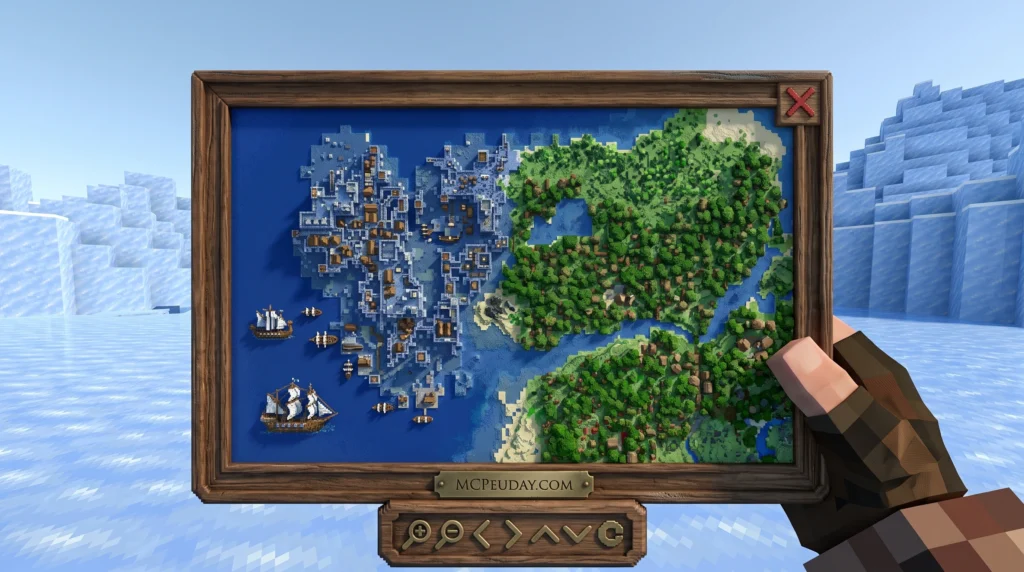
- Map Atlas Functionality: It acts as an interactive atlas, giving you a comprehensive overview of your immediate world.
- The “Bad Apple” Easter Egg: For a bit of tech-savvy humor, you can run the command /function startbadapple to watch the legendary “Bad Apple” music video play directly inside your minimap frame!
If you prefer a full-screen mapping experience over a corner HUD, you should also check out the Explorers World Map Minimap Addon as an excellent alternative or companion tool.
How to Customize Your Magnificent Minimap Addon
One of the best aspects of the Magnificent Minimap Addon is how adjustable it is. You do not have to settle for a one-size-fits-all map. By typing the /configuration command in your chat box, you can open a dedicated settings menu to tailor the HUD to your exact preferences.
To use this configuration menu, you must have two helper addons installed in your world: UI Queue and Kamii’s Script Configuration. Once active, you can customize:
- Size and Scale: Scale the map up when you are exploring vast biomes, or scale it down to keep your screen clear during intense PvP combat.
- Map Shapes: Swap between a circular layout (which feels incredibly clean for horse and Elytra travel) and a rectangular layout (which offers better horizontal vision for base building and raids).
- Radar Presets: Adjust how entities are displayed, choosing which icons show up on your radar.
System Requirements and Installation Guide
Because this addon utilizes advanced Bedrock scripting APIs to render real-time blocks, it has specific technical requirements that must be met before launching your world.
To run the addon smoothly, your device needs to handle active scripting. While it is highly optimized, we recommend testing it on mid-to-high-end mobile devices or PCs to ensure stable frame rates.
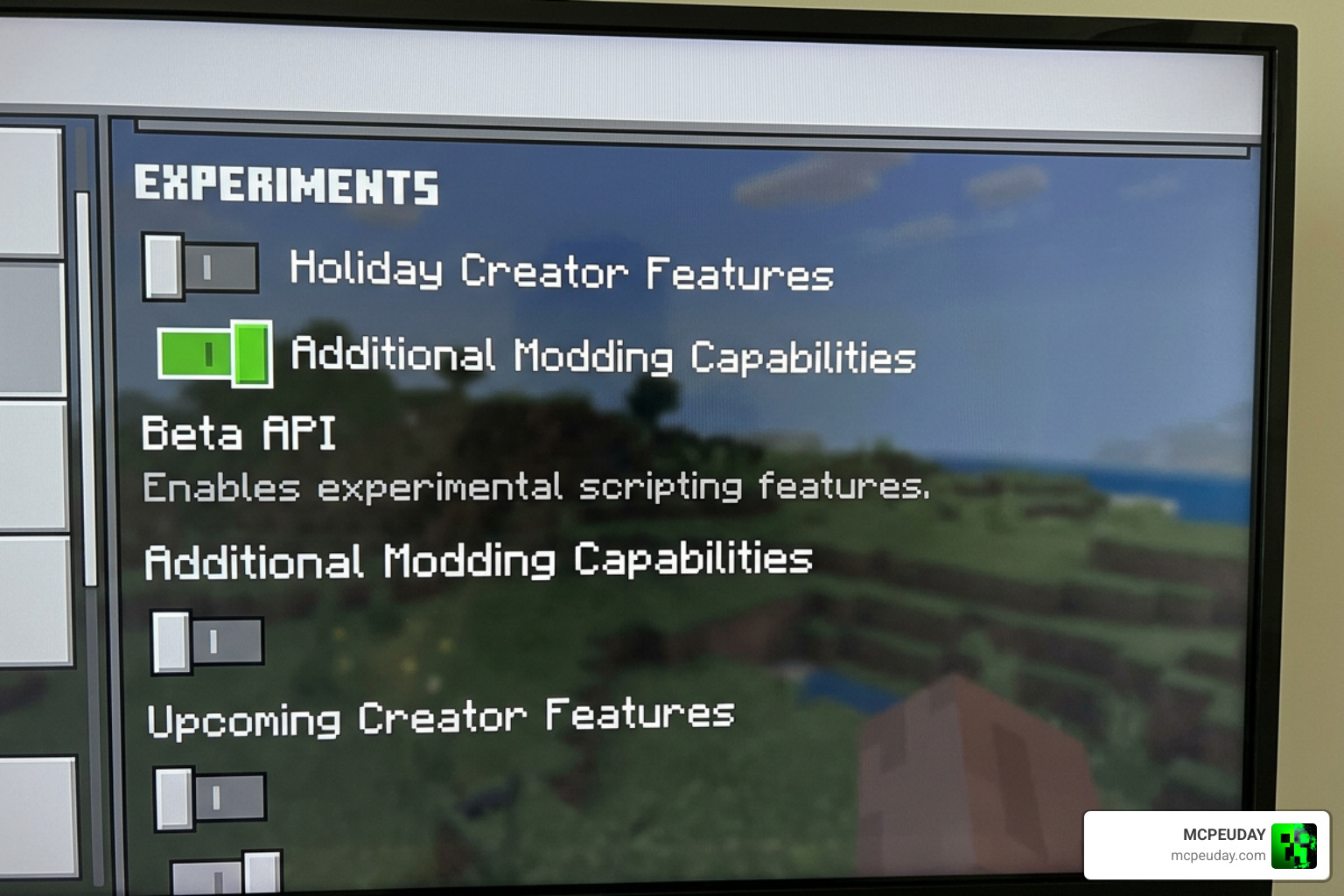
Most importantly, you must enable the Beta API toggle in your world’s experimental settings. Without this toggle active, the custom scripts cannot run, and your minimap will simply show up as a blank element on your screen.
If you are setting this up for a multiplayer world or a cooperative realm, we highly recommend pairing it with the Multiplayer Waypoint System Addon so your entire team can share coordinates and navigate together.
Step-by-Step Installation Checklist
Follow this quick checklist to get your minimap up and running without any issues:
- Download the Files: Download both the Behavior Pack and the Resource Pack from the official Magnificent Minimap – Minecraft Bedrock Addons – CurseForge page.
- Install Dependencies: Ensure you have installed the UI Queue and Kamii’s Script Configuration packs to enable the configuration menu.
- Enable Experiments: Open your world settings, scroll down to the “Experiments” tab, and toggle on Beta API.
- Activate the Packs: Add both the Magnificent Minimap Behavior Pack and Resource Pack to your active world packs.
- Launch and Test: Enter your world.
- On PC: Sneak and press F8 to toggle the map display on and off.
- On Mobile: Sneak and tap the X button on your screen to hide or show the map.
Comparing Magnificent Minimap to Other Navigation Mods
While Java Edition players often rely on mods like Xaero’s Minimap, Bedrock players have historically had fewer high-quality options. Tools like the magellan [MMOMinion Wiki] map revealer or Elder Scrolls Online’s MiniMap by Fyrakin [Masteroshi430’s branch] show how popular custom navigation is across gaming. In the Bedrock ecosystem, Magnificent Minimap stands out as a premier choice.
| Feature | Magnificent Minimap Addon | Explorers World Map Addon | Vanilla Map Item |
|---|---|---|---|
| Display Type | Real-time Corner HUD | Full-Screen Menu | Holdable Item |
| Entity Tracking | Yes (Active Radar) | No | No |
| Nether & End Support | Yes (Fully Rendered) | Yes | No (Spinning Arrow) |
| Configuration Menu | Yes (Highly Customizable) | No | No |
| Performance Impact | Medium (Requires Beta API) | Low | Extremely Low |
Performance and RAM Usage Considerations
Because the Magnificent Minimap Addon renders live blocks and updates entity positions frame-by-frame, it does require more RAM than a standard vanilla world. If you play on an older mobile device, you might notice minor frame drops in dense biomes like jungles or deep oceans.
Fortunately, the addon’s built-in data compression reduces saved map files by up to 90%, preventing world save bloat. If you are running a heavy survival setup with large-scale world expansions like the Better on Bedrock Addon, we recommend keeping the minimap scaled slightly smaller to save system memory.
Frequently Asked Questions About the Minimap
How do I open the configuration menu?
To open the customization settings, type /configuration in your in-game chat. This command will only work if you have both the UI Queue and Kamii’s Script Configuration helper packs active in your world.
How do I hide or toggle the minimap display?
If you want a clean screen for screenshots or cinematic building, you can easily toggle the HUD. On PC, hold sneak and press F8. On mobile devices, hold sneak and tap the custom X button rendered on your touch screen.
Does this addon work in the Nether and the End?
Yes! The addon features custom rendering algorithms specifically designed to map the Nether’s vertical terrain. Recent updates have also fixed previous chunk-saving bugs in the End, making it fully safe to use during your battle with the Ender Dragon.
Conclusion
Whether you are embarking on a massive building project, exploring deep cavern networks, or running a dangerous survival realm, the Magnificent Minimap Addon is an absolute must-have for your Minecraft Bedrock world. It bridges the gap between Bedrock and Java navigation, offering a clean, customizable, and lightweight HUD that keeps you oriented at all times.
For those who love to push their survival skills to the absolute limit in dark, atmospheric worlds, try combining this navigation tool with our handpicked selections in the Best Minecraft Horror Mods for Java & Bedrock 2026 Guide! Happy exploring, and stay safe out there!