What the FIXED Item Animations Addon Does for Minecraft Bedrock
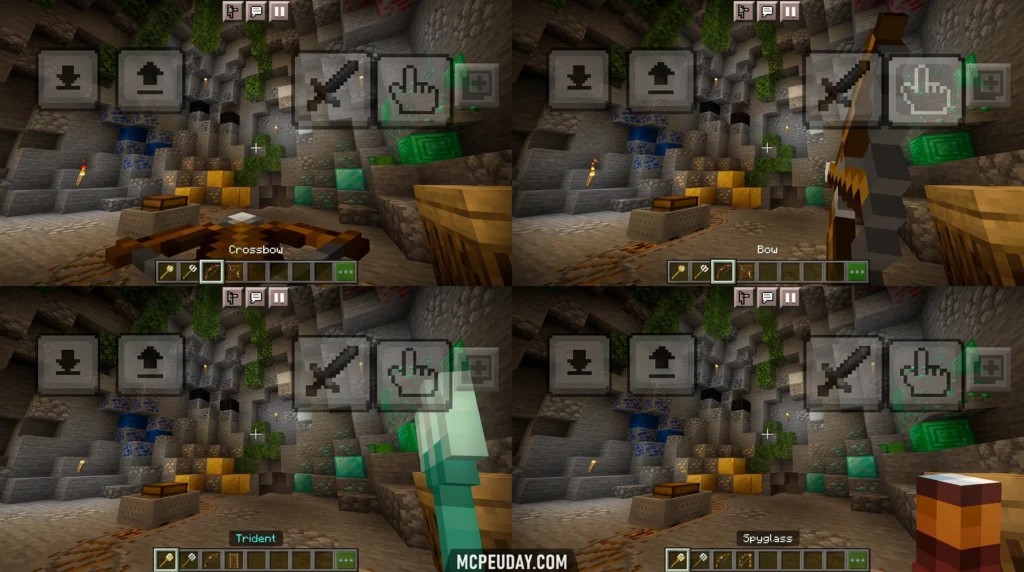
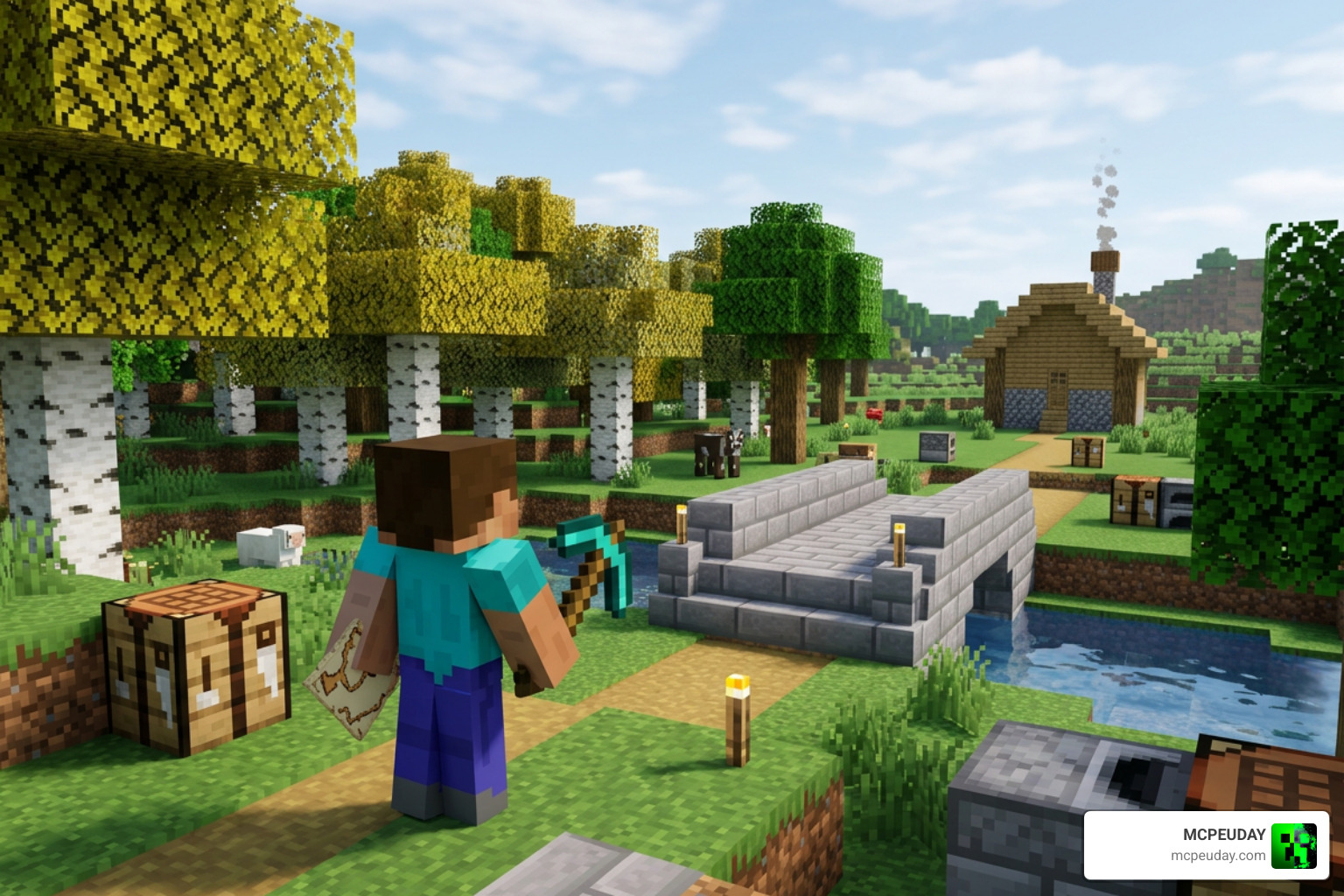
The FIXED Item Animations Addon is a Minecraft Bedrock resource pack that corrects and improves how your character looks when holding and using items in third-person view.
Quick answer — here’s what it does:
- Fixes eating, drinking, map viewing, shield blocking, boat rowing, horse riding, ladder climbing, and crawling animations
- Makes third-person animations match what you see in first-person
- Works client-side only — no server permissions needed
- Compatible with Minecraft Bedrock Edition 1.21+
- Installs as a
.mcpackresource pack — no experimental toggles required
If you’ve ever watched your character sit completely still while paddling a boat, or hold a shield with a stiff, robotic pose, you already know the problem this addon solves.
Default Bedrock animations were never designed to match first-person actions. The result is a disconnect that breaks immersion — especially in third-person or split-screen play. The FIXED Item Animations Addon closes that gap, making your character look like they’re actually doing something.
This guide walks you through exactly how to download and install it.
What is the FIXED Item Animations Addon?
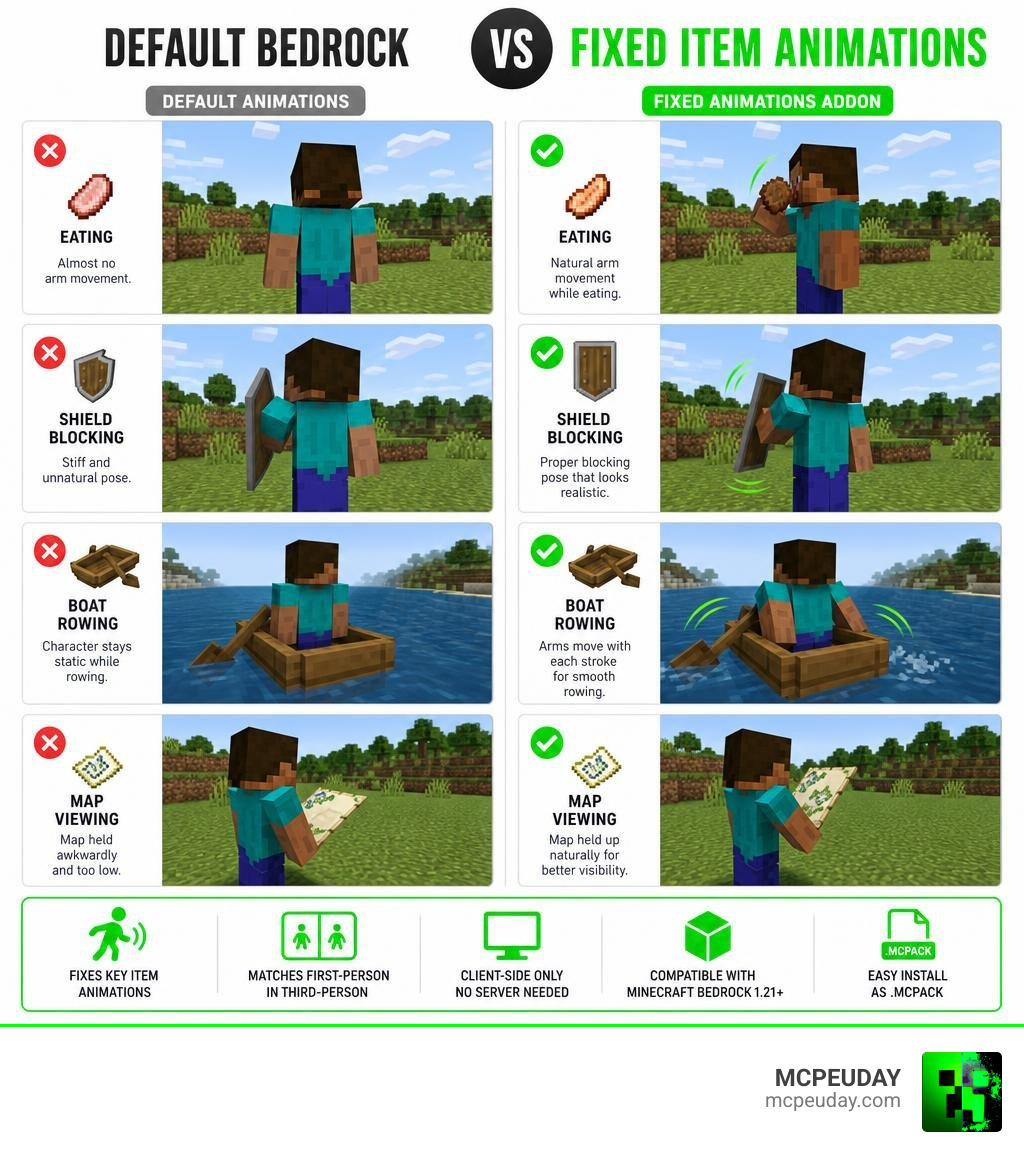
The FIXED Item Animations Addon is a highly optimized, client-side resource pack designed to resolve one of the most persistent visual annoyances in Minecraft Bedrock Edition: static, awkward third-person animations. In the vanilla game, when your player character eats, drinks, blocks with a shield, or holds a map, the third-person model barely reacts. Your character might slide across the ground or hold items at bizarre, rigid angles.
This addon delivers a complete visual overhaul by introducing dynamic, realistic third-person animations that perfectly mirror your first-person actions. It bridges the gap between what you see on your screen and what other players see when looking at your character. If you want to take your player movements even further, you can pair this resource pack with the New Player Animation Addon to achieve incredibly realistic running, jumping, and idling poses.
Key Features of the FIXED Item Animations Addon
The core strength of the FIXED Item Animations Addon lies in its comprehensive coverage of everyday Minecraft actions. Instead of focusing on just one or two items, it updates a wide range of player interactions:
- Eating and Drinking: Your character’s arm now realistically raises the food or potion to their mouth, matching the duration of the consumption sound.
- Map Viewing: Instead of holding a map flat against their waist, your character holds it up in front of them with both hands, allowing other players to see that you are actively navigating.
- Shield Blocking: Your character crouches slightly and raises the shield dynamically, angling their body to block incoming attacks instead of remaining completely upright.
- Boat Rowing: No more sitting like a statue while the boat moves on its own! Your character’s arms will physically paddle in sync with the boat’s movement.
- Horse Riding: Your character holds the reins naturally instead of letting their arms dangle uselessly.
- Ladder Climbing and Crawling: Hand-over-hand climbing and realistic crawling animations replace the awkward sliding models of the default game.
To help you visualize the massive upgrade this pack offers, here is a quick comparison:
| Action / Item | Default Bedrock Animation | FIXED Item Animations Addon |
|---|---|---|
| Eating & Drinking | Static hand, item floats near waist | Arm raises item to mouth with chewing motion |
| Shield Blocking | Rigid body, shield flat against chest | Dynamic crouch, shield angled to deflect |
| Holding Maps | Held low with one hand | Held up with both hands, visible to others |
| Rowing Boats | Static sitting posture | Arms actively paddle in sync with movement |
| Climbing Ladders | Vertical sliding with no limb movement | Alternating hand-over-hand climbing |
Why Choose the FIXED Item Animations Addon Over Other Packs
While there are many animation packs available, the FIXED Item Animations Addon stands out because of its flawless performance optimization and client-side rendering. Because it modifies only the resource side of the game, it does not require heavy scripting or behavioral overrides that can slow down your device.
If you have explored other options like the Fresh Animations Bedrock Addon, which focuses heavily on mob expressions and movements, you will find that this addon serves as the perfect companion. While other packs make the world around you look alive, this pack ensures that your own character looks just as detailed and dynamic.
How to Download and Install the Addon
Getting this addon onto your device is incredibly straightforward. Because we keep our library fully updated for July 2026, you can quickly grab the latest version directly from our platform. Alternatively, if you want to check out the original community files, you can visit the official FIXED Item Animations – Minecraft Bedrock Texture Packs page on CurseForge.
Step-by-Step Installation Guide for Bedrock
Follow these simple steps to install the pack on your Bedrock device:
- Download the
.mcpackfile from our verified download links. - Once the download is complete, locate the file on your device and tap or double-click it. Minecraft Bedrock will launch automatically and import the pack.
- Go to Settings from the Minecraft main menu, then scroll down to Global Resources.
- Open the My Packs dropdown, find the FIXED Item Animations Addon, and click Activate.
- Ensure the pack is placed high up in your active packs list to prevent other texture packs from overriding it.
For players who love high-fidelity physical movements, combining this with the More Body Actions Addon creates the ultimate immersive setup, allowing you to carry items, crawl on command, and enjoy fluid physics.
Compatibility and Requirements in July 2026
As of July 2026, this addon is fully compatible with Minecraft Bedrock Edition 1.21 and later versions. Because it operates entirely as a client-side resource pack, you can join any multiplayer server—including massive public lobbies or private Realms—without getting kicked or requiring the server host to install it.
If you are running other visual mods, such as the Dynamic First Person Model Addon, this pack works beautifully alongside it to maintain visual consistency when switching back and forth between first-person and third-person cameras.
Benefits, Limitations, and Comparisons
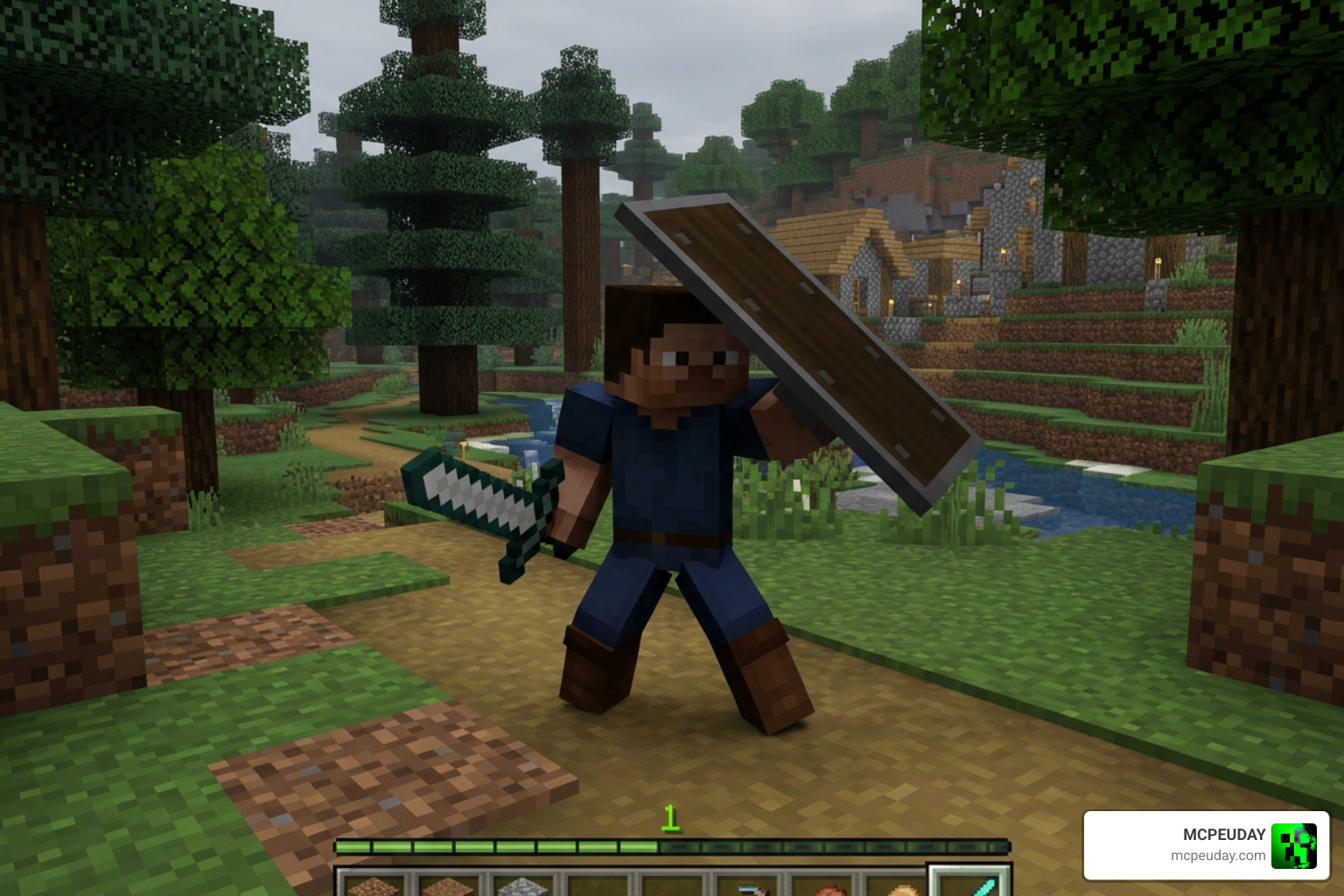
Using this addon completely transforms your gameplay. It brings a deep sense of visual immersion that makes roleplaying, recording content, or playing with friends feel like a brand-new game.
However, Bedrock creators face different limitations compared to Java developers. On Java, creators can use advanced tools to build complex structures, as detailed in guides like Animated 3D Items or the adding-content/items/animated-3d-items.md at master · LoneDev6/Wiki-ItemsAdder documentation. Bedrock developers must work within the constraints of the Bedrock engine, meaning they have to optimize every bone rotation to keep the game running smoothly on mobile phones, consoles, and PCs alike.
Comparing Bedrock Addons to Java Mods
In the Java Edition world, mods like “Not Enough Animations” achieve parity by utilizing heavy code modification. On Bedrock, achieving this level of visual consistency requires clever manipulation of the render controllers and player models.
While Java players enjoy absolute freedom with dual-wielding animations, Bedrock players can get incredibly close to that experience. By combining our featured animation pack with the Doublehands Functional Offhand Addon, you can enjoy functional offhand animations that look and feel just like Java Edition.
Known Issues and Configuration Options
No pack is completely perfect, and you might occasionally run into minor rendering issues. If you notice that your hand models look slightly offset, or if you are using custom skins that do not use the standard Steve or Alex geometry, you can adjust the subpacks slider in the resource pack settings.
Simply click the gear icon next to the active pack in your Global Resources menu to tweak the rendering behavior. If you are experiencing conflicts where your hand model blocks too much of your screen in first-person, pairing this with the View Model Addon will let you adjust the exact position and angle of your held items.
Frequently Asked Questions about Item Animations
We have gathered some of the most common questions our community asks about configuring these animations.
Does this addon work on multiplayer servers?
Yes! Because this is a client-side resource pack, it only changes how the game renders on your own screen. You can join any vanilla or third-party server, and your animations will work perfectly. Other players will even be able to see your improved movements if they also have the pack active, or if the server has it applied as a global resource.
Can I use this with other player animation packs?
Yes, but you must pay close attention to your pack hierarchy. In Minecraft’s Global Resources menu, the pack loaded at the very top of the list takes priority. If you want this pack’s item animations to take precedence over general movement packs, place it above them in the list.
Does it require experimental gameplay toggles?
No experimental toggles are required! Since this pack does not use experimental holiday creator features or custom behavior scripts, you can safely apply it to your existing survival worlds without disabling achievements.
Conclusion
The FIXED Item Animations Addon is an essential download for any Minecraft Bedrock player who values visual polish and immersion. By fixing the outdated, rigid animations of the default game, it breathes new life into your third-person adventures.
We invite you to explore our extensive MCPE Bedrock Category to find more incredible mods, shaders, and resource packs to customize your game. Download the addon today and experience Minecraft the way it was meant to be seen!
1 thought on “FIXED Item Animations Addon (26.x, 1.21) – MCPE/Bedrock Mod”