What Is VFXCore Shader and Why Minecraft Players Love It
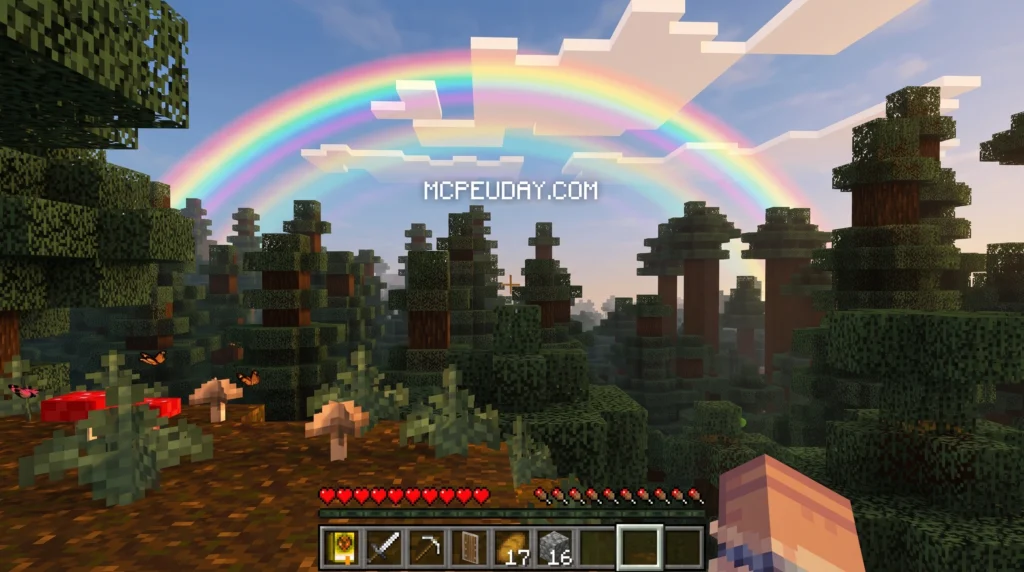
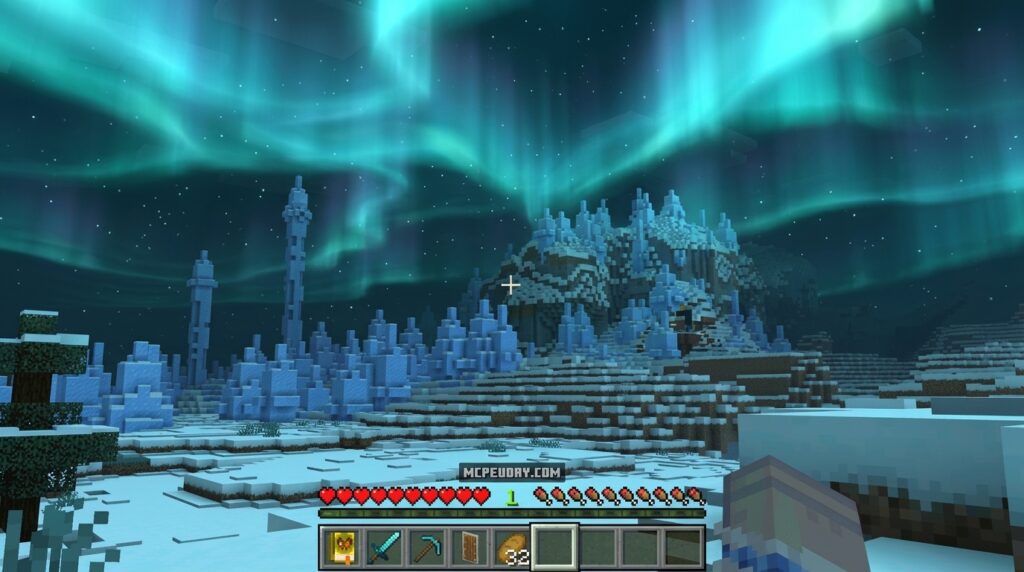
The VFXCore Shader is a Minecraft Bedrock Edition addon that transforms the way your game looks — adding rich visual effects, improved lighting, and cinematic flair to your world.
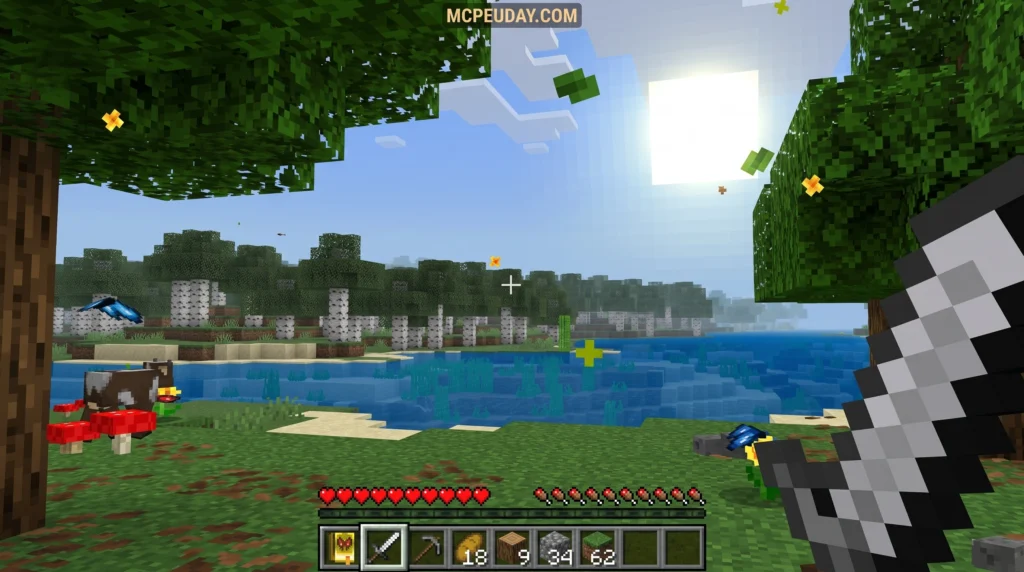
Quick answer: VFXCore is a .mcaddon shader pack (v1.3, 4.25 MB) for Minecraft PE/Bedrock that enhances in-game visuals with advanced rendering effects. Here’s what you need to know at a glance:
- What it is: A shader addon for Minecraft Bedrock/PE
- File format:
.mcaddon(easy drag-and-drop install) - Current version: v1.3
- File size: 4.25 MB
- Best for: Players who want better lighting, particle effects, and visual polish
- Compatibility: Minecraft Pocket Edition and Bedrock Edition
If you’ve ever watched a Minecraft video and thought “why does their game look so much better than mine?” — shaders are almost always the answer.
VFXCore brings that same upgrade to your world. It works at the addon level, meaning you don’t need a PC or Java Edition to enjoy it. Bedrock and mobile players can get in on the action too.
The shader framework concept behind VFXCore is borrowed from professional VFX pipelines — the same ideas used in game studios and film production — but packaged in a way that any Minecraft fan can install and enjoy.
This guide walks you through everything: what VFXCore does, how it compares to other shaders, how to get the most out of it, and how to keep your frame rate healthy while using it.
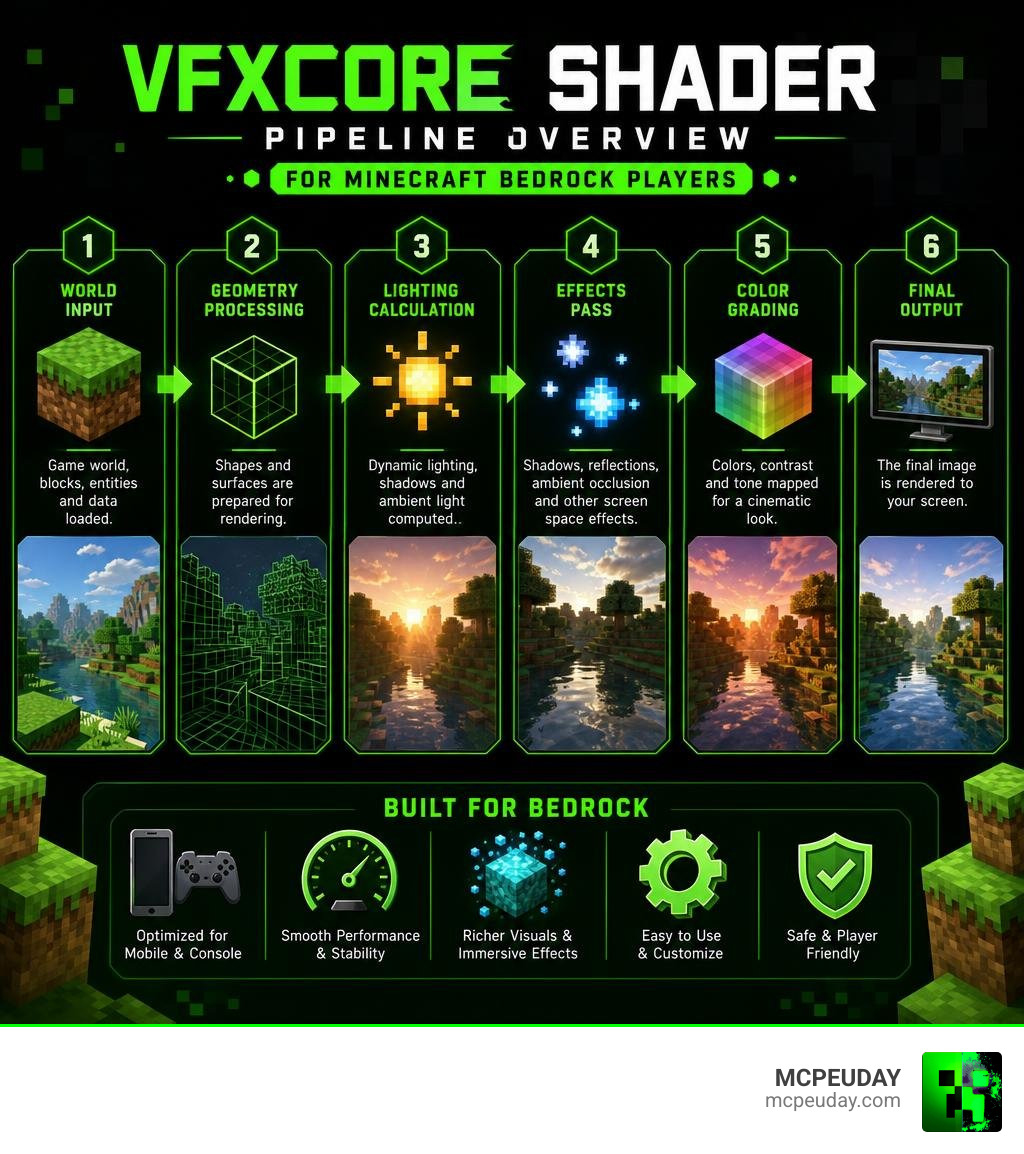
Understanding the VFXCore Shader and Its Core Use Cases
When we dive into game development and visual effects, shaders are the magic scripts that tell the graphics processor exactly how to render pixels on your screen. The VFXCore Shader serves as a bridge, bringing high-end visual effects to mobile devices and consoles.
In Minecraft Bedrock, the shader is primarily used to enhance environmental realism, improve lighting setups, and inject dynamic particle behaviors into standard gameplay. It handles everything from soft water reflections to advanced light scattering. If you want to see how it stacks up against other popular visual upgrades, be sure to check out our curated list of the 15 Best Minecraft PE Shaders June 2026.
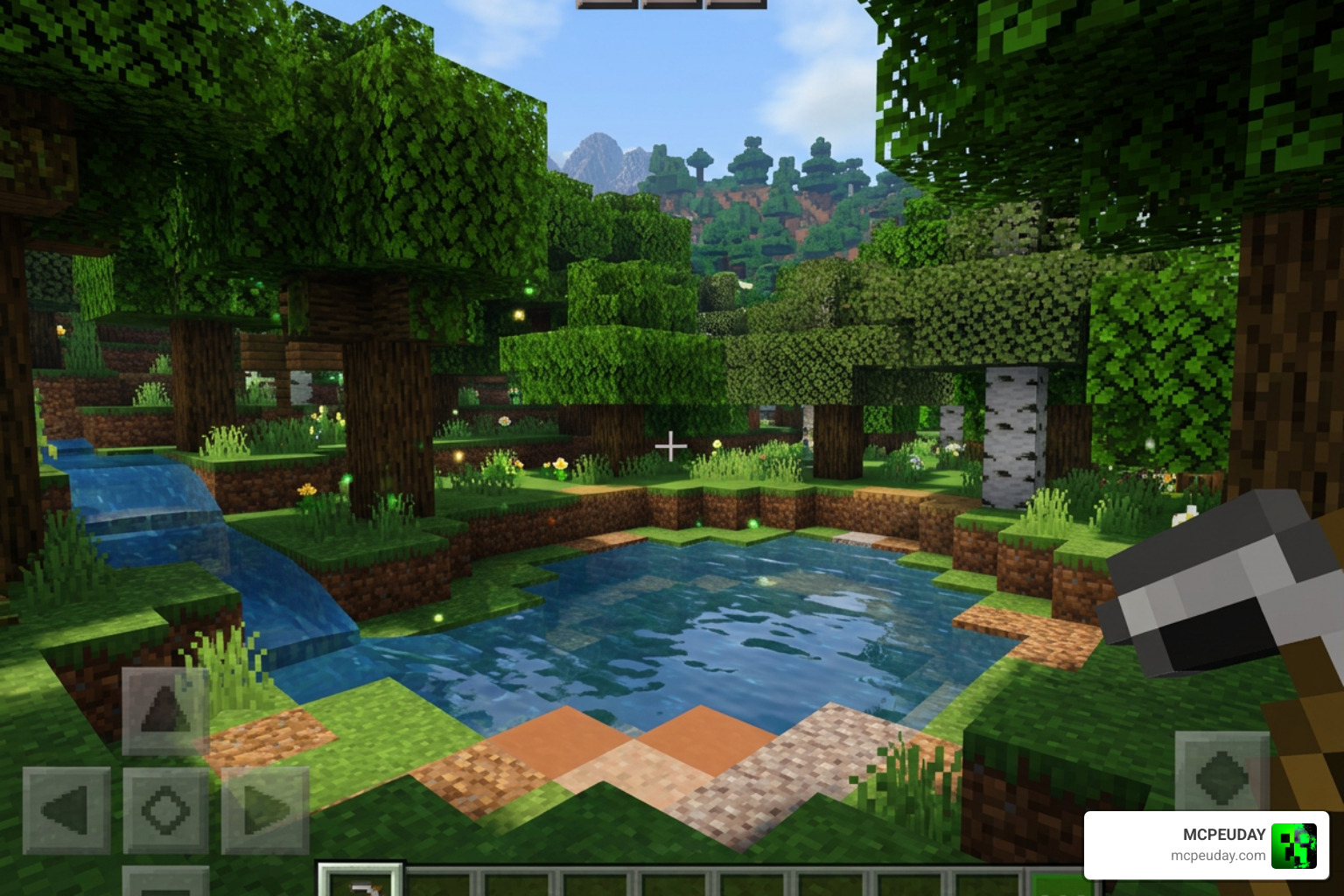
VFXCore Shader vs Classic Core and Principled Shaders
To truly appreciate what VFXCore does, it helps to compare it to professional desktop shader frameworks. In offline rendering suites like Houdini, artists have long relied on the Classic Shader Core or the newer, all-in-one Principled Shader.
The differences boil down to a simple trade-off between performance and flexibility:
- Principled Shaders: These are massive, “everything-included” shaders. They handle metalness, roughness, subsurface scattering, and refraction in a single node. While highly flexible, they carry substantial rendering overhead.
- Classic Core Shaders: These allow artists to manually construct materials from the ground up using VOP (Vex Operators). By only compiling the code they absolutely need, artists can achieve faster render times.
- VFXCore Shader: Operating on mobile and Bedrock systems, VFXCore acts like an optimized, pre-compiled Classic Core. It strips away heavy offline ray-tracing computations while keeping crucial visual features like depth blending, procedural noise, and custom emission ranges. This delivers a massive performance boost on handheld devices without sacrificing the look.
PBR vs Stylized Rendering in VFXCore Shader
One of the greatest strengths of the VFXCore Shader is its adaptability. It can handle both physically based rendering (PBR) and non-photorealistic rendering (NPR) workflows.
PBR focuses on realistic light behavior, matching how real-world materials absorb and reflect light. NPR, on the other hand, allows for stylized, cartoonish, or cel-shaded aesthetics.
| Feature / Workflow | Physically Based Rendering (PBR) | Non-Photorealistic Rendering (NPR) / Stylized |
|---|---|---|
| Primary Goal | Real-world physical accuracy | Artistic expression and custom styles |
| Specular Model | GGX (realistic rough surface reflections) | Banded or cel-shaded specular highlights |
| Lighting Behavior | Energy conservation (prevents unnatural brightness) | Custom light-override gradients |
| Best Used For | Realistic water, metallic blocks, and wet surfaces | Anime-style skies, retro pixel-art glows, and outlines |
Key Features, Parameters, and Material Inputs
The power of the VFXCore Shader lies in its exposed parameters. It allows creators to tweak material appearances on the fly, much like professional video plugins such as FxCore do for desktop compositing.
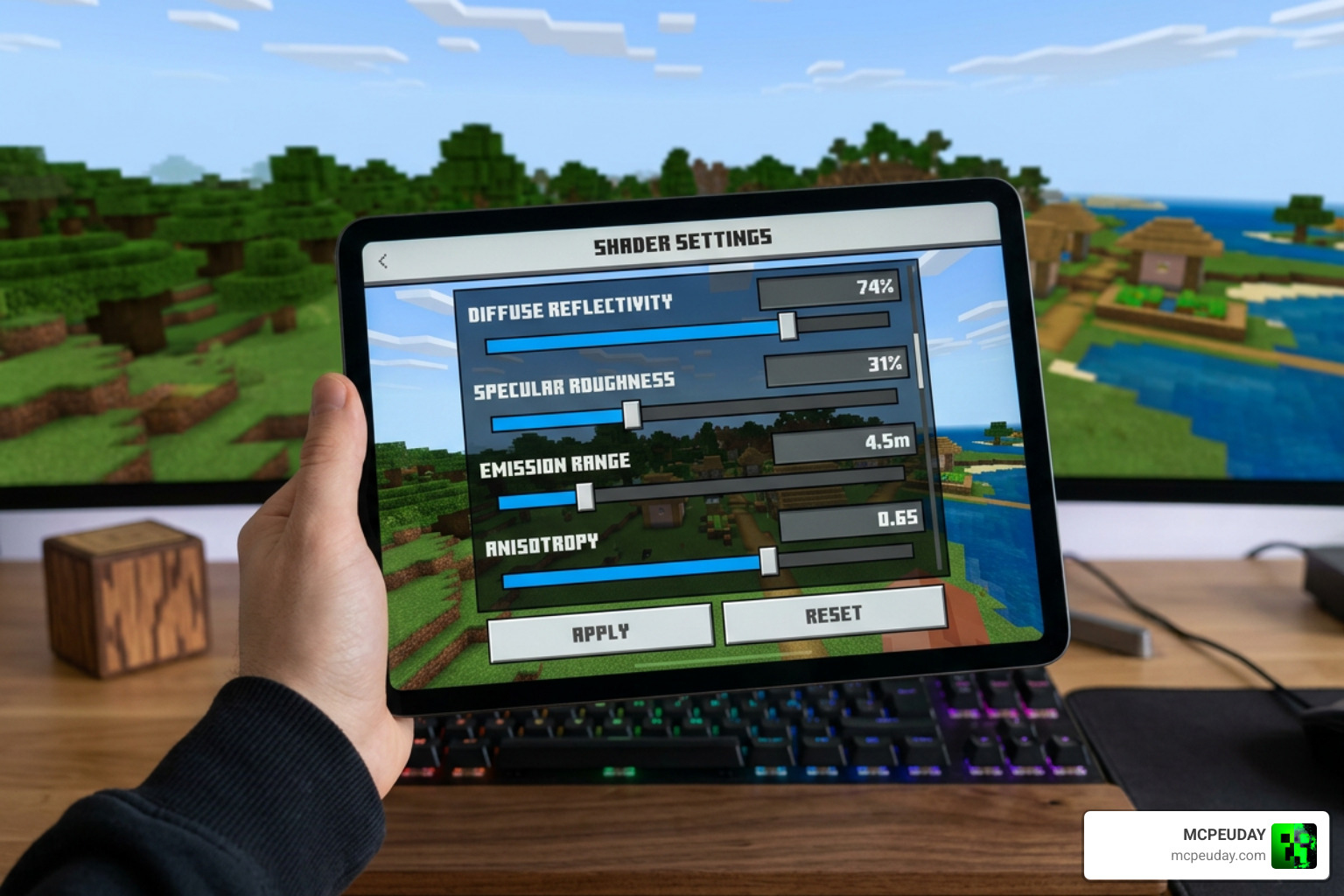
When modifying materials, creators interact with several key inputs:
- Diffuse Reflectivity: Controls the base color intensity. By default, keeping this around 0.5 ensures that materials do not look unnaturally bright or washed out under direct sunlight.
- Specular Roughness: Ranges from 0 (a perfect, mirror-like reflection) to 1 (a highly diffused, blurry reflection).
- Emission Range and Softness: Controls which parts of a texture glow in the dark and how smoothly that glow fades into surrounding pixels.
- Anisotropy: Simulates microscopic directional grooves, stretching highlights across surfaces like brushed metals or water ripples.
Integrating with Particle Systems and Flipbooks
For visual effects artists, the magic happens when shaders interact with moving particles. VFXCore integrates beautifully with Shuriken particle systems and custom flipbook animations.
By analyzing the underlying logic of master effects shaders like Shaders/VFX/VFXMaster.shader, we can see how VFXCore handles complex math behind the scenes. It utilizes custom vertex streams to pass particle data directly to the shader.
This enables advanced behaviors such as:
- Flipbook Frame Blending: Instead of harsh cuts between animation frames on a sprite sheet, the shader smoothly blends adjacent frames for fluid animations.
- Swirl and UV Distortion: By using animated noise textures to offset UV coordinates, the shader can turn a simple flame particle into a chaotic, swirling fire vortex.
- Stepped Time Quantization: Creators can intentionally limit the animation frame rate of the shader to match retro, low-fidelity aesthetics.
Advanced Workflows: Compositing, Image Planes, and Multi-Pass Rendering
For those looking to push the boundaries of Minecraft Bedrock cinematography, VFXCore supports advanced rendering techniques that mimic professional compositing pipelines.
By utilizing multi-pass rendering, the shader can write information to custom render targets. As detailed in the docs/EFFECT.md specification, this allows for persistent feedback buffers. In simple terms, the shader can “remember” what was rendered on the previous frame, enabling stunning motion trails, screen-space glows, and realistic blur passes.
If you are aiming to create breathtaking cinematic showcases or adventure maps, combining these multi-pass capabilities with other high-end packages is a game-changer. Take a look at our guide on the 10 Top Minecraft PE Shaders June 2026 Best Realistic MCPE Shaders to see how to pair VFXCore with environmental enhancements.
Customizing and Extending Shaders for Modern Pipelines
If you want to customize the shader further, VFXCore is highly extensible. Because its core math relies on standardized GLSL (OpenGL Shading Language) principles, developers can easily port visual presets between platforms.
For instance, looking at the open-source preset constants in packages/vfx-js/src/constants.ts at 96b1affcd21f99bf6ea6e8f47e0baac8541d6c23 · fand/vfx-js, we can adapt classic effects like chromatic aberration, digital glitching, and duotone color mapping directly into our Minecraft shader configurations. This makes VFXCore a versatile tool for cross-platform creators working across Unity, Houdini, and Bedrock.
Performance Optimization and Best Practices for Production
While beautiful graphics are great, nobody wants to play Minecraft at five frames per second. Optimization is key, especially when dealing with mobile devices.
To help you find the perfect balance between eye-candy and performance, we recommend checking out the Top 5 Best Realistic Shaders for MCPE. In the meantime, here is our checklist of best practices for keeping your gameplay buttery smooth:
- Limit Active Particle Emitters: Keep the number of simultaneous complex particles under control to prevent CPU bottlenecking.
- Disable Unused Shader Passes: If a material does not require refraction or subsurface scattering, ensure those features are toggled off in the material settings.
- Use Depth Blending Wisely: Soft particle intersections look fantastic, but rendering too many overlapping transparent layers can cause severe fill-rate issues on older mobile GPUs.
- Optimize Texture Resolution: Stick to 512×512 or lower for noise guides and flipbook textures; larger textures quickly eat up mobile memory.
Frequently Asked Questions about VFXCore
What Minecraft versions does VFXCore support?
VFXCore is regularly updated to support the latest versions of Minecraft Bedrock and Pocket Edition, including the current v1.21+ releases. Because it is packaged as a .mcaddon file, it integrates smoothly with the modern Bedrock rendering engine without requiring deep system modifications.
How do you optimize VFXCore for mobile devices?
The easiest way to optimize the shader is to lower your in-game render distance and turn off high-overhead features like real-time water reflections if you experience stuttering. Additionally, keeping your mobile device cool and closing background applications will ensure your hardware can dedicate all its power to rendering.
Can VFXCore be used for non-photorealistic (NPR) rendering?
Yes! By adjusting the lighting models and utilizing custom gradient maps, you can easily set up a vibrant, stylized cel-shaded look. This is perfect for creators who want their worlds to look like an animated cartoon rather than a realistic simulation.
Conclusion
The VFXCore Shader is an incredible tool that democratizes high-end visual effects, making them accessible to the entire Minecraft Bedrock community. Whether you want to build hyper-realistic worlds with PBR materials or craft a unique stylized adventure, this shader framework provides the flexibility and performance you need.
At MCPEUDAY, we are dedicated to bringing you the absolute best resources, mods, and graphics enhancements for your game. Ready to take your visuals to the next level? Head over to our showcase of the Best Shaders for MCPE 1.21 2026 Top 3 Realistic Minecraft PE Shaders to download the latest builds and start your next visual journey today!