Why Vanilla x Optimizer FPS Boost Is the Go-To Fix for Laggy Minecraft Bedrock
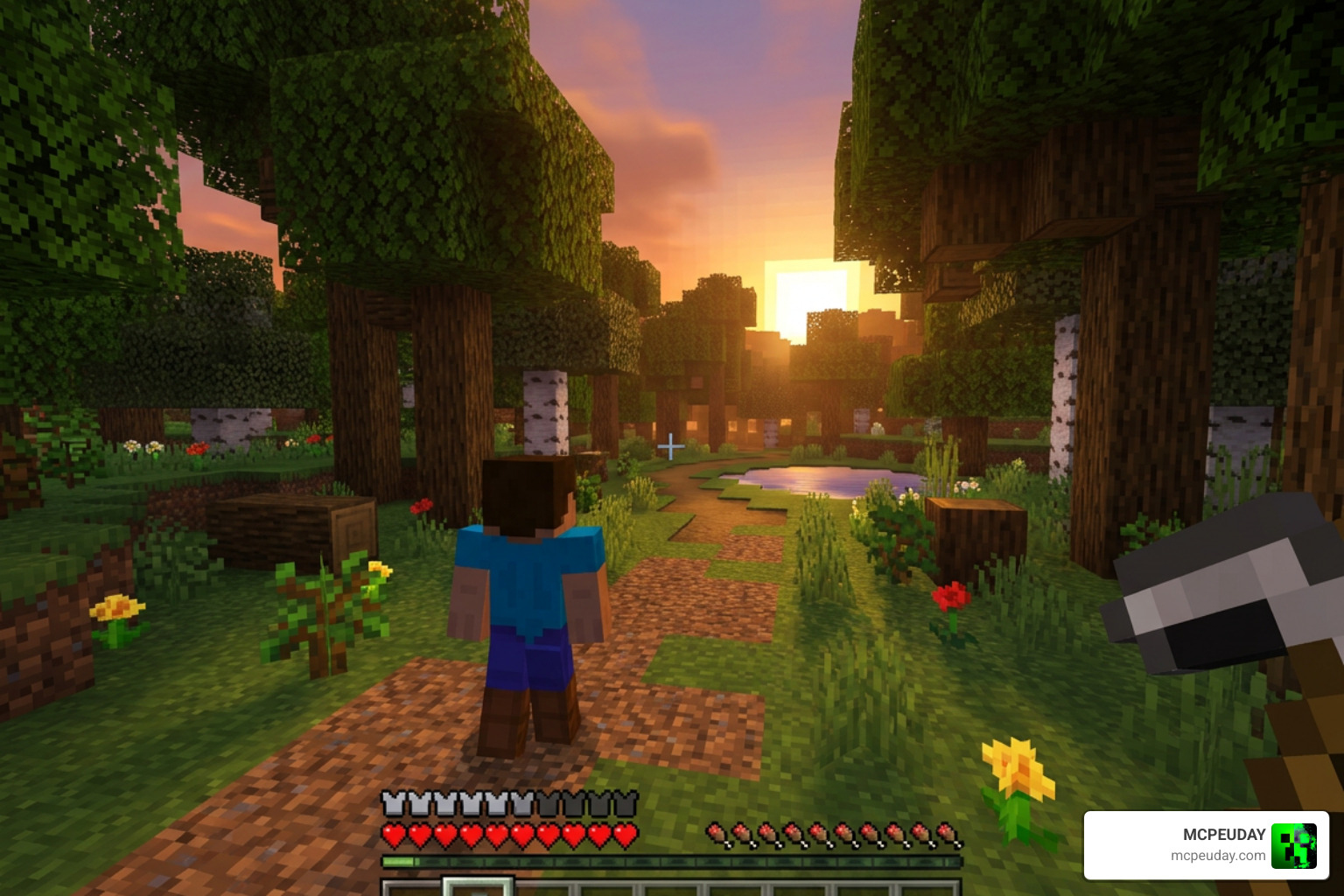
Vanilla x Optimizer FPS Boost is a lightweight texture pack for Minecraft Bedrock that improves your game’s frame rate by simplifying textures, cutting particles, and reducing fog — all without changing the classic Minecraft look.
Quick answer: Here’s what it does at a glance:
- What it is: A performance texture pack that merges two popular optimizers into one
- Who it’s for: Players on low-end or mid-range phones and devices running Minecraft Bedrock 1.21+
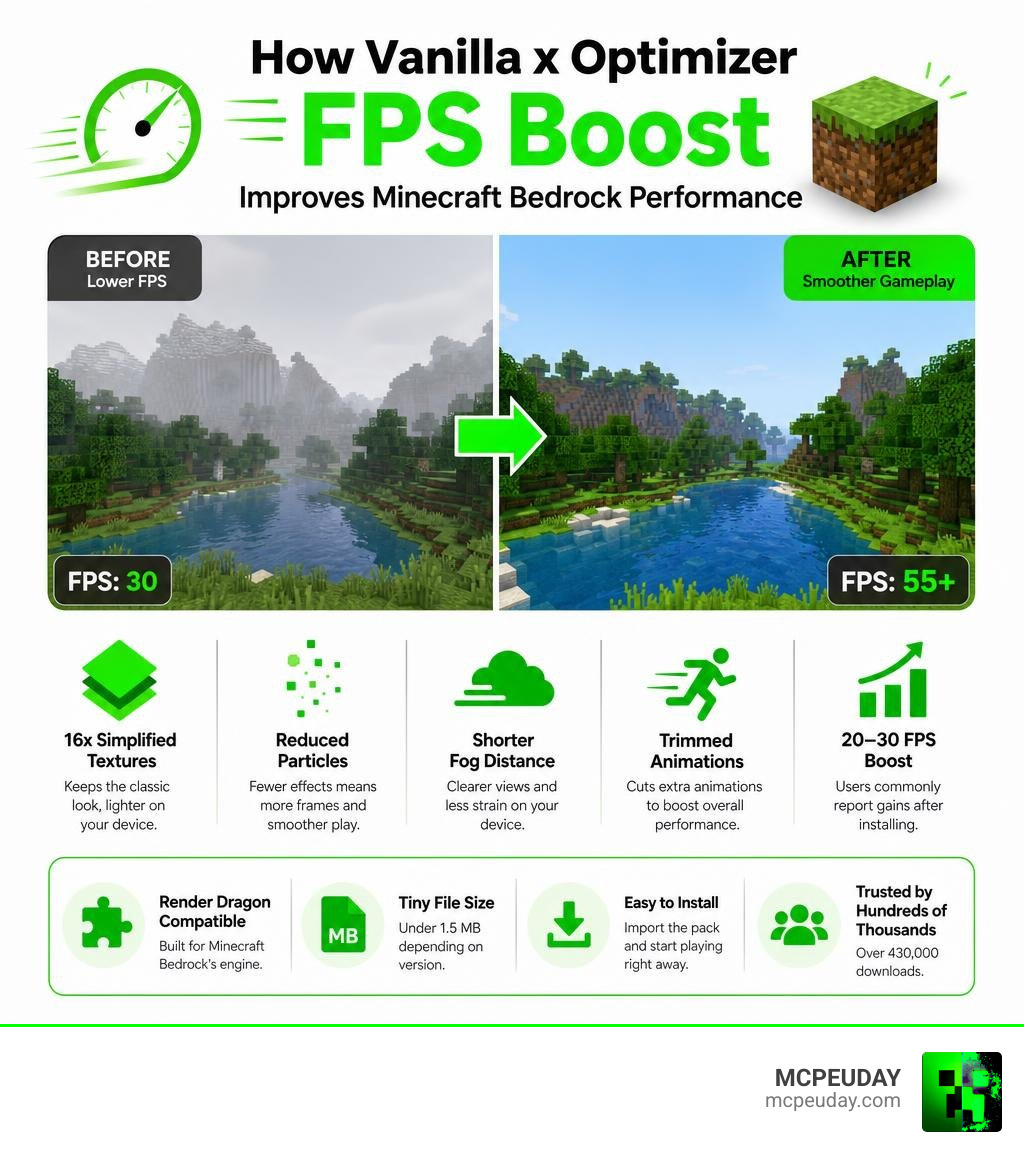
- What it changes: 16x simplified textures, reduced particles, shorter fog distance, trimmed animations
- FPS gain: Users commonly report gains of 20–30 FPS after installing
- Engine support: Fully compatible with Minecraft Bedrock’s Render Dragon engine
- File size: Tiny — under 1.5 MB depending on version
- Where to get it: Available on CurseForge with over 430,000 downloads
If your game stutters, drops frames, or just feels sluggish — especially on a budget phone — this pack is one of the fastest fixes you can try. No mods. No complicated setup. Just download, import, and play smoother.
What is the Vanilla x Optimizer FPS Boost Pack?
If you have ever tried running Minecraft Bedrock on an older mobile phone or a budget laptop, you know the pain of lag spikes. The Vanilla x Optimizer FPS Boost pack is a specialized performance-enhancing resource pack designed to solve this exact problem. It is engineered specifically for Minecraft Bedrock Edition (including MCPE) to maximize hardware efficiency without sacrificing the game’s core visual style.
At its heart, this pack is a brilliant hybrid. It merges the visual-clearing elements of the classic FPS Optimizer with the performance-driven philosophy of Java’s famous Sodium mod, adapted beautifully for Bedrock. By focusing on lightweight 16x simplified textures and smart rendering tweaks, it lightens the load on your device’s graphics processor.
The beauty of this optimizer is that it is not a mod or an addon that requires experimental gameplay toggles. It is a pure resource pack. This means you can use it on servers, in multiplayer realms, and in your hardcore survival worlds without disabling achievements.
Who Created Vanilla x Optimizer FPS Boost?
This incredible utility was created by the talented developer XiaoCraft. If that name sounds familiar, it is because XiaoCraft is a legend in the Minecraft Bedrock optimization community. With over 2.8 million total downloads across 17 different projects, they know exactly how to squeeze every bit of power out of mobile and low-end hardware.
XiaoCraft also maintains other highly successful performance projects, such as the famous Boosted FPS (Optimized Performance) pack, which boasts over 583,000 downloads. The Vanilla x Optimizer FPS Boost pack itself has gained massive traction, securing over 431,400 downloads overall (including more than 278,000 on CurseForge alone). It is an actively maintained, community-trusted project that receives regular updates to keep up with Mojang’s modern game releases.
Key Features of Vanilla x Optimizer FPS Boost
What makes this pack stand out from standard “FPS boosters” that just turn your world into flat, ugly gray blocks? It is all about smart, invisible compromises:
- Sodium & FPS Optimizer Integration: It takes the best lag-reduction techniques from two distinct optimization philosophies and packs them into a single, cohesive resource pack.
- Ultra-Lightweight Design: The entire pack is extremely small (ranging from 319 KB to 1.3 MB depending on the version), meaning it won’t hog your device’s storage.
- Render Dragon Optimization: Built from the ground up to play nicely with Bedrock’s modern rendering engine, ensuring stable performance on 1.21+ versions.
- Vanilla Visual Preservation: It retains the classic look of Minecraft. Dirt still looks like dirt, and grass still looks like grass—they are just highly optimized under the hood.
How the Pack Optimizes Minecraft Bedrock Performance
To understand why this pack works so well, we have to look under the hood of Minecraft Bedrock’s modern graphics engine, the Render Dragon. While Render Dragon brought beautiful lighting possibilities, it also introduced heavy rendering overhead that makes low-end devices run hot and lose frames.
The Vanilla x Optimizer FPS Boost pack acts like a digital personal trainer for your game, trimming away the unnecessary “fat” that slows down your GPU.

Texture and Particle Simplification
Textures and particles are often the biggest culprits behind sudden lag spikes—especially when you blow up TNT, farm large groups of mobs, or run through a dense jungle.
This pack utilizes highly optimized 16x simplified textures. While they maintain the exact color palette and feel of the original blocks, they require significantly less video memory (VRAM) to load. If you want to take texture optimization even further, you can pair this with a dedicated Better FPS Texture Pack to find the perfect balance between performance and style.
Furthermore, the pack aggressively reduces heavy particle effects. Unnecessary particles from smoke, water splashes, and redstone dust are either simplified or disabled entirely. This keeps your screen clear and your frame rate stable during intense combat or complex redstone operations.
Fog, Sky, and Animation Tweaks
Another major drain on your device’s processor is rendering distant environments and continuous animations. Vanilla x Optimizer FPS Boost tackles this with three clever visual adjustments:
- Shorter Fog Distance: By pulling the environmental fog slightly closer, the game engine does not have to constantly calculate and render complex geometry hidden in the far distance.
- Sky Optimization: It simplifies heavy cloud rendering and sky effects, which drastically reduces the load on your GPU when looking upward.
- Trimmed Animations: Continuous block animations (like flowing water, lava, or portal blocks) are optimized to use fewer frames, saving processing cycles.
If you are looking for an even more aggressive reduction in entity lag, you might also consider looking into a Better FPS Addon to complement your setup.
Installation Guide and Best Practices
Ready to turn your laggy slideshow back into a buttery-smooth gaming experience? Installing the pack is incredibly simple. Follow our step-by-step guide below to get started:
- Download the Pack: Grab the official
.mcpackfile safely. You can find the latest version on the official Vanilla x Optimizer FPS Boost – Minecraft Bedrock Texture Packs CurseForge page. - Import to Minecraft:
- On Android/iOS: Simply tap on the downloaded
.mcpackfile. Your device should automatically ask if you want to open it with Minecraft. - On Windows: Double-click the file, and Minecraft Bedrock will launch and import the pack automatically.
- On Android/iOS: Simply tap on the downloaded
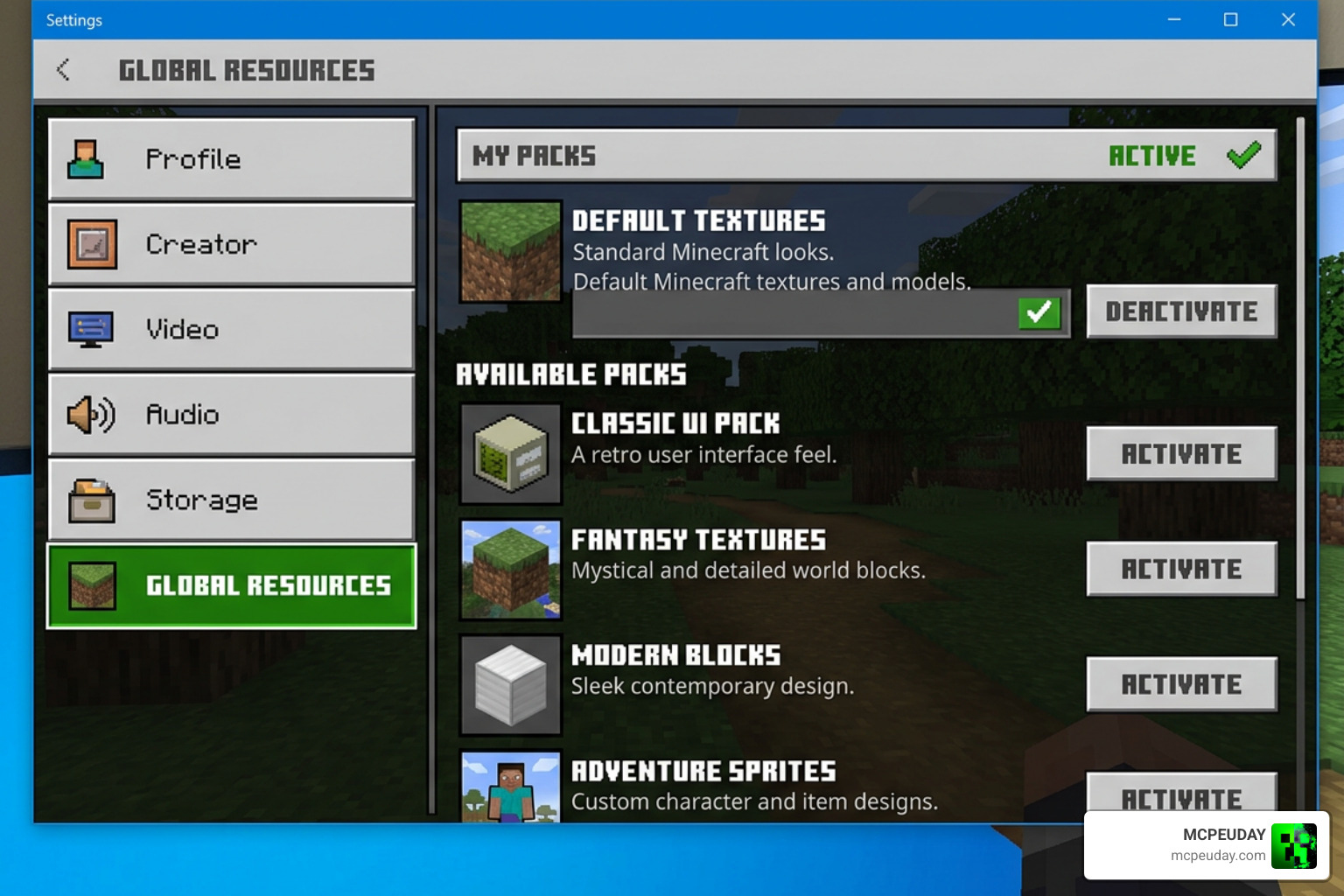
- Activate the Pack:
- Open Minecraft and go to Settings.
- Scroll down to Global Resources (or apply it directly to a specific world under Resource Packs).
- Click on My Packs, locate Vanilla x Optimizer, and click Activate.
- Adjust Your In-Game Settings: For the absolute best results, we recommend pairing this pack with optimized video settings. Lower your render distance to 8–12 chunks, turn off “Beautiful Skies,” and disable “Fancy Graphics.”
If you are still experiencing stuttering after activation, check out our comprehensive Why is Minecraft Bedrock so laggy? Fix FPS drops, stuttering, lag spikes 2026 guide for advanced troubleshooting tips.
Device Compatibility and Requirements
This pack is built for maximum compatibility. Because it operates as a standard resource pack, it runs on almost any device that can play Bedrock Edition:
- Supported Versions: Fully optimized for Minecraft Bedrock 1.21, 1.22, and modern 26.x builds.
- Target Devices: Budget Android phones, older iPhones, low-end laptops, and consoles.
- Engine Support: Specifically designed to run smoothly on the Render Dragon engine.
Combining with Shaders and Other Packs
Can you run this pack alongside your favorite visual upgrades? Yes! However, you must be smart about your load order.
To ensure the performance tweaks take priority, place Vanilla x Optimizer FPS Boost near the top of your active resource packs list. If you want a beautiful game that still runs incredibly fast, try pairing this optimizer with a lightweight shader like the No Lag Shader.
For mobile players on older phones, we highly recommend checking out our Newb X Lowres Shaders for Minecraft PE MCPE Complete Beginners Guide Installation Settings FPS Tips or reading our hands-on Newb X Ambient Shader My Honest Test on a Low End PC Real FPS Results Setup Guide to find a setup that looks stunning without melting your device.
Frequently Asked Questions About Minecraft Bedrock Performance
Does this pack work on Minecraft Bedrock 1.21+ Render Dragon?
Yes! XiaoCraft specifically optimized this pack to work alongside the Render Dragon engine. It bypasses many of the engine’s heavier rendering pipelines to ensure stable performance on modern Bedrock versions.
How much of an FPS boost can I expect?
While performance varies depending on your device, the vast majority of players report a noticeable 20–30 FPS increase. Players on extremely low-end mobile devices often report their game going from an unplayable 15–20 FPS up to a stable, smooth 45–50 FPS.
Are there any known bugs or compatibility issues?
Because it is a resource pack rather than a mod, major bugs are rare. However, some users have reported minor visual glitches, such as a temporary spear/trident rendering bug in older versions. If you experience visual conflicts, ensure you are not running other heavy texture-modifying packs at the same time. You can also view the open-source code and report bugs directly on the Son1kXDev/vanilaio GitHub repository.
Conclusion
At the end of the day, you do not need a high-end gaming rig to enjoy a smooth, lag-free Minecraft experience. The Vanilla x Optimizer FPS Boost pack is the perfect proof that smart, lightweight optimization can make a world of difference. By merging the best features of Sodium and FPS Optimizer, XiaoCraft has given the Bedrock community a powerful, vanilla-friendly tool to reclaim their frame rates.
We at MCPEUDAY are dedicated to helping you get the absolute most out of your game. If you want to continue upgrading your Minecraft Bedrock experience with the best performance tools, custom looks, and visual enhancements, head over to Explore Minecraft Shaders and Resources to find your next favorite pack!