Why the Travel Backpacks Addon Is a Game-Changer for Minecraft PE Players
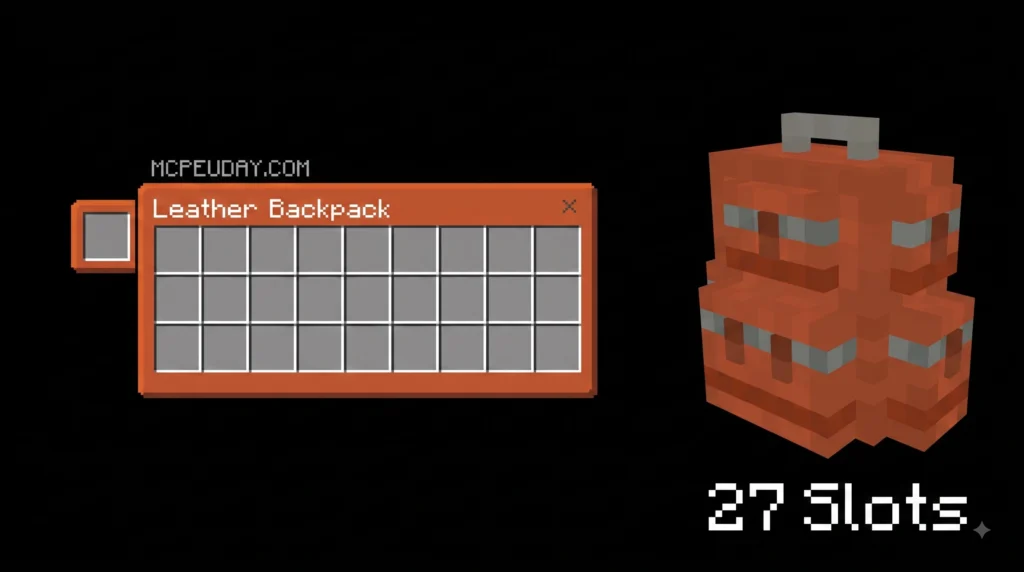
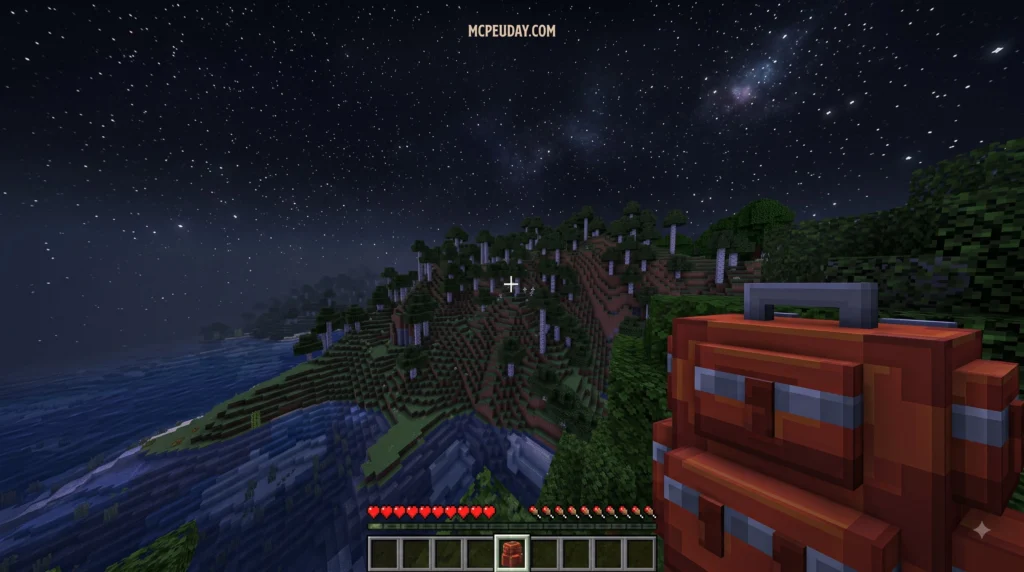
The Travel Backpacks Addon is a Minecraft Bedrock/PE addon that adds portable storage backpacks to your game, letting you carry far more items during exploration without running back to base.
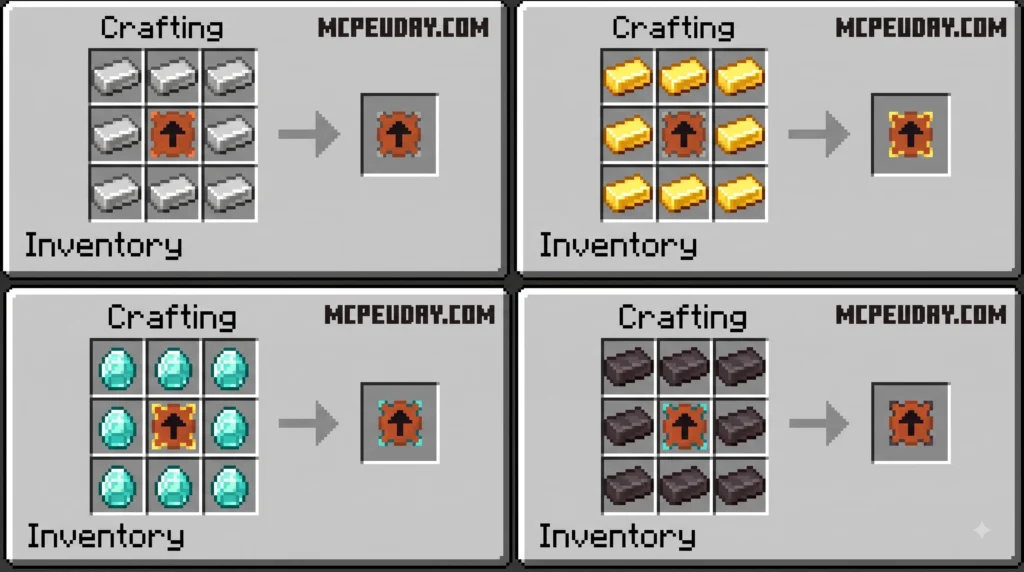
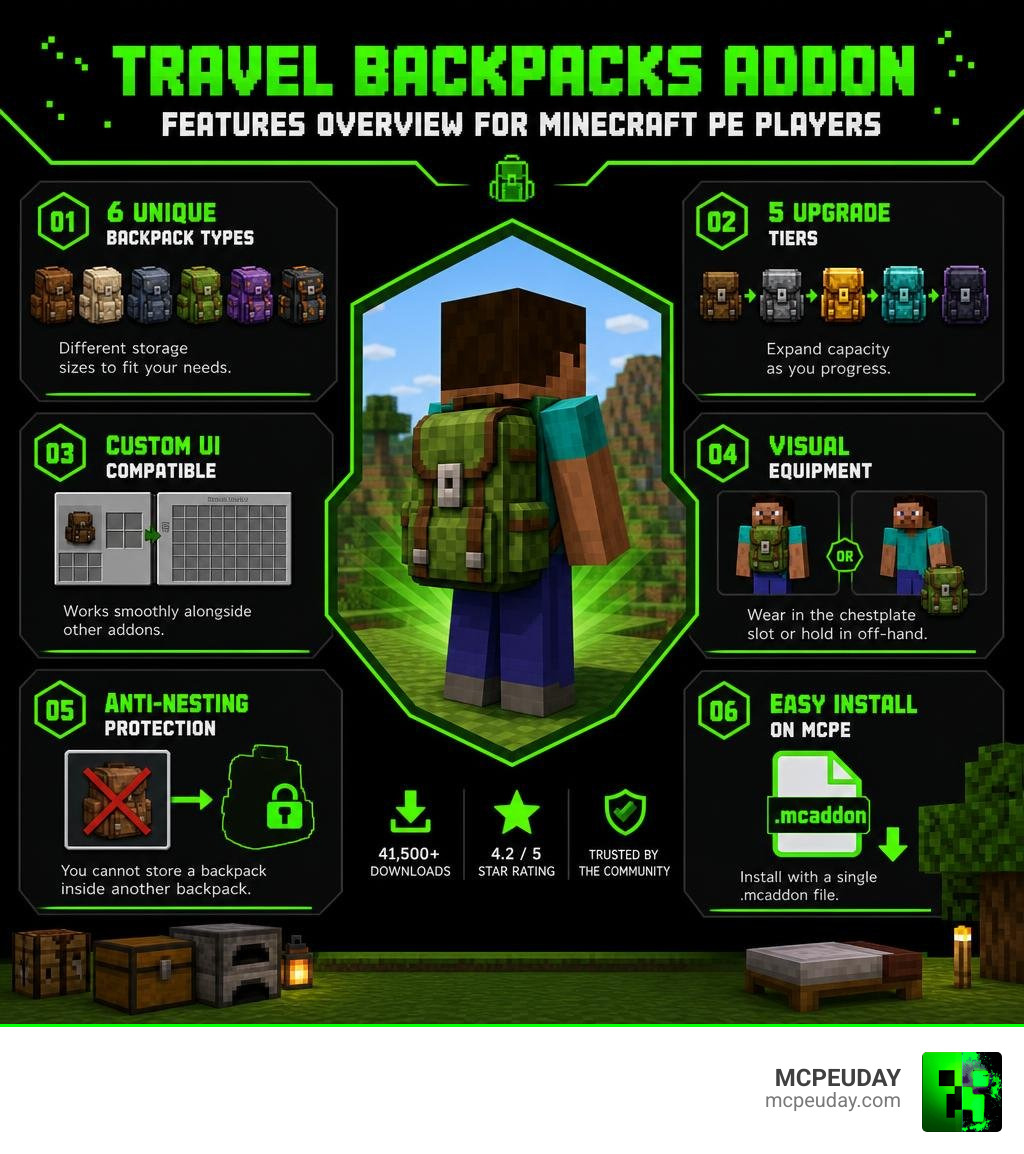
Here is a quick summary of what it offers:
- 6 unique backpack types with different storage sizes
- 5 upgrade tiers to expand capacity as you progress
- Custom UI that works alongside other addons
- Visual equipment in the chestplate or off-hand slot
- Anti-nesting protection — you cannot store a backpack inside another backpack
- Easy install via a single
.mcaddonfile on Minecraft PE
It has been downloaded over 41,500 times and holds a 4.2 out of 5 star rating as of 2026, making it one of the more trusted inventory addons in the Bedrock community.
Whether you are deep in a cave, crossing dimensions, or just tired of full inventories slowing you down, this addon solves one of Minecraft survival’s biggest frustrations — running out of space at the worst possible moment.
I’m UDAY GAMER from MCPEUDAY, and in this guide I’ll walk you through everything you need to know about the Travel Backpacks Addon — from installation to upgrades to how it stacks up against other popular backpack mods.
Overview of the Minecraft Travel Backpack System
Managing your inventory during long survival trips can quickly turn from an exciting adventure into a logistical headache. We have all experienced the pain of finding rare ore or valuable loot, only to realize our inventory is completely stuffed with cobblestone and dirt. The Travel Backpacks Addon created by developer Endermen76428 directly solves this problem by adding fully functional portable storage directly into Minecraft Bedrock Edition (MCPE).
Unlike standard chests or ender chests that force you to stop, place down a block, and access items, travel backpacks offer a seamless portable experience designed specifically for mobile and Bedrock UI screens.
Understanding the Travel Backpacks Addon Mechanics and Versions
At its core, the Travel Backpacks Addon introduces dedicated portable containers equipped with custom graphical user interfaces (UI) designed for Minecraft Bedrock 1.21+. The UI opens directly over your normal player view, making storage organization intuitive whether you use touch controls, a controller, or a keyboard and mouse.
The addon seamlessly tracks item data across world loads and dimension transitions (such as traveling to the Nether or The End). Players can quickly expand their mobile storage capacity while out exploring distant biomes without worrying about cluttering up their primary hotbar. If you want to see video demonstrations of how these mechanics operate in real survival setups, check out The BEST Backpacks Addon You Will EVER Download for Minecraft for visual walkthroughs.
Comparing Travel Backpacks vs Simple Travel Backpacks
When downloading the addon, you will notice two distinct packages available: the standard Travel Backpacks Addon and the Simple Travel Backpacks variant. Understanding the differences helps you pick the right version for your world:
- Standard Travel Backpacks (v0.2.2 Alpha): Comes in at approximately 82.63 KB. It includes the complete system of 6 distinct backpack styles, 5 upgrade tiers, custom visual model rendering on your avatar, and full craft upgrade slot support.
- Simple Travel Backpacks (v1.1): Features a smaller footprint at around 72.27 KB. This trimmed-down edition focuses purely on lightweight storage functionality without complex UI hooks or heavy model processing.
If you run a heavily modded server or play on lower-end mobile devices where performance is critical, the Simple variant provides clean extra storage. However, for the complete visual and progression experience, we recommend sticking with the main release.
Backpack Types, Tiers, and Custom Upgrades
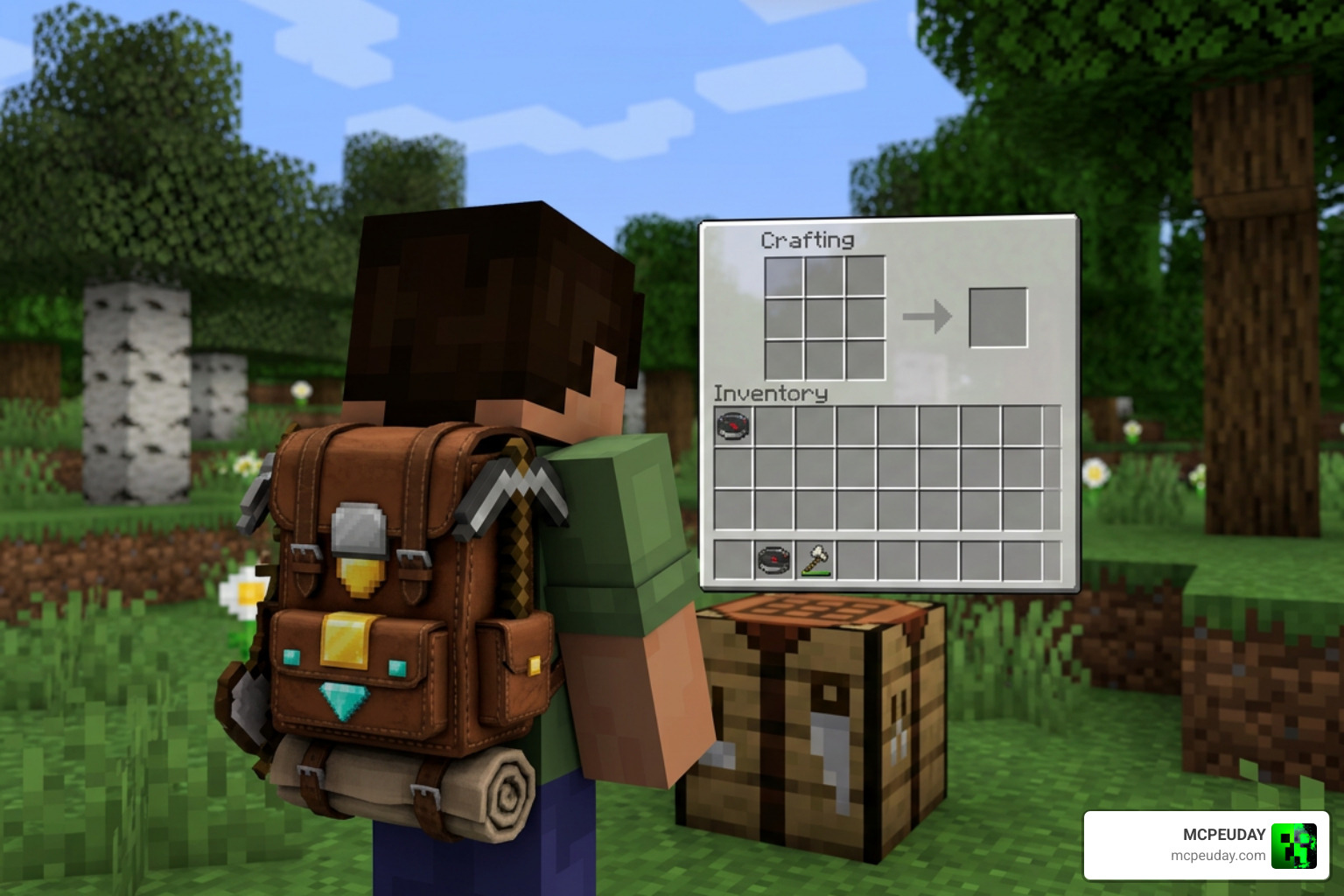
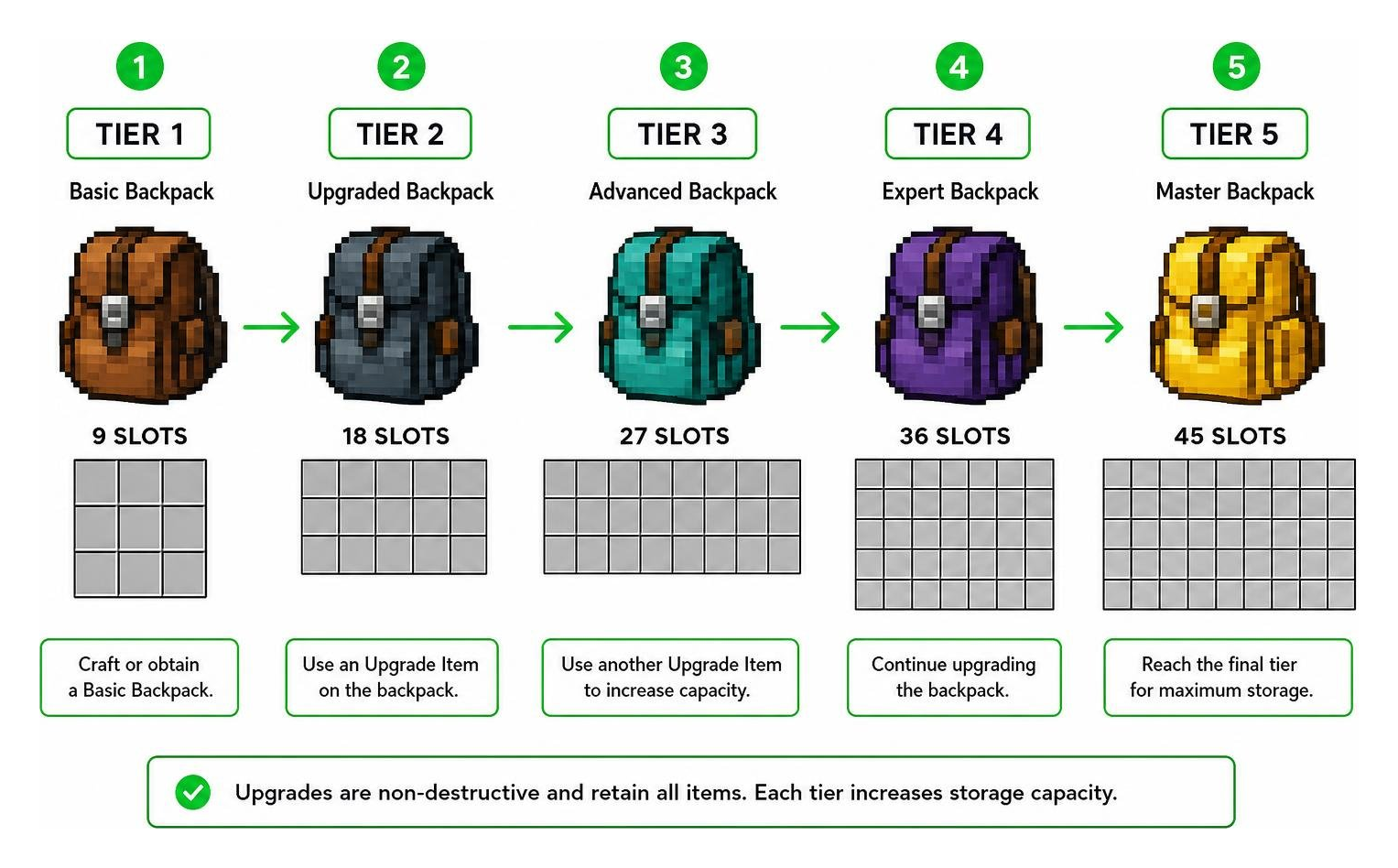
Progression in Minecraft survival is all about starting small and expanding your capabilities. The Travel Backpacks Addon mirrors this classic gameplay loop by featuring 6 different backpack types and 5 progressive upgrade tiers.
Instead of dumping end-game storage on you right away, you begin with a basic pack that you gradually upgrade as you gather diamonds, gold, iron, and other key resources.
Expanding Storage with Craft Upgrades and Visual Slot Equipment
Upgrading your backpack capacity does not require you to toss away your original bag or manually move items into a new container. Through the Craft Upgrades feature, you apply tier upgrades directly to your existing backpack inside specialized upgrade slots within the custom UI.
Key features of the upgrade and equipment system include:
- Dedicated Upgrade Slots: Access upgrade paths directly through the backpack UI without losing stored items.
- Wool to String Conversion: Version 0.2.2 Alpha added a handy recipe allowing players to craft wool directly into string, speeding up early-game backpack crafting.
- Dual Visual Equipment Slots: You can visually wear your backpack by equipping it in either your chestplate slot or your off-hand slot.
- Purely Visual Rendering: Placing the backpack in these equipment slots renders the 3D model on your character. It does not replace your armor’s protective defense values when placed in the off-hand, allowing you to retain full protection while looking like an authentic explorer.
Comparing the Travel Backpacks Addon to Other Popular Backpack Mods
Backpack mods have a rich history across both Minecraft Bedrock and Java ecosystems. To understand how the Travel Backpacks Addon compares to renowned Java alternatives like the Adventure Backpack mod or Tiviacz1337’s Traveler’s Backpack, let’s take a look at the feature comparison table below.
| Feature / Mod | Travel Backpacks Addon (Bedrock) | Adventure Backpack (Java) | Traveler’s Backpack (Java) |
|---|---|---|---|
| Platform | Minecraft Bedrock / PE | Minecraft Java | Minecraft Java |
| Backpack Styles | 6 distinct styles | Standard & Mob variants | Dozens of themed variants |
| Upgrade Tiers | 5 progressive tiers | Fixed capacity | Multi-tier upgrades |
| Fluid Tank Support | Inventory items only | 2 tanks (4,000 mB each) | 2 integrated fluid tanks |
| Tool Quick-Swap | Manual inventory | 2 quick-swap tool slots | Side tool slots |
| Tag Compatibility | Custom Bedrock UI tags | Java Forge item tags | Modern c:tools & c:armors tags |
| Visual Rendering | Off-hand & Chestplate | Back armor slot | Dedicated back slot |
While Java mods like Adventure Backpack offer dual 4,000 mB fluid tanks and lava resistance when placed on ground surfaces, the Travel Backpacks Addon is optimized specifically for mobile Bedrock mechanics. For Java developers interested in custom pack design, the docs/custom-backpack/getting-started.mdx documentation offers great insights into Java addon formats, while project extensions like Gameking1happy-Development/GK1H-Travelers-Backpack-Plus show how tag compatibility expands item usage across modpacks.
Installation, Bug Fixes, and Known Limitations
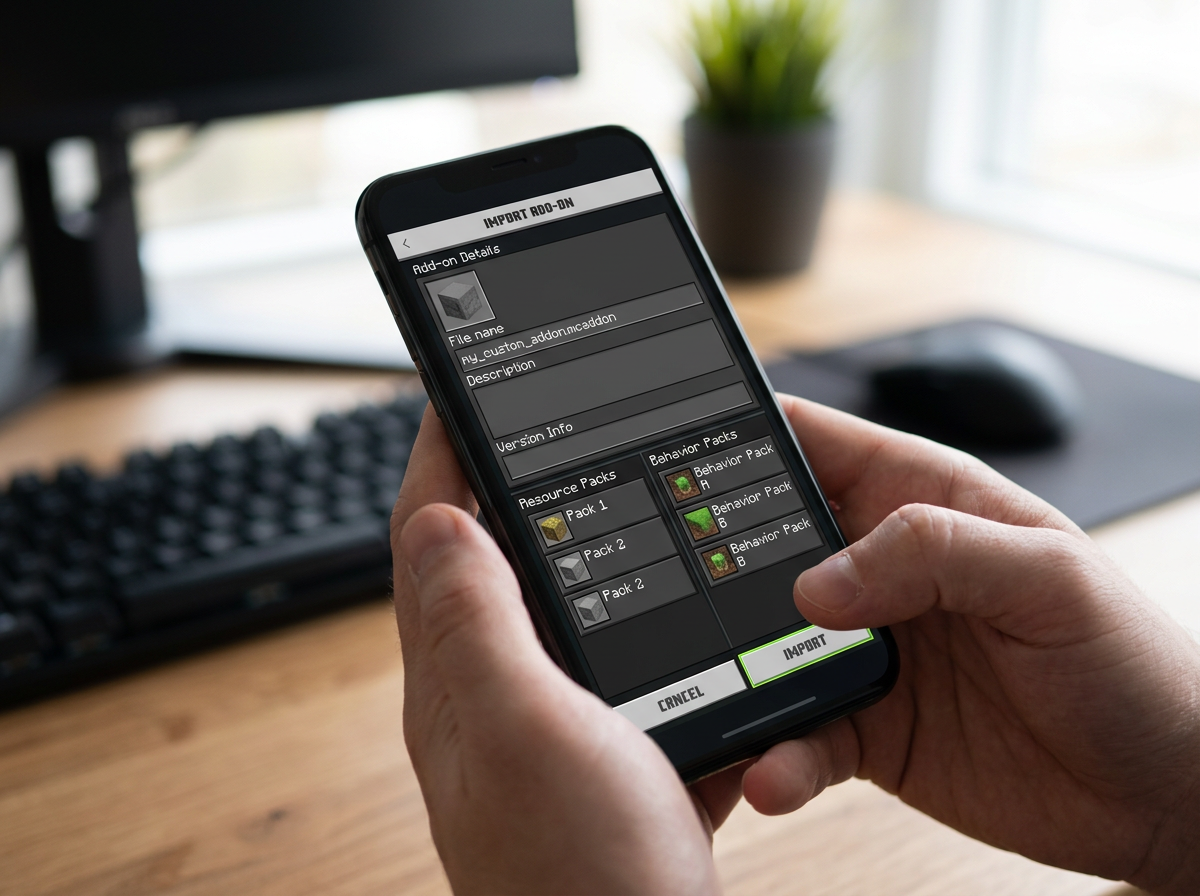
Installing the Travel Backpacks Addon on mobile devices, consoles, or Windows PC Bedrock editions is quick and straightforward thanks to the unified file structure.
Step-by-Step Installation for the Travel Backpacks Addon on PE
Follow these steps to get your addon running in Minecraft PE:
- Download the latest
Travel_Backpacks_v0.2.2.mcaddonfile to your mobile device or PC. - Tap or double-click the downloaded
.mcaddonfile. Minecraft will automatically launch and import both the Resource Pack and Behavior Pack. - Open Minecraft, create a new world or select an existing survival world, and open World Settings.
- Scroll down to Resource Packs under Add-Ons and activate Travel Backpacks.
- Navigate to Behavior Packs and ensure Travel Backpacks is activated there as well.
- Enable Experimental Gameplay Features (such as Custom Biomes or Holiday Creator Features if prompted by your game version) to ensure all custom UIs load cleanly.
If you run into any setup issues during activation, watching video guides like the BETTER BACKPACKS ADDON Enhances Your Survival tutorial can help you verify your settings.
Fixing Desync Issues and Anti-Nesting Anti-Duplication Rules
The development history of the Travel Backpacks Addon includes vital patches designed to protect your hard-earned items:
- Anti-Nesting Rule (v0.2.0 Alpha): To eliminate inventory corruption and infinite storage exploits, you can no longer store a backpack inside another backpack.
- Desync & Dimension Fixes (v0.1.1 & v0.2.2 Alpha): Early versions occasionally caused inventory desynchronization or reset backpack contents when moving through Nether or End portals. Version 0.2.2 completely resolves these desync bugs, keeping your items safe across all dimensions.
Frequently Asked Questions
Can you store a backpack inside another backpack?
No. Starting from version 0.2.0 Alpha, the developer implemented a strict anti-nesting rule. You cannot place a backpack inside another backpack’s storage slot. This restriction was added specifically to prevent item duplication bugs, world crashes, and inventory desynchronization.
Are backpacks placed in the chestplate or off-hand slot purely visual?
Yes! Placing a backpack in your chestplate or off-hand slot is purely for visual rendering on your player model. Equipping the pack in your off-hand slot allows you to show off your gear without removing your chestplate armor, ensuring you keep full protection points during battles.
Which Minecraft versions support the Travel Backpacks Addon?
The addon is built for Minecraft Bedrock Edition / MCPE and natively supports Minecraft versions 1.21 and newer. Always make sure you update to the latest build (v0.2.2 Alpha or higher) to enjoy complete stability and portal safety.
Conclusion
The Travel Backpacks Addon is an essential upgrade for any Minecraft PE survival enthusiast. By adding 6 backpack types, 5 upgrade tiers, and a clean custom UI, it eliminates constant inventory management headaches without breaking game balance.
At MCPEUDAY, we strive to bring you the best tools and resources to elevate your Minecraft Bedrock adventures. Explore more custom mods and addons on MCPEUDAY to discover new shaders, survival tools, and world enhancements today!
1 thought on “Travel Backpacks Addon (26.x, 1.21) – MCPE/Bedrock Mod”