Core Features of the Sweep ‘N Slash Addon for Minecraft PE/Bedrock
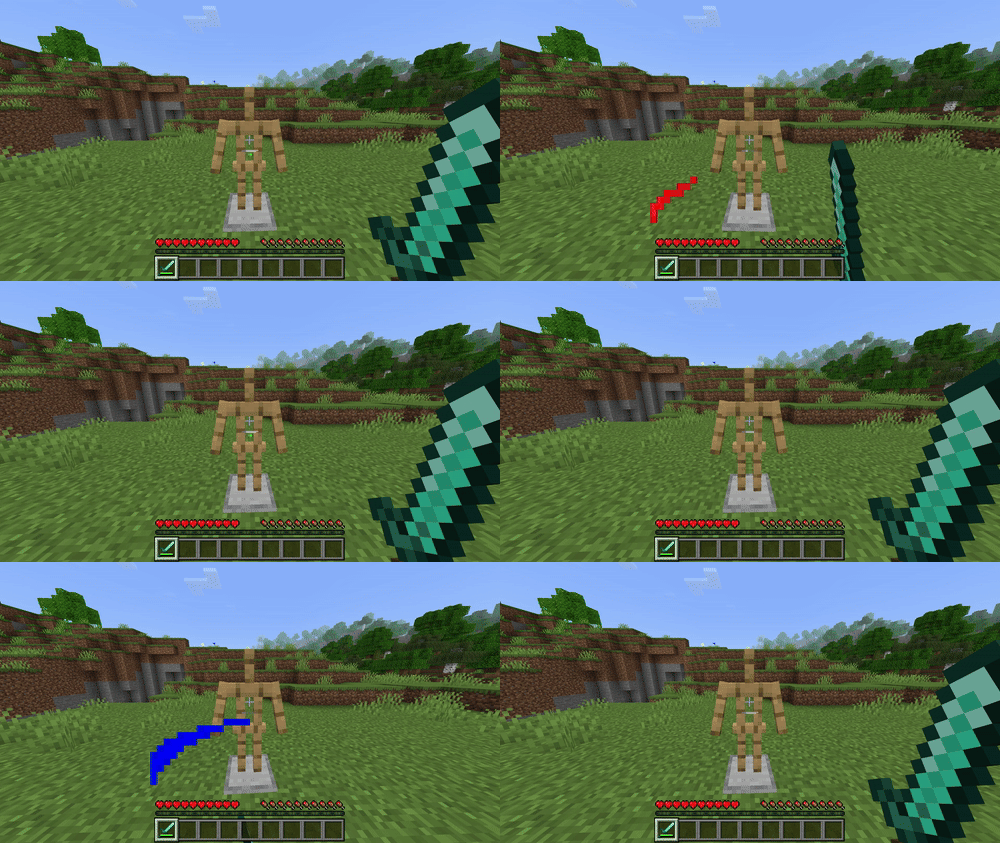
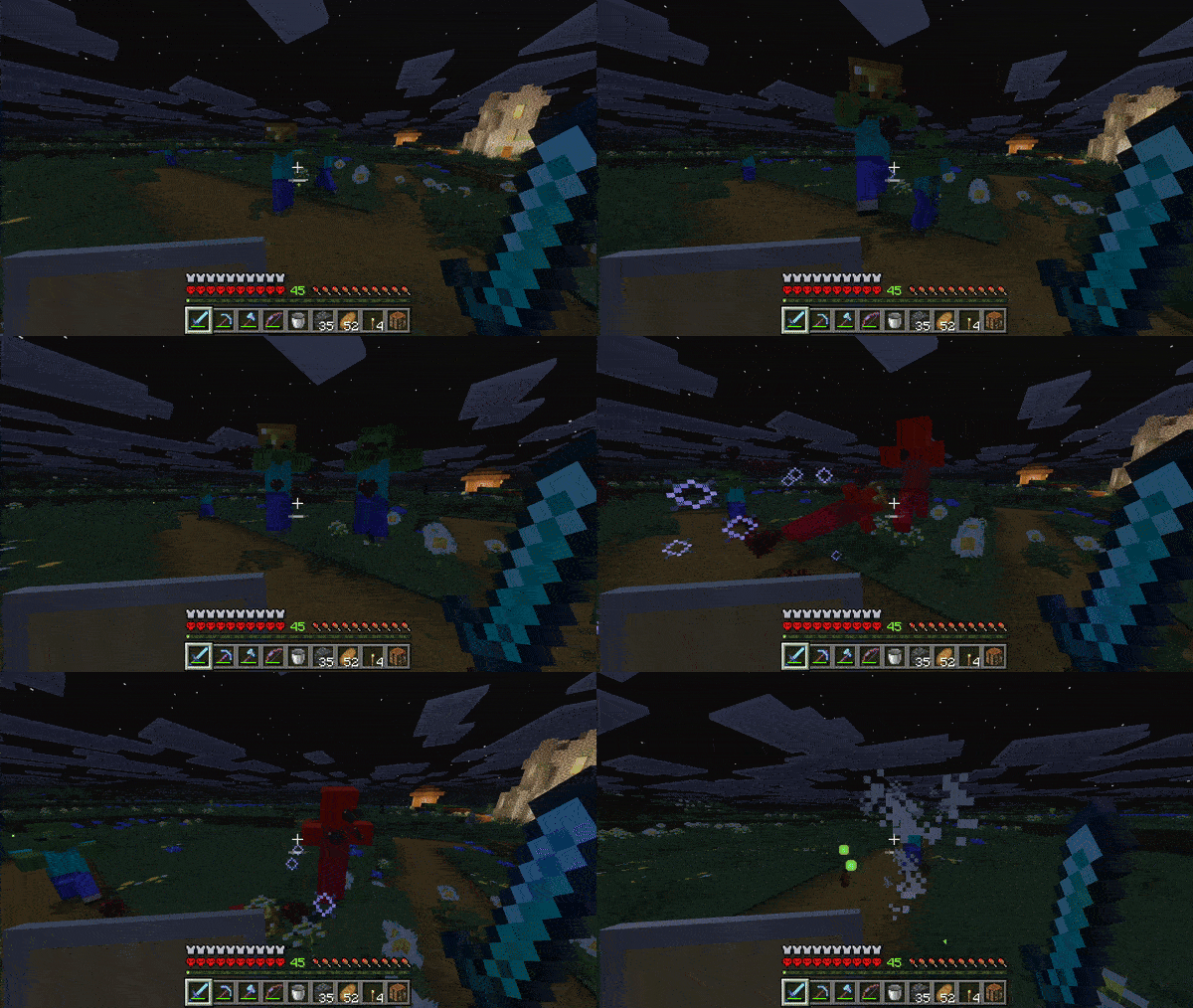

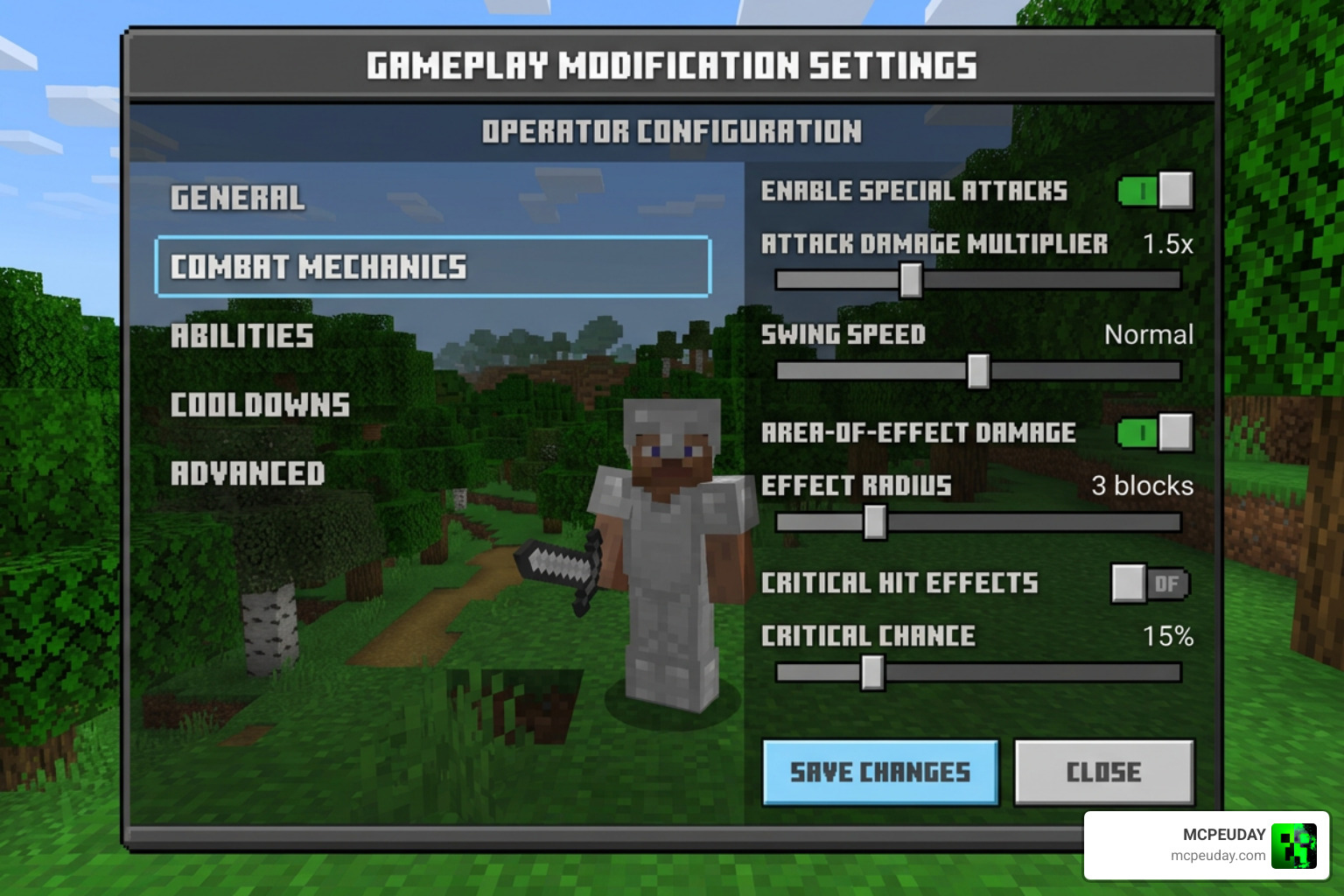
The Sweep ‘N Slash addon for Minecraft PE/Bedrock is a comprehensive combat overhaul that ports Java Edition’s tactical 1.9 combat mechanics into Bedrock Edition, adding weapon cooldown meters, sweeping edge attacks, and customizable combat HUD indicators. Instead of spam-clicking attacks, players must time their weapon swings to land full-damage hits, while swords gain the ability to cleave through multiple hostile mobs simultaneously.
For years, the Bedrock Edition combat system has remained virtually unchanged from the legacy console days. Players simply tap the screen or spam the attack button as quickly as possible to rack up damage. The Sweep ‘N Slash addon completely rebalances this loop by introducing deep weapon pacing, distinct tool recovery delays, and tactical positioning to survival gameplay.
How the Sweep ‘N Slash Addon for Minecraft PE/Bedrock Overhauls Combat Mechanics
The centerpiece of this modification is the sweeping edge mechanic. When wielding a charged sword and attacking an enemy while standing on the ground or moving at normal speeds, the weapon produces sweeping particles that strike all nearby hostile mobs in an arc. This makes managing dense zombie hordes or skeleton clusters far easier in survival worlds.
To keep track of your weapon timing, the addon includes clean visual indicators directly on your screen. The attack cooldown displays on your Action Bar, filling up progressively until your weapon reaches maximum striking power. Striking before the meter fills reduces your damage output drastically, rewarding disciplined timing over rapid button tapping during encounters.
These visual combat cues pair remarkably well with modern graphical enhancements. When combined with the best Render Dragon shaders for MCPE 1.21 tested on real devices 2026 guide, the custom slash particles and swinging animations look clean and fluid. The open-source project, maintained by contributors on the azurite-bedrock/Sweep-N-Slash repository, continues to refine these particle effects to ensure visual clarity during skirmishes.
Version 3.1.0 Updates and Global Configuration
The latest update, version 3.1.0, brings substantial quality-of-life upgrades to world administrators and players. The biggest addition is the dedicated global configuration interface.
Server operators and world hosts can run the /sns:globalconfig command in chat to open an interactive forms menu. From this interface, operators can:
- Enable or disable sweeping attacks globally across the entire world.
- Lock or unlock individual player toggles for combat indicators.
- Adjust whether weapon cooldown mechanics apply to specific weapon categories.
- Force default Action Bar indicators for all joined players.
This menu eliminates the need to manually edit pack configuration files when hosting multiplayer sessions.
Technical Architecture, MCPE-IPC, and Known Limitations
Understanding how Sweep ‘N Slash works under the hood explains both its strengths and its performance quirks. Transforming an engine’s core combat system without native C++ modding tools requires creative technical workarounds.
Negative Attack Bug Exploit and Scripting Overrides
Minecraft Bedrock handles melee attacks through built-in entity components. Because the Bedrock Scripting API does not have an official toggle to simply turn off default melee combat, the developers utilized a clever engine trick.
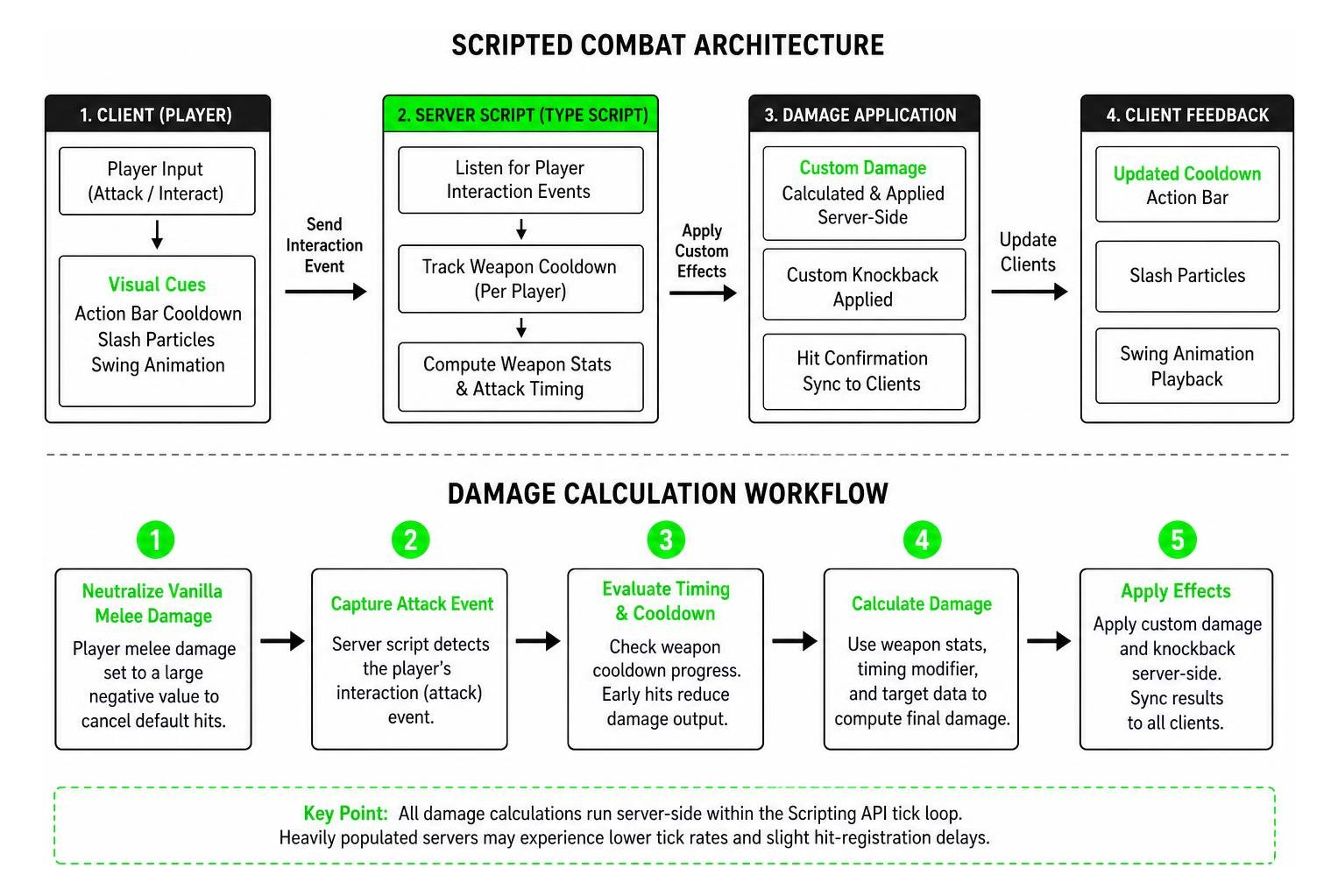
The addon modifies the base player entity behavior file, setting the player’s native attack damage component to a massive negative value. This effectively neutralizes default vanilla hits to zero damage. A server-side TypeScript engine then listens for player interaction events, calculates weapon stats, tracks cooldown timers, and applies custom damage and knockback via scripts.
While brilliant, this workaround comes with technical trade-offs:
- Unintended interactions can occur with specific vanilla entity behaviors that expect positive melee components.
- Because all damage calculations run server-side within the Scripting API tick loop, running the pack on heavily populated dedicated servers can lower overall tick rates (MSPT).
- Local LAN play and small private worlds run smoothly, but large public servers may experience slight hit-registration delays during intense multi-player battles.
Cross-Pack Compatibility with MCPE-IPC
In standard Bedrock modding, custom weapons added by external behavior packs often fail to inherit custom combat logic because the Scripting API cannot dynamically read attribute components from external files. Sweep ‘N Slash solves this by implementing the MCPE-IPC (Inter-Process Communication) standard.
External addon creators can dispatch scriptevents containing their weapon definitions directly to Sweep ‘N Slash. The combat engine reads these events and registers custom weapon attack speeds, damage values, and sweep capabilities dynamically without modifying core files.
For weapons from packs that do not implement MCPE-IPC, stats are defined manually within the addon’s internal registry. This allows you to combine your favorite gameplay packs with visual upgrades like the 10 best Newb shaders for Minecraft PE/Bedrock without breaking your survival loadout.
Stable vs. Gametest Editions and Server Compatibility
When downloading the addon, players are presented with two distinct distribution files. Choosing the right build depends on where and how you play.
Comparing Stable and Gametest Release Builds
The developers distribute two distinct packages to balance cutting-edge scripting features with server hosting compatibility.
| Feature / Attribute | Stable Release (v3.1.0) | Gametest Release (v3.1.0-gametest) |
|---|---|---|
| File Size | 283.92 KB | 282.12 KB |
| Target Minecraft Version | Bedrock v1.21.90 | Bedrock v1.21.90 |
| Requires Beta API Toggle | No | Yes (Required in World Settings) |
| Aternos Server Support | Fully Compatible | Incompatible (Blocked API) |
| Third-Party Hosting Fit | Best for cloud hosts | Best for local LAN / Singleplayer |
| Script Architecture | Standard Script Modules | Experimental Gametest / Beta APIs |
For most players running dedicated server hosting like Aternos, the stable release is strictly required because free server hosts often block experimental Beta API execution.
Setup, Installation, and Developer Build Guide
Installing Sweep ‘N Slash is straightforward on all Bedrock-supported platforms, including Android, iOS, Windows, and consoles.
Installing the Sweep ‘N Slash Addon for Minecraft PE/Bedrock on Mobile and PC
- Download the
.mcaddonfile for the version you wish to use. - Open the downloaded file using Minecraft to automatically import the Behavior and Resource packs.
- Open your desired world settings, navigate to Resource Packs, and activate the Sweep ‘N Slash texture pack.
- Navigate to Behavior Packs and activate the Sweep ‘N Slash behavior pack.
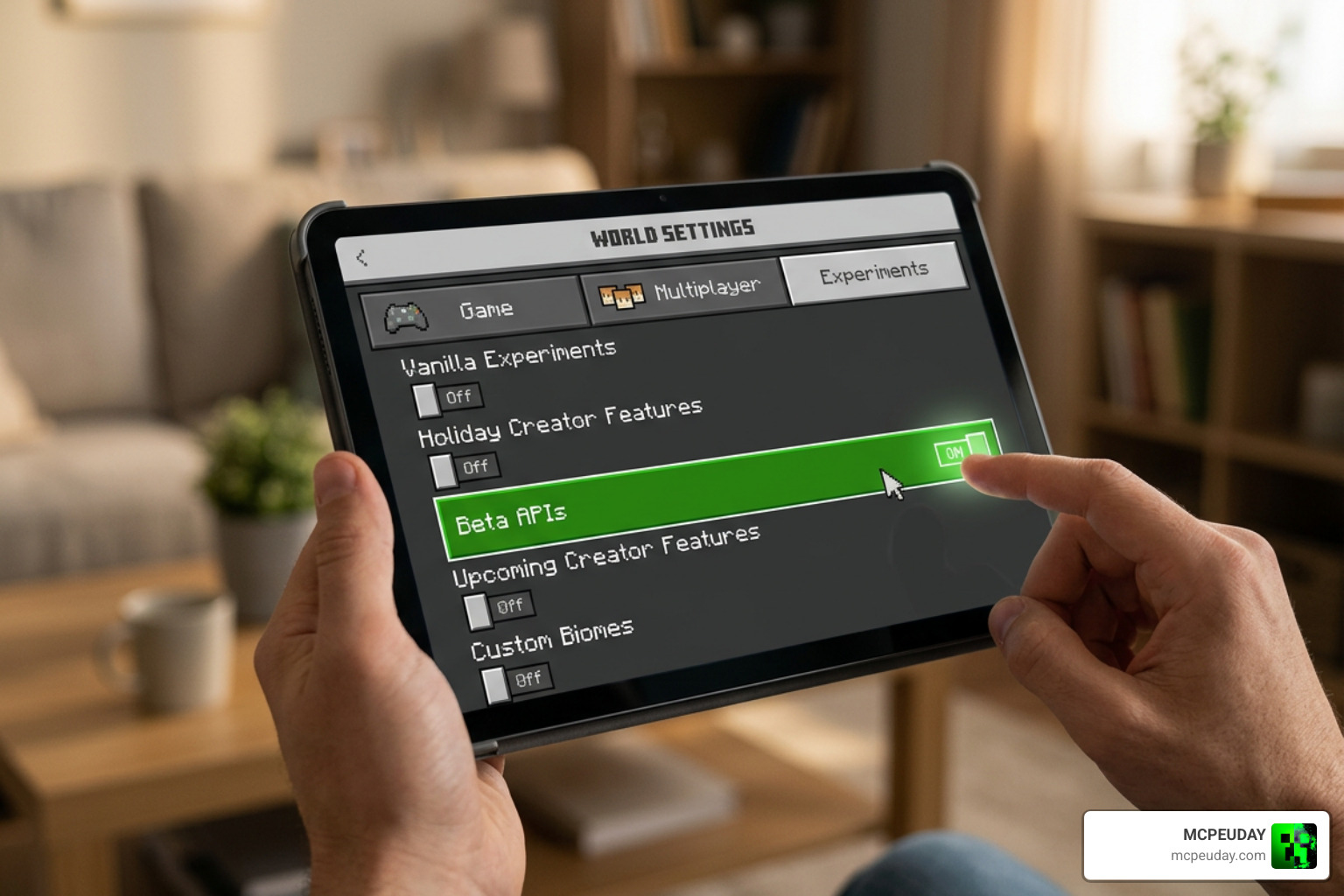
- Scroll down to the Experiments tab in world settings.
- If using the Gametest release, toggle Beta APIs to ON. For the stable release, standard experimental gameplay toggles may remain optional based on your version.
If you are setting up custom visuals alongside your new combat mechanics, check out our guide on how to turn on shaders in Minecraft 2026 guide Java Bedrock MCPE setup fast MCPEUDay to ensure your texture packs load in the correct priority order.
Developer Environment Setup via Regolith
For mod developers who want to inspect the codebase or compile custom builds from source, the project uses the Regolith toolchain.
Prerequisites include:
- Node.js (LTS version)
- Deno runtime
- Regolith Bedrock development pipeline
To build the project locally:
- Clone the repository to your local workspace.
- Open your terminal in the root folder and run
regolith install-allto configure all filter dependencies. - Run
regolith run devto launch a development environment linked to your localcom.mojangdirectory. - Run
regolith run packto compile TypeScript files, bundle assets, and generate ready-to-use.mcaddonrelease packages.
The project source code is distributed under standard open-source licensing terms, though custom project branding, logos, and specific visual assets remain protected under developer copyright.
Frequently Asked Questions About Sweep ‘N Slash
Is the Sweep ‘N Slash Gametest version compatible with Aternos?
No. The Gametest version relies on Bedrock’s experimental Beta API, which is not supported in the standard server environments provided by Aternos. If you are setting up a multiplayer server on Aternos, install the stable release instead.
How do server operators configure Sweep ‘N Slash settings?
Players with Operator (admin) permissions can type /sns:globalconfig into the chat window. This opens the admin interface where you can adjust sweeping attack toggles, cooldown systems, and indicator permissions for all players in the world.
Why does Sweep ‘N Slash cause performance drops on large servers?
Because the vanilla attack component is disabled via negative values, all combat math, hit detection, and cooldown timers run through scripted events on the server tick loop. On servers with dozens of players fighting simultaneously, this script load can lower tick rates compared to native hardcoded attacks.
Conclusion
The Sweep ‘N Slash addon remains one of the most creative total conversions for Minecraft Bedrock, successfully translating Java Edition’s tactical 1.9 combat update into portable gameplay. Whether you are cleaving through dungeon mobs with sweeping strikes or timing critical hits with powerful battleaxes, it brings a fresh layer of skill to survival combat.
To discover more ways to transform your worlds, explore our extensive collection of mods and addons for the latest Bedrock gameplay overhauls, custom tools, and graphics packs.