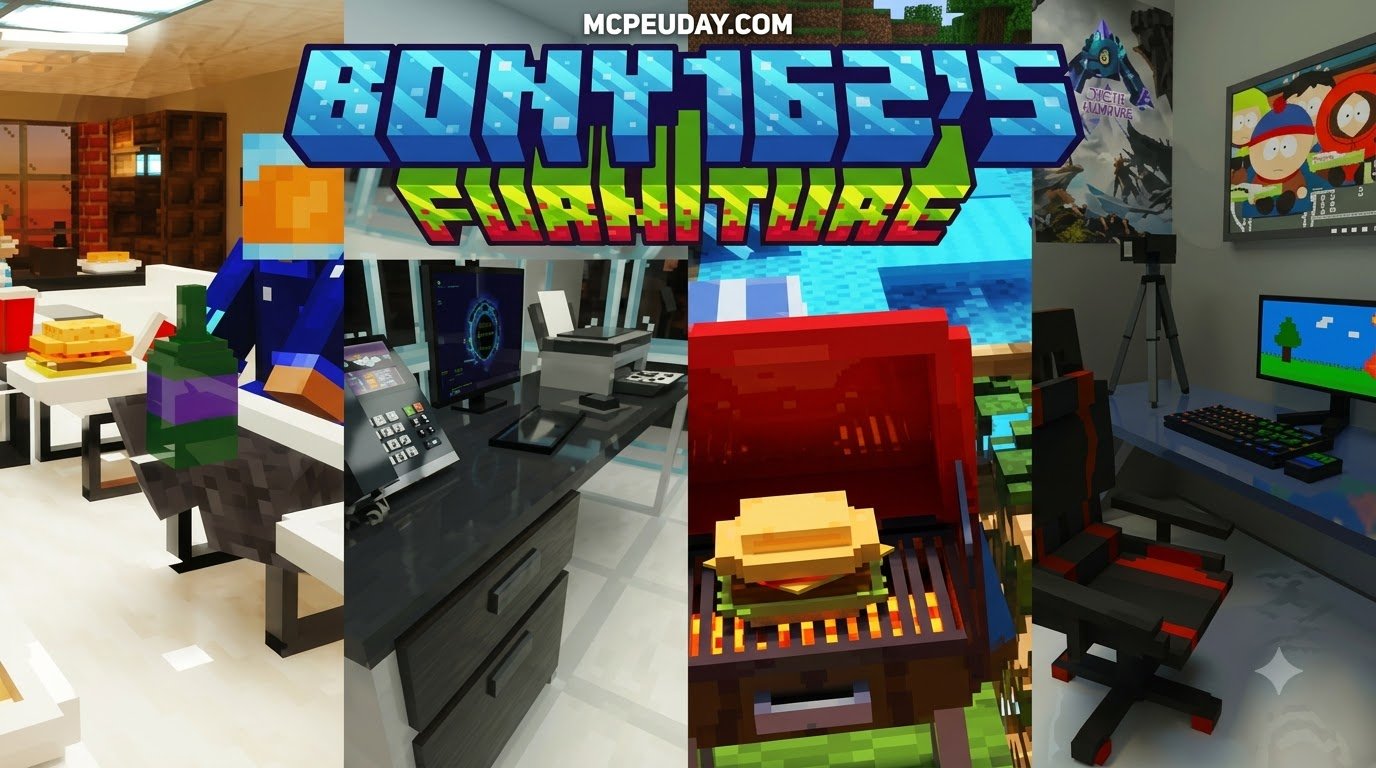
Scroll down to D0vvnl0ad
What is the BONY162 Furniture Addon for Minecraft PE/Bedrock?
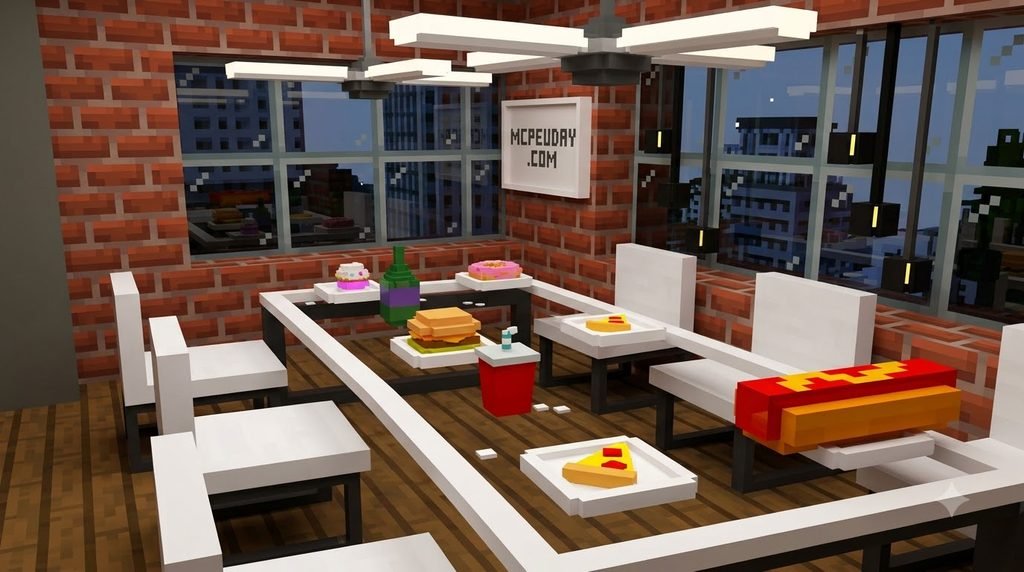
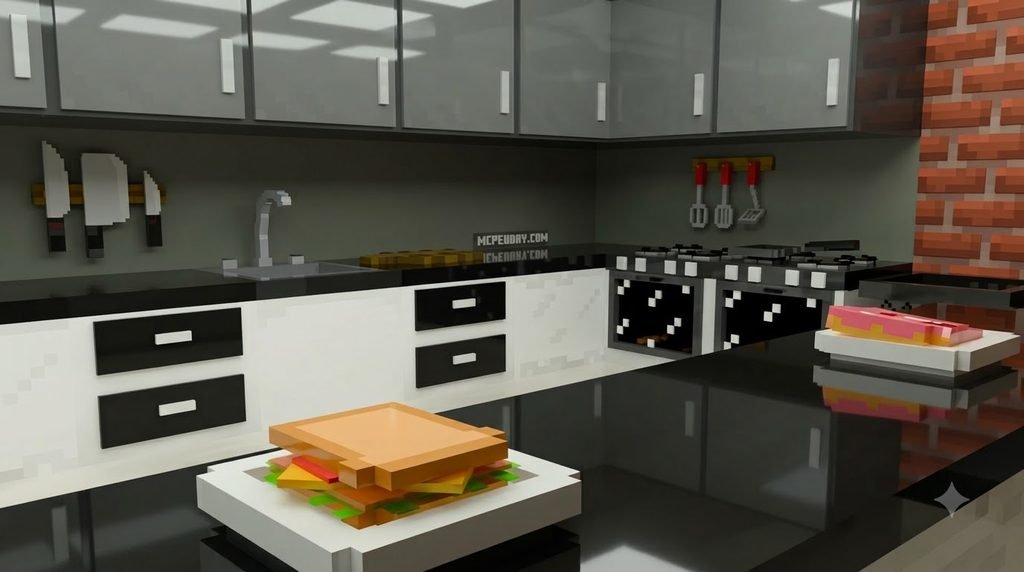
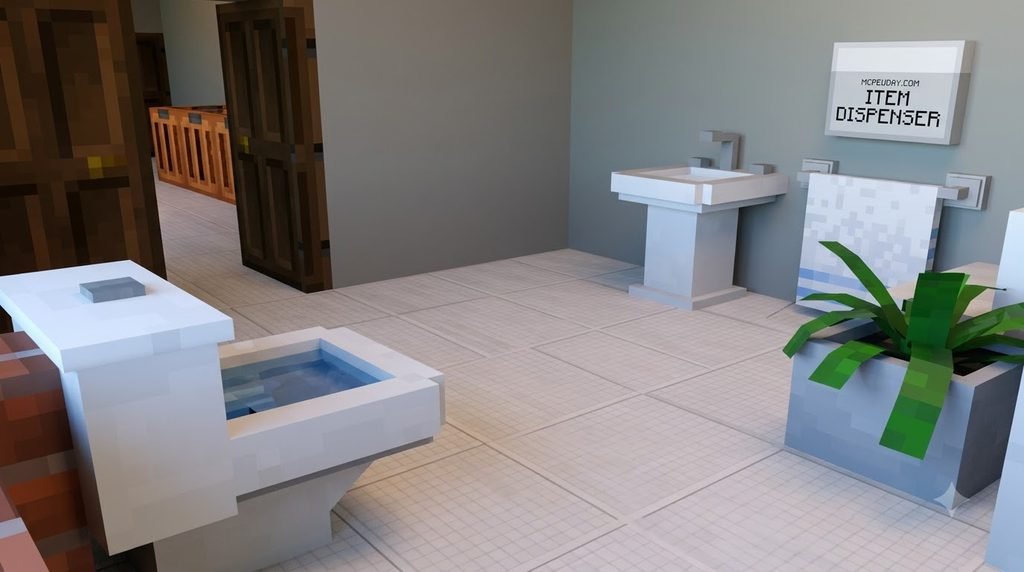
To download and install the BONY162 Furniture Addon for Minecraft PE/Bedrock, get the free .mcaddon file, open it with Minecraft on Android or iOS, wait for the import to finish, then activate it under Resource Packs and Behavior Packs in your world settings. Before loading the world, enable Holiday Creator Features and related experimental toggles so the custom furniture models appear correctly. Once installed, you can craft furniture in survival through the Stonecutter or access it directly from the Creative inventory.
Building realistic, aesthetic living environments in vanilla Minecraft Bedrock has always posed a creative challenge. For years, players have had to rely on makeshift workarounds like placing wooden trapdoors around stair blocks to simulate armchairs, or sticking signs onto slabs to make couches. The BONY162 Furniture Addon for Minecraft Bedrock eliminates these clumsy compromises by introducing dedicated, custom-modeled 3D interior decorations designed specifically for modern and contemporary architectural styles. Developed by the creator behind the widely used Bony162s Backpacks Addon, this decoration pack focuses on functional usability, clean geometry, and sensible scale.
Unlike traditional texture pack overhauls that simply replace vanilla block models, this addon implements unique collision boxes, smooth shading, and interactive entity mechanics. Furniture items sit flush with floor surfaces, align seamlessly against walls, and fit under standard two-block ceiling heights. Whether you are constructing a high-rise luxury apartment in a creative world or outfitting an underground survival bunker, this pack transforms empty rooms into vibrant, comfortable living spaces.
| Feature | Vanilla Minecraft Decoration | BONY162 Furniture Addon |
|---|---|---|
| Seating Mechanics | Sitting on stairs (requires minecart trick) | Direct right-click / tap interaction to sit naturally |
| Model Detail | Blocky 16×16 standard cube geometry | High-detail custom 3D models with smooth proportions |
| Lighting Sources | Torches, lanterns, and glowstone | Working table lamps, ceiling fixtures, and electronics |
| Storage & Appliances | Chests and barrels | Modeled cabinets, refrigerators, and counters |
| Acquisition | Standard crafting table | Survival stonecutter recipes and Creative inventory |
| Placement Flexibility | Restricted to standard 1×1 block bounds | Custom hitboxes and modular multi-piece layouts |
Key Features and Popular Furniture Items
The BONY162 pack is structured around real-world home themes, allowing builders to furnish every quadrant of a home without visual clutter. It focuses on items that respect vanilla block scales while delivering refined, contemporary aesthetics that fit naturally into any build style.
- Living Room Essentials: Modular sectional sofas available in multiple neutral tones, low-profile coffee tables, modern media consoles, and ultra-thin flat-screen televisions designed to mount on walls or rest on credenzas.
- Kitchen & Dining: Seamless marble-top kitchen counters, built-in stainless steel sinks, dual-door refrigerators, under-counter dishwashers, and minimalist dining barstools with working seating hitboxes.
- Bedroom & Office Workstations: Ergonomic swivel gaming chairs, dual-monitor computer desks, minimalist bedside nightstands, and interactive table lamps that cast localized lighting when tapped.
- Decorative Accents: Potted indoor monsteras, floating wall shelves, sleek analog wall clocks, and miniature room details that add soft, cozy touches to any room.
Survival Crafting Recipes vs. Creative Mode Access
Many decoration addons make the mistake of only supporting creative mode, leaving survival players without access to the new assets. The BONY162 addon incorporates full survival integration through the Stonecutter workstation, making interior decorating accessible during standard playthroughs without requiring expensive materials.
To craft furniture items in Survival mode:
- Collect common base materials such as standard Clay blocks, hardened Terracotta, or basic wooden planks.
- Place your material into a Stonecutter.
- Browse the resulting list of available furniture models in the stonecutter interface.
- Select your preferred furniture piece, retrieve the crafted item, and place it directly into your world.
For players working in Creative mode, every furniture piece is organized neatly under the Construction and Items tabs of the creative menu. You can also quickly place furniture pieces by using spawn eggs or issuing standard /give @p bony:... commands in the chat console.
Step-by-Step Installation Guide
Installing custom content in Minecraft Bedrock is simple and fast because the pack uses the standardized .mcaddon bundle format, which packages both the resource textures and behavior mechanics into a single importable file.
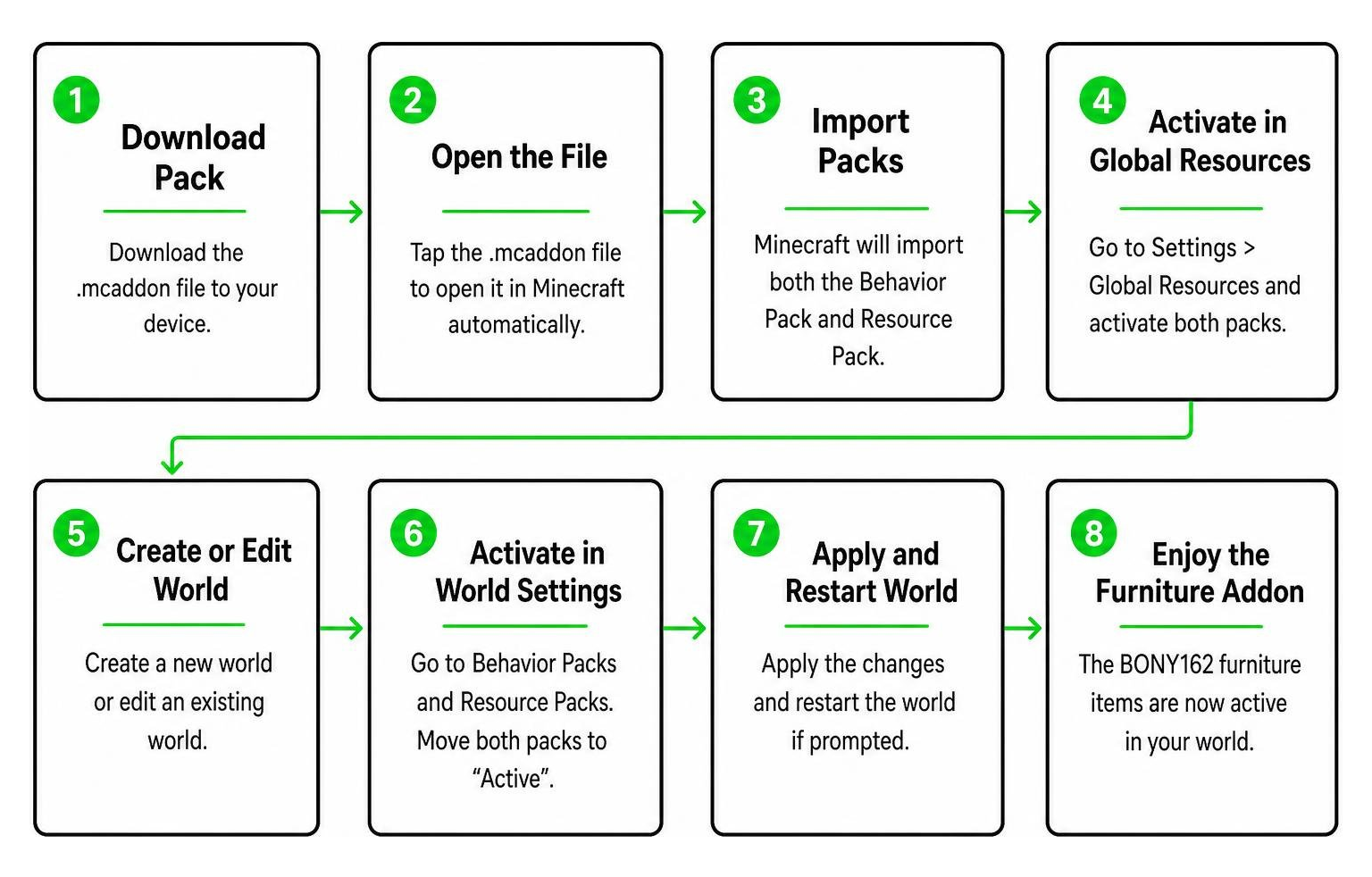
How to Install BONY162 Furniture Addon for Minecraft PE/Bedrock on Mobile
Whether you play on an Android device, an iPad, or an iPhone, getting the pack running in your world takes just a few steps:
- Download the
.mcaddonFile: Download the addon package directly to your mobile device’s local storage or download folder. - Launch the Import Process:
- On Android, open your preferred file manager app, locate the downloaded file, and tap it to select Open with Minecraft. If your device shows the file with a
.zipextension at the end, simply rename the file to remove.zipso that it terminates cleanly with.mcaddon. - On iOS / iPadOS, find the file in the Files app or Safari downloads list, tap the Share icon, and select Minecraft from the app list.
- On Android, open your preferred file manager app, locate the downloaded file, and tap it to select Open with Minecraft. If your device shows the file with a
- Confirm the Import Notifications: Minecraft will open automatically and display “Import Started” followed shortly by “Import Successful” at the top banner of the main screen.
- Activate Pack on Your World: Select Play, click the edit pen icon next to your desired world, scroll down to the Add-Ons section in the left sidebar, and enable the pack under both Resource Packs and Behavior Packs. This standard activation procedure matches the setup process used for other add-on installations in Minecraft Bedrock.
Activating Experimental Gameplay Settings
Because custom blocks, custom collision geometries, and interactive entity seats rely on extended Bedrock script engines, you must activate experimental gameplay features inside your world settings. If you bypass these toggles, furniture items will either fail to appear in the stonecutter, fail to place, or render as invisible hitboxes.
Before entering your world, navigate to Game Settings > Experiments and turn on the following switches:
- Holiday Creator Features
- Custom Biomes & Molang Features
- Upcoming Creator Features
- Beta APIs (if required by your specific Bedrock build)
After toggling these settings, Minecraft will create a backup copy of your world labeled “[EX]”. Open the experimental world copy to enjoy fully functional furniture.
Compatibility, Performance, and Troubleshooting
Compatibility of BONY162 Furniture Addon for Minecraft PE/Bedrock in 2026
As of September 2026, the BONY162 addon runs smoothly across the modern Bedrock platform, covering Android, iOS, Windows 10/11, and modern consoles. Because it uses optimized geometry rather than high-polygon external meshes, it serves as a lightweight standalone pack that does not require auxiliary script loaders. It also runs smoothly in local LAN multiplayer sessions and on dedicated Bedrock Realms, as long as the world host enables the behavior pack before launching the server. For builders who enjoy mixing rustic warmth with modern luxury, this pack pairs effortlessly with other cozy decoration styles.
Performance and Troubleshooting Tips
While the BONY162 addon is well optimized, placing hundreds of custom 3D models in a confined space can impact mobile frame rates if not managed properly. Follow these performance guidelines and troubleshooting steps:
- Managing Entity Density on Mobile: Avoid placing dozens of interactive light-emitting entities or complex multi-part desks inside a single 16×16 sub-chunk. Spreading your decorated rooms across an open floor plan prevents localized rendering bottlenecks on low-end mobile devices.
- Resolving Purple-and-Black Missing Textures: If furniture items display a magenta and black checkerboard texture, the Behavior Pack is active while the Resource Pack is missing or inactive. Go to World Settings > Resource Packs, ensure the texture pack is active, and move it to the highest priority spot in your active pack list.
- Fixing Missing Crafting Recipes: If stonecutter recipes do not appear when inserting clay or terracotta, verify that Holiday Creator Features and Molang experiments were turned on before loading the world.
- Correcting Misaligned Hitboxes: If your character floats slightly above a chair or cannot sit, ensure the block beneath the furniture item is a solid full block rather than a bottom-half slab.
Choosing the right furniture addon for your world requires balancing aesthetic variety with smooth gameplay, and BONY162 provides a reliable balance for both casual and technical builders.
Frequently Asked Questions About BONY162 Furniture Addon
Is the BONY162 Furniture Addon free to download?
Yes, the addon is completely free to download and use for the Bedrock and Pocket Edition community. You do not need to spend Minecoins or purchase Marketplace packs to install and use it in your offline single-player worlds, local multiplayer sessions, or private community realms.
Can I sit on chairs and interact with appliances in the addon?
Yes. Sofas, barstools, and gaming chairs include built-in seating mechanics. Simply tap the chair on mobile or right-click on PC with an empty hand to sit down. To dismount, press the sneak button. Additionally, desktop desk lamps and standing floor lamps can be turned on and off with a single tap to create ambient lighting.
Why are the furniture textures invisible or showing purple-black textures?
Invisible furniture items or purple-and-black checkerboard patterns mean the client is loading the behavior definition without the matching texture resources. To fix this, return to the world settings menu, verify that the resource pack is enabled under Active Packs, and make sure all experimental toggles under the Experiments tab are switched on.
Does this addon work on Minecraft Bedrock Realms and multiplayer servers?
Yes. When hosting a multiplayer world or Bedrock Realm, ensure the addon is enabled in the Realm’s world settings with the “Require players to accept resource packs to join” checkbox enabled. This ensures all joining friends can see and interact with every furniture model without needing to manually install the files on their own devices beforehand.
Conclusion
The BONY162 Furniture Addon remains one of the cleanest, most accessible interior decoration mods available for Bedrock players. Its simple stonecutter survival integration, lightweight models, and modern aesthetic make it an ideal choice for both survival builders and creative city designers.
Whether you are building a cozy countryside cottage or a modern downtown skyscraper, this pack provides all the modern conveniences, seating mechanics, and decorative accents needed to bring your Minecraft builds to life. If you want to discover even more decoration packs, vehicles, and gameplay overhauls, explore more Minecraft Bedrock addons on our site to take your worlds to the next level. Happy building!