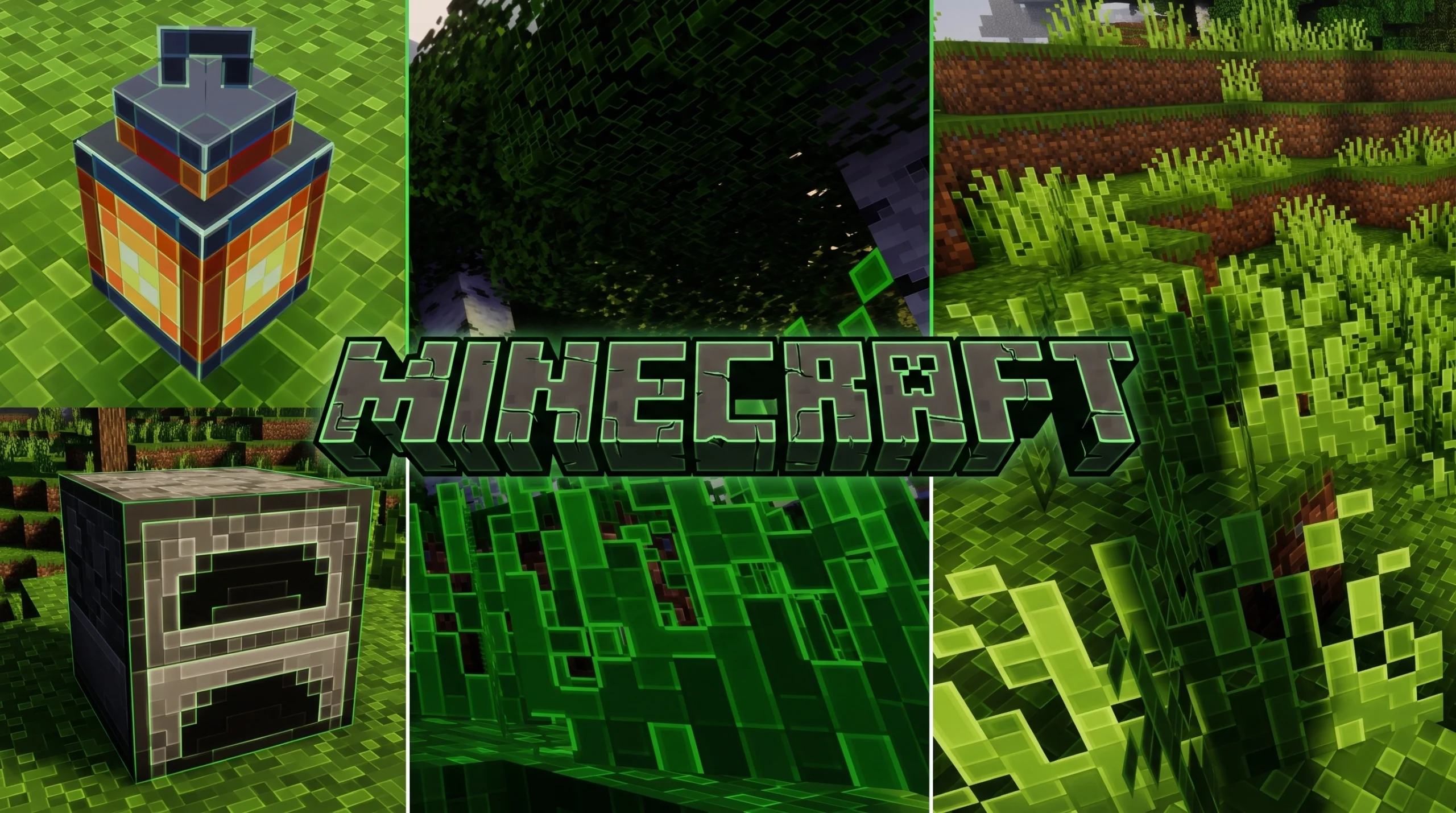
What Is the Outline Texture Pack?
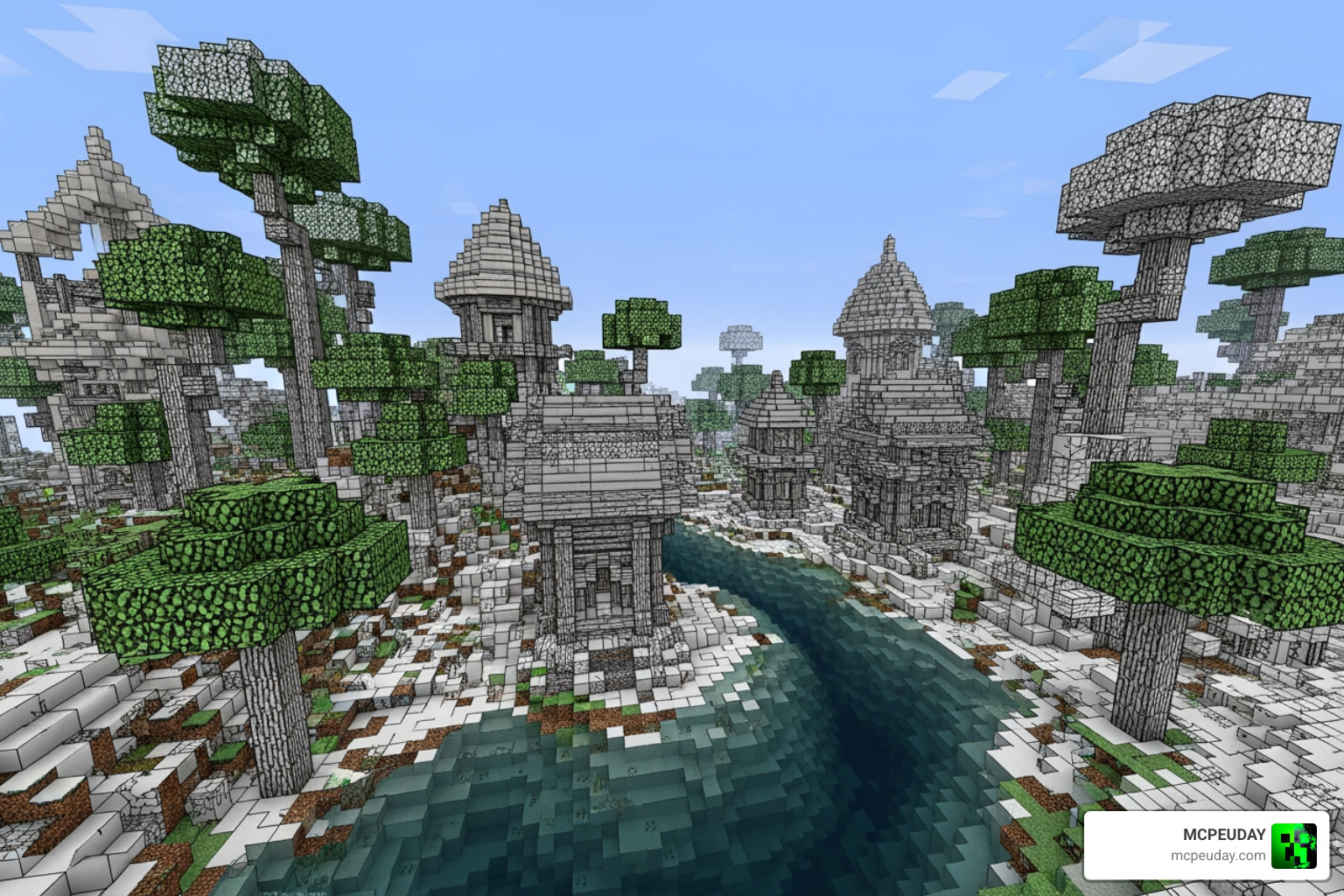
The Outline Texture Pack adds clean, visible borders around blocks in Minecraft — making every edge sharper and easier to see without changing the core vanilla look.
Quick answer for what it does:
- Adds visible outlines to block edges for better depth and clarity
- Works on both Java Edition (1.17+) and Bedrock/MCPE (1.20, 1.21)
- Helps with mining, building, PvP, and cave navigation
- Lightweight — runs smoothly on mobile devices
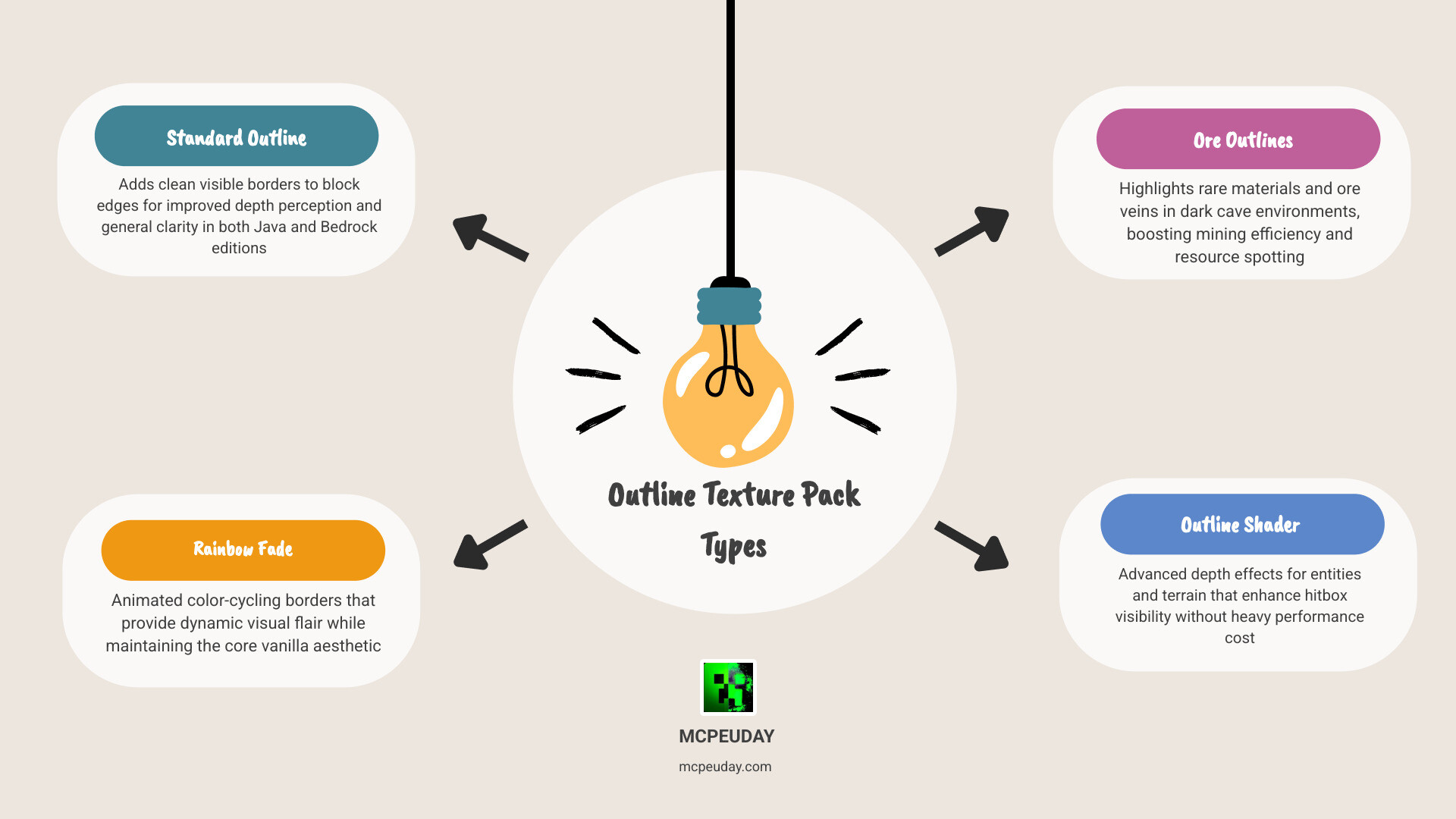
- Several variants exist: standard outlines, rainbow animated, ore-specific, and shader-based
There are a few different types to know about:
| Pack Type | Best For | Edition |
|---|---|---|
| Standard Outline | General clarity, building | Java & Bedrock |
| Rainbow Fade Outlines | Animated visual flair | Java |
| Ore Outlines | Mining, resource spotting | Java (most versions) |
| Outline Shader Pack | Depth perception, entities | Java |
| CrystalEdge Boost | Mobile performance, MCPE | Bedrock |
If you’ve ever lost track of a slab edge mid-build, or missed a diamond ore vein because it blended into deepslate, these packs solve exactly that. They sharpen what’s already there — no drastic art style changes, just cleaner edges.
What is the Outline Texture Pack?
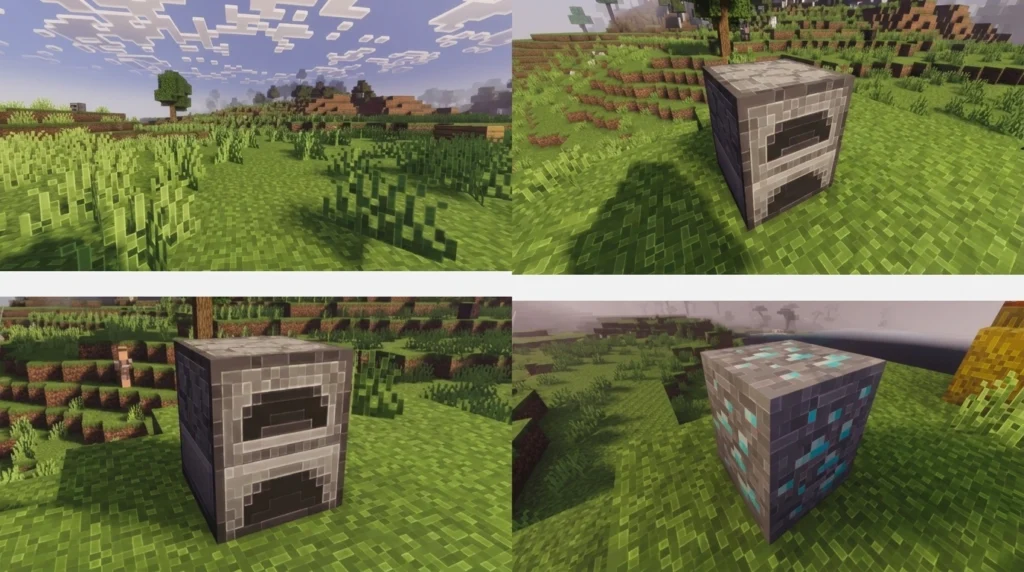
When we talk about the Outline Texture Pack, we are referring to a specialized category of resource packs designed to refine the visual boundaries of the Minecraft world. In the standard “vanilla” game, blocks can sometimes blend together, especially in low-light environments or when using similar-colored materials like stone and andesite. This pack solves that by adding a distinct border—usually black, white, or colored—around the edges of every block.
The primary goal here isn’t to replace the textures you love, but to enhance your depth perception. By defining the “hitbox” or the physical space a block occupies with a visible line, the world suddenly feels more intentional and “snappy.” For those who want a boost in visual fidelity without the heavy performance cost of shaders, pairing this with the Better Graphics Texture Pack 26 X 1 21 Mcpe Bedrock Texture Pack can make your game look incredibly polished.
Visual Clarity and Depth Perception
One of the standout features of the Outline Texture Pack is how it handles depth. In vanilla Minecraft, a wall of the same block type can look like a flat, undifferentiated mass. With outlines enabled, every individual block pops. This is particularly useful for mobile players on smaller screens where fine details might otherwise get lost. It maintains the classic aesthetic while providing the kind of clarity usually reserved for high-end PC setups.
How the Outline Texture Pack Enhances Gameplay
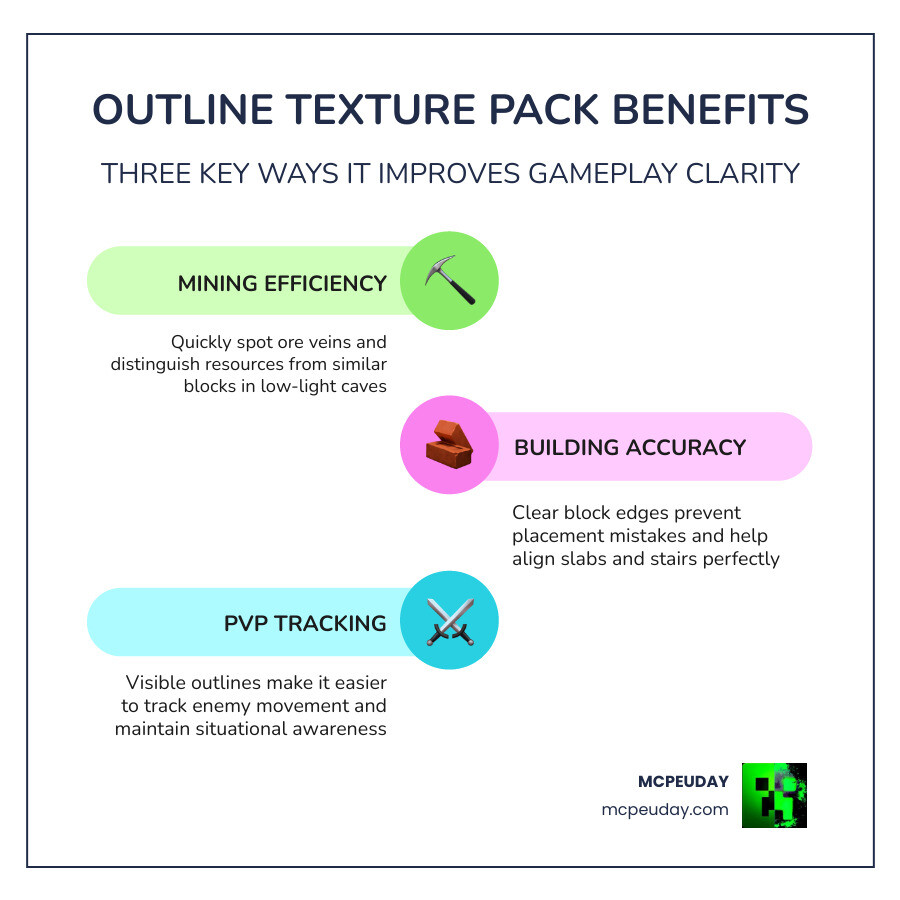
We often get asked if a texture pack can actually make you a better player. While it won’t give you “aimbot,” the Outline Texture Pack provides significant functional advantages across different gameplay styles.
Mining Efficiency
Have you ever walked right past a vein of coal or iron because it was tucked away in a dark corner? The Outline Texture Pack acts as a “soft” alternative to something like an X Ray Texture Pack For Minecraft Pe Mcpe 1 21. Instead of making blocks invisible, it highlights the edges of ores, making them instantly recognizable even in dim torchlight. When you combine this with the Glowing Plus Texture Pack Make Your Minecraft World Shine With Brilliant Light Effects, your mining trips become significantly more productive as resources practically jump out of the walls at you.
Building Accuracy
For the builders in our community, precision is everything. Placing slabs, stairs, and fences can be frustrating when you can’t clearly see where one block ends and the next begins. The Outline Texture Pack provides a clear grid-like view of your project. This helps in identifying misaligned blocks early on, saving you the headache of tearing down a wall later. It essentially turns your world into a 3D blueprint.
PvP and Terrain Awareness
In high-stakes PvP (Player vs. Player) scenarios, movement is key. Knowing exactly where a block edge is can be the difference between a successful “clutch” and falling into the void. The sharp edges help players track terrain changes more quickly, allowing for smoother navigation through complex maps. It sharpens your focus, ensuring you never miss a jump because you misjudged the distance of a block’s edge.
Rainbow Fade and Animated Outline Texture Pack Variants
If you want something a bit more flashy, the Rainbow Fade variant is a popular choice for Java Edition users. This version doesn’t just add a static line; it introduces a color-cycling animation to the selection box (the outline that appears when you look at a block).
- Color Cycles: The outlines shift through a spectrum of colors, giving the game a futuristic, “RGB” aesthetic.
- Distance Scaling: Some advanced versions even change the animation speed based on how far away you are from the block or how fast you are moving.
- Customization: Tools like the Custom Outline Creator allow you to tweak these colors and speeds to your heart’s content.
Specialized Ore Outline Texture Pack for Mining
For those who only want the benefits while underground, the Ore Outlines Revamped pack is a fantastic tool. This specific version only adds outlines to ore blocks.
In the latest 1.21 updates, where Deepslate can make finding Diamonds even harder, these outlines provide the necessary contrast. The “Revamped” versions often feature “compacted” textures, meaning the ore itself is slightly smaller than the outline, ensuring the colors don’t bleed together and the resource remains highly visible from a distance.
Comparing the Best Outline Texture Pack Options
Choosing the right pack depends on your device and what you want to achieve. Here is how some of the top options stack up as of May 2026:
| Feature | Standard Outline | Rainbow Fade | Ore Outlines | CrystalEdge Boost |
|---|---|---|---|---|
| Visual Style | Minimalist/Vanilla | Vibrant/Animated | Utility-focused | Sharp/Premium |
| Performance | Excellent | Moderate (Java) | Excellent | Optimized for Mobile |
| Primary Use | Building/General | Aesthetics | Mining | MCPE Gameplay |
| Best Resolution | 16x / 32x | 16x | 16x | 32x / 64x |
For Bedrock players looking for a higher-resolution experience that still feels smooth, we recommend checking out the Lumina 32x Texture Pack 26 X 1 21 Mcpe Bedrock Texture Pack. It provides a nice middle ground between the “blocky” vanilla look and high-definition clarity.
Installation and Performance on Mobile and PC
One of the best things about the Outline Texture Pack is how lightweight it is. Most versions, like the CrystalEdge Boost, are designed specifically for mobile devices (MCPE/Bedrock). They are often less than 1MB in size, meaning they won’t tank your FPS (Frames Per Second).
Step-by-Step Guide for MCPE/Bedrock:
- Download: Grab the
.mcpackfile from a trusted source. - Import: Open the file. Your device should automatically launch Minecraft and start the import process.
- Activate: Go to Settings > Global Resources. Find the Outline Texture Pack under “My Packs” and click Activate.
- Configure: Some packs have a “gear” icon. Click this to adjust outline thickness or color if the pack supports subpacks.
If you prefer a completely stripped-back, high-performance look, you might also enjoy the Bare Bones Texture Pack 1 21 Mcpe Bedrock Edition Download Now, which pairs perfectly with outlines for the ultimate clean interface.
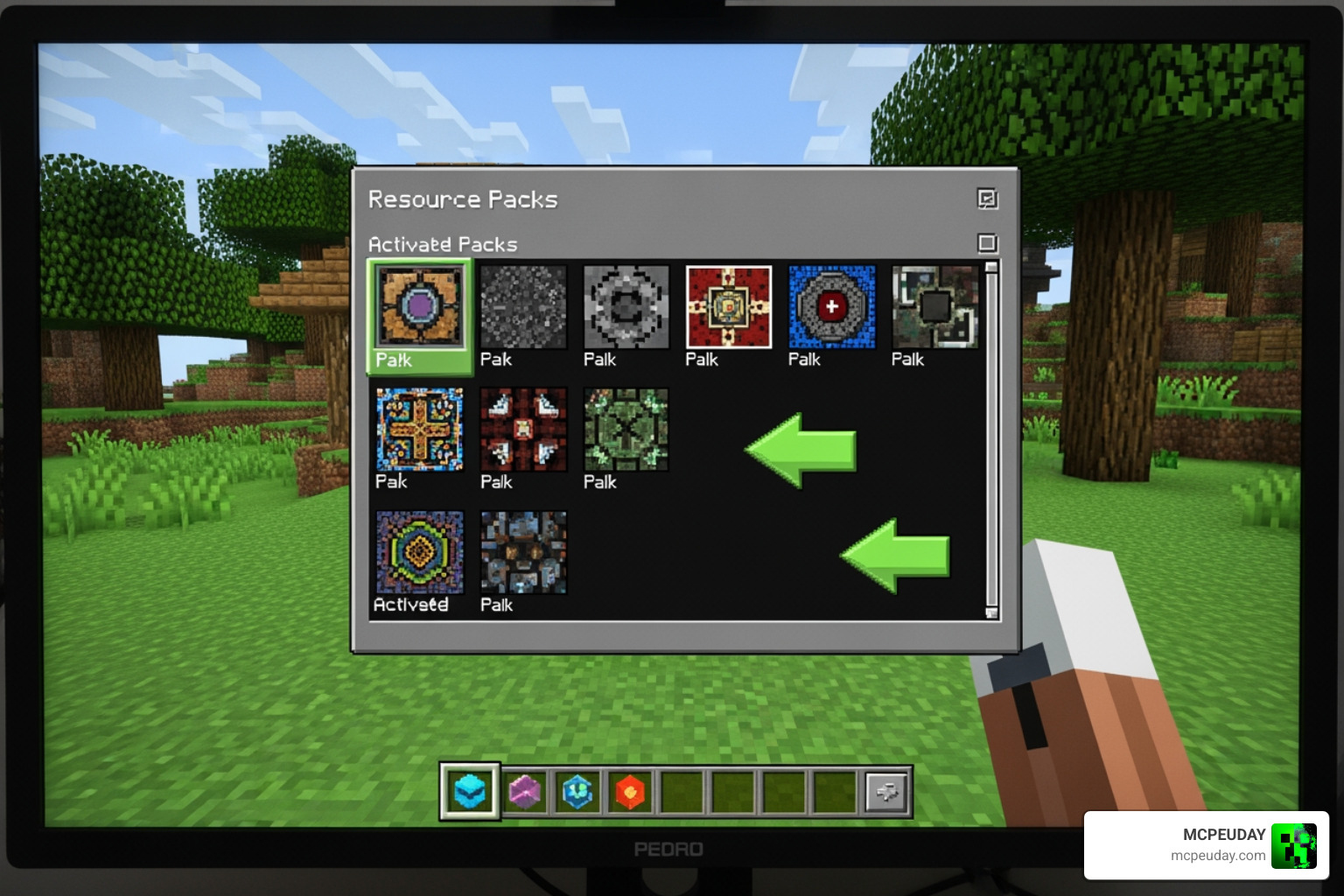
PC (Java Edition) Considerations:
For Java Edition, the process is similar but involves placing a .zip file into your resourcepacks folder. If you are using the Color Me Outlines 2 pack, you have the option to edit the custom_outlines.glsl file to manually change colors, or use the “respackopts” mod for an easier in-game menu experience.
Frequently Asked Questions about Outline Texture Packs
Does the Outline Texture Pack work with shaders?
It depends on the pack and the shader. Some “Outline Shader Packs” are shaders themselves and may conflict with others like BSL or OptiFine internal shaders. However, standard texture-based outline packs (like those for Bedrock) usually work perfectly fine with most mobile shaders.
Will this pack reduce my FPS on mobile devices?
Generally, no. Because these packs mostly modify the “selection box” or add simple lines to existing textures, they are incredibly performance-friendly. In fact, many players find the game feels “smoother” because the visual clutter is reduced.
How do I change the outline color in the settings?
On Bedrock/MCPE, look for the “Subpacks” slider in the resource pack settings. On Java, you may need a tool like the Custom Outline Creator to generate a pack with your specific color choice before installing it.
Conclusion
The Outline Texture Pack is a must-have for any Minecraft player who values clarity and precision. Whether you are a competitive PvP player needing better terrain awareness, a builder looking for perfect block placement, or a miner tired of squinting at Deepslate Coal, there is a version of this pack designed for you.
At MCPEUDAY, we strive to bring you the best and most up-to-date resources for your game. If you’re looking to take your visuals even further, why not try the Realsource Realistic Pack Mcpack for a completely transformative experience?
Ready to sharpen your world? Explore more Minecraft Texture Packs and find the perfect fit for your playstyle today!
3 thoughts on “Outline Texture Pack (26.x, 1.21) – MCPE/Bedrock Texture Pack”