![Lumenix Shader [ v2.2 ] (26.x, 1.21) – MCPE/Bedrock Shader](https://mcpeuday.com/wp-content/uploads/2026/06/4k_qualuty_ke_sath_image_202606020119-scaled.webp)
What You Need to Know About Lumenix Shader Right Now
![Lumenix Shader [ v2.2 ] (26.x, 1.21) – MCPEBedrock Shader (2)](https://mcpeuday.com/wp-content/uploads/2026/06/Lumenix-Shader-v2.2-26.x-1.21-–-MCPEBedrock-Shader-1-1024x640.jpg)
Lumenix Shader is a visual enhancement pack for Minecraft PE/Bedrock Edition that transforms how your world looks by adding warm, rich lighting and crisper, more vibrant colors — available for versions 1.21 and 26.x.
Here’s a quick summary of what it offers:
- What it does: Adds warm tones, softened lighting, and increased color vibrancy to Minecraft PE
- Compatible versions: Minecraft Bedrock 1.21 and 26.x
- File format:
.mcpack— easy to install on mobile - User rating: 5.0 out of 5 (based on 4 reviews)
- Best for: Players who want a cleaner, warmer-looking world without a heavy performance hit
If you play Minecraft PE on your phone, you already know the default visuals can feel flat and dull. Blocks look the same at noon and midnight. Lighting barely changes the mood of a scene.
That’s exactly the gap Lumenix Shader is built to fill.
It doesn’t try to make Minecraft look like a photorealistic game. Instead, it focuses on something more achievable — and honestly more satisfying — making every environment feel warm, alive, and visually clear. Think golden sunlight, richer greens, and softer shadows that actually add depth.
Whether you’re building a cozy cabin or exploring a cave, the difference is noticeable from the first second you load it up.
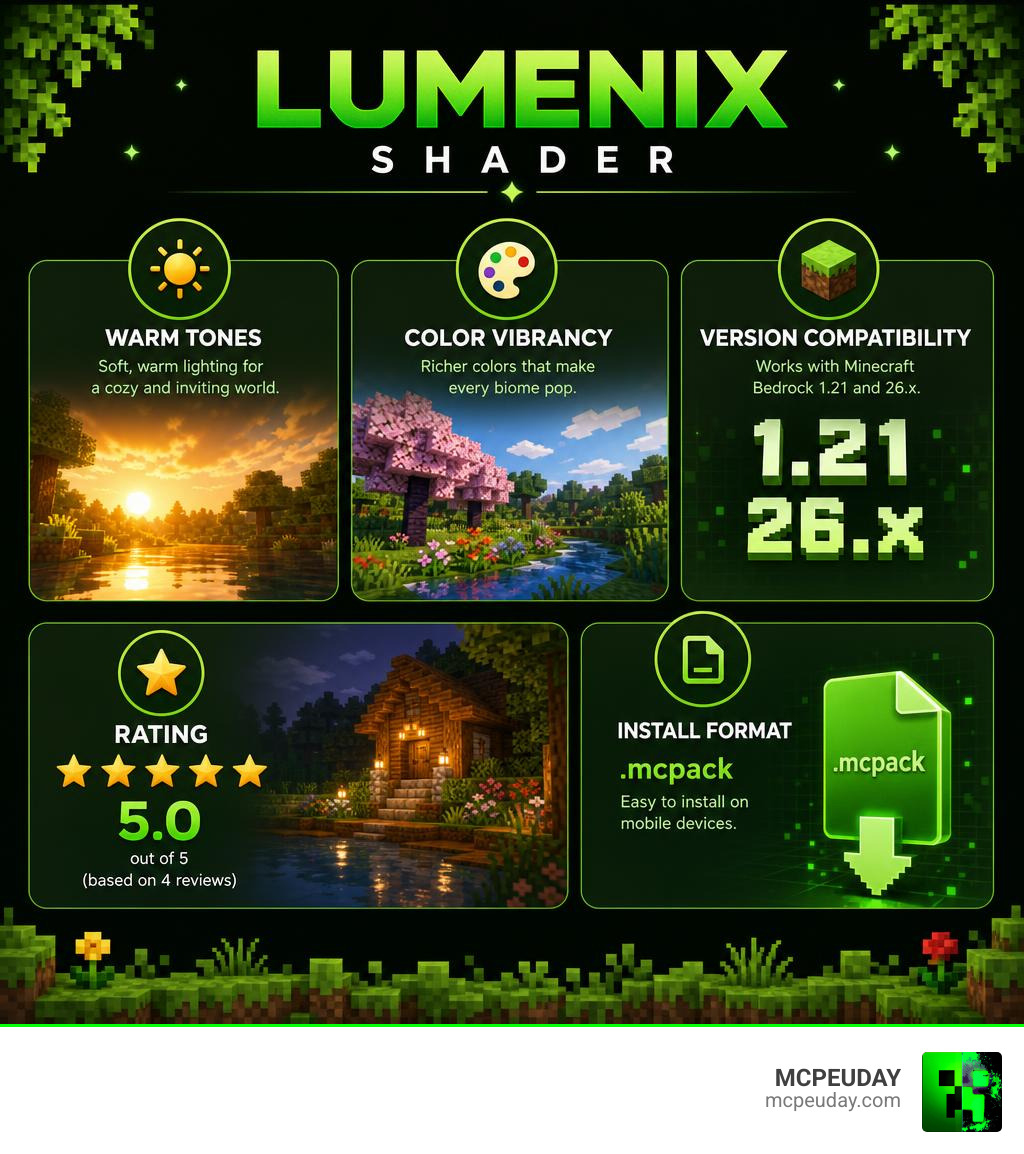
What is the Lumenix Shader?
At its core, the Lumenix Shader is an aesthetic-driven modification designed specifically for mobile and Bedrock players. It is fully compatible with Minecraft PE 1.21 and the newer 26.x updates. While many shaders on the market focus heavily on extreme water reflections or complex cloud systems that slow down your phone, Lumenix takes a different path. It prioritizes warm visuals, rich tones, and color vibrancy to make your gameplay space feel cozy and inviting.
When we look at the wider selection of options in our Category Shaders library, we notice that players often struggle to find a balance between visual appeal and smooth performance. Lumenix solves this by softening harsh vanilla lighting and introducing subtle color grading that naturally draws out the beauty of different biomes. Whether you are wandering through a sun-drenched savanna or sheltering in a dark oak forest, the environment feels deeply atmospheric without looking overly artificial.
Key Visual Improvements of Lumenix Shader
When you activate the Lumenix Shader, several immediate visual changes transform your game:
- Crisp Environments: By utilizing smart contrast adjustments, block edges and textures appear sharper and more defined, eliminating the muddy look common in vanilla mobile Minecraft.
- Softened Tones: Harsh, blinding white light is replaced with a gentle, golden glow. This creates a much more soothing experience during long play sessions.
- Increased Vibrancy: Colors like grass greens, sky blues, and lava reds are saturated just enough to pop off your screen without looking cartoonish.
- Improved Visual Clarity: Shadows are softened so that you can still see where you are going in dark caves, balancing atmospheric depth with actual gameplay utility.
Technical Analysis of the Lighting and Color System
To understand how the Lumenix Shader achieves its stunning look, we have to look under the hood. Unlike heavy PC shaders that rely on ray tracing, mobile shaders must be incredibly smart about how they process pixels. Lumenix achieves its crisp look by drawing inspiration from advanced image-sharpening algorithms.
Specifically, it utilizes principles similar to luma-based sharpening (such as the famous BT.709 luma coefficients). If you look at the technical implementation in the LumaSharpen Source Code or explore the community projects on the LumaSharpen on GitHub, you will see how developers use brightness values (luma) to sharpen images without introducing ugly color artifacts or halos.
By calculating brightness using these precise coefficients, the Lumenix Shader sharpens the visual space precisely where your eyes naturally focus. This high-tech approach to color perception ensures that warm tones feel deeply integrated into the world rather than just looking like a cheap yellow screen filter.
![Lumenix Shader [ v2.2 ] (26.x, 1.21) – MCPE/Bedrock Shader](https://mcpeuday.com/wp-content/uploads/2026/06/4k_qualuty_ke_sath_image_202606020119-1024x572.webp)
![Lumenix Shader [ v2.2 ] (26.x, 1.21) – MCPEBedrock Shader (2)](https://mcpeuday.com/wp-content/uploads/2026/06/Lumenix-Shader-v2.2-26.x-1.21-–-MCPEBedrock-Shader-2-1024x640.jpg)
![Lumenix Shader [ v2.2 ] (26.x, 1.21) – MCPEBedrock Shader (2)](https://mcpeuday.com/wp-content/uploads/2026/06/Lumenix-Shader-v2.2-26.x-1.21-–-MCPEBedrock-Shader-1024x640.jpg)
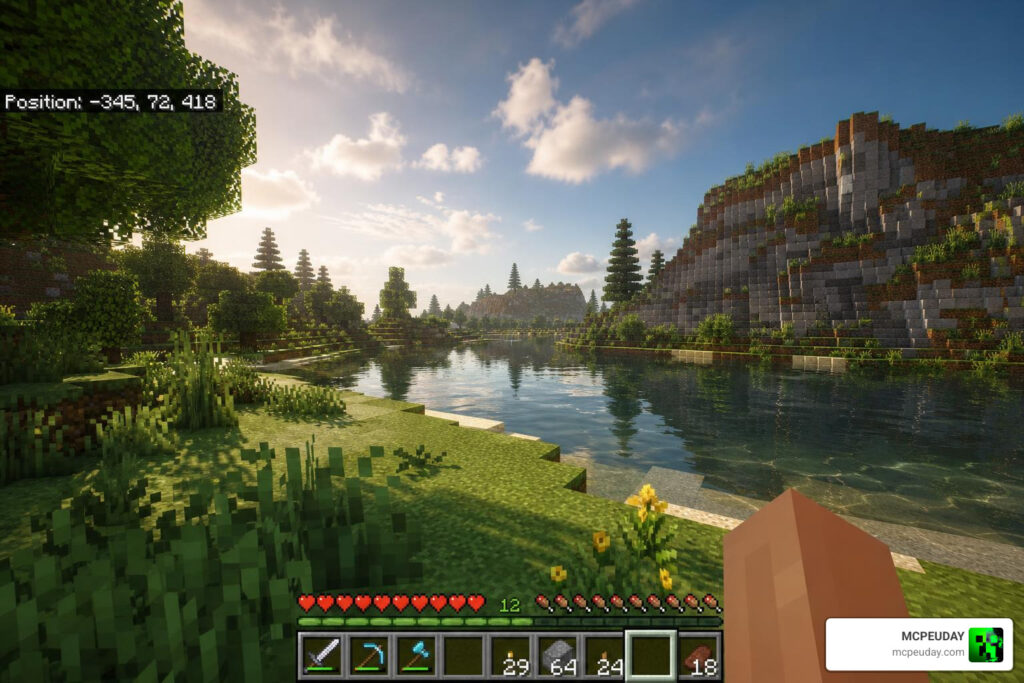
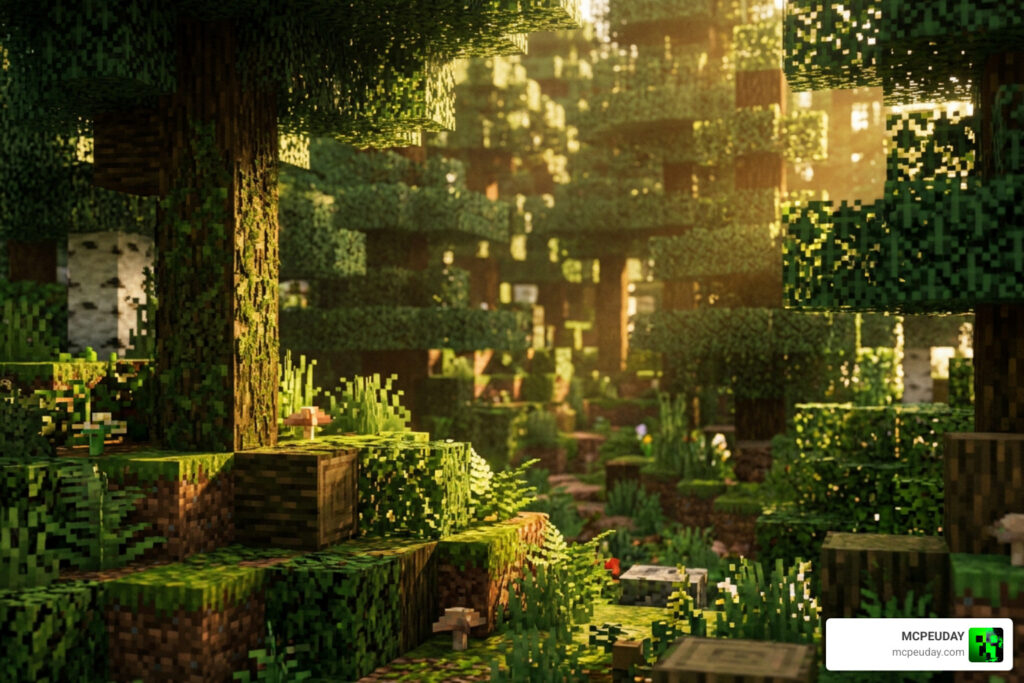
Distinguishing Lumenix from Other Lumen-Branded Tools
Because the word “Lumen” is incredibly popular in graphics development, it is easy to get confused. We want to clarify that the Lumenix Shader for Minecraft PE is a completely separate project from other major industry tools:
- Unity’s Lumen Stylized Light FX: This is a professional developer asset used to build standalone games. If you explore Lumen Stylized Light FX on Unity Asset Store or look up Lumen: Stylized Light FX 2 – Dev Community | Dev Asset Collection , you will find a tool built for Unity’s Universal Render Pipeline (URP). It uses mesh-based lighting to create stylized god rays and glowing flares for game designers. While the goals are similar—achieving emotional lighting without sacrificing real-time performance—it is not for Minecraft.
- LumeniteFX: Another popular community project is the LumeniteFX Shaders on GitHub, which is a collection of ReShade effects for PC games featuring advanced techniques like Ray Traced Ambient Occlusion (RTAO) and Screen Space Reflections (SSR).
In contrast, the Lumenix Shader is built directly for the Bedrock codebase, packaged as a lightweight .mcpack file, and optimized to run directly on mobile hardware in places like Jaipur (India), the USA, Russia, and beyond.
Performance Impact and Optimization Tips
One of the biggest concerns for mobile gamers is lag. A beautiful shader is useless if it turns your game into a slideshow. Fortunately, Lumenix Shader is highly optimized. Because it avoids heavy volumetric passes and instead focuses on color grading, luma-based sharpening, and softened shadow maps, the performance impact is remarkably low.
However, if you are playing on an older budget device, you can still optimize your setup to ensure a locked 60 FPS:
- Reduce Render Distance: Keeping your render distance between 8 and 12 chunks will free up massive amounts of GPU memory.
- Toggle Fancy Graphics: Turning off “Fancy Leaves” or “Beautiful Skies” in your video settings can give you a quick 5-10 FPS boost.
- Keep Your Device Cool: Mobile devices throttle performance when they get hot. Play in a cool room and close background apps.
For a deeper dive into how different shaders handle the modern Bedrock engine, check out our comprehensive Best Render Dragon Shaders for MCPE 1.21 Tested on Real Devices 2026 Guide and our round-up of the 3 Best Shaders for Minecraft 1.21 Ultra Realistic Smooth FPS Stunning Graphics.
Comparing Lumenix to Alternative Mobile Shaders
To help you decide if Lumenix is right for you, we have put together a comparison table matching it against other community favorites found in our Top 5 Best Realistic Shaders for MCPE guide:
| Shader Name | Visual Style | Performance Impact | Best For |
|---|---|---|---|
| Lumenix Shader | Warm, soft, highly vibrant, crisp | Very Low | Everyday survival and cozy builders |
| Vibrant Contrast | High contrast, deep shadows, dramatic | Medium | Cinematic screenshots |
| GlowCraft | Neon-like light sources, glowing ores | Low-Medium | Cave explorers and miners |
| Lotiif Visuals | Soft pastel colors, realistic clouds | Low | Players who prefer a fantasy aesthetic |
Installation Guide for Minecraft PE 1.21 and 26.x
Installing the Lumenix Shader is simple, but because Minecraft PE runs on various operating systems, following the correct steps is essential. The shader is packaged as a .mcpack file, which means Minecraft can automatically import it on most modern devices.
Before installing, make sure your device meets the basic system requirements:
- Operating System: Android 8.0+ or iOS 13+
- Minecraft Version: Bedrock/PE 1.21 or 26.x
- Free Storage: At least 20 MB
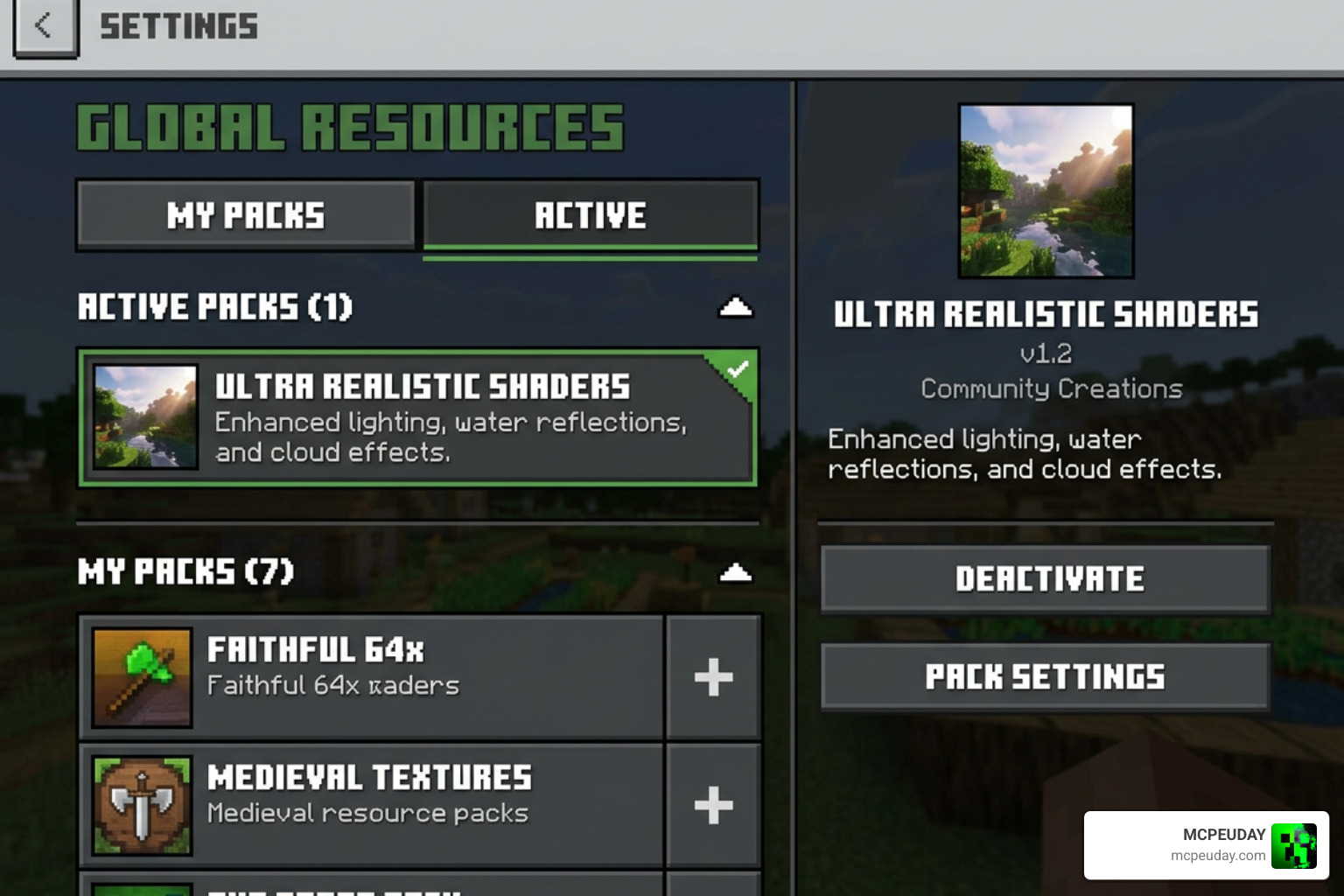
Step-by-Step Guide to Install Lumenix Shader
- Download the File: Grab the official
.mcpackfile from a trusted source like the Lumenix Shader (26.x, 1.21) – MCPE/Bedrock | 9Minecraft.Net download page. - Open the File: Once downloaded, locate the file in your device’s file manager and tap on it. Select “Open with Minecraft.”
- Wait for Import: Minecraft will launch and display a message at the top of the screen saying “Import Started” followed by “Successfully Imported Lumenix Shader.”
- Activate in Global Resources: Go to Settings > Global Resources > My Packs. Select Lumenix Shader and tap Activate.
- Load Your World: Enter any world and enjoy your newly warmed, vibrant Minecraft environment!
Frequently Asked Questions about Lumenix
Is this shader compatible with Render Dragon?
Yes! The Lumenix Shader is fully optimized to work alongside the modern Render Dragon engine used in Minecraft PE 1.21 and 26.x. It adjusts colors and lighting without breaking the core engine rendering rules.
Does it cause lag on low-end devices?
Minimal to none. Because it uses smart luma-based adjustments instead of heavy real-time volumetric shadows, even players on mid-range and older phones in the US, Russia, and India report smooth gameplay. It currently holds a perfect 5.0 rating based on 4 user reviews for its stability and beauty.
How does it achieve its warm color palette?
Lumenix uses custom color-grading tables that shift cold blue tones into warmer golden hues. This mimics the cozy visual atmosphere of a late-afternoon sunset across all times of day.
Conclusion
If you are tired of the cold, sterile look of vanilla Minecraft PE, the Lumenix Shader is one of the easiest and most performance-friendly upgrades you can make in 2026. It strikes a beautiful balance between high-end visual clarity and lightweight mobile performance.
For more incredible recommendations to level up your game, be sure to read our curated list of the Best Shaders for MCPE 1.21 2026 Top 3 Realistic Minecraft PE Shaders. Happy building, and enjoy your warm new world!
