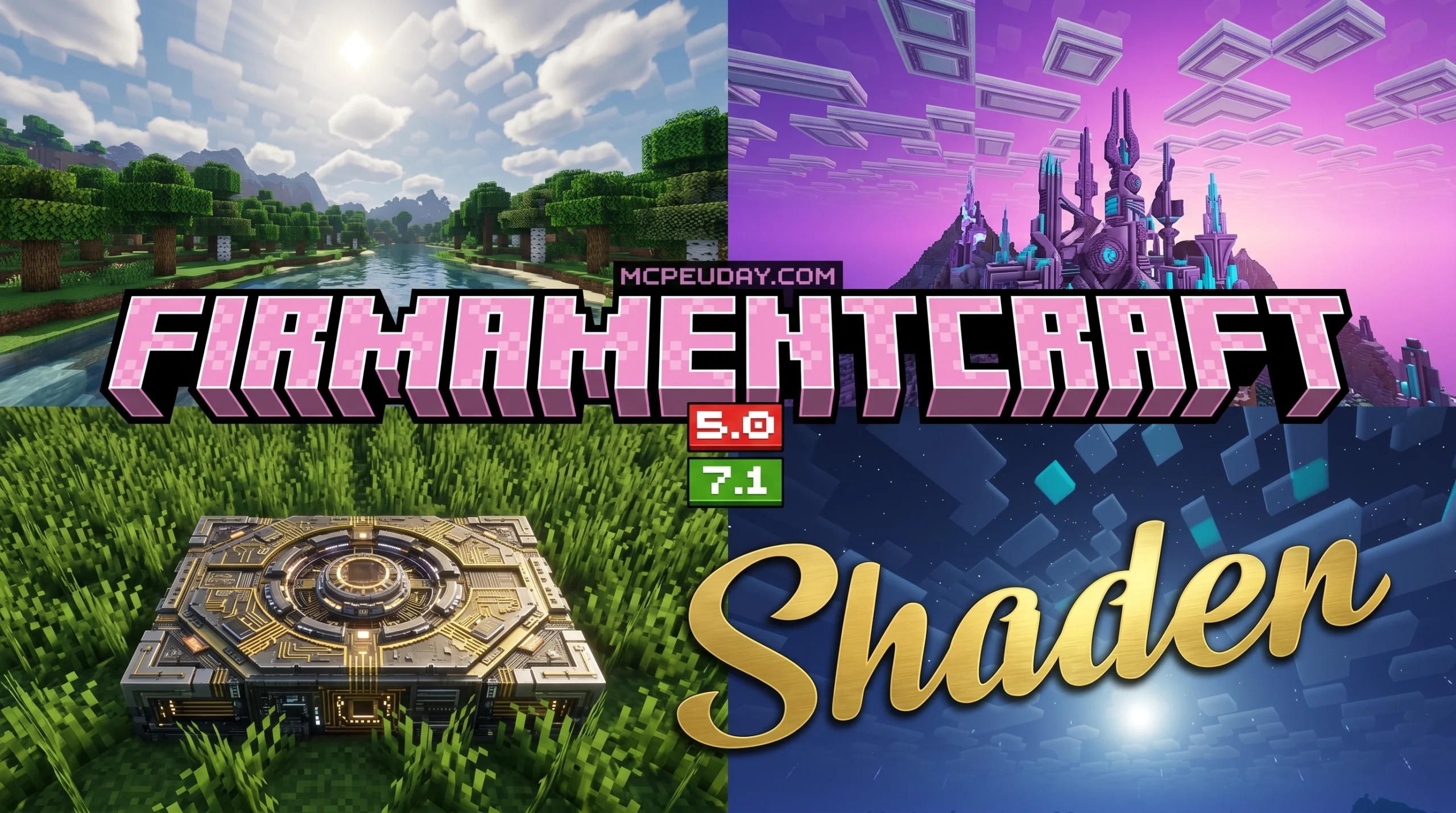
What You Need to Know About the FirmamentCraft 5.0 Shader
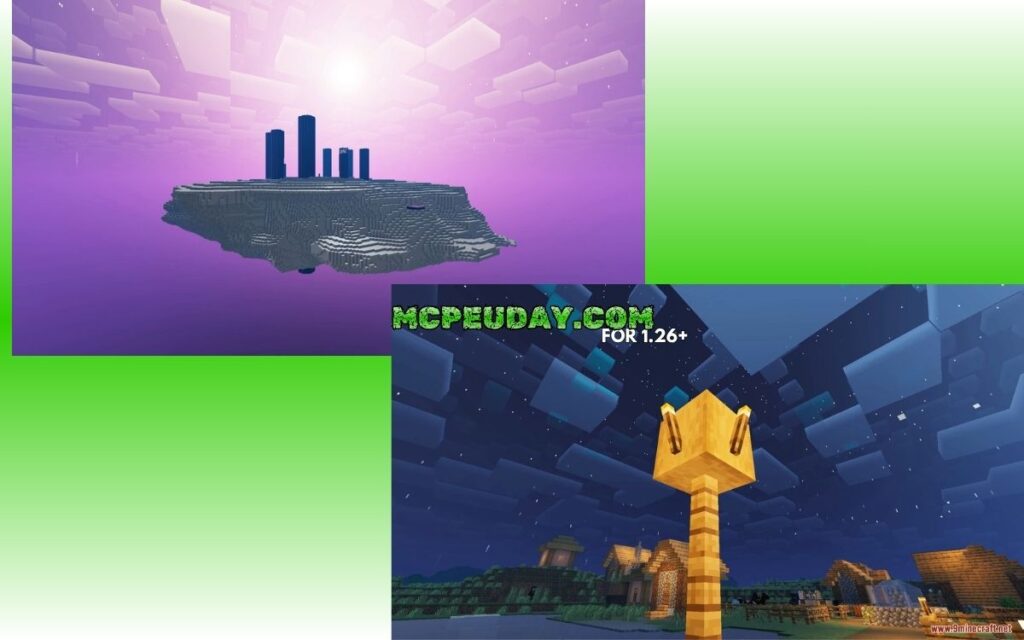
The FirmamentCraft 5.0 Shader is a free visual upgrade pack for Minecraft Bedrock Edition that adds reflective water, glowing ores, dynamic clouds, and more — all optimized to run on mobile devices.
Quick answer — how to get it:
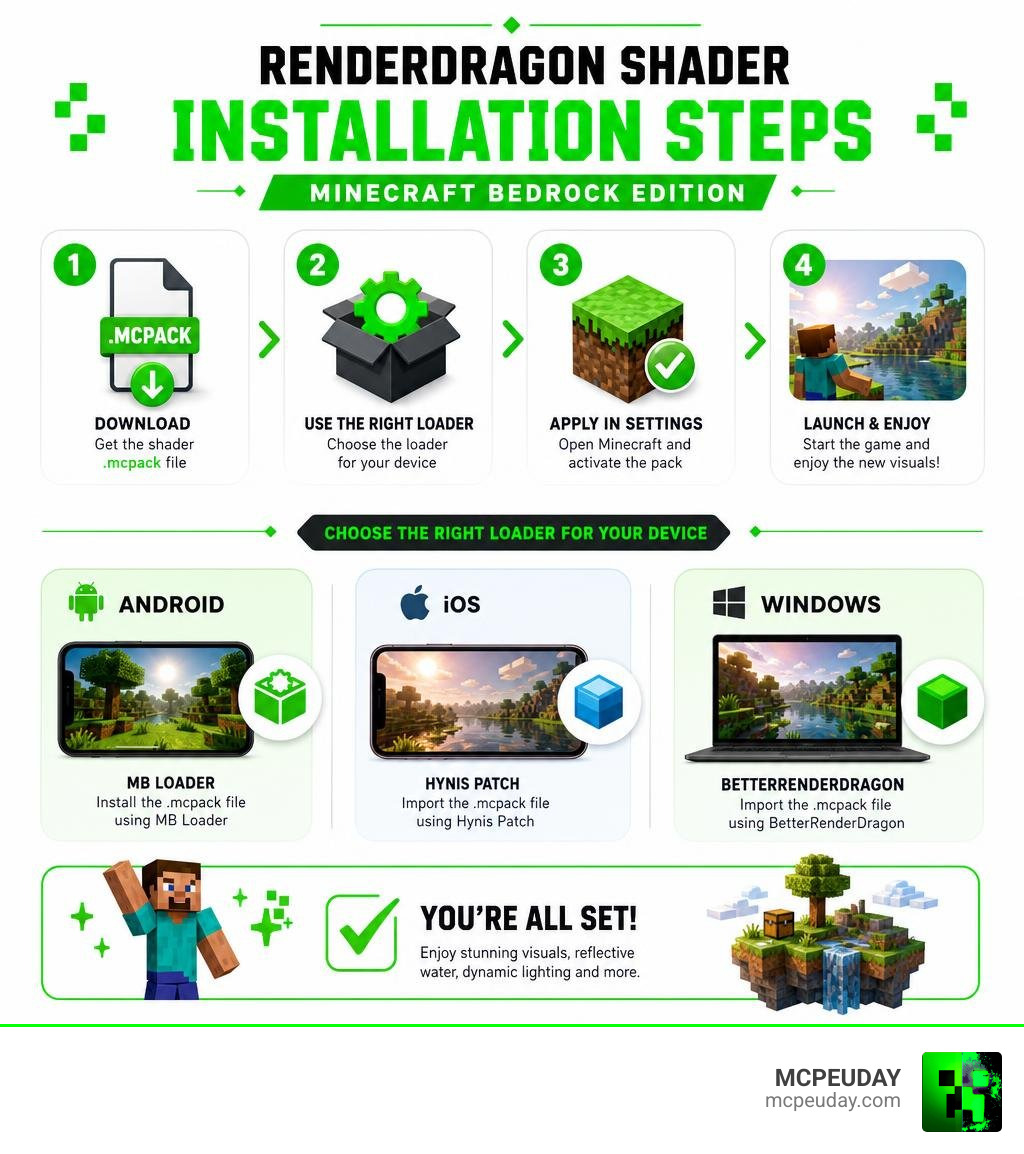
- Download the FirmamentCraft 5.0
.mcpackfile for your platform - Use the right loader for your device:
- Android → MB Loader
- Windows → BetterRenderDragon
- iOS → Hynis Patch
- Apply it as a resource pack in your Minecraft settings
- Launch the game and enjoy the upgraded visuals
It works with Minecraft Bedrock 26.x (including versions 26.20, 26.21, and 26.23).
Getting shaders to work on Bedrock used to be simple. Then Mojang switched to the RenderDragon rendering engine, which blocked the old way of loading custom shaders from resource packs. That left a lot of players stuck — great shader packs existed, but there was no easy way to get them running.
FirmamentCraft 5.0 solves that. It’s built specifically for RenderDragon and works with the tools players already use to load modern Bedrock shaders.
Whether you’re on a budget Android phone or a Windows PC, there’s a version designed to work for you — a full version for better hardware and a lite version for lower-end devices.
What is the FirmamentCraft 5.0 Shader?
The FirmamentCraft 5.0 Shader is a highly optimized, stylized graphics pack designed to breathe new life into Minecraft Bedrock Edition. Unlike shaders that chase absolute photorealism at the cost of turning your phone into a pocket-sized furnace, FirmamentCraft 5.0 prioritizes an artistic, vibrant, and fantasy-themed aesthetic. It strikes the perfect balance between jaw-dropping visuals and smooth, playable performance.
By utilizing the latest advancements in community-developed rendering tools, we can finally enjoy high-end visual features like waving foliage, realistic fog, and dynamic lighting on portable platforms. If you are curious about how this pack stacks up against other contemporary options, check out our guide on the Best Render Dragon Shaders for MCPE 1.21.
A New Era for Bedrock Graphics
For years, Bedrock players enjoyed straightforward shader support through OpenGL-based resource packs. However, the introduction of the RenderDragon engine completely changed the landscape. RenderDragon replaced the old rendering pipelines with a modern architecture designed to support universal graphics across consoles, mobile devices, and PCs (including official ray tracing).
While this was a massive step forward for the game’s core engine, it initially broke unofficial third-party shader support. The community had to adapt, and adapt they did! Developers created specialized injection tools and loaders to bypass these limitations, allowing custom shaders to be loaded directly into RenderDragon.
Today, in June 2026, packages like FirmamentCraft 5.0 are leading this new era of Bedrock graphics, offering incredibly sophisticated visual overhauls without requiring expensive ray-tracing hardware. To find and download the perfect setup for your device, head over to our FirmamentCraft 5.0 Shader Download page.
Key Visual Features and Effects
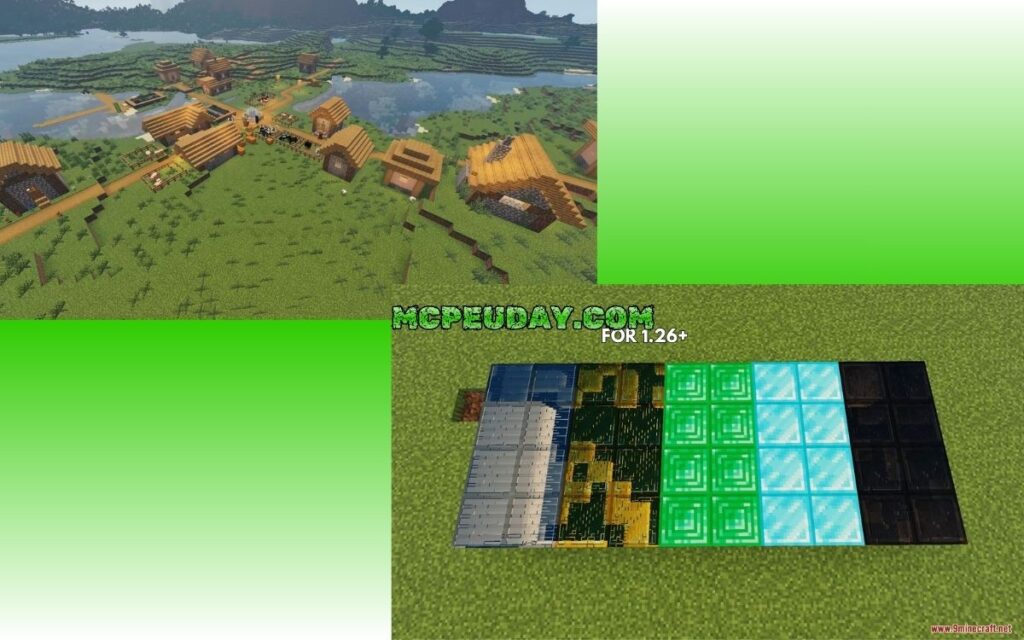
What exactly makes this shader pack stand out in a sea of visual mods? It is the sheer attention to detail. The developer of FirmamentCraft has painstakingly tuned every graphical element to create an immersive, cohesive world. Let’s break down the core visual features that you will experience.
Reflective Water and Glowing Ores in FirmamentCraft 5.0 Shader
Water is often the true test of any shader pack, and FirmamentCraft 5.0 passes with flying colors. It introduces dynamic water reflections that mirror the sky, clouds, and nearby terrain with fluid, animated waves.
When you dive beneath the surface, you will notice a complete overhaul of underwater lighting. Instead of the flat, dark blue void of vanilla Minecraft, the water features realistic light absorption, refraction, and even total internal reflection (TIR) effects. Looking up from underwater gives you a gorgeous, window-like view of the world above.
On land, the visual feast continues:
- Glowing Ores: Deep caves are no longer pitch-black boring zones. Ores emit a soft, atmospheric glow, making mining trips both visually stunning and slightly easier on your torches.
- Shiny Metals: Metallic blocks (like iron, gold, and copper) feature realistic surface reflections, reacting dynamically to nearby light sources.
- Swaying Plants: Grass, flowers, and tree leaves gently sway in the breeze, making forests feel alive.
- Atmospheric Weather & Fog: Rainstorms feel incredibly atmospheric with smooth, rolling fog and wet surface highlights.
If you love these kinds of realistic touch-ups, you might also want to read our roundup of the Top 5 Best Realistic Shaders for MCPE.
Dimension Enhancements: Nether and End Sky Redesigns
FirmamentCraft 5.0 doesn’t stop at the Overworld. Both the Nether and the End dimensions have received major artistic upgrades:
- The Nether: The ambient lighting in the Nether is no longer a uniform red haze. Instead, the ambient light color dynamically shifts depending on the biome you are currently exploring. Basalt Deltas feel ash-choked and gray, Soul Sand Valleys glow with an eerie, cold blue, and Crimson Forests burn with a rich, deep red.
- The End: The End dimension sky has been completely redesigned with a custom cubemap. It replaces the static, dark purple static background with a breathtaking, artistic cosmic skybox that makes defeating the Ender Dragon feel truly legendary.
How to Install the Shader on Mobile and PC
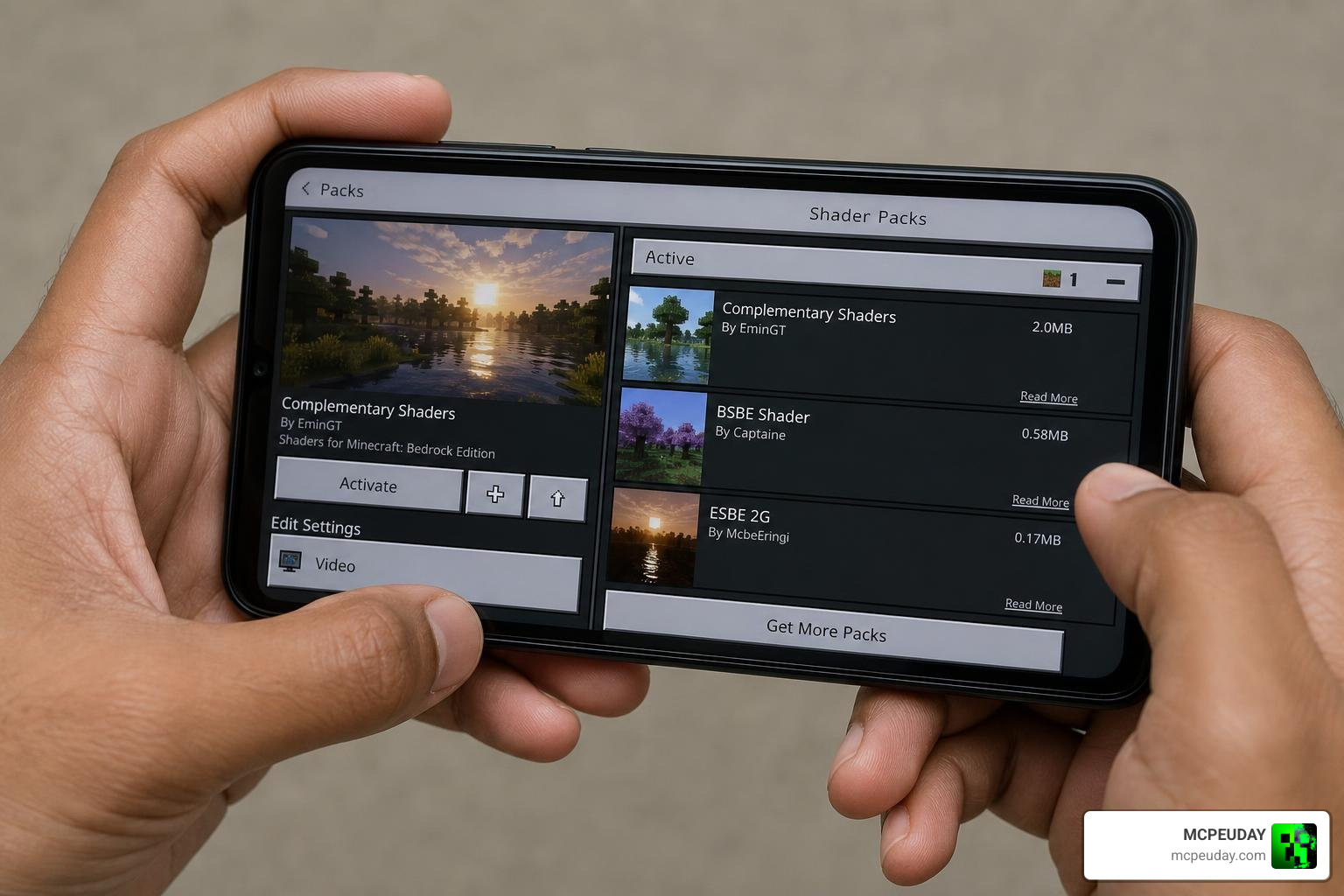
Installing custom shaders on Bedrock in June 2026 requires a slightly different approach than installing a standard texture pack. Because of the RenderDragon engine, you will need a helper tool to inject the shader code. Don’t worry — we have broken down the process into simple, easy-to-follow steps.
Step-by-Step Installation of FirmamentCraft 5.0 Shader
Before you begin, make sure you download the correct .mcpack file from our site. We recommend choosing the Lite version if you play on a mid-range or budget phone, and the Full version if you are on a high-end mobile device or PC.
- Download the Shader Pack: Grab the FirmamentCraft 5.0 resource pack.
- Install Your Platform’s Loader: (See the compatibility section below to choose the right one for your system).
- Import to Minecraft: Open the downloaded
.mcpackfile. Your device should automatically launch Minecraft and import the pack. - Activate the Resource Pack:
- Go to the main menu and select Settings.
- Scroll down to Global Resources.
- Under My Packs, find FirmamentCraft 5.0 and click Activate.
- Adjust In-Game Settings: For the absolute best visual alignment, we recommend turning on “Beautiful Skies” and “Smooth Lighting” in your video settings.
Pro Tip: This shader uses a fog-color-based time system for accurate lighting and reflections. If you want to experience the absolute perfect dusk/sunset lighting, use the in-game command /time set 37550!
For more tips on optimizing your setup, check out our guide on the Best Shaders for MCPE 1.21 (2026) – Top 3 Realistic Minecraft PE Shaders.
Compatibility and RenderDragon Loaders
To bypass RenderDragon’s restrictions and load custom materials, you must use one of the following platform-specific tools:
- Android: Use MB Loader or a pre-patched, modified Minecraft APK designed to load external shader files.
- Windows (PC): Use BetterRenderDragon. This tool allows PC players to easily inject materials and customize post-processing effects.
- iOS: Use the Hynis Patch (note: this may require a jailbroken device or specific sideloading tools depending on your iOS version).
If you want to explore other options that utilize these exact same loaders, take a look at our detailed breakdown of the 3 Best Shaders for Minecraft 1.21.
Performance Comparison: Full vs. Lite Versions
To ensure that everyone can enjoy a beautiful game, FirmamentCraft 5.0 comes in two distinct flavors. Let’s compare the visual features and performance impact of the Full and Lite versions:
| Feature | Full Version | Lite Version |
|---|---|---|
| Water Reflections | High-quality real-time reflections | Simplified static reflections |
| Glowing Ores | Yes (Dynamic emissive maps) | Yes (Static glow texture) |
| Swaying Plants | Full wave animations | Minimal swaying / Disabled |
| Dynamic Clouds | 2D layered dynamic clouds | Simplified 2D clouds |
| Shadow Quality | Soft, filtered shadows | Hard, pixel-locked shadows |
| Target Devices | High-end Android/iOS, Windows PC | Budget-to-mid Android, older iPhones |
| Average FPS Impact | 20% to 35% drop | 5% to 15% drop |
If you find that even the Lite version causes performance drops on your specific mobile device, we highly recommend checking out other performance-oriented alternatives. For example, some Java players use highly optimized packs like Aurora Fantasy to achieve a similar fantasy aesthetic on lower-end setups. For Bedrock users, you can find similar lightweight options on our list of the Best Shaders for MCPE 1.21 (2026) – Top 3 Realistic Minecraft PE Shaders.
Frequently Asked Questions about FirmamentCraft 5.0
Is FirmamentCraft 5.0 compatible with Minecraft Bedrock 1.21?
Yes! FirmamentCraft 5.0 is fully compatible with Minecraft Bedrock 1.21.x (specifically tested and updated for 26.x versions, including 26.20, 26.21, and 26.23). Always make sure you are using the latest version of your preferred loader to avoid black screens or crashing issues when game updates roll out.
Do I need a special loader to run this shader on Android?
Yes. Because of Mojang’s RenderDragon engine, you cannot simply activate this shader like a normal texture pack on vanilla mobile Minecraft. You will need to use a helper tool like MB Loader or a modified client to inject the shader files into the game’s rendering folder.
What is the difference between the Full and Lite versions?
The Full version includes advanced graphical features like real-time water reflections, dynamic waving foliage, and soft shadow mapping. The Lite version disables or simplifies these heavy computational tasks (such as using simplified cloud layers and static shadows) to ensure smooth, lag-free gameplay on budget mobile devices.
Conclusion
The FirmamentCraft 5.0 Shader is an absolute triumph for the Minecraft Bedrock community. It proves that despite the technical hurdles brought by the RenderDragon engine, brilliant creators can still deliver breathtaking, stylized visuals directly to our mobile screens and PCs.
By offering a gorgeous blend of reflective water, glowing ores, and custom dimension skies, it completely transforms the feel of the game without requiring an expensive RTX graphics card. Whether you choose the feature-rich Full version or the incredibly smooth Lite version, your Minecraft world is about to look better than ever before.
Ready to explore even more ways to upgrade your game? Explore more MCPE shaders on MCPEUDAY and discover the perfect graphics mods, texture packs, and addons to build your dream world!