What Is MBL2 Shader Loader and Why Do You Need It?
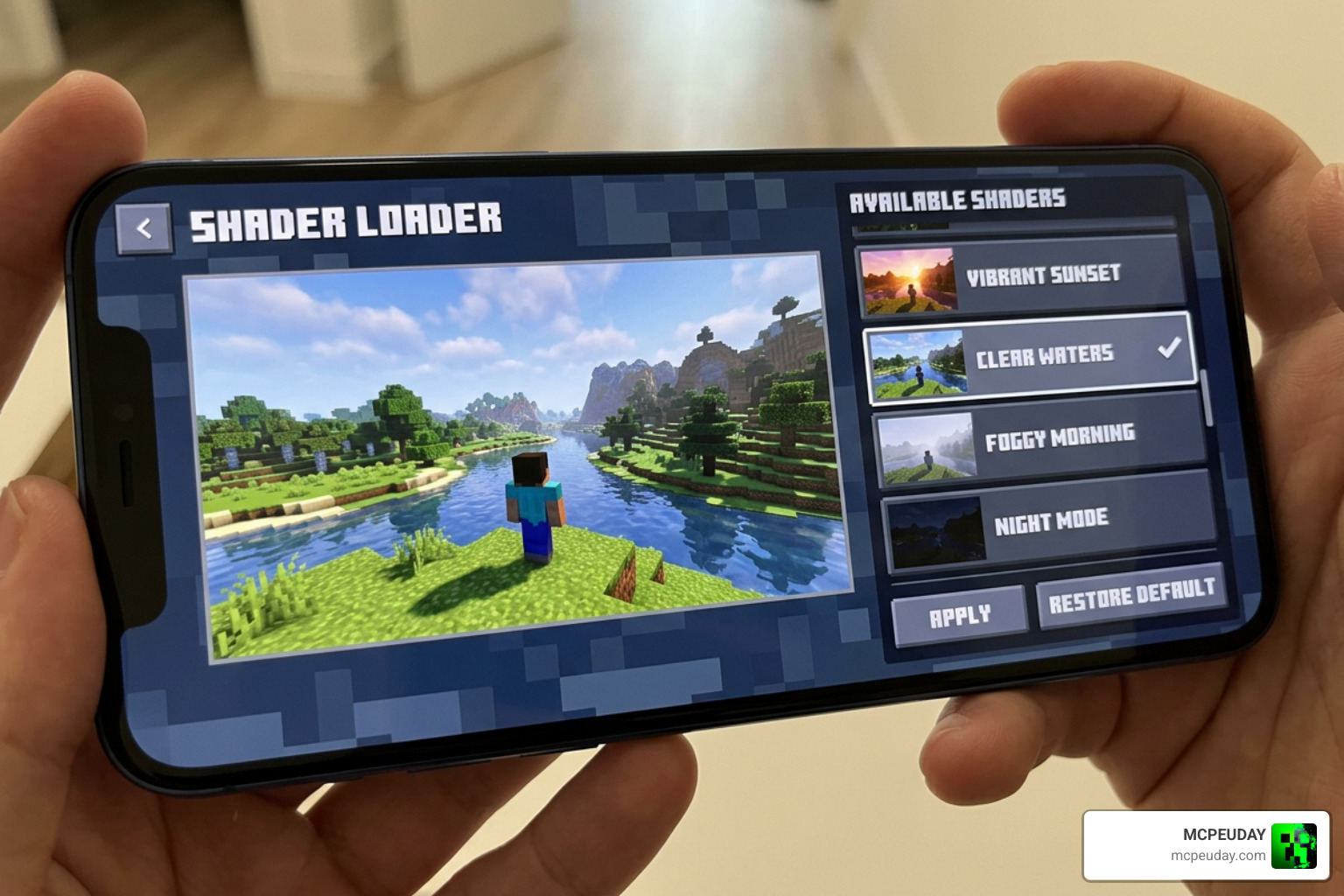
The MBL2 Shader Loader (also known as MaterialBinLoader 2) is a lightweight Android library that lets you load custom RenderDragon shaders into Minecraft Bedrock Edition — something the base game does not support on its own.
Quick answer — how to download and use MBL2 Shader Loader in 5 steps:
- Download the MBL2
.solibrary for your device architecture (arm64, arm32, or x86_64) - Configure the
manifest.jsonand place the loader in yourbehavior_packsfolder - Import your RenderDragon shader into the
resource_packsfolder - Activate the behavior pack in Minecraft Settings → Global Resources
- Launch Minecraft and verify that your shader is rendering correctly
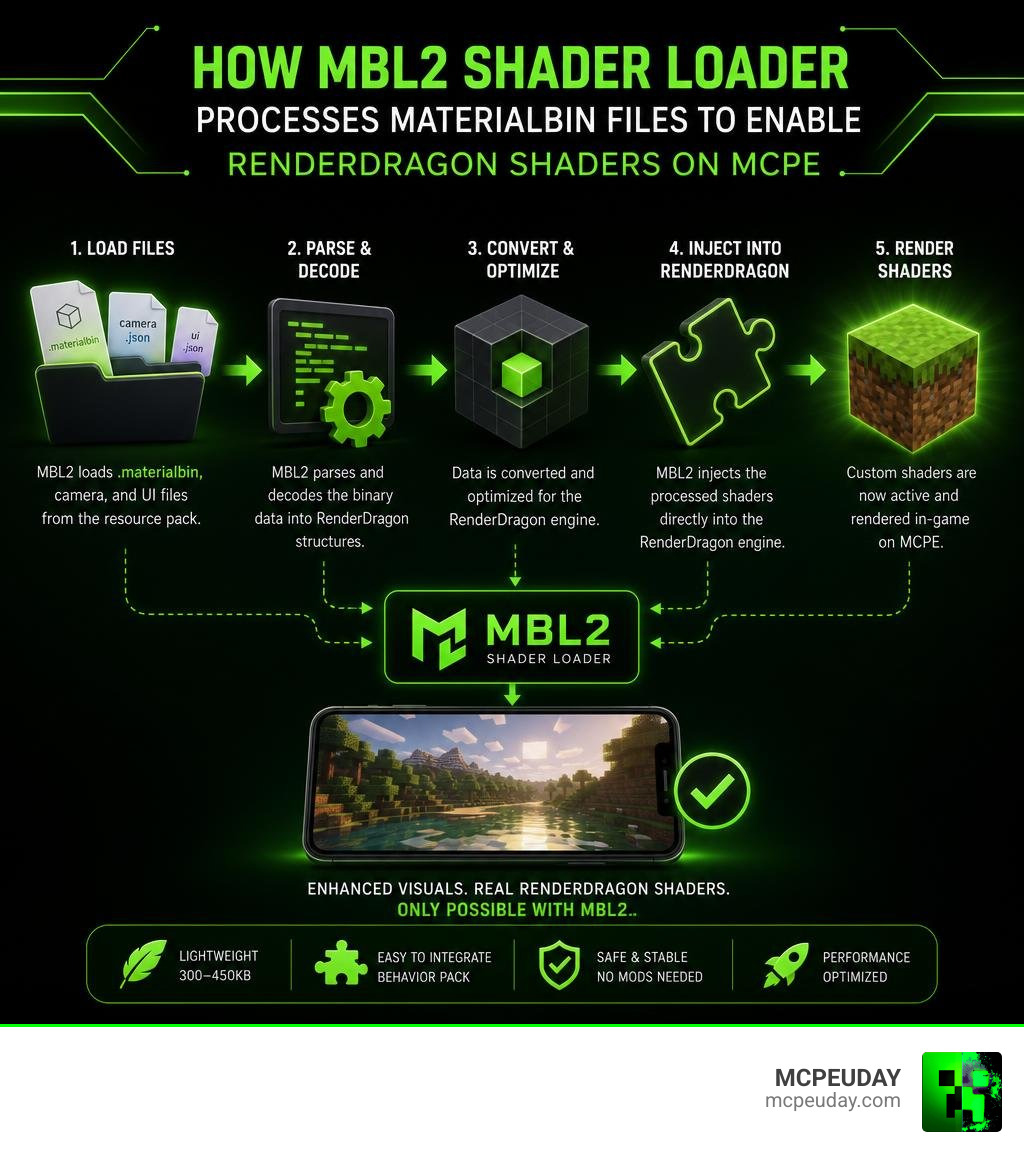
Minecraft Bedrock uses the RenderDragon engine, which locks out traditional shader mods. MBL2 gets around this by acting as a small .so shared object library — only 300–450kb — that processes .materialbin, camera, and UI files so the game can display custom shaders.
It is the core technology powering the shader loading inside the popular MB Loader app, which has been downloaded over 150,000 times and pulls in around 79,000 downloads every 30 days on Android.
If you’ve been stuck staring at vanilla Minecraft graphics while everyone else posts shader screenshots, this guide is exactly what you need.
What is the MBL2 Shader Loader and How Does It Work?
To understand why the MBL2 Shader Loader is such a game-changer, we have to look at how Minecraft Bedrock handles graphics. Ever since Mojang introduced the RenderDragon rendering engine, traditional shaders stopped working. The engine requires pre-compiled shader files that are normally locked away.
That is where the MaterialBinLoader 2 project comes in. Developed as an open-source library, which you can explore on the official GitHub repository at mcbegamerxx954/mtbinloader2, MBL2 acts as a translator. When Minecraft tries to load its default graphics, MBL2 intercepts those requests and loads custom visual data instead.
If you are new to this concept, you might want to read our comprehensive guide on How To Get Shaders In Minecraft to understand the basics of Bedrock graphic engines.
Essentially, MBL2 uses the Bedrock Scripting API and a custom manifest.json file to point Minecraft to custom directories. It supports several file formats to achieve beautiful, realistic graphics:
- .materialbin files: These contain the core shader code that RenderDragon uses to calculate lighting, shadows, and reflections.
- .json files: Used for configuration, defining how materials interact with light.
- .hlsl files: High-Level Shader Language files used primarily on Windows platforms for direct graphics rendering.
- Camera files and OreUI replacements: To tweak in-game cameras and customize user interface elements.
Key Differences Between MBL2 Shader Loader and MB Loader
It is easy to get confused between the MBL2 library and the MB Loader app.
The MBL2 Shader Loader is the actual shared library (.so file) that does the heavy lifting of reading and rendering files.
On the other hand, MB Loader is a full-featured Android application available on the MB Loader – Apps on Google Play. MB Loader acts as a front-end launcher. Instead of modifying your core Minecraft game files, MB Loader runs Minecraft in an isolated runtime environment. This keeps your original game data safe and allows you to toggle shaders, back up your worlds, and use overlay buttons (like F1, F2, and Q) with ease.
MBL2 vs Draco Loader in MB Loader
When using the MB Loader app, you will notice two options for loading your game: MBL2 and Draco.
- MBL2 (MaterialBinLoader 2): This is the most modern, optimized loader. It boasts incredibly low file-loading overhead and supports direct materialbin loading, camera files, and UI replacements. It also features an automatic shader fix tool that repairs outdated shaders on the fly.
- Draco Loader: An older loading method that relies heavily on manual file replacement. While it is highly compatible with older devices, it has higher performance overhead and lacks the advanced features of MBL2.
System Requirements and Installation Steps for MBL2
Before diving into the setup, make sure your device meets the technical requirements.
| Platform | Recommended Architecture | Supported Minecraft Versions |
|---|---|---|
| Android | arm64 (Aarch64) or arm32 | MCPE 1.21.x up to 1.26.x |
| Windows | x86_64 | Windows 10/11 Bedrock 1.21+ |
| ChromeOS | x86_64 (via Android container) | Experimental |
For players running the latest game builds, we highly recommend checking out Mcpe Patched 1 26 X Download Free Mbl2 Support Shaders Skin 4D Night Vision to get a compatible client pre-configured with MBL2 support.
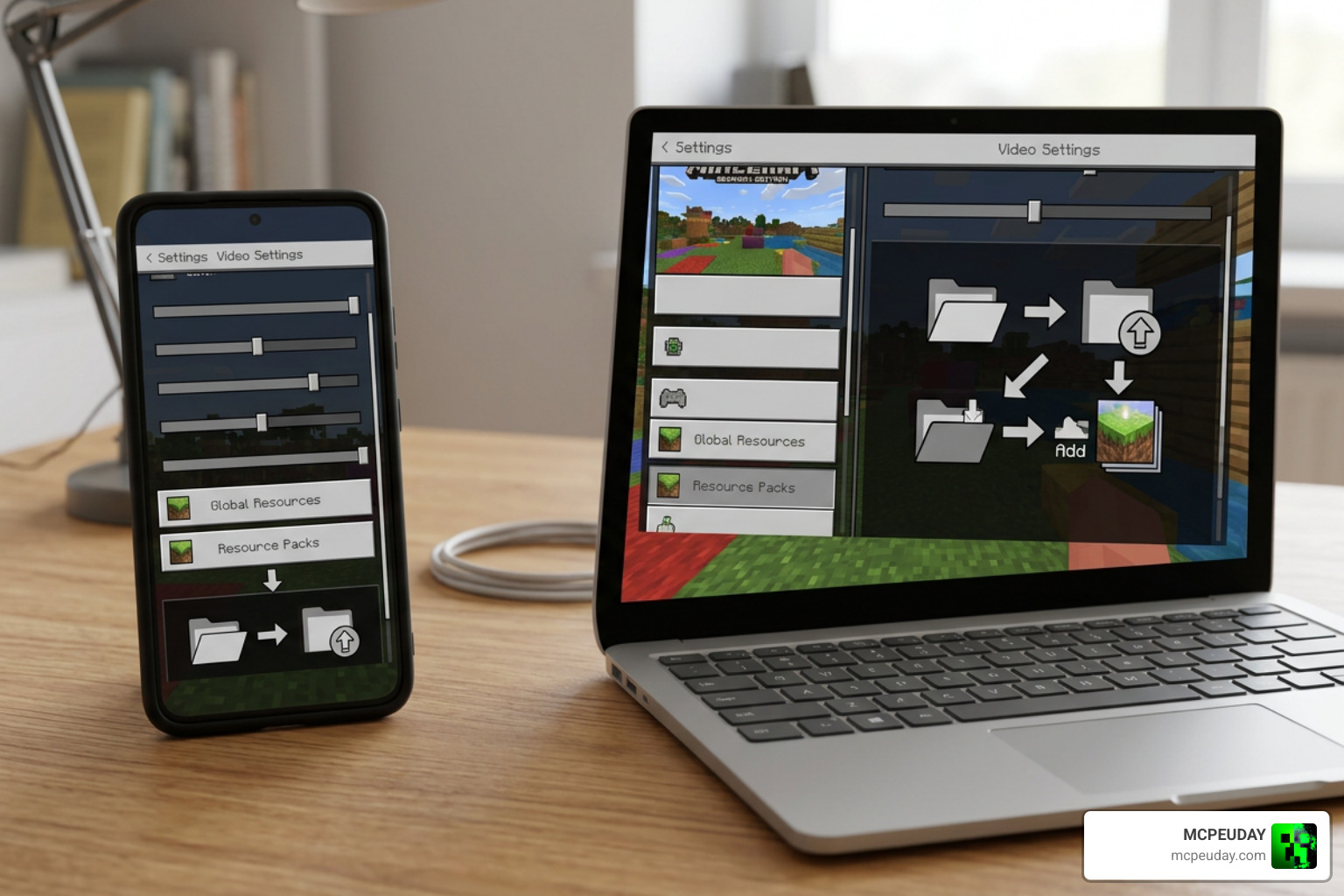
Below is our simple, step-by-step guide to installing and activating MBL2.
Step 1: Download the MBL2 Shared Object Library
First, you need the library files. If you are using the standalone version, head over to the GitHub repository and download the compiled .so file that matches your device architecture.
For most modern Android phones, this will be arm64 (Aarch64). If you are using an older budget device, you may need the arm32 version. Save this file to your downloads folder.
Step 2: Configure the manifest.json and Behavior Packs
To make Minecraft recognize the loader, we need to package it as a behavior pack.
- Create a new folder named “MBL2_Loader” on your device.
- Inside this folder, create a text file named
manifest.json. - Open the file and define the entry scripts and components to call the Scripting API. This tells Minecraft to initialize the MBL2 library when the world loads.
- Move the entire “MBL2_Loader” folder into your game directory:
- Android:
/games/com.mojang/behavior_packs/ - Windows:
C:\Users\AppData\Local\Packages\Microsoft.MinecraftUWP_8wekyb3d8bbwe\LocalState\games\com.mojang\behavior_packs\
- Android:
Step 3: Import Your RenderDragon Shaders
Now you need a compatible shader pack. Download your favorite RenderDragon-ready shader (such as the YSS Shader). You can find some of the top-performing options in our list of the Best Render Dragon Shaders For Mcpe 1 21 Tested On Real Devices 2026 Guide.
If the shader comes as a .mcpack file, you can often rename it to a .zip file, extract it, and place the folder directly into your /games/com.mojang/resource_packs/ directory.
Step 4: Activate the Loader in Minecraft Settings
Open Minecraft (or launch it via MB Loader if you prefer the automated app approach).
- Go to Settings and scroll down to Global Resources.
- Under My Packs, locate your newly added shader resource pack and click Activate.
- Next, go to your world settings, click on Behavior Packs, and ensure the MBL2 loader pack is active there as well.
For a deeper look at setting up your global resources correctly, check out our How To Turn On Shaders In Minecraft 2026 Guide Java Bedrock Mcpe Setup Fast Mcpeuday.
Step 5: Launch and Verify Shader Activation
Load into your Minecraft world! If everything was done correctly, you should immediately notice realistic lighting, waving leaves, and beautiful water reflections.
If the game crashes or displays flat vanilla textures, close the game completely, clear your cache, and double-check that your device architecture matches the .so library you downloaded in Step 1.
Shader Compatibility, Updates, and Risks
While the MBL2 Shader Loader is incredibly optimized, playing with third-party tools always comes with a few caveats.
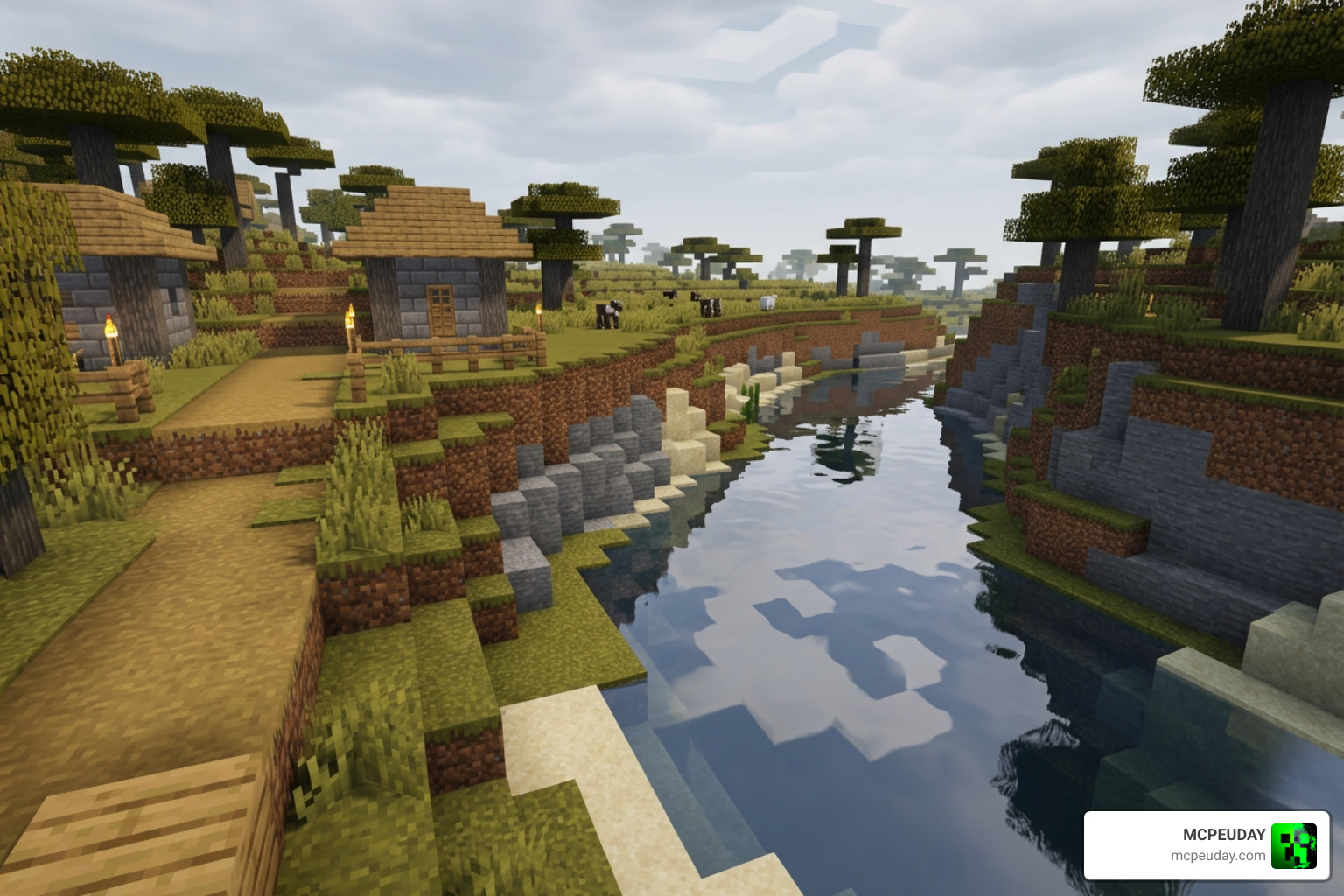
One of the best features of MBL2 is its Autofix tool. When Mojang releases minor updates, shader files often break. The Autofix feature attempts to repair these files automatically during the loading phase. However, it is not perfect. It cannot restore older legacy shaders (often referred to as HAL shaders), and major game updates may still require you to download updated shader packs directly from their original creators.
Additionally, because Android restricts apps from editing files inside other apps, using custom loaders can sometimes cause stability issues on unpatched versions of Minecraft. We recommend backing up your worlds regularly. To learn more about managing these risks safely, read our guide on Minecraft Pe Patched 1 21 Download Features Risks Safe Guide.
Frequently Asked Questions about MBL2
Is the MBL2 Shader Loader safe to use on Android?
Yes! When downloaded from verified sources like Google Play (via the MB Loader app) or the official GitHub repository, MBL2 is completely safe. Because it runs as an intermediary launcher or local behavior pack, it does not inject malicious code into your device.
How to Troubleshoot MBL2 Shader Loader Crashes
If your game crashes on startup, the most common culprit is an architecture mismatch (e.g., trying to run an arm64 library on a 32-bit device). Use a hardware checker app to verify your phone’s architecture. Another common issue is using outdated shaders that are incompatible with your current Minecraft version.
Can I use MBL2 on Minecraft Bedrock 1.26?
Yes, MBL2 has been updated to support newer versions of the game, including the 1.26.x branch. Always ensure you are using the latest version of the loader library to maintain compatibility with Mojang’s engine updates.
Conclusion
The MBL2 Shader Loader is the ultimate key to unlocking gorgeous, realistic graphics on Minecraft Bedrock. By bypassing the strict limitations of the RenderDragon engine, we can finally enjoy the visual depth that Bedrock players have wanted for years.
Whether you choose the manual installation route or use the user-friendly MB Loader app, we hope this guide makes your setup quick and painless. Ready to find the perfect look for your game? Check out our handpicked list of the best shaders for MCPE 1.21 in 2026 and start your beautifully rendered adventure today!