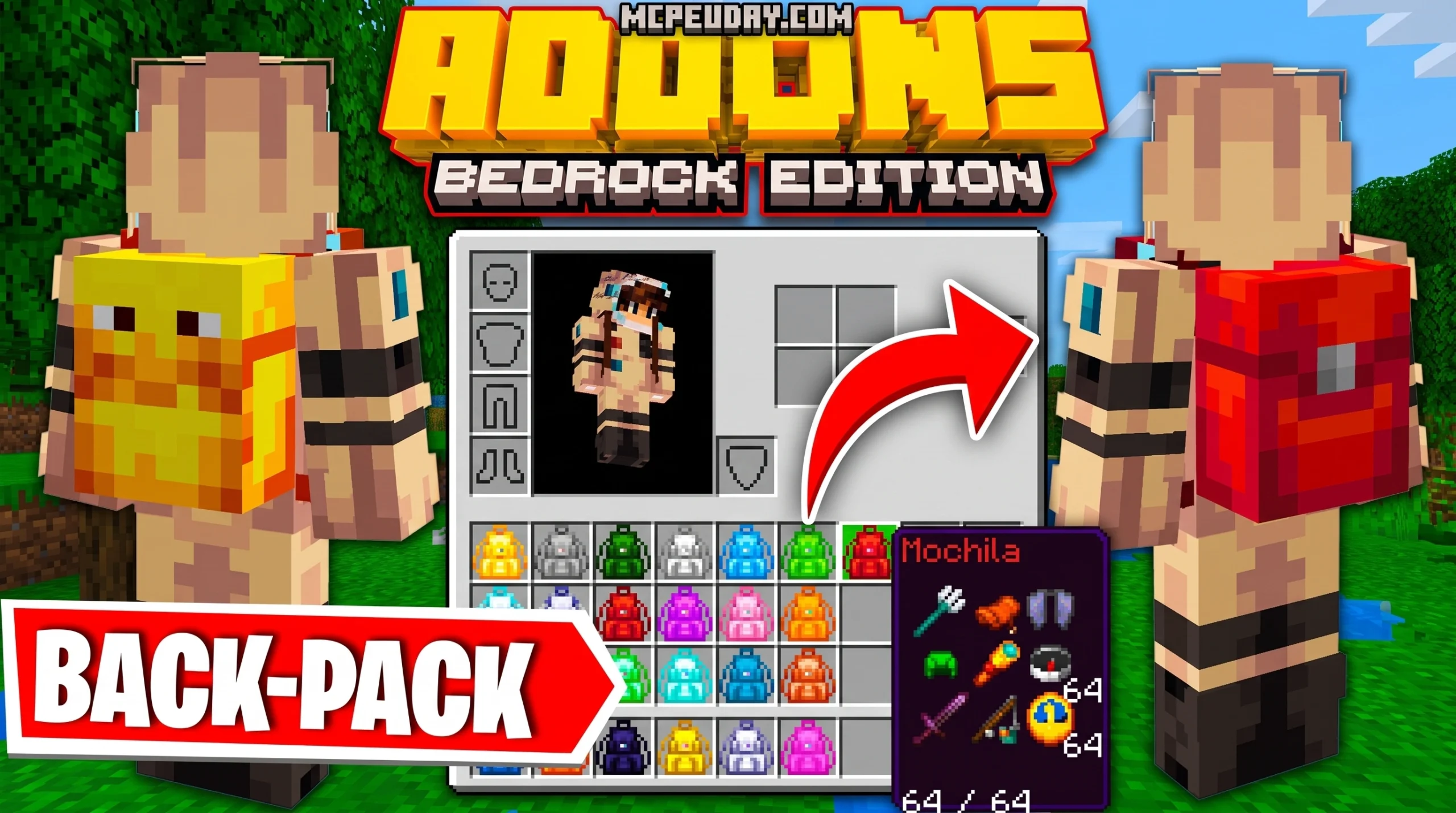
Why the Multi Backpack Addon Is a Game-Changer for Minecraft Bedrock Players
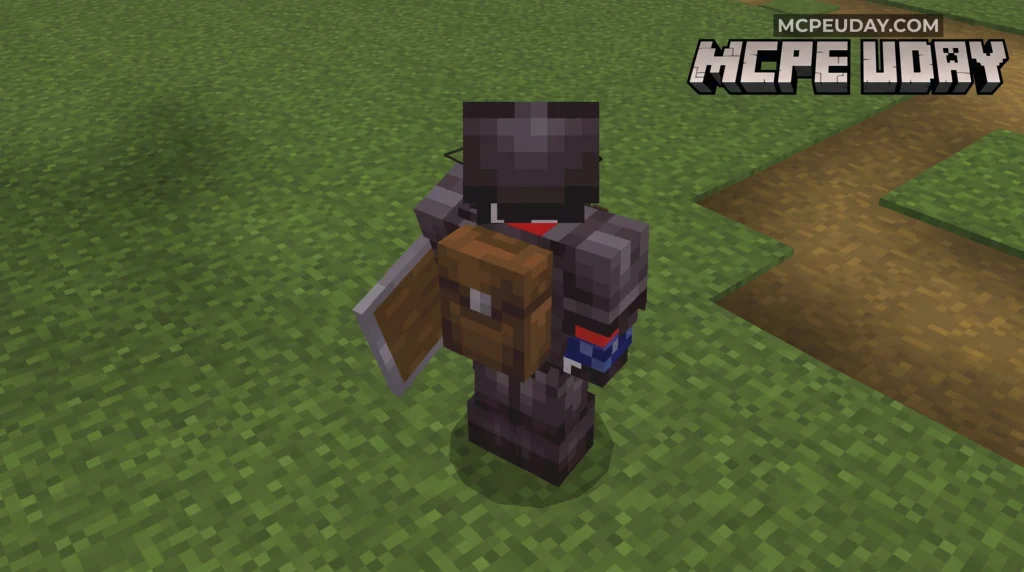
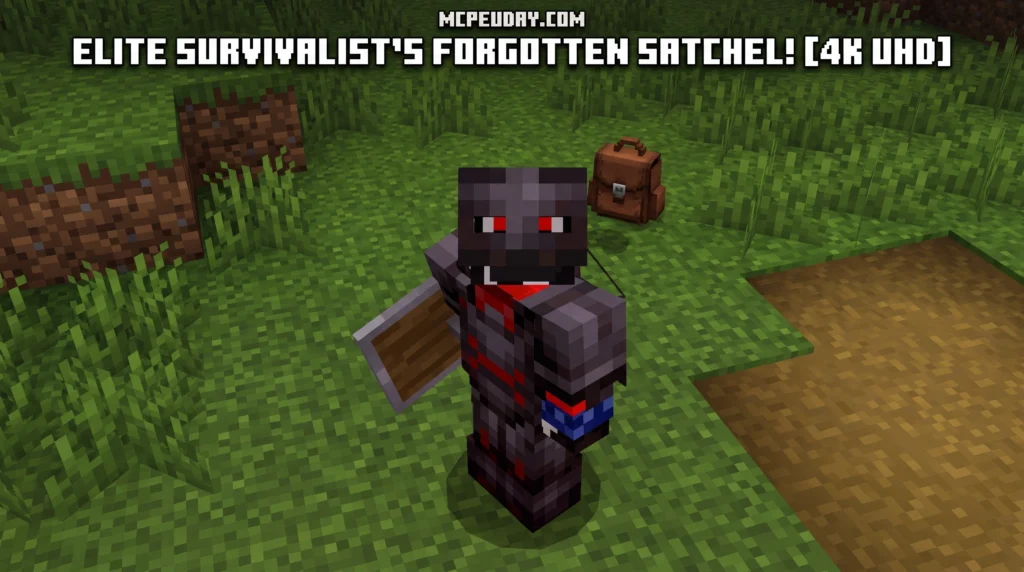
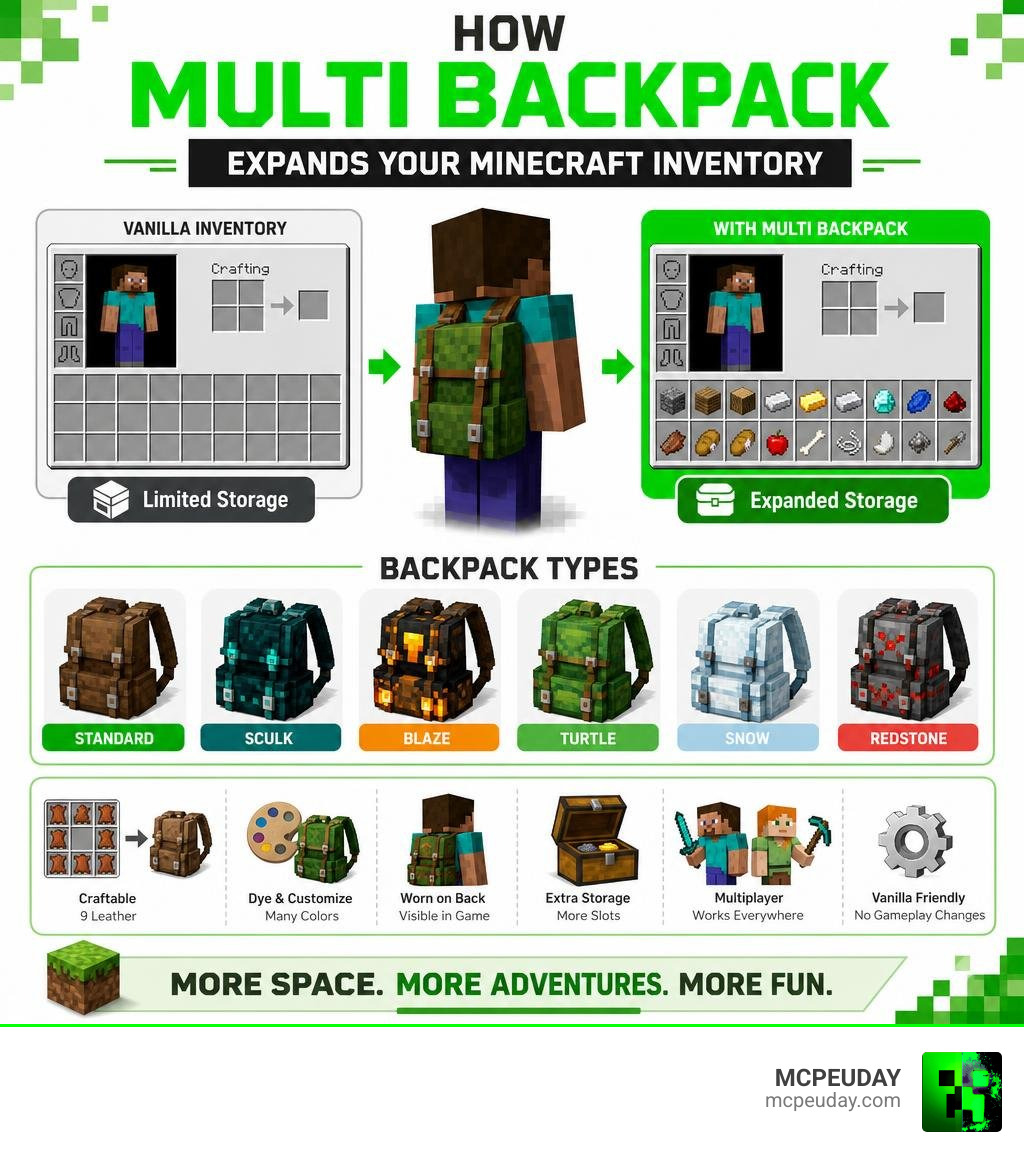
The Multi Backpack Addon is a Minecraft Bedrock/MCPE addon that adds craftable, wearable backpacks to your game — giving you extra storage slots beyond your default inventory without changing how vanilla Minecraft works.
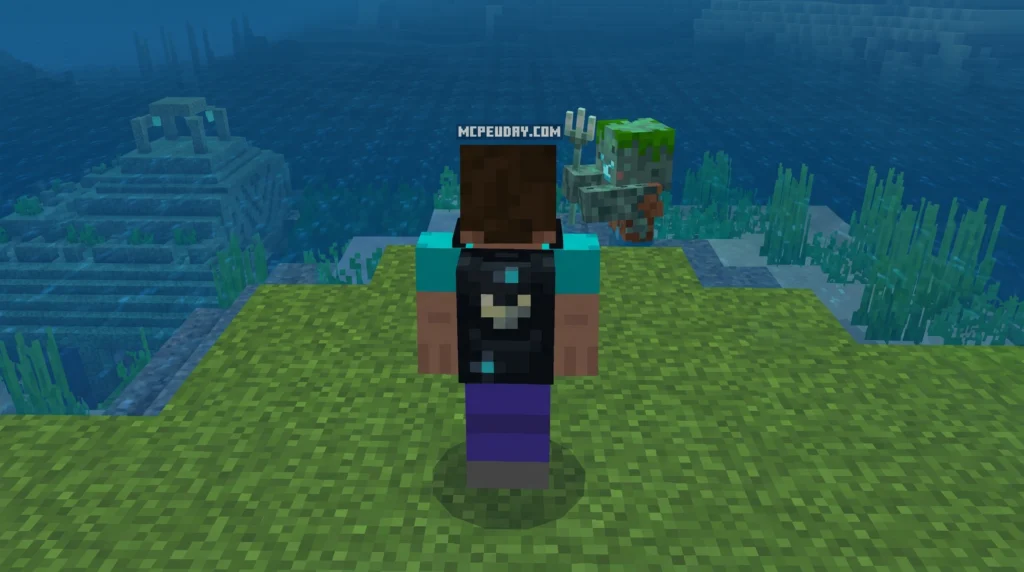
Quick answers at a glance:
- What it does: Adds multiple backpack types you can craft, dye, and carry for extra item storage
- How to craft: Use 9 leather to make the base backpack
- Special variants: Sculk, Blaze, Turtle, Snow, and Redstone backpacks available
- Colors: Dye backpacks in red, blue, green, yellow, orange, purple, and more
- Display: Backpack appears visually on your player’s back
- Multiplayer: Works in cooperative survival and multiplayer worlds
- Requirements: Experimental Gameplay must be enabled
- Versions supported: Minecraft Bedrock 1.18 through 1.21+
- Downloads: Over 1.8 million downloads
Running out of inventory space mid-adventure is one of the most frustrating things in Minecraft Bedrock. You’re deep in a cave, you’ve found diamonds, and your inventory is already full of stone and dirt.
The Multi Backpack Addon solves that problem in a way that feels natural — no overpowered features, no breaking vanilla balance. Just more room to carry the things you actually want to keep.
This guide covers everything: crafting, customization, special variants, installation, multiplayer use, and advanced commands.
What is the Multi Backpack Addon for Minecraft Bedrock?
If you play Minecraft Bedrock Edition regularly, especially on mobile devices, you already know the age-old dilemma: do you throw away your stack of cobblestone to make room for that rare music disc, or do you make the long, tedious trek back to your base?
The Multi Backpack Addon is a brilliantly optimized portable storage expansion designed specifically for Bedrock Edition and MCPE. Unlike Java mods that require heavy scripting engines, this addon is lightweight and built from the ground up to run smoothly on everything from low-end mobile devices to high-end PCs in the USA, Russia, and India.
With over 1.8 million downloads and a strong community rating, it has cemented itself as a must-have utility. You can grab your copy directly via the Multi Backpack Addon Download page to start expanding your inventory today.
Core Features of the Multi Backpack Addon
What makes this addon stand out is how naturally it fits into the game. Here are the core features we love:
- Visual Display: When you carry a backpack in your inventory, it actually renders visually on your player’s back!
- No Inventory Overwrites: It does not modify your default 36 vanilla inventory slots. Instead, it adds separate, independent storage containers.
- Fair Progression: You cannot get these backpacks without putting in some work. The crafting recipes require survival resources, keeping your world balanced.
If you are looking for a highly detailed alternative with modular upgrades, you might also want to read our guide on the Sophisticated Backpacks Mod 2026 Best Minecraft Storage Mod Explained.
Visual Customization and Aesthetics
We all want to look good while exploring. The Multi Backpack Addon delivers plenty of style options. Aside from standard colors, you can find unique visual designs like pumpkin and mushroom backpacks. These designs let you match your portable storage to your favorite player skins or current biome environment.
Crafting, Customizing, and Using Your Backpacks
Getting started is simple. To make your very first basic backpack, you just need to gather some basic survival materials.
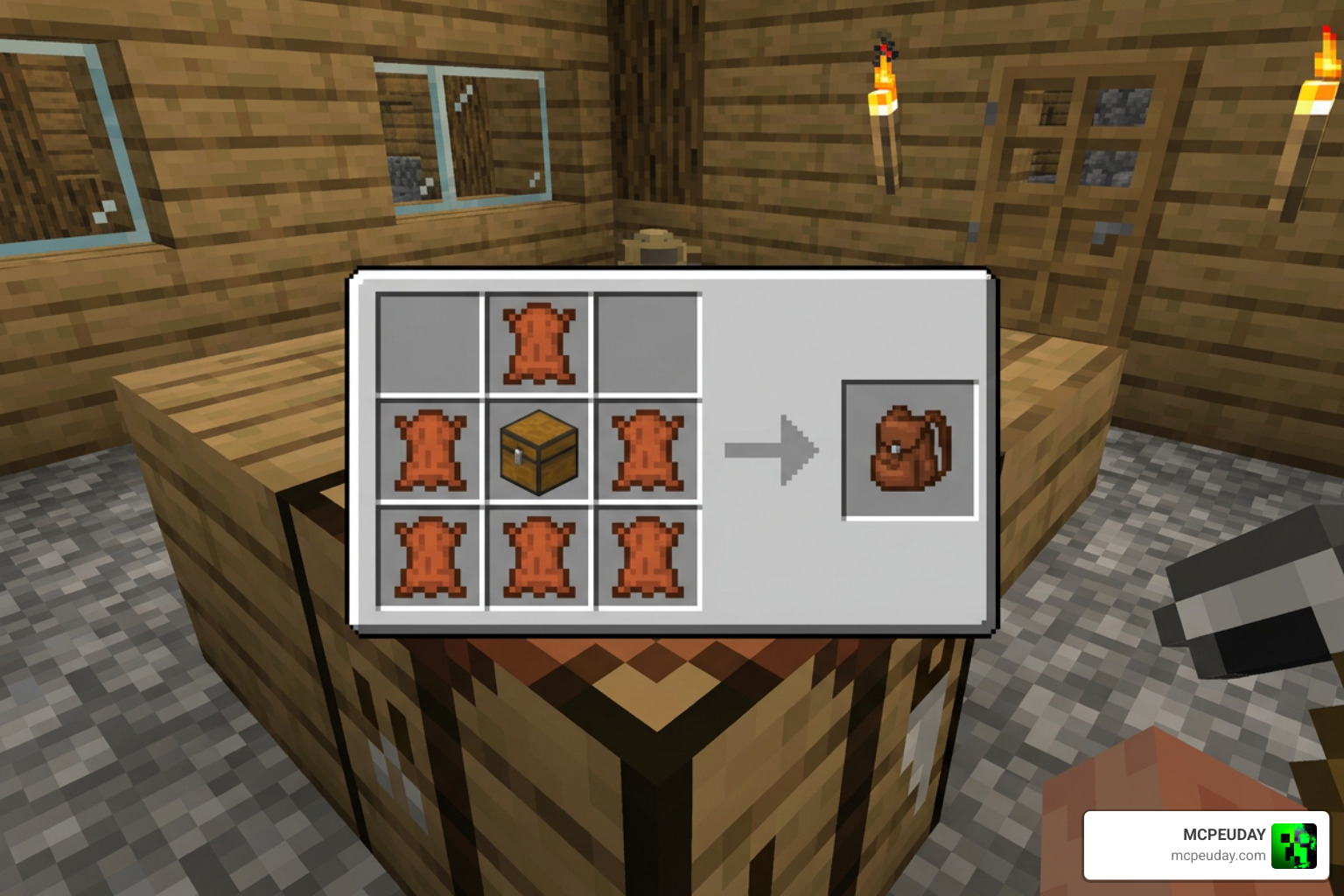
To craft the base backpack, open your crafting table and place 9 pieces of leather in a full 3×3 grid (or 7 leather pieces wrapped around a chest, depending on the version of the pack you are running). This simple recipe keeps the early game balanced while giving you a clear goal during your first few days in a new world.
How to Dye and Customize the Multi Backpack Addon
Once you have crafted your base backpack, you do not have to settle for plain brown. You can dye your backpack using any vanilla Minecraft dye!
To dye your backpack:
- Place your backpack and your preferred dye (red, blue, green, yellow, orange, purple, etc.) into a crafting grid.
- Retrieve your newly colored backpack.
Important Pro Tip: Always empty the inventory of your backpack before dyeing or upgrading it! Modifying the item’s state while it contains blocks can sometimes lead to item loss. Safety first!
Controls and Storage Mechanics on Mobile and PC
Interacting with your backpack is incredibly straightforward and behaves just like a familiar vanilla chest.
- On PC (Windows 10/11): Put the backpack in your main hand and right-click to open its storage UI. To place it on the ground or empty it, right-click while crouching.
- On Mobile (Android/iOS): Hold the backpack in your hand and tap the “Open” button that appears on your screen, or long-press the screen.
Backpack Types, Special Variants, and Storage Capacity
As you progress from a simple explorer to a master builder, you will need more space. This addon scales with your journey by offering multiple tiers and highly specialized, themed variants.
Some of our favorite specialized variants include:
- Sculk Backpack: A creepy, dark-themed pack perfect for deep dark expeditions.
- Redstone Backpack: Great for engineers carrying repeaters, dust, and pistons.
- Blaze Backpack: Fire-resistant theme for Nether runs.
- Turtle Backpack: A durable, slow-and-steady aesthetic.
- Snow Backpack: Perfect for mountain climbers.
Here is a quick comparison table of the storage capacities available across different tiers and popular backpack mods:
| Backpack Tier | Storage Slots | Best Use Case |
|---|---|---|
| Small / Basic | 16 Slots | Early-game foraging and farming |
| Medium / Explorer | 32 Slots | Mining trips and strip mining |
| Big / Adventurer | 42 Slots | Long-distance exploration |
| Extra Big / Master | 63 Slots | Massive building projects and base moves |
Installation Guide, Experimental Settings, and Multiplayer Compatibility
Ready to install? Let’s make sure you get it running perfectly without any glitches.
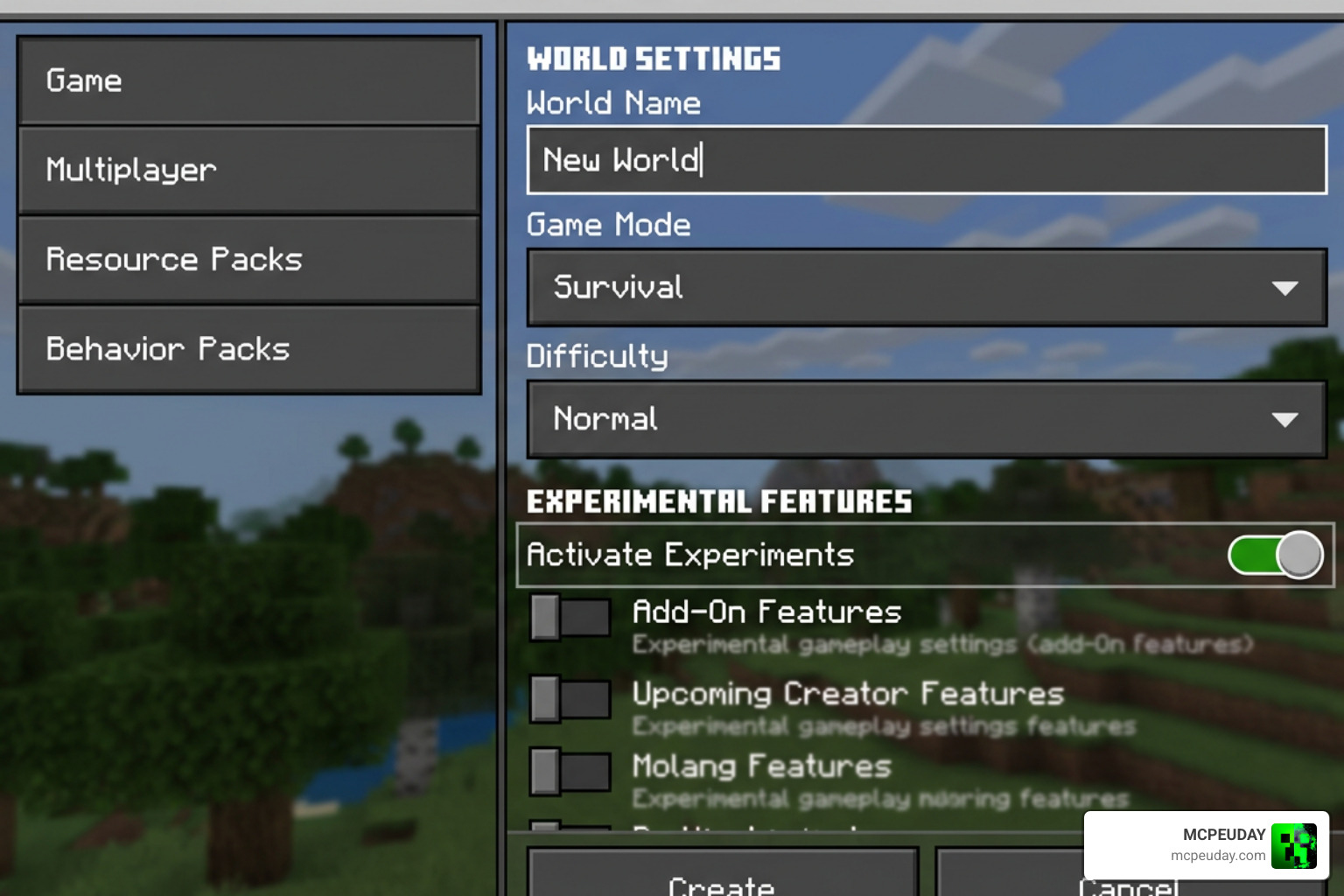
For the Multi Backpack Addon to function correctly, you must enable certain experimental toggles in your world settings before loading in.
Step-by-Step Installation:
- Download the
.mcaddonor.mcpackfiles. - Double-click or tap the file to automatically import it into Minecraft Bedrock.
- Go to your World Settings, scroll down to Behavior Packs, and activate the addon.
- Ensure the corresponding Resource Pack is also active and moved to the top of your list.
- Scroll down to the Experiments tab and toggle on:
- Holiday Creator Features
- Beta APIs
- Launch your world and enjoy your new storage!
This addon is fully compatible with multiplayer worlds, Realms, and cooperative survival servers. Each backpack saves items per individual item ID, meaning you can hand your backpack to a friend, and they will see the exact items you put inside!
Compatibility with Other Inventory Addons
If you like to heavily mod your Bedrock experience, you will be happy to know that this addon plays nicely with other popular UI and utility packs. We highly recommend pairing it with the following to create the ultimate survival setup:
- Improve your screen layout with the Better Inventory Pack.
- Add quick-sorting tools using the Utility Inventory Pack.
- Expand your dual-wielding capabilities with Raiyons Useful Offhand Addon or the Doublehands Functional Offhand Like Java Addon.
Advanced Commands and Backpack Recovery Systems
For server administrators or advanced players who want complete control, the addon includes a robust script-event command system. These commands bypass standard chat limitations and keep your game running smoothly.
You can watch a full video tutorial of these systems in action by checking out this I Tried the NEW Backpack++ 2.0 Addon… and It’s INSANE! … video or visiting our Multi Backpack Video Guide.
Here are the key commands you can run:
- Reset your held backpack:
/scriptevent bps:reset - Recover lost items via backpack ID:
/scriptevent bps:retrieve <ID> - Clean up broken backpack entities:
/scriptevent bps:clean
These recovery features are a lifesaver if you accidentally lose your pack in lava or suffer a rare world save glitch.
Frequently Asked Questions about Multi Backpack Addon
Does the Multi Backpack Addon change the default vanilla inventory?
No. The addon leaves your default 36-slot inventory completely untouched. It operates using external container menus, meaning your vanilla UI remains clean, fast, and familiar.
Can you put a backpack inside another backpack?
We strongly advise against nesting backpacks (putting a backpack inside another backpack). While some versions might allow it, doing so can corrupt the item data and result in losing all of your stored items. Keep your storage linear and safe!
What happens to my items if I upgrade a backpack with items inside?
If you upgrade your backpack to a larger tier (for example, upgrading a Medium pack to a Big pack) while it still has items inside, those items will not carry over. Always completely empty your backpack’s inventory before performing any crafting upgrades or applying new dyes.
Conclusion
The Multi Backpack Addon is easily one of the most practical, stable, and survival-friendly storage upgrades available for Minecraft Bedrock in 2026. It respects the core challenge of vanilla survival while removing the headache of constant inventory management.
Whether you are embarking on a massive mining expedition, moving your base across biomes, or playing with friends on a cooperative server, this addon is an essential addition to your game launcher.
For more awesome Bedrock modifications, check out our curated list of the 5 Best Minecraft Bedrock Gun Mods for Survival & PVP (2026) to take your adventures to the next level!
1 thought on “Multi Backpack Addon (26.x, 1.21) – MCPE/Bedrock Mod”