Scroll down to D0vvnl0ad
Why WarmLight Shaders for Minecraft PE/Bedrock Are Worth Trying
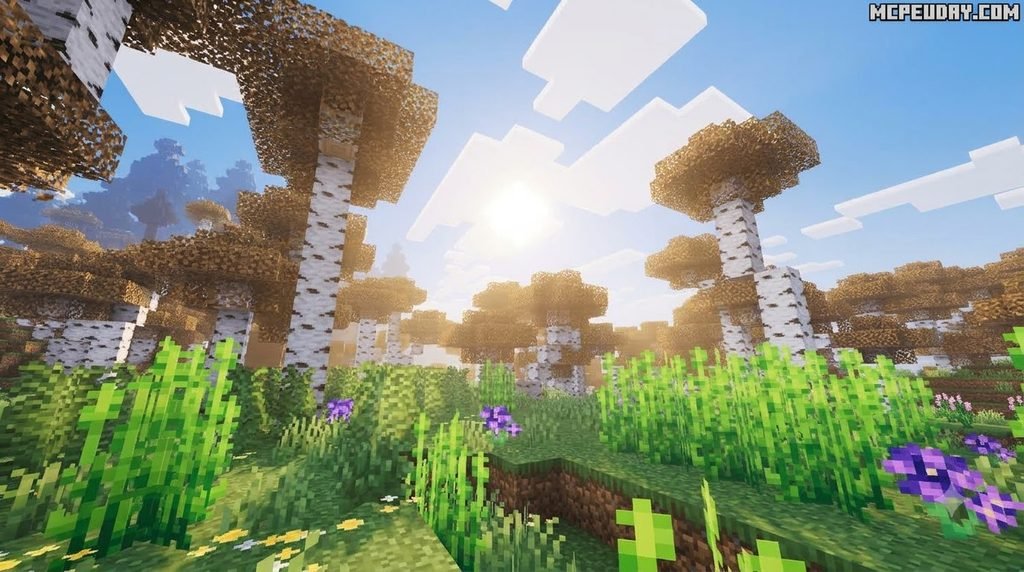
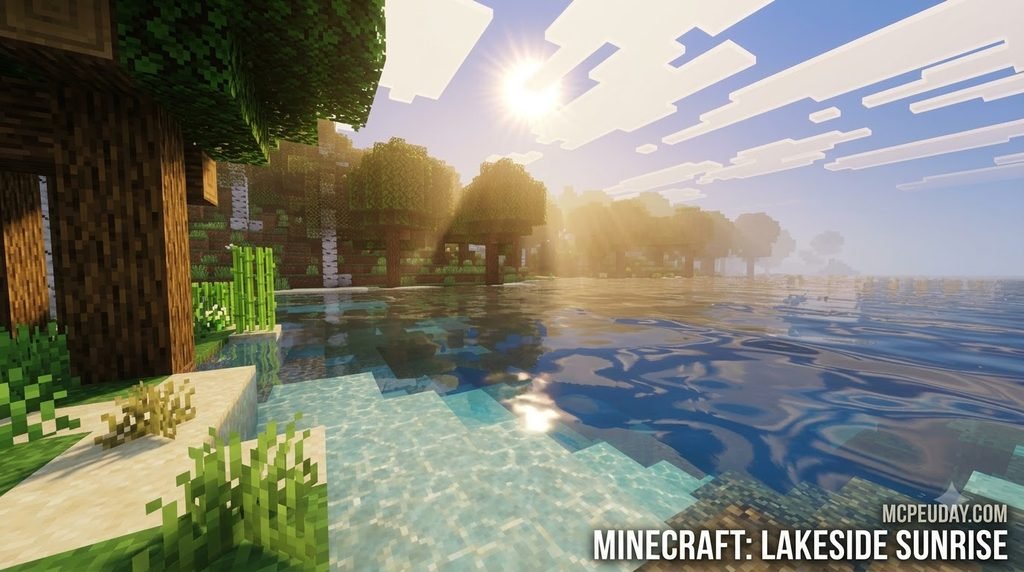
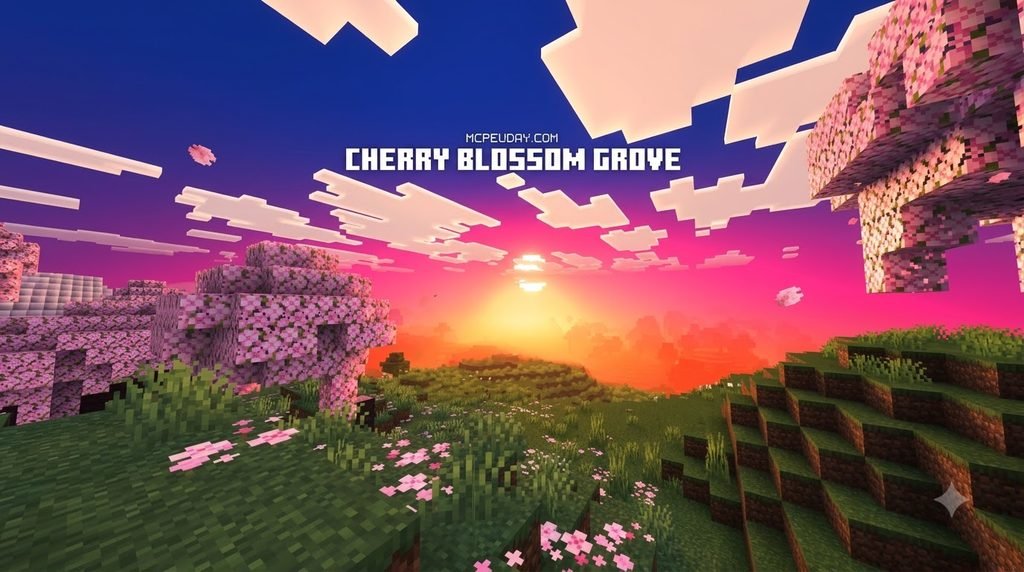
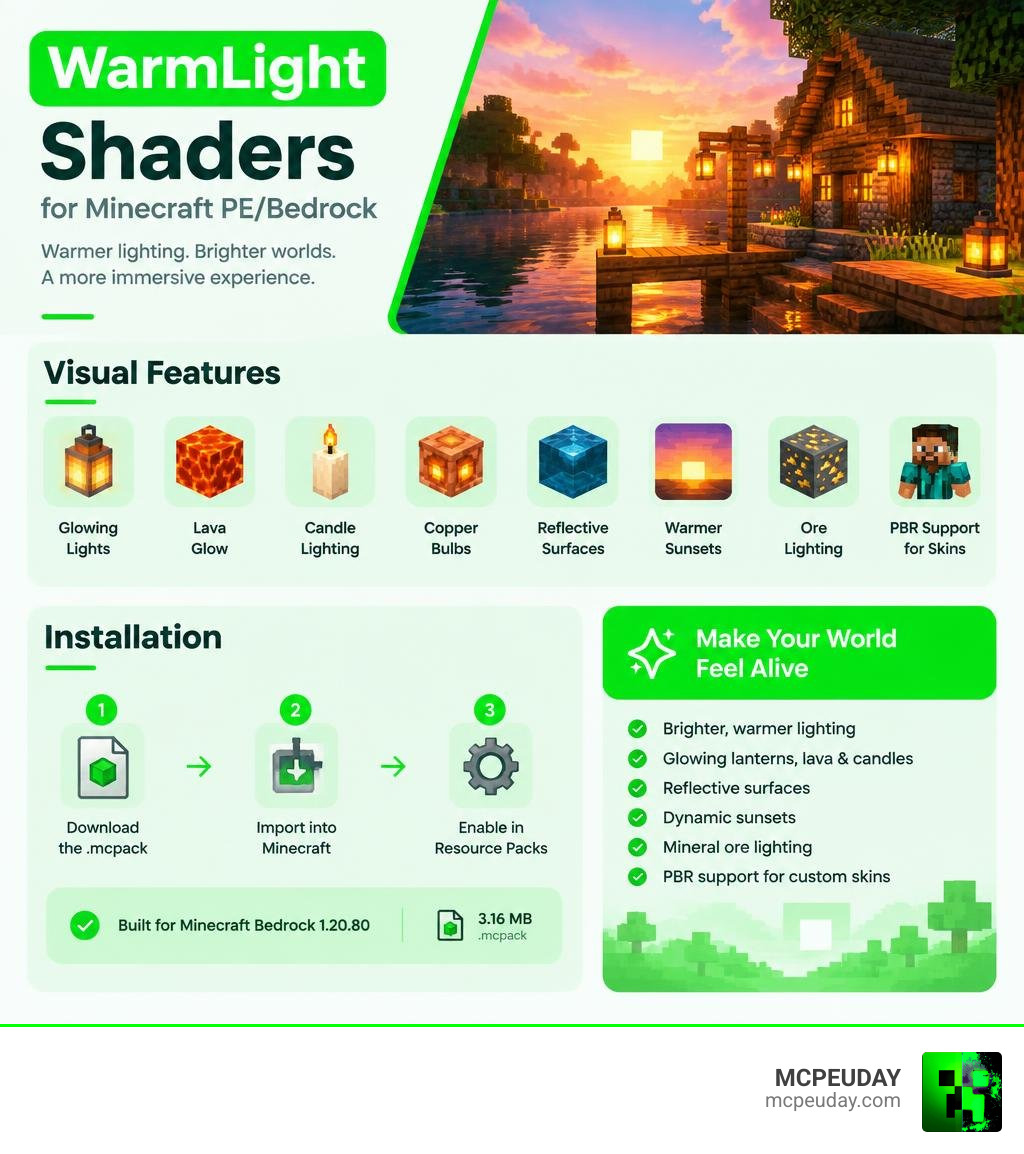
WarmLight shaders for Minecraft PE/Bedrock add brighter, warmer lighting to compatible Bedrock worlds without requiring a massive storage download or excessive processing overhead. The latest listed release, WarmLight Shaders v1.2, is a compact 3.16 MB .mcpack specifically configured for Minecraft Bedrock 1.20.80 and newer revisions. Players can quickly download the pack, import it straight into Minecraft Bedrock Edition, and activate it within their global or individual world settings to immediately upgrade their visual environment.
This shader package is engineered to transform mobile and desktop worlds into vibrant, cozy landscapes. It enriches lighting across glowing lanterns, lava lakes, placed candles, copper bulbs, soft bloom highlights, subtle reflections, and rich, golden sunsets. In addition to atmospheric environmental improvements, the pack delivers customizable glow values for subterranean mineral ores and integrated PBR support for custom player skins.
Before installing, it is always recommended to ensure your game client version aligns with the specific pack build requirements. While standard WarmLight builds run directly on regular Bedrock platforms, certain advanced rework variants may require a patched client to take full advantage of customized materials. Compatibility with Vibrant Visuals also depends on your individual hardware configuration and client setup.
I am UDAY GAMER, and throughout this comprehensive breakdown, I will walk you through the core visual mechanics, cross-version compatibility, installation workflows, and optimization settings to help you achieve the best graphics possible. To explore how different visual overhauls compare across mobile devices, be sure to check out the wide range of latest Minecraft PE shaders available on MCPEUDAY.
Key Visual Features of WarmLight shaders for Minecraft PE/Bedrock
At MCPEUDAY, our team continuously tests visual modifications that redefine blocky aesthetics while preserving high framerates across both entry-level smartphones and high-end devices. To better understand how modern visual pipelines operate under the hood, exploring what are shaders in games offers great insight into how rendering engines calculate real-time illumination, bloom filters, and material specular passes. WarmLight focuses on warm ambient color palettes, rich golden hour horizons, and dynamic light spread across natural terrain.
Luminous Blocks and Ambient Bloom Effects
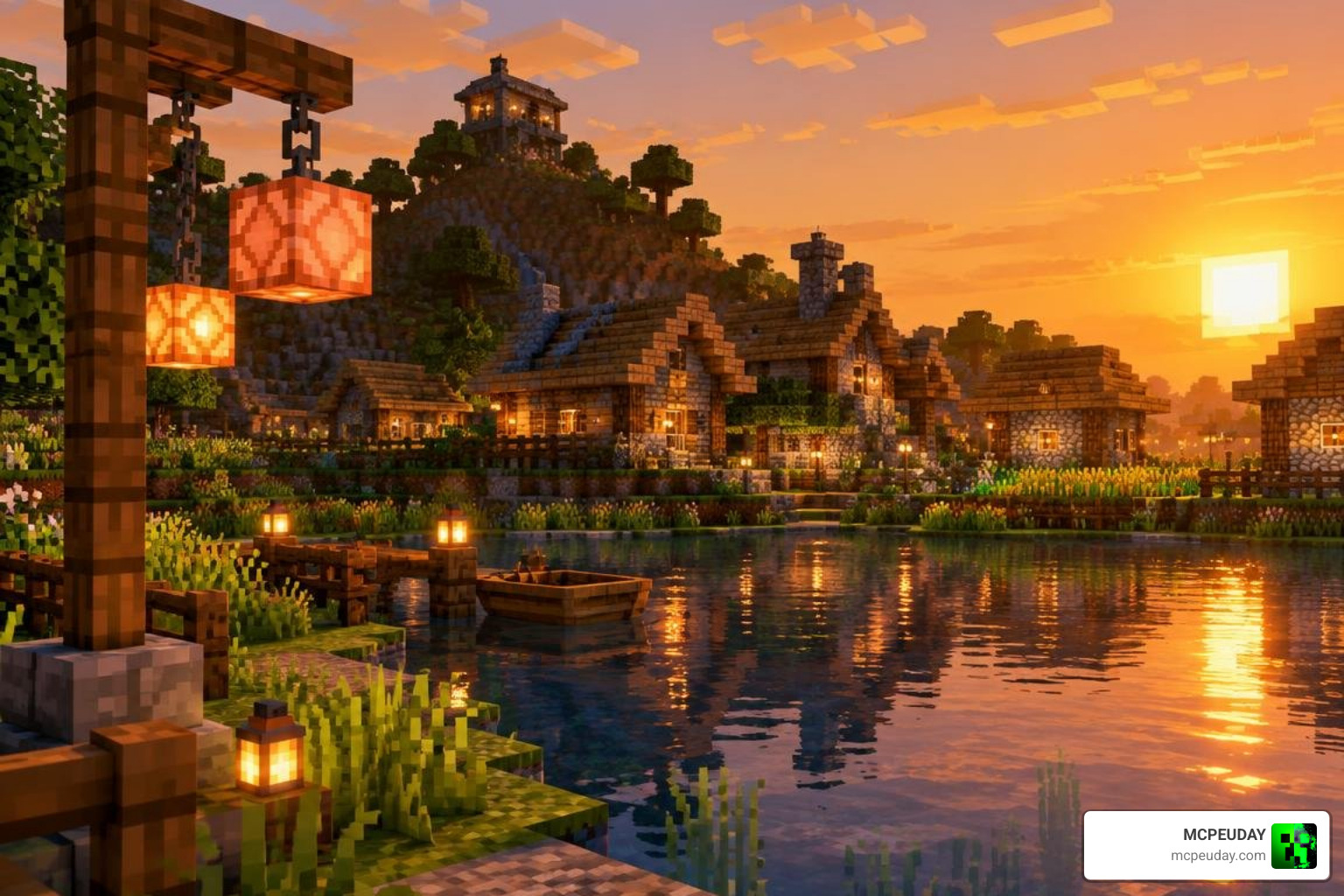
The lighting configuration gives light-emitting blocks special visual treatment. More than 15 unique luminous block types receive animated bloom filters and smooth light falloff, giving structures and underground shafts an immersive aesthetic:
- Lanterns & Soul Lanterns: Cast an inviting, gentle flickering glow across adjacent walls and floors, making cozy cabins and ancient ruins feel deeply atmospheric.
- Copper Bulbs: Output crisp, industrial-style illumination with distinct metallic surface sheen that pairs well with technical redstone installations.
- Lava & Magma Blocks: Emit a vibrant heat bloom with deep orange and red diffusion, heightening the tension during Nether expeditions and deep cave mining.
- Candles & Sea Lanterns: Provide delicate, ambient brightness and aquatic radiance ideal for detailed interior architecture and underwater pathways.
Reflective Surfaces and Glowing Entities in WarmLight shaders for Minecraft PE/Bedrock
WarmLight integrates custom specular maps and emissive highlights across a wide selection of in-game surfaces and mob models:
- Reflective Blocks: Over 20 blocks—including stained glass windows, polished obsidian, mineral ore nodes, prismarine tiles, and open water bodies—reflect light dynamically depending on player perspective and time of day.
- Glowing Entities: Over 20 mob variants feature dedicated emissive layers, including the iconic glowing purple eyes of Endermen, luminous highlights on Drowneds, and internal core glows inside Slimes and Magma Cubes.
- Metallic Reflections: Armored mobs and Iron Golems reflect light from nearby torches and sunlight, introducing noticeable depth and texture realism during battles.
Atmospheric Haze and Biome Adjustments
Atmospheric conditions adapt intelligently to whatever biome you travel through. Dense jungle canopies showcase filtered sun rays with a subtle morning mist, while swamp biomes feature dense grounded fog that rolls smoothly across water surfaces. The sun and moon cycles incorporate real-time horizon angles and shifting light warmth, giving sunrise and twilight a cinematic quality. For players looking to master resource pack setup across multiple platforms, our complete guide on how to get shaders in Minecraft outlines every step in complete detail.
WarmLight Compatibility and Technical Details
Bedrock graphics packs operate within modern rendering pipelines that handle custom materials differently than legacy Java shaders. Checking out the best Render Dragon shaders for MCPE 1.21 tested on real devices helps ensure your chosen pack matches your exact Minecraft build for stutter-free gameplay.
| Feature / Detail | WarmLight Shaders v1.2 | Warm Shaders [Rework] for MCPE/Bedrock 1.20.80 |
|---|---|---|
| File Size | 3.16 MB | ~4.50 MB |
| Target Version | Minecraft PE/Bedrock 1.20.80 | Minecraft PE/Bedrock 1.20.80 |
| Client Requirement | Standard / Patched Bedrock | Patched Minecraft (Render Dragon Support) |
| Luminous Blocks | 15+ Types with Bloom | 18+ Types with Bloom |
| Entity Glow Effects | 20+ Mobs | 20+ Mobs (Sniffer coat layer included) |
| Ore Brightness Customization | Yes (Settings Subpack) | Yes (Slider configurable) |
| PBR Skin Support | Included via Subpack Templates | Extended Material Specular Maps |
Because the pack is optimized with streamlined texture maps, it maintains swift load times and low memory usage even in large multiplayer worlds or complex survival bases.
How to Download and Install WarmLight Shaders on Mobile and PC
Installing shader packs in Bedrock Edition is straightforward once you have the correct file format. If you need a refresher on the basics, review our complete guide on how to get shaders in Minecraft or check our walkthrough on how to turn on shaders in Minecraft.
Android and iOS Installation Process
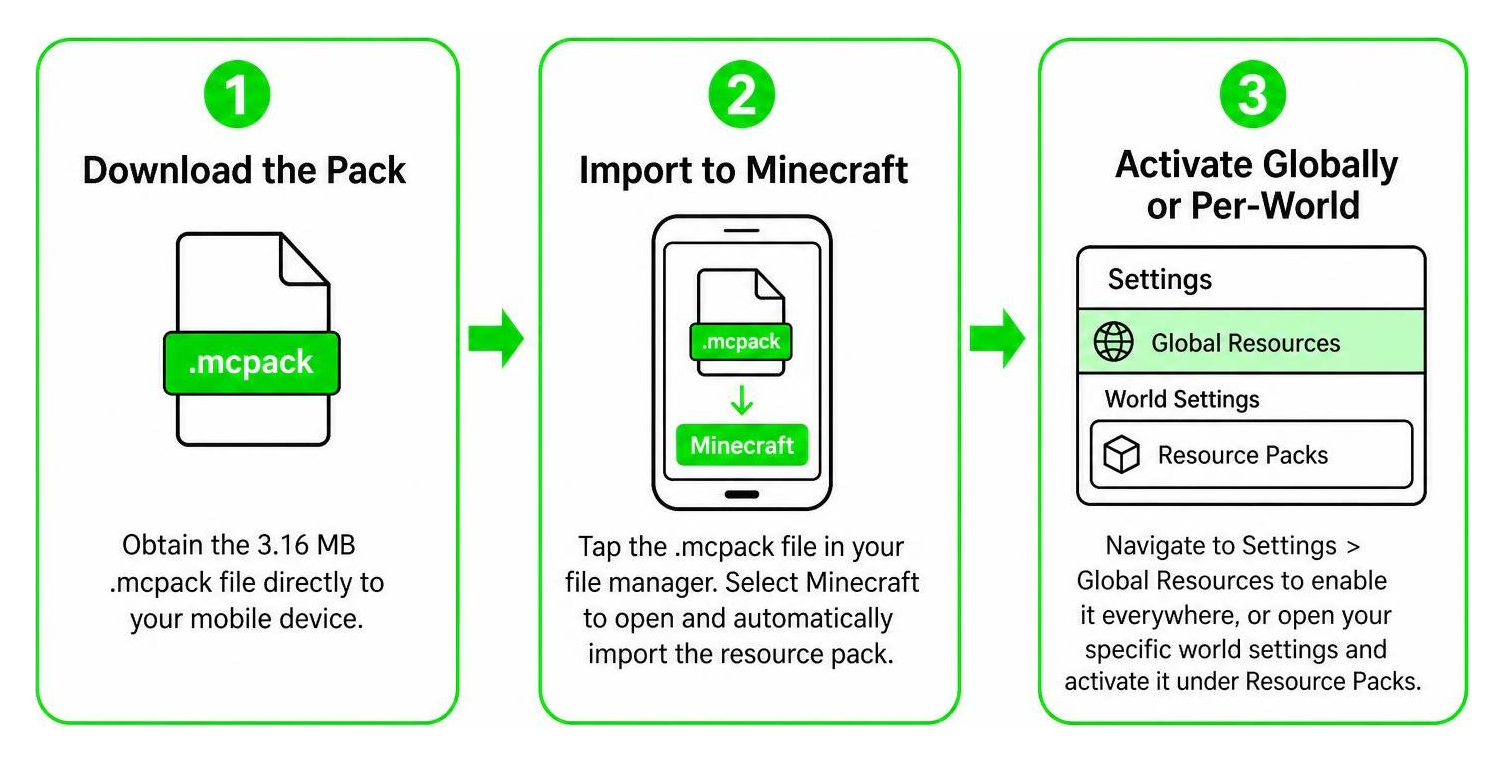
- Download the Pack: Download the 3.16 MB
.mcpackfile directly to your mobile device or follow our step-by-step tutorial on Minecraft shaders download for Android for specialized device tips. - Import to Minecraft: Locate the downloaded
.mcpackfile in your device’s file manager app. Tap the file and select Minecraft to automatically trigger the in-game import process. - Activate Globally or Per-World: Go to Settings > Global Resources > My Packs to enable WarmLight across all worlds, or open the settings for an individual world and activate it under the Resource Packs tab.
Customizing Settings in WarmLight shaders for Minecraft PE/Bedrock
After activating the resource pack, click the gear subpack icon in the Resource Packs management screen. From there, you can adjust settings such as mineral ore glow intensity, reflection detail, and custom PBR player skin support. If you run into activation issues or want to adjust global visual settings on other devices, our tutorial on how to turn on shaders in Minecraft breaks down the complete workflow across platforms.
Known Limitations and Device Performance Optimization
While WarmLight is lightweight at just 3.16 MB, there are a few technical limitations and device considerations to keep in mind:
- Warden Model Constraints: The Warden’s pulsing chest heart and dynamic antennae glow are currently disabled in standard versions due to multi-layer model rendering constraints in Bedrock.
- Patched Client Requirements: Full metallic specular reflections and advanced material shaders may require a patched Bedrock client on certain mobile chipsets.
- Hardware Scaling: If you notice slight frame dips on budget devices or older phone models, reducing your in-game render distance by 2 to 4 chunks will quickly restore 60 FPS gameplay. You can also explore our curated selection of the top 5 best realistic shaders for MCPE to discover additional lightweight options.
On mid-range and modern flagship smartphones, WarmLight runs smoothly at high framerates thanks to efficient shader passes and lightweight texture overlays. For real-world benchmark data across multiple devices, our guide covering the best Render Dragon shaders for MCPE 1.21 tested on real devices provides useful comparisons to help you fine-tune your settings.
Frequently Asked Questions About WarmLight Shaders
Does WarmLight shader require patched Minecraft or Vibrant Visuals?
Standard WarmLight v1.2 runs on standard Bedrock installations without requiring third-party modifications. However, advanced PBR reflections and certain community rework features deliver their highest visual fidelity when running on a patched Bedrock client. WarmLight is fully self-contained and does not require Vibrant Visuals to function.
What is the file size and latest version of WarmLight shaders in 2026?
As of September 2026, the latest listed release is WarmLight Shaders v1.2, featuring a lightweight file size of 3.16 MB released on September 11, 2026.
Can I customize ore glow and player skin reflections?
Yes! The pack includes built-in subpack configurations accessible through the resource pack settings menu. These allow you to adjust the luminosity of unmined ore blocks for easier cave exploration and apply reflective PBR maps to compatible custom player skins. If you need help configuring your resource packs, our guide on how to turn on shaders in Minecraft provides comprehensive instructions.
Conclusion
WarmLight shaders deliver an inviting, atmospheric visual upgrade to Bedrock Edition without weighing down your device with cumbersome files. At just 3.16 MB, this shader pack enhances luminous blocks, introduces realistic surface reflections, enlivens mob textures with emissive highlights, and casts dynamic atmospheric mist across biomes while keeping frame rates buttery smooth. If you are ready to give your worlds a warm and cozy aesthetic overhaul, head over to MCPEUDAY to browse the latest Minecraft PE shaders and elevate your gameplay today.