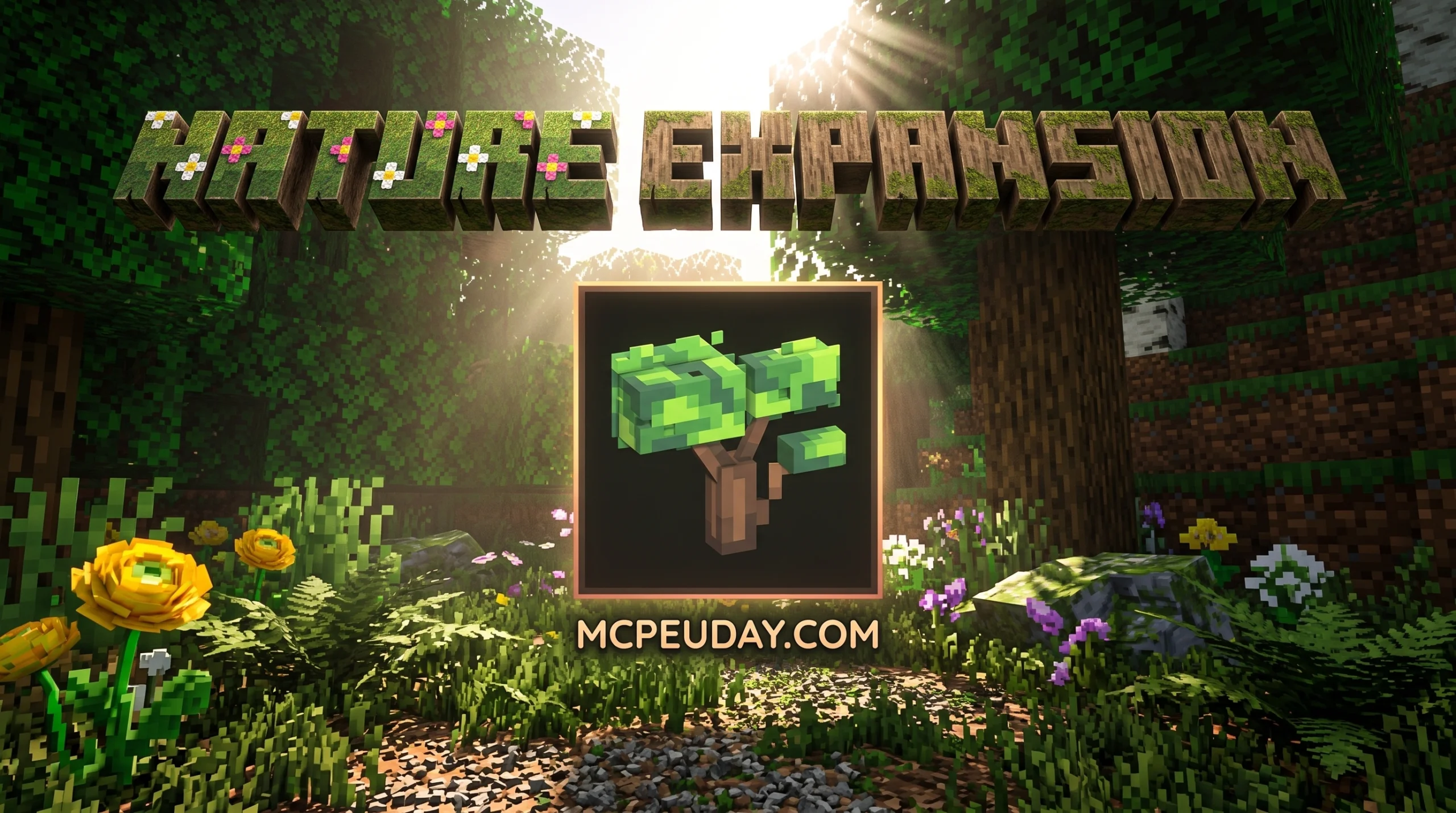
What the Nature Expansion Texture Pack Does for Your Minecraft World
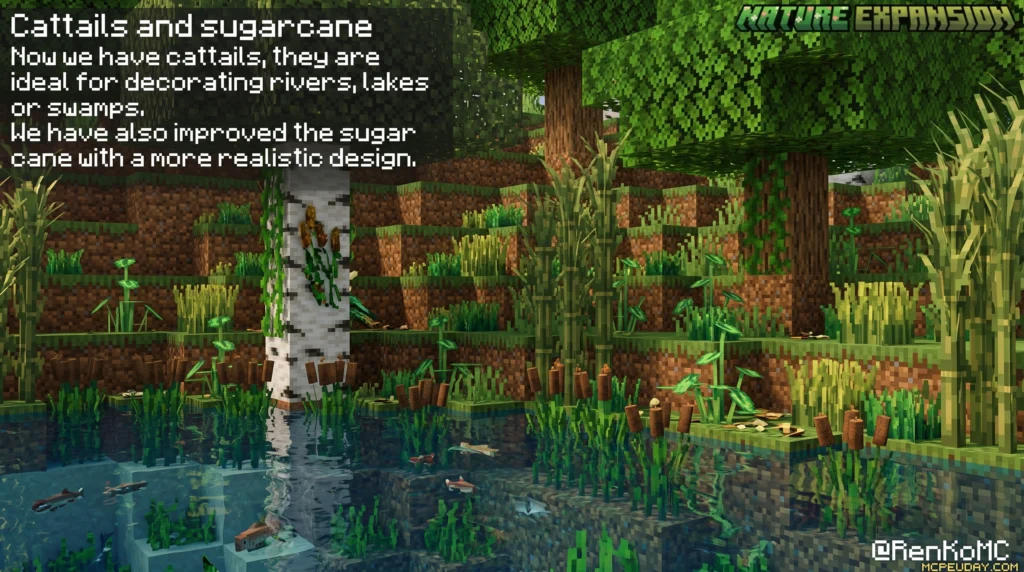
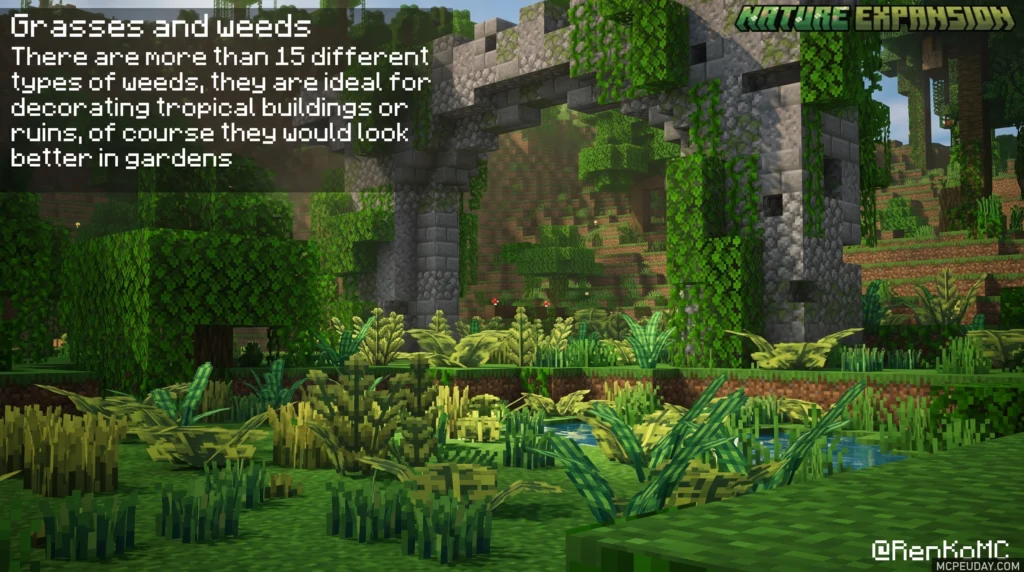
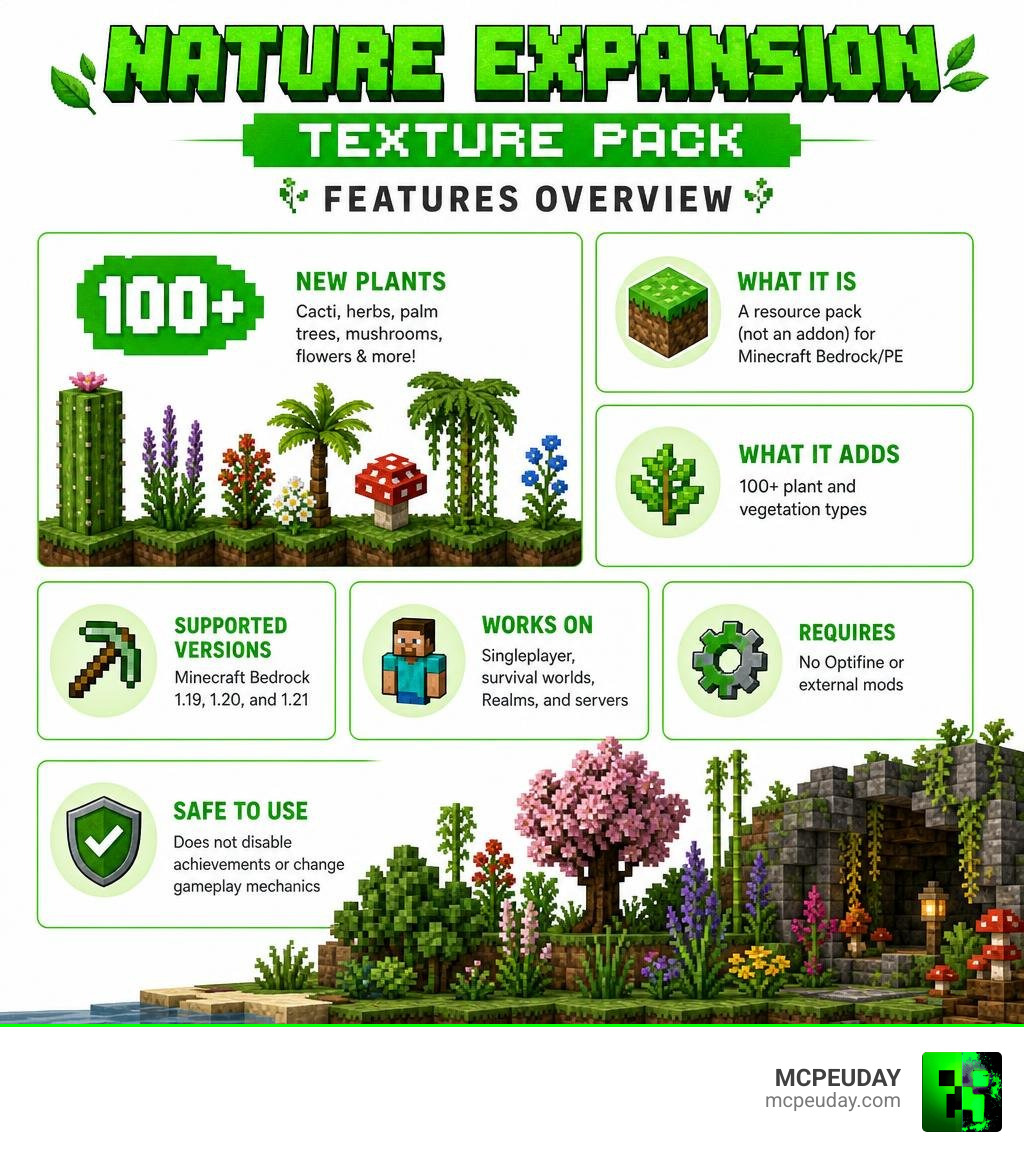
The Nature Expansion Texture Pack is a resource pack for Minecraft PE and Bedrock Edition that adds over 100 new types of plants to your world — including cacti, herbs, palm trees, mushrooms, and custom flowers based on real-life plants.
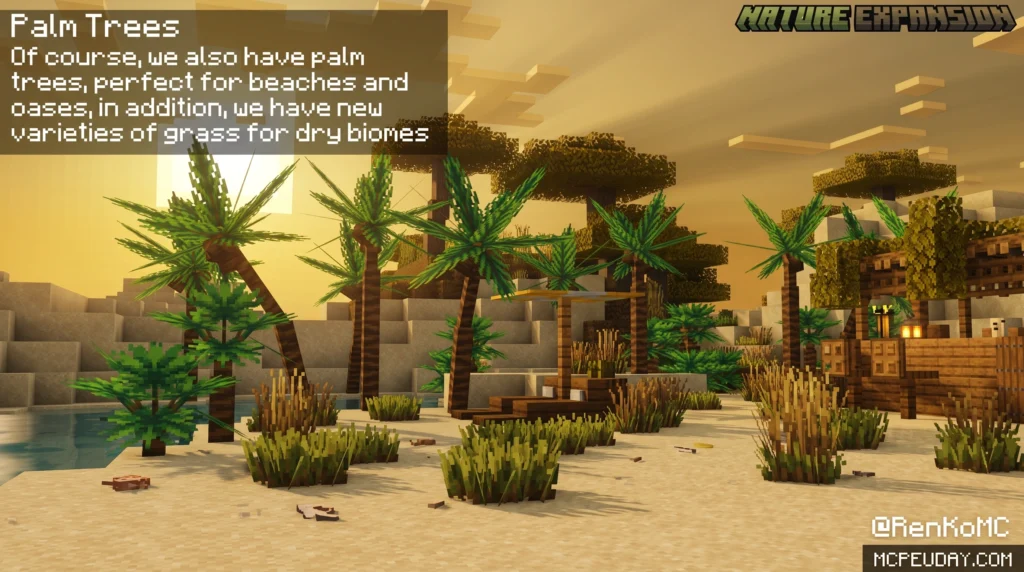
Here is a quick overview:
- What it is: A resource pack (not an addon) for Minecraft Bedrock/PE
- What it adds: 100+ plant and vegetation types
- Supported versions: Minecraft Bedrock 1.19, 1.20, and 1.21
- Works on: Singleplayer, survival worlds, Realms, and servers
- Requires: No Optifine or external mods
- Safe to use: Does not disable achievements or change gameplay mechanics
Vanilla Minecraft has great vegetation — but not much variety. After a while, every forest, desert, and jungle starts to look the same. The Nature Expansion Texture Pack fixes that by visually overhauling the plant life across your world, making exploration feel fresh again.
It is especially popular with players who want a more immersive, realistic-looking world without installing complicated mods or breaking their survival progress.
What is the Nature Expansion Texture Pack?
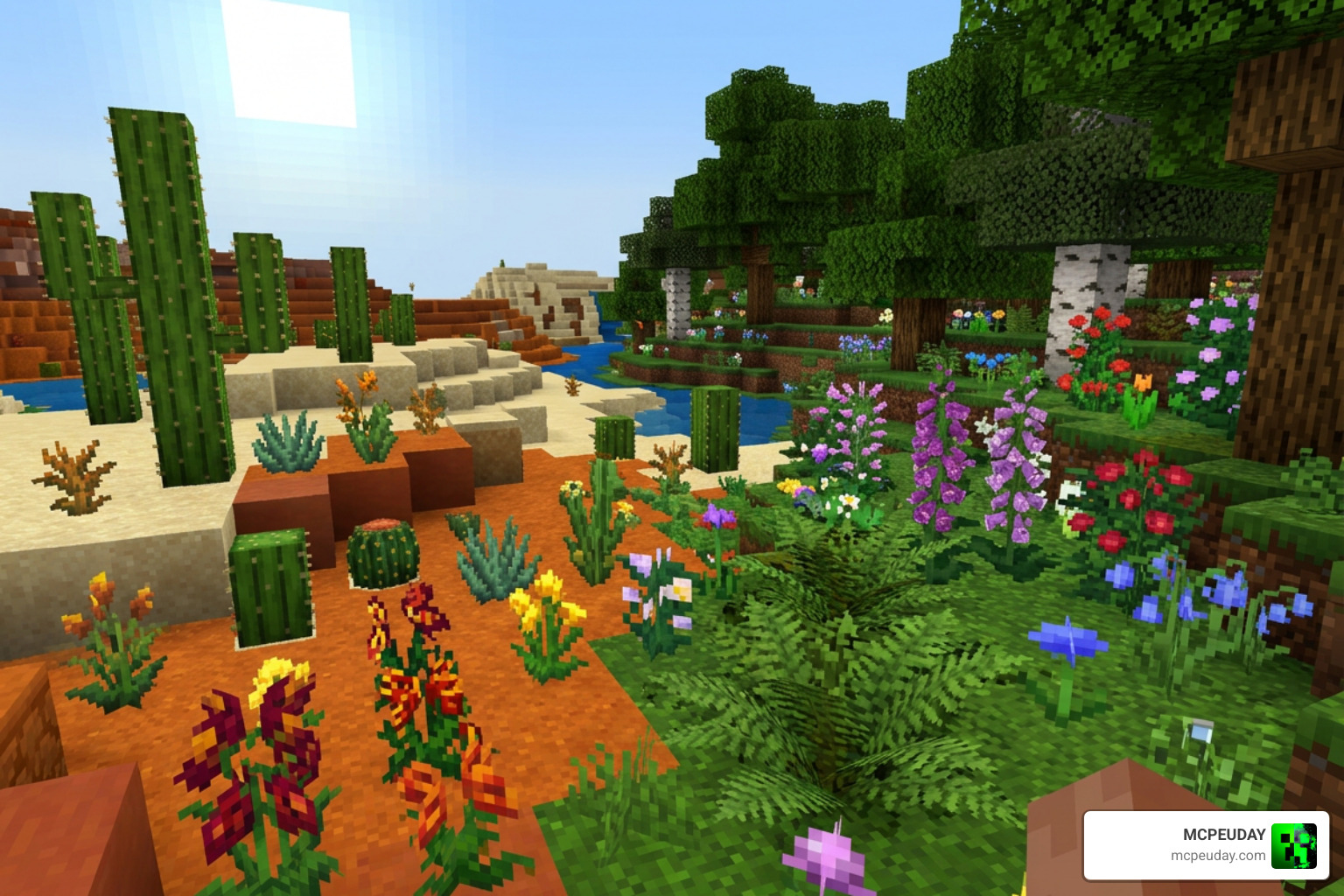
At its core, the Nature Expansion Texture Pack is a massive graphic overhaul designed to breathe life into the blocky biomes we all know and love. Instead of just adding five or six generic green blocks, this pack completely transforms the environment. It introduces over 100 different plant variants, including custom flowers modeled after real-life flora, vibrant cacti, forest herbs, tropical palm trees, and unique cave mushrooms.
Whether you are walking through a dense jungle or exploring a dark cavern, you will notice a staggering amount of detail. The pack was built to satisfy players who love realism but want to keep the classic Minecraft charm. If you want to check out the official files, you can read more at Nature Expansion | Resource Pack | Minecraft PE Texture Packs.
By focusing entirely on visual and auditory enhancements, it lets us experience a more vibrant world without rewriting the game’s core rules. If you want to combine it with other realistic overhauls, you can also look into the Realiscraft BE Realistic Default Textures Pack or the ultra-detailed Realsource Realistic Pack and its Realsource Realistic Pack MCPACK version.
Key Features of the Nature Expansion Texture Pack
What makes this resource pack stand out from standard texture updates is how it handles variation. In vanilla Minecraft, every single block of a specific type looks identical. This pack breaks that monotony using several clever design techniques:
- XYZ-Dependent Block Variations: In Minecraft Bedrock, block textures can be programmed to change depending on their exact placement coordinates (their X, Y, and Z positions). This means if you place ten moss blocks or bookshelves next to each other, they will display different textures, creating a natural, non-repetitive look.
- 3D Models for Vegetation: Saplings, flowers, and mushrooms feature custom 3D models that pop out of the ground rather than looking like flat, intersecting 2D planes.
- Ambient Atmospheric Changes: The pack goes beyond plants. It introduces subtle features like falling leaves, custom water splashes, realistic rain, biome-specific fog, and even custom ambient sounds like birds chirping and wind chimes.
- Custom Flowers and Biome Details: From rare glowing mushrooms in dark caves to towering palm trees on tropical beaches, the biomes feel incredibly distinct.
Supported Minecraft Bedrock Versions
As of July 2026, the Nature Expansion Texture Pack is fully optimized for all modern versions of Minecraft Bedrock, including 1.19, 1.20, and the latest 1.21 updates.
We always recommend keeping your game updated to the latest version to ensure all custom models render correctly. It is worth noting that Mojang Studios occasionally changes rendering engines or block mechanics in minor updates (for example, past updates sometimes altered how 3D models like lily pads and saplings render). However, the active community and creators regularly release compatibility updates to ensure your forests remain lush and beautiful.
Texture Pack vs. Addon: Understanding the Differences
When searching for ways to upgrade your game’s scenery, you will likely come across both “Texture Packs” (Resource Packs) and “Addons” (Behavior Packs). It is important to understand the difference so you know what to expect when loading up your world.
A Resource Pack (like this texture pack) only modifies how things look and sound. It does not add new physical block IDs, items, or behaviors to the game. It simply replaces or adds visual variations to existing vanilla elements. Because it does not alter gameplay rules, you can use it in your long-term survival worlds without disabling achievements!
An Addon or Behavior Pack, such as the Expancion of Nature Addon, actually changes how the game works. It can add entirely new blocks, custom items, new mobs, and unique generation mechanics. While this provides a deeper gameplay change, it requires you to turn on “Experimental Settings” in your world menu, which automatically disables Xbox Live achievements.
If you are looking for a complete overhaul that changes actual block structures and trees, you might also want to look at the Better Trees Addon or the Natural Structures Redone Pack.
Here is a quick comparison to help you choose the right option for your playstyle:
| Feature | Nature Expansion Texture Pack | Nature Expansion Addon / Behavior Pack |
|---|---|---|
| Achievement Friendly | Yes! Keep earning achievements in survival. | No. Disables achievements due to custom behavior scripts. |
| Installation | Super simple. Just activate the resource pack. | Requires both Resource and Behavior packs to be active. |
| Vanilla Compatibility | Works perfectly on any server, Realm, or local world. | Requires world host installation and experimental toggles. |
| Gameplay Changes | Purely visual and auditory. No gameplay changes. | Adds new items, custom craftable blocks, and new mechanics. |
How to Install the Nature Expansion Texture Pack on Bedrock
Installing the pack on your mobile device, tablet, console, or Windows PC is a straightforward process. Follow our step-by-step guide below to get started.

- Download the File: Grab the official
.mcpackor.mcaddonfile from a trusted source like MCPEUDAY. - Import to Minecraft: Locate the downloaded file on your device. On most mobile devices and PCs, simply tapping or double-clicking the file will automatically launch Minecraft and import the pack. You will see an “Import Started” notification at the top of your screen.
- Activate Globally (Optional): If you want the textures to appear in every world you join, go to the main menu, select Settings, scroll down to Global Resources, find the pack under My Packs, and click Activate.
- Activate for a Specific World: If you only want it in a specific world, go to your world list, click the Edit (pencil) icon next to your world, scroll down to Resource Packs, select the pack under My Packs, and click Activate.
- Restart the Client: We highly recommend restarting your Minecraft application after activation to ensure all custom 3D models and ambient sounds load up correctly.
Troubleshooting the Nature Expansion Texture Pack
If you run into performance issues or visual bugs, don’t panic! Here are a few quick tips to get your game running smoothly:
- Performance Lag on Low-End Devices: Because this pack adds high-quality 3D models and particles (like falling leaves and rain splashes), older mobile devices might experience a frame rate drop. If your game stutters, check if the pack has a “Low Detail Mode” subpack slider in the resource settings to turn off heavy particles.
- Visual Glitches on Leaves: If leaf blocks look solid or have black textures behind them, make sure your in-game video settings have Fancy Graphics and Fancy Leaves turned ON.
- Conflicts with Other Packs: If you use multiple texture packs, make sure the Nature Expansion Texture Pack is placed at the very top of your active resources list so its custom models take priority.
- Alternative Options: If you want a more lightweight upgrade specifically for tree foliage, you can try the Better Leaves Addon, the Better Foliage Addon for Minecraft Ultra Realistic Leaves Grass Nature Upgrade, or the Better Foliage Addon Texture Pack 26 x 1 21 MCPE Bedrock Mod Texture Pack.
Frequently Asked Questions
Can I use the Nature Expansion Texture Pack on Realms and servers?
Yes! Because this is a client-side resource pack, you can use it on any multiplayer server, Realm, or friend’s world without any issues. The visual changes will only apply to your screen, meaning you can enjoy the beautiful, lush forests even if the server host doesn’t have the pack installed.
Does this pack require Optifine or other external mods?
No, this pack is designed specifically for Minecraft Bedrock Edition (PE) and does not require Optifine, block launchers, or external modding tools. It works entirely within the vanilla Bedrock engine. However, if you want to push your visuals even further, you can pair it with a lightweight shader pack like the Better Bushy Leaves Shader to get gorgeous lighting alongside your custom plants.
Where can I safely download the official files?
To avoid malware or broken files, always download your Minecraft resources from verified platforms. We keep our library at MCPEUDAY completely secure, updated, and free of malicious links. You can safely download the pack through our portal at Nature Expansion | Resource Pack | Minecraft PE Texture Packs.
Conclusion
We believe the Nature Expansion Texture Pack is an absolute must-have for anyone looking to make their Minecraft Bedrock world feel alive. With over 100 new plant variations, realistic 3D models, and natural biomes that dynamically change as you explore, it completely transforms the game while keeping your survival achievements intact.
Ready to make your world look better than ever? Download the pack today, jump into your favorite world, and experience the beauty of a truly living environment. Don’t forget to Explore more Minecraft Texture Packs on our site to find the perfect visual style for your next big adventure!
1 thought on “Nature Expansion Texture Pack (26.x, 1.21) – MCPE/Bedrock Texture Pack”