What the Waguri Live Anime UI PACK Is and Why Players Love It
The Waguri Live Anime UI PACK is a free resource pack for Minecraft Bedrock Edition that completely transforms the game’s menus and interface with an anime-inspired visual style.
Quick answer at a glance:
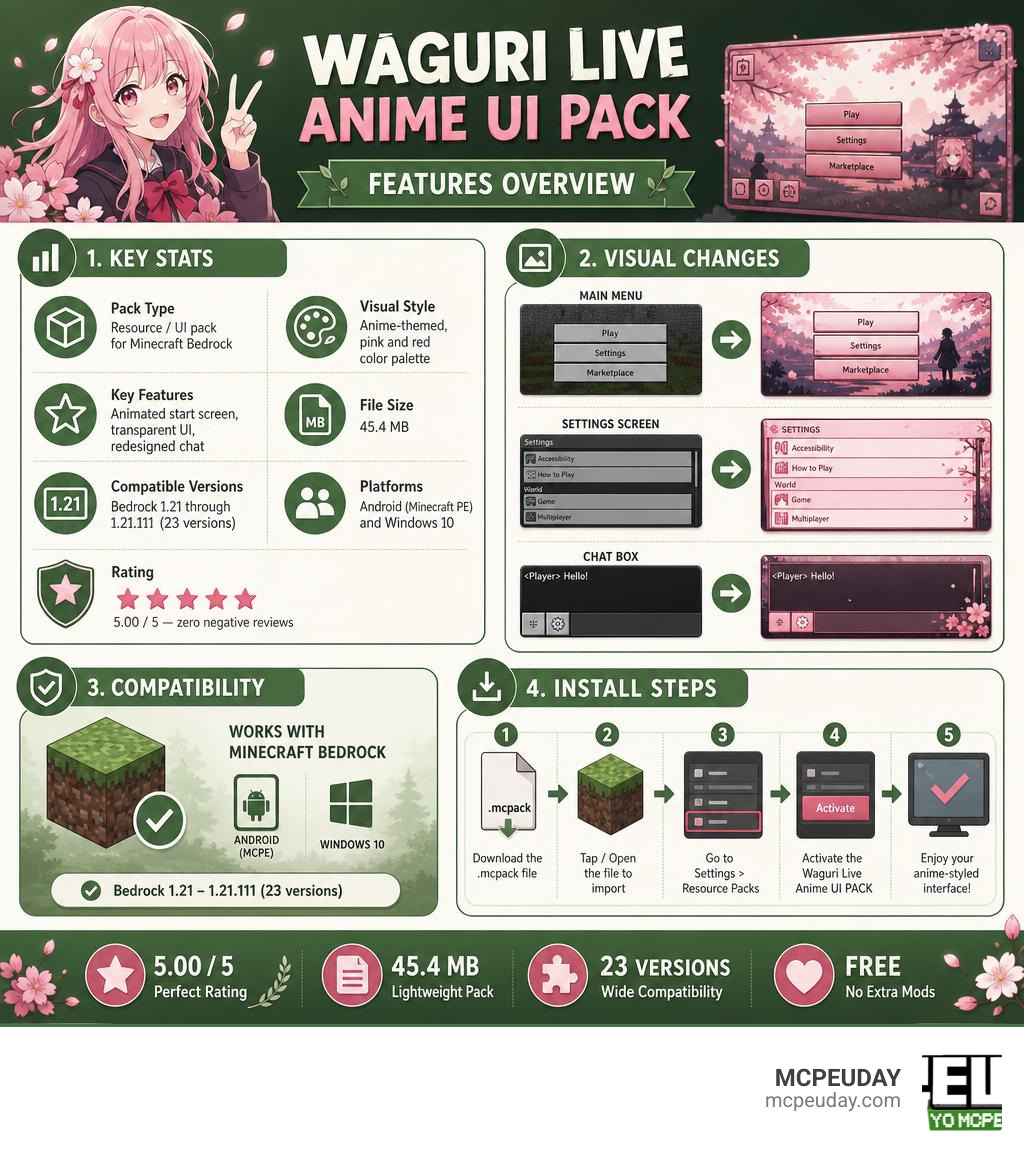
| Feature | Detail |
|---|---|
| Pack type | Resource / UI pack for Minecraft Bedrock |
| Visual style | Anime-themed, pink and red color palette |
| Key features | Animated start screen, transparent UI, redesigned chat |
| File size | 45.4 MB |
| Compatible versions | Bedrock 1.21 through 1.21.111 (23 versions) |
| Platforms | Android (Minecraft PE) and Windows 10 |
| Rating | 5.00 / 5 — zero negative reviews |
| Installation | Import .mcpack file, activate in Settings > Resource Packs |
If you’ve ever wanted Minecraft to feel like an anime game the moment you open it — not just the mobs or skins, but the actual menus, chat box, and start screen — this pack delivers exactly that.
It requires no extra mods, no complicated setup, and works straight out of the box on mobile and Windows 10. The community response has been remarkable, with the pack holding a perfect 5-star rating across all user reviews.
Whether you’re new to Minecraft UI customization or just looking for a fresh visual upgrade, this guide covers everything you need to know.
What is the Waguri Live Anime Ui PACK?
The Waguri Live Anime Ui PACK is a comprehensive visual overhaul designed to replace the blocky, grey, and traditional user interface of Minecraft Bedrock Edition with a lively anime aesthetic. Instead of looking at the static dirt background or standard dark-mode settings screens, this pack introduces a highly stylized, vibrant, and interactive user experience.
At its core, this pack is all about personalization. It targets players who want their gaming environment to reflect their passion for anime culture. By replacing standard UI buttons, borders, and backgrounds with custom anime artwork and sleek design elements, it completely changes how you navigate through your world settings, inventory, and server lists.
If you are already running action-packed mods like the Jujutsu Kaisen Addon 26 X 1 21 For Mcpe Anime Powers Domain Combat, having a matching anime UI is the ultimate way to complete the aesthetic. It bridges the gap between raw gameplay and menu navigation, making your entire Minecraft session feel like a unified anime game.
Key Features and Visual Changes
When we install the Waguri Live Anime Ui PACK, the visual transformation is immediate. Here are the standout features that make this pack incredibly popular in June 2026:
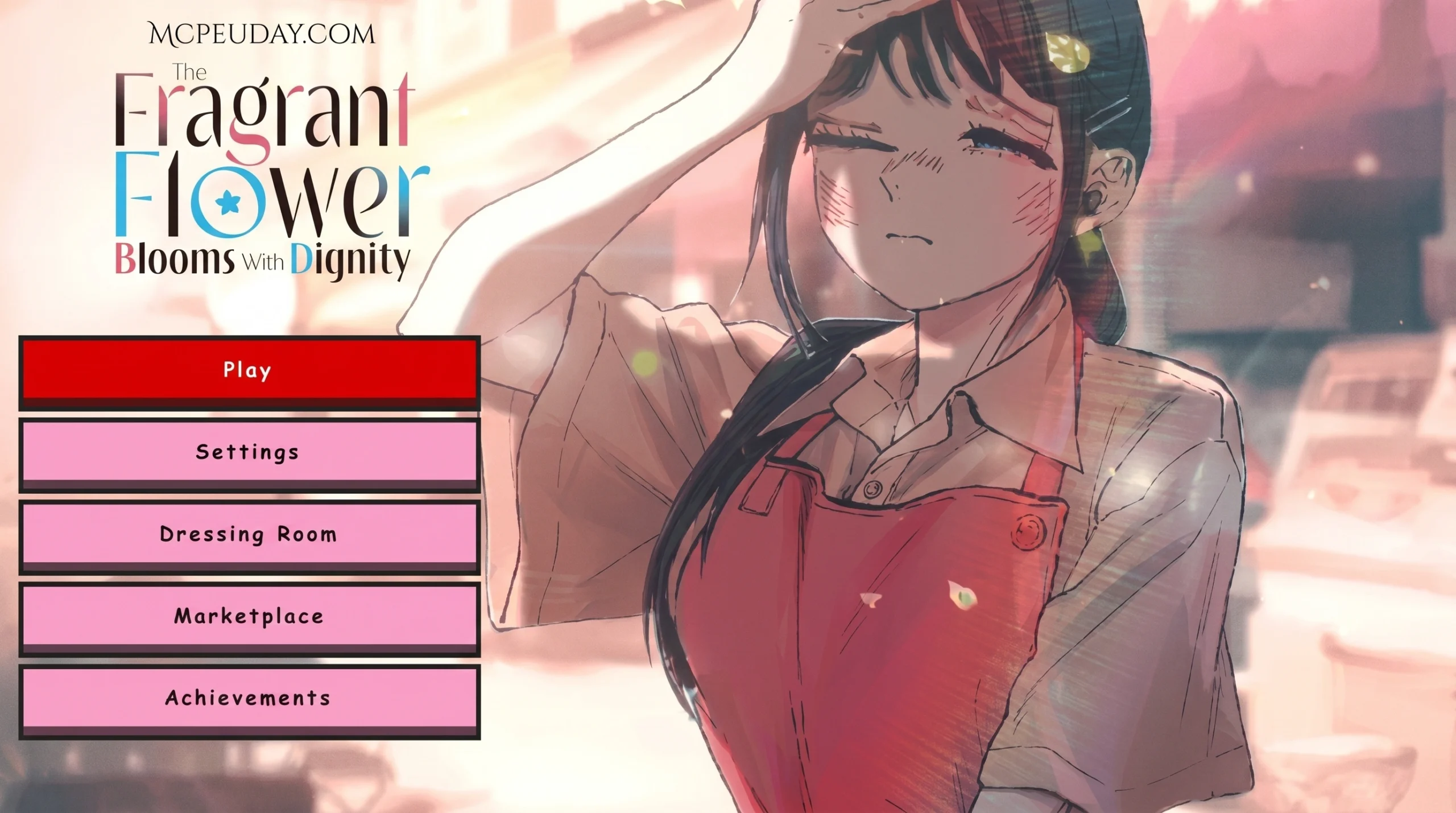
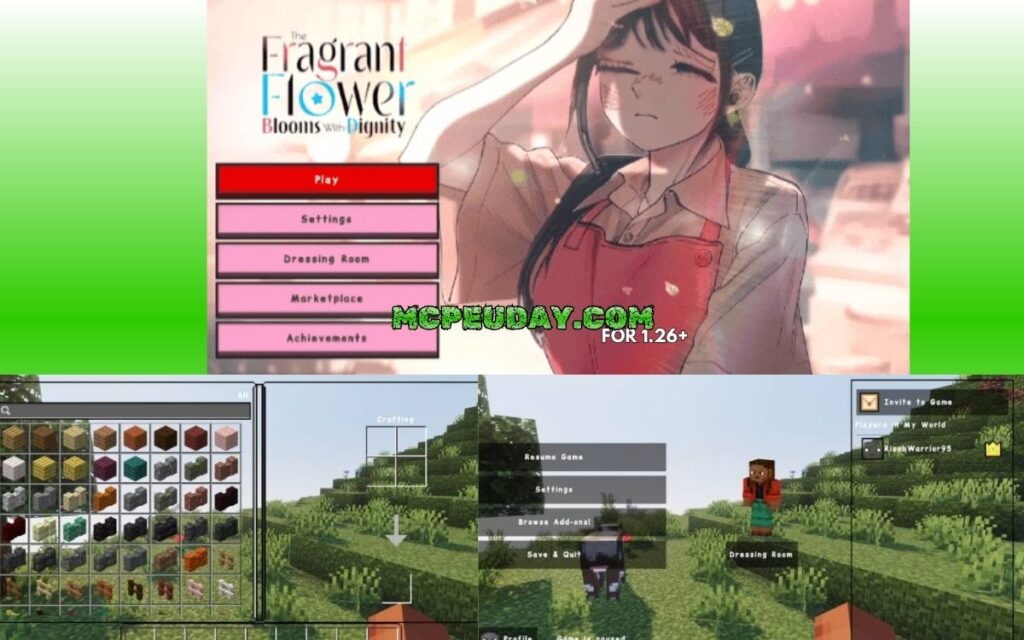
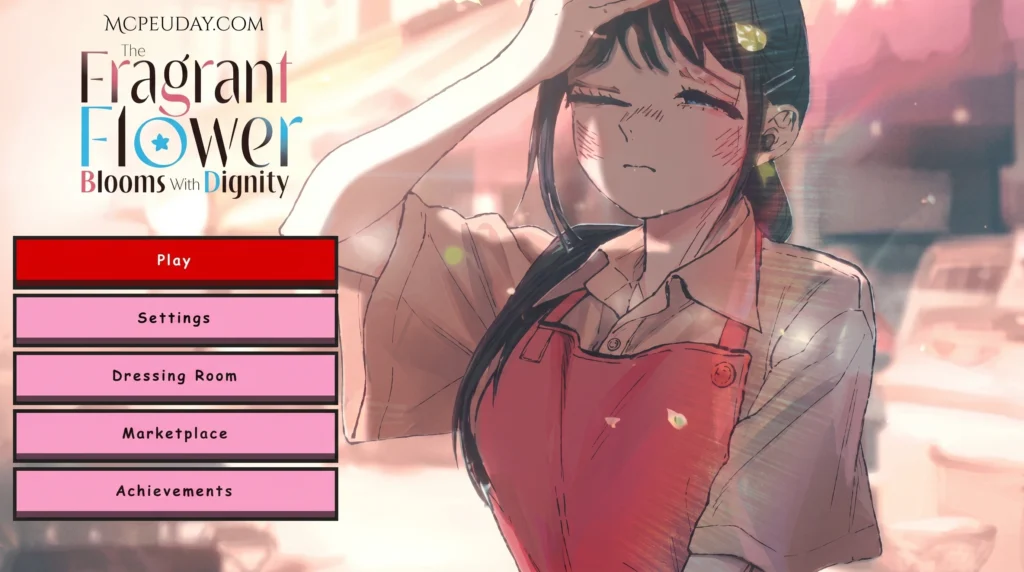
- Animated Start Screen: The standard main menu is replaced with a gorgeous, high-quality animated start screen featuring Kaoruko Waguri. The animations are smooth and fluid, completely replacing the static, rotating panorama of vanilla Minecraft.
- Vibrant Color Palette: The interface is dominated by a beautifully curated pink and red color palette. It gives the menus a soft, warm, and highly stylized look without being overly distracting during gameplay.
- Transparent UI Elements: Tired of bulky, opaque menus blocking your view? This pack introduces semi-transparent UI windows. This means you can still see what is happening around your character while browsing your inventory, crafting, or adjusting settings.
- Advanced Chat Interface Redesign: The ingame chat box receives a massive facelift. It features clean borders, styled text fields, and a transparent background that fits perfectly with the overall anime aesthetic.
- Custom Container Interfaces: Unlike many basic UI packs that only change the main menu, the Waguri Live Anime Ui PACK goes the extra mile. It features custom-designed interfaces for key utility blocks, including:
- Chests: A clean, organized container layout that makes inventory management a breeze.
- Crafting Tables: A stylized crafting grid that highlights selected recipes.
- Furnaces: A beautifully themed smelting interface featuring unique progress animations.
To make your world feel even more adventurous alongside this stylized interface, you might want to try exploring custom maps. Pairing this UI with the Solo Leveling Map Addon 1 21 1 20 For Mcpe Rpg Anime Mod creates an immersive RPG experience where every menu and map location feels custom-tailored to your journey.
Customizing Your Game with Waguri Live Anime Ui PACK
A great user interface is only the beginning of creating your dream setup. The transparent elements and pink-and-red palette of the Waguri Live Anime Ui PACK provide a clean canvas. To make the most of this visual style, we recommend matching your in-game character to the menus.
Using the One Piece Skin Addon For Mcpe is a fantastic way to match your character’s look with the stylized layout of your new UI. When you open your inventory and see your custom anime skin framed by the transparent, pink-accented menus, the visual synergy is unmatched!
Compatibility, File Size, and Installation Guide
One of the best things about the Waguri Live Anime Ui PACK is how lightweight and optimized it is. Despite featuring high-quality animations and extensive custom container designs, the entire file size is a modest 45.4 MB. This ensures that mobile players on Android (Minecraft PE) won’t experience heavy memory lag, and Windows 10 players will enjoy lightning-fast menu transitions.
In terms of compatibility, the pack is exceptionally stable. It supports 23 different Minecraft Bedrock versions, ranging from 1.21 all the way up to 1.21.111. It is built specifically for the Bedrock engine, meaning it runs natively on both mobile devices and PCs without requiring external mod loaders like Forge or Fabric.
If you are looking to expand your collection with even more gameplay changes, check out our extensive Category/Mod Addons/ page for the latest compatible resources.
Step-by-Step Setup for Waguri Live Anime Ui PACK
Installing the pack on your device is a quick and straightforward process. Follow our simple guide to get started:
- Download the Pack: Get the official
.mcpackfile (approx. 45.4 MB) onto your device. - Import to Minecraft:
- On Android: Tap on the downloaded
.mcpackfile using a file manager. Select “Open with Minecraft.” - On Windows 10: Simply double-click the
.mcpackfile, and Minecraft Bedrock will launch and import it automatically.
- On Android: Tap on the downloaded
- Activate the Resource Pack:
- Open Minecraft and navigate to Settings.
- Scroll down on the left-hand menu and click on Global Resources (or Storage > Resource Packs).
- Find the Waguri Live Anime Ui PACK under the “My Packs” section.
- Click on it and select Activate.
- Restart and Enjoy: We highly recommend restarting your game after activation. This ensures all custom fonts, transparent containers, and start-screen animations load perfectly.
Comparing Waguri Live Anime UI to Other UI Packs
To understand what makes this pack unique, it is helpful to look at how UI customization works in other gaming spaces. In games like World of Warcraft, creators develop highly detailed, class-specific interfaces.
For instance, Sakuria’s profile – Wago UI Packs features specialized layouts like the SakuriaUI Midnight – Wago UI Packs , which offers a pixel-perfect, minimalistic layout for high-level players. Similarly, the Naguura UI – Wago UI Packs provides complex integrations for specific roles, while the MILLI UI (Healer) 1440p – Wago UI Packs is an all-in-one lightweight layout built for healers.
While those MMO interfaces focus on massive data tracking, combat overlays, and role-specific utility, Minecraft Bedrock UI packs focus on visual comfort, immersion, and thematic beauty. The Waguri Live Anime Ui PACK strikes a perfect balance: it gives you a clean, lightweight, and highly artistic interface without cluttering your screen with unnecessary buttons.
| UI Pack Name | Target Game / Platform | Primary Visual Style | Access Type | Custom Elements |
|---|---|---|---|---|
| Waguri Live Anime UI | Minecraft Bedrock (MCPE/PC) | Pink/Red Anime, Transparent | Free Download | Animated Start Screen, Custom Chest/Furnace UI |
| SakuriaUI Midnight | World of Warcraft | Minimalistic, Pixel-Perfect | Subscription / Patreon | Fading Action Bars, Custom Unit Frames |
| Naguura UI | World of Warcraft | Utility-Heavy, Moonkin-Themed | Twitch Subscription | WeakAuras, Plater, Grid2 Integration |
| MILLI UI (Healer) | World of Warcraft | Lightweight Healer Layout | Twitch Subscription | Cell Unit Frames, Raid Profiles |
If you want to take your visual overhaul even further and turn Minecraft into an entirely different game, you can combine your new UI with the Pokemon Revival Addon 1 26 1 21 Turn Minecraft Pe Into A Full Pokemon World. The soft, anime-style menus of the Waguri pack fit the colorful world of Pokemon perfectly!
Usage Guidelines and Restrictions
While the Waguri Live Anime Ui PACK is free to download and enjoy, the creator has established straightforward usage guidelines to protect their hard work. Please keep the following rules in mind:
- Personal Edits Allowed: You are completely free to modify the files, textures, and colors for your own private, personal use.
- No Redistribution: You are not allowed to upload this pack to other websites or share modified versions publicly without explicit permission from the creator.
- No Monetized Links: If you showcase this UI pack in a YouTube video or on social media, you must link directly to the official download page. Sharing the files through shorteners or monetized links is strictly prohibited.
Frequently Asked Questions
What Minecraft Bedrock versions are compatible with the pack?
The pack is fully compatible with 23 different Minecraft Bedrock versions, spanning from version 1.21 up to 1.21.111. This includes mobile platforms (Android/iOS) and Windows 10/11.
Is the Waguri Live Anime UI pack free to download?
Yes! The pack is 100% free to download. It comes as a single .mcpack file with a size of 45.4 MB, making it easy to store and run on almost any device.
Can I modify the UI pack for personal use?
Yes, personal edits are fully allowed. However, you cannot redistribute your modified version or upload it publicly on other platforms.
Conclusion
At MCPEUDAY, we love resource packs that successfully bring a completely new atmosphere to the classic blocky world. The Waguri Live Anime Ui PACK does exactly that by replacing outdated, dull menus with an incredibly polished, pink-and-red anime aesthetic. With its smooth animated start screen, transparent containers, and lightweight design, it is easy to see why it maintains a perfect 5.00/5 rating.
Ready to transform your game? Head over to our MCPE Bedrock Category to explore more incredible resource packs, addons, and shaders to pair with your new anime UI!
1 thought on “Waguri Live Anime Ui Pack (26.x, 1.21) – MCPE/Bedrock Texture Pack”