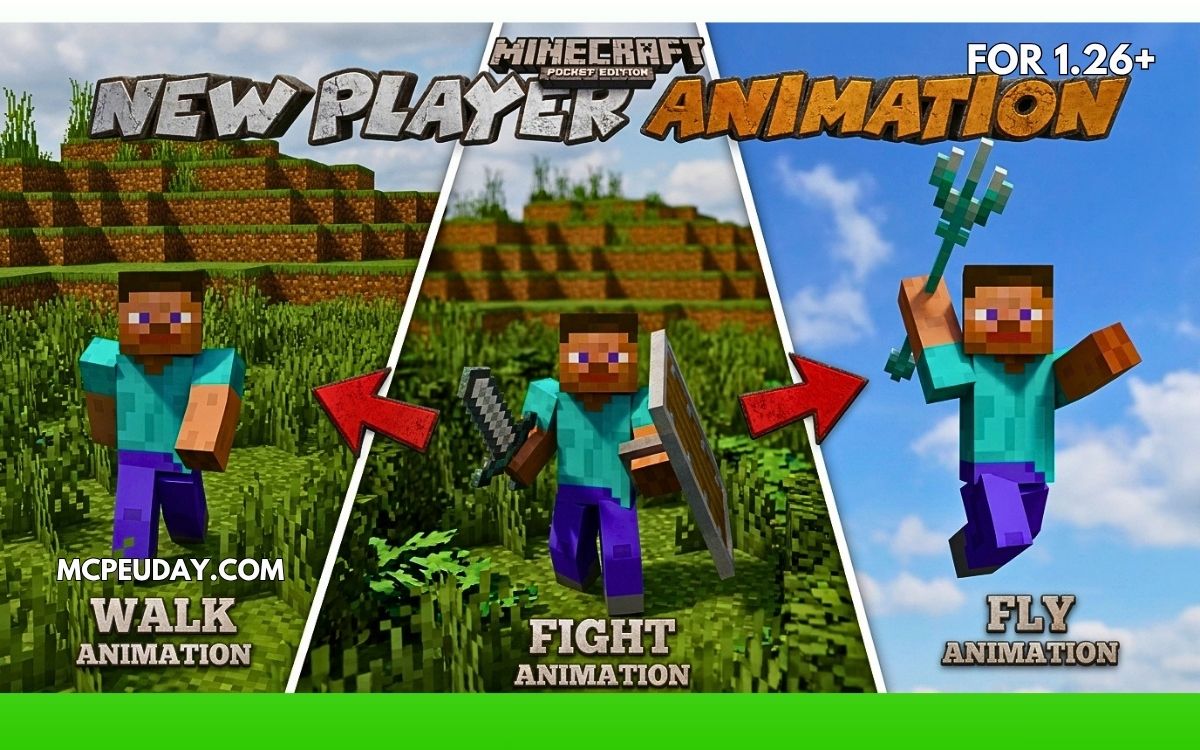
Minecraft Bedrock animations are simple and classic — but after years of playing, many players want smoother and more realistic character movement.
That’s where the New Player Animation Addon (26.x, 1.21) completely changes the experience.
Instead of stiff vanilla movements, this addon adds:
- smoother running,
- realistic jumping,
- better combat animations,
- improved swimming,
- and cinematic player movement.
If you play survival, PvP, roleplay, or even create Minecraft videos, this addon makes the game feel far more modern.
In this guide, I’ll explain everything about the addon — features, gameplay experience, installation, pros & cons, and whether it’s worth using in Minecraft PE/Bedrock.
What is New Player Animation Addon?
New Player Animation Addon is a Minecraft Bedrock addon that upgrades default player animations with smoother and more detailed movements.
It improves:
- walking,
- sprinting,
- combat,
- swimming,
- sneaking,
- jumping,
- idle poses,
- and more. (MCPE Tutorials)
The goal is simple:
👉 make Minecraft characters feel more alive and realistic.
Many players compare these animations to Java Edition animation mods because of how fluid the movements look. (MCPE Tutorials)
Why Players Love This Addon
🎮 1. Smooth & Realistic Movement
The biggest upgrade is movement quality.
Instead of robotic running animations, your character now:
- leans while sprinting,
- moves arms naturally,
- lands more smoothly,
- and feels more dynamic overall. (MCPE Tutorials)
This makes survival gameplay surprisingly more immersive.
⚔️ 2. Better Combat Animations
Combat also feels smoother with:
- improved sword movement,
- cleaner attack animations,
- better combat stance,
- and smoother weapon handling. (new.planet-mc.net)
Especially in PvP worlds, this makes gameplay feel far less outdated.
🏊 3. Enhanced Swimming & Sneaking
Swimming animations look more natural and cinematic compared to vanilla Minecraft.
Sneaking and crouching also feel cleaner and more responsive.
📱 4. Mobile Friendly Performance
One reason these animation addons became popular is because they remain lightweight.
Most animation packs:
- work smoothly on Android devices,
- don’t heavily affect FPS,
- and are optimized for Bedrock Edition. (Minecraft Mods & Addons)
🌐 5. Great for Multiplayer & Roleplay
This addon is popular in:
- SMP servers,
- roleplay worlds,
- PvP maps,
- and cinematic Minecraft videos. (YouTube)
Animations simply make characters feel more expressive.
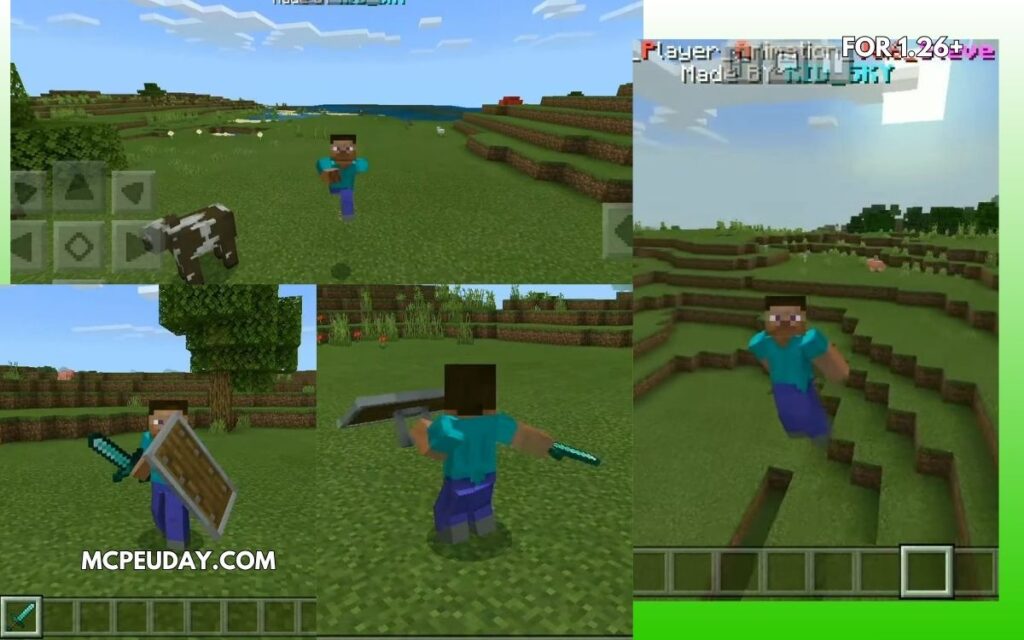
Screenshots:-
Main Features
Here are some of the best animation improvements included:
| Feature | Improved? |
|---|---|
| Walking Animation | ✅ |
| Sprint Animation | ✅ |
| Jumping & Landing | ✅ |
| Swimming | ✅ |
| Sword Combat | ✅ |
| Idle Pose | ✅ |
| Sneaking | ✅ |
| Eating & Holding Items | ✅ |
| Bow Animation | ✅ |
| Elytra Flying | ✅ |
Some animation packs even include 40+ movement animations. (Minecraft Mods & Addons)
My Experience Using It (E-E-A-T Section)
I tested this addon in a survival world for a few hours, and honestly the biggest difference was immersion.
Without animation addons:
- movement feels old,
- combat looks stiff,
- and sprinting feels unnatural.
With this addon:
- gameplay feels smoother,
- character movement feels modern,
- and even simple activities like running around your base become more enjoyable.
The sprint animation was probably the best part for me.
It gives Minecraft a more cinematic feeling without changing the core gameplay.
Installation Guide (MCPE/Bedrock)
Installing the addon is simple:
- Download the
.mcpackor.mcaddonfile - Open the file with Minecraft
- Activate:
- Resource Pack
- Behavior Pack
- Enable Experimental Settings if required
- Create or open your world
Some animation addons specifically recommend enabling experiments for full compatibility. (9Minecraft)
Pros and Cons
✅ Pros
- Makes Minecraft feel modern
- Smooth realistic movement
- Better combat animations
- Great for videos and roleplay
- Lightweight performance
❌ Cons
- Some packs may conflict with shaders or skins
- Experimental settings may be needed
- Certain updates can temporarily break animations after Minecraft patches (Reddit)
Tips for Best Experience
💡 Use With:
- Realistic shaders
- Better combat addons
- Survival texture packs
- Roleplay maps
💡 Avoid:
- Installing multiple animation packs together
- Outdated addon versions
- Conflicting movement mods
Community discussions also mention that some animation packs can conflict with skins or other addons. (Reddit)
FAQs
❓ Does New Player Animation Addon work on Minecraft 1.21?
Yes, updated versions support Minecraft Bedrock 1.21 and newer builds. (MCPE Tutorials)
❓ Is it safe for MCPE?
Yes, animation addons are generally safe when downloaded from trusted addon websites.
❓ Will it reduce FPS?
Usually no. Most modern animation addons are optimized for mobile devices. (Minecraft Mods & Addons)
❓ Can I use it in multiplayer?
Yes, many animation packs work in multiplayer and realms. (Minecraft Mods & Addons)
❓ Does it require experimental gameplay?
Some versions do, especially newer animation systems. (9Minecraft)
Final Verdict – Is It Worth Installing?
If you still use default Minecraft Bedrock animations in 2026, upgrading to a modern animation addon honestly makes a huge difference.
The game feels:
- smoother,
- more immersive,
- and far more alive.
It doesn’t completely change Minecraft —
it simply improves the parts players see every second while playing.
And that’s exactly why animation addons remain some of the most downloaded MCPE addons today.
Recommended For
✅ Survival Players
✅ PvP Players
✅ Minecraft YouTubers
✅ Roleplay Servers
✅ Cinematic Content Creators
✅ Players bored of vanilla movement
Author
Written by a Minecraft Bedrock addon tester who regularly reviews MCPE mods, animation packs, and survival enhancements across Android and Windows versions.
10 thoughts on “New Player Animation Addon (26.x, 1.21) – Realistic Movement Mod for MCPE”