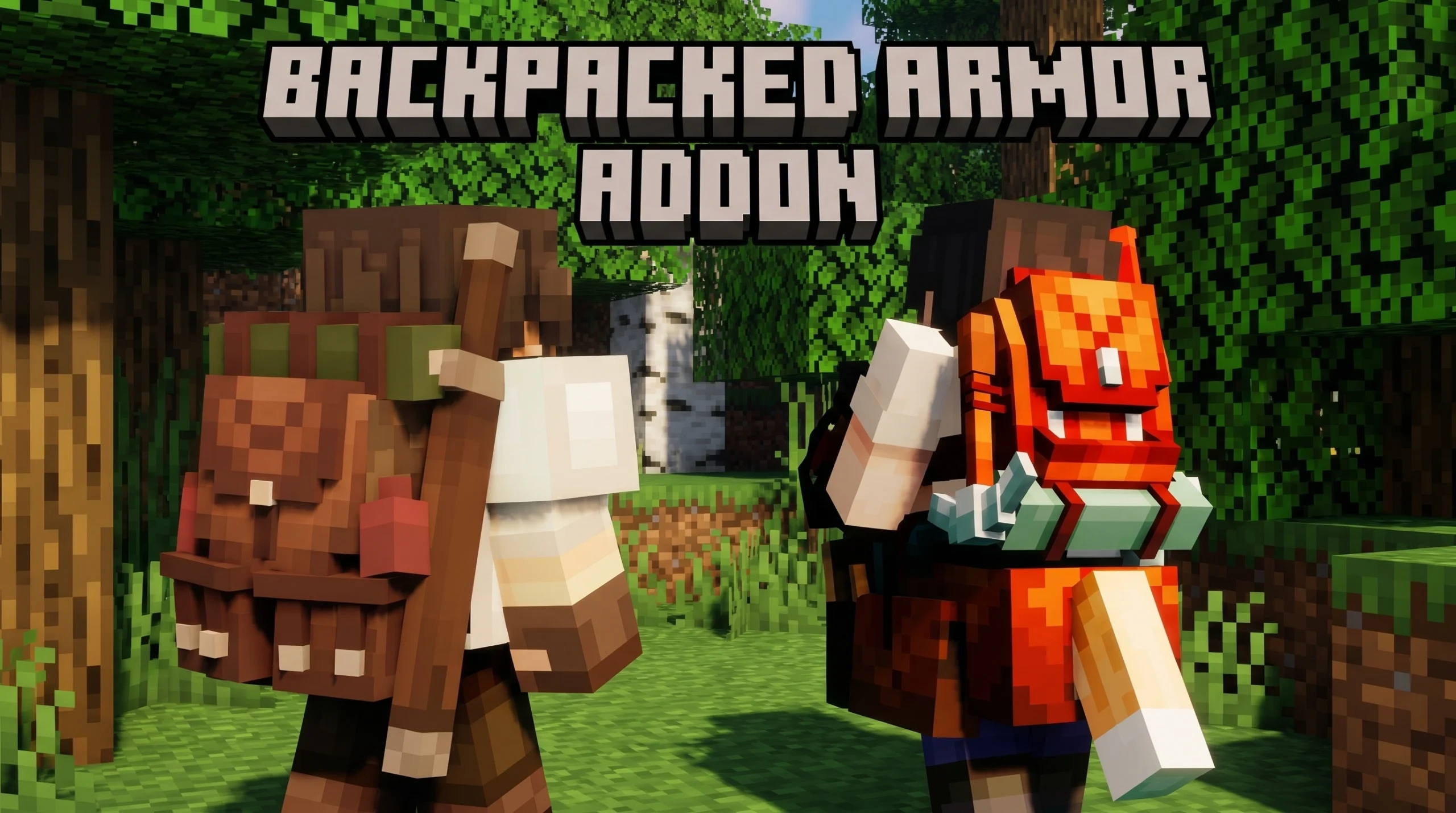
What Is the Backpacked Armor Addon for Minecraft?
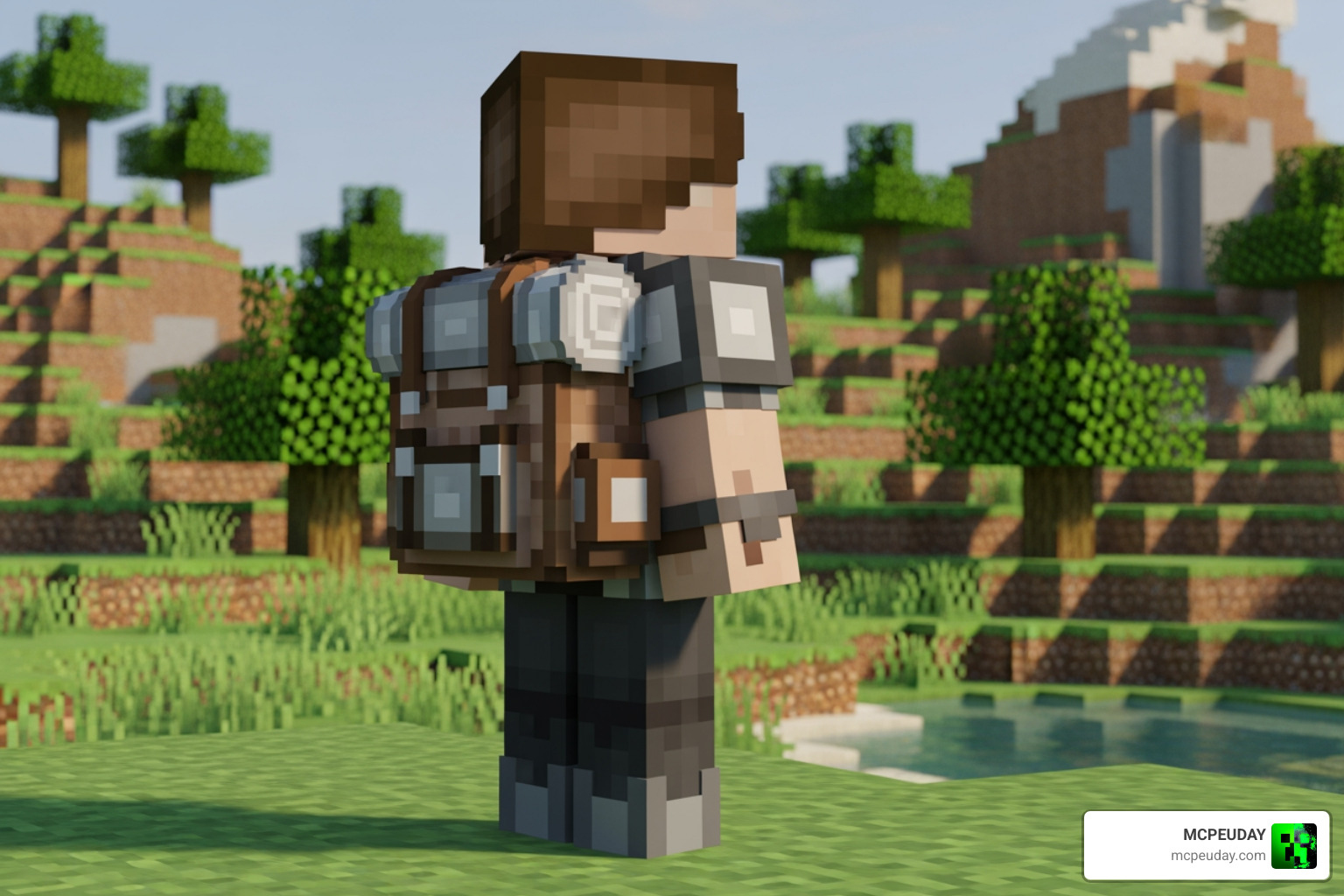
The Backpacked Armor addon is a resource pack for Minecraft Bedrock Edition (MCPE) that makes your character look like they’re wearing a traveler’s backpack — without changing any gameplay mechanics or adding storage.
Here’s a quick breakdown:
- What it does: Adds a visual backpack model on top of your armor
- What it doesn’t do: It cannot store items — it is purely cosmetic
- Works on: Minecraft PE / Bedrock Edition (versions 1.20.0 to 1.26.20)
- Multiplayer: Yes — the map owner just needs to have the pack installed
- Experimental mode: Required for the pack to display correctly
- Installation: Tap the downloaded file and it installs automatically
This is not the same as functional backpack mods like MrCrayfish’s Backpacked (which has over 30 million downloads on CurseForge). Those mods add real inventory slots and progression systems. The Backpacked Armor resource pack is all about looks — giving your character that explorer aesthetic while keeping vanilla gameplay intact.
If you want to make your Minecraft character look like a seasoned adventurer, this is one of the easiest ways to do it on Bedrock.
Understanding the Backpacked Armor Addon: Visuals vs. Functionality
When we talk about the Backpacked Armor addon, it is vital to understand that we are technically dealing with a resource pack, not a behavior-altering mod. In Minecraft Bedrock Edition, resource packs change how things look (textures, models, and UI), while behavior packs change how things work (adding slots, changing gravity, or creating new entities).
Because this is a resource pack, it is incredibly lightweight. It won’t lag your device or conflict with complex scripts that other addons might use. However, the trade-off is that you cannot open the backpack to put your diamonds inside. If you are looking for more robust gameplay additions that include new equipment, you might want to check out the More Armour Addon for Minecraft PE Bedrock or the More Shield Addon for Minecraft Bedrock.
The Backpacked Armor addon is specifically designed for players who feel that the vanilla Minecraft character looks a bit “empty” during long treks across the Overworld. It fills that visual gap, making you look like a true survivalist prepared for the long haul.
Visual Changes to Vanilla Armor
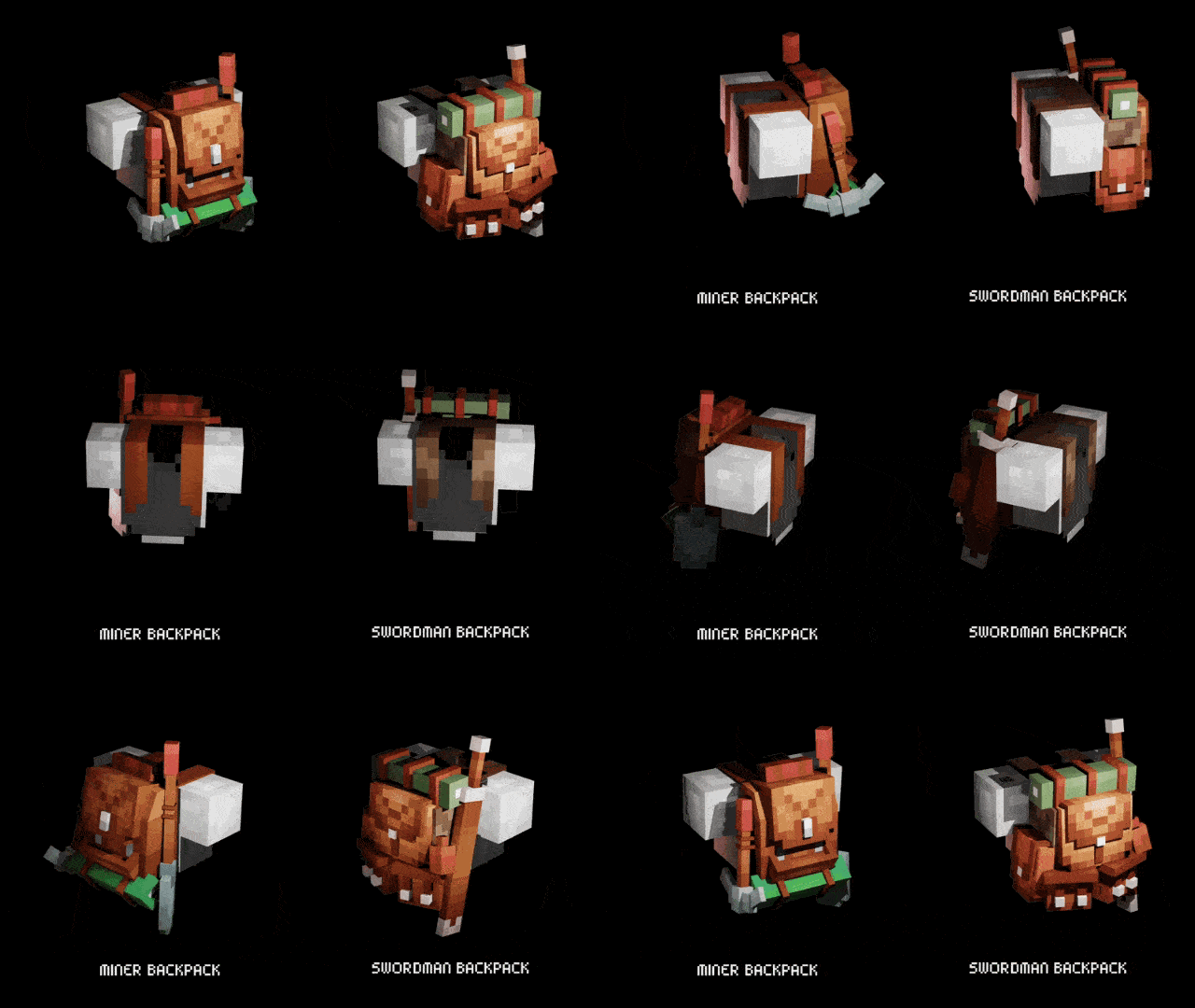
This pack doesn’t just slap a flat 2D texture on your back. It introduces high-quality 3D models that wrap around your existing armor sets. Whether you are wearing Iron, Diamond, or Netherite, the backpack sits naturally on the character’s back, featuring straps that appear over the chestplate.
The creator has provided detailed 360-degree views, ensuring the model looks great from the front, back, and sides. When you move, the backpack follows the character’s animations perfectly. It transforms standard gear into “Traveler Costumes,” which adds a layer of roleplay immersion that vanilla armor simply lacks.
Gameplay Impact and Multiplayer Support
One of the best things about the Backpacked Armor addon is its zero impact on gameplay balance. Your armor points remain exactly the same, and your movement speed isn’t hindered. This makes it a “safe” pack to add to any world without worrying about breaking the game’s difficulty.
For those of us who love playing with friends, you’ll be happy to know it is fully multiplayer compatible. To use it in a session with friends, the owner of the map simply needs to activate the resource pack in the world settings. Once active, everyone on the server will see the backpacks. This pairs excellently with other movement-based mods, such as the More Body Actions Addon v26 1.21, to create a truly dynamic and realistic exploration experience.
Key Features and Customization Options
As of May 2026, the Backpacked Armor addon has been updated to support the latest versions of Minecraft (up to 1.26.20). One of the standout features is the subpack system. When you apply the pack, you aren’t stuck with just one look. You can click the “cog” icon in the resource pack settings to choose how the backpack interacts with your character’s armor.
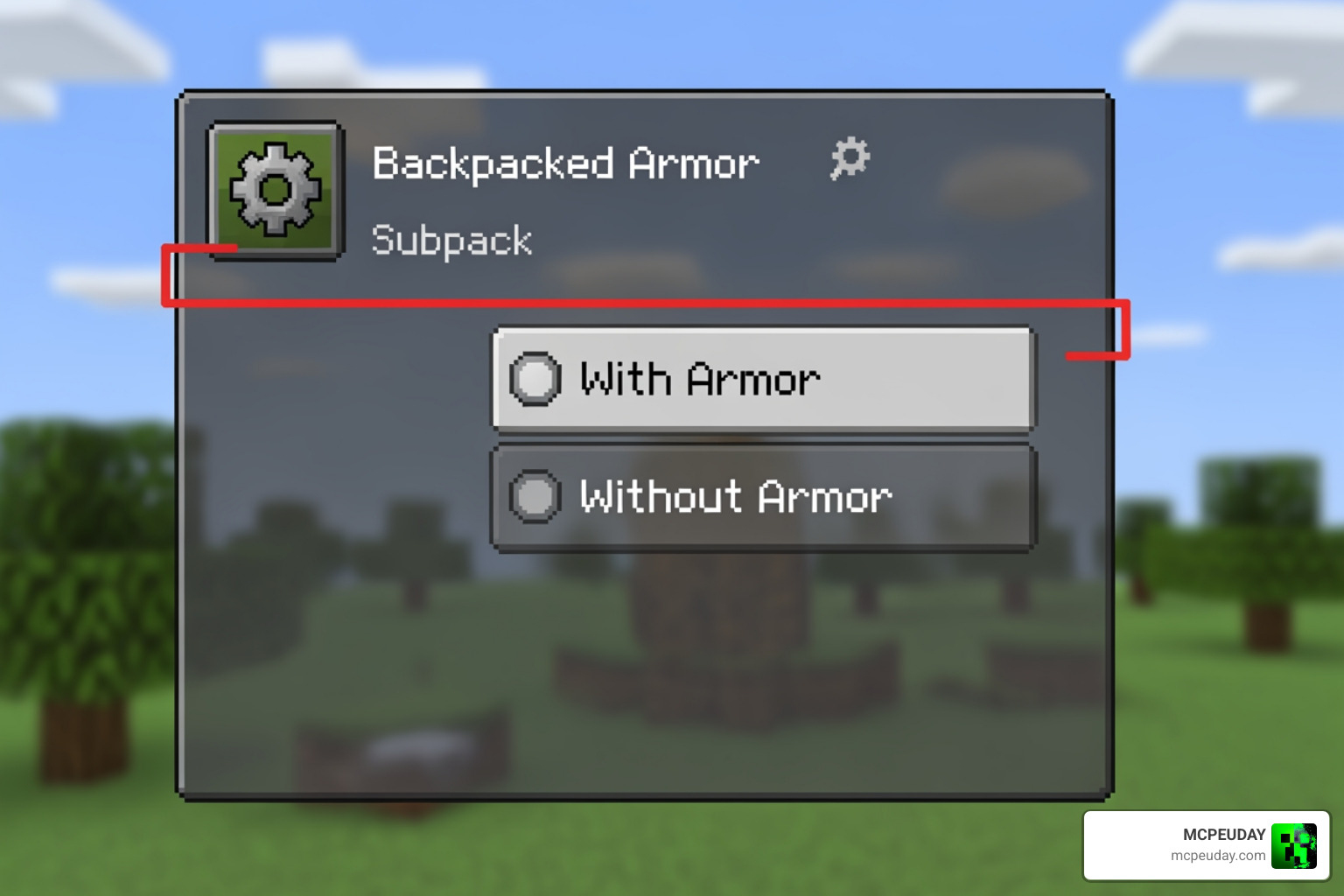
Subpack Selection in the Backpacked Armor addon
The pack offers two primary modes of display:
- With Armor: This is the default setting. The backpack is visible while you are wearing a chestplate. It is designed to look like the backpack is strapped over your protective gear.
- Without Armor: This is perfect for casual exploration or base-building. It allows the backpack model to show even when you aren’t wearing a chestplate, making it look like your character is just carrying their supplies in their normal clothes.
If you are a fan of finding new materials to craft your gear, you might find that these visual backpacks look even better when paired with unique sets from the More Ores Add-on Minecraft 1.21.
| Feature | “With Armor” Subpack | “Without Armor” Subpack |
|---|---|---|
| Visibility | Requires Chestplate | Always Visible |
| Armor Trims | Supported (with bugs) | Not Recommended |
| Aesthetic | Heavy Explorer | Light Traveler |
| Multiplayer | Visible to all | Visible to all |
Known Bugs and Visual Fixes
No mod or resource pack is perfect, and the Backpacked Armor addon has a few quirks that we should mention.
- Armor Trim Bug: Currently, there is a known issue where armor trims might not display correctly or may overlap weirdly with the backpack model in the “without armor” subpack.
- The Leather Overlay Issue: This is the most common complaint. By default, leather armor has a brownish tint. Because the backpack model is tied to the armor textures, it can sometimes inherit this brown color, making the backpack look muddy.
- The Fix: To solve the leather issue, we recommend coloring your leather armor with white dye. This neutralizes the base color and allows the backpack’s intended textures to shine through clearly.
For a deeper look at how these visuals compare to other Bedrock options, you can check out this Minecraft Bedrock Edition Backpacks in-depth review! on YouTube.
Installation Guide for the Backpacked Armor Addon
Installing this pack on your mobile device or console is straightforward. Since it uses the .mcpack format, Minecraft handles most of the heavy lifting.
Activating the Backpacked Armor addon in Bedrock Edition
Follow these steps to ensure the backpack shows up in your world:
- Download: Get the
.mcpackfile from a trusted source. - Import: Tap or double-click the file. Minecraft will open automatically and say “Import Started.”
- Experimental Settings: This is a crucial step. While it’s a resource pack, some versions of Bedrock require “Experimental Gameplay” or “Beta Features” to be toggled ON for custom 3D models to render properly.
- Global Resources: Go to Settings > Global Resources > My Packs. Find the Backpacked Armor addon and click “Activate.”
- World Settings: If you want it only for a specific world, go to that world’s settings, find “Resource Packs,” and activate it there.
If you run into issues where the textures look like purple and black checkerboards, it usually means the experimental mode isn’t on, or the file didn’t download correctly. For more help with addon management, visit our Category: Mod Addons section.
Comparing Visual Packs to Functional Backpack Mods
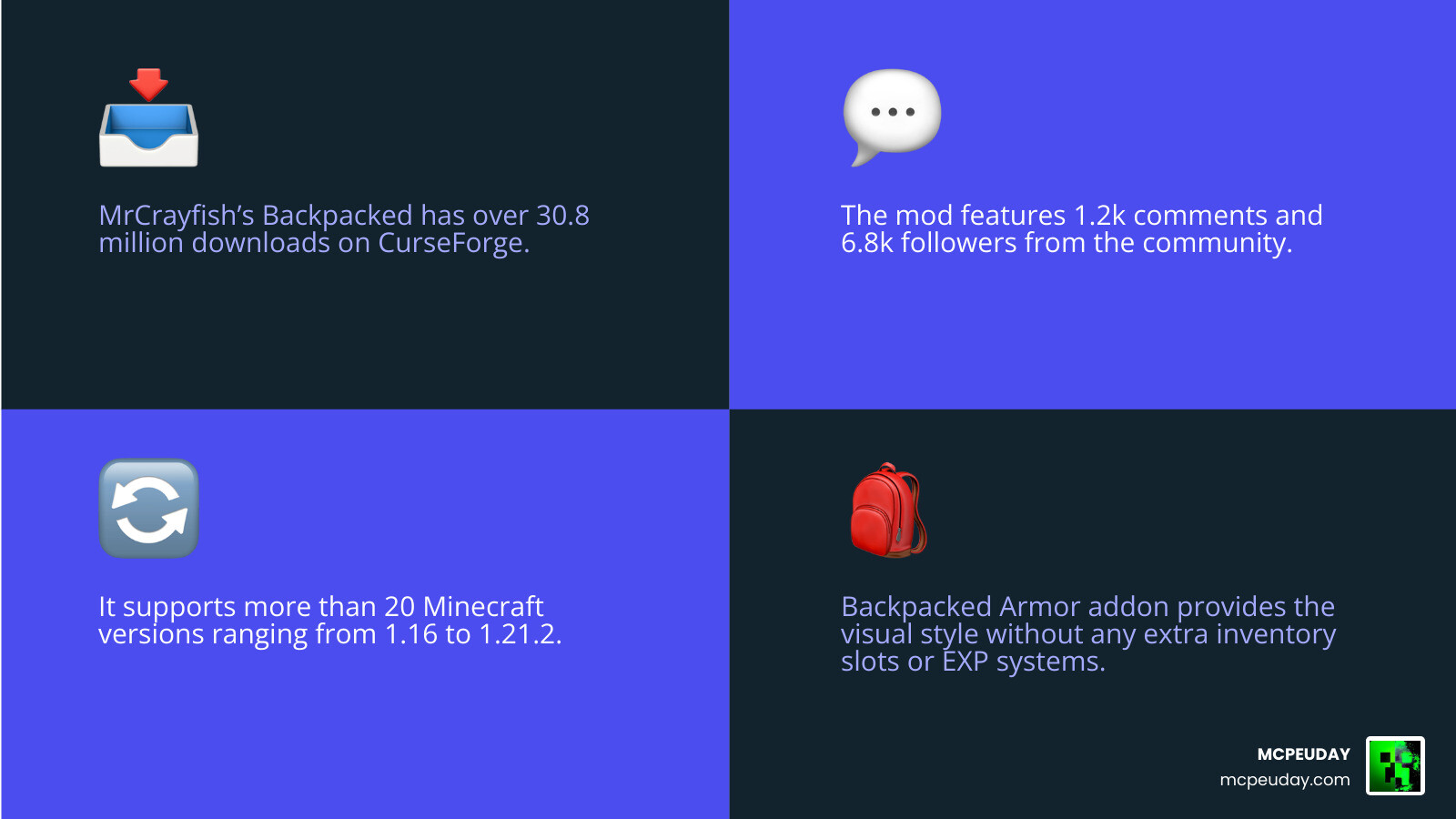
It is easy to get confused with the name “Backpacked.” In the wider Minecraft community, “Backpacked” usually refers to the legendary mod by MrCrayfish. Let’s look at the statistics to see why that mod is so famous:
- Downloads: Over 30.8 million downloads on CurseForge.
- Community: Over 1.2k comments and 6.8k followers.
- Versatility: Supports 20+ Minecraft versions (1.16 to 1.21.2).
While the Backpacked Armor addon for Bedrock is a visual treat, it doesn’t offer the technical depth found in Java mods like Backpacked – Minecraft Mods – CurseForge or the tiered progression of yigit-guven/RPG-Backpacks.
Backpacked Armor addon vs. MrCrayfish’s Backpacked
The primary difference is utility. In MrCrayfish’s version, you have an EXP-based progression system. You spend experience points to unlock more slots and “augment bays.” It even features a “pickpocketing” mechanic where players can sneak up behind you and grab items from your pack!
The Bedrock Backpacked Armor addon, by contrast, is for the player who wants the look of the Java mod without the complexity of installing Forge or Fabric. It’s about the “Traveler” vibe. If you want to see the functional version in action, check out The BEST Backpacks addon just got even BETTER in Minecraft.
Frequently Asked Questions about Backpacked Armor
Can I store items inside the Backpacked Armor models?
No. We want to be very clear on this: the Backpacked Armor addon is a visual resource pack. It does not add extra inventory slots. It is designed to change the appearance of your armor to include a 3D backpack model.
Does this addon work on Minecraft PE version 1.26?
Yes! As of May 2026, the pack has been updated to remain compatible with the latest Bedrock engine updates, including version 1.26. Always ensure you are using the most recent version of the .mcpack file for the best results.
Why does my backpack look brown when wearing leather armor?
This is a common visual bug caused by the way Minecraft overlays colors on leather armor. To fix this, simply dye your leather chestplate with white dye. This will act as a “blank canvas” and allow the backpack’s natural textures to display correctly.
Conclusion
At MCPEUDAY, we believe that the right visuals can completely change how you feel about your Minecraft world. The Backpacked Armor addon is a fantastic, lightweight addition for anyone who loves the “Traveler” aesthetic. It doesn’t clutter your inventory or change the game’s balance; it simply makes you look like the seasoned explorer you are.
Whether you’re trekking through snowy peaks or deep-sea diving for shipwrecks, having a 3D backpack on your character’s shoulders adds that missing piece of immersion. If you’re looking to take your world in a completely different direction after your peaceful exploration, why not dive into some scares? Explore the Best Minecraft Horror Mods 2026 Guide to see how far you can push your survival skills!
Happy exploring, and don’t forget to dye that leather white!
3 thoughts on “Backpacked Armor Addon (26.x, 1.21) – MCPE/Bedrock Mod”