What the Ghoulcraft Furniture Addon Actually Does (Quick Answer)
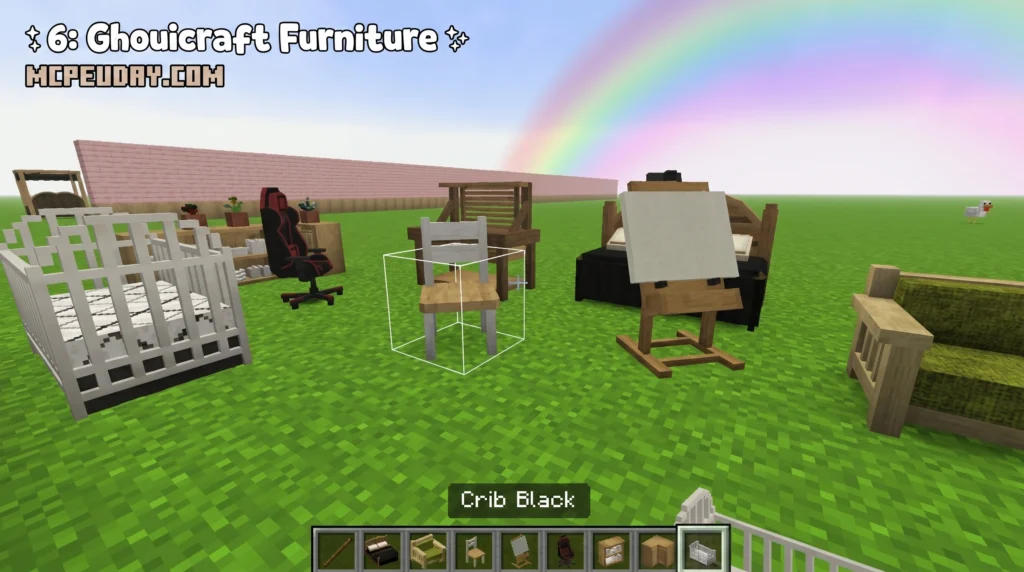
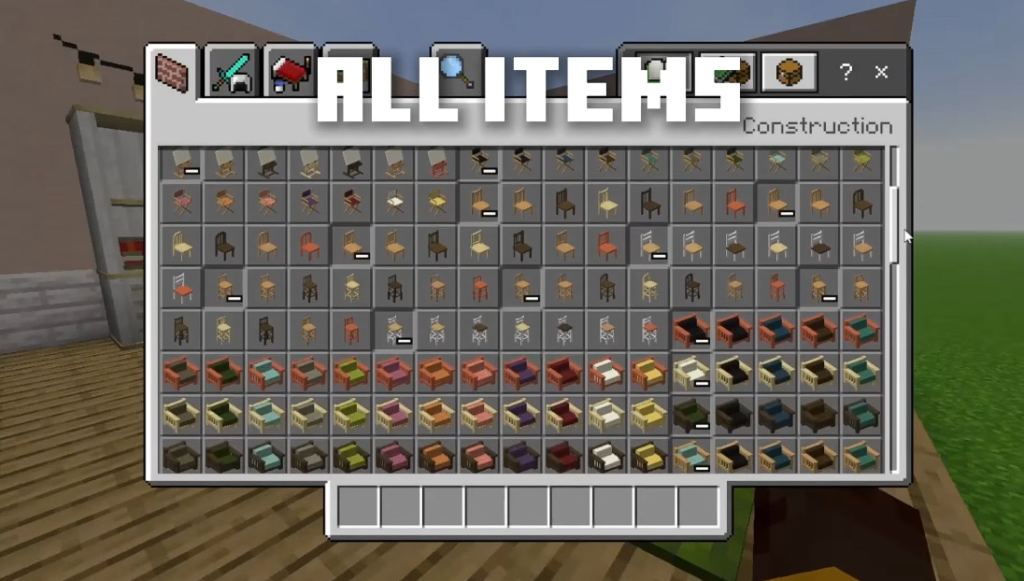
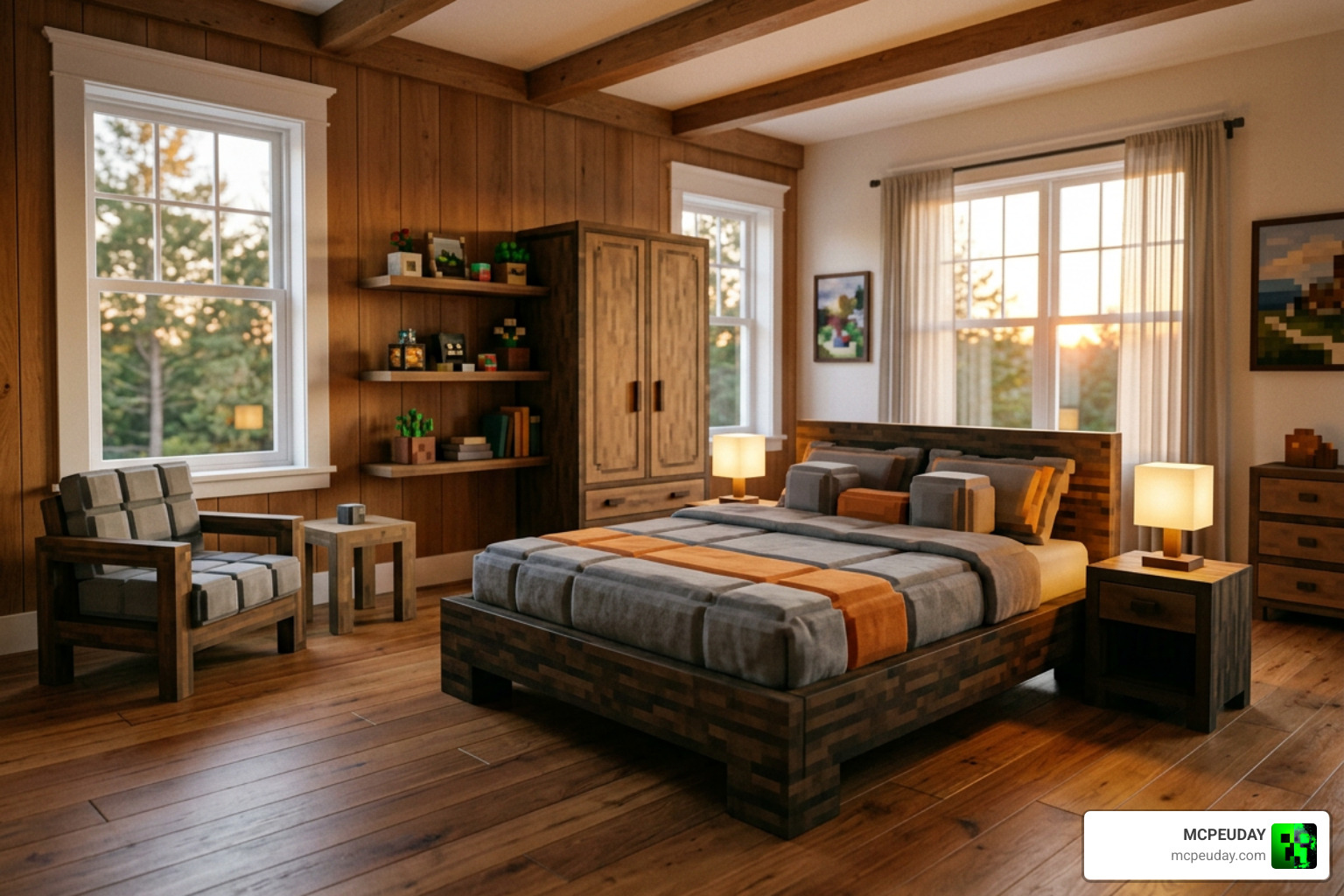
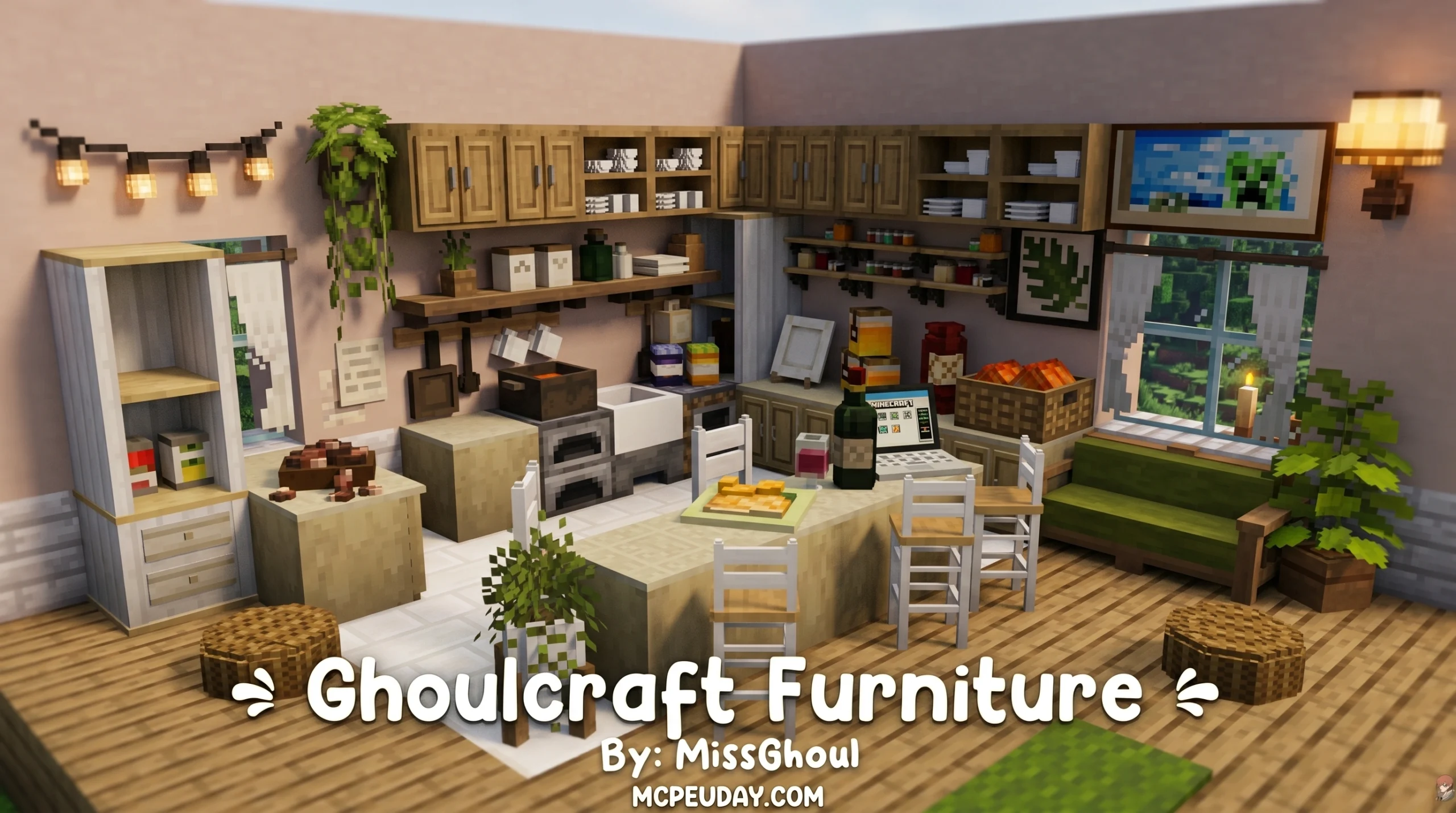
The Ghoulcraft Furniture Addon is a decoration pack for Minecraft that turns ordinary blocks into detailed furniture pieces — chairs, sofas, cabinets, beds, and much more.
Here’s what you need to know fast:
- What it is: A resource pack (Java) and block addon (Bedrock) that adds 2,000+ decorative items to Minecraft
- How it works: Rename specific vanilla blocks and place them to trigger custom 3D models
- Bedrock version: Called Ghoulcraft BE, compatible with Minecraft Bedrock/Pocket Edition 1.16.200+ on Windows 10, Android, and iOS
- Status: The Bedrock version was last updated November 2021 and is no longer actively maintained
- Best for: Creative mode builders who want detailed, furniture-filled rooms without coding or modding experience
Minecraft’s vanilla game has always been great for building structures, but making a room feel lived-in is another story. Empty floors and blank walls are the norm — unless you know about packs like this one.
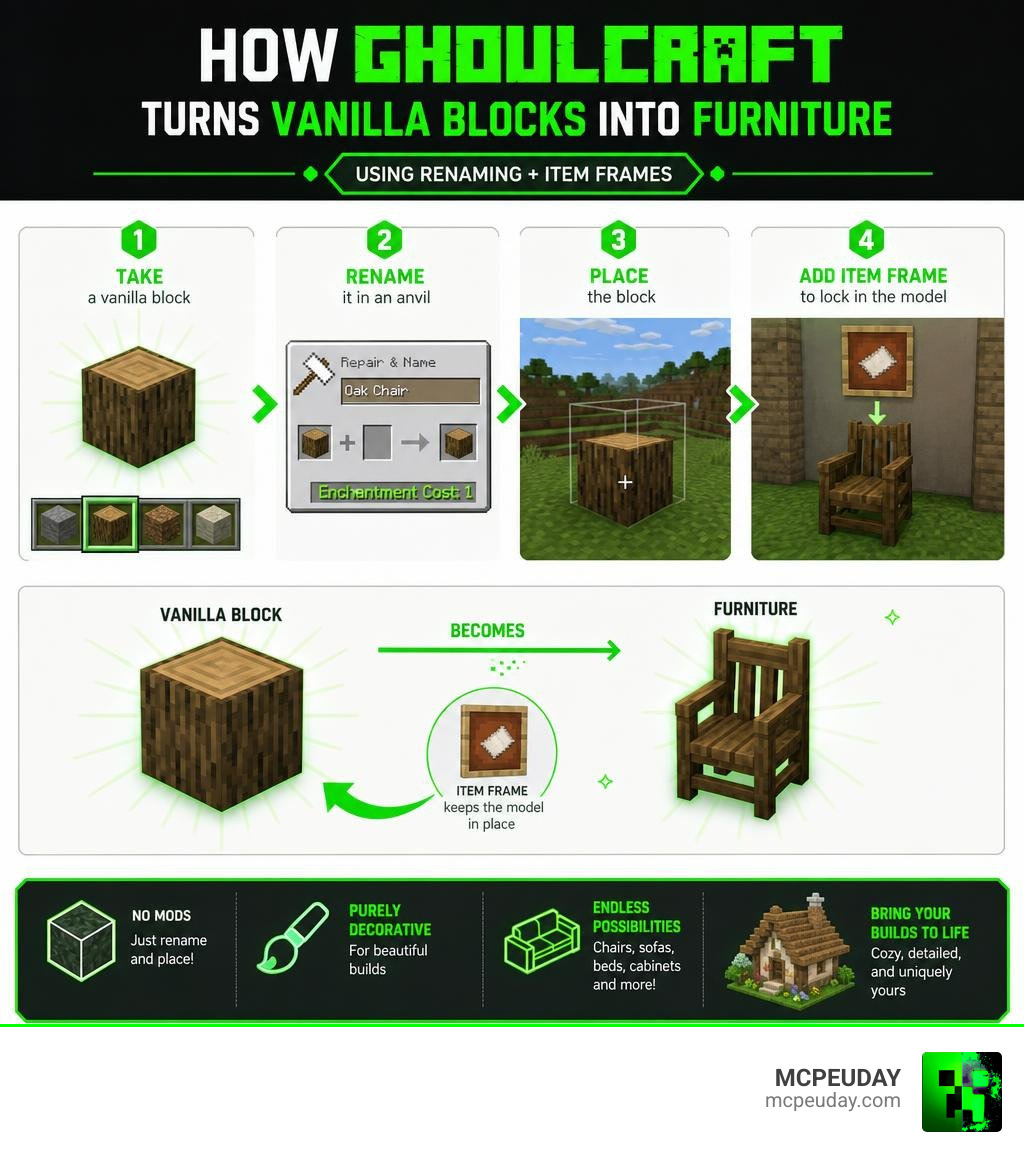
Ghoulcraft started back in April 2019 as a Java Edition resource pack. It grew into one of the most detailed decoration systems in the Minecraft community, eventually expanding to Bedrock Edition. The core idea is clever and simple: rename a block, place it, and watch it transform into furniture.
No complex crafting. No separate crafting table. Just an anvil, the right block, and the right name.
Whether you’re building a cozy bedroom, a full kitchen, or an entire furnished house, Ghoulcraft gives you the pieces to make it feel real.
What is the Ghoulcraft Furniture Addon?
At its core, the Ghoulcraft Furniture Addon is a dream come true for aesthetic builders. Originally created by MissGhoul for Java Edition, it was officially ported to Bedrock Edition (known as Ghoulcraft BE) by developer Kaomc.
Unlike traditional mods that add entirely new block IDs and complex recipes, Ghoulcraft BE functions as a data-driven block addon (a Custom Item Model or CIM pack). It introduces non-functional, purely aesthetic blocks that are designed to blend beautifully with warm, rustic, and cottagecore building styles.
One of the biggest selling points of Ghoulcraft is its visual integration with popular community resource packs. The textures are specifically recolored to match the incredibly popular Mizuno Craft resource pack. This means if you use Mizuno’s textures, your new furniture will blend seamlessly into your world. You can view the entire range of items and how they look in the official Furniture (All) – Ghoulcraft catalog.
Key Features of the Ghoulcraft Furniture Addon
The variety of items in this pack is staggering. We get access to a massive library of objects that cover almost every room in a house. Here are some of the standout features:
- Full Wood Type Support: Furniture items like counters, drawers, chairs, and beds are available in all six classic vanilla wood types.
- Modular Sofas: You can piece together left, middle, right, and corner sofa sections to build custom seating arrangements.
- Kitchen and Storage Sets: Cabinets, shelves, and counters can be combined to form realistic kitchen spaces.
- Outdoor Accessories: Garden tools, lattices, awnings, and plants to make your yards look just as good as your interiors.
If you are looking for alternative options that work on newer versions of Minecraft, we highly recommend checking out our guide on the Modern Furniture Addon 1 21 26 X Best Mcpe Decoration Mod for a more contemporary look.
Java Edition CIT vs. Bedrock Edition Ghoulcraft BE
While both versions achieve similar visual results, they operate on completely different mechanics under the hood.
| Feature | Java Edition (Ghoulcraft CIT) | Bedrock Edition (Ghoulcraft BE) |
|---|---|---|
| Primary Technology | Custom Item Textures (CIT) via Optifine | Data-driven Block Addon (CIM) |
| How It’s Placed | Renamed items placed inside Item Frames | Custom blocks placed directly or via commands |
| System Requirements | Optifine required | Experimental settings enabled |
| Anvil Renaming | Required for every single item | Not strictly required for placement |
| Survival Mode | Fully obtainable via renaming vanilla items | Creative mode only (requires commands) |
| Performance Impact | Can cause lag if too many Item Frames are used | Lightweight block files, but older devices may lag |
How to Install and Set Up Ghoulcraft BE
Setting up the Ghoulcraft Furniture Addon on Bedrock Edition is straightforward, but you must follow the steps carefully to ensure the custom 3D models load correctly.
- Download the official
.mcaddonfile (which contains both the Resource Pack and Behavior Pack). - Locate the downloaded file on your device (Windows 10, Android, or iOS) and double-click or tap it. Minecraft will open automatically and import the packs.
- Create a new world or go to the settings of an existing world.
- Navigate to Resource Packs and activate the Ghoulcraft BE pack.
- Navigate to Behavior Packs and activate the corresponding Ghoulcraft BE pack.
- Make sure the Ghoulcraft pack is placed at the top of your load order to prevent conflicts.
Required Experimental Settings for Ghoulcraft Furniture Addon
Because Ghoulcraft BE introduces custom data-driven blocks, Minecraft Bedrock requires you to enable specific experimental toggles before loading your world. Without these, the custom blocks will either not show up or appear as broken textures.
In your world settings, make sure to enable:
- Holiday Creator Features
- Additional Modding Capabilities
- Enable Cheats (Required for obtaining the blocks)
This addon is compatible with Minecraft Bedrock/Pocket Edition version 1.16.200 and above. If you love building complex structures to place your furniture in, you can pair this with the Effortless Building Addon to speed up your construction phase.
Obtaining and Placing Furniture in Creative Mode
It is important to note that Ghoulcraft BE is intended for Creative players. Because these are custom aesthetic blocks, they cannot be crafted using a standard crafting table in survival mode.
To obtain the items, you have two primary methods:
- Creative Inventory: Open your creative inventory screen and search for the custom blocks under the construction or decorative tabs.
- Commands: You can use chat commands to give yourself specific items. You can also run a test function command like
/function tikitorchto verify that the addon is working properly in your world.
If you prefer a mod that integrates survival-friendly crafting recipes for your decorations, you might want to look into the Modblockte Furniture Addon 1 21 1 20 Best Furniture Mod For Mcpe.
Exploring the Ghoulcraft Catalog: Furniture and Wearables
What makes Ghoulcraft so beloved is the sheer depth of its catalog. It goes far beyond simple tables and chairs.
From cozy indoor rugs to medieval armaments, the pack allows you to tell a story with your environment. You can explore the full range of custom gear in the Weapons /Wearables – Ghoulcraft guide.
Seating, Storage, and Kitchen Decor
When designing your rooms, Ghoulcraft utilizes unique placement rules to make layouts look organic. For instance, when building a custom sofa, we recommend placing the corner sofa pieces on top of half-slabs, while placing the middle and side pieces directly on the floor. This creates a natural depth.
For kitchen layouts, you can place decorative cabinets directly over functional containers like vanilla chests or barrels. This gives you the visual beauty of a custom kitchen cabinet while retaining the storage utility of vanilla Minecraft. If you are playing the Java version, using Mizuno’s Invisible Item Frames is highly recommended to prevent the wooden legs of tables from clipping awkwardly through trapdoors.
Custom Weapons and Wearable Items
Ghoulcraft also features an amazing selection of cosmetic gear. By renaming specific vanilla items, you can create wearable accessories:
- Backpacks: Dye a shulker box any color and rename it “Backpack” in an anvil. You can place it on the ground or wear it!
- Hats and Crowns: Rename carved pumpkins to transform them into witch hats, crowns, or mermaid ears.
- Wings and Horns: Wearable demon wings, angel wings, and horns can be assigned to your head slot. Just keep in mind that you cannot wear wings, tails, and horns all at the same time!
Limitations and Known Issues with Ghoulcraft BE
While we love this pack, we must be realistic about its limitations. The primary repository for Ghoulcraft BE was officially archived and marked as no longer maintained on November 18, 2021.
Because it is a legacy pack, you may run into several issues:
- Version Compatibility: It was built for Bedrock 1.16.200+ and may experience script errors or missing textures on newer versions of Minecraft Bedrock (like 1.20 or 1.21).
- No Survival Crafting: You cannot obtain these items naturally in survival without using commands.
- Performance Lag: The mega pack is resource-heavy. It is recommended to have at least 4GB of RAM (6GB+ is ideal). If you experience lag, try allocating more RAM to Minecraft or using smaller, themed packs instead of the mega pack.
- Visual Glitches: You might experience texture flickering where sofa pieces overlap, or find that table legs appear tiny if placed incorrectly.
Frequently Asked Questions About Ghoulcraft BE
Can you use Ghoulcraft BE in survival mode?
No, Ghoulcraft BE is designed strictly for Creative mode. The blocks do not have survival crafting recipes. If you want to use them in a survival world, you must enable cheats and use commands to give the items to yourself.
Why are my placed furniture items appearing as normal blocks?
On Bedrock, this usually means you forgot to enable the required Experimental Settings (Holiday Creator Features and Additional Modding Capabilities) before loading the world. On Java, this happens if you place the renamed item directly on the ground instead of placing it inside an invisible item frame.
Is Ghoulcraft BE compatible with the latest 1.21+ Minecraft updates?
Because the pack is no longer maintained, it may not function perfectly on version 1.21+. If you are building on newer versions, we recommend combining older decorative packs with utility mods like the Effortless Building Mod 26 X 1 21 Build Massive Structures Faster In Minecraft to make your creative workflow much smoother.
Conclusion
The Ghoulcraft Furniture Addon remains an iconic piece of Minecraft building history. Even as a legacy project, its cozy, cottagecore aesthetic and clever integration with Mizuno Craft make it a favorite for players who love detailed interior design.
We at MCPEUDAY are always searching for the best resources to elevate your worlds. If you want to take your world in a completely different direction after finishing your cozy cottage, check out our Minecraft Horror Mods Guide to turn your beautifully furnished home into a haunted mansion!
2 thoughts on “Ghoulcraft Furniture Addon (26.x, 1.21) – MCPE/Bedrock Mod”