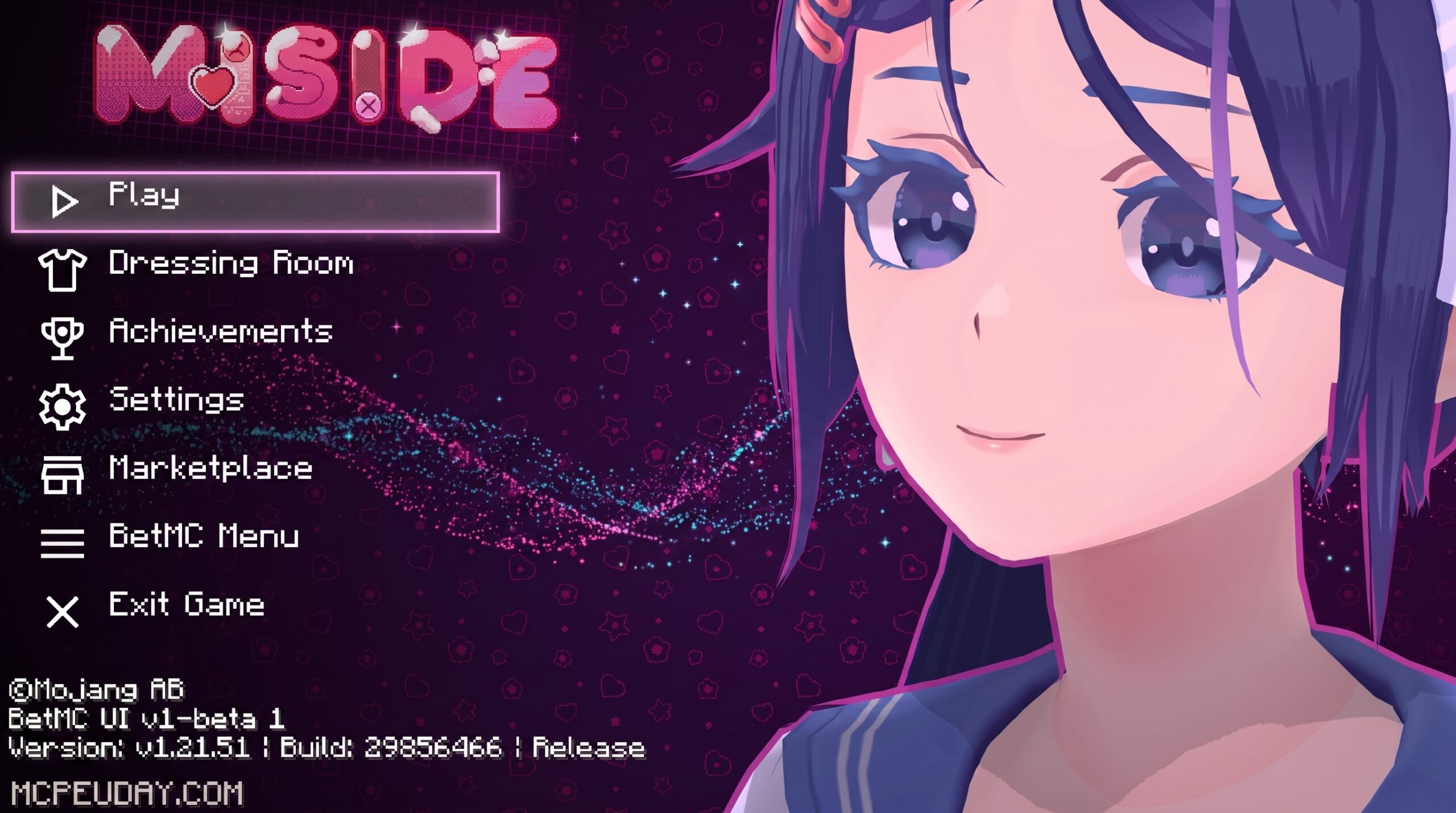
The Mita UI Pack: What Every Minecraft Bedrock Player Should Know
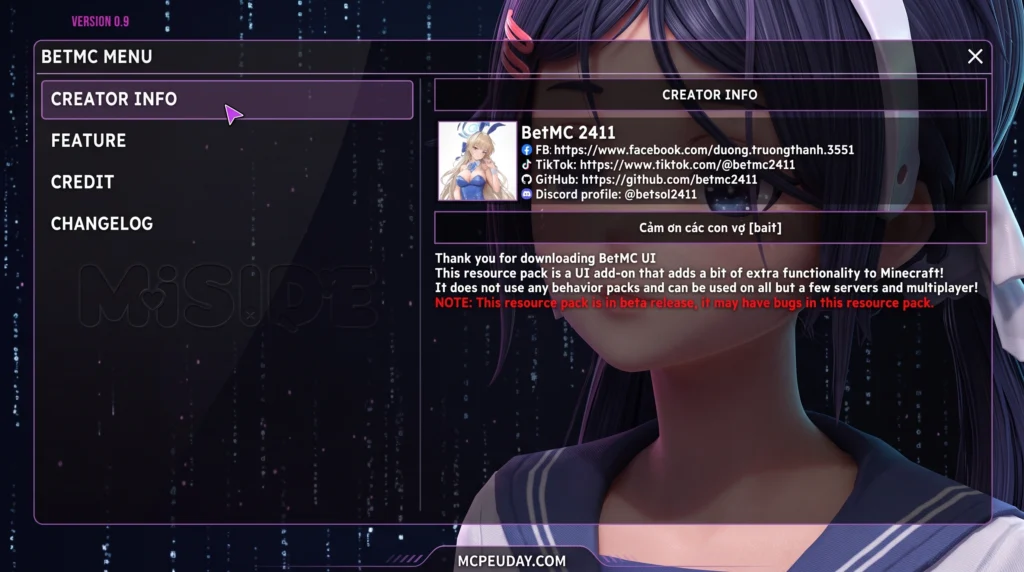
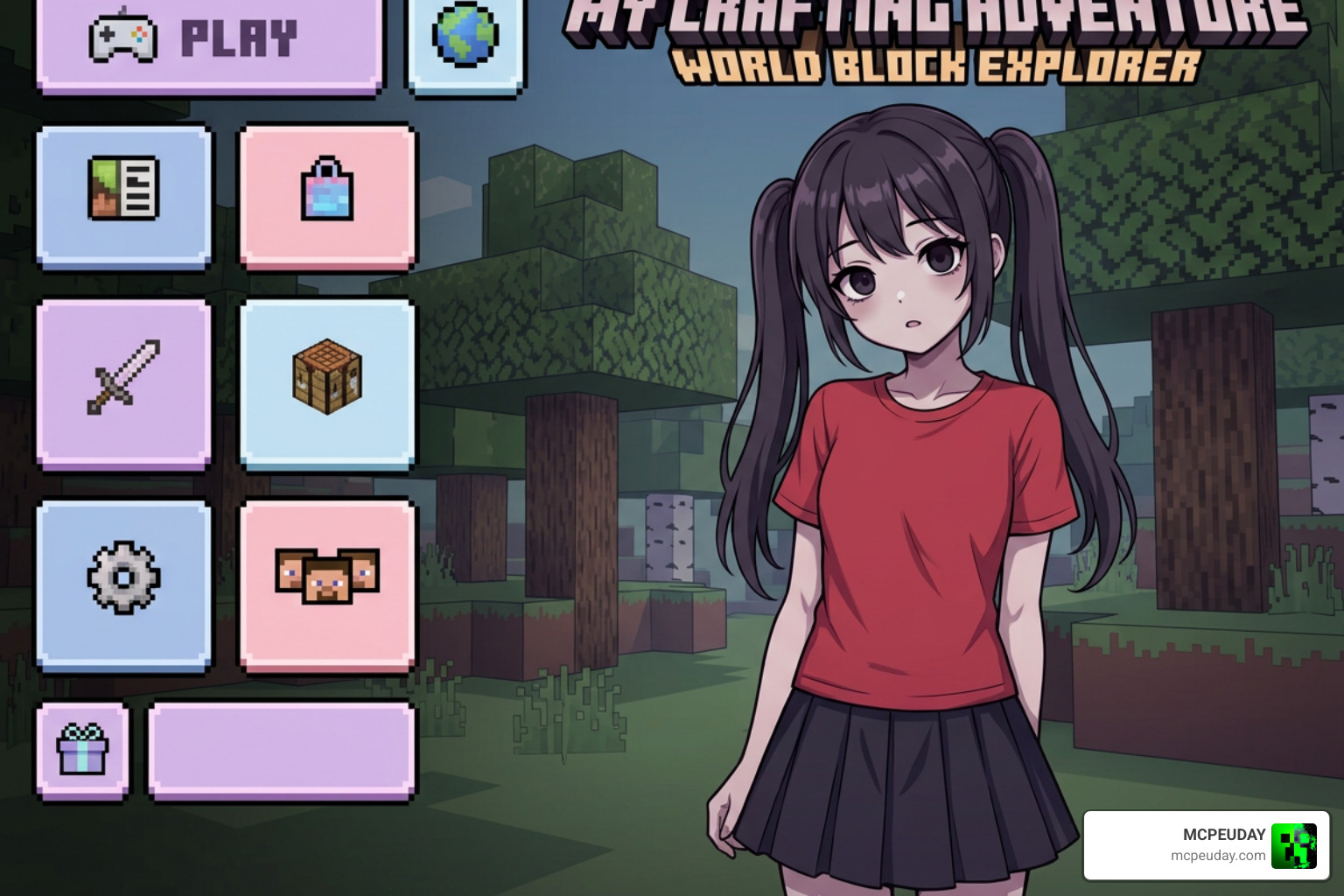
The Mita UI Pack is a texture pack for Minecraft Bedrock Edition (MCPE) that completely replaces the default game interface with a visual style inspired by the horror-narrative game MiSide.
Quick answer for what it does:
- Replaces menus, toolbars, and background screens with MiSide-themed visuals
- Adds animated character elements (including a blinking anime-style character on certain screens)
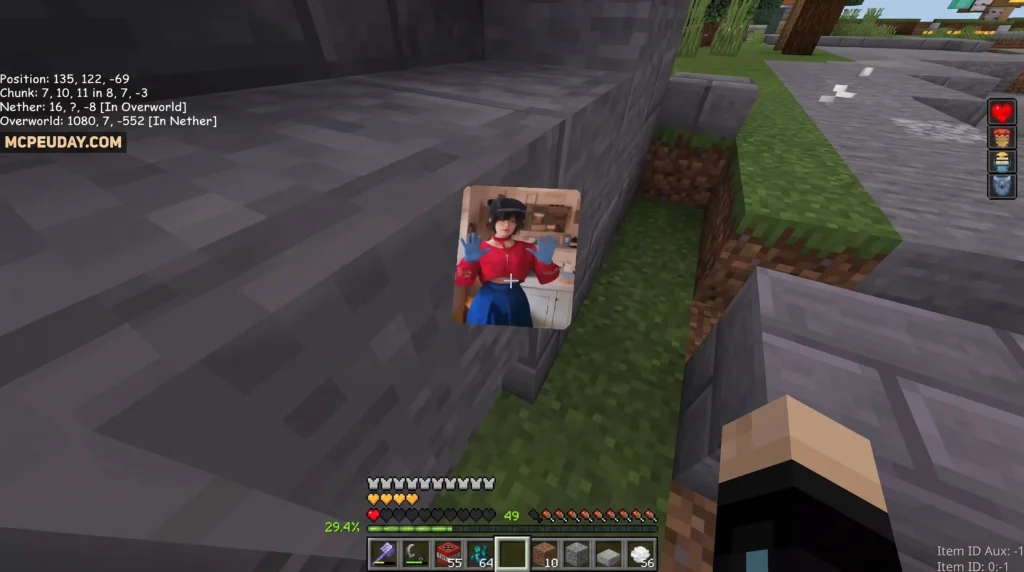
- Displays survival info and player location on the main HUD
- Compatible with Minecraft Bedrock/MCPE version 1.21 and up to 1.26
- Distributed as a
.mcpackfile — easy to install on mobile and other Bedrock platforms - May require Experimental Settings to be turned on to work correctly
If you’ve played MiSide — or even just seen it online — you already know the unsettling, cute-but-creepy aesthetic it’s built around. This pack brings that same look and feel directly into your Minecraft world, turning every menu screen into something that feels pulled straight from the game.
It’s one of the more unique UI overhauls available for Bedrock right now. With over 8,600 downloads and ratings averaging around 4 out of 5, it’s clearly struck a chord with players who want something different from the default blocky menus.
Below, we’ll cover everything: what changes, which versions are supported, how to install it, and where to get it safely.
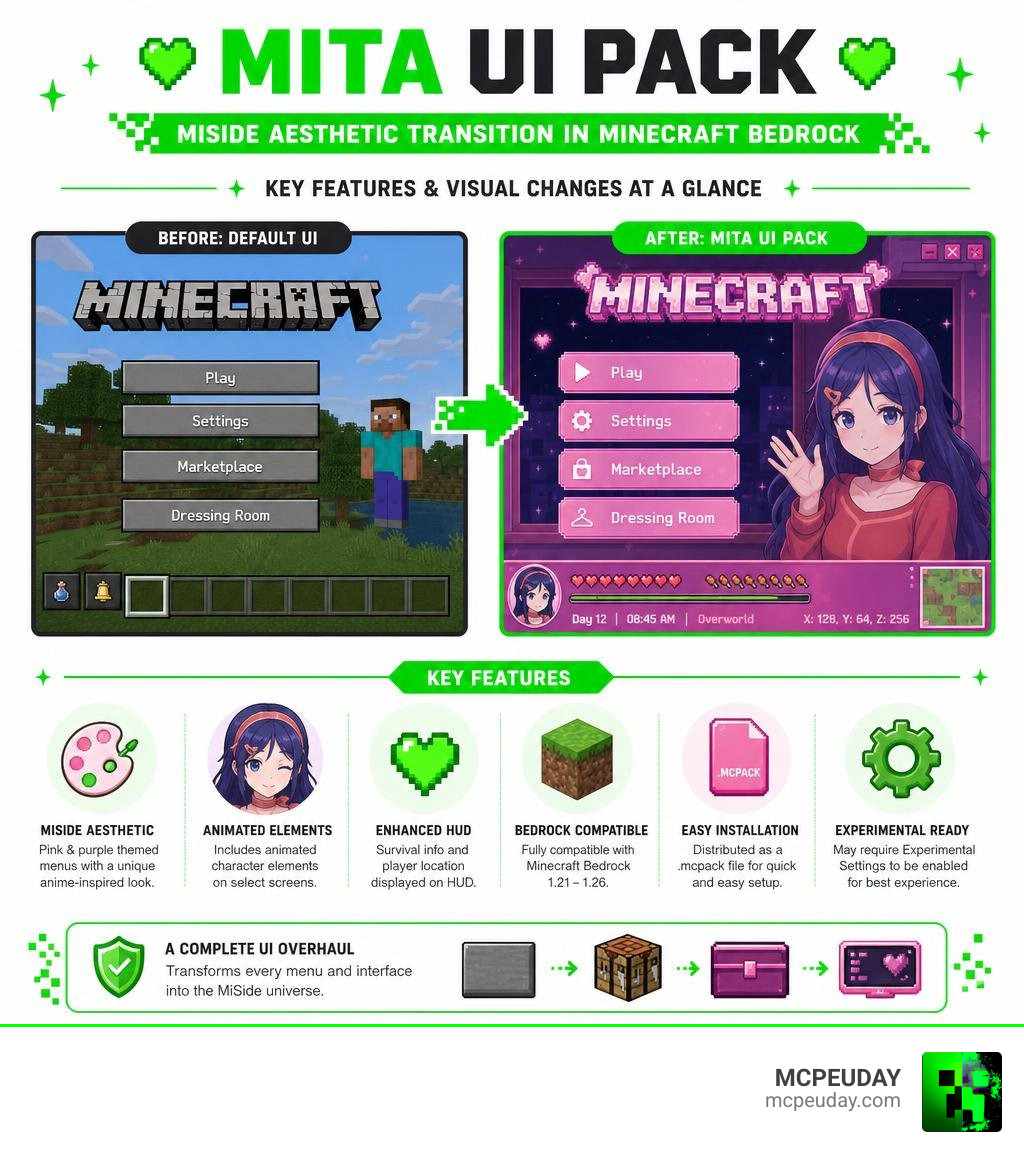
What is the Mita UI Pack?
We love a good interface transformation, and the Mita UI Pack is one of the most stylized options we have ever seen for Minecraft Bedrock Edition. This resource pack is directly inspired by MiSide, an indie horror-simulation game where players interact with an anime character named Mita. In the original game, players spend 37 days talking to and playing mini-games with Mita before the story takes a sudden, reality-bending twist and she expresses a strong desire to meet you in person.
The resource pack brings this exact atmosphere to Minecraft. It strips away the classic, dark gray stone buttons of the default Minecraft GUI and replaces them with sleek, modern, and slightly eerie pastel anime-themed menus. It is a fantastic option if you are a fan of custom aesthetic overhauls, similar to what you might find in our Anime Girl UI Pack or the highly detailed Deesse UI Pack.
For players who enjoy creating offline media or custom artwork around this character, there is even a Mita – MiSide Model Pack on Civitai that fans use to generate high-quality 3D-style renders of Mita in her classic red shirt, pleated skirt, and low twintails. The Mita UI Pack brings that exact character model and visual vibe directly into your pocket-sized Minecraft client.
Mita UI Pack Versions and Compatibility
When looking for this pack, you will likely come across a few different names and versions. The main release is the Mita UI Rework Pack (26.x, 1.21) for MCPE/Bedrock, which has been fully updated to support modern Bedrock versions.
There are also community-driven projects, such as the BetMC UI Remake Mita Version. This specific remake is hosted on community repositories and features minor layout adjustments to optimize button placement for mobile players. Whether you choose the base rework pack or a community variant, they are all designed to support MCPE version 1.21 and run smoothly on releases up to Bedrock 1.26.
Key Visual and Functional Changes
The Mita UI Pack does not just slap a static wallpaper behind your settings menu. It completely reimagines how you navigate the game. If you have ever used the Animated RGB GUI Pack or the Java Desktop UI Pack, you know how much a dynamic interface can change the overall game feel.
To give you an idea of what to expect, we have put together a quick comparison:
| Feature | Default Minecraft Bedrock UI | Mita UI Pack |
|---|---|---|
| Main Menu Background | Rotating 3D panorama of the game world | Custom animated MiSide background featuring Mita |
| Buttons & Icons | Classic gray pixelated buttons | Minimalist, modern, and clean pink/pastel icons |
| HUD Additions | Standard health, hunger, and hotbar | Custom location display and survival coordinates in the lower right corner |
| Loading Screens | Plain black screen with a green loading bar | Blinking character animations and themed screens |
| Settings Layout | Standard vertical scroll list | Clean, compact overlay panels |
Visual Elements of the Mita UI Pack
The standout feature of this pack is the custom animation. The main menu and the loading screens feature a beautifully animated version of Mita who blinks and subtly reacts as you click through options. The toolbar icons, settings panels, and in-game notifications are all redesigned with a pink-and-white color palette that perfectly mimics the MiSide game menus.
If you love this style of animated, character-driven interfaces, you should also check out our Waguri Live Anime UI Pack 26 X 1 21 Mcpe Bedrock Texture Pack, which offers a similar level of high-quality animation for anime fans.
Functional Features of the Mita UI Pack
Beyond the lovely visual coat of paint, the pack introduces several functional HUD upgrades. When you are in-game, you will notice a clean coordinate and location tracker neatly tucked into the bottom-right corner of your screen. This is incredibly helpful for survival players who do not want a giant debug screen cluttering their view.
The settings menu has also been streamlined to make toggling options much faster on touchscreens. If you enjoy clean settings layouts, this pack works beautifully alongside utility overlays like The Ty Els Settings Overlay UI Pack.
How to Install and Activate the Pack
Getting the Mita UI Pack up and running on your device is a quick and simple process. Because Bedrock Edition uses the convenient .mcpack format, you do not need to mess around with complicated file extractors.
Here is our step-by-step guide to installing the pack on mobile (Android/iOS) and other Bedrock platforms:
- Download the File: Grab the official
.mcpackfile from a trusted source. - Import to Minecraft: Locate the downloaded file on your device and tap on it. Your device should automatically give you the option to open the file with Minecraft. Once selected, the game will launch and you will see an “Import Started” notification at the top of your screen.
- Activate the Resource Pack: From the main menu, go to Settings > Global Resources > My Packs. Find the Mita UI Pack, click on it, and tap Activate.
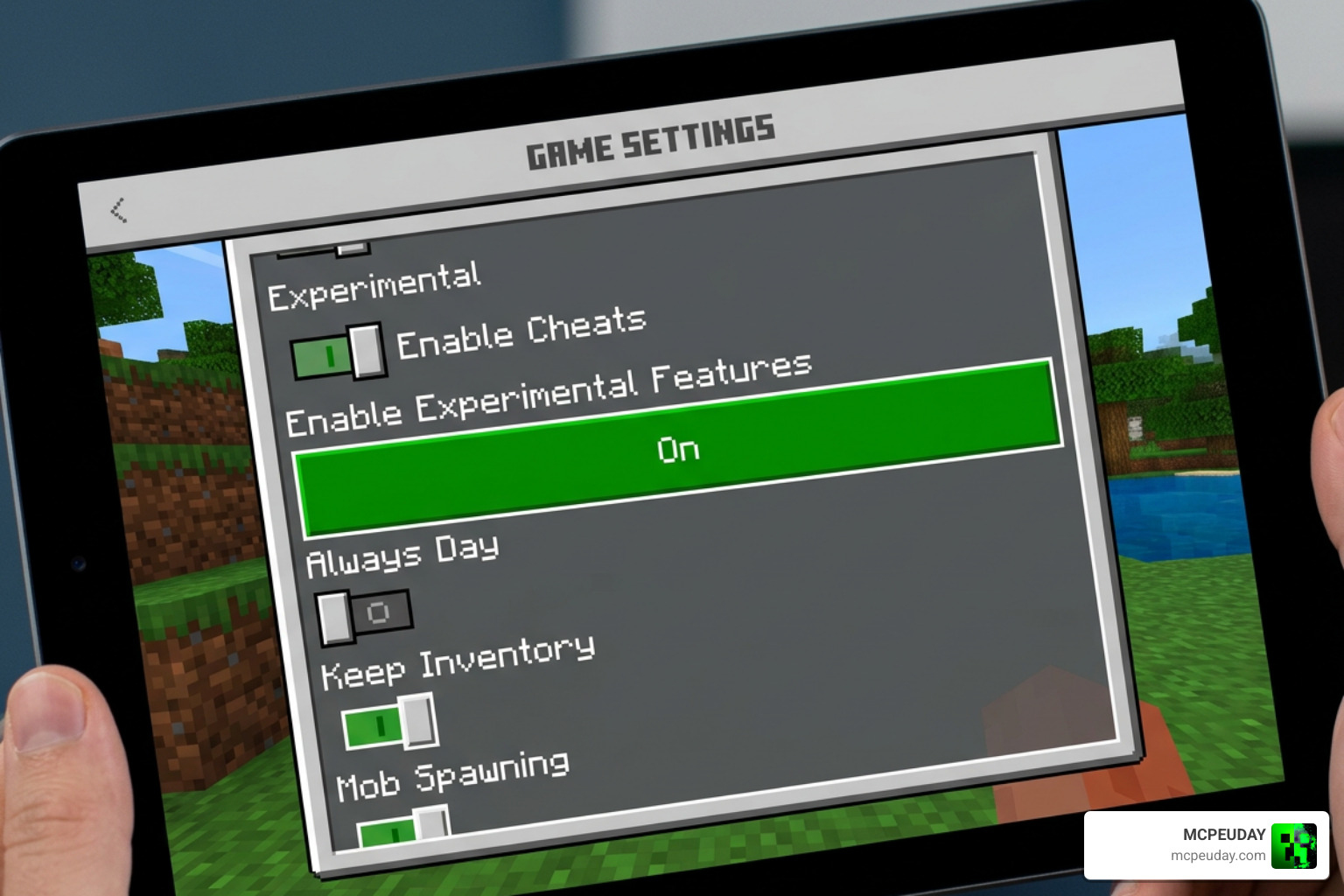
- Turn on Experimental Settings (Highly Recommended): For some custom UI elements and animations to render properly, you may need to enable experimental features in your world settings.
If you are looking for more options to customize your game’s look, browse through our extensive Category UI Pack section.
Frequently Asked Questions about Mita UI
We know that installing custom interfaces can sometimes raise a few questions. Here are the answers to the most common queries we get from the community.
Does the pack work on public servers?
Yes! Because the Mita UI Pack is a client-side resource pack, it only changes how the game looks on your screen. You can safely join any public Bedrock multiplayer server or Realm without worrying about compatibility issues or getting kicked by anti-cheat systems.
Why is the Mita UI not loading correctly?
If the custom menus look broken or show default textures, make sure you have moved the pack to the very top of your active resource packs list in Global Resources. If that does not fix it, try turning on Experimental Settings in your game options, as certain custom UI rendering features rely on these toggles.
Where can I safely download the pack?
To keep your device safe from malicious files or fake downloads, always get your files from trusted community platforms or directly through our verified links here at MCPEUDAY. Avoid sketchy third-party sites that require you to download suspicious executables or bypass multiple ad-walls.
Conclusion
The Mita UI Pack is a brilliant example of how creative the Minecraft Bedrock community can be. By blending the cute and slightly unsettling aesthetic of MiSide with the blocky world of Minecraft, it offers a completely fresh way to experience your daily survival adventures.
Whether you are a massive fan of the original horror game or just want a sleek, animated anime interface to replace the aging default Bedrock menus, this pack is absolutely worth a spot in your active resources.
Once you have installed the Mita UI, why stop there? Explore more Minecraft Mod Addons on our site to find the perfect shaders, gameplay mods, and custom worlds to build your ultimate gaming setup!