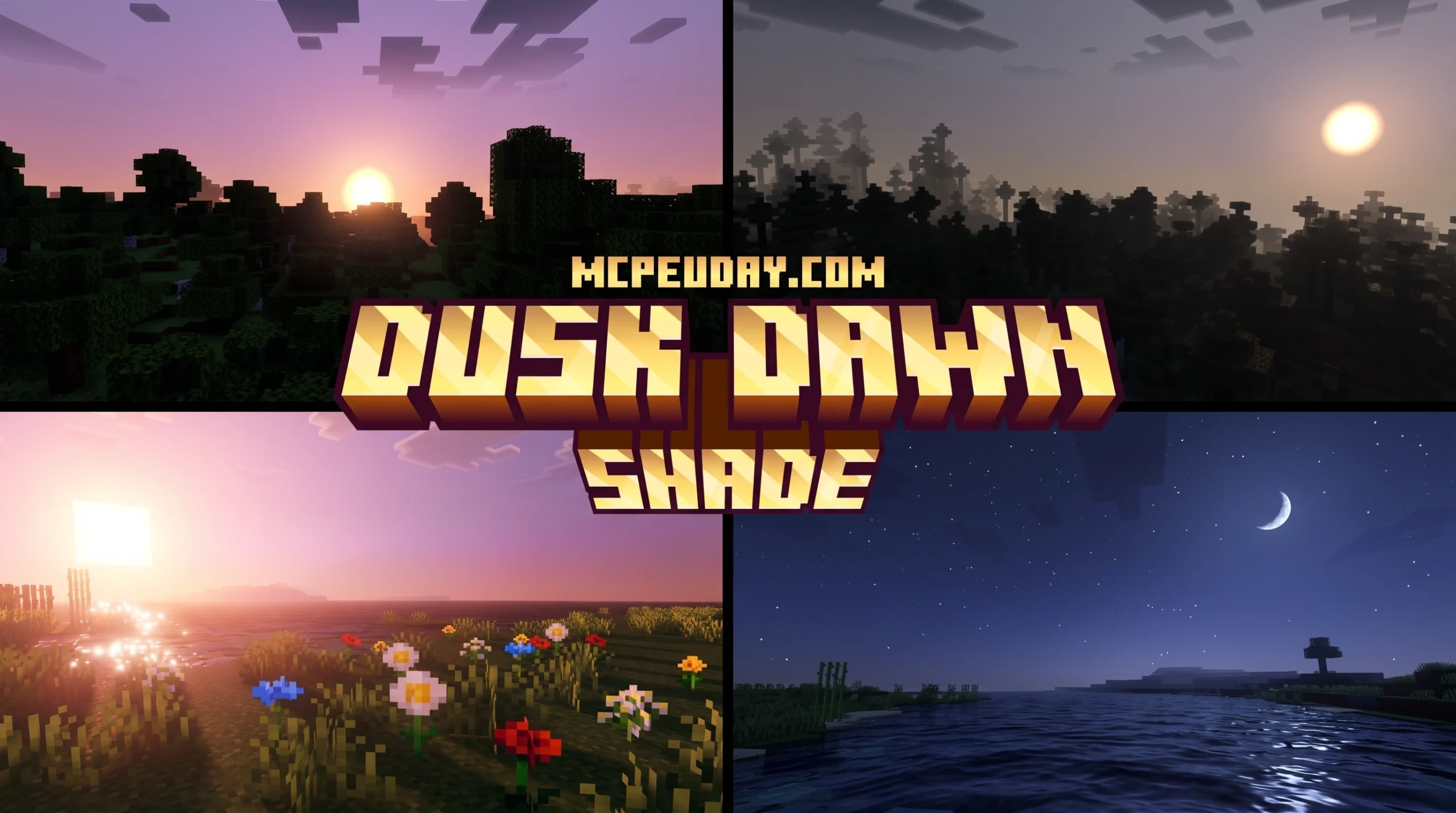
The Minecraft Shader That Makes Sunrises Actually Beautiful
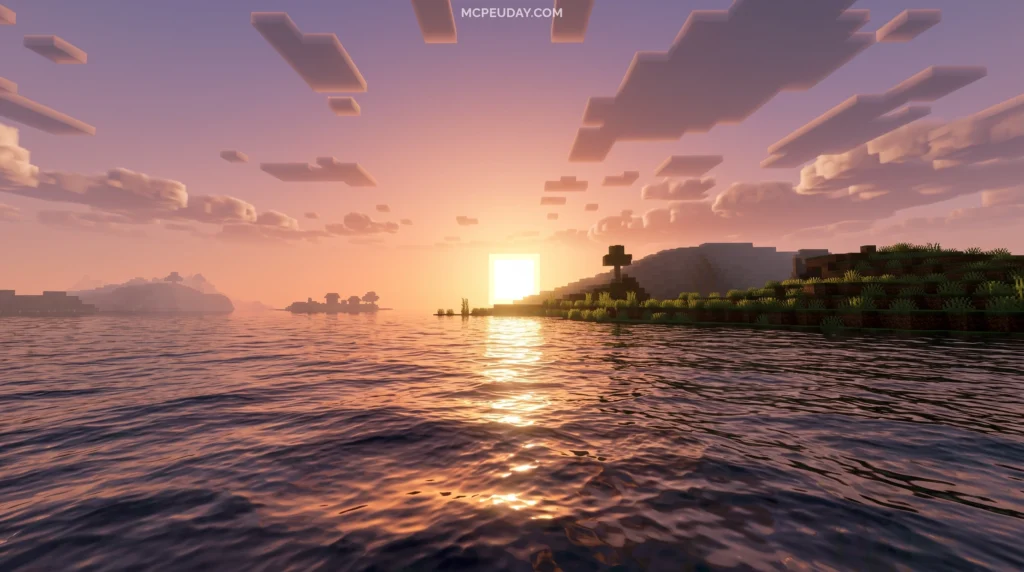
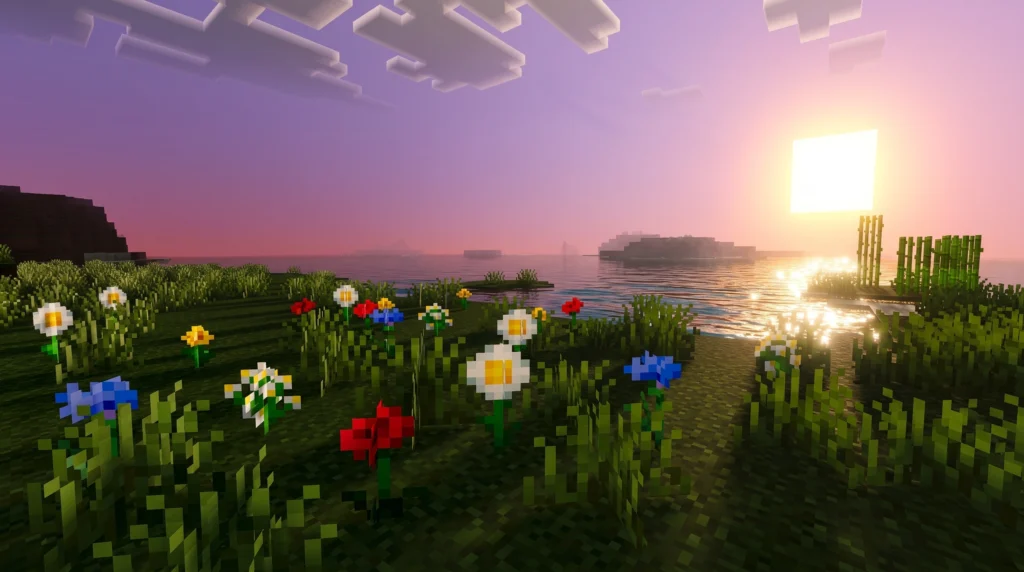
The Dusk Dawn Shader is a lightweight shader pack for Minecraft PE and Bedrock Edition that transforms how the game looks during sunrise and sunset — adding golden glows, color-banded skies, subtle shadows, and realistic water reflections.
Quick answer for what you need to know:
- What it is: A shader/texture pack for Minecraft PE (Bedrock Edition)
- Best version: Dusk Dawn Shade 1.7 (278.09 KB — very small file size)
- Compatible with: Bedrock 1.21 / MCPE v26.x
- Key effects: Enhanced sunlight, soft shadows, water reflections, dawn and dusk color transitions
- Downloads: 37.3k downloads and counting
- Where to get it: Download the
.mcpackfile and import it directly into Minecraft PE
If you play Minecraft PE, you already know the default lighting feels flat. Sunrises look the same as midday. Sunsets have no drama. The world just… switches from light to dark. This sudden jump breaks immersion, especially when you are building beautiful structures or exploring vast landscapes. You miss out on the natural beauty of a transitioning sky, which is one of the most relaxing aspects of survival gameplay.
That’s exactly what this shader fixes. It bridges the gap between blocky simplicity and atmospheric realism.
With over 37,000 downloads since its March 2026 release, the Dusk Dawn Shader has quietly become one of the most popular lightweight shaders for mobile Bedrock players who want better visuals without killing their device’s performance. It proves that you do not need a high-end gaming rig to enjoy breathtaking views in your favorite sandbox game.
Below, we break down everything — what it does, how it looks, how to install it, and whether it’s right for your setup.
What is the Dusk Dawn Shader?
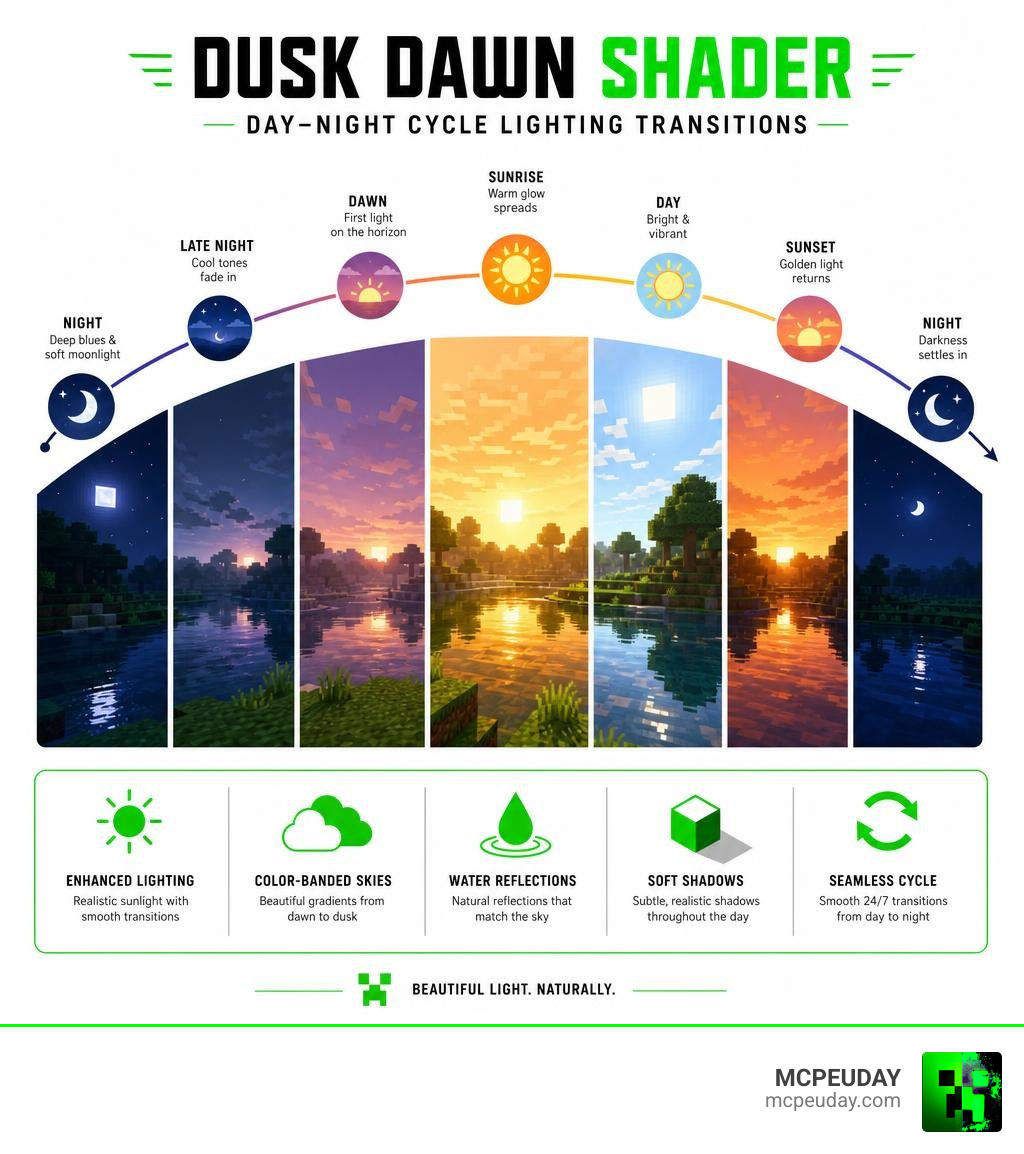
At its core, the Dusk Dawn Shader is a visual enhancement pack designed specifically to master transitional lighting. Instead of the default sudden jump from daytime blue to night-time black, this pack introduces high-quality color bands across the skybox.
As the sun begins to set, you will notice a warm, golden glow spreading across the horizon. This glow gradually blends into deep oranges, soft pinks, and rich purples before settling into the night. It mimics real-world atmospheric scattering, ensuring that your transitions feel incredibly organic. This gradual shift makes in-game time feel more continuous and alive, giving you a true sense of the passing day.
Unlike heavy shader engines used in game development — such as the cross-platform compiler kaltinril/ShadowDusk or the Unity-based DawnShader G2 and N5 Update | VFX Shaders | Unity Asset Store — the Dusk Dawn Shader is built natively to work within the constraints of Minecraft Bedrock’s rendering engine. Since Mojang introduced the RenderDragon engine, many traditional shaders stopped working entirely. This pack bypasses those limitations by utilizing clever texture manipulation and lightweight code to simulate advanced shader effects without requiring heavy GPU power. It gives you the stunning aesthetics of a high-end shader pack while maintaining the lightweight performance of a standard texture pack.
Key Visual Features and Effects
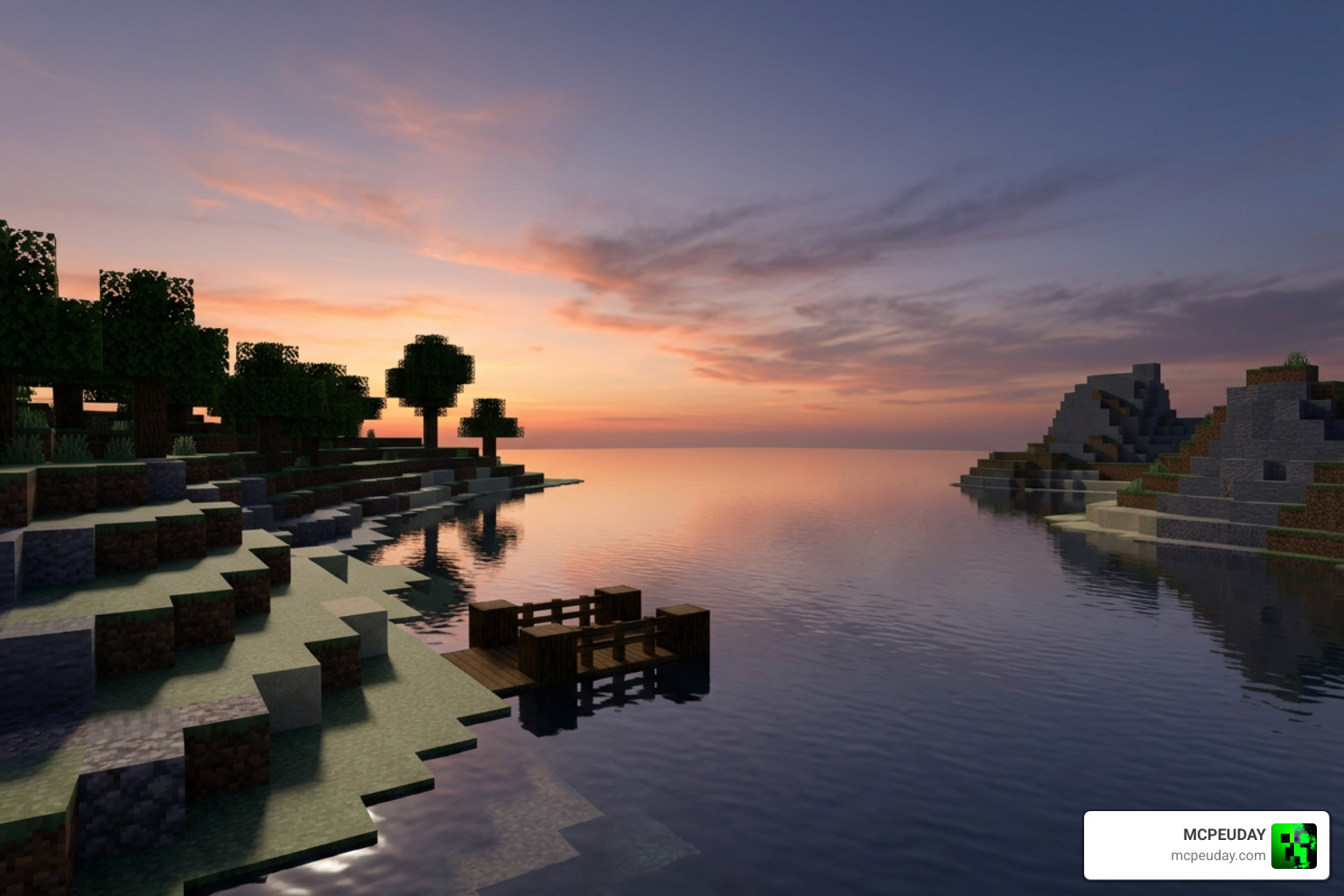
What makes this shader stand out is how it handles light interaction with the environment. Instead of aiming for hyper-realism, which can often look out of place in Minecraft’s blocky world, it focuses on a semi-realistic, fantasy-like atmosphere. Let’s look at the main visual upgrades you will experience:
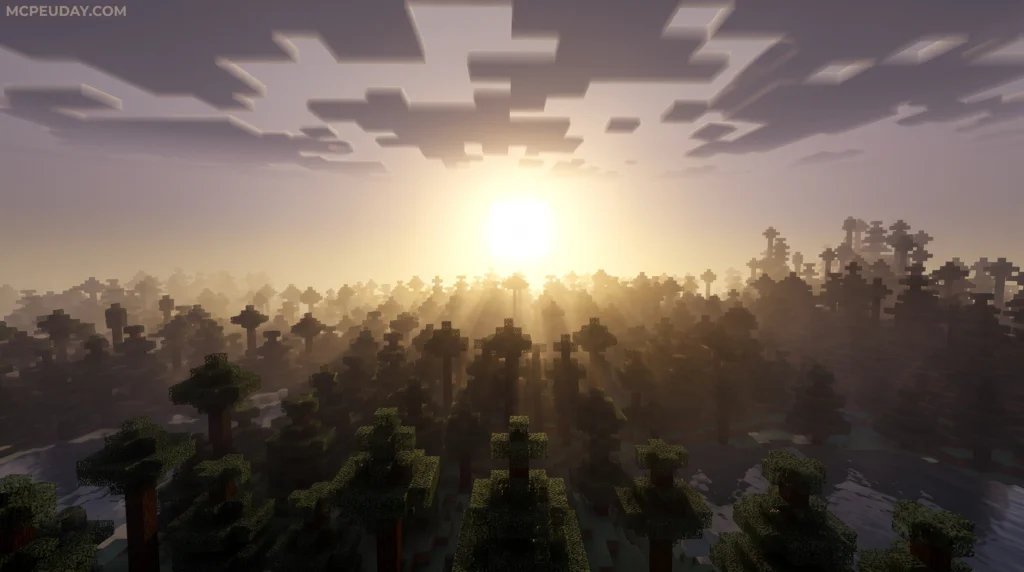
- Enhanced Sunlight: Sunbeams filter through leaves and structures with a soft, warm tint. The direction of the light changes realistically as the sun moves across the sky, casting long, dramatic shadows during the early morning and late afternoon.
- Subtle Shadows: Instead of pitch-black blocks that make cave exploration impossible, this shader adds soft, ambient occlusion-style shadows. This gives depth to your builds, highlighting corners and crevices without ruining visibility or forcing you to place torches everywhere.
- Water Reflections: Water is no longer a solid blue block. It features real-time sky reflections, shimmering dynamically under the golden rays of dawn and dusk. The surface ripples gently, making oceans and lakes feel fluid and alive.
- Atmospheric Fog: A light, color-matched fog settles over distant mountains, creating a sense of scale and realism. This fog changes color depending on the time of day, blending perfectly with the skybox to hide the game’s render limits naturally.
To see how it compares to standard vanilla lighting and other popular choices like the Newb X Dawn Shader, we have put together a quick comparison table:
| Visual Feature | Vanilla Minecraft PE | Dusk Dawn Shader |
|---|---|---|
| Sky Transitions | Sudden, flat color changes | Smooth gradient color bands |
| Sunlight Quality | Harsh, static white light | Warm golden glow with dynamic angles |
| Water Visuals | Flat, semi-transparent blue | Dynamic ripples and sky reflections |
| Shadows | None (block-based lighting only) | Soft, realistic ambient shadows |
| Performance Impact | None | Extremely low (perfect for mobile) |
If you are looking for other ways to upgrade your game’s graphics, make sure to check out our list of the Top 5 Best Realistic Shaders for MCPE to find the perfect fit for your device.
Compatibility and Performance Requirements
One of the biggest hurdles for mobile players is finding a shader that does not turn their phone into a pocket heater. Thankfully, performance is where this shader truly shines. Many players avoid graphics packs because they cause severe frame rate drops, battery drain, and thermal throttling during long gaming sessions.
While some heavy-duty packs require high-end PCs or specialized graphics cards, this pack is incredibly well-optimized. The file size for the latest 1.7 version is a tiny 278.09 KB. To put that into perspective, other sky-altering packs like the Dynamic Skies Dawn and Dusk Edition can exceed 9.92 MB, and Unity asset packages like the DawnShader for nonG2 Update | VFX Shaders | Unity Asset Store sit at over 20 MB.
Because it is so lightweight, you can easily run it on budget Android and iOS devices without experiencing any lag. It is fully compatible with Minecraft Bedrock 1.21 (including version 26.x). Whether you are playing on an older tablet or a modern smartphone, you can expect a stable 60 FPS. If you are looking to download more performance-friendly options, head over to our Minecraft Shaders Download for Android hub.
How to Install the Dusk Dawn Shader on Minecraft PE
Installing custom graphics packs on mobile devices can sometimes feel tricky, but the process is actually very straightforward.

Follow our simple step-by-step guide to get up and running:
- Download the Pack: Get the latest version of the shader (look for the
.mcpackfile format). - Open the File: Tap on the downloaded
.mcpackfile on your mobile device. Your phone should automatically give you the option to open it using Minecraft. - Wait for Import: Minecraft will launch and show a message at the top of the screen saying “Import Started” followed by “Successfully Imported”.
- Activate the Shader:
- Go to the main menu and select Settings.
- Scroll down to Global Resources.
- Under My Packs, locate the shader and click Activate.
- Load Your World: Enter any of your worlds and enjoy the beautiful new lighting!
Troubleshooting Common Installation Issues
If you encounter an error where the file opens as a text document instead of launching Minecraft, you may need to use a third-party file manager app. Locate the downloaded file in your “Downloads” folder, long-press it, and select “Open with” then choose Minecraft. If the file ends in .zip, rename it to remove the .zip extension so it ends strictly in .mcpack.
For a more detailed breakdown of this process across different operating systems, check out our comprehensive How to Turn On Shaders in Minecraft 2026 Guide.
Frequently Asked Questions about Dusk Dawn Shader
Is the Dusk Dawn Shader compatible with Minecraft Bedrock 1.21?
Yes! The shader has been fully updated and optimized for Bedrock Edition 1.21 and MCPE v26.x. It runs perfectly on mobile devices, tablets, and Windows 10/11 Bedrock setups. You do not need to worry about compatibility issues or game crashes when updating your game to the latest version.
How does the Dusk Dawn Shader affect game performance?
Because the shader is incredibly lightweight (only 278.09 KB), the performance impact is virtually unnoticeable. Unlike heavier packs featured in our 15 Best Minecraft PE Shaders June 2026 list, this pack does not cause frame rate drops on most modern mobile devices. It is designed specifically to keep your device running cool while delivering beautiful visuals.
Where can I download the latest version of the shader?
You can find the official, safe download link directly on our dedicated Dusk Dawn Shader download page here at MCPEUDAY. Always make sure to download from trusted sources to avoid corrupted files, malware, or outdated versions that might crash your game.
Conclusion
If you want to breathe new life into your Minecraft worlds without dealing with lag, the Dusk Dawn Shader is an absolute must-have. Its ability to create breathtaking sunrises and sunsets while keeping your game running at a smooth 60 FPS makes it one of the best lightweight packs available in July 2026. Whether you are building a cozy cabin, exploring deep oceans, or just traveling across the biome, watching the sunset with this shader active is an experience you won’t want to miss.
It represents the perfect balance between performance and visual quality, proving that mobile players do not have to compromise on aesthetics.
For more incredible graphics upgrades, texture packs, and gameplay mods, explore our dedicated Category Shaders section here at MCPEUDAY!