What the Colorful Visuals Shader Does for Your Minecraft World
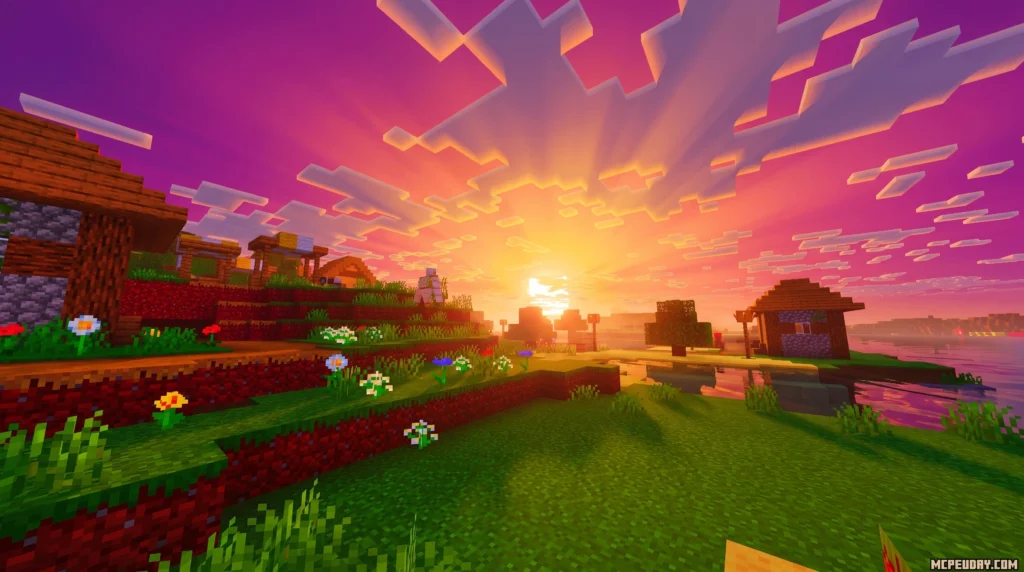
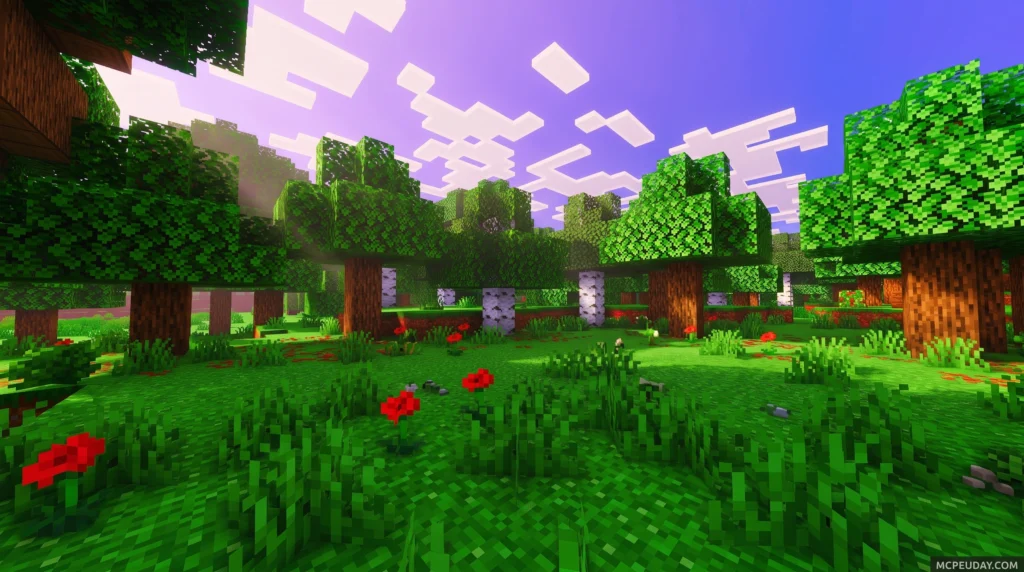
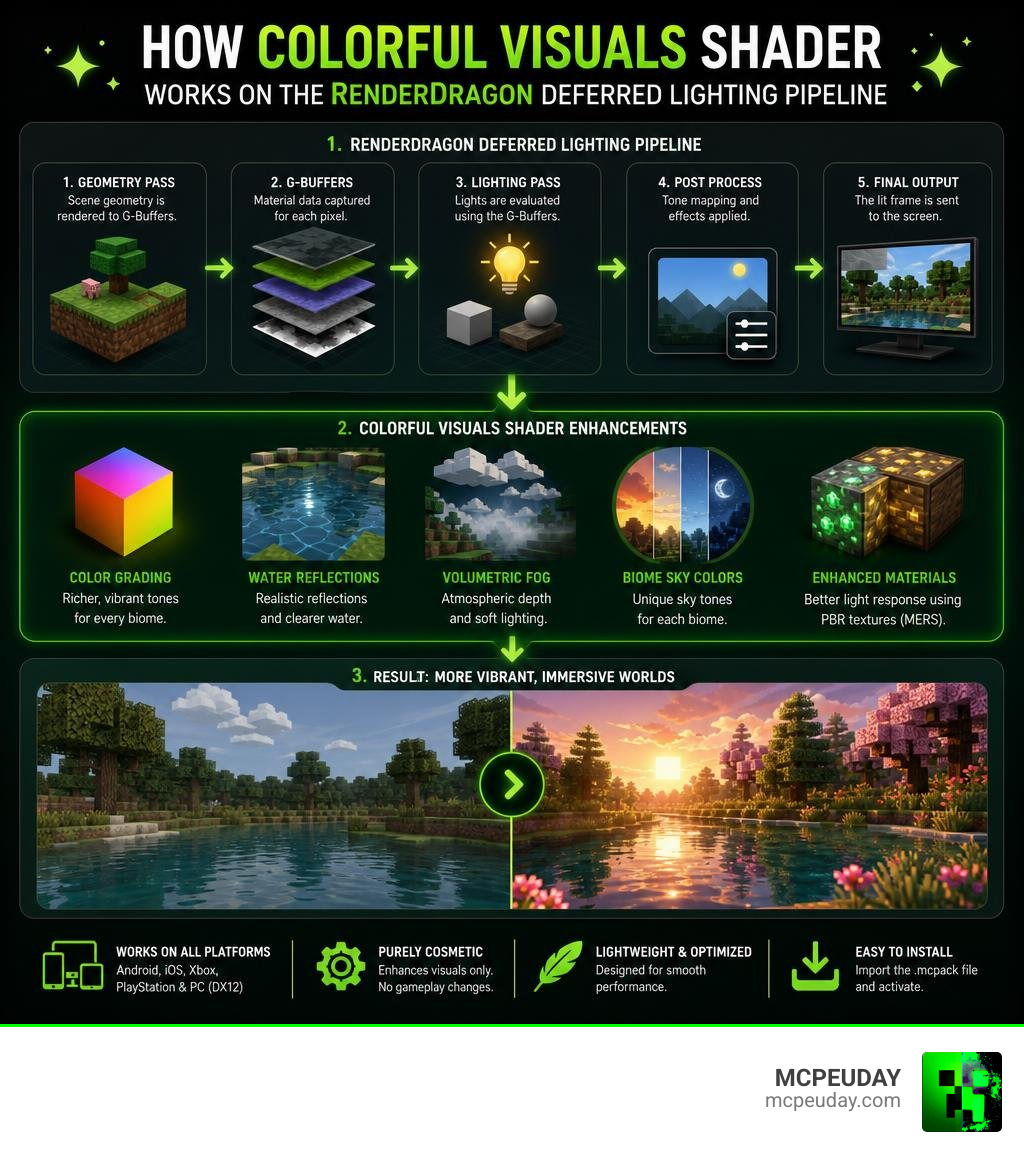
The Colorful Visuals Shader is a community-made resource pack for Minecraft Bedrock Edition that enhances the game’s visuals with vibrant colors, improved lighting, and atmospheric effects — all built on top of Mojang’s official Vibrant Visuals graphics pipeline.
Quick answer:
- It works with Minecraft’s native deferred lighting system (no RTX hardware needed)
- It adds richer color grading, water reflections, volumetric fog, and biome-specific sky colors
- It runs on Android, iOS, Xbox, PlayStation, and PC (DX12)
- It is purely cosmetic — no gameplay mechanics are changed
- Installation is simple: download the
.mcpackfile, import it, and activate it in Global Resources
Minecraft’s graphics have come a long way. With the arrival of Vibrant Visuals — Mojang’s biggest official visual upgrade for Bedrock Edition — the door opened for community shaders to push things even further.
The Colorful Visuals Shader takes that foundation and leans into vivid, lively aesthetics. Think swamps with moody sky tones, cherry blossom forests bathed in soft pink light, and coral bays where the water actually looks like water.
It’s not trying to be hyper-realistic. It’s going for beautiful and bold — and for a lot of players, that’s exactly what Minecraft needs.
Whether you’re building, exploring, or just making screenshots worth sharing, this shader changes how your world feels to play in.
What is the Colorful Visuals Shader?
The Colorful Visuals Shader is a customized PBR (Physically Based Rendering) resource pack designed specifically for Minecraft’s native RenderDragon engine. Rather than replacing the game’s rendering pipeline, it acts as a fine-tuning utility that sits on top of Mojang’s official Vibrant Visuals – Minecraft system.
By leveraging deferred lighting, this pack introduces advanced graphical features without requiring a high-end RTX graphics card. It utilizes MERS (Metalness, Emissive, Roughness, Subsurface scattering) texture maps to define how light interacts with individual blocks. For instance, metallic blocks like copper will realistically reflect light, while rough surfaces like wood remain matte.
If you are familiar with other popular community creations like the Chromatic Visuals Shader or the standard Vibrant Visuals Shader, you will feel right at home. The Colorful Visuals Shader occupies a sweet spot, focusing on vibrant saturation and artistic color grading rather than absolute photorealism.
Key Features of the Colorful Visuals Shader
When you load into a world with this pack active, the changes are immediate and breathtaking. The shader introduces several key atmospheric enhancements:
- Volumetric Fog & Atmospheric Scattering: Fog behaves realistically, filtering light rays through trees and changing color dynamically based on the time of day and the biome you are in.
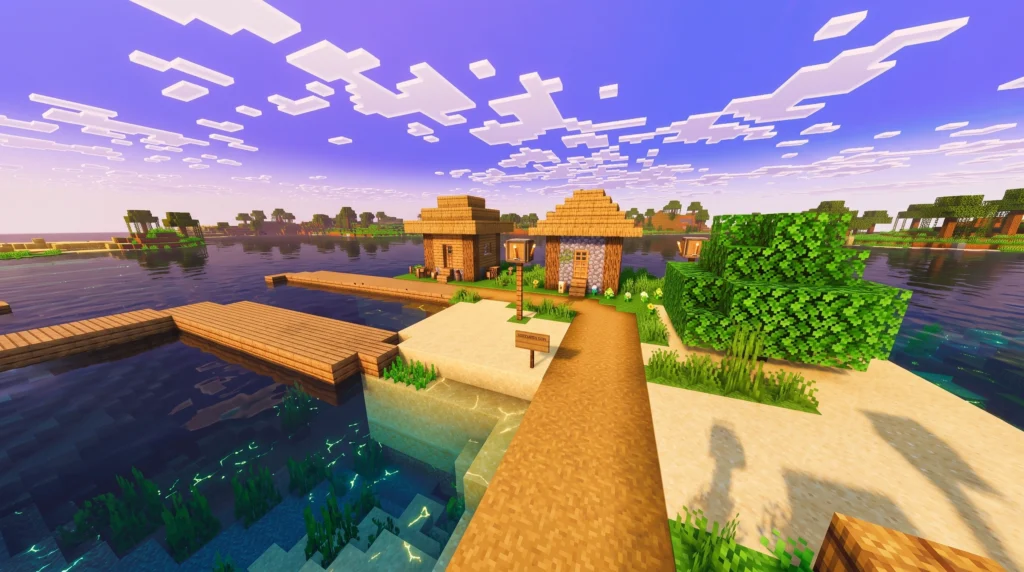
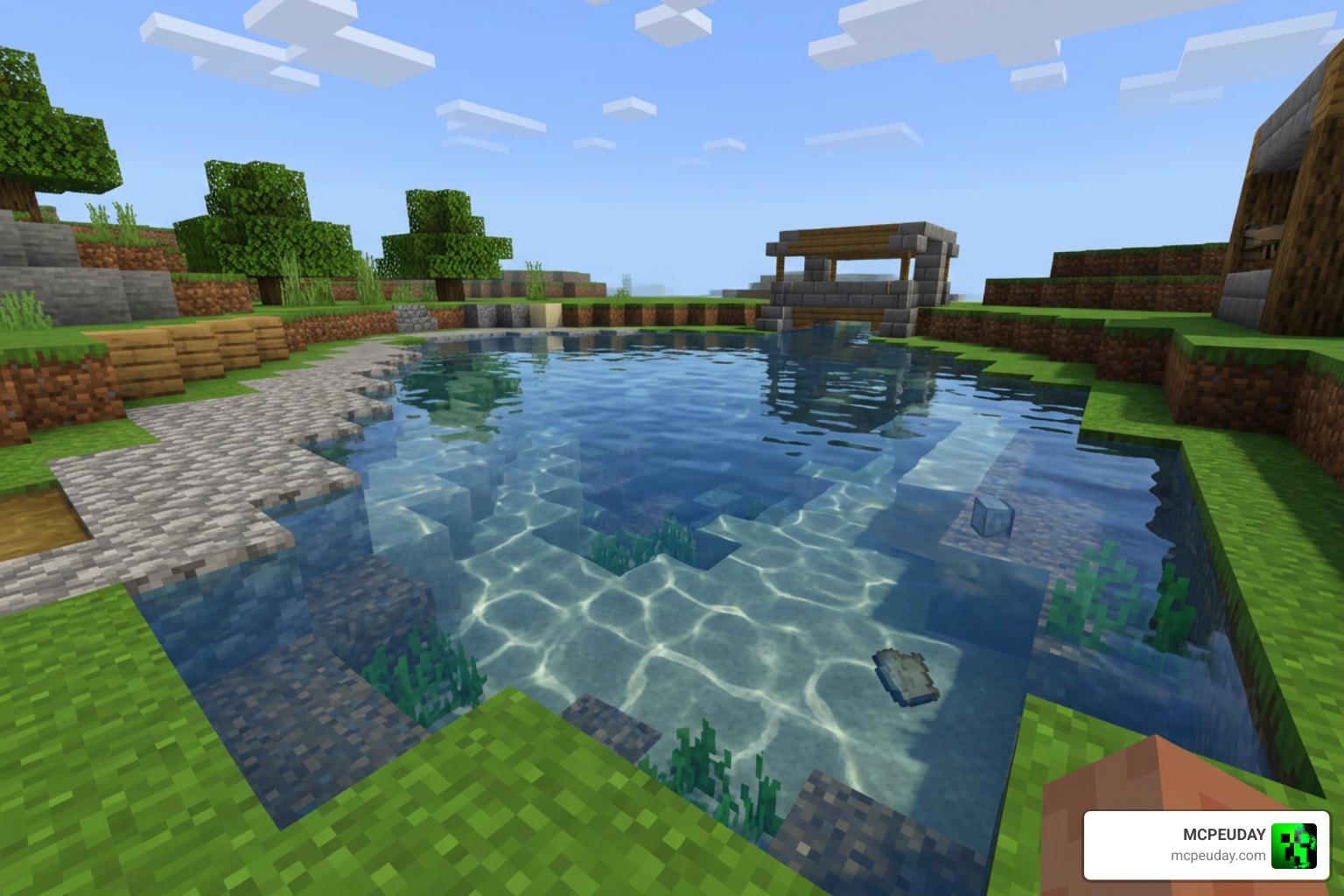
- Water Reflections & Caustics: Water is rendered as fully transparent with real-time screen space reflections (SSR) and beautiful underwater caustics.
- Custom Color Grading: The shader tweaks the color temperature of individual environments. Cold biomes feel freezing and crisp, while deserts and jungles glow with warm, rich tones. It is almost like looking through the famous 40+ Colored Glass Windows Of Hawa Mahal Stock Photos … in Jaipur, India, right inside your game!
For players who love this stylized approach, the pack shares many visual elements with the Chromatic Visuals Rewrite Shader and the Dreamy Vibrant Visuals Shader, both of which prioritize dreamlike, saturated environments.
Official Vibrant Visuals vs. Colorful Visuals Shader
While the official Vibrant Visuals mode provides a fantastic, vanilla-friendly graphics upgrade, it can sometimes feel a bit conservative. The Colorful Visuals Shader steps in to offer a more stylized, cartoonish look with highly customized sky colors and enhanced block glowing effects.
| Feature | Official Vibrant Visuals | Colorful Visuals Shader |
|---|---|---|
| Art Direction | Vanilla-friendly, realistic lighting | Saturated, vivid, cartoonish & bold |
| Sky Colors | Standard dynamic transitions | Custom biome-specific gradients (e.g., pink cherry groves) |
| Emissive Blocks | Standard glowing textures | Enhanced, highly vibrant emissive maps |
| Performance | Balanced for all compatible devices | Highly customizable (presets for performance/visuals) |
Compatibility and Hardware Requirements
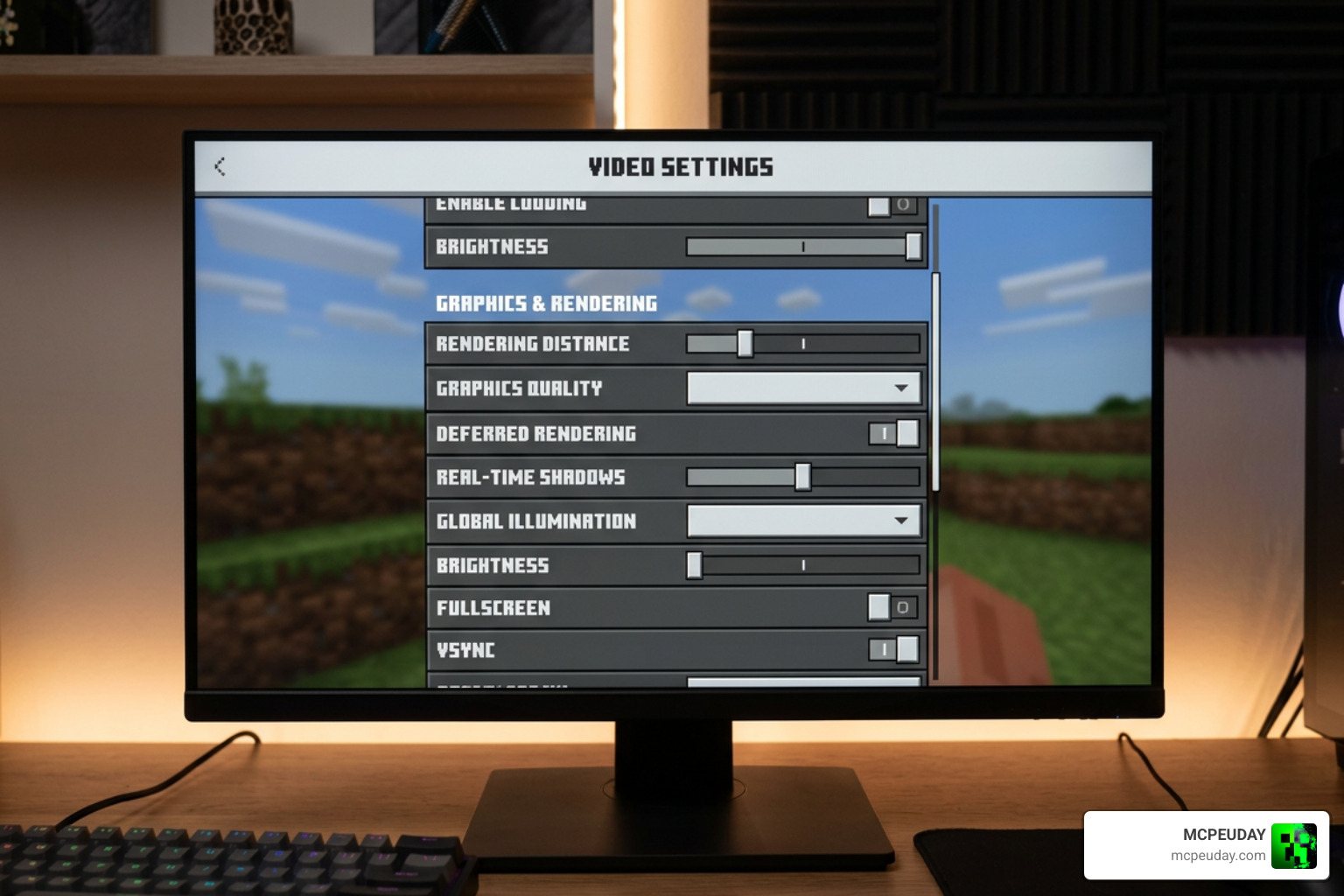
Because this pack utilizes Minecraft’s native deferred rendering pipeline, it does not require an expensive ray-tracing GPU. However, your device must support the modern RenderDragon graphics engine.
To see the shader in action on various setups, you can check out community showcases like the Top 5 Vibrant Visuals Shaders For Minecraft Bedrock 2026! video.
Supported Platforms and Devices
The Colorful Visuals Shader is fully compatible with a wide range of Bedrock Edition platforms, provided they meet these minimum hardware requirements:
- Android: Requires a device equipped with an Adreno 640 (Snapdragon 855), Mali-G68, Mali-G77, Xclipse 530, or higher GPU.
- iOS: Requires an Apple device with an A12 Bionic chip, M1 chip, or higher.
- Consoles: Fully supported on Xbox Series X|S and PlayStation 5.
- PC: Requires a DirectX 12 compatible graphics card.
World and Marketplace Compatibility
One of the greatest benefits of this deferred-lighting approach is its seamless compatibility. You can load this shader into any of your existing survival or creative worlds without worrying about breaking your builds.
Furthermore, it is designed to work alongside official Minecraft Marketplace content. If you have active add-ons, custom skins, or adventure maps, the shader will apply its gorgeous lighting directly to those custom blocks and entities. It pairs beautifully with popular utility packs like the Prizma Visuals Pack to give your entire interface and world a unified, polished aesthetic.
Performance Impact and Optimization Tips
While the Colorful Visuals Shader is highly optimized, moving from classic rendering to a deferred lighting pipeline will inevitably impact your frame rates, especially on mobile devices. Fortunately, we have several ways to tweak the settings for a smoother experience:
- Adjust Deferred Render Distance: Keep this slider between 8 and 16 chunks on mobile devices. Going up to the maximum of 28 chunks is beautiful but can cause lag on mid-range hardware.
- Tweak Point Light Quality: Point lights (emitted by torches, lanterns, and copper bulbs) look incredible, but setting their quality to “Medium” instead of “High” can save a lot of processing power.
- Use Quality Presets: In your video settings, you can toggle between the “Favor Performance” and “Favor Visuals” presets to let the game automatically configure your settings.
If you are looking for a simpler, less demanding visual cleanup that still keeps your game looking crisp, you might also want to try the Clean Visuals Shader as a lightweight alternative.
How to Install and Customize the Shader
Ready to transform your game? Installing the Colorful Visuals Shader is incredibly straightforward on Bedrock Edition.
If you are looking for other deferred packs to experiment with during setup, the Lumen Visual Shader 26 X 1 21 Mcpe Bedrock Shader is another fantastic option to keep in your library.
Step-by-Step Installation for Bedrock Edition
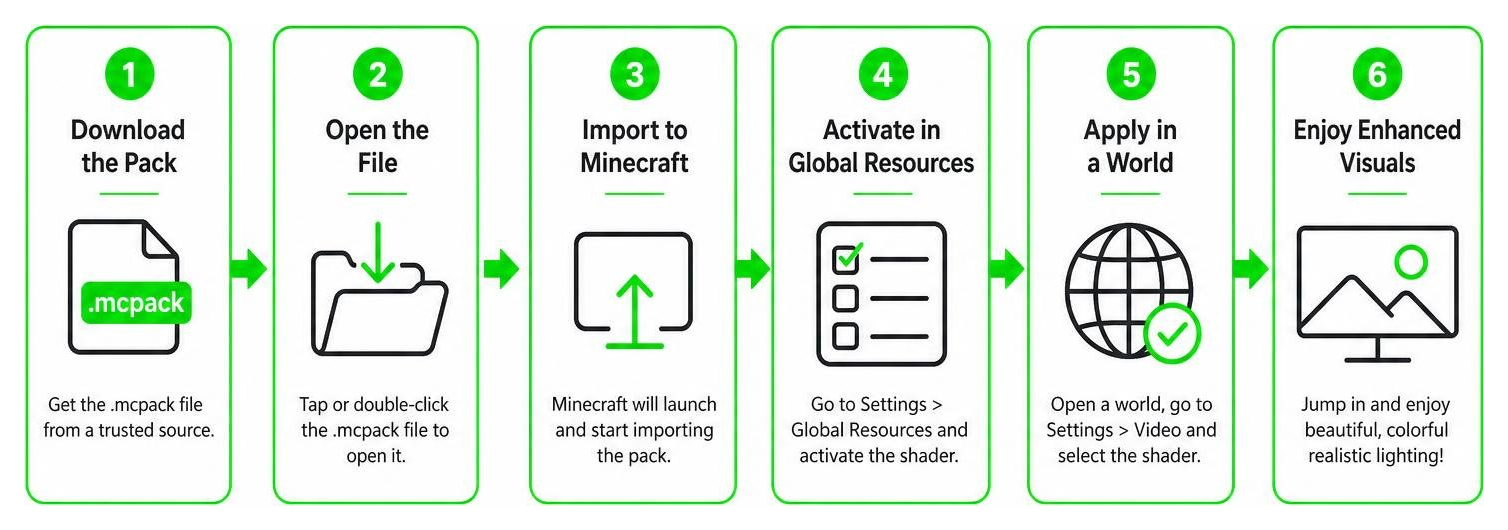
- Download the Pack: Get the
.mcpackfile from a trusted source. - Import to Minecraft: Double-click or tap the file. Minecraft will launch automatically and import the pack.
- Activate Globally: Go to Settings > Global Resources > My Packs, locate the shader, and click Activate.
- Enable Graphics Mode: Enter your world settings (or main video settings), navigate to the Graphics Mode drop-down menu, and select Vibrant Visuals.
- Enjoy: Load into your world and watch the colors pop!
Multiplayer, Realms, and Splitscreen Support
Because the shader runs locally on your device’s hardware, it is fully compatible with multiplayer servers and Minecraft Realms. You can play with your friends even if they are using the classic graphics mode!
However, there is one major limitation: local splitscreen play is not supported when using deferred graphics modes. If a second player joins your game locally, Minecraft will automatically fall back to the standard Fancy or Simple rendering settings to maintain performance.
Frequently Asked Questions about Colorful Visuals
Does the Colorful Visuals Shader work on Java Edition?
Currently, this specific shader is exclusive to Bedrock Edition because it relies on the RenderDragon engine. However, Mojang has announced plans to bring the official Vibrant Visuals pipeline to Java Edition in the future, which will open the door for similar Java-based ports.
What are the known issues or limitations of this shader?
Aside from the lack of splitscreen support, players cannot use the standard brightness/gamma slider when this shader is active. Instead, you must calibrate your display’s gamma directly within the “Vibrant Visuals Options” menu. Additionally, having too many active point lights in a small area can occasionally cause visual stuttering on mobile devices.
Can I use this shader with other resource packs?
Yes! Since this shader primarily modifies lighting and atmospheric effects, you can layer it on top of other texture packs. Just make sure the Colorful Visuals Shader is placed at the top of your active resource pack list in your game settings to ensure its lighting files take priority.
Conclusion
The Colorful Visuals Shader is a must-have for any Minecraft Bedrock player wanting to inject life, color, and modern atmospheric lighting into their worlds in 2026. It proves that you don’t need a heavy RTX graphics card to experience beautiful reflections, soft shadows, and gorgeous sunsets.
If you are ready to explore even more ways to upgrade your game, check out our curated list to Download the best MCPE shaders and find the perfect look for your next blocky adventure!