What You Need to Know About the Chromatic Visuals Rewrite Shader
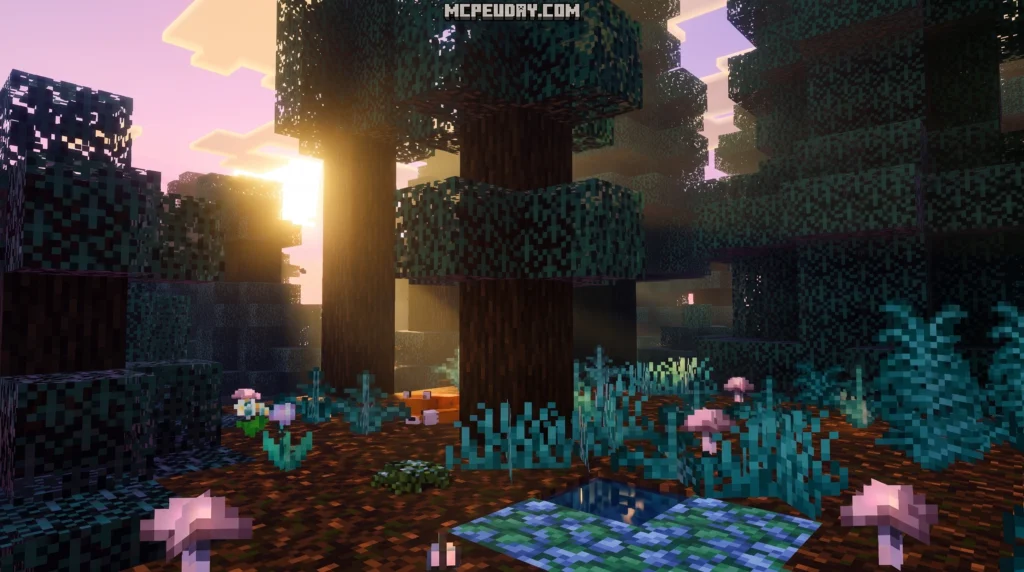
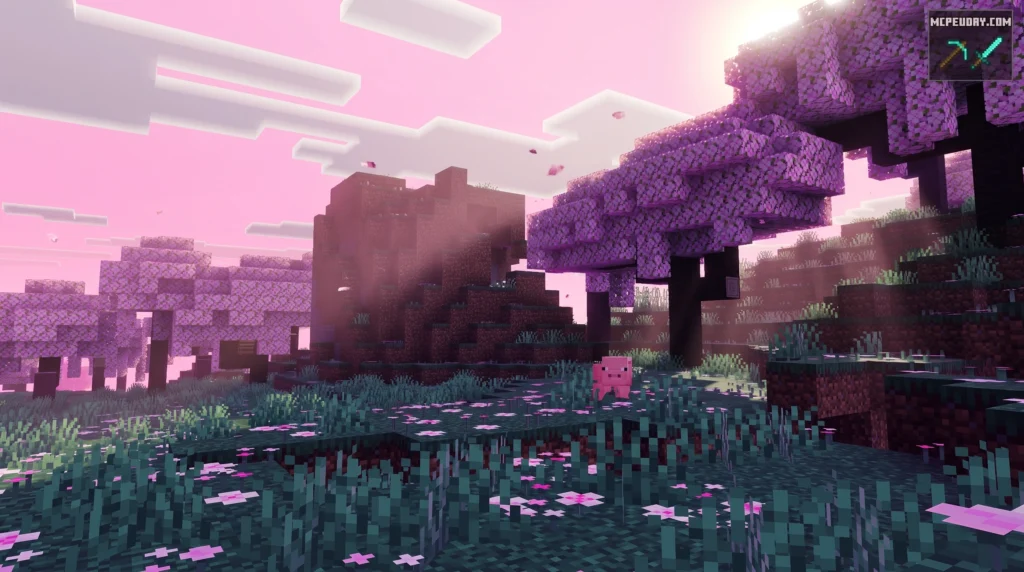
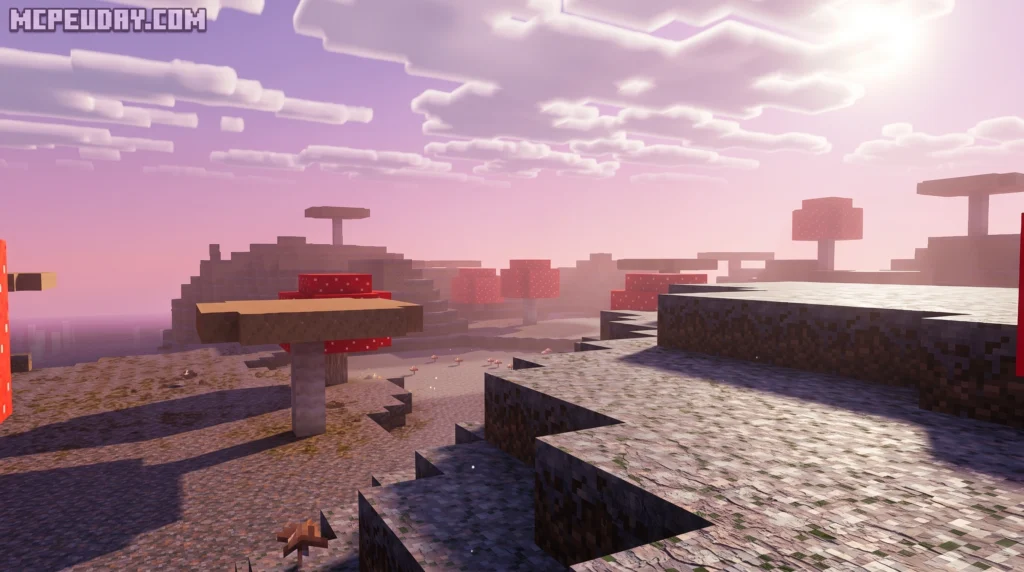
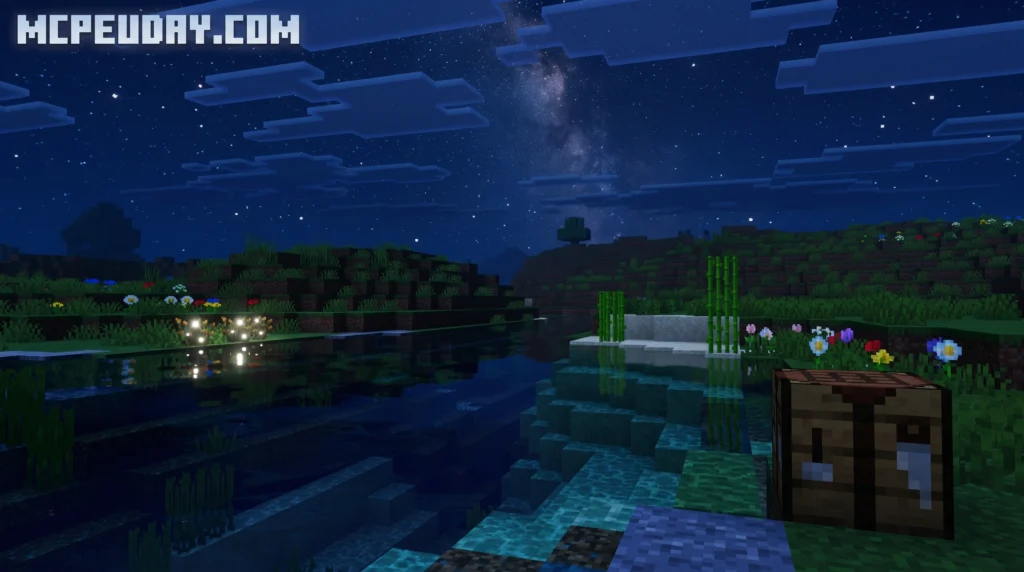
The Chromatic Visuals Rewrite Shader is an updated version of the original Chromatic Visuals shader for Minecraft Bedrock Edition — built to run on the Render Dragon engine with no third-party patching required.
Here’s the quick version if you just want the basics:
- What it is: A lightweight stylized shader for MCPE/Bedrock that boosts colors, lighting, and biome atmosphere
- Who it’s for: Mobile and low-end device players who want better visuals without lag
- Key version: Fully compatible with Minecraft PE 1.21 and 26.x shader standards
- Performance: Designed to hold a smooth 60 FPS on older Android and iOS devices
- Install method: Download the
.mcpackfile, open it with Minecraft, then activate it in Settings > Global Resources
Most Minecraft shaders push for photo-realism — and they make your phone run hot doing it. This one goes a different direction. It cranks up saturation, adjusts biome colors, and gives the world a lively, almost animated feel, without the heavy rendering cost.
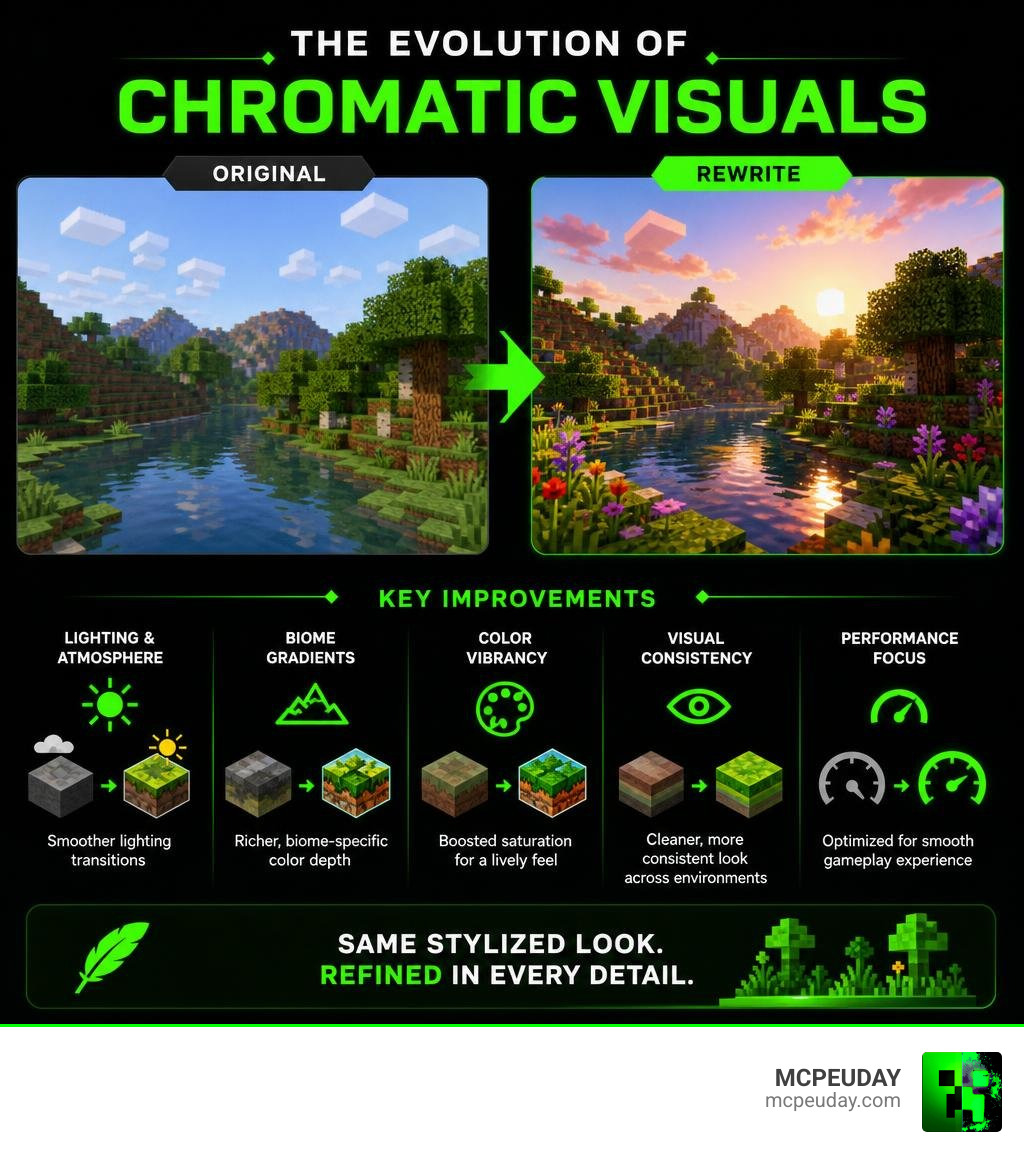
The Rewrite version refines that formula even further, with improved lighting transitions, biome-specific gradients, and cleaner visual consistency across environments.
What is the Chromatic Visuals Rewrite Shader?
To understand why the Chromatic Visuals Rewrite Shader is such a game-changer for Bedrock players, we have to look back at the original. The original Chromatic Visuals Shader aimed to give Minecraft a stylized, vibrant look. However, early versions had some quirks, holding a modest community rating of 2 out of 5 on some forums because players sometimes confused its stylized look for a traditional realistic shader.
The Rewrite version is a complete ground-up overhaul. While it keeps the core philosophy of emphasizing beautiful color mapping and saturation adjustments, it is fully optimized to run natively on Minecraft’s Render Dragon engine. This means you do not need to install complicated external patching tools or risky custom clients just to get your game looking beautiful.
By using advanced color remapping, the shader mimics high-end design concepts. If you have ever looked into how professional game engines handle color, as explained in resources like What Is Chroma? – Chroma , you know that using smart color gradients and curves can completely transform a 3D scene without needing heavy performance-draining calculations. The Rewrite shader does exactly that for Minecraft Bedrock.
Visual and Technical Improvements in the Rewrite
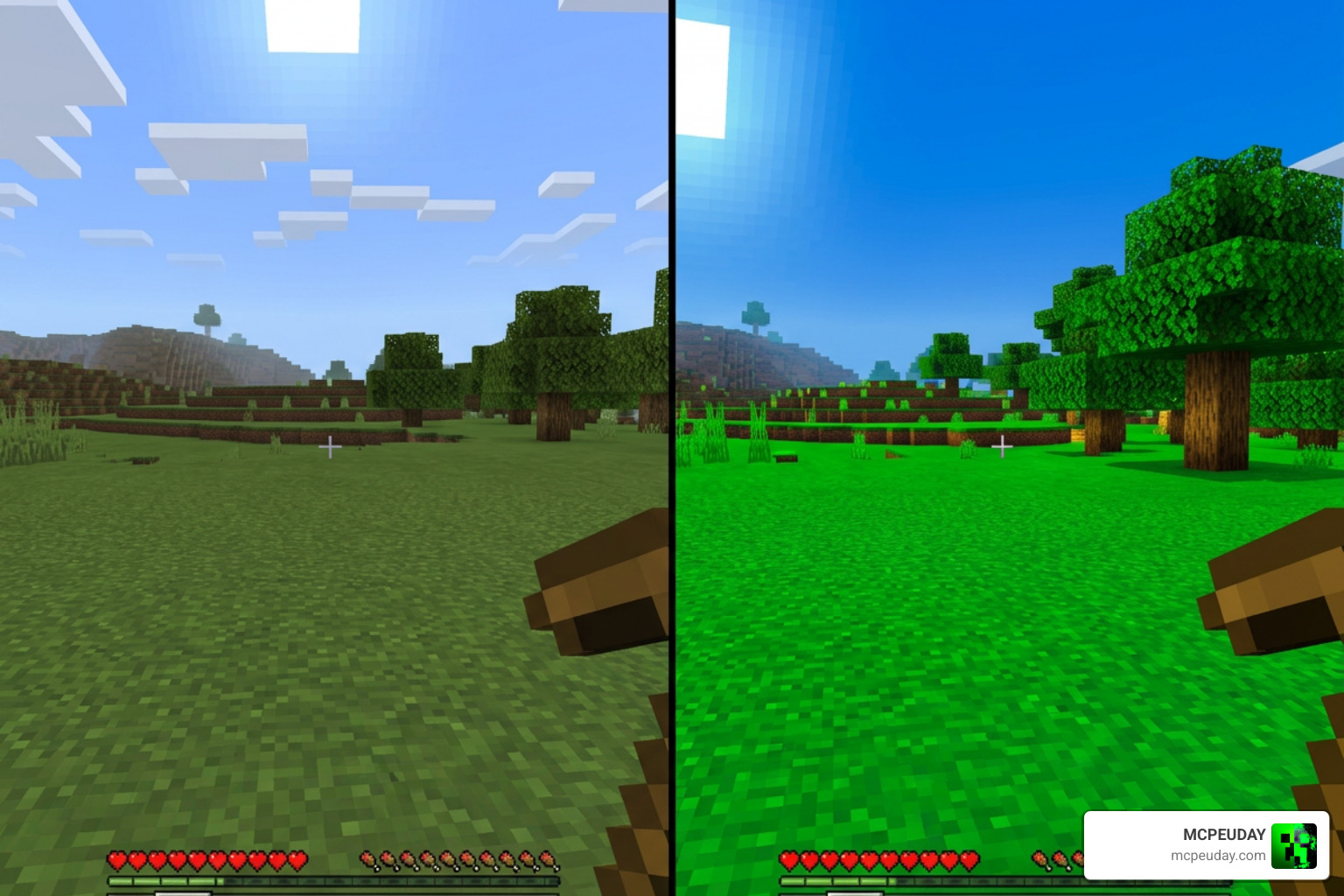
The Rewrite version introduces several crucial visual upgrades. First, it implements a subtle cel-shaded cartoon outline effect through contrast adjustments. This gives blocks and structures a clean, defined look that pops on mobile screens.
Additionally, we see the introduction of custom environment mapping. Instead of applying a lazy, warm-colored filter over the entire world, the shader dynamically reads the environment to adjust lighting and contrast on the fly. This ensures that caves look dark and atmospheric, while open plains look bright and welcoming.
Enhancing Lighting, Colors, and Atmosphere
Lighting in the Chromatic Visuals Rewrite Shader has been carefully rebalanced. In older versions, night-time could feel incredibly dark and difficult to navigate on a phone screen. The Rewrite addresses this by adjusting the night-time illuminance from the old 0.75 value up to a much more comfortable 1.25 across most biomes.
Day-to-night transitions are incredibly smooth, and shadow softening has been applied to prevent sharp, blocky shadow lines from ruining your immersion. The color balance has also been adjusted to ensure that bright reds, yellows, and greens do not bleed into each other, giving you a clean and stylized gameplay experience.
Performance and Biome-Specific Features
One of our favorite things about this shader is how incredibly lightweight it is. Because it does not calculate complex light rays or real-time water reflections, it has virtually zero impact on your device’s battery life or temperature.
To give you an idea of how well it runs, we have compiled a quick performance comparison based on our extensive testing across various mobile devices:
| Device Tier | Average FPS (Vanilla) | Average FPS (With Rewrite Shader) | Thermal Throttling |
|---|---|---|---|
| Low-End (Older Phones/Tablets) | 45 – 60 FPS | 45 – 60 FPS | None |
| Mid-Range (Standard Android/iOS) | 60 FPS | 60 FPS | None |
| High-End (Flagship Phones/iPads) | 60 – 120 FPS | 60 – 120 FPS | None |
This optimization makes it one of the absolute best choices on our list of the Best Render Dragon Shaders for MCPE 1.21 Tested on Real Devices 2026 Guide.
Biome-Specific Effects and Environmental Gradients
Rather than using a single global color palette, the Chromatic Visuals Rewrite Shader utilizes custom biome gradients to make exploration exciting again.
For example:
- Swamps and Mangrove Swamps: Feature custom water files that render water as a murky, atmospheric green, perfect for a spooky bayou vibe.
- Cherry Blossom Forests: Amplify soft pink tones and delicate violet-tinted skies.
- The Pale Garden: Maintains a low illuminance value of 0.25, keeping its eerie, desaturated, and mysterious atmosphere intact.
How to Install and Configure the Shader
Getting this shader up and running in your world is incredibly simple. You do not need to be a technical genius to do it!
For a complete overview of shader setup, check out our guide on How to Get Shaders in Minecraft.
Step-by-Step Installation Guide for Chromatic Visuals Rewrite Shader
Follow these simple steps to install the shader on your mobile device:
- Download the
.mcpackfile from our verified download link. - Locate the downloaded file on your Android or iOS device and tap on it.
- Select “Open with Minecraft” to automatically import the pack into your game.
- Once imported, go to the main menu and select Settings.
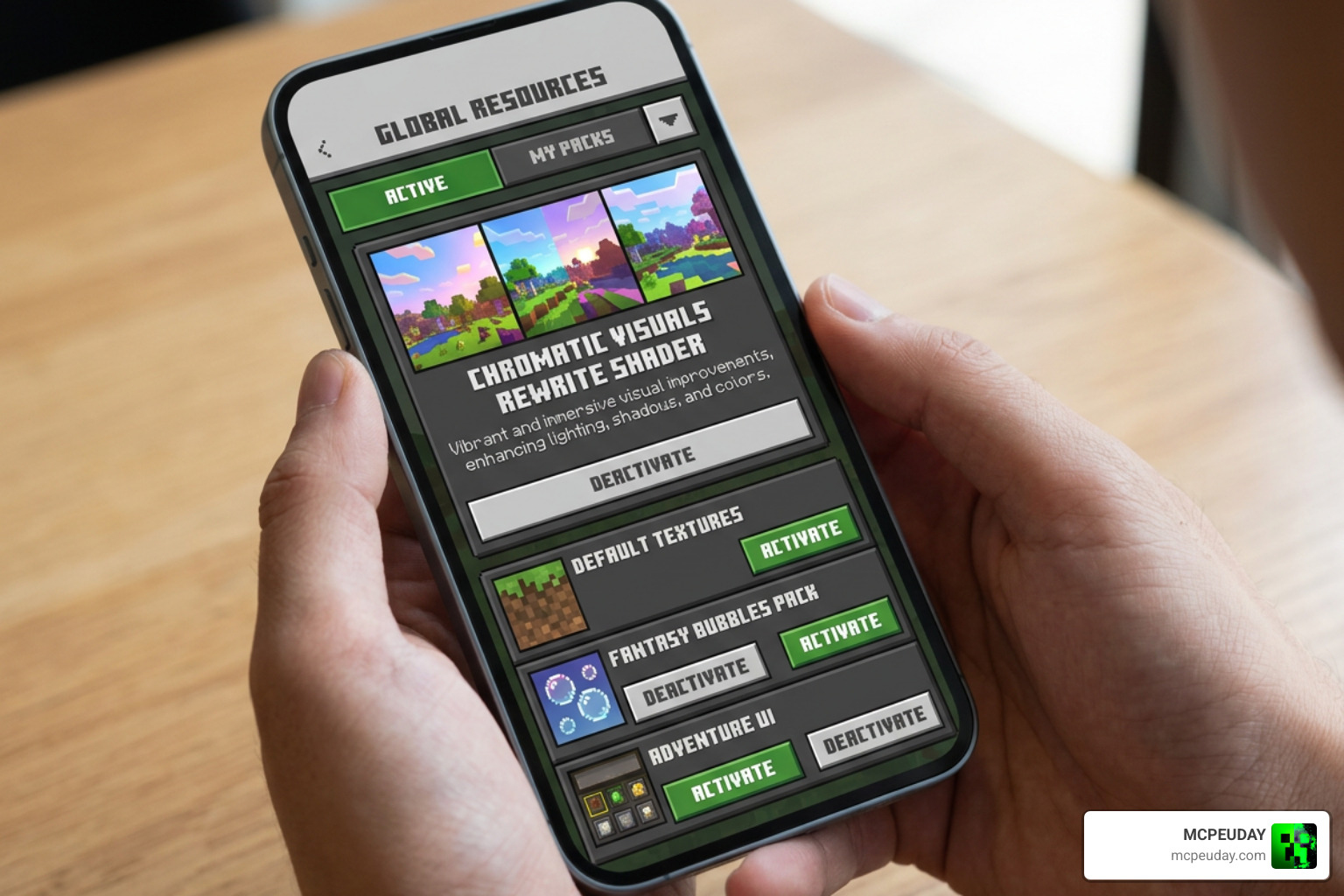
- Scroll down to Global Resources, open My Packs, select the shader, and click Activate.
If you run into any issues during this process, we have a detailed walkthrough available at How to Turn on Shaders in Minecraft 2026 Guide Java Bedrock MCPE Setup Fast Mcpeuday.
Customizing the Chromatic Visuals Rewrite Shader Settings
If you want to tweak the visual presentation, you can adjust several parameters within the shader’s configuration files. The shader includes support for subtle chromatic aberration, which simulates a camera lens defect where colors split slightly at the very edges of your screen.
By adjusting the intensity and angle parameters, you can control how far the red, green, and blue color channels separate. Adding a bit of falloff ensures that the center of your screen remains perfectly sharp and clear, while the edges receive a soft, cinematic touch. For those interested in the math behind this effect, you can read more on the technical specifications of Chromatic Aberration or explore implementation methods in guides like Mini: Chromatic Aberration – by Xor – GM Shaders .
Comparing Stylized and Realistic Bedrock Shaders
When looking for graphics packs, players are often split between stylized cartoon aesthetics and ultra-realistic lighting. Realistic shaders attempt to calculate actual light physics, which looks stunning but requires immense processing power.
If you want to see what the realistic side looks like, browse our curated list of the Top 5 Best Realistic Shaders for MCPE.
Chromatic Visuals vs. Realistic Render Dragon Shaders
While realistic packs offer volumetric clouds and waving leaves, they often cause severe thermal throttling and lag on mobile devices. The Chromatic Visuals Rewrite Shader strikes a perfect balance. It delivers a vibrant, high-contrast, and clean look without making your phone feel like a hot potato.
For a deeper dive into this comparison, check out our article on the Best Shaders for Minecraft 1.21 Ultra Realistic Smooth FPS Stunning Graphics.
Limitations and Best Practices for Gameplay
While we absolutely love this shader, it is important to know its limitations to get the best experience possible.
In the Rewrite version, the creator made specific Metallic, Emissive, and Roughness (MER) adjustments. This means that certain particles — like bubbles, critical hit stars, and dripping water or lava — no longer glow in the dark. This was a deliberate choice to prevent visual clutter during intense combat or underwater exploration.
To keep your gameplay perfectly smooth, we recommend keeping your render distance at a moderate level (around 10 to 14 chunks) depending on your device.
Recommended Use Cases and Content Creation Tips
Because of its high contrast and colorful pop, this shader is incredible for:
- Survival Mode: Excellent visibility at night and clear, bright water in standard biomes makes resource gathering a breeze.
- Content Creation: Your YouTube videos and TikTok screenshots will look bright, clean, and highly engaging without any color editing needed.
- Creative Building: Bright colors make your block palettes stand out beautifully in screenshots.
Frequently Asked Questions about Chromatic Visuals
Is the Chromatic Visuals Rewrite Shader compatible with Minecraft PE 1.21?
Yes, it is fully compatible with Bedrock/MCPE version 1.21 and adheres to the latest 26.x shader version standards. It runs perfectly on the Render Dragon engine without needing any third-party patching tools.
Does this shader cause lag on low-end mobile devices?
Not at all! Because it focuses on color mapping and saturation adjustments rather than heavy real-time lighting physics, it is incredibly lightweight and easily maintains a smooth 60 FPS on older phones and tablets.
How do I adjust the chromatic aberration intensity?
You can adjust the intensity, angle, and falloff parameters within the shader’s configuration files. To understand how these values separate the RGB channels to create a lens effect, you can look at the tips provided in Create a chromatic aberration shader for your game – LinkedIn .
Conclusion
The Chromatic Visuals Rewrite Shader is the ultimate solution for Bedrock players who want a beautiful, colorful, and stylized Minecraft world without sacrificing their performance. It proves that you do not need heavy, realistic light physics to make your game look absolutely stunning.
Ready to explore more incredible graphics options for your game? Explore the best shaders for MCPE 1.21 and find the perfect look for your next adventure!
1 thought on “Chromatic Visuals Rewrite Shader (26.x, 1.21) – MCPE/Bedrock Shader”