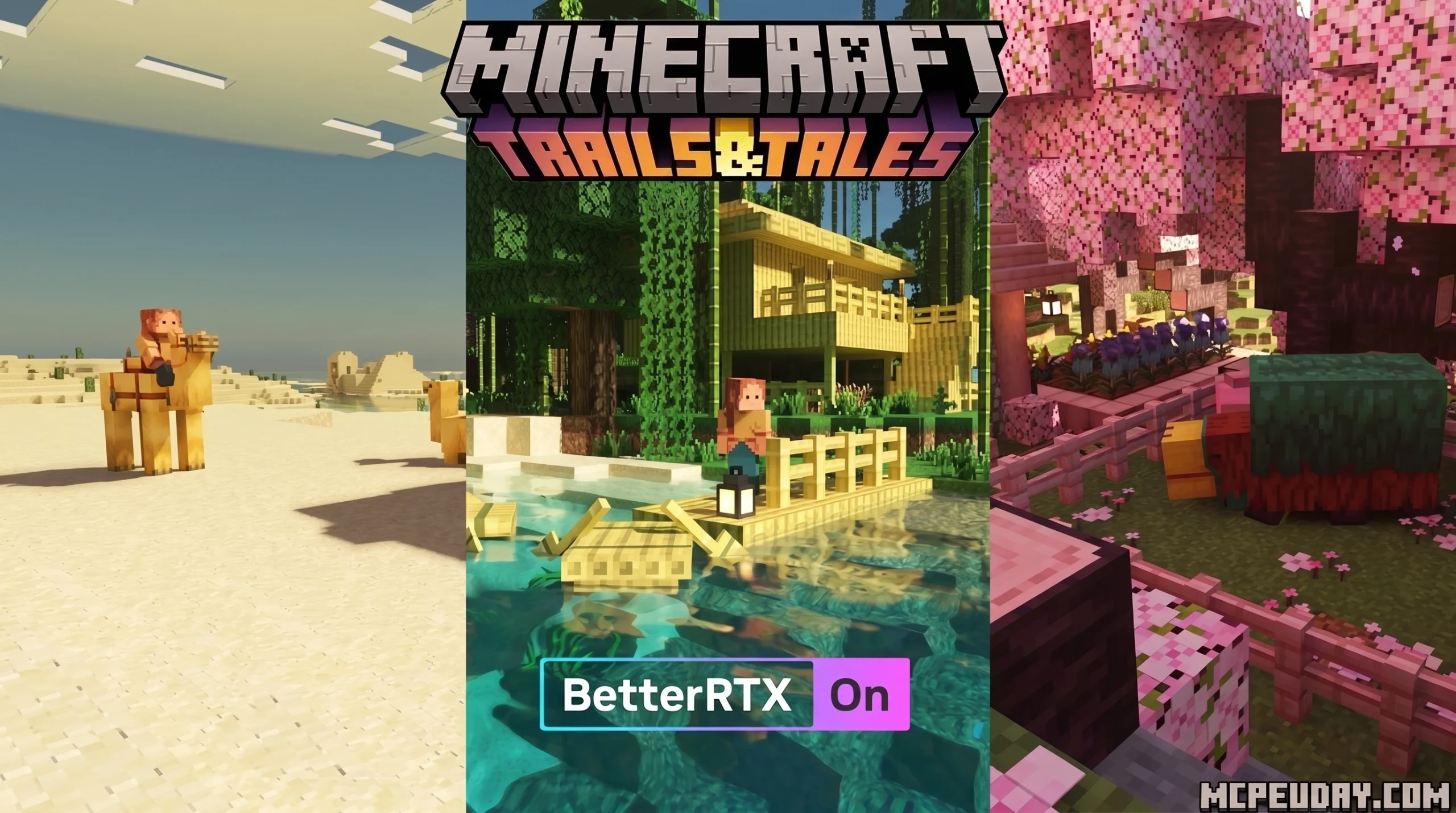
What the BetterRTX Shader Is and How to Get It Fast
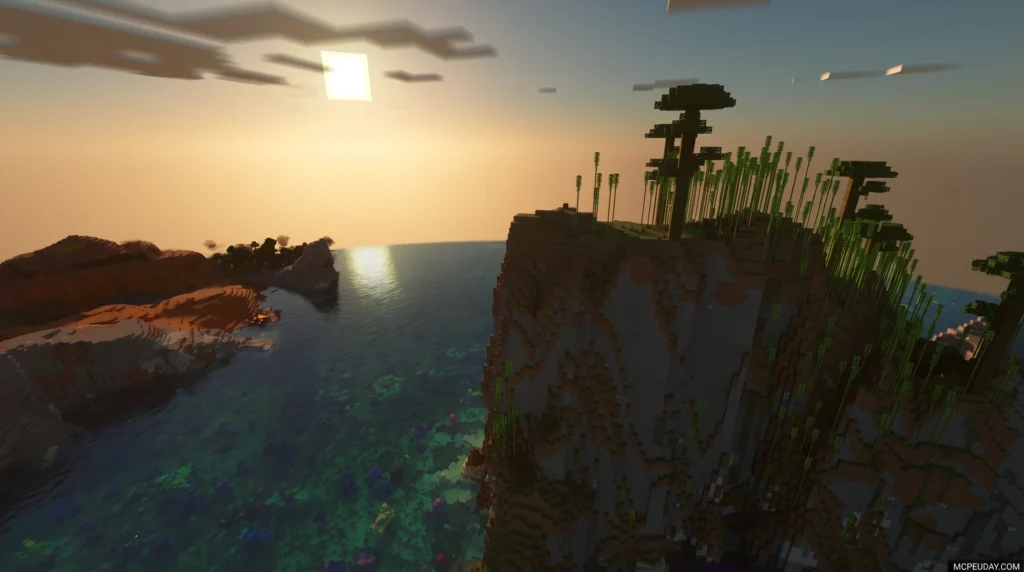
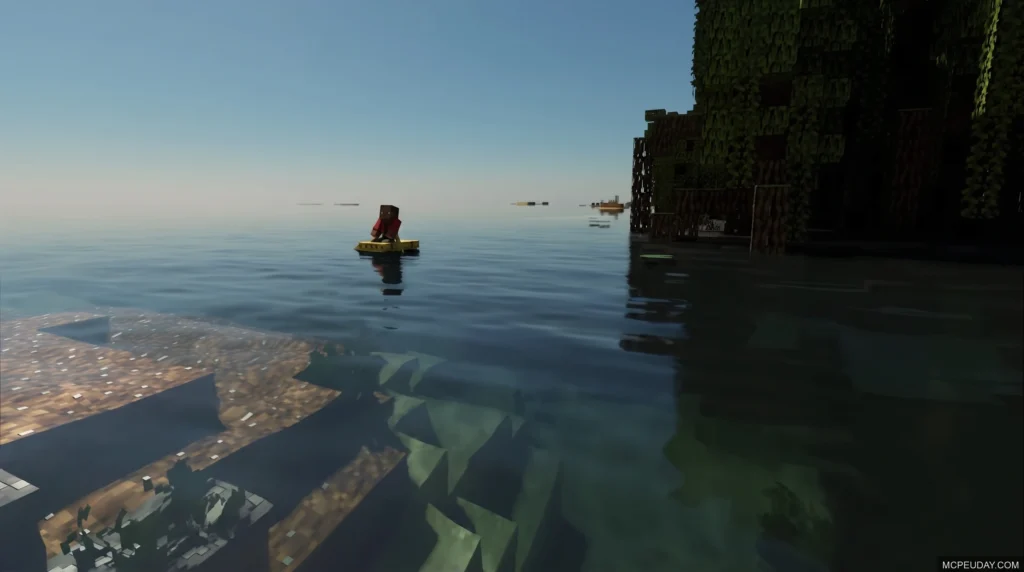
BetterRTX Shader is the first-ever ray tracing mod for Minecraft Bedrock Edition, and downloading it takes just a few steps depending on your device.
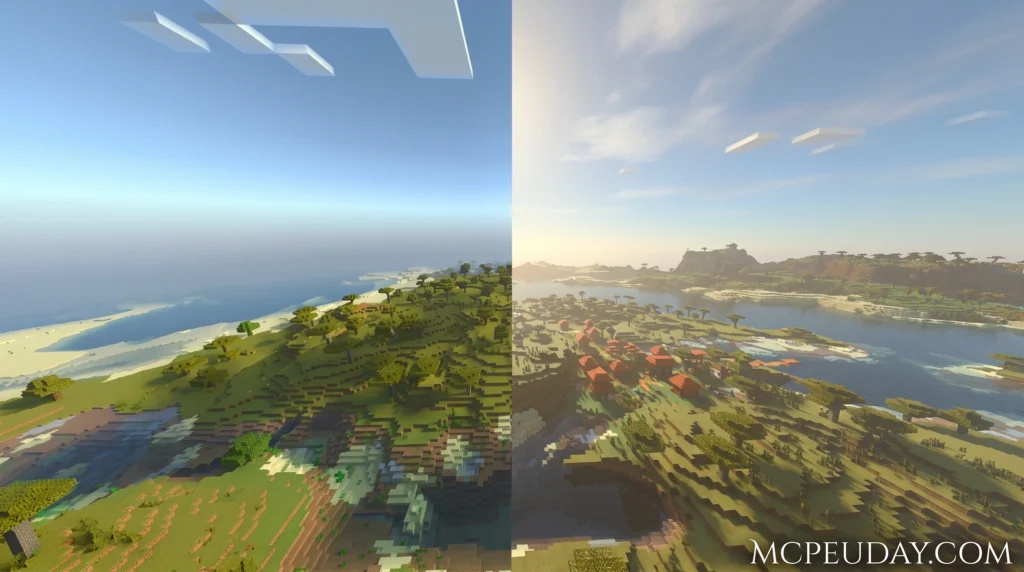
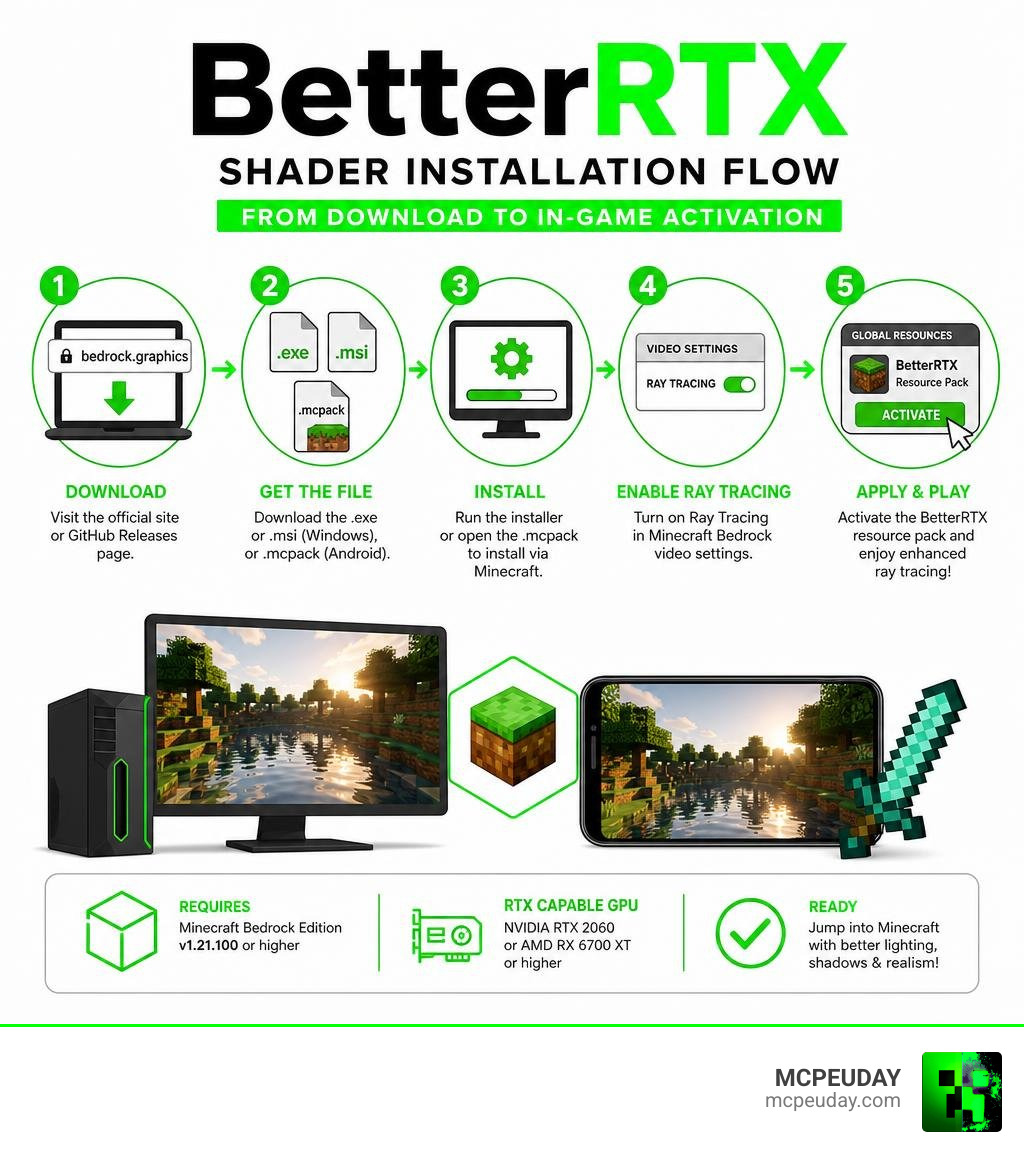
Quick answer — how to download BetterRTX Shader:
- Go to the official site at bedrock.graphics or the BetterRTX GitHub Releases page
- Download the
.exeor.msiinstaller (Windows), or the.mcpackfile (Android) - Run the installer or open the
.mcpackto install via Minecraft - Enable ray tracing in your Minecraft Bedrock settings
- Apply the BetterRTX resource pack in-game
You need Minecraft Bedrock Edition v1.21.100 or higher and an RTX-capable GPU (NVIDIA RTX 2060 minimum, or AMD RX 6700 XT) to run it on Windows.
Minecraft’s built-in ray tracing looks decent out of the box — but it has real problems. Washed-out shadows, flat water, missing depth, and visual bugs that Mojang hasn’t fixed. BetterRTX was built by the Minecraft RTX community specifically to solve those issues.
It doesn’t just swap textures. It goes deeper — modifying the actual RenderDragon shader engine files to add things like motion blur, depth of field, water caustics, and volumetric fog. The result is ray tracing that actually looks the way it should.
The installer has racked up over 11,000 downloads for its latest release alone, and the project has been growing steadily since its launch in 2023.
Whether you’re on Windows or Android, this guide walks you through every download and installation method — clearly, step by step.
What is the BetterRTX Shader and How Does It Work?
To understand why the BetterRTX Shader is such a massive deal, we first need to look at how Minecraft Bedrock Edition processes graphics. In modern versions of Bedrock, Mojang uses a graphics engine called RenderDragon. This engine handles everything from basic lighting to the complex mathematical calculations required for real-time ray tracing.
But what are shaders anyway? If you are new to this, you might want to read our guide on What are Shaders in Games to understand how these programs manipulate light, pixels, and shadows.
In vanilla Minecraft, the ray-tracing implementation can feel unfinished. The BetterRTX Shader is not just another standard resource pack. It is a highly specialized modification that directly targets and patches the RenderDragon engine. By rewriting how the engine processes path-traced lighting, it unlocks features that Mojang left disabled or simply never implemented. You can explore the project directly on the official BetterRTX portal.
Core Components Modified by the BetterRTX Shader
Instead of overwriting your entire game folder, BetterRTX targets three highly specific compiled shader files inside Minecraft’s system directories. These files use the .material.bin format. The three key components modified are:
- RTXStub: This component handles the foundational ray-tracing pipeline, telling the game how to cast rays and detect surfaces.
- RTXPostFX.Tonemapping: Controls color correction, exposure, and contrast. BetterRTX modifies this to prevent the “washed out” look common in vanilla RTX.
- RTXPostFX.Bloom: Governs how glowing objects (like sea lanterns, fire, or glowstone) bleed light into surrounding dark areas.
Key Features and Bug Fixes
By modifying these core components, the BetterRTX Shader introduces a massive suite of features and fixes that completely transform the game:
- Depth of Field (DoF): Adds a realistic camera-lens blur to distant objects, making close-up builds look incredibly detailed.
- Motion Blur: Smooths out camera movements, making high-frame-rate gameplay feel fluid.
- Water Caustics and Parallax: Vanilla RTX water is notoriously flat. BetterRTX adds physical depth, realistic wave movement, and light patterns that dance along the bottom of ocean floors.
- Spectator Mode Fix: Fixes a frustrating bug where entering spectator mode broke ray-traced shadows and lighting.
- Improved Light Transmission: Light now passes realistically through stained glass, casting colored shadows onto the floor.
System Requirements and Hardware Compatibility
Because the BetterRTX Shader relies on hardware-level path tracing, you cannot run it on integrated graphics or older graphics cards. Before trying to install it, check our How to Turn On Shaders in Minecraft 2026 Guide to ensure your system is ready.
Here is a breakdown of the hardware you will need:
| Requirement | Minimum Specification | Recommended Specification |
|---|---|---|
| Graphics Card (NVIDIA) | NVIDIA GeForce RTX 2060 | NVIDIA GeForce RTX 3060 / RTX 40-Series or higher |
| Graphics Card (AMD) | AMD Radeon RX 6700 XT | AMD Radeon RX 7000-Series or higher |
| Graphics Card (Intel) | Intel Arc A380 | Intel Arc A770 or higher |
| Processor (CPU) | Intel Core i5 (8th Gen) or AMD Ryzen 5 | Intel Core i7 (10th Gen) or AMD Ryzen 7 |
| System Memory (RAM) | 8 GB RAM | 16 GB RAM or more |
| Minecraft Version | Bedrock Edition v1.21.100+ | Latest Bedrock Edition (2026 Release) |
How to Download and Install BetterRTX on Windows
Installing the BetterRTX Shader on Windows can be done in a few different ways. The community has worked hard to make this process as painless as possible. The main hub for the installation software is the BetterRTX/BetterRTX-Installer repository on GitHub.
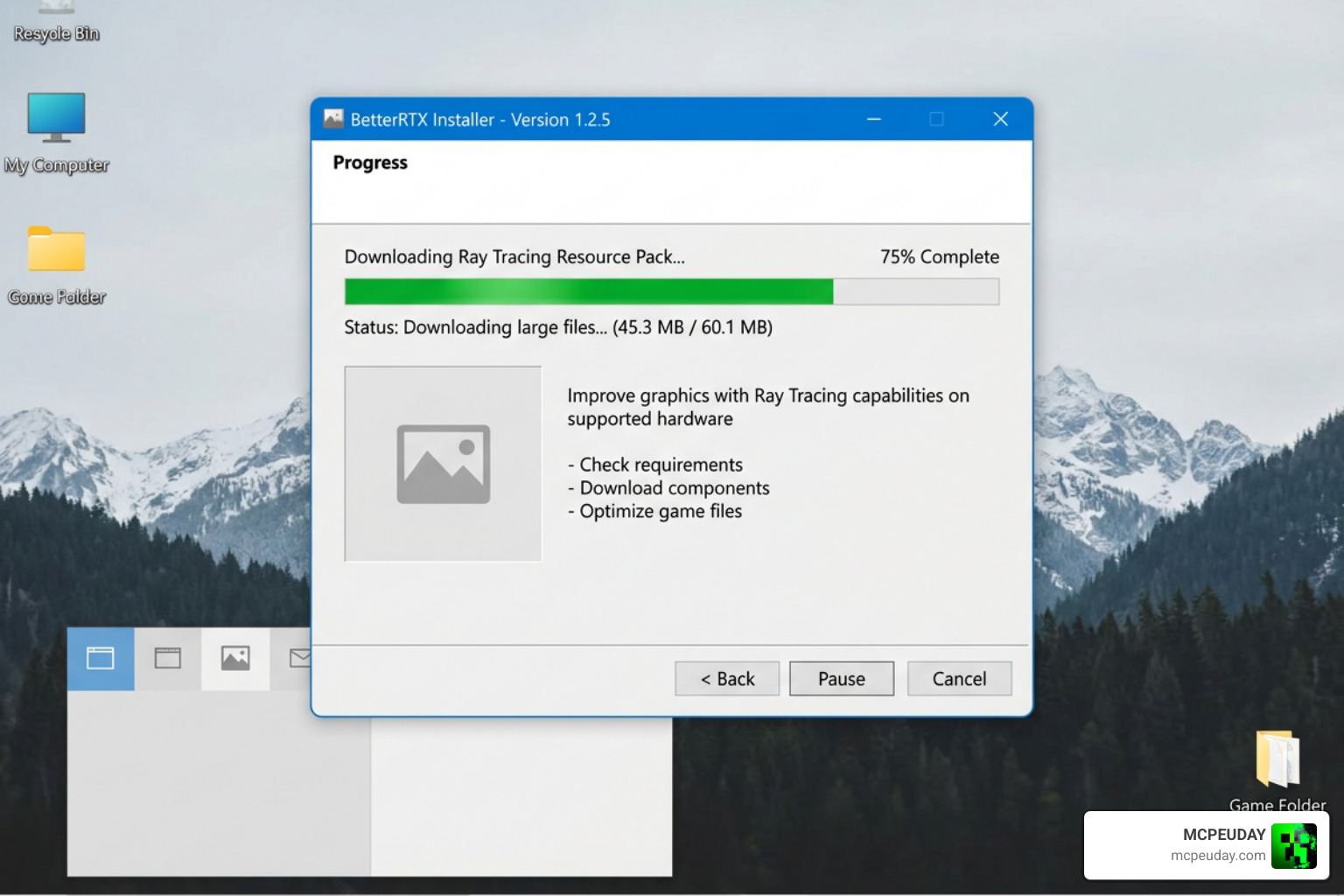
Method 1: Using the Standalone GUI Installer (v3.0.0-rc)
This is the easiest and most popular method for Windows users in 2026. Built using the modern Tauri framework, the standalone installer provides a clean, visual interface.
- Navigate to the Releases · BetterRTX/BetterRTX-Installer · GitHub page.
- Download the latest setup executable (e.g.,
BetterRTX.Installer_3.0.0_x64-setup.exe). - Run the installer. Since it is unsigned beta software, Windows SmartScreen might warn you; click “More Info” and then “Run Anyway.”
- Use the interface to register the
.rtpackfile extension. This allows you to install custom community presets with a simple double-click! - Select your Minecraft installation (supports standard Bedrock, Preview, and Education editions) and click install.
Method 2: Using the PowerShell Command Line
If you prefer not to download a standalone executable, you can run the installation directly through Windows PowerShell. This method pulls the script directly from the official repository.
- Open a 64-bit PowerShell terminal as an Administrator.
- Copy and paste the command from the v2/installer.ps1 at main · BetterRTX/BetterRTX-Installer script resource:
powershell -c "iwr https://bedrock.graphics/installer -useb | iex" - The PowerShell installer GUI will launch automatically.
- If Minecraft is installed in the default protected WindowsApps folder, the installer may prompt you to use IObit Unlocker to safely swap out the
.material.binfiles. Follow the on-screen prompts to confirm.
Method 3: Manual Installation and Preset Creator
For advanced users who want absolute control over their shader settings, we recommend using the web-based Preset Creator on BetterRTX.
- Use the Preset Creator online to adjust values like fog density, water reflection strength, and motion blur intensity.
- Compile your custom preset. The site uses the
azure-sparTypeScript compiler to output your custom.material.binfiles. - Manually place these compiled files into your Minecraft directory under the shaders folder, or package them into a
.rtpackzip archive to use with the installer.
How to Install BetterRTX on Android Devices
Can you actually run the BetterRTX Shader on Android? The short answer is yes, but with a major catch.
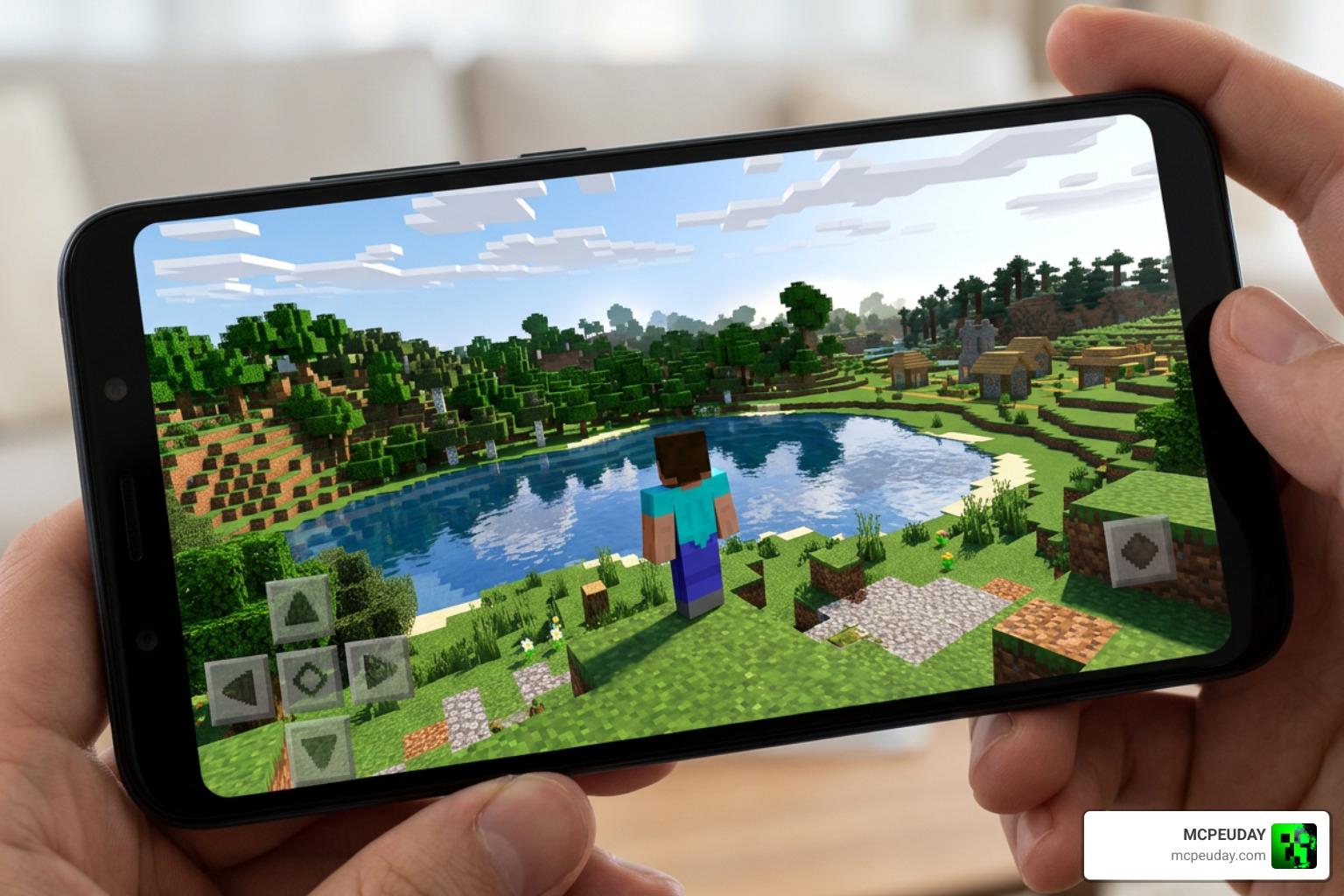
True hardware-level ray tracing requires dedicated RT cores, which are not present in standard mobile chips. However, Android players can still use optimized RenderDragon PBR (Physically Based Rendering) resource packs to simulate these advanced lighting effects.
To set this up on your phone or tablet:
- Visit our Minecraft Shaders Download for Android page to grab a compatible mobile-optimized PBR shader pack.
- Download the
.mcpackfile directly to your Android device. - Open your file manager, locate the downloaded file, and tap on it. Select “Open with Minecraft.”
- Minecraft will launch automatically and import the pack.
- Go to your global resources in the settings menu, activate the pack, and enjoy enhanced lighting! For a broader look at the installation process, check out our guide on How to Get Shaders in Minecraft.
BetterRTX vs. Vanilla RTX: Which Should You Choose?
Many players wonder why they should go through the trouble of installing BetterRTX when they can just download a standard pack like Vanilla RTX from CurseForge (which has over 1 million downloads).
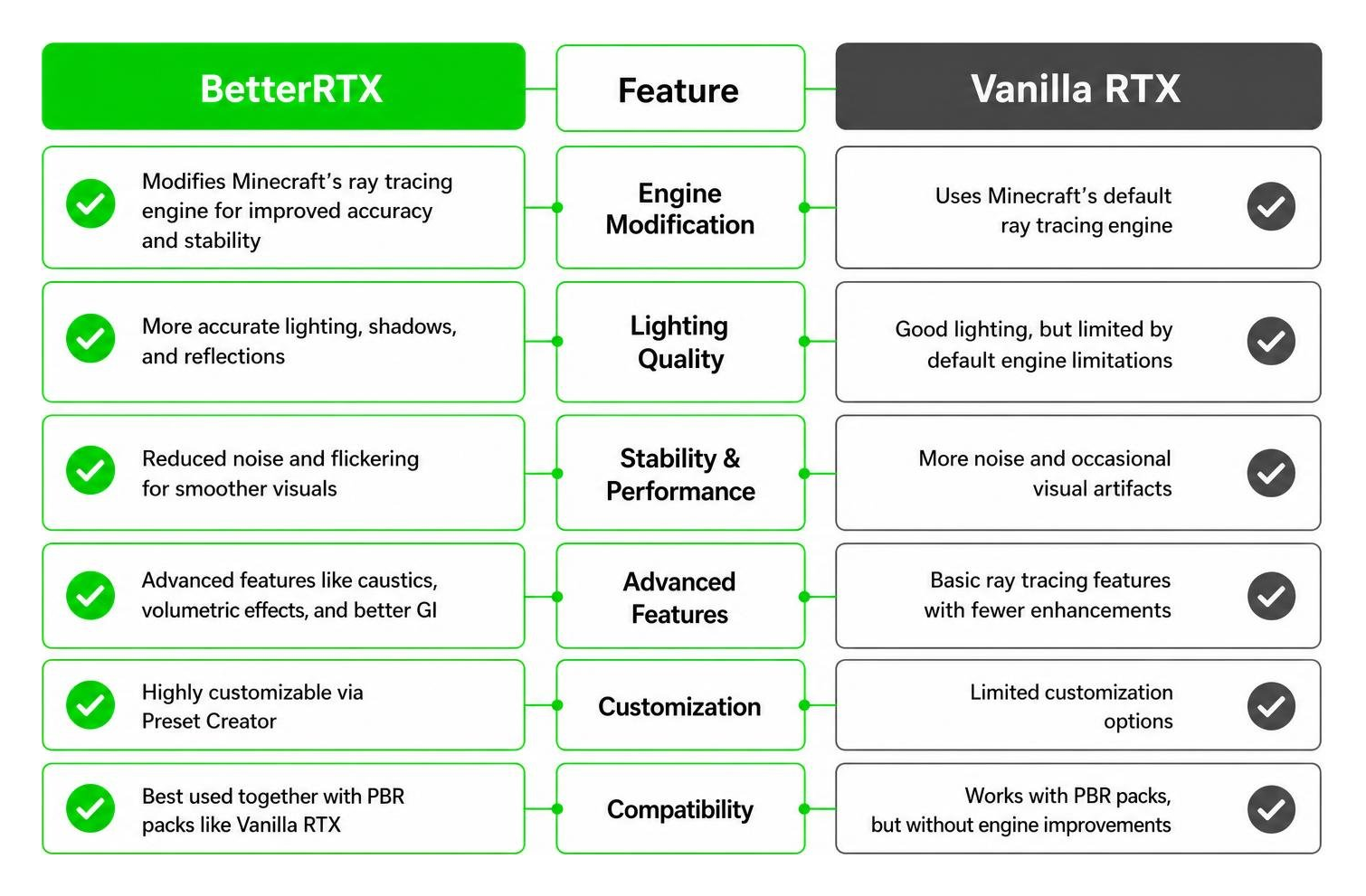
Vanilla RTX is a incredible resource pack that maps vanilla textures to PBR materials (giving them heightmaps and normal maps so they react to light). However, it still relies on Minecraft’s default, buggy ray-tracing engine. BetterRTX, on the other hand, modifies the engine itself.
For the ultimate visual experience, you should use both together. BetterRTX handles the engine-level lighting, while Vanilla RTX provides the physical textures for the light to bounce off of! If you are looking for other ways to boost your game’s look on mobile, check out our list of the Best Render Dragon Shaders for MCPE 1.21.
Frequently Asked Questions about Minecraft Ray Tracing
Why is the BetterRTX Shader greyed out in my settings?
This is almost always a hardware or configuration issue. First, make sure you are using an RTX-compatible graphics card and that your GPU drivers are completely updated. If the option is still greyed out, you may need to open your options.txt file in your Minecraft folder and manually ensure that graphics ray tracing options are set to enabled.
Does BetterRTX impact in-game performance?
Surprisingly, BetterRTX often runs better than vanilla ray tracing because of community-driven optimizations. However, path tracing is still heavy on your hardware. We highly recommend updating your DLSS files using the advanced options in the BetterRTX installer and turning off Minecraft’s default VSync to boost your frame rate. For alternative high-performance options, read our Photon Minecraft Shader How to Install 2026 Guide.
Can I use BetterRTX with other resource packs?
Yes! As long as the resource pack supports PBR (Physically Based Rendering) materials, it will look stunning under BetterRTX’s lighting model. Standard “flat” texture packs will still benefit from the improved fog and water, but they won’t reflect light realistically. For some great recommendations, check out our list of the Top 5 Best Realistic Shaders for MCPE.
Conclusion
The BetterRTX Shader completely redefines what Minecraft Bedrock Edition can look like. By fixing age-old bugs and unlocking engine-level features like depth of field, realistic water caustics, and volumetric fog, the community has turned Bedrock into a visual masterpiece.
Whether you use the streamlined v3 GUI installer or customize your own settings through the web-based Preset Creator, we hope this guide makes your setup quick and easy. If you are looking to explore even more ways to upgrade your game’s graphics, check out our compilation of the Best Realistic Minecraft Shaders for MCPE!