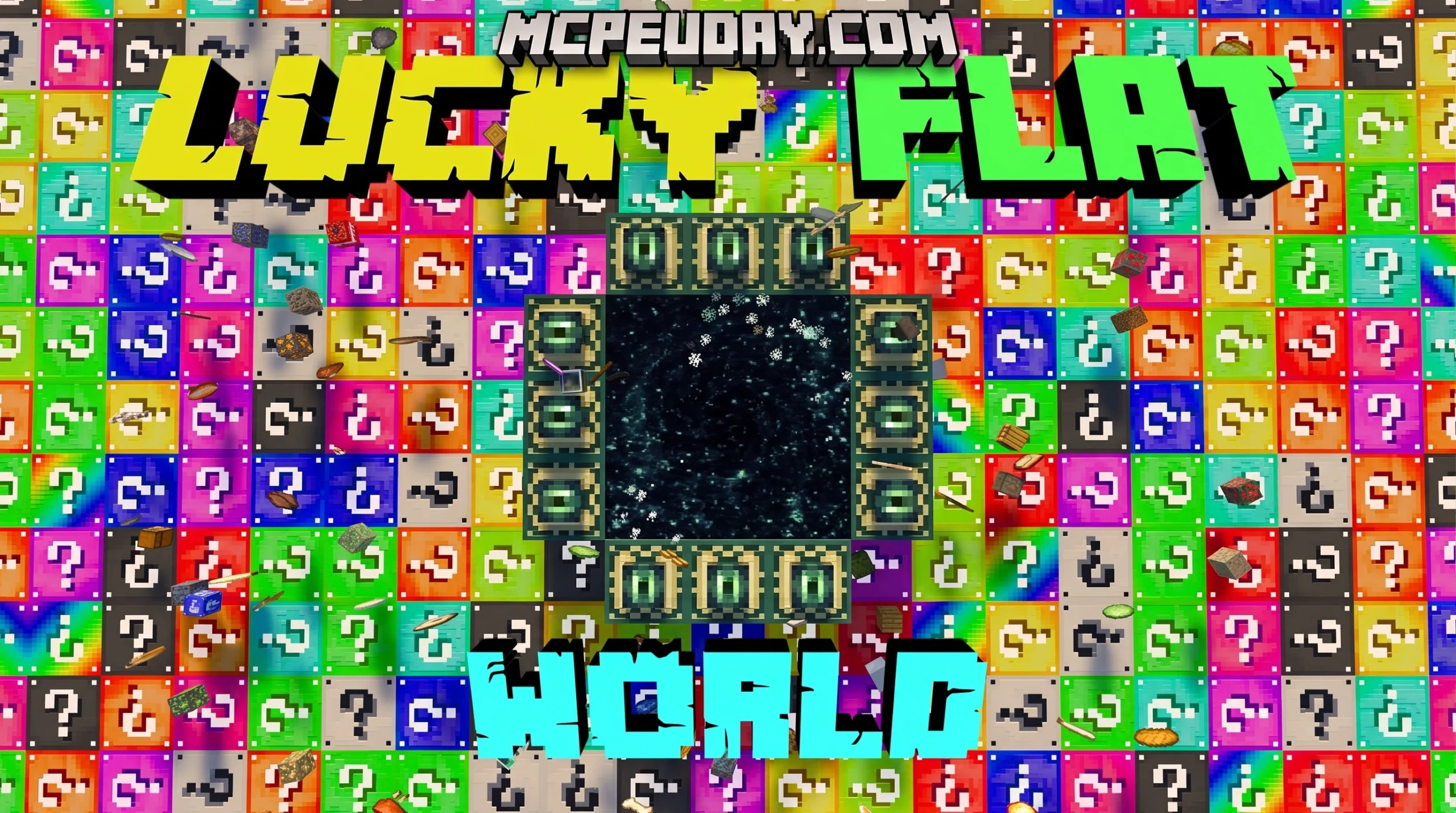
What Lucky Flat World Actually Is (And Why Everyone’s Playing It)
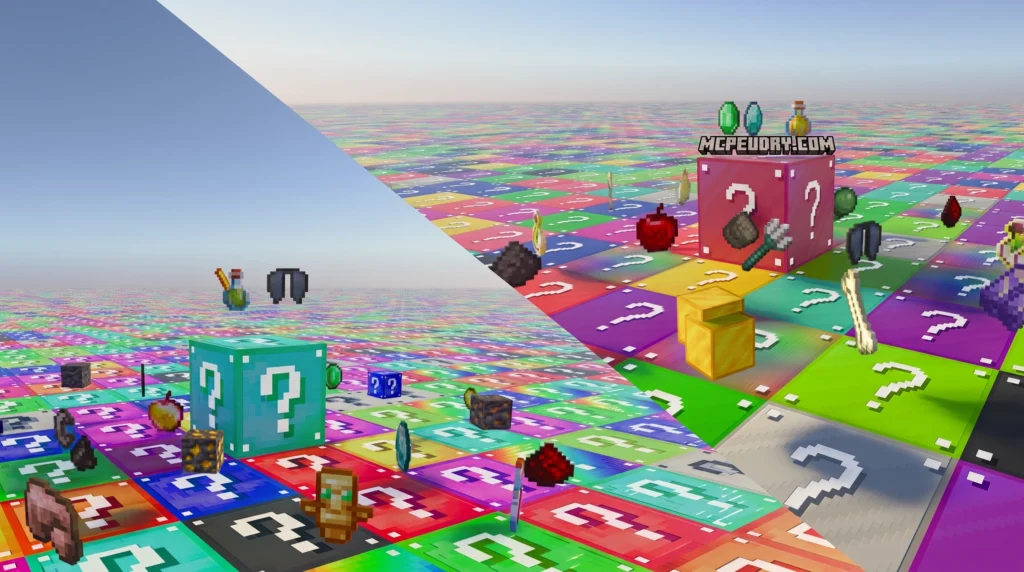
Lucky Flat World is a Minecraft Bedrock map where the entire world is made of Lucky Blocks — and breaking one could drop diamonds, spawn Herobrine, or blow you sky-high. Here’s the quick version:
- What it is: An infinite flat survival map built entirely from Lucky Blocks (three layers deep)
- How it works: Break blocks to get random loot, trigger events, or spawn mobs and bosses
- Versions: Free community maps (.mcworld) and a paid Marketplace version (490 Minecoins)
- Platforms: Android, iOS, and Windows 10 (Minecraft Bedrock/PE)
- Players: Solo or up to 16 in multiplayer
- Key rule: Play on Hard difficulty in Survival mode — don’t change default settings
The idea is simple but wildly unpredictable. Instead of mining stone and dirt, every single block you break is a gamble. You might walk away with a full set of armor. You might immediately get obliterated by a TNT explosion. That tension is exactly what makes it so addictive.
The community has built out several themed versions — Rainbow, Astral, Withered, and more — and there’s even a polished paid version on the official Minecraft Marketplace with over 200 unique block events.
Whether you’re downloading a free .mcworld file or buying the Marketplace version, this guide covers everything: how to install it, which version to pick, how to survive, and what to do when things go wrong.
What is the Lucky Flat World Map and How Does It Work?
At its core, Lucky Flat World flips traditional Minecraft survival on its head. Instead of exploring rolling hills, deep caves, and lush forests, you are dropped onto a completely flat, infinite horizon. There are no trees to chop, no iron veins to mine, and no natural caves to explore.
Every single resource you need to survive must be extracted from the ground beneath your feet, which is made entirely of Lucky Blocks. When you break a block, the map’s custom scripting engine rolls a virtual pair of dice. You might get a stack of oak logs, a cooked porkchop, or a fully enchanted diamond sword. On the flip side, you might trigger a massive trap, summon a swarm of hostile mobs, or open a pit of lava right under your feet.
This risk-reward dynamic forces you to adapt constantly. Unlike managing corporate logistics with Flat World Global Solutions | Third-Party Logistics Providers , surviving in a Minecraft Lucky Flat World relies purely on chaos, quick reflexes, and luck. You can get a sense of how extreme this gameplay can get by watching creators test their luck in videos like Minecraft, but the world is Lucky Block Layers.
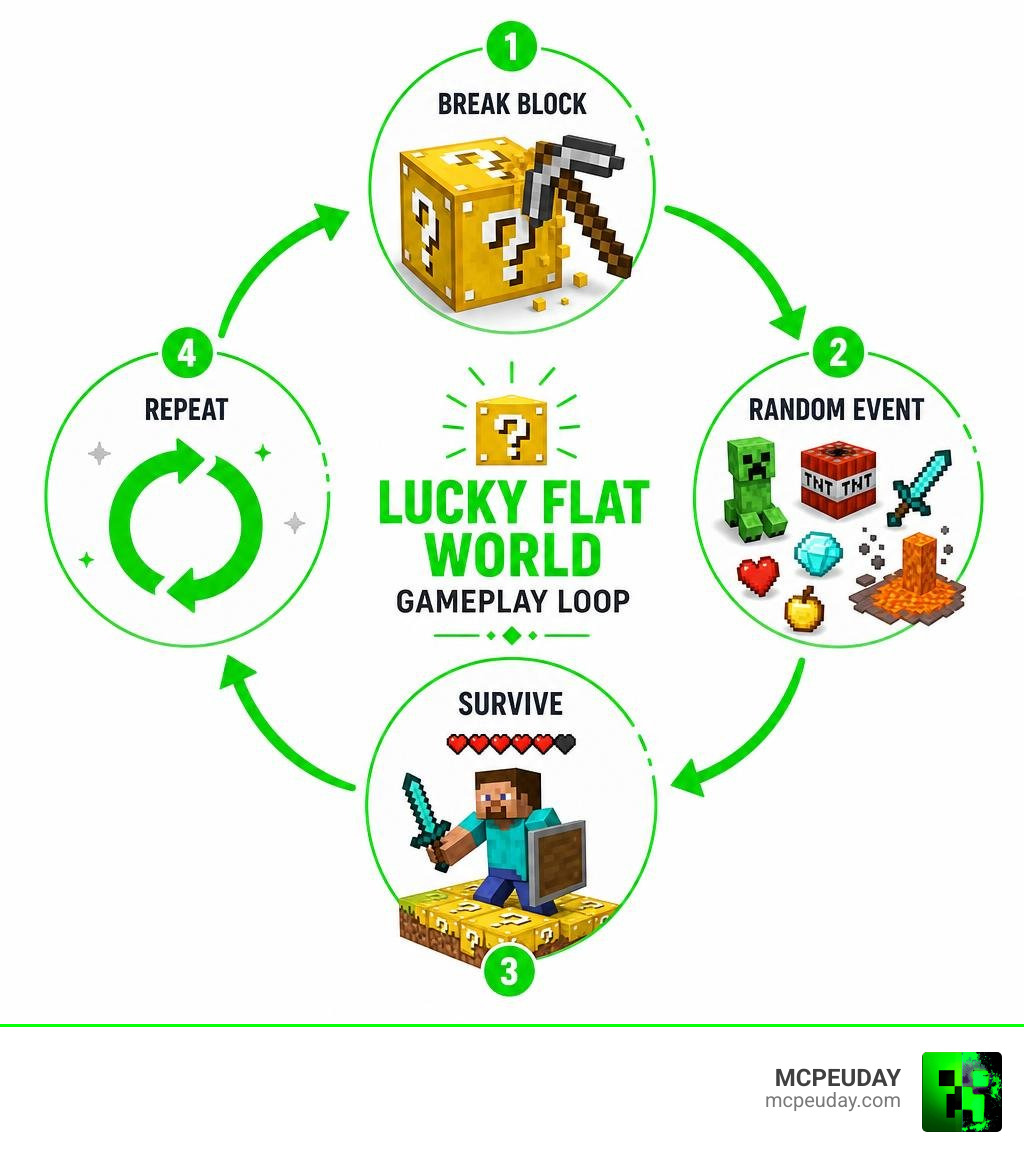
Core Gameplay Loop of a Lucky Flat World
The gameplay loop is simple but engaging:
- Break a Block: Carefully mine the Lucky Blocks around you.
- Evaluate the Outcome: Instantly react to whatever spawns—whether it is a chest of loot, a sudden explosion, or a hazard.
- Gather and Craft: Use the random blocks and items you obtain to build a safe platform, craft tools, and prepare for the night.
- Fight Bosses: As you progress, breaking blocks can trigger custom boss fights. You may find yourself suddenly squaring off against Herobrine, the Ender Dragon, giant lava slimes, or a towering giant zombie right on the flat plains.
Key Rules and Settings for Your Lucky Flat World
To make sure the custom scripting and block behaviors load correctly, you must follow a few strict guidelines:
- Survival Mode Only: Playing in Creative mode defeats the purpose and can break the block event triggers.
- Set Difficulty to Hard: The map is balanced around Hard difficulty to ensure hostile mob spawns and boss fights behave as the creators intended.
- Keep Default Settings: Avoid changing default game rules or enabling conflicting experimental features unless specifically instructed by the map version.
- Overworld Only: Lucky Blocks are designed to work in the Overworld. Trying to place or break them in the Nether or the End dimensions will cause scripting errors, and they will not function properly.
Map Variations, Customization, and Block Events
One of the best things about the Lucky Flat World concept is that it isn’t limited to just one aesthetic. Over the years, creators have developed incredibly unique variations that change both the visual style and the loot tables of the blocks.
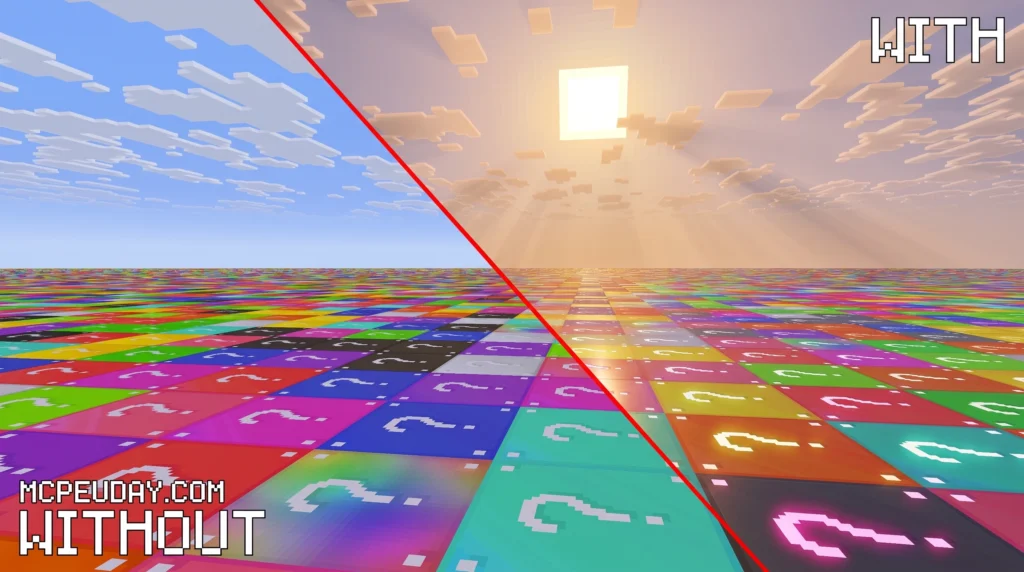
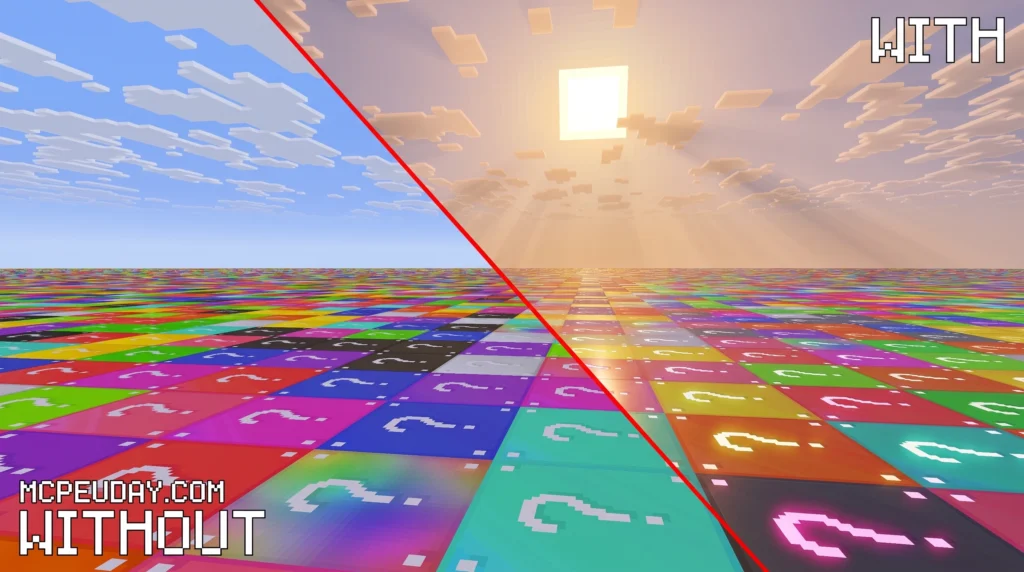
To make these chaotic worlds look even more spectacular, we highly recommend pairing them with high-quality shaders. You can check out our Best Render Dragon Shaders for MCPE 1.21 Tested on Real Devices 2026 Guide to find the perfect visual style for your game.

Themed Variations: Rainbow, Astral, and Withered
Depending on which world file you download, you can experience several distinct themes:
- Classic Lucky: The traditional yellow blocks with question marks, offering a balanced mix of standard Minecraft resources and classic traps.
- Rainbow Lucky: A highly colorful, chaotic variant. The blocks look like a giant, vibrant dance floor, and the drops are incredibly unpredictable.
- Astral Lucky: A space-themed variant. This version is a community favorite, featuring celestial drops, powerful custom magic weapons, and gravity-defying events.
- Withered Lucky: The ultimate hardcore challenge. This variant is themed around the Nether and the Wither, spawning high-tier undead mobs, decay traps, and netherite-level rewards.
- Combination / Spiral: A mix of all the above styles layered together, giving you a different experience depending on which layer or coordinates you mine.
Most of these maps feature a structure of exactly three layers of custom blocks resting on a solid layer of unbreakable bedrock, ensuring you don’t accidentally fall into the void while mining.
Customizing Loot Tables and Textures
Many modern versions of the map, such as the recently updated V2.2, feature an in-game configuration panel. When you click the pack settings icon in your world list, you can choose which loot tables are active and toggle different block textures.
If you want to customize your game’s atmosphere even further while breaking blocks, take a look at our list of the 15 Best Minecraft PE Shaders June 2026 to make those custom block explosions and particle effects look absolutely stunning. We also have guides on What Are Shaders in Games and How to Get Shaders in Minecraft to help you get started.
For players who love realistic environments, combining these maps with custom resource packs is a game-changer. Check out the Best Realistic Minecraft Animals Mods Texture Packs for Java MCPE to add lifelike creatures to your custom flat world.
How to Download, Install, and Troubleshoot the Map
Getting Lucky Flat World up and running on your device is straightforward, but the method depends on whether you are using the official marketplace or community-created files.
| Installation Method | File Format | Pros | Cons |
|---|---|---|---|
| Direct Import | .mcworld | One-click installation, automatic setup | Requires a compatible file manager on mobile |
| Manual Extraction | .zip / Folder | Works on older versions, highly customizable | Requires manual folder navigation and placement |
Finding and Downloading the Free Community Map
If you want to play the free community versions of the map, you can find trusted downloads on sites like Lucky Flat World for Minecraft Pocket Edition . Alternatively, if you prefer a highly polished, officially supported version, you can purchase the Lucky Block Flat World by FTB | CHUNK – Minecraft Bedrock Marketplace Explorer on the Minecraft Marketplace for 490 Minecoins.
Step-by-Step Installation Guide for Android, iOS, and Windows 10
Here is how to quickly install the .mcworld file on your preferred platform:
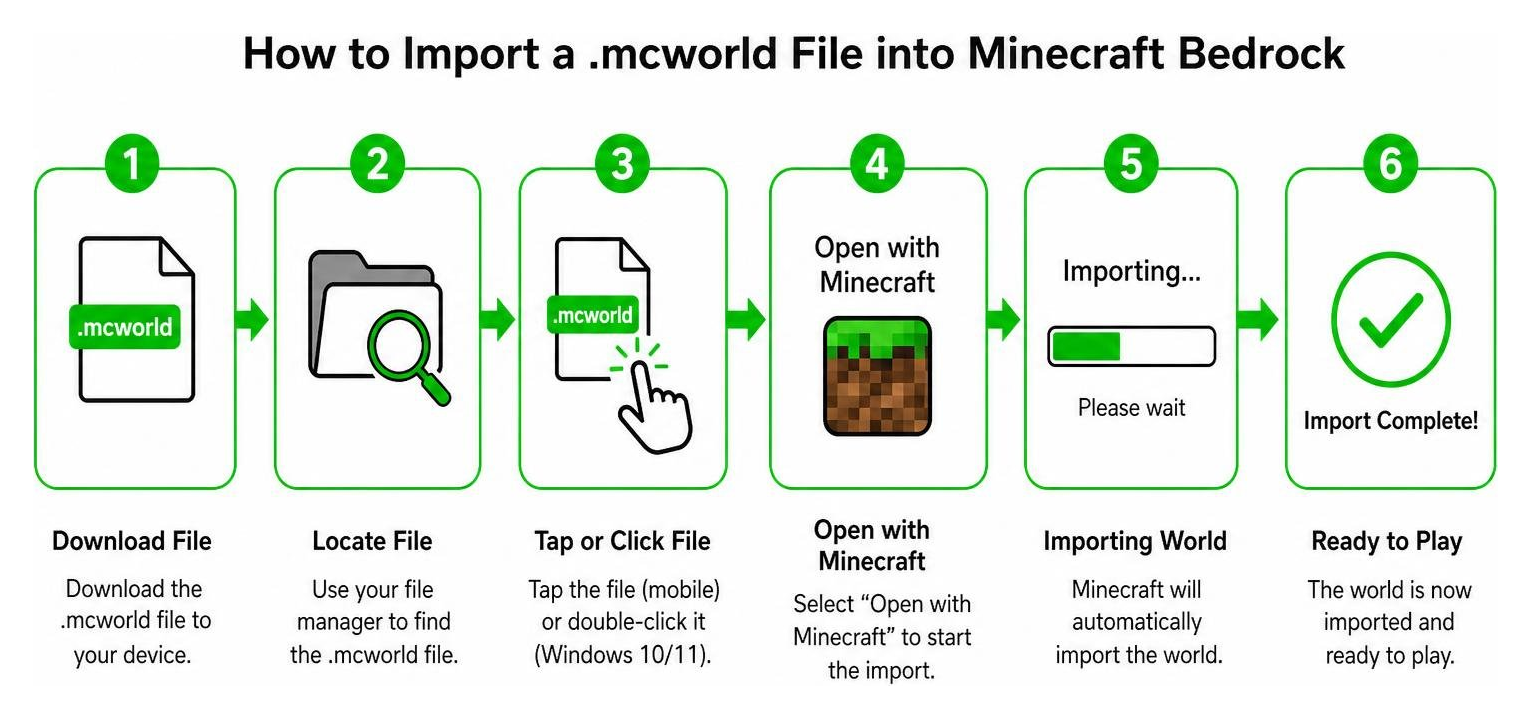
- Android: Download the
.mcworldfile. Use a file manager app to locate the file, tap on it, and select “Open with Minecraft.” The game will launch and automatically import the map. - iOS: Download the map file through Safari. Tap the downloaded file, select the share/export option, and choose Minecraft from the app list to import it directly.
- Windows 10/11: Navigate to your downloads folder, locate the
.mcworldfile, and double-click it. Minecraft Bedrock will open automatically and load the world.
If you are using an older device or manual installation, you will need to unzip the map folder and move it directly to your system’s game directory: /games/com.mojang/minecraftworlds.
Troubleshooting Common Technical Issues and Bugs
While the map is incredibly fun, players sometimes run into technical hiccups:
- Performance Lag: Generating infinite custom blocks and spawning entities can cause lag on lower-end mobile devices. To fix this, try lowering your render distance or using optimization shaders. We recommend checking out the Top 5 Best Realistic Shaders for MCPE or the lightweight 10 Best Newb Shaders for Minecraft PE Bedrock to boost your frame rates.
- The Barrier Block Bug: In some newer versions of Minecraft PE, a bug can occur where breaking a Lucky Block gives you a physical “Barrier Block” with a text description (like “Zombie Spawn”) instead of actually spawning the mob. If this happens, ensure you are running the correct map version compatible with your game build, or check for updates on the creator’s official social channels (such as @Effectoo on Twitter).
- Backup Your Worlds: Because of the volatile nature of Lucky Blocks (which can spawn massive clusters of primed TNT), always keep a backup copy of your world save so you don’t lose all your progress to a single unlucky break!
Frequently Asked Questions About Lucky Flat World
Can you play Lucky Flat World in multiplayer?
Yes! The map officially supports multiplayer for 1 to 16 players. It is incredibly fun for cooperative survival or hosting chaotic PvP tournaments. However, keep in mind that hosting many players on a mobile device can cause network lag, and rapid block-breaking might occasionally trigger scripting desyncs.
Do lucky blocks work in the Nether or End dimensions?
No. The custom block scripting is designed specifically for the Overworld. If you manage to build a portal and travel to the Nether or the End, placing or breaking Lucky Blocks there will usually result in standard, empty blocks or cause game errors.
What is the best difficulty setting for this map?
You should always play on Survival mode with the difficulty set to Hard. This ensures that all custom mob spawns, boss behaviors, and status effects function exactly as the developers intended.
Conclusion
The Lucky Flat World concept is one of the most entertaining ways to experience Minecraft Bedrock. It strips away the familiar safety of standard world generation and replaces it with pure, unadulterated RNG. Whether you are dodging a sudden creeper explosion, collecting stacks of diamonds, or fighting off Herobrine with your friends, every single block you break tells a new story.
If you are ready to jump into the chaos, make sure your game looks its absolute best. You can find excellent visual upgrades by visiting our Minecraft Shaders Download for Android page or reading our easy How to Turn On Shaders in Minecraft 2026 Guide Java Bedrock MCPE Setup Fast MCPEUDay.
Ready to test your luck? Explore more Minecraft Bedrock mods, maps, and shaders on MCPEUDAY and start your ultimate survival challenge today!

1 thought on “Lucky Flat World (26.x, 1.21) – MCPE/Bedrock Map”