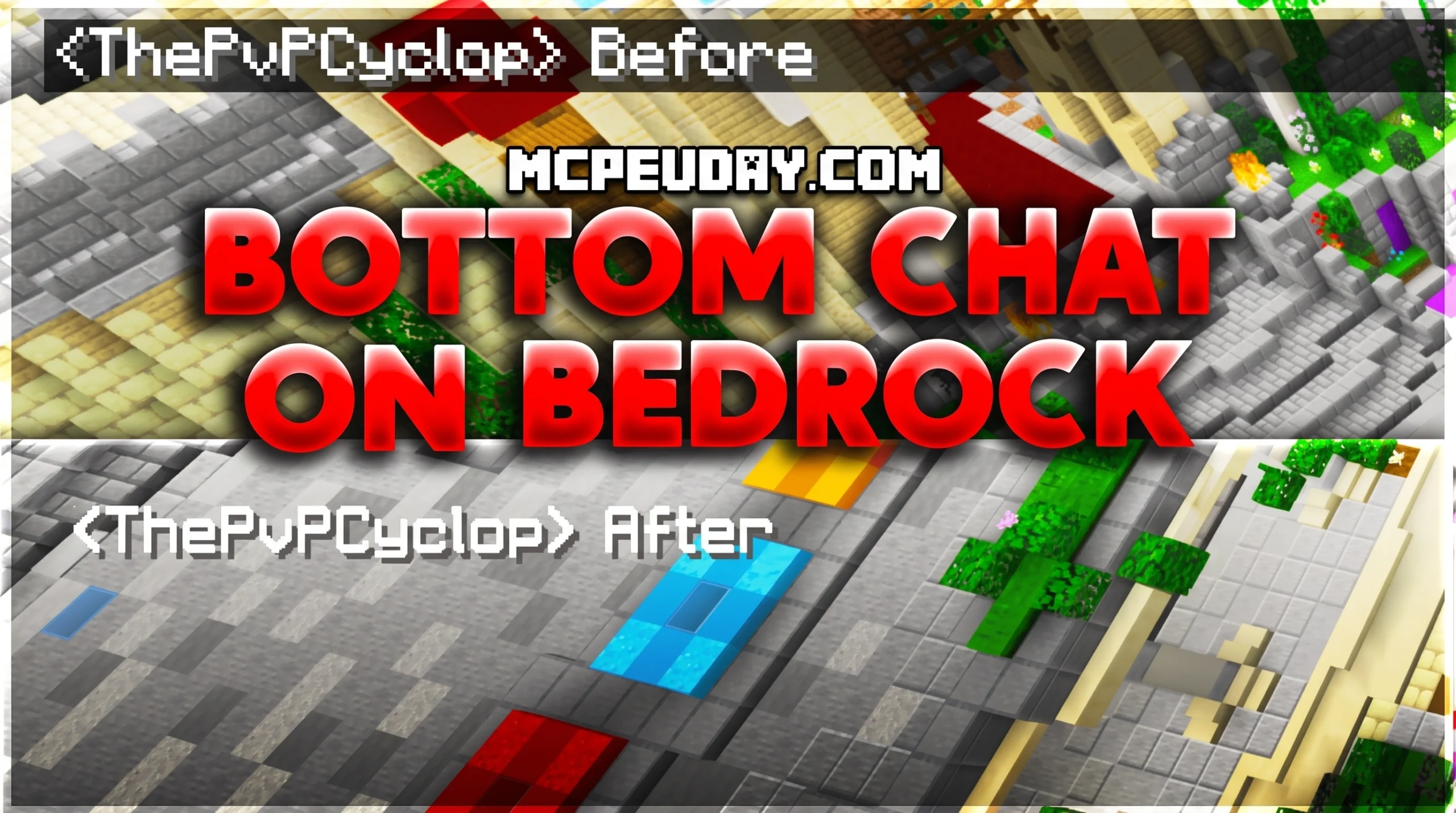
What the Bedrock Bottom Chat Pack Does (And Why Players Love It)
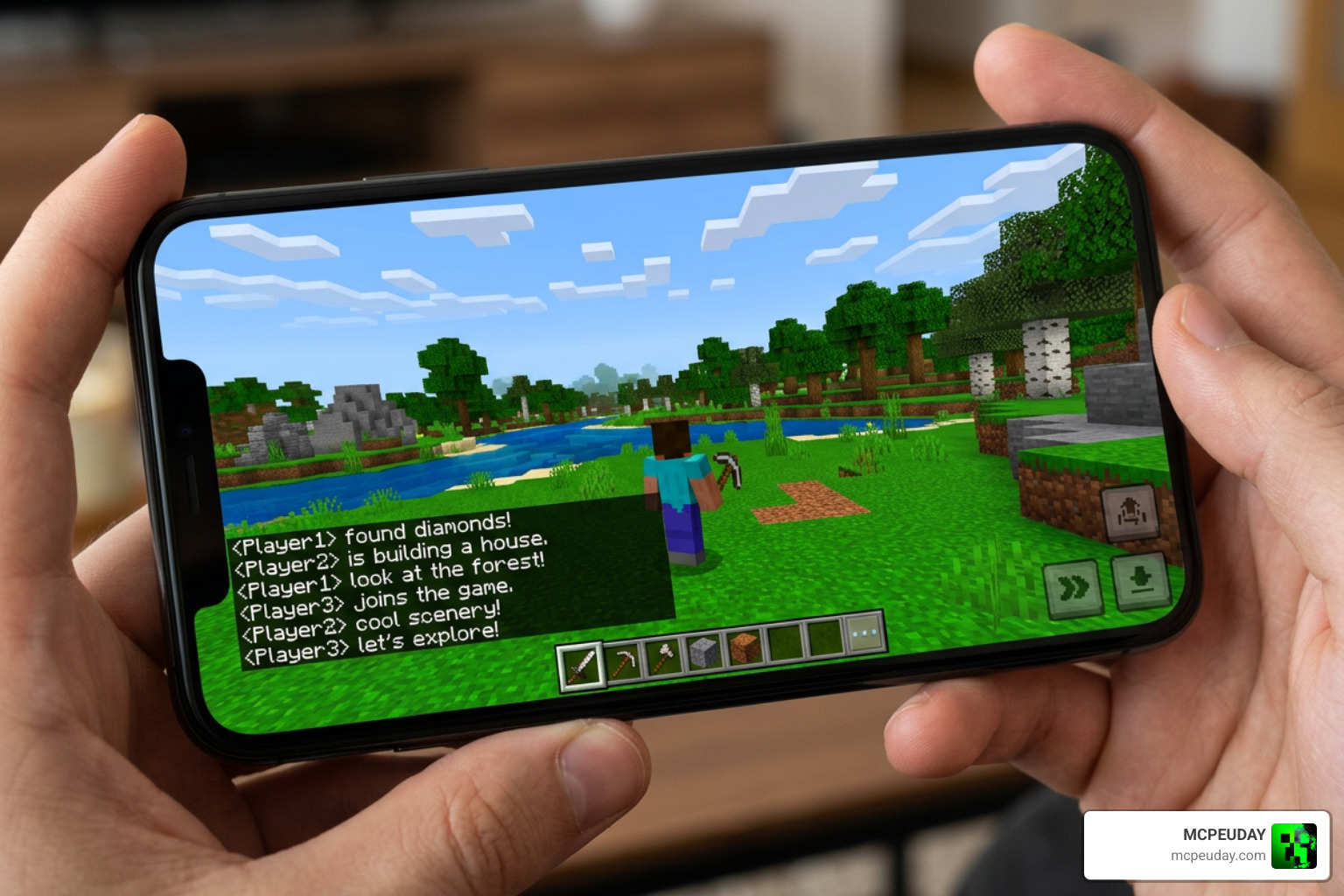
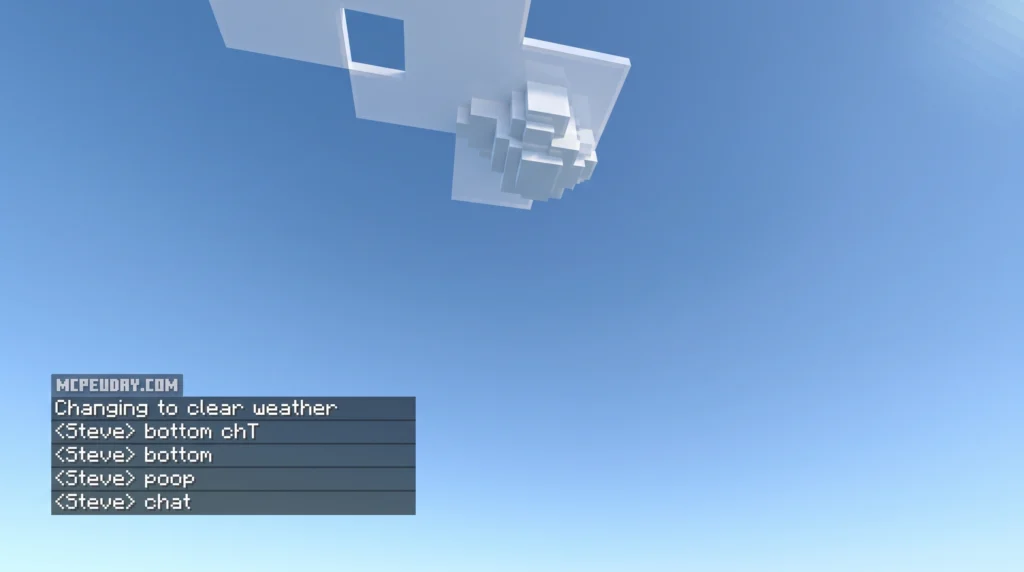
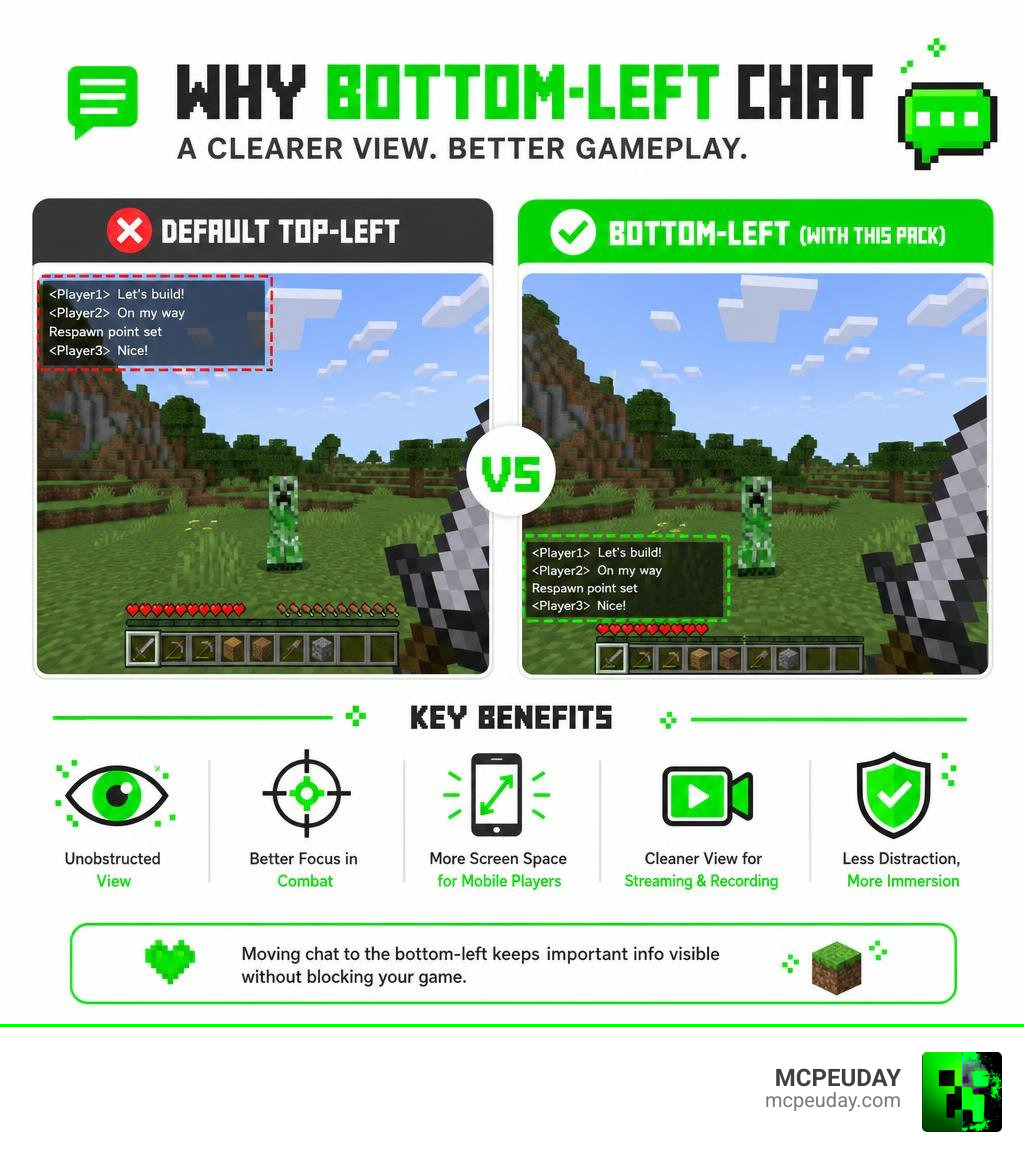
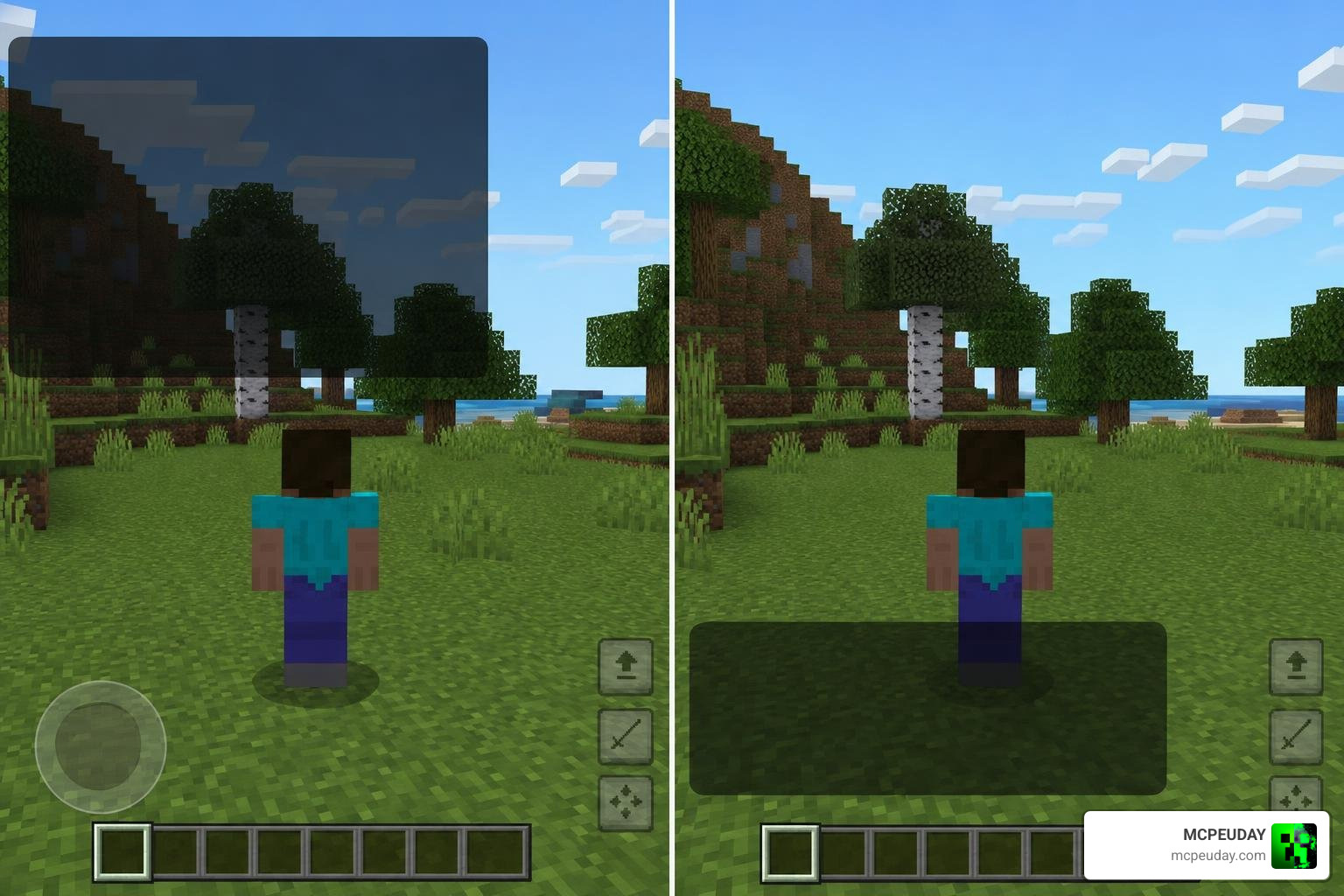
The Bedrock Bottom Chat Pack is a lightweight resource pack for Minecraft Bedrock Edition (MCPE) that moves the chat UI from the default top-left corner of your screen to the bottom-left corner.
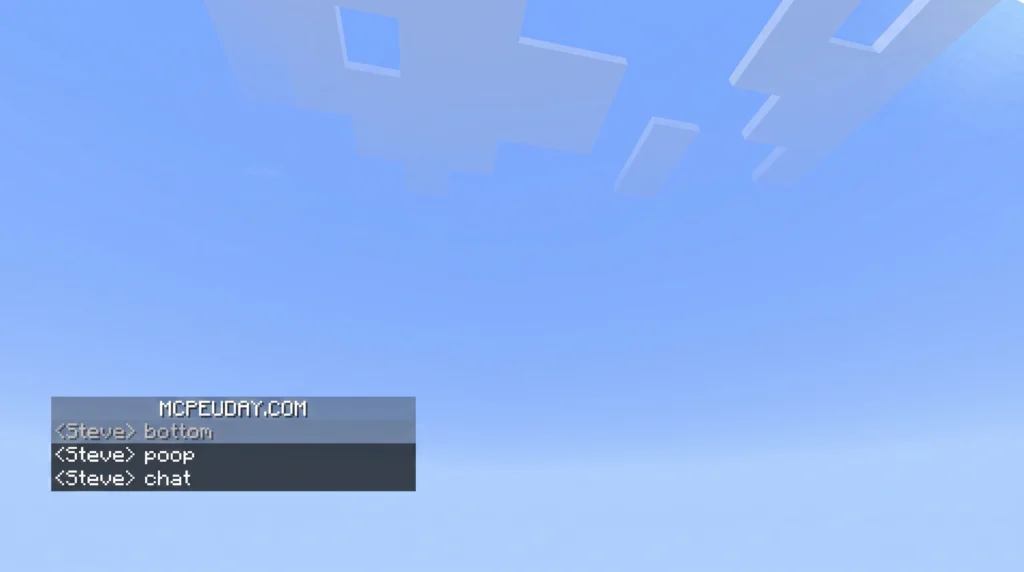
Here’s a quick summary:
- What it does: Repositions the chat box from top-left to bottom-left
- Who it’s for: Minecraft Bedrock/MCPE players on mobile, PC, and more
- Latest version: 1.0.8 (last updated December 2023)
- User rating: 4.7 out of 5 stars
- File format: .mcpack (easy to install)
- Cost: Free to download
- Permission: You can bundle it into your own custom texture packs
By default, Minecraft Bedrock Edition places the chat in the top-left corner of the screen. For a lot of players, that spot is exactly where you’re trying to see enemies, terrain, or status effects. Moving it to the bottom-left keeps your view cleaner and your gameplay smoother.
This pack is especially popular with mobile players, who have less screen space to work with. It’s also a favorite among streamers and PvP players who want a cleaner HUD without distracting overlaps.
One thing worth knowing upfront: this pack only repositions the chat UI. It does not redesign the full chat screen interface — which is a key difference from similar mods on Java Edition.
What is the Bedrock Bottom Chat Pack?
At its core, the Bedrock Bottom Chat Pack is a simple but incredibly effective UI modification. In the vanilla game, text messages, system notices, and player commands pop up in the top-left area. While this might seem fine at first, it quickly becomes a nuisance during active gameplay.
For mobile players, this default placement is even more troublesome. Standard mobile controls, finger placement, and smaller screen real estate mean that a busy chat completely blocks your peripheral vision. By installing this pack, you shift the entire chat box stream down to the bottom-left corner. This simple change dramatically opens up your main field of view, making your overall survival or multiplayer experience feel much more natural.
Key Features of the Bedrock Bottom Chat Pack
- Lightweight UI Tweak: It adjusts only the layout coordinates of the chat HUD element, meaning it won’t impact your game’s frame rate.
- Version Compatibility: The pack is highly compatible with modern Bedrock versions, including 1.19, 1.20, and up to the latest releases in 2026.
- Modular Friendly: The creator allows players to freely integrate this pack’s files directly into their own custom texture packs.
- Lootlabs Integration: Modern downloads are hosted via user-friendly Lootlabs links, which are much easier to navigate than older, ad-heavy Linkvertise alternatives.
- Resolution Support: It works seamlessly across all screen resolutions, from small mobile displays to massive 4K monitors on PC.
If you are looking for the official release, you can find the Bedrock Bottom Chat Pack on popular community portals, boasting a stellar 4.7 out of 5-star rating.
Benefits of Shifting the Chat UI to the Bottom Left
Why make the switch? In Minecraft Bedrock, the top-left corner is heavily crowded. It is the default home for active status effects (like Bad Omen or Strength), coordinate displays, and other custom server HUDs. When the chat starts scrolling rapidly on a multiplayer server, these elements overlap, creating an unreadable mess.
Shifting the chat to the bottom-left corner declutters your screen. It places the chat in a zone that is typically empty, leaving the top-left clean and readable. Additionally, if you are struggling with visual stuttering or layout lag, keeping your HUD clean is a great first step. For deeper performance fixes, check out our guide on Why is Minecraft Bedrock So Laggy to optimize your frame rates alongside your new UI.
Bedrock Bottom Chat vs. Java Bottom Chat
If you have ever played both main versions of Minecraft, you know they handle user interfaces quite differently. The debate of Minecraft Java vs Bedrock extends even to how chat functions out of the box.
On Java Edition, the chat naturally rests near the bottom-left HUD, sitting cleanly above the health and experience bars. Bedrock Edition players have long desired this exact layout parity, which is why packs like the Bedrock Bottom Chat Pack are so highly sought after.
How the Bedrock Bottom Chat Pack Differs from Java Bottom Chat
It is important to understand the technical difference between these two versions:
- Java Bottom Chat: On Java, bottom chat mods often redesign the entire chat screen interface, including the text input box, custom buttons, and background opacity.
- Bedrock Bottom Chat Pack: This pack only repositions the chat HUD on your main playing screen. When you actually open the chat to type a message, the full-screen typing interface remains standard Bedrock.
This smart design keeps the pack incredibly lightweight and ensures it doesn’t break when Mojang updates the game’s core engine. It’s a simple, elegant solution to achieve visual parity across platforms, which is perfect for players enjoying crossplay. To learn more about playing with friends across different systems, read our guide on Is Minecraft Cross Platform in 2026.
Bedrock Bottom Chat vs. AWS Bedrock Chat
Because of the name “Bedrock,” there is sometimes massive confusion online when searching for this pack. You might run into highly technical developer resources that have absolutely nothing to do with block building!
To clear things up:
- Bedrock Bottom Chat Pack: A cosmetic resource pack (.mcpack) for Minecraft Bedrock Edition.
- AWS Bedrock Chat: An enterprise-grade, serverless generative AI chatbot platform developed by Amazon Web Services. It utilizes AWS Bedrock foundation models (like Claude) and is deployed via developer platforms.
If you see references to the Bedrock Chat – Visual Studio Marketplace extension, the aws-samples/bedrock-chat repository, its technical README.md , or the yaheya/bedrock-chat repository, keep in mind these are cloud computing and artificial intelligence tools for programmers—not texture packs for your Minecraft world!
Installation and Compatibility Guide
Getting the Bedrock Bottom Chat Pack running on your device is a quick and painless process. Because it is a client-side resource pack, you do not need to enable experimental gameplay toggles, and it will not disable achievements in your survival worlds!
How to Install the Pack on Mobile Devices (iOS and Android)
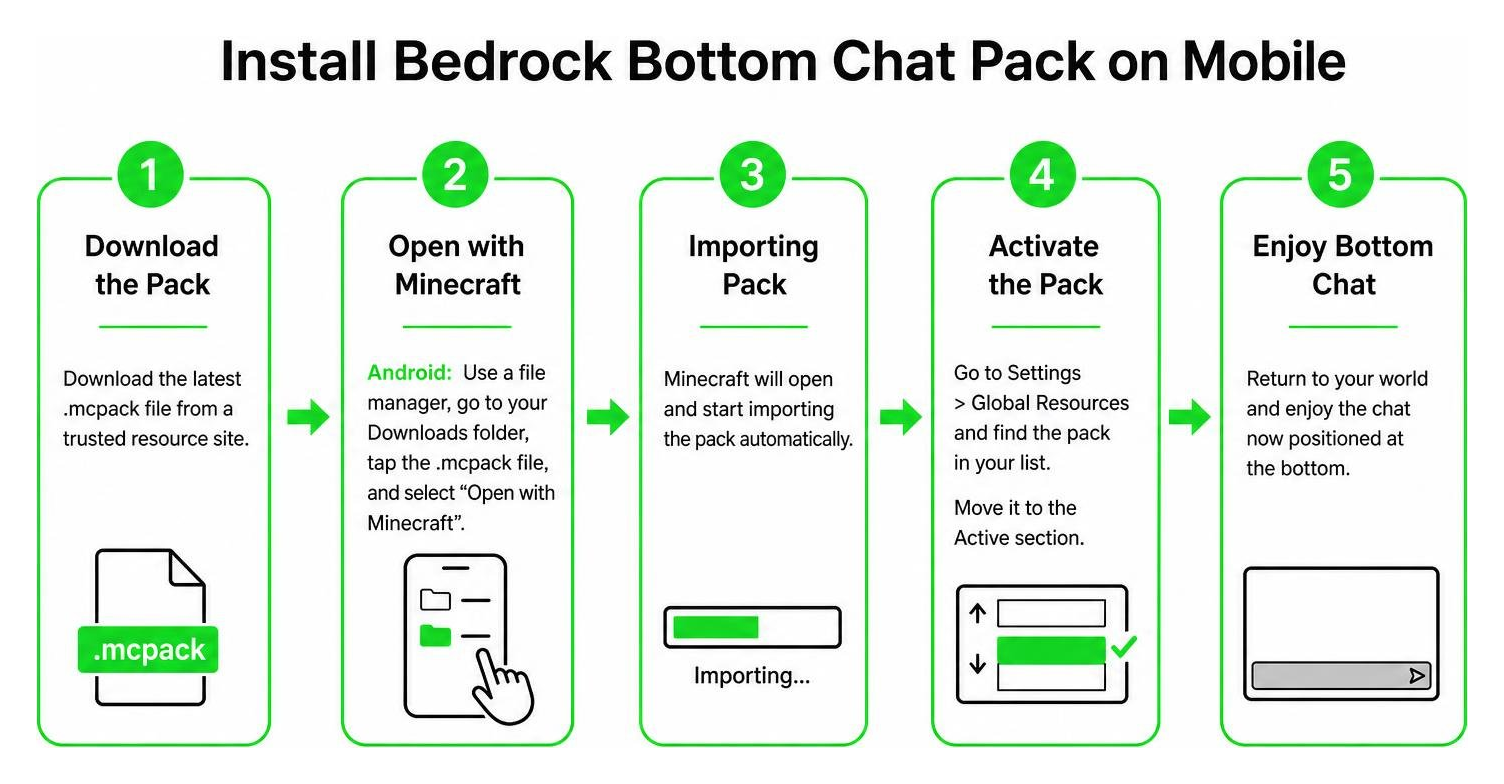
- Download the Pack: Visit a trusted resource site or community portal to download the latest
.mcpackfile. - Open with Minecraft:
- Android: Use a file manager app, navigate to your Downloads folder, tap the
.mcpackfile, and select “Open with Minecraft”. - iOS: Tap the downloaded file and choose “Copy to Minecraft” from the share sheet.
- Android: Use a file manager app, navigate to your Downloads folder, tap the
- Activate the Pack: Once Minecraft imports the pack successfully, go to Settings > Global Resources > My Packs, locate the pack, and click Activate.
Compatibility with PvP Packs and Other Resource Packs
For the most part, this pack plays incredibly well with others. However, if you are a competitive player using heavy PvP texture packs, you might run into a common conflict: invisible chat text.
Many PvP packs include custom settings that turn the chat background or text completely clear to maximize screen visibility. When combined with the bottom chat pack, these settings can conflict, causing the text to disappear entirely.
To fix this, simply open your Global Resources active list and make sure the Bedrock Bottom Chat Pack is loaded higher than your PvP packs. This ensures its layout files take priority.
Top Alternatives to the Bedrock Bottom Chat Pack
If you want to explore other styles of chat customization, there are several fantastic alternatives available on the market.
| Pack Name | Primary Focus | Key Feature | Best For |
|---|---|---|---|
| Bedrock Bottom Chat | Repositioning | Extremely lightweight, simple move | Vanilla-plus players |
| VDX Legacy Bottom Chat | Java/Console Parity | Standalone, subpack modes, clear BG | UI enthusiasts |
| Better Chat | Advanced Customization | JSON configuration, custom animations | Power users & mobile |
| Bedrock Tweaks | Modular UI Tweak | Build custom, combined packs online | Minimalists |
VDX: Legacy Bottom Chat UI Pack Features
The VDX: Legacy Bottom Chat UI is an incredibly popular alternative with over 41,000 downloads. It is a standalone pack, meaning you do not need to install a massive desktop UI overhaul to use it.
Its biggest selling point is its subpack modes. When activating the pack, you can click the gear icon to choose between:
- Normal Bottom Chat: Standard layout.
- Clear BG Bottom Chat (HUD only): Removes the gray background behind chat messages on your main screen.
- Clear BG Bottom Chat (HUD & Screen): Removes backgrounds on both the gameplay HUD and the dedicated chat screen.
Better Chat Customization Options
For players who want total control, the Better Chat texture pack (rated 4.8 out of 5 stars) is a dream come true. Instead of just moving the box, it allows you to edit a file named _global_variables.json inside the pack folder.
With Better Chat, you can customize:
- Appear and Destroy Animations: Smooth transitions when messages pop up or fade away.
- Column Height: Set explicit limits on how high the text can stack using columns instead of weird screen percentages.
- Chat Opacity & Message Duration: Keep messages on screen for exactly as long as you want (e.g., reducing the default time to a clean 3 seconds).
Frequently Asked Questions about Bedrock Bottom Chat
What is the latest version of the Bedrock Bottom Chat Pack?
The latest official version of the pack is v1.0.8. It remains highly compatible with modern Minecraft Bedrock versions (including 1.20 and 1.21+) due to its clean, simple code structure.
Why does my chat text turn invisible when using PvP packs?
This is a common load-order conflict. Some PvP packs force chat transparency. To fix it, go to your active resource packs list and drag the Bedrock Bottom Chat Pack to the very top of the list so its layout overrides the PvP pack’s settings.
Can I customize chat animations and opacity?
Yes! While the basic Bedrock Bottom Chat Pack doesn’t support this natively, you can use the Better Chat texture pack and edit its _global_variables.json file to adjust animations, column heights, and fade-out times.
Conclusion
The Bedrock Bottom Chat Pack is a must-have, lightweight upgrade for any Minecraft Bedrock player tired of a cluttered screen. By cleanly shifting the chat HUD to the bottom-left corner, it frees up critical screen space for coordinates, status effects, and actual gameplay view.
Whether you are playing on a mobile phone, a console, or using the Minecraft Bedrock Windows GDK Installer on PC, this simple tweak will instantly make your game feel more modern and comfortable.
If you are looking to completely transform your Bedrock experience, why stop at chat? You can combine this UI tweak with massive gameplay overhauls like the Better On Bedrock Addon, add RPG flair with the Bedrock Reimagined Addon, or introduce essential features using the Bedrock Essentials Addon. For multiplayer fans, we also highly recommend checking out the Bedrock Voice Chat Addon and the visual upgrades in the Verity Bedrock Edition Addon.
Ready to clean up your HUD and play like a pro? Explore more MCPE resources on MCPEUDAY to find the latest verified downloads, custom shaders, and game-changing addons today!
