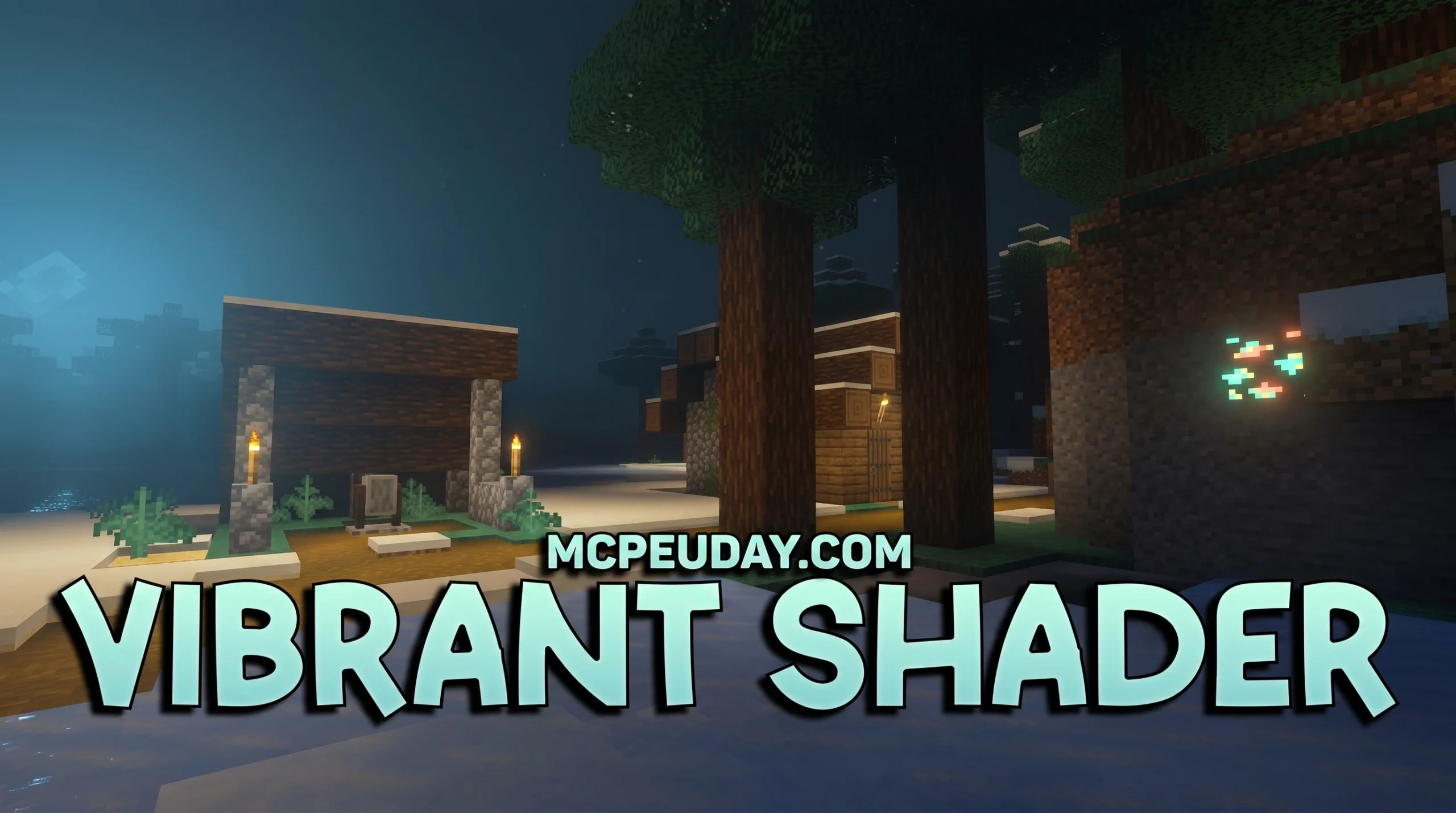
What You Need to Know About Vibrant Shader (Quick Answer)
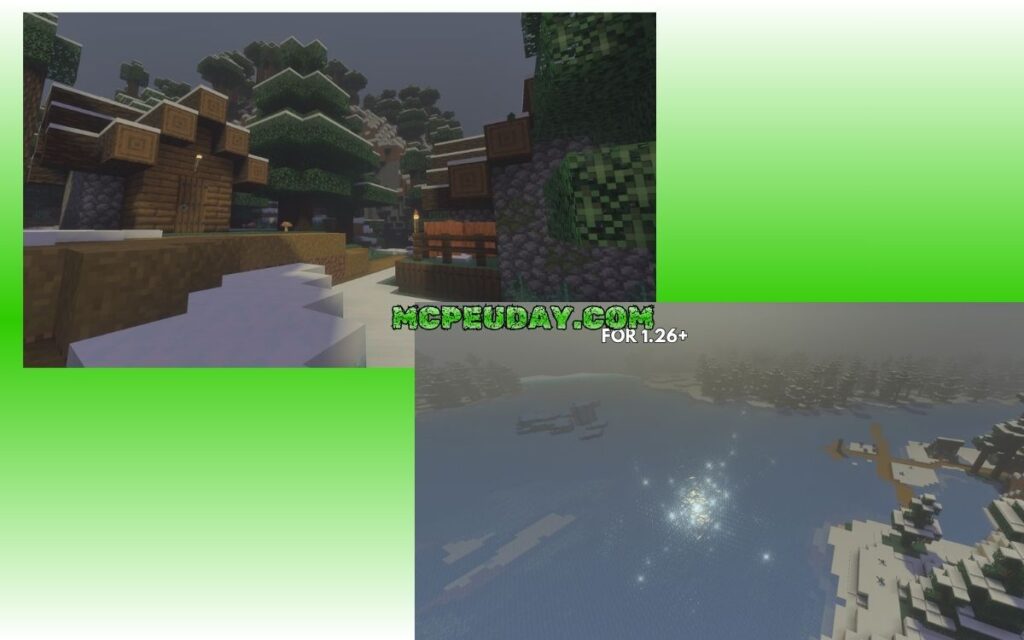
Vibrant Shader is one of the most downloaded shader packs for Minecraft, transforming the game’s default lighting into something that looks almost unrecognizable — in the best way possible.
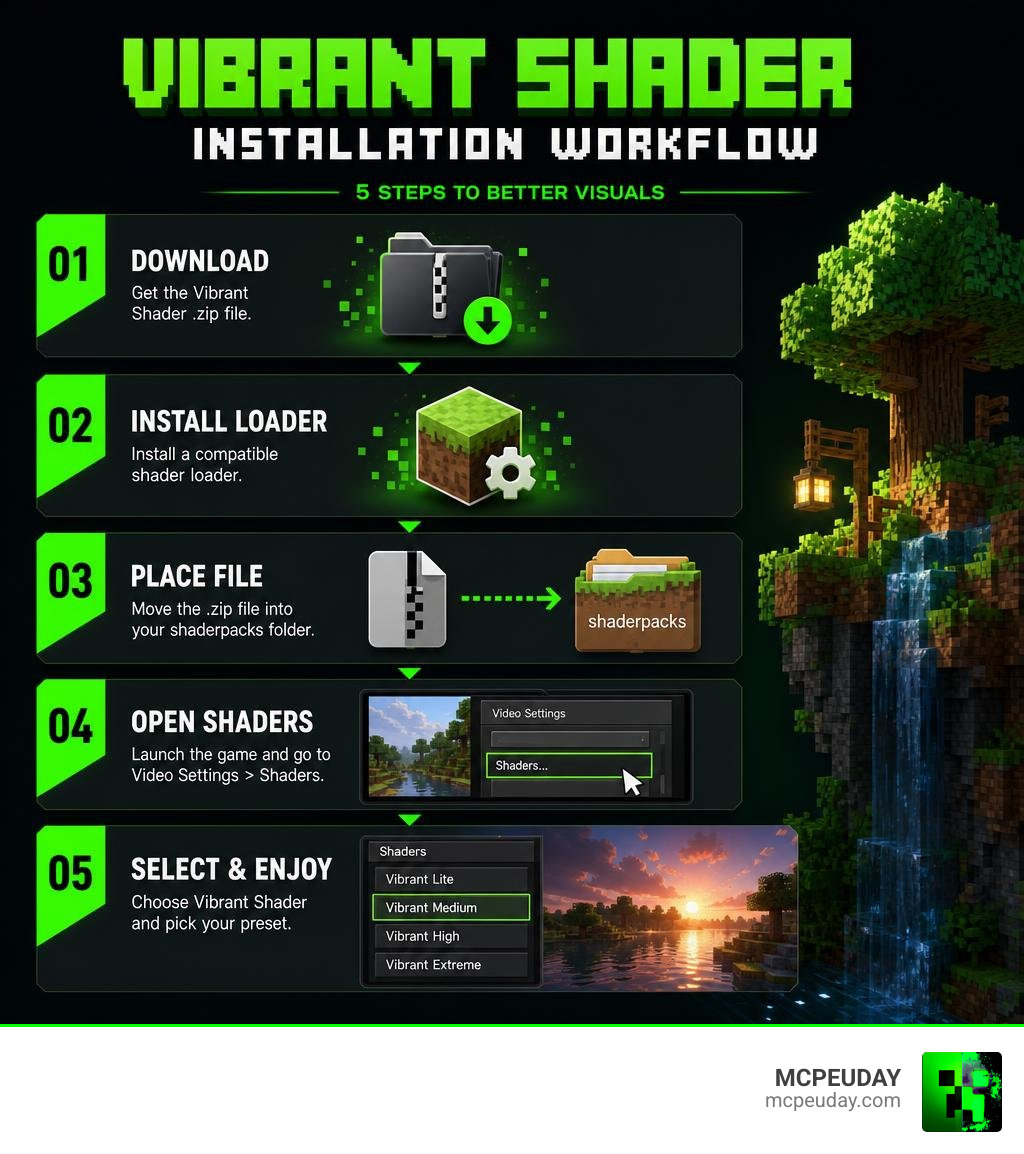
Quick answer for anyone searching for Vibrant Shader:
- Download Sildur’s Vibrant Shaders from CurseForge (over 33 million downloads)
- Install either Iris or OptiFine as your shader loader
- Place the shader
.zipfile in your.minecraft/shaderpacks/folder - Open Minecraft, go to Video Settings > Shaders
- Select Sildur’s Vibrant Shaders and pick your preset (Lite, Medium, High, or Extreme)
Minecraft’s default graphics get the job done — but they’re pretty flat. No real shadows. No glowing light. No water that actually looks like water.
That’s exactly the problem Vibrant Shader solves.
It completely rebuilds Minecraft’s lighting system. You get volumetric light beams, realistic water reflections, soft bloom around torches, and ambient shadows — all running on hardware as basic as an older GTX 960.
And with 33+ million downloads on CurseForge alone, it’s clearly doing something right.
Whether you’re playing Java Edition on a gaming PC or trying to squeeze better visuals out of a budget laptop, there’s a preset built for your setup. This guide walks you through downloading and installing it in five simple steps.
What is Sildur’s Vibrant Shader?
When players talk about the Vibrant Shader, they are almost always referring to Sildur’s Vibrant Shaders. Originally created as an extension of the classic GLSL shader mod, this legendary pack has been a community favorite since 2012. Over the years, it has evolved alongside Minecraft, transitioning from old-school setup methods to full, seamless integration with modern shader loaders like OptiFine and Iris.
Unlike basic color-grading packs that simply adjust the contrast of your screen, Sildur’s Shaders completely overhaul Minecraft’s rendering engine. It replaces the flat, yellow sunlight with dynamic, volumetric light sources that bend around blocks, filter through leaves, and reflect off wet surfaces.
While Sildur’s is primarily a Java Edition masterpiece, Bedrock and mobile players aren’t left in the dark. If you are playing on a phone, tablet, or console, you can check out alternative options like the Vibrant Legacy Simple Shader for MCPE to achieve a similarly warm, colorful aesthetic on the Bedrock engine.
To grab the official Java files directly from the creator’s primary distribution hub, head over to the Sildur’s Vibrant shaders – Minecraft – CurseForge page.
Sildur’s Vibrant Shader vs. Official Vibrant Visuals
If you keep up with official Mojang announcements, you might have heard of a feature called “Vibrant Visuals.” It is easy to confuse this with Sildur’s work, but they are two very different projects:
- Sildur’s Vibrant Shaders: A community-driven, highly customizable Java Edition shader pack that has been refined over more than a decade. It runs locally on your graphics card via OptiFine or Iris.
- Official Vibrant Visuals: An upcoming graphics upgrade developed directly by Mojang. Revealed at Minecraft LIVE, this feature introduces built-in directional lighting, volumetric fog, and atmospheric reflections. It is initially targeted at Bedrock Edition previews and betas, with plans to bring it to Java Edition in the future.
Because the official “Vibrant Visuals” is still highly experimental and mostly limited to Bedrock, Java developers have stepped in to bridge the gap. For instance, the community shader project DistortedDragon1o4/visual-vibrance is a specialized fork designed to recreate the official Bedrock look inside Java Edition. If you want to test this recreation yourself, you can download the v0.3.2a – Visual Vibrance build on Modrinth, which uses the Iris loader to bring Mojang’s new aesthetic to Java.
Key Visual Enhancements of the Vibrant Shader
So, what exactly happens when you toggle Sildur’s on for the first time? The transformation is immediate, thanks to a suite of advanced rendering techniques:
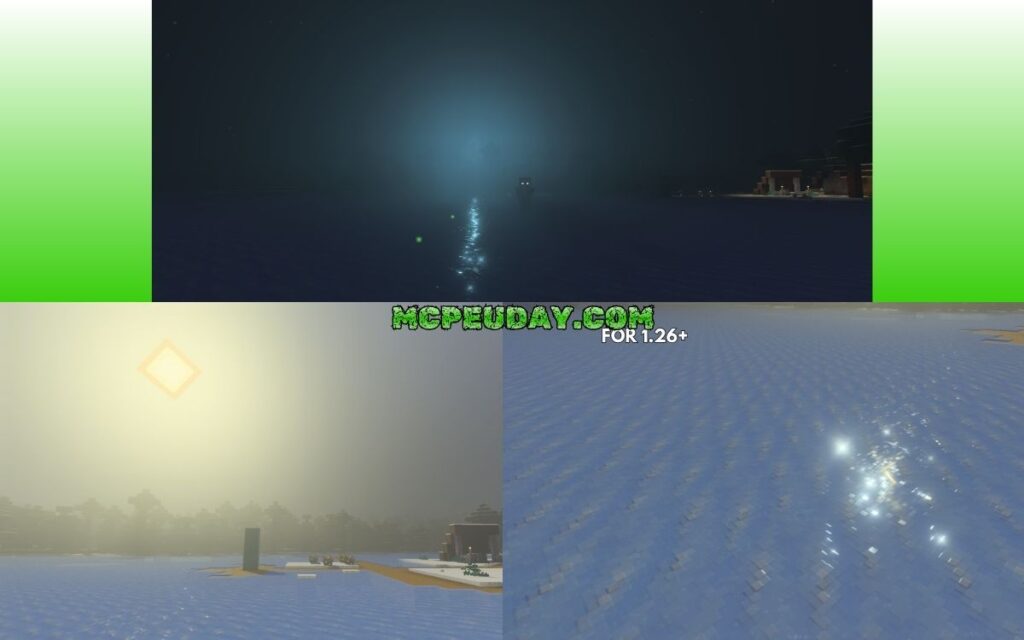
- Volumetric Lighting: Instead of light just “existing” instantly in a room, you will see actual beams of sunlight (godrays) cutting through tree canopies, shining through window panes, and carving across the Overworld.
- Dynamic Water Reflections: Minecraft’s default water is a semi-transparent blue block. With Sildur’s, the water becomes a fluid mirror, reflecting the sky, clouds, surrounding mountains, and nearby torches in real time.
- Bloom Effect: Glowing blocks like glowstone, sea lanterns, and torches emit a soft, atmospheric glow that realistically bleeds into the surrounding darkness.
- Ambient Occlusion: This adds subtle, realistic shadows in corners, crevices, and areas where blocks meet, giving the world a much greater sense of depth and weight.
Comparing the Presets: Lite to Extreme
One of Sildur’s greatest strengths is its accessibility. The creator offers several distinct presets, allowing you to choose the perfect balance between visual eye candy and frame rate.
Whether you are running a high-end rig or a modest school laptop, there is a preset designed for you:
- Lite: The most lightweight version available. It strips away heavy calculations while keeping the warm color grading, basic shadows, and clean water reflections. It is perfect for older laptops, integrated Intel graphics, and macOS users.
- Medium: The recommended starting point for most players. It introduces volumetric lighting and improved shadow resolution without heavily taxing your GPU.
- High: Adds high-resolution shadows, sharper reflections, and motion blur options. This preset is ideal for mid-range gaming rigs (such as those running a GTX 960 or equivalent).
- Extreme: The ultimate visual experience. It features maximum shadow distance, advanced volumetric fog, and highly detailed reflection mapping. There is also an “Extreme-Volumetric Lighting” variation, though some players prefer the standard Extreme preset as the volumetric sky color changes can occasionally feel too intense.
To help you decide which version fits your computer, here is a quick performance breakdown based on real-world benchmarks at 1080p resolution:
| Preset | Target GPU | Average FPS (GTX 960) | Average FPS (GTX 770) | Key Features Included |
|---|---|---|---|---|
| Lite | Intel HD / Older Laptops | 110+ FPS | 120+ FPS | Warm colors, basic shadows, fast performance |
| Medium | Budget Dedicated GPUs | 85 – 100 FPS | 90 – 100 FPS | Volumetric lighting, standard water reflections |
| High | Mid-range GPUs (GTX 960+) | 65 – 85 FPS | 75 – 100 FPS | Sharp shadows, wetness reflections, motion blur |
| Extreme | High-end Gaming PCs | 55 – 70 FPS | 65 – 75 FPS | Maximum volumetric fog, deep ambient occlusion |
If you want to explore other high-performing options that offer a great balance of beauty and frames, check out our guide on the 3 Best Shaders for Minecraft 1.21 Ultra Realistic Smooth FPS Stunning Graphics.
How to Download and Install Sildur’s Vibrant Shader
Ready to transform your game? Installing Sildur’s is incredibly straightforward. You can choose between two main shader loaders: Iris (highly recommended for modern performance and Fabric users) or OptiFine (the classic choice for Forge users).
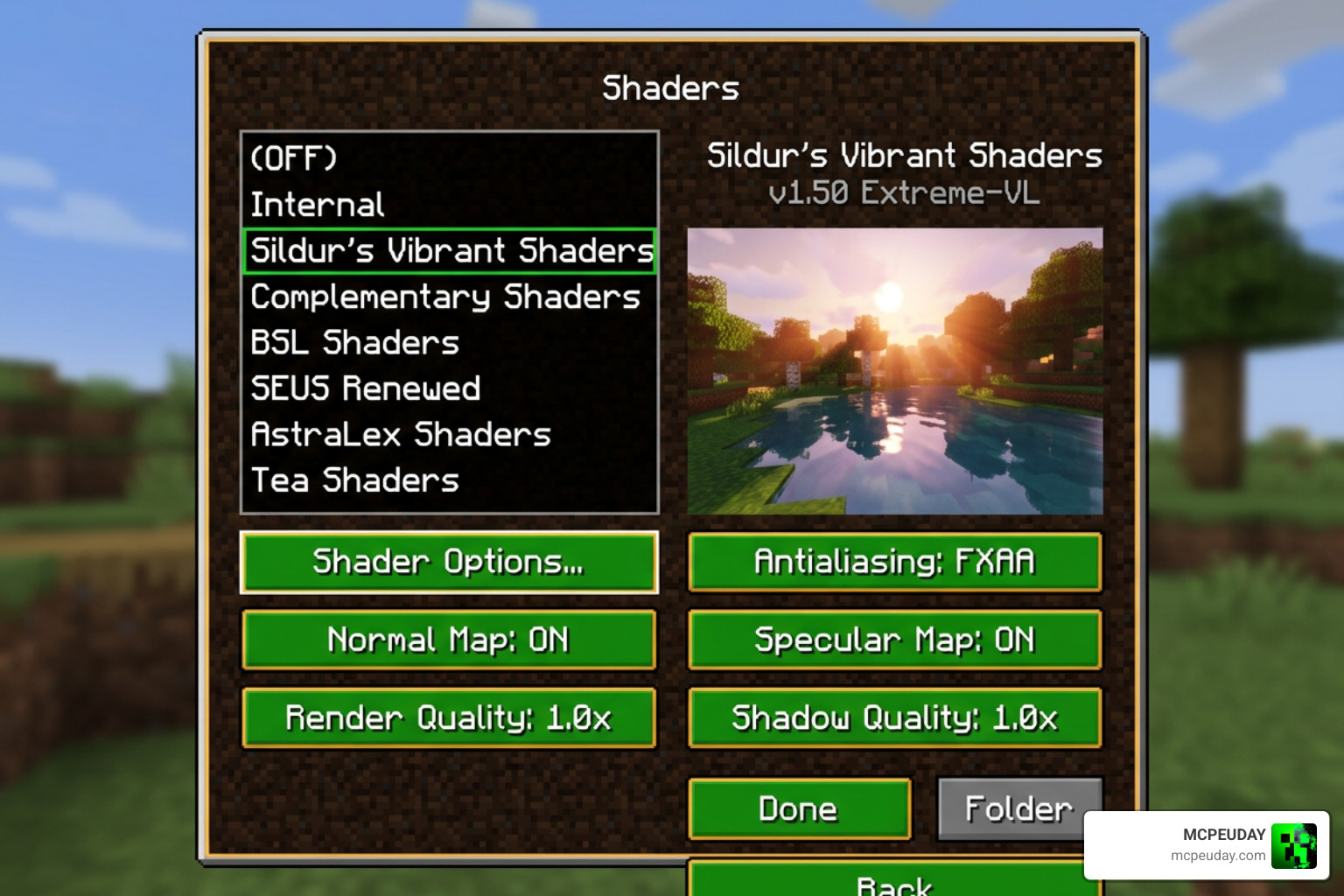
Here is the step-by-step installation process:
Step 1: Install Your Shader Loader
- For Iris (Recommended): Download and run the Iris installer. Choose your desired Minecraft version and click “Install.” This will create a new profile in your official Minecraft Launcher.
- For OptiFine: Download the OptiFine installer matching your Minecraft version. Run the
.jarfile and click “Install” to create an OptiFine profile.
Step 2: Download Sildur’s Vibrant Shader
- Go to the official download pages or CurseForge.
- Select the preset that matches your computer’s capabilities (Lite, Medium, High, or Extreme) and download the
.zipfile. Do not unzip this file!
Step 3: Open the Shaderpacks Folder
- Launch Minecraft using your newly created Iris or OptiFine profile.
- From the main menu, navigate to Options > Video Settings > Shader Packs (if using Iris) or Options > Video Settings > Shaders (if using OptiFine).
- Click the Open Shader Pack Folder button. This will open a folder on your computer’s desktop.
Step 4: Add the Shader File
- Drag and drop the downloaded Sildur’s Vibrant Shader
.zipfile directly into the openshaderpacksfolder.
Step 5: Activate and Enjoy!
- Return to Minecraft. You should see the shader pack appear in the in-game list.
- Click on it to select it, press Apply or Done, and load into your world to experience the massive visual upgrade!
For a wider selection of amazing visual upgrades, browse our dedicated Category Shaders page.
Compatibility, Known Issues, and Mod Support
Sildur’s Vibrant Shaders are incredibly robust, but Minecraft’s modding landscape is vast and constantly shifting. If you run a heavily modded client, here is what you need to keep in mind as of June 2026:
- Distant Horizons: Sildur’s features excellent compatibility with Distant Horizons, allowing you to enjoy beautiful volumetric lighting even when viewing simplified terrain miles away.
- Voxy Mod: Modern versions of Sildur’s (v1.55 and newer) have introduced dedicated support for Voxy. However, keep in mind that minor reflection artifacts with entities (especially in the End dimension) can still occasionally occur when these mods are paired together.
- Angelica Mod & Legacy Versions (1.7.10): If you are playing classic modpacks like GTNewHorizons on Minecraft 1.7.10, you might use Angelica as an OptiFine replacement. While modern Sildur’s versions are highly optimized for Minecraft 1.21 and beyond, legacy versions (like v1.52 or v1.53) running on Angelica sometimes suffer from sky and water rendering bugs due to how legacy lightmap texture matrices are handled.
If you are a mobile player looking for highly compatible, lag-free alternatives that avoid these complex PC modding conflicts, take a look at our curated list of the Top 5 Best Realistic Shaders for MCPE.
Frequently Asked Questions about Vibrant Shaders
Does Sildur’s Vibrant Shader work on low-end PCs?
Yes! Unlike many heavy modern shaders, Sildur’s is highly optimized. If you have an older computer, integrated Intel graphics, or a Mac, simply download the Lite preset. It provides beautiful, warm lighting and clean water reflections with almost zero impact on your frame rate.
Is Sildur’s Vibrant Shader compatible with Minecraft Bedrock?
Sildur’s Vibrant Shaders are built specifically for the Java Edition rendering engine. However, Bedrock and MCPE players can achieve a very similar look by installing custom RenderDragon-compatible shader packs designed specifically for mobile and console editions.
How do I fix sky or water rendering bugs?
If your sky looks strange or your water is completely invisible, the issue is usually a conflict between your shader loader and other performance mods (like Angelica on older versions, or outdated Iris versions). To fix this, ensure you are running the latest version of Iris or OptiFine, and try toggling “Sky Effects” or “Clear Water” on/off in the shader’s internal settings menu.
Conclusion
Sildur’s Vibrant Shader remains one of the absolute best ways to experience Minecraft. By completely rewriting how light, water, and shadows behave, it breathes fresh life into the blocky worlds we know and love. Best of all, its incredible optimization means you don’t need a NASA-grade supercomputer to enjoy it.
At MCPEUDAY, we are dedicated to bringing you the very best resources, guides, and download links to elevate your gaming experience. Whether you are building on a high-end Java setup or playing on the go, we’ve got you covered.
If you are ready to explore more incredible graphical upgrades, check out our definitive guide on the Best Shaders for MCPE 1.21 2026 Top 3 Realistic Minecraft PE Shaders and take your worlds to the next level today!

4 thoughts on “Vibrant Shader (26.x, 1.21) – MCPE/Bedrock Shader”