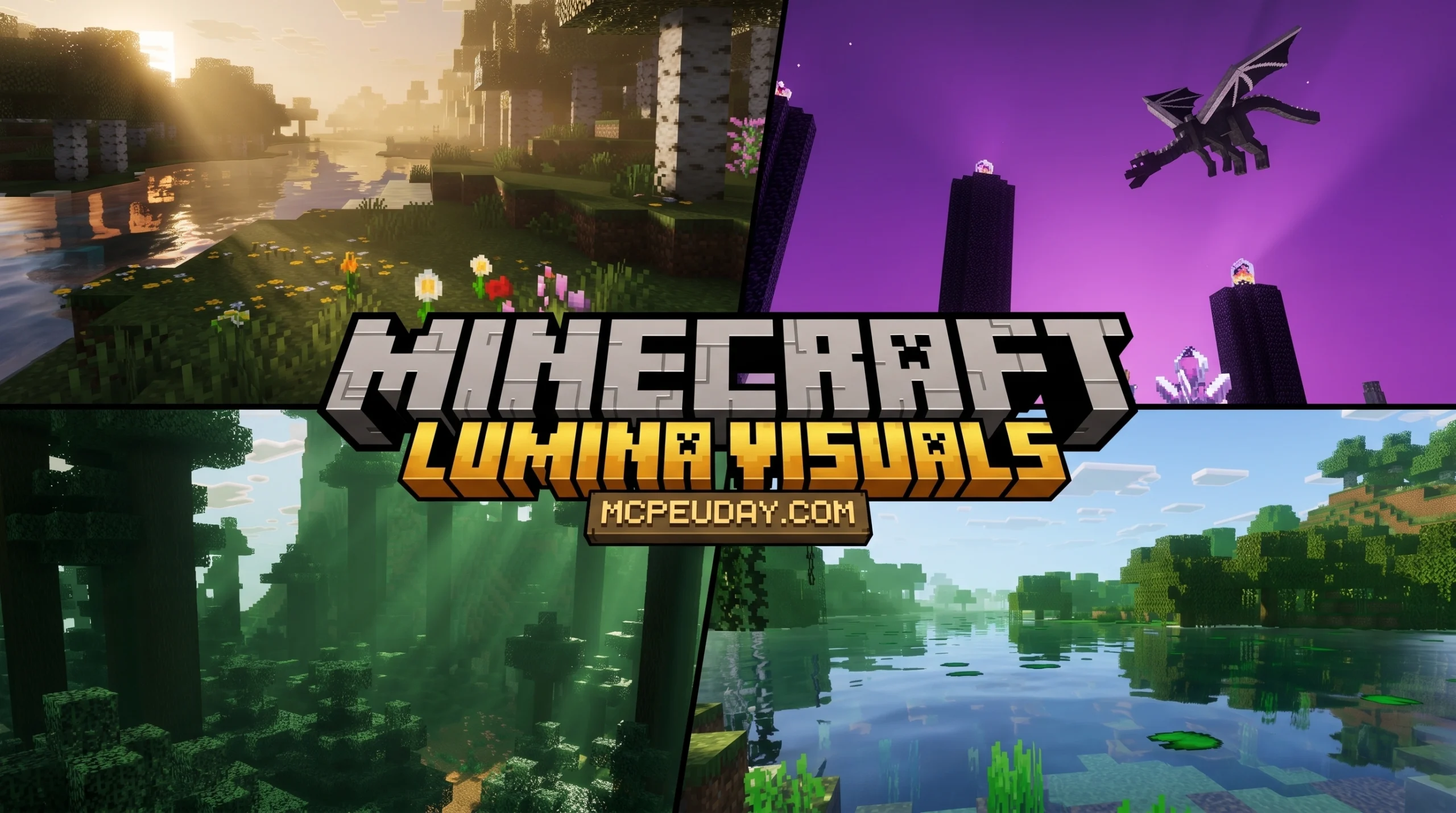
What Lumina Visuals Shader Does for Minecraft Bedrock
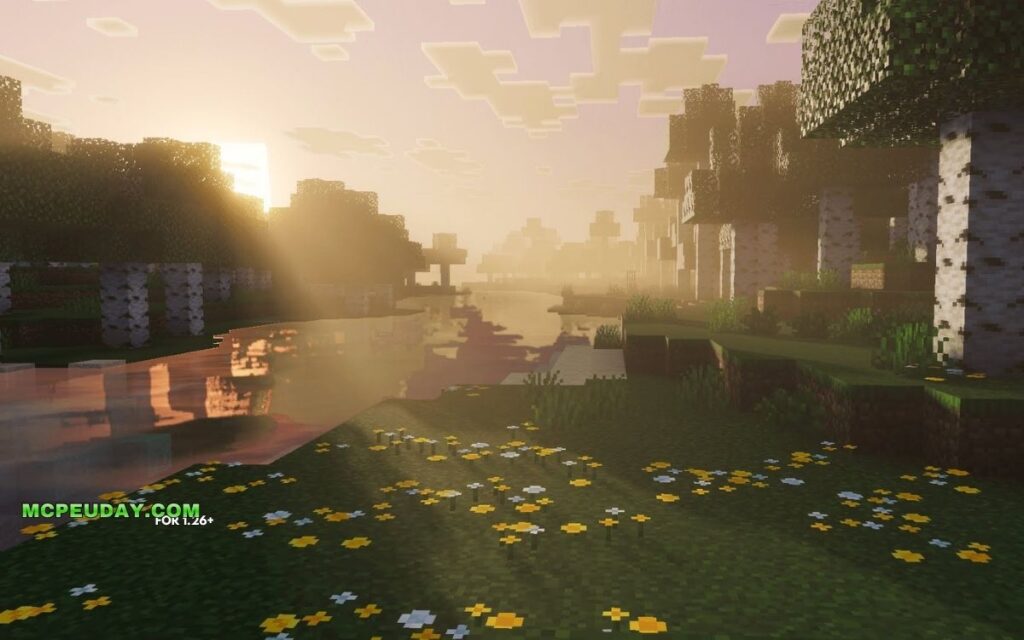
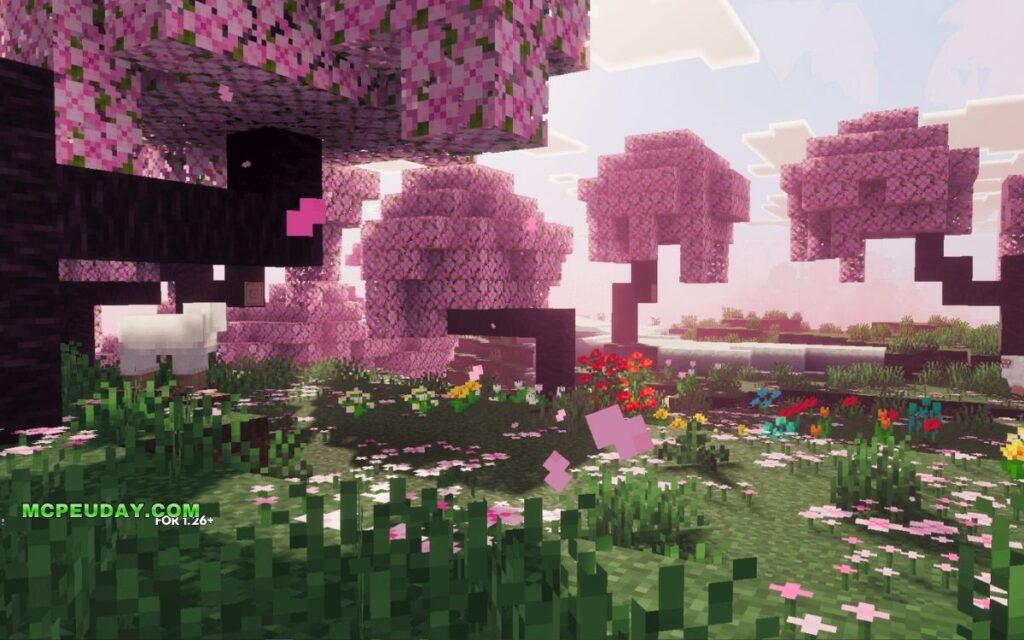
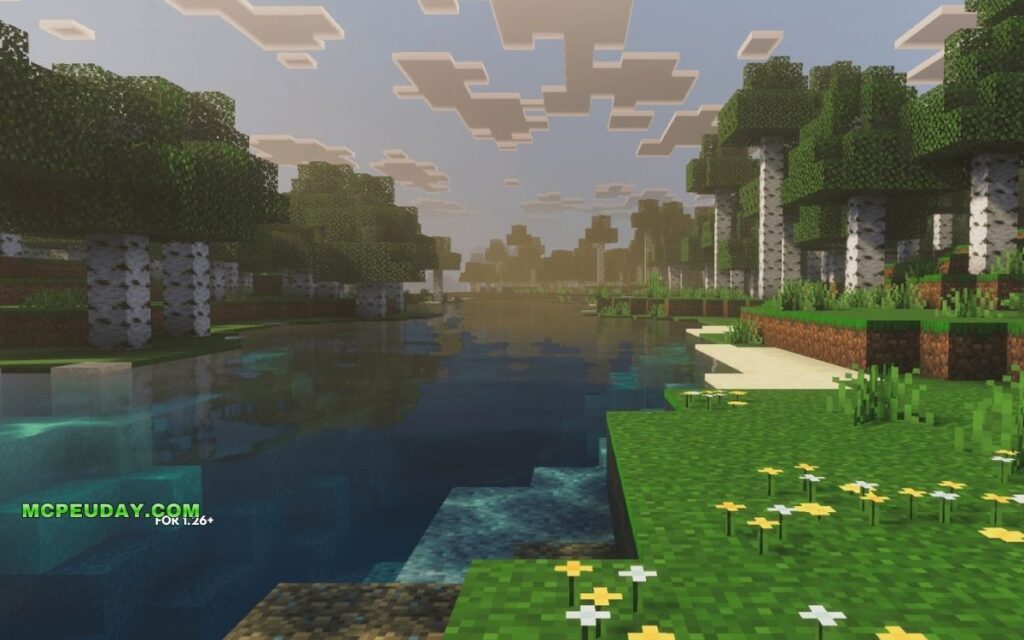
Lumina Visuals Shader is a deferred rendering shader pack for Minecraft Bedrock Edition that transforms the game’s default visuals into a cinematic, high-realism experience — without destroying your frame rate.
Quick answer for Bedrock players:
- What it is: A performance-friendly shader pack for Minecraft Bedrock/PE
- What it does: Adds cinematic shadows, reflective water, volumetric sky, and enhanced color grading
- Who made it: Published by HoneyStudios on CurseForge
- Where to get it: Download as an
.mcpackfile from CurseForge or MCPEDL - Version support: Compatible with Minecraft Bedrock 1.21 (26.x)
- Requires experimental mode: Yes, in most cases
Minecraft Bedrock’s default graphics get the job done — but they’re flat. Shadows are basic. Water looks like a texture. The sky barely changes.
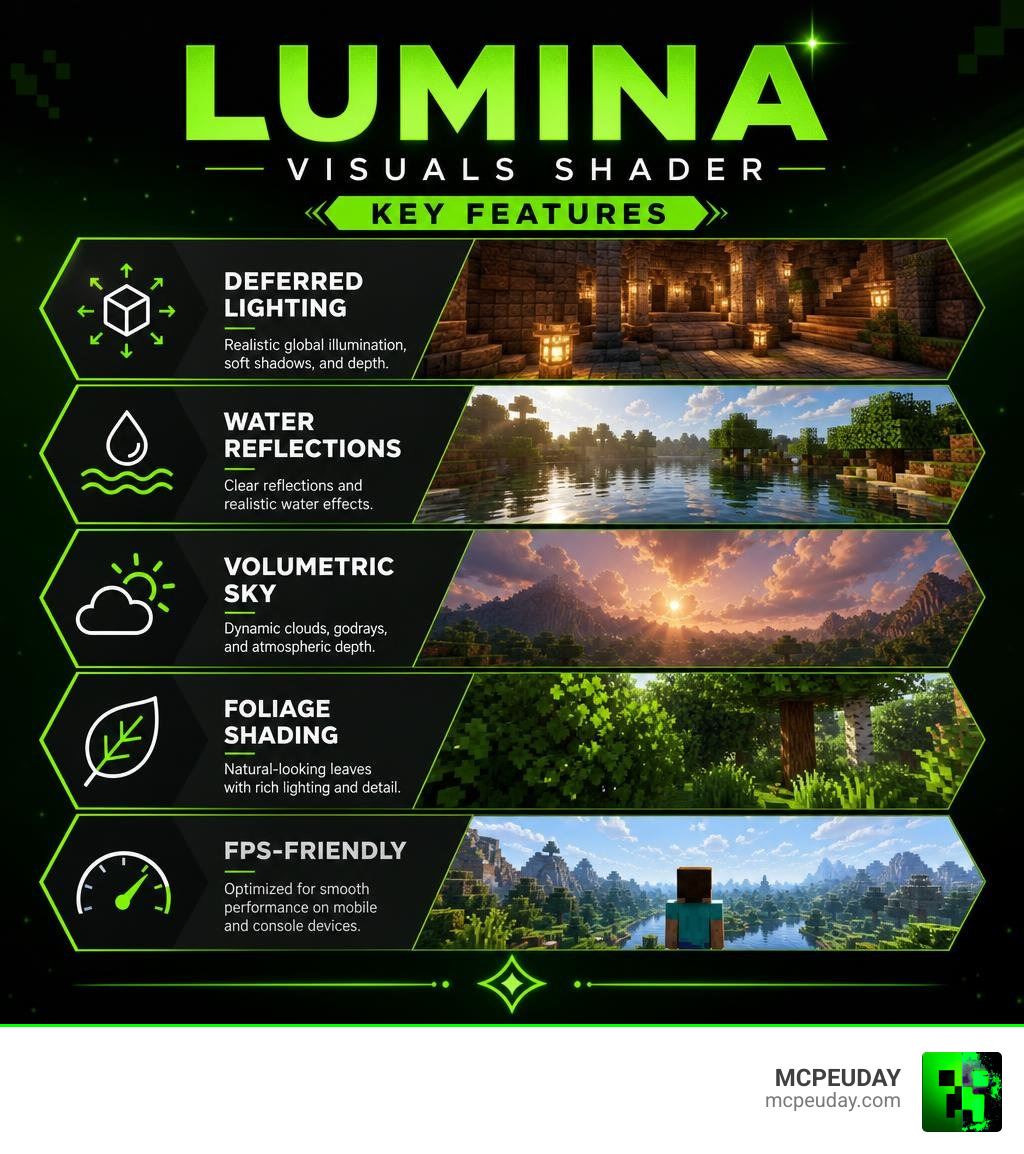
Lumina Visuals fixes that. It rebuilds how light interacts with every surface in your world. Sunsets glow. Water reflects the sky. Caves feel darker and more dramatic. Forests look lush with detailed leaf shading.
The best part? It’s built to stay smooth on mobile and console-level hardware. You don’t need a gaming PC to run it.
This guide covers everything: what it does, how it compares to similar shaders, how to install it, and what to expect on your device.
What is the Lumina Visuals Shader and What Does It Do?
At its core, the Lumina Visuals Shader is a deferred rendering pack specifically optimized for the modern Minecraft Bedrock engine. If you have ever wondered What are Shaders in Games, they are programs that tell the graphics hardware how to render lighting, shadows, and materials.
Instead of completely replacing the game’s code, this shader works hand-in-hand with Bedrock’s built-in graphics engine to deliver stunning cinematic realism. By altering the underlying lighting and color systems, it introduces dynamic shadows, high-quality water reflections, and customized sky lighting.
You can find the official version of this pack directly on the Lumina Visuals on CurseForge page, where the developers keep it updated for the latest Bedrock versions.

To give you a quick idea of how drastically this pack alters your world, here is a breakdown of the visual changes:
| Environment | Default Minecraft Bedrock | With Lumina Visuals Shader |
|---|---|---|
| Daytime | Flat, uniform sunlight with hard-edged, pixelated shadows. | Warm global illumination, soft cinematic shadows, and natural ambient light balance. |
| Nighttime | Monotone dark blue lighting with high visibility in open areas. | Deep, realistic dark nights with glowing light sources and realistic moon phases. |
| Underwater | Foggy blue overlay with very limited visibility and no surface interaction. | High transparency, dynamic water wave effects, and realistic light refraction from the surface. |
Atmospheric Lighting in Lumina Visuals Shader
The lighting engine rewrite is the crown jewel of this pack. We get a gorgeous volumetric sky that transitions smoothly throughout the day. Instead of abrupt daylight changes, the shader introduces a beautiful golden hour tint during sunrise and sunset.
The color grading is vibrant but never oversaturated. This means your green forests look natural, desert biomes feel hot and dusty, and snowy mountains reflect the cool blue sky. When night falls, the ambient light balance shifts beautifully, turning torches, lanterns, and glowstone into actual glowing highlights with soft light diffusion.
Water Reflections and Foliage Shading
Water in vanilla Bedrock has historically looked like blue soup. Lumina Visuals Shader completely replaces this with a reflective water surface that mirrors the volumetric sky, clouds, and surrounding terrain. Ocean exploration becomes incredibly immersive because the underwater visibility is highly improved, letting you see coral reefs and ruins from the surface.
Foliage also gets a massive upgrade. The pack enhances foliage shading, giving leaves and grass a deeper, three-dimensional look. It modifies environmental colors and leaf details to make your scenes look much sharper, eliminating that flat, plastic look of vanilla forests.
Performance, System Requirements, and Comparisons
Whenever we talk about realistic graphics upgrades, the first question is always: “Will this turn my phone into a pocket-sized furnace?”
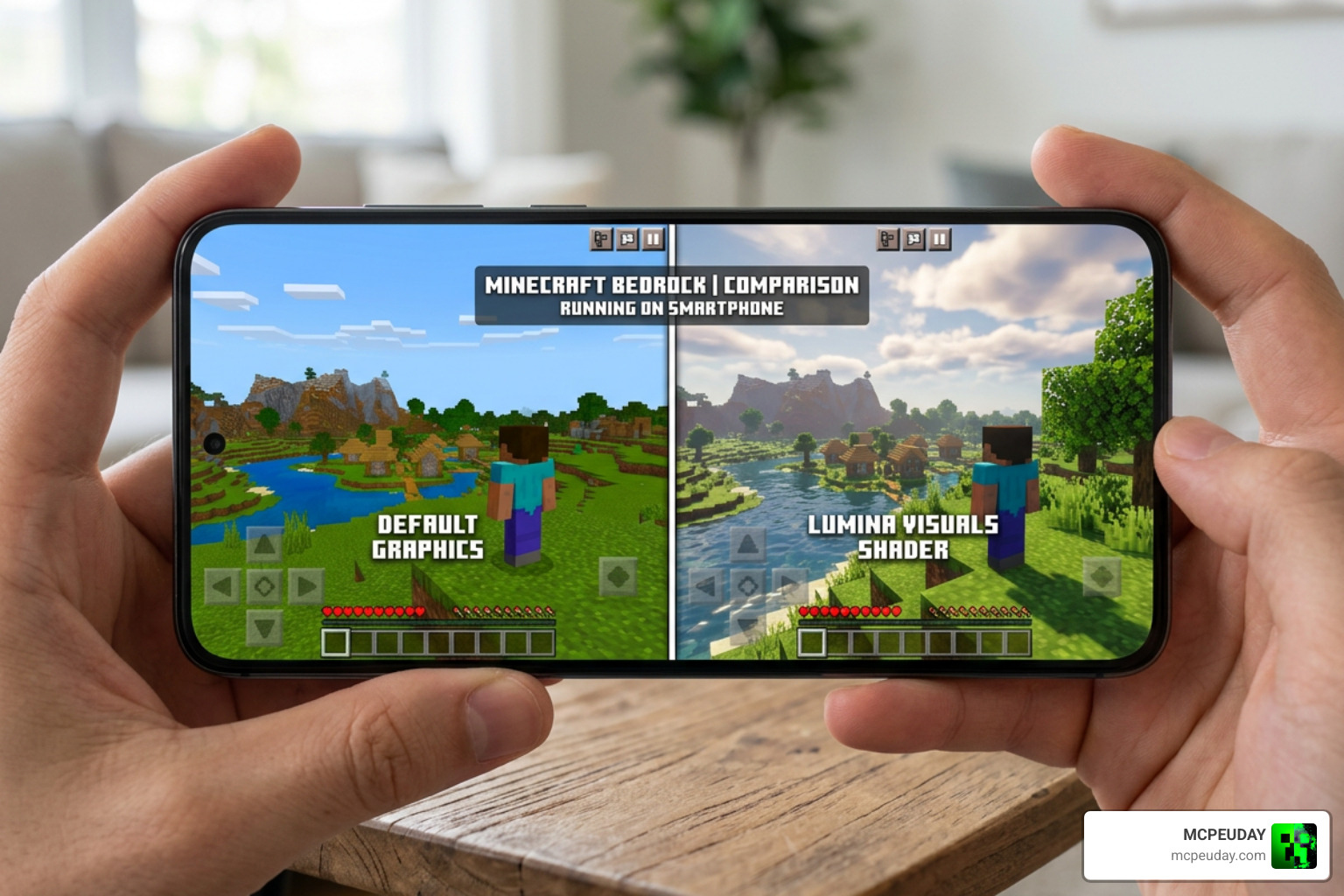
Fortunately, the team behind Lumina Visuals designed this pack with performance optimization at the forefront. It is built to offer console-smooth performance, meaning you don’t need an ultra-high-end device to enjoy these visuals. If you want to compare it to other rendering setups, you might also want to look at the Lumen Visual Shader 26 x 1 21 MCPE Bedrock Shader, which shares a similar focus on performance-friendly deferred rendering.
Lumina Visuals Shader Performance on Mobile Devices
Because mobile devices have highly varied hardware, the shader is optimized to scale its resource usage. It manages to keep frame rates stable by avoiding heavy, unoptimized post-processing pipelines.
If you are looking for a reliable setup, we recommend checking out our list of the 3 Best Shaders for Minecraft 1 21 Ultra Realistic Smooth FPS Stunning Graphics to see where this pack stands.
Generally, compatible devices fall into these performance tiers:
- High-End Devices (Apple A15+/Snapdragon 8 Gen 1+): Smooth 60 FPS with maximum render distance and full deferred lighting features enabled.
- Mid-Range Devices (Snapdragon 700 series/Apple A13): Highly stable 45-60 FPS. We recommend slightly lowering your render distance to maintain perfect console-smooth performance.
- Low-End Devices: May experience minor frame drops in dense forest biomes or near massive water bodies. Disabling complex particle effects can help keep gameplay smooth.
Lumina Visuals vs. Lumina Prime and Java Lumina
It is easy to get confused by the naming conventions in the shader world. Let’s clear up the differences:
- Lumina Visuals (This Pack): A Bedrock-specific deferred shader pack focused on vibrant atmospheric color grading, soft shadows, and high performance on mobile and console hardware.
- Lumina Prime: Another Bedrock pack that features highly transparent water with distinct wave effects and a redesigned lighting engine. It focuses heavily on sunlight and moonlight interactions with the terrain.
- Lumina (Java Edition): An entirely different, performance-oriented shader pack developed by seilotte for Java Edition. It is hosted on the seilotte/lumina GitHub repository and requires Iris, Sodium, and OpenGL 4.6 compatibility.
- Lumina GL: A completely unrelated web-development creative engineering project hosted on Lumina-GL/lumina-gl. It is a technical study in GLSL fragment shaders simulating optical physics (like chromatic aberration and fluid dynamics) in web browsers, not a Minecraft mod!
How to Install Lumina Visuals on Bedrock 1.21
Ready to upgrade your world? Installing the shader is incredibly simple because it is packaged as an .mcpack file.
Before starting, make sure your device supports the Render Dragon deferred technical preview, as this shader relies on Bedrock’s modern rendering engine. If you need a more general overview of adding custom graphics to your game, read our guide on How to Get Shaders in Minecraft.
Here is the step-by-step installation guide:
- Download the Pack: Download the latest version of the shader from a trusted source like the Lumina Visuals on MCPEDL page.
- Import to Minecraft: Locate the downloaded
.mcpackfile on your device and tap/click it. Minecraft Bedrock will open automatically and import the pack. - Enable Experimental Settings: Create a new world or go to the settings of an existing world. Scroll down to the Experiments tab and toggle on the Render Dragon Features for Creators (or deferred rendering preview) option.
- Activate the Resource Pack: Go to Global Resources or your world’s Resource Packs menu, find Lumina Visuals, and click Activate.
- Launch and Enjoy: Load your world and enjoy the gorgeous new lighting!
Frequently Asked Questions about Lumina Visuals
Is experimental mode required for Lumina Visuals?
Yes. Because Bedrock’s deferred rendering engine is still technically a creator feature, you must toggle on the experimental graphics settings in your world options. Without this, the shader will default to vanilla lighting.
Does this shader affect survival gameplay performance?
No, it does not alter any survival mechanics, block behaviors, or mob AI. It is strictly a visual upgrade. Because it is highly optimized, you won’t have to worry about sudden frame drops during crucial survival moments like fighting the Ender Dragon or exploring deep caves.
What is the difference between Lumina Visuals and Lumina GL?
They are completely different projects! Lumina Visuals is a resource pack for Minecraft Bedrock Edition. Lumina GL is an open-source WebGL/Three.js laboratory project used by web developers to study real-time light physics and interactive refraction in web browsers.
Conclusion
If you want to breathe new life into your Minecraft Bedrock worlds, the Lumina Visuals Shader is one of the absolute best choices available in June 2026. It perfectly balances breathtaking cinematic realism with console-smooth performance, making it a dream come true for survival players and creative builders alike.
We at MCPEUDAY are dedicated to bringing you the absolute best resources for your game. If you want to see how this pack stacks up against other top-tier options, don’t miss our roundup of the Best Shaders for MCPE 1.21 (2026) – Top 3 Realistic Minecraft PE Shaders.
Download the pack, turn on those experimental settings, and go explore your beautiful new world!
3 thoughts on “Lumina Visuals Shader (26.x, 1.21) – MCPE/Bedrock Shader”