What Visuality Deferred Does for Minecraft Bedrock Graphics
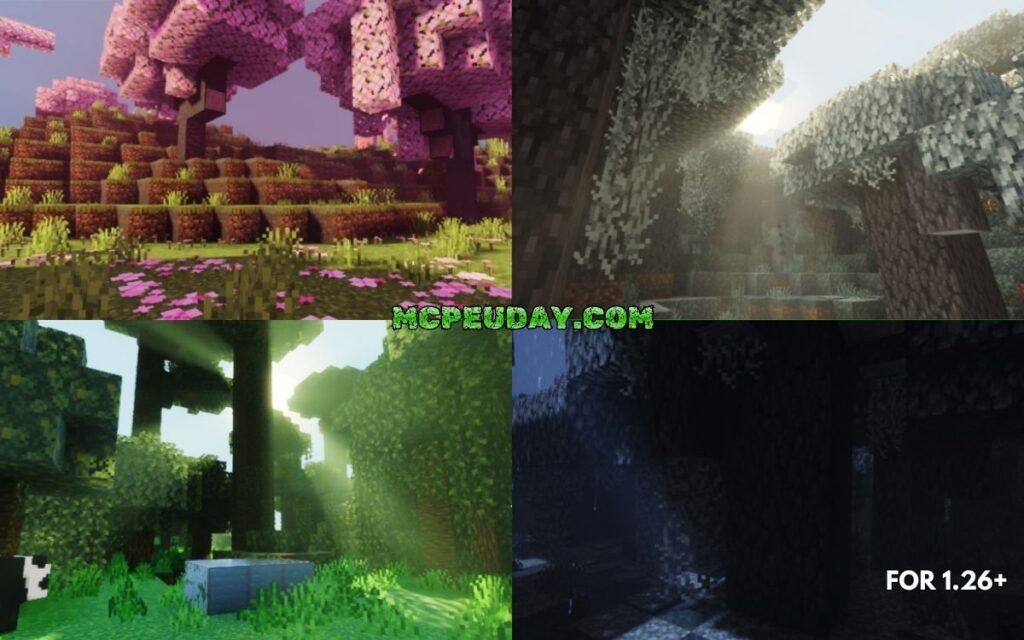
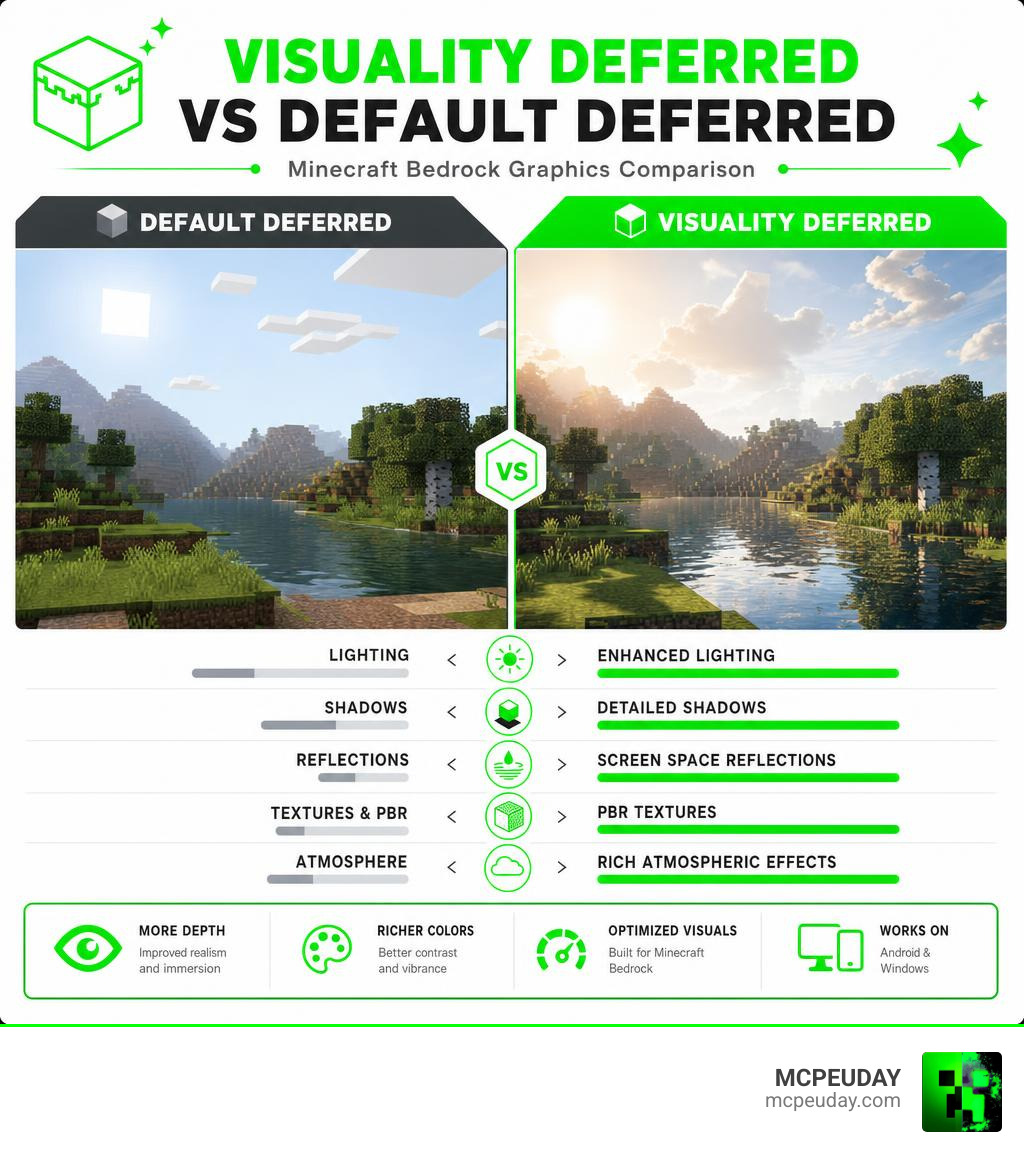
Visuality Deferred is a texture and asset modification pack for Minecraft Bedrock Edition that upgrades the game’s visuals through its built-in deferred rendering pipeline. It improves lighting, shadows, reflections, and physically based rendering (PBR) — without replacing the RenderDragon engine itself.
Quick answer:
- What it is: A free .mcpack add-on that enhances Minecraft Bedrock’s deferred rendering mode
- What it improves: Lighting, shadows, PBR textures, screen space reflections, and atmospheric effects
- File size: 7.18 MB (v2.1)
- Supported versions: Minecraft Bedrock 1.20.30 to 1.21.50
- Works on: Android and Windows
- How to use it: Download the .mcpack, open it in Minecraft, and enable Deferred Technical Preview in settings
If you’ve ever turned on Minecraft’s deferred rendering mode and thought the visuals still looked flat or basic — that’s exactly the problem Visuality Deferred is built to fix. The pack swaps out specific in-game assets to make the deferred pipeline look far more polished and realistic.
It’s a community-made project, not an official Mojang release. That means it builds on top of Minecraft’s existing Vibrant Visuals framework rather than replacing it — giving players a way to push the graphics even further.
What is Visuality Deferred?
To understand what Visuality Deferred is, we first need to look at how Minecraft Bedrock Edition handles graphics. For years, players on mobile devices, consoles, and Windows PCs have been locked into the RenderDragon engine. Unlike Java Edition, which allows for deep modifications of the rendering pipeline through third-party mods, Bedrock has been notoriously difficult to customize.
However, Mojang introduced the Deferred Technical Preview, which brought official shader-like capabilities directly to Bedrock. This is where Visuality Deferred comes in. Instead of trying to hack or replace the RenderDragon engine, it works as a highly optimized asset modification pack. It hooks directly into the engine’s deferred pipeline to push the visual limits of your game.
For a deeper dive into how this compares to other options on the market, you can check out our Best Render Dragon Shaders for MCPE 1-21 Tested on Real Devices 2026 Guide.
When we discuss the concept of “visuality” itself, it isn’t just a modern gaming buzzword. Scholars have long debated its definition, as explored in On Visuality and Whitney Davis’s book Visuality and Virtuality | Princeton University Press . In the gaming world, visuality is all about how we perceive virtual spaces. By altering how light bounces off blocks, Visuality Deferred completely changes our spatial perception in Minecraft. You can read more about the community’s response and download files directly from the Visuality Deferred | Minecraft PE Texture Packs – MCPEDL page.
Key Features of Visuality Deferred
At its core, Visuality Deferred focuses on bridging the gap between standard mobile graphics and high-end PC ray tracing. Some of its standout features include:
- True Deferred Lighting: Light sources emit realistic rays that fade naturally over distance, casting real-time shadows.
- Enhanced PBR Textures: Blocks are no longer flat textures. They receive physical properties that dictate how shiny, rough, or metallic they look.
- Atmospheric Improvements: Fog, sunsets, and sunbeams are dynamically adjusted depending on the time of day and the biome you are in.
- Water Shading: Water is treated with realistic transparency, depth, and screen space reflections.
If you want to explore similar options, we recommend checking out the Refined Deferred Shader for MCPE, which offers a slightly different take on deferred performance.
Supported Platforms and Minecraft Versions
One of the biggest strengths of Visuality Deferred is its broad compatibility. Because it utilizes the official Bedrock deferred pipeline, it does not require external patched clients or risky modifications.
- Supported Platforms: Android (with modern GPUs supporting GLES3/Vulkan) and Windows PC.
- Minecraft Bedrock Versions: Fully compatible from version 1.20.30 all the way up to version 1.21.50.
- File Distribution: The optimized v2.1
.mcpackfile sits at 7.18 MB, offering a comprehensive suite of high-resolution PBR assets. For players on older hardware, the legacy v1.8.mcpackis a lighter 1.04 MB download that still provides excellent lighting enhancements.
Technical Breakdown: Lighting, Shadows, and PBR
To understand how Visuality Deferred achieves its stunning look, we have to look under the hood of deferred shading. In standard forward rendering, the game calculates lighting for every single polygon it draws. This is incredibly taxing and limits how many light sources you can have on screen.
Deferred shading solves this by decoupling geometry from lighting. The engine first renders the scene’s geometric data (like depth, normals, and color) into a series of screen-space textures collectively known as the G-buffer. Once the G-buffer is filled, the lighting is calculated as a post-processing step.
On the technical side, deferring processes is a common programming paradigm. If you’ve ever worked with game engines or graphics pipelines, you might recognize deferral methods like the bevy_defer v0.17.0 crate in Rust, or the 4.3.8. DeferExpression operator — VisIt User Manual 3.2.2 documentation in data visualization.
While a traditional G-buffer can be memory-intensive, modern graphics developers are constantly finding ways to optimize this pipeline. For instance, research like The Visibility Buffer: A Cache-Friendly Approach to Deferred Shading demonstrates how minimizing the memory footprint of deferred rendering can drastically improve performance on mobile and integrated GPUs. Visuality Deferred benefits from these modern optimizations, keeping its memory usage low enough to run on mid-range Android devices.
Physically Based Rendering (PBR) and MERS Maps
Without PBR, light hits every block in Minecraft the exact same way. A block of dirt reflects light identically to a block of solid gold. PBR completely changes this by using MERS maps (Metalness, Emissive, Roughness, Subsurface scattering):
- Metalness: Determines if a block behaves like a metal (reflecting the color of the material itself) or a non-metal.
- Emissive: Dictates if parts of a block glow in the dark (like redstone ore, sea lanterns, or magma blocks).
- Roughness: Controls how sharp or blurry reflections are. A polished marble floor has low roughness, while cobblestone has high roughness.
- Subsurface Scattering: Simulates light passing through translucent objects, giving leaves and ice a realistic, soft glow when backlit.
Screen Space Reflections and Dynamic Lighting
Visuality Deferred leverages Screen Space Reflections (SSR) to calculate what should be reflected on wet or glossy surfaces. If you build a sleek obsidian palace next to a lake, you will see the palace perfectly reflected on the water’s surface.
Combined with Image-Based Lighting (IBL), the environment’s skybox colors dynamically tint the shadows and reflections. If you want to see how other shaders handle this visual style, check out our Galaxy Shaders RD Render Dragon Complete Guide Bedrock Edition.
Even in broader cultural studies, visual representation holds immense weight—whether it’s the heavy themes in The Creation of Death-Worlds: Visual Necropolitics and Russia’s … or artistic reflections on spatial design in Deferred Reality: Reimagination of the American Dream – The Visualist . In Minecraft, creating a convincing virtual world relies heavily on these dynamic lighting interactions.
Visuality Deferred vs. Definitive Vibrant Visuals
When looking for the perfect deferred pack, players often compare Visuality Deferred to other giants in the community, such as Definitive Vibrant Visuals. Both packs utilize the same core RenderDragon pipeline, but they approach the aesthetic and optimization differently.
To help you choose, we have put together a quick comparison table:
| Feature | Visuality Deferred (v2.1) | Definitive Vibrant Visuals |
|---|---|---|
| Primary Platform | Android & Windows | Windows & High-end Mobile |
| File Size | 7.18 MB (v2.1) / 1.04 MB (v1.8) | Large Asset Pack |
| Download Source | MCPE DL / MC-Addons | CurseForge |
| Focus | Performance & Asset Polish | Heavy Realism & Biome Tuning |
| PBR Texturing | Balanced, highly compatible | Highly detailed, resource-heavy |
| Atmospheric Fog | Soft, natural blending | Heavy, dramatic volumetric fog |
If you are looking for another high-performance alternative to test against these two, take a look at our Amin Shader for Minecraft PE Render Dragon Complete 2026 Guide.
Visual Quality and Biome-Specific Settings
Definitive Vibrant Visuals leans heavily into dramatic, cinematic environments. It features highly customized settings for specific biomes—such as a warm, golden haze during a Savannah Sunset, or cool, crisp tones in cold biomes.
Visuality Deferred, on the other hand, prioritizes clean, readable gameplay. It enhances the vanilla look of Minecraft without over-saturating the colors or blinding you with excessive bloom. The transition between a dense birch forest and a cherry grove feels natural, utilizing subtle shifts in atmospheric fog rather than aggressive color grading.
Performance Impact and Hardware Requirements
Because Visuality Deferred is highly optimized (especially if you utilize the v1.8 pack), it runs exceptionally well on mid-range devices.
During our testing in 2026, we found that modern mid-range mobile processors, such as the Snapdragon 7s Gen 2, can easily handle Visuality Deferred at a stable 50–60 FPS. In contrast, Definitive Vibrant Visuals can cause noticeable thermal throttling and frame drops on the same hardware due to its heavier texture sets. If you are playing on a lower-end Android device, Visuality Deferred is undoubtedly the safer and smoother choice.
How to Install and Enable Visuality Deferred
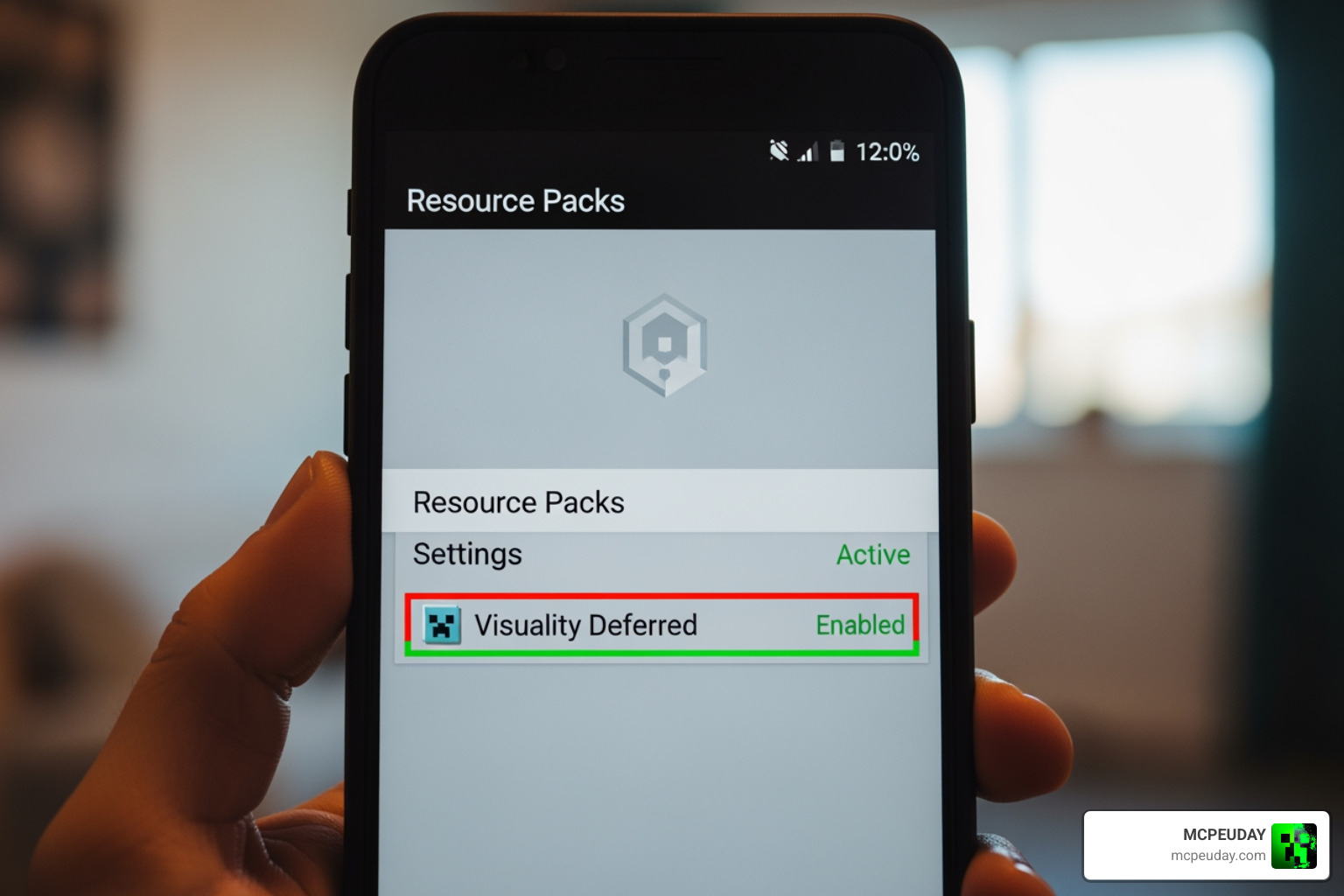
Ready to upgrade your game? Installing Visuality Deferred is incredibly simple because it uses the native .mcpack format. You do not need to replace your game’s executable file or use third-party launch tools.
For official documentation on this rendering mode, you can refer to Enabling Deferred Technical Preview in Your World – Microsoft Learn .
Step-by-Step Guide to Install Visuality Deferred
- Download the File: Grab the
.mcpackfile for Visuality Deferred (we recommend v2.1 for modern devices, or v1.8 for older phones). - Import to Minecraft:
- On Android: Tap the downloaded file using a file manager and select “Open with Minecraft”.
- On Windows: Simply double-click the
.mcpackfile. Minecraft will launch automatically and import the pack.
- Activate globally or per world: Go to Settings > Global Resources > My Packs, find Visuality Deferred, and click Activate.
Activating the Deferred Technical Preview
Simply activating the resource pack is not enough; you must also turn on Minecraft’s experimental graphics engine.
- Create or Edit a World: Go to your world settings.
- Enable Experiments: Scroll down to the Experiments tab and toggle on the Deferred Technical Preview switch.
- Adjust Video Settings: Once inside your world, open Settings > Video. Scroll down to Graphics Mode and select Deferred Technical Preview (this option will only be selectable if your hardware supports it).
Frequently Asked Questions about Visuality Deferred
Does Visuality Deferred work on Android devices?
Yes! Unlike older ray-tracing solutions (RTX) which are locked to Nvidia graphics cards on PC, deferred rendering works on mobile devices. However, you will need an Android device with a GPU that supports modern rendering standards (Vulkan/GLES3). Mid-range processors like the Snapdragon 7s Gen 2 or higher handle it beautifully.
What are the known bugs and limitations?
Because the Deferred Technical Preview is still an experimental feature within Minecraft Bedrock, you may occasionally experience minor rendering glitches. These can include flashing textures, light leaking through solid blocks in dark caves, or water reflections occasionally disappearing at certain camera angles. Keeping both your game and the pack updated to the latest version usually resolves these issues.
How does it differ from the official Vibrant Visuals preview?
The official Vibrant Visuals preview is the underlying engine framework provided by Mojang. Visuality Deferred is a community-created asset pack designed to run on top of that framework. It replaces default textures with customized MERS maps and fine-tunes the engine’s lighting and shadow parameters to look significantly better than the stock settings.
Conclusion
Visuality Deferred represents a massive leap forward for Minecraft Bedrock graphics in 2026. By utilizing the built-in RenderDragon deferred pipeline, it gives mobile and PC players access to gorgeous PBR textures, dynamic lighting, and realistic reflections without destroying device performance.
Whether you want to breathe new life into an old survival world or simply want to showcase your builds under beautiful, realistic sunsets, this pack is a must-have.
For more downloads, tutorials, and the latest releases, keep it locked to MCPEUDAY. Explore more Minecraft Bedrock Shaders on our platform to find the perfect look for your game!